
Key takeaways:
If you’re searching for a way to streamline your scheduling and reclaim valuable time, these top scheduling apps for small business owners offer tailored solutions for different needs.
- Find the right fit for your workflow. From field service scheduling (Jobber), meeting coordination (Calendly), and employee shift management (Sling), to time tracking (Clockify) and simple online booking (YouCanBook.me), each app brings unique strengths for different business models and budgets.
- Increase efficiency and reduce admin time. Features like drag-and-drop calendars, automated reminders, calendar syncing, and mobile access help simplify scheduling, minimize human error, and lower the risk of missed appointments or double-bookings.
- Support team and client collaboration. Many of these apps make it easy for staff to swap or claim shifts, for clients to self-book, and for managers to oversee productivity and availability from any device.
- Consider growth and integration needs. Evaluate each app’s advanced options, such as task management, time tracking, or route planning, to ensure the solution you choose continues to fit your business as your team or service volume expands.
- Test before you commit. Most options offer free plans or trials, allowing you to try and compare features before making a long-term investment.
Learn how Jobber can create smart and efficient schedules to help you cut down on admin and fit more jobs in your day. Start your free trial.
Using scheduling software can prevent conflicts, save time, and help your service business run smoothly. In fact, 60% of small business owners who use it say it boosts their operational efficiency.
But it’s important to choose the right software. For the best results, you should review scheduling apps for features that match your needs, like route optimization, time tracking, and online appointment bookings.
We’ve compiled a list of the best scheduling software apps for service businesses so you can keep your calendar full and conflict-free.
The best scheduling apps for service businesses:
What is scheduling software for service businesses?
In a service business, scheduling software can be used to:
- Book service appointments
- Assign team members to jobs and clients
- Plan and optimize routes
- Send automated reminders and appointment confirmations
- Manage both one-off and recurring jobs
- Track employee availability
- Keep schedules up to date
It helps to prevent double bookings, keep your schedule full, and make the most of your team’s time.
How scheduling software works
Scheduling software works by connecting your jobs, clients, and team members in real time. This lets you:
- Add team members to your calendar
- Update their availability
- Input upcoming jobs, including time estimates and locations
- Plan routes
- Assign employees to clients
Without software, these are tasks you would need to do manually, which takes a lot of time and can lead to unintentional scheduling conflicts.
Some service scheduling software, like Jobber, also offer quoting, invoicing, and payment processing, letting you manage jobs from start to finish. This means you won’t have to switch between platforms or worry about compatibility across different apps.
How we chose the best small business scheduling apps
To find the best scheduling apps, we took a hand-on approach. We researched dozens of scheduling apps designed for small business owners across different home service industries.
This included:
- Watching product demos and tutorials to evaluate how easy each app is to set up and use.
- Reading customer reviews across platforms like G2 and the App Store to understand real-world user experiences.
- Comparing features such as calendar syncing, task management, time tracking, automated reminders, and employee scheduling.
The result is these seven contenders for the best scheduling app for small business success.
Best scheduling software comparison chart
Disclaimer: Software prices are reported at the time of writing and are subject to change after the publication of this article.
| Scheduling software | Best for | Key features | Price | Free Trial |
|---|---|---|---|---|
| Jobber | Home service business owners who need to manage jobs, teams, routes, and customers | Job scheduling, online booking, route optimization, GPS tracking, and team notifications | Starts at $29 per month | Yes |
| Calendly | Businesses that frequently meet with team members or customers | Calendar-based scheduling, meeting polls, automated reminders, and follow-ups | $10-$16 per user, per month | Free plan available |
| Clockify | Service business owners who want employee time tracking alongside scheduling | Employee scheduling, time tracking, drag and drop calendar | $5.49-$12.99 per user, per month | Free plan available |
| YouCanBook.me | Small business owners looking for a simple booking tool | Online booking, calendar sync, availability rules | Up to $14.40 per user, per month | Free plan available |
| Sling | Service businesses managing internal employee shifts | Shift scheduling, employee availability, conflict notifications, shift sign-ups | $1.70-$3.40 per user, per month | Free plan available |
| Connecteam | Small businesses in need of an internal workforce and shift management | Recurring work set up, shift assignment, individual schedules | Up to $99 per month | Free plan available |
| Zoho Bookings | Service business owners who use (or plan to use) Zoho apps or are in need of a scalable scheduling tool | Staff schedule management, customer profiles, online booking, job assignment, automated reminders | $6-$9 per user, per month | Yes |
| Acuity Scheduling | Home service business owners who want to combine online booking with payment collection | Customized booking page, client-self-scheduling, automated confirmation, payment processing | $16-$49 per month | Yes |
1. Jobber
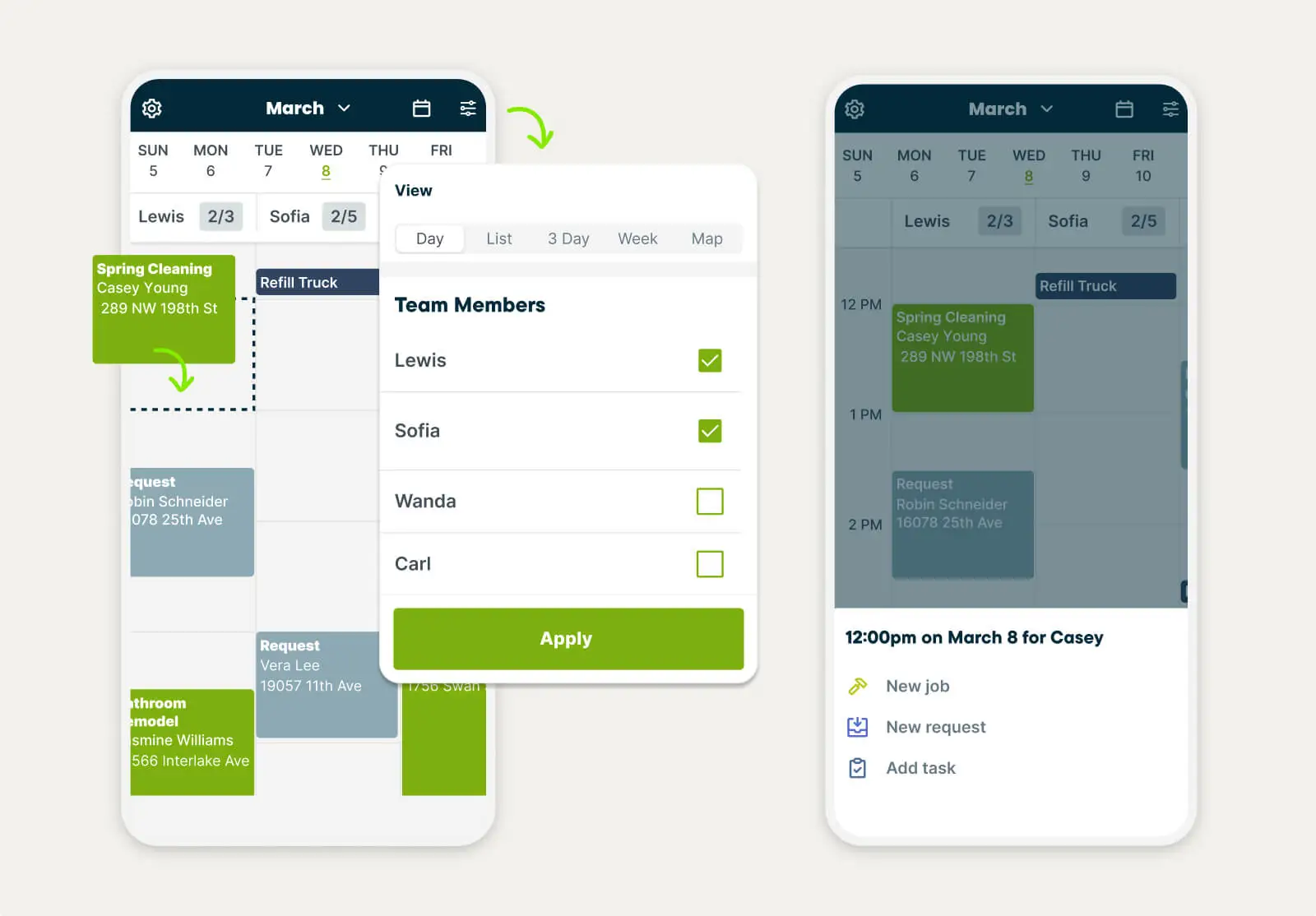
Unlike many scheduling apps, Jobber’s scheduling software is tailored to home service businesses. This makes it a top choice if you need a platform that can help you manage jobs from start to finish in one place, including scheduling and route optimization, GPS tracking, team notifications, and online booking.
Job scheduling and route optimization
With Jobber, you can schedule jobs and plan efficient routes using a drag-and-drop calendar. This makes booking jobs, assigning tasks, and rescheduling work a breeze.
With multiple calendar views, it’s easy to spot potential scheduling conflicts like gaps, double bookings, and route issues. Then, you can make adjustments in seconds, avoiding impacts on employees, clients, and your bottom line.
GPS tracking
On top of scheduling, Jobber offers GPS tracking, so you can see where your crew is at all times. This helps you make decisions about dispatching, route planning, and rerouting based on crew locations, driving speeds, and road delays.
Team notifications
When you do need to make a change in your Jobber calendar, like reassigning a job to a different employee or rescheduling an appointment, your crew will get an automated notification. This means they won’t miss important updates about their schedules, saving everyone time and keeping you on the same page.
Online booking
75% of small business customers prefer to book appointments online over making a phone call. Offering online booking offers convenience to your clients, but it also saves you time and gives your business a competitive edge.
Jobber’s online booking software allows customers to book appointments right in your calendar, reducing back and forth and cutting down on emails and calls.
Who should use Jobber?
Home service business owners who need a tool that helps with job, employee, and route scheduling, as well as:
- Customer communication, like on-my-way texts and appointment confirmations
- Job quoting, invoicing, and payment processing
- Automated client support through an AI receptionist that can take messages, answer calls and texts, and schedule jobs for you
How much does it cost?
Jobber’s pricing starts at $29/mth for individual users, and $129/mth for teams of up to five people.
2. Calendly
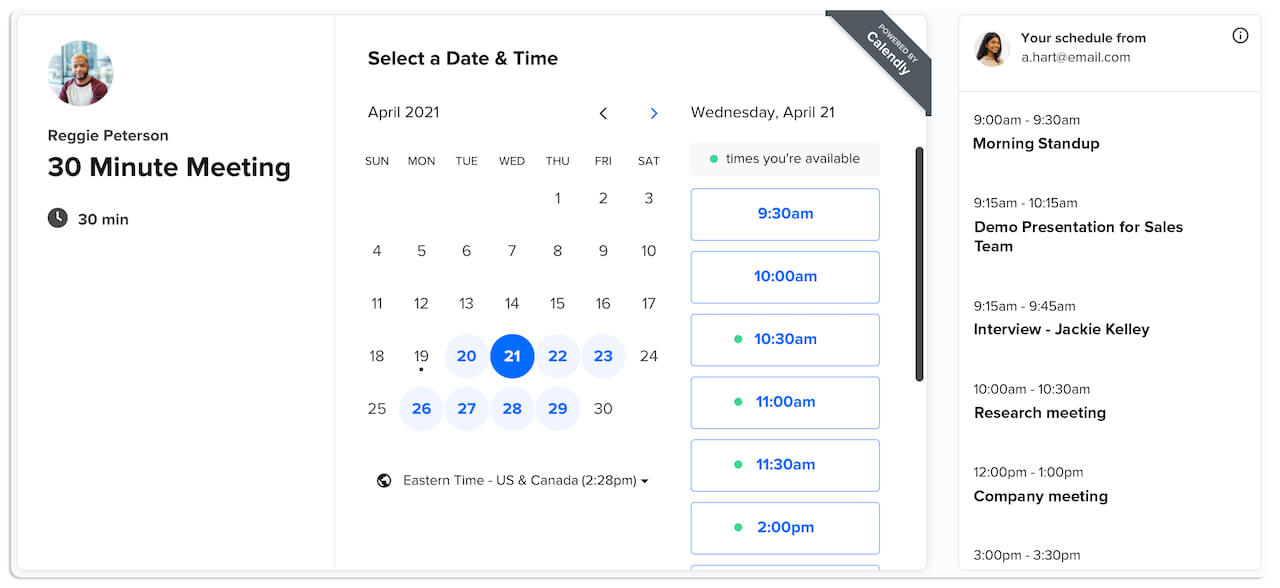
Calendly is a calendar-specific scheduling app you can use to:
- Send meeting polls to find the most popular times for team meetings
- Create simple rules around your availability so your calendar books up the way you want
- Connect up to six calendars to automatically check available times
- Decrease no-shows and do less admin work by automating reminders and follow-ups
- Sync with Google Meet or Microsoft Teams
When you send a Calendly scheduling link to someone, they’ll see available times in your calendar and can book an online or in-person meeting time that works for both of you.
Who should use Calendly?
Calendly is best suited for businesses that frequently meet with customers and team members online or in-person for things like:
- Consultations
- Estimates
- Inspections
- Project updates
- Team meetings
- Appointments
While it can be used to book jobs, it doesn’t offer route optimization, GPS tracking, or recurring scheduling.
How much does it cost?
Calendly offers a free plan for personal use, and paid pricing ranges from $10-$16 per user, per month.
3. Clockify
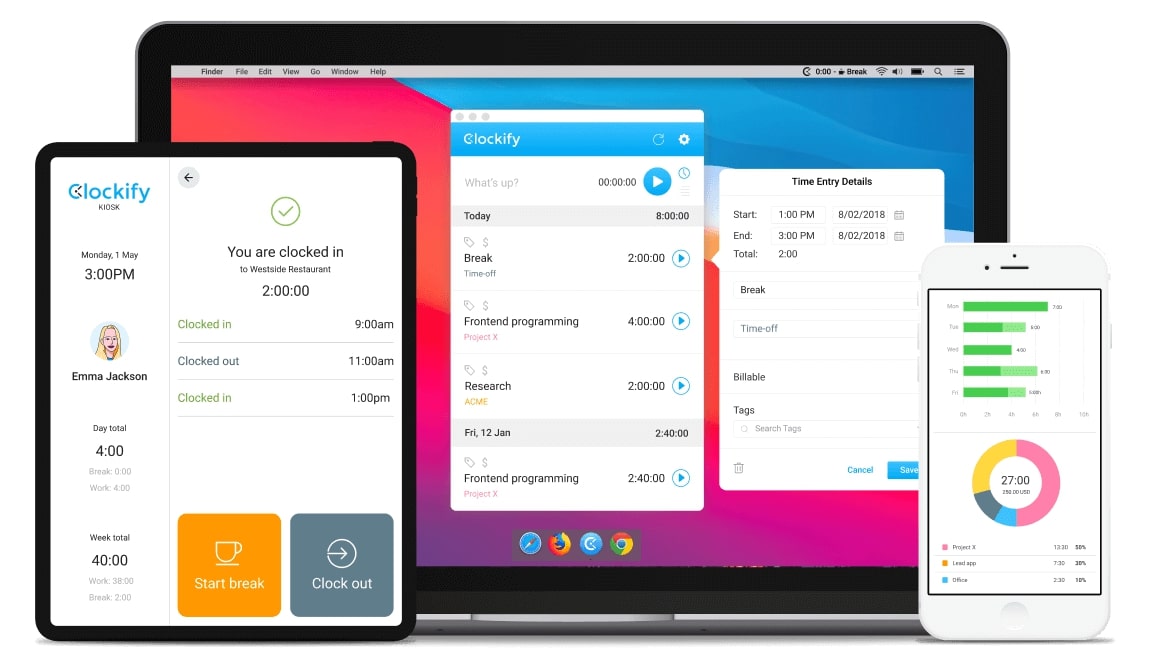
Clockify combines employee scheduling and time tracking to help you schedule employees, view calendars, and track work hours.
Combined with its clock-in and clock-out timer, Clockify’s employee scheduling tools make it a great scheduling app for teams that work on multiple projects simultaneously and need to manage employee time accurately.
With Clockify’s calendar feature, you can:
- Visualize your workload for the day, week, and month
- Add, edit, and drag and drop time blocks for you and your team
- Add job descriptions to your timesheets
- Oversee, approve, and mark time off requests
- See reports on where time is spent across your company by time period, task type, team member, and client
Who should use Clockify?
Clockify is best for service business owners who need scheduling software that focuses on employee time tracking.
How much does it cost?
Clockify has a free version for basic use, and paid pricing ranges from $5.49-$12.99 per user, per month.
4. YouCanBook.me
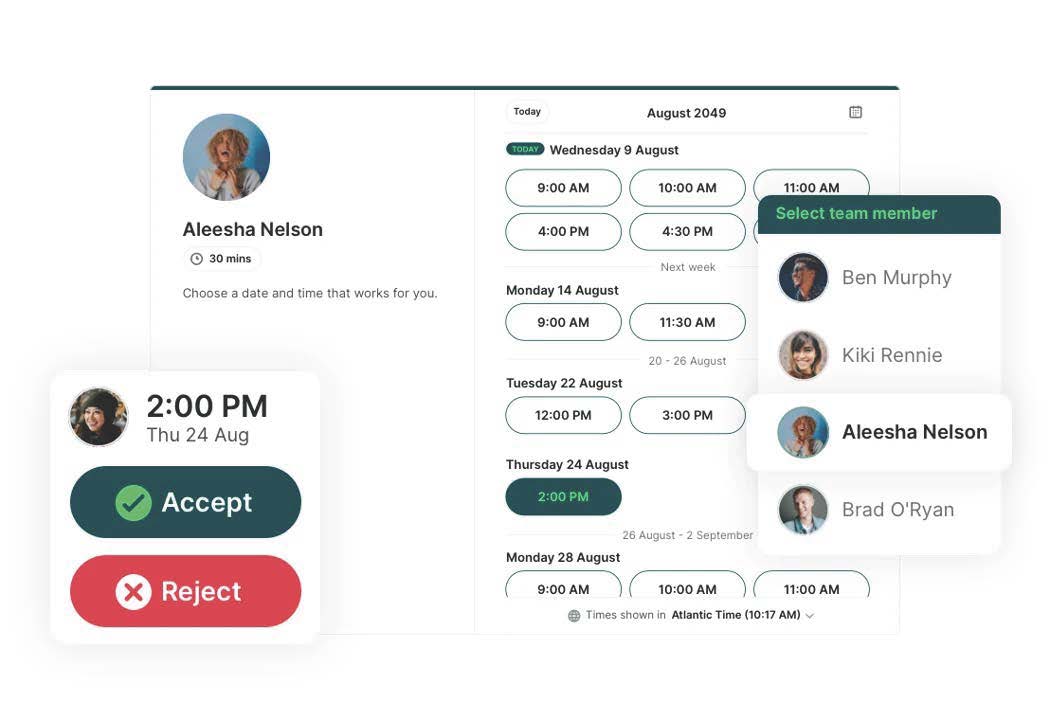
YouCanBook.me is a scheduling app that allows customers to book appointments online based on your calendar availability. For service businesses, it works well for estimates, consultations, follow-ups, and client meetings by letting you:
- Add service descriptions
- Make availability rules
- Sync with Apple, Google, and Microsoft calendars
- Include buffer times to account for travel between appointments
- Send automated appointment confirmations and reminders
Who should use YouCanBook.me?
YouCanBook.me is best for solopreneurs or small field service businesses that need a simple scheduling tool. It’s not as effective for large teams or those that need more advanced features.
Many users also praise their customer support, making it a good option for those who value responsiveness when issues arise.
How much does it cost?
YouCanBook.me is free for a single user, and paid pricing varies from $7.20-$10.40 per month or up to $14.40 per user, per month.
5. Sling
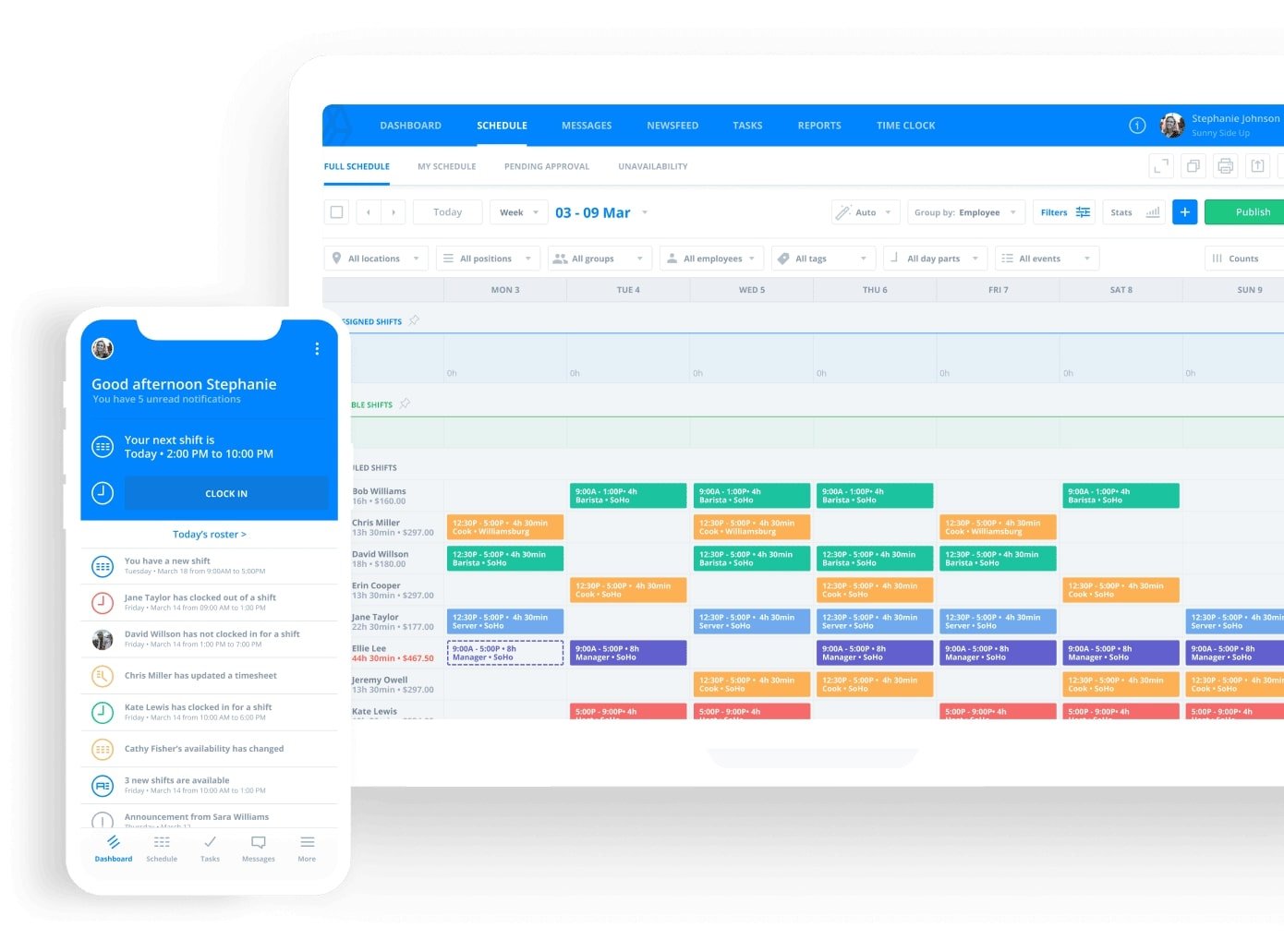
Sling is an employee scheduling app that helps you create, update, and manage shifts. You can use it to:
- View your staff’s availability by employee, day, week, or month
- Drag and drop employees on your calendar assign shifts
- Receive real-time employee availability updates to avoid scheduling conflicts
- Get notifications about overlapping shifts or double bookings
- Let employees sign up for shifts they’d like to work by posting available jobs
- Save schedule templates and load them when you need to recreate an employee schedule
Who should use Sling?
Sling is best for service business owners who need scheduling software to schedule employees and manage shifts internally.
That said, it’s important to note that it’s best for managing schedules internally and doesn’t allow clients to book appointments online.
How much does it cost?
Sling is free for up to 30 users and paid pricing starts at $1.70-$3.40 per user per month.
6. Connecteam
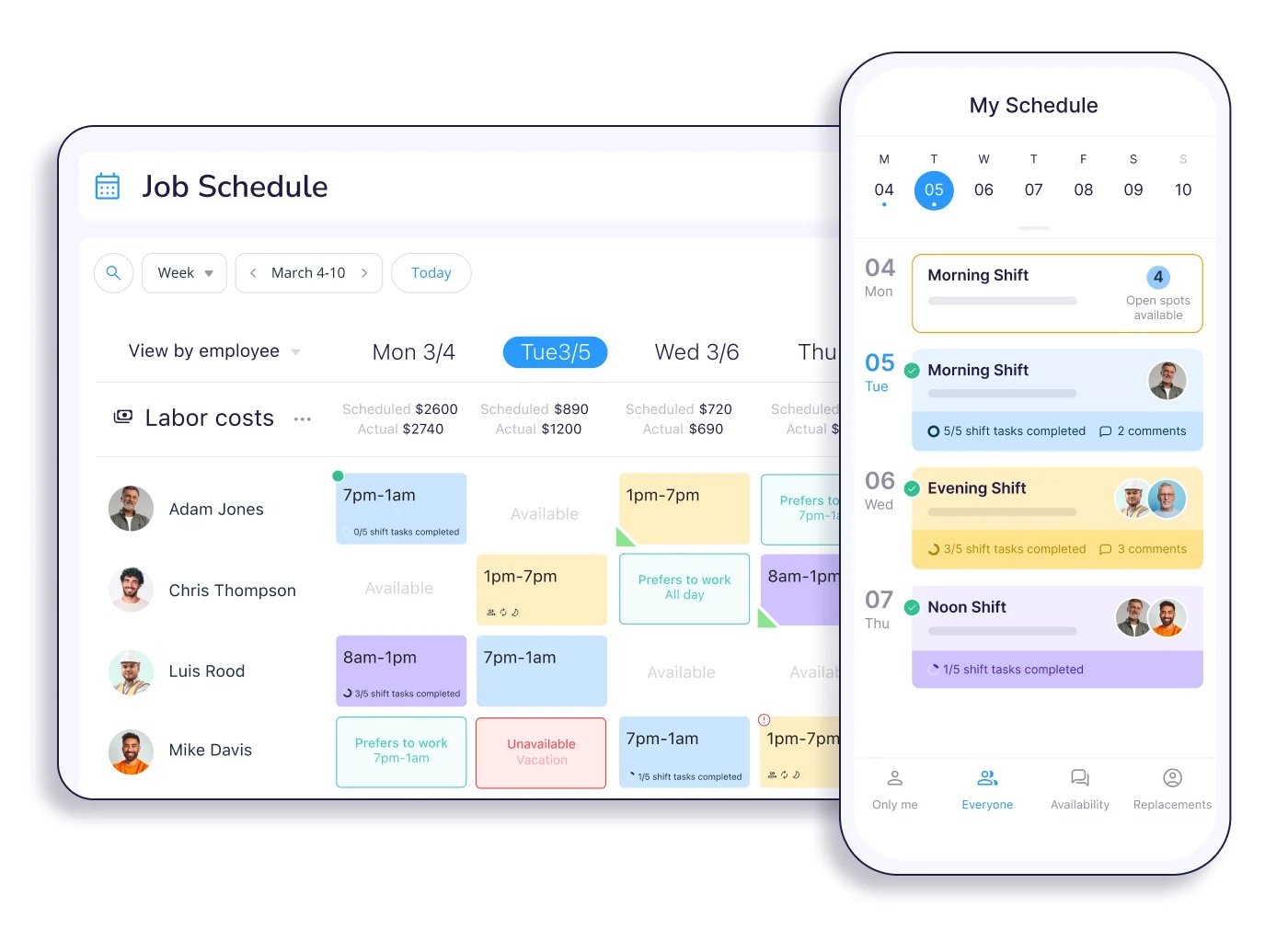
Connecteam is an all-in-one workforce management tool you can use to:
- Set up recurring work for ongoing projects
- Assign and reassign shifts by dragging and dropping
- Let your team claim open jobs as they become available
- Create separate schedules for each team member
Like Sling, Connecteam lacks online booking features, so you’ll still have to coordinate with clients to book jobs.
Who should use Connecteam?
Connecteam is ideal for service business owners who need robust scheduling software to manage employee shifts internally.
While reviews show that many users genuinely like the tool, some find customer support lacking.
How much does it cost?
Connecteam’s pricing ranges from free to $99 per month.
Zoho Bookings
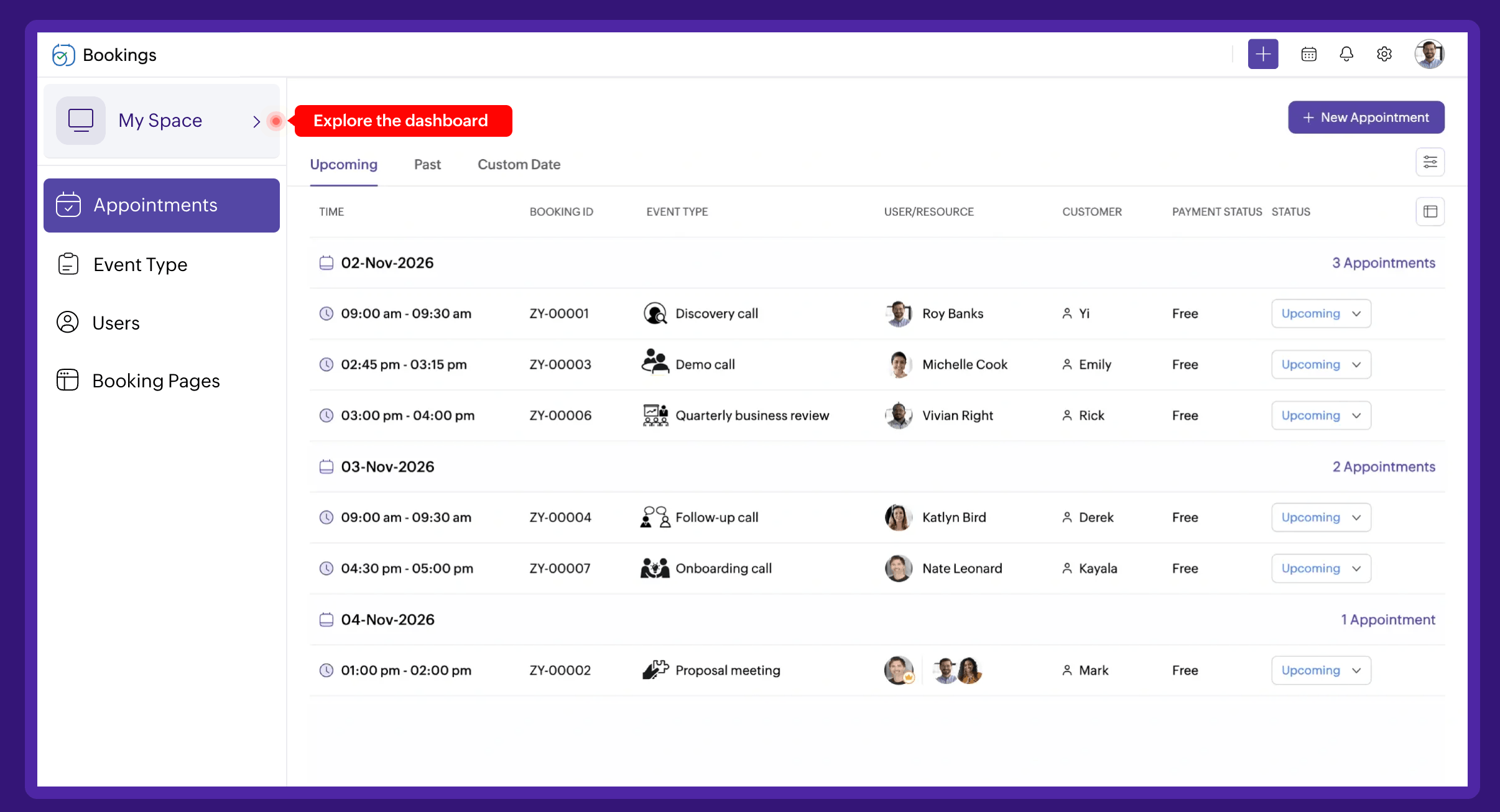
Zoho Bookings is small business scheduling software you can use to:
- Manage and oversee staff schedules
- Create and view customer profiles
- Set up online bookings
- Assign jobs
- Send automated reminders
- Sync calendars
It also integrates seamlessly with other Zoho apps, like Zoho CRM, Zoho Mail, Zoho Books, and Zoho Desk.
Who should use Zoho Bookings?
Zoho Bookings is best suited for service business owners who already use Zoho apps and want to add scheduling to the mix, or those who want a scheduling tool that can grow with their business.
That said, some users report that integrating with non-Zoho tools is difficult.
How much does it cost?
Zoho’s pricing ranges from $6-$9 per user, per month.
Acuity Scheduling
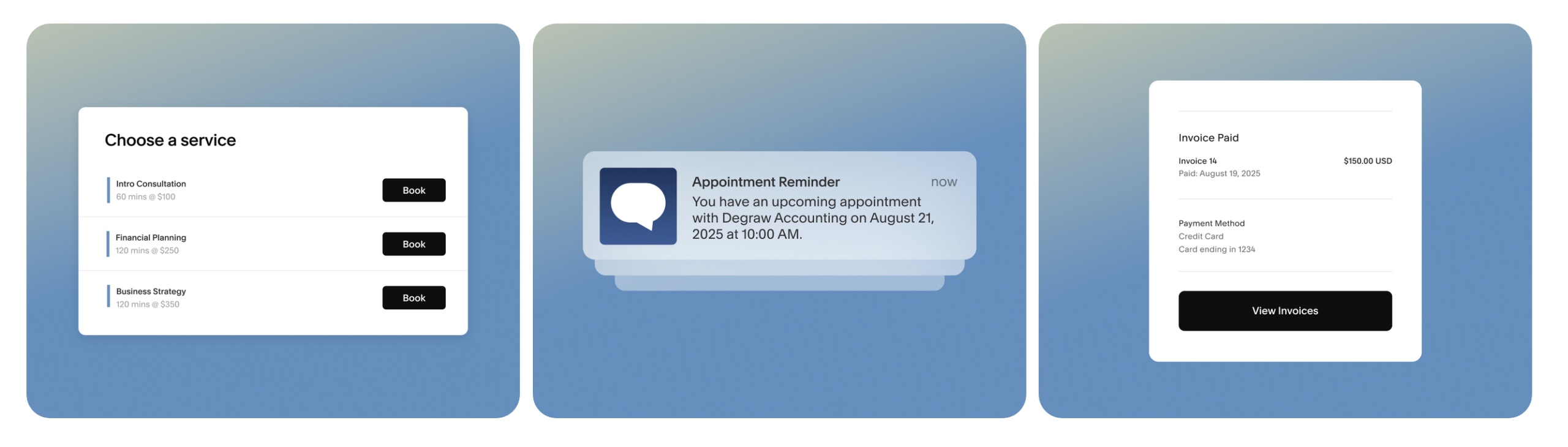
Acuity Scheduling is a software scheduling platform focused on the client side of bookings. With it, you can:
- Create a customized booking page
- Let clients schedule their own appointments
- Send automated appointment confirmations and reminders
- Accept payments and deposits
- Sync with Apple, Google, and Microsoft calendars
- Manage staff calendars
It doesn’t allow you to optimize routes, dispatch teams, or track time. While many users find it easy to implement and manage, others find it limited to specific business and appointment types.
Who should use Acuity Scheduling?
Acuity Scheduling is best for service business owners who want to combine online booking and payment processing. For example, those who collect payments upfront during estimates or consultations.
How much does it cost?
Acuity Scheduling’s pricing ranges from $16-$49 per month.
How to choose the best scheduling software for your service business
With so many different scheduling apps to choose from, which one you add to your toolkit depends on a variety of factors, such as:
- The type of work you do. For example, one-off jobs, emergency calls, recurring work, or long-term projects.
- The size of your team. How many schedules do you have to manage, and how complex are your scheduling needs?
- Whether you manage a fleet. Do you need route optimization or GPS tracking?
- If you want customer self-service options. Do you want clients to be able to book, reschedule, or cancel appointments online?
- Existing tools and integrations. Do you need a tool that integrates with your existing software, or are you looking for an all-in-one solution?
- The pricing structure and scalability. What’s your budget, and what features will you need as your business grows?
- Whether you need a mobile app. Scheduling tools like Jobber have mobile apps your team can use on the go to stay up-to-date and get notifications for schedule changes in real time.
The best scheduling software supports your business needs, fits your budget, and makes your life easier.
Benefits of scheduling software for service companies
Scheduling software saves you from having to manually book appointments, assign jobs, plan routes, and map out calendars. It’s one of the most effective tools for:
- Reducing scheduling conflicts like double bookings
- Notifying crews of schedule changes as they’re made
- Improving customer experience by offering self-booking options and responding to cancellation requests faster
- Maximizing billable hours through route optimization and efficient task assignment
If you’re not doing online scheduling, I guarantee you’re missing out on jobs being booked.
Some scheduling software can also integrate with or replace other tools you use, reducing the need for multiple platforms and making it easier to run your business. For example, with Jobber, you can handle jobs from start to finish, including online booking, quoting, invoicing, and payment processing.
Using a single platform to handle scheduling, routes, and customer communication means less time managing your calendar and more time growing your business.
That’s why choosing one that works for your budget, needs, and customers is the best way to get the most from your scheduling software.
Originally published in October 2024. Last updated on January 21, 2026.
Frequently Asked Questions
-
Most scheduling software platforms offer either a free plan or a limited free trial. Paid plans typically range from $5-$30 per month.
-
Online booking systems minimize back and forth with clients, prevent scheduling errors, save time, and reduce no-shows.
Unlike manual scheduling, this helps your business run more efficiently, provides a better customer experience, and automates tasks. That way, you can focus on growth instead of admin work. -
Yes, some scheduling platforms, like Jobber, can handle recurring service appointments.
If you need a scheduling tool with recurring job capabilities, make sure to review the platform’s features before committing. -
You can use Jobber’s QuickBooks Online integration to merge your scheduling and invoicing software so you don’t have to manually re-enter job details or payment information.