Key takeaways:
If you’re looking to streamline your workflow and run a more efficient electrical contracting business, the right electrician apps can make a huge difference.
- All-in-one business management is essential. Platforms like Jobber integrate quoting, scheduling, invoicing, payments, and client management, letting you handle administrative work from the office or the field.
- Specialized calculators save time and reduce mistakes. Apps for conduit bending, voltage drop, and NEC code compliance—such as QuickBend and Electrical Calc Elite—replace manual calculations and bulky codebooks, improving job accuracy and productivity.
- Accounting, learning, and reference tools boost professionalism. QuickBooks Online simplifies expense tracking and tax prep, while resources like Electrician’s Handbook and Ugly’s Electrical References provide on-the-go learning and code lookup.
- Fleet tracking and route optimization maximize efficiency. Integrating tools like FleetSharp helps you monitor crews, optimize scheduling, and respond quickly to urgent calls, all from your mobile device.
- Offline capability matters on real job sites. Many of these top apps work without cell coverage, so you can perform calculations and look up information in any environment.
For more expert tips and business resources, sign up for the Jobber Newsletter. Subscribe here.
The best electrician apps can make your day run smoother and your business more profitable. They cut down on guesswork, prevent costly mistakes, speed up paperwork, and keep jobs moving without constant back-and-forth between the field and the office.
Below, you’ll find 10 of the best electrical apps for 2026, from conduit bending and voltage drop calculators to full business management platforms.
We’ve done the filtering so you can quickly pick the tools that match how you work, how big your team is, and where you want to take your business.
These are the best apps for electricians:
-
Jobber: Best business management app
-
QuickBooks Online: Best accounting app for electricians
-
QuickBend: Best professional conduit bending calculator
-
Electrical Calc Elite: Best comprehensive NEC code calculator
-
Mike Holt’s Electrical Toolbox: Best free NEC calculator
-
Ugly’s Electrical References: Best all-around NEC reference
-
Voltage Drop Calculator: Best dedicated voltage drop tool
-
Electrician’s Handbook: Best free mobile learning tool
-
EveryCircuit: Best circuit simulation app
-
FleetSharp: Best GPS fleet tracking app
-
Why these electrician apps matter in the field
How we selected these electrician apps
We’ve been reviewing and comparing the best electrician apps since 2023. This new update adds new categories and apps based on what electrical contractors need most. We looked at electrician communities like Reddit and reviewed what people in the field are actually searching for.
We verified pricing and platform availability on the App Store and Google Play in February 2026. The apps range from free options for solo electricians to platforms for growing businesses.
Electrician apps comparison chart
Because electrical work requires both technical tools and business management software, the comparison tables are organized by use case to help you quickly identify which app best fits your needs.
Disclaimer: App prices are subject to change after the publication of this article.
| App name | Best for | Top features | Starting price |
|---|---|---|---|
| Jobber | Business management | • Job details flow automatically through every project stage • Includes quoting, scheduling, and invoicing • Time and material tracking • Route optimization | $29/mo |
| QuickBooks Online | Accounting and financial management | • Track expenses and mileage • Professional invoicing • Integrates with field service software • Tax preparation tools | $19/mo |
| QuickBend | Professional conduit bending | • Multiple bend types (offsets, saddles, 90°) • Uses actual bender centerline radius • Visual guides with step-by-step marks • Save bends for repeat jobs | $6.99 iOS $6.99 Android (one-time) |
| Electrical Calc Elite | NEC code compliance verification | • Wire sizing and voltage drop per NEC • Conduit fill and breaker sizing • Code violation alerts • Supports 2023, 2020, 2017 NEC | $19.99 iOs $19.99 Android (one-time) |
| Mike Holt’s Electrical Toolbox | Free comprehensive NEC calculator | • Conductor sizing calculations • Circuit protection requirements • Grounding calculations • Works completely offline | Free iOs Free Android |
| Ugly’s Electrical References | All-around NEC reference | • 12+ calculators (Ohm’s law, voltage drop) • 2023 NEC code tables • NEMA wiring configurations • Video tutorials | $12.99 iOS $12.99 Android (one-time) |
| Voltage Drop Calculator | Quick voltage drop checks | • Voltage drop percentage calculator • Wire resistance calculator • End voltage calculator | Free iOS Free Android |
| Electrician’s Handbook | Free learning tool | • Electrical theory and safety • Circuit diagrams • 7 calculators • Knowledge quizzes for exam prep | Free iOS Free Android |
| EveryCircuit | Circuit simulation and design | • Interactive circuit building • Real-time voltage/current animations • AC mode with waveforms • Cloud storage (paid version) | Free / $14.99 (one-time) |
| FleetSharp | GPS fleet tracking | • Live GPS tracking in Jobber map view • Dispatch closest electrician to calls • Monitor vehicle speed, direction, fuel • Driver behaviour and route replay reports • Works independently of phone signal | Device and subscription required |
*Pricing in USD, accurate as of February 2026 and subject to change.
1. Jobber: Best all-in-one business management app for electricians

iOS, Android, and desktop | Starting at $29/mo
Jobber’s electrician service app helps electricians create quotes, schedule service calls, send invoices, and collect payments from the job site and the office.
Manage your electrical jobs and daily admin in one place with Jobber. Keep job and client details organized and automate routine tasks like quote follow-ups and on-my-way messages.
Client manager
Keep detailed client records in one place with Jobber’s field service CRM. Access complete customer profiles with property details, job history, and past communication. No more scrambling through files during phone calls.
Use Jobber’s client manager to:
- Create detailed client profiles with custom fields for your business
- View complete job history for each customer at a glance
- Track all communication (emails, texts, booking confirmations, on-my-way messages)
- Tag and manage sales leads separately from active clients
- Search and access client information quickly from the office or the field
Scheduling and dispatching
Schedule electrical jobs in seconds with Jobber’s smart calendar. See your entire crew’s availability and spot scheduling conflicts before they happen. Jobber automatically generates efficient routes to reduce drive time.
Use Jobber’s scheduling to:
- Create and assign jobs in just a few clicks
- Switch between day, week, or month calendar views
- Use Find a Time to spot the best openings based on crew availability and drive time
- Drag and drop jobs to reschedule with ease
- Send real-time alerts to crews for new assignments or schedule changes
- See all jobs on a map and auto-generate efficient routes for your entire crew
Job management
Manage electrical work from quote to completion. All job details are accessible in the field. Your crew can access instructions, checklists, and photos on-site to complete jobs exactly as planned.
Use Jobber’s job management to:
- Send on-my-way texts to customers with one click
- Access job details, forms, and checklists from mobile devices
- Track time with clock-in/clock-out or automatic location timers
- See crew location on a map to assign last-minute emergency calls
- Schedule automated follow-up emails after job completion
- Keep job notes and attachments organized for future reference
Invoicing and payments
Create professional invoices and get paid faster with Jobber’s invoicing tools. Send invoices by email or text. Accept online payments and track which invoices are paid—all from your phone or desktop.
Plus, with progress invoicing, you can break large commercial jobs into multiple invoices based on project milestones. Simply set up payment schedules during the quoting or job creation process. Then generate invoices as work progresses. This works well for panel upgrades, rewiring projects, and multi-day installations.
Use Jobber’s invoicing to:
- Generate invoices directly from completed jobs
- Send invoices via email or text with online payment links
- Accept credit cards, debit cards, and ACH bank payments online
- Use progress invoicing for multi-day electrical installations and commercial projects
- Set up automatic payment reminders for overdue invoices
- Record payments and track invoice status (draft, awaiting payment, paid, past due)
- Allow customers to make partial payments on large invoices
The best feature I like about Jobber is the payments, how the customer can pay their bills seamlessly.
I don’t have to be here collecting a check and going to the bank. It keeps the money flow flowing whether I’m in the office or not.
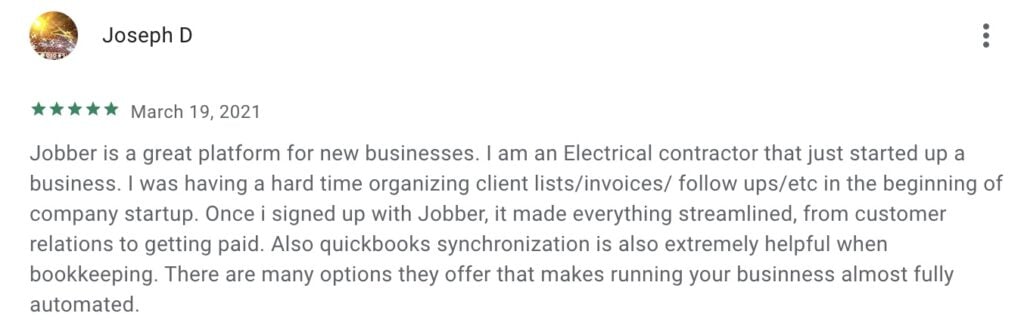
Here’s what else you can do in Jobber to run a more efficient electrical business:
- Team members can use the Jobber app in English or in Spanish to manage day-to-day work in the field
- Get AI-powered business insights and coaching
- Integrate seamlessly with QuickBooks Online (two-way sync keeps financials accurate)
- Let customers request service directly from your website with online booking
- Create quotes with optional add-ons to increase job value (like offering surge protection, panel upgrades, etc.)
2. QuickBooks Online: Best accounting app for electricians
Available on iOS and Android| Starting at $19/mo
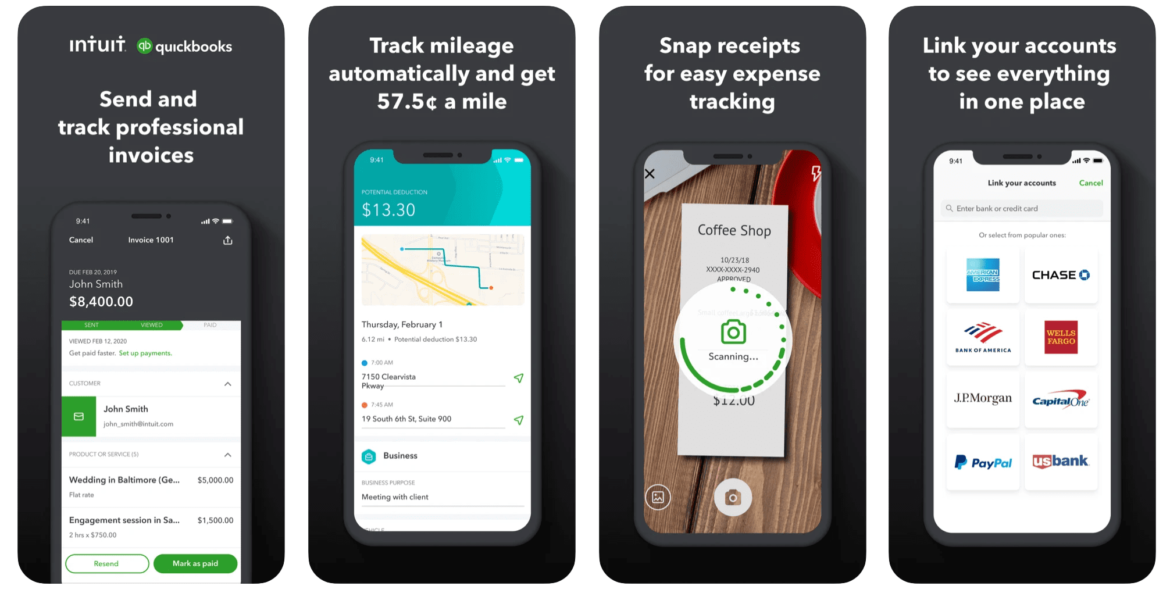
QuickBooks Online is cloud-based accounting software designed for small businesses. You can use it to track income and expenses, manage cash flow, and prepare accurate tax records. This becomes especially important as your electrical business grows beyond solo work.
Use QuickBooks Accounting to:
- Track business finances and manage cash flow
- Manage expenses and track mileage between job sites
- Create and track invoices
- Real-time expense tracking with receipt photo capture
- Keep your finances organized to better prepare for tax season
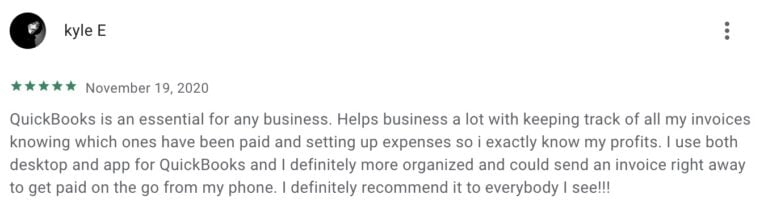
When you connect QuickBooks Online with Jobber, job details, invoices, and payments sync automatically between both platforms. This eliminates double data entry and keeps your financial records accurate. Track job costs in Jobber and see the accounting impact in QuickBooks. No manual transfers needed.
Pro Tip: Use Jobber’s QuickBooks Online integration to access job details, track time, and invoice customers on the go.
READ MORE: 30 small business tax deductions to save you money when filing
Prior to Jobber, we just were not organized and it was not looking good on the end result.
Jobber really made us look like a professional organization and really helped bring everything together so the customer could really see our professional result.

3. QuickBend: Best professional conduit bending calculator
iOS and Android | $6.99 one-time purchase
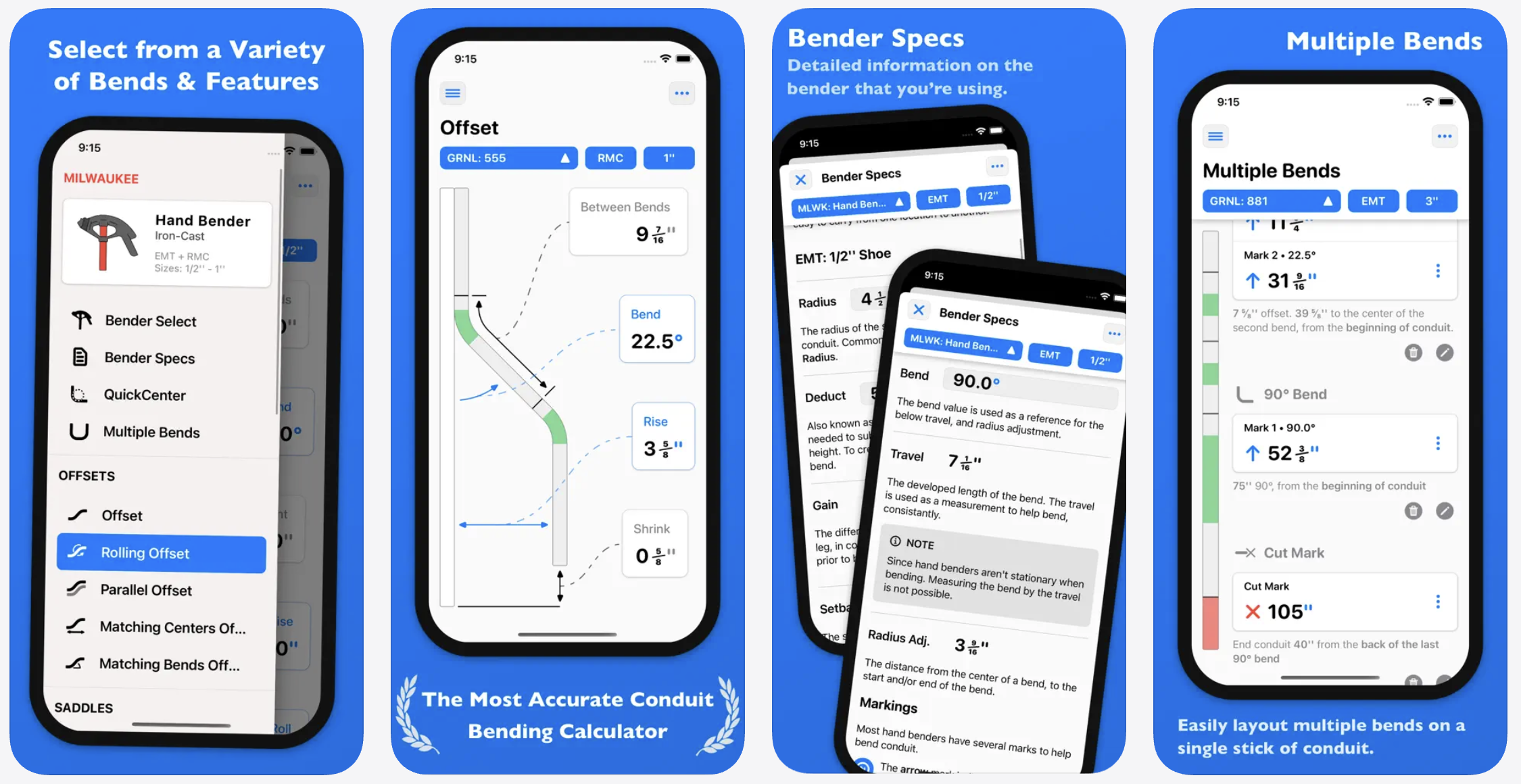
QuickBend is a conduit bending calculator that gives exact measurements for offsets, saddles, kicks, and 90° bends. Wrong conduit measurements waste expensive materials and time—this app gets it right the first time.
Use QuickBend to:
- Calculate multiple bend types (offsets, saddles, 90° bends, compound bends, rolling offsets)
- Get accuracy based on your specific bender’s centerline radius
- Layout multiple bends on a single stick of conduit
- Follow visual guides with step-by-step measurements
- Avoid impossible bends with color-coded warnings
- Save previous bend calculations for repeat jobs
- Access your favorite benders quickly with pinned shortcuts
4. Electrical Calc Elite: Comprehensive NEC code calculator
iOS, Android | $19.99 (one-time purchase)
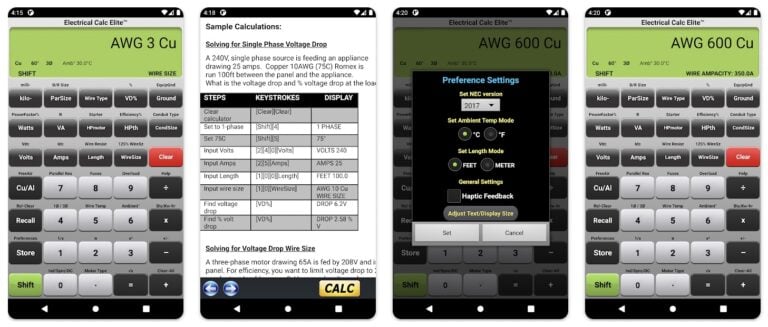
Electrical Calc Elite is a premium NEC calculator that handles wire sizing, voltage drop, conduit fill, and breaker sizing with built-in code compliance checks. Code violations mean failed inspections and costly rework. This app helps pass inspections the first time.
Here’s what else you can do with the Electrical Calc Elite app:
- Calculate circuit parameters
- Determine conduit sizes
- Apply Ohm’s Law
- Size fuses and breakers
- Calculate voltage drop
Electrical Calc Elite works offline, so you can check code requirements in basements and buildings without cell service. Use it instead of carrying physical code books to job sites.
5. Mike Holt’s Electrical Toolbox: Best free NEC calculator
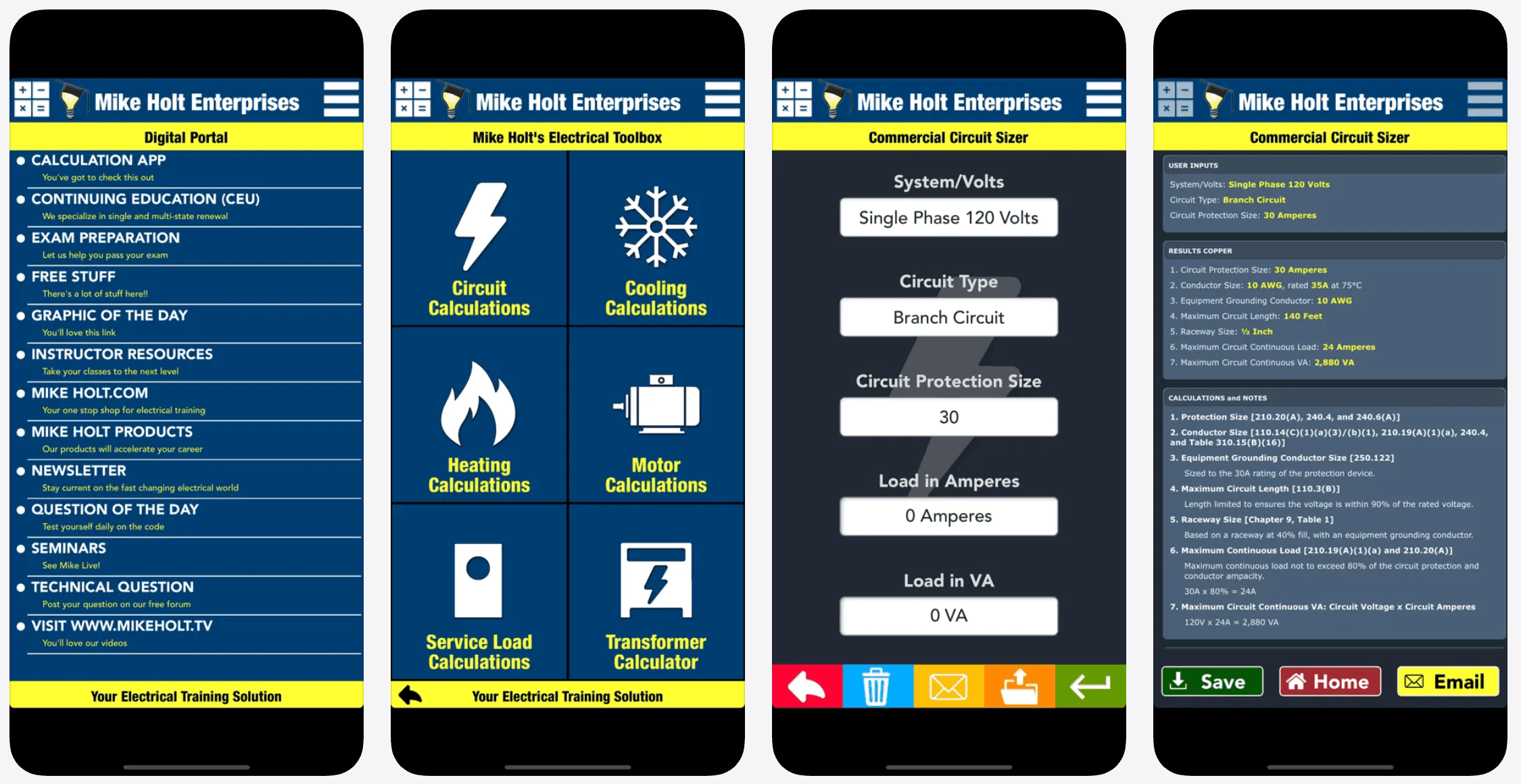
Mike Holt’s Electrical Toolbox is a free NEC calculator that covers conductor sizing, circuit protection, and grounding. You’ll get comprehensive code calculations without paying for premium apps.
Use Mike Holt’s Electrical Toolbox to:
- Calculate conductor sizing based on NEC requirements
- Determine circuit protection and breaker sizing
- Size equipment grounding conductors
- Reference the NEC codes for calculations
- Calculate voltage drop
The app works completely offline—helpful when you’re working in basements or metal buildings without cell service.
6. Ugly’s Electrical References: Best all-around NEC reference
iOS, Android | $12.99 (one-time purchase)
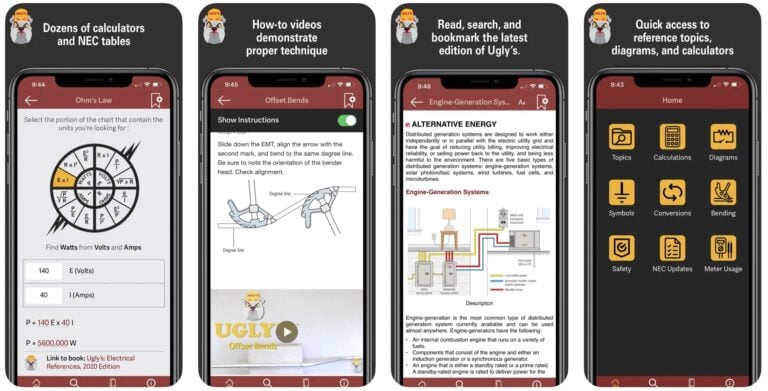
Ugly’s Electrical References has been a trusted resource for all things electrical for over 35 years. The app provides instant access to NEC code tables, reference material, and electrical formulas—all from the famous pocket guide, now searchable on your phone.
App features include:
- Ohm’s law, voltage drop, and ampacity calculators
- NEMA wiring configurations
- NEC tables
- Video tutorials
- Electricity safety guides
Ugly’s works offline, letting you reference NEC codes anywhere without needing a data connection. This digital version replaces the physical pocket guide many electricians have carried for decades.
7. Voltage Drop Calculator: Best dedicated voltage drop tool
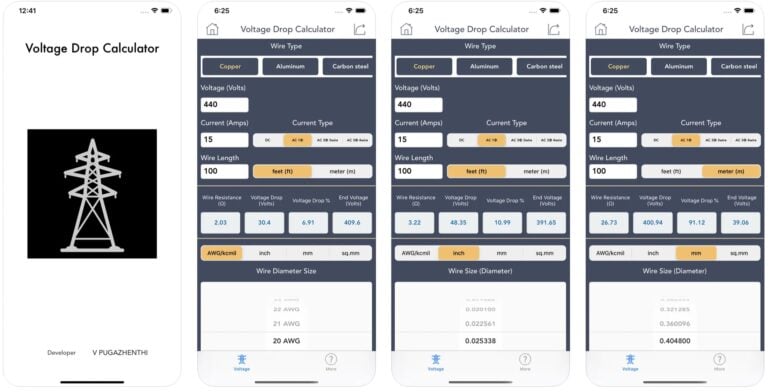
Voltage Drop Calculator is a free tool that calculates voltage drop for wire runs. When sizing wire for service upgrades or long runs, this app provides quick answers without navigating complex calculator suites.
Use the Voltage Drop Calculator to:
- Calculate voltage drop for single and three-phase circuits
- Determine the proper wire size for long runs
- Check voltage drop compliance for service upgrades
- Get quick calculations without extra features
- Work offline on job sites
8. Electrician’s Handbook: Best free mobile learning tool
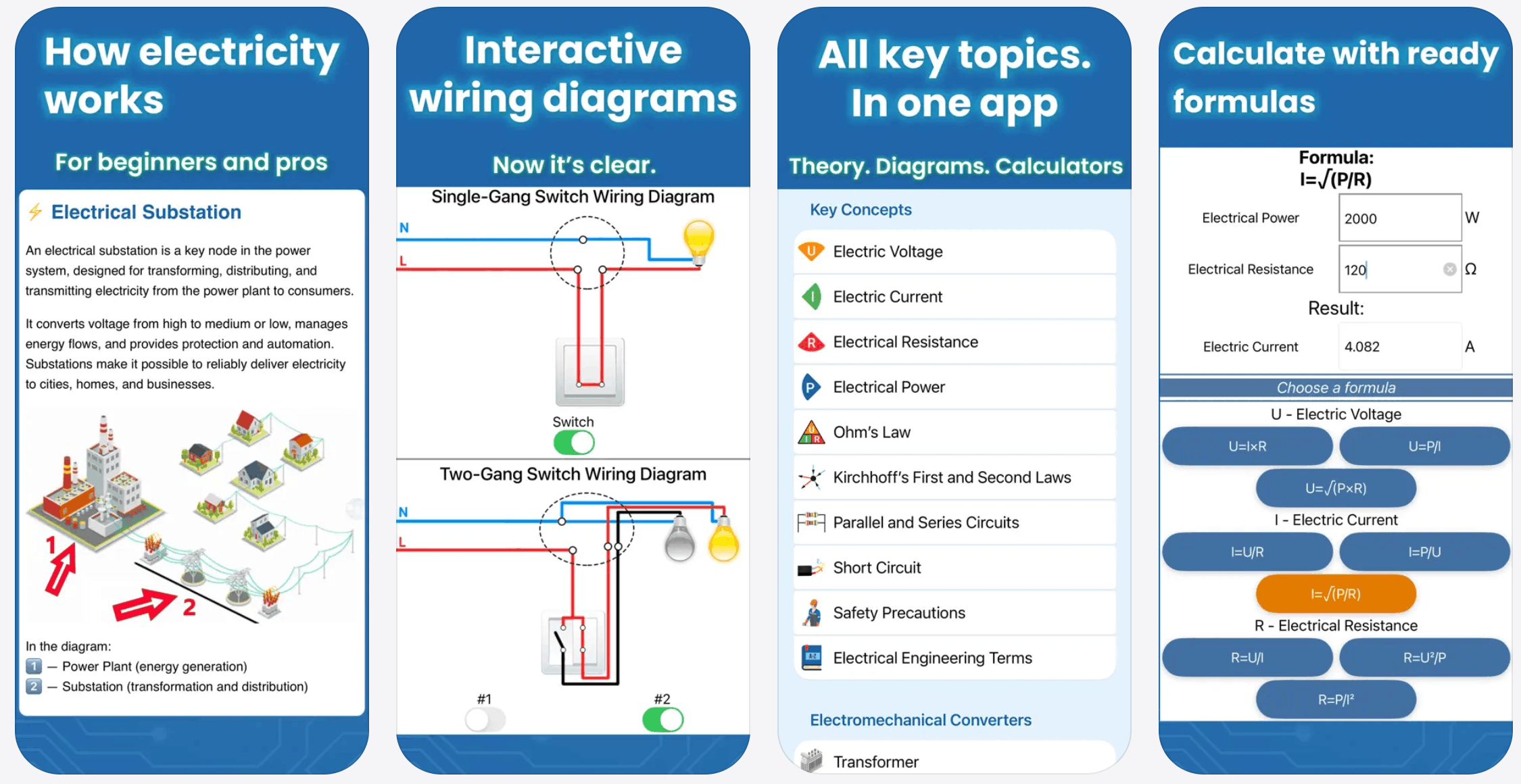
Electrician’s Handbook is a free learning resource that combines electrical theory, circuit diagrams, calculators, and knowledge tests. It’s an essential free app for both apprentices studying for licensing exams and electricians brushing up on fundamentals.
Use the Electrician’s Handbook to:
- Learn electrical safety and theory
- Study Ohm’s Law and principles
- Reference electronic symbols
- View wiring diagrams
- Access 7 calculators
- Take quizzes for licensing exam prep
9. EveryCircuit: Best circuit simulation app
iOS, Android | Free or $14.99 for full version
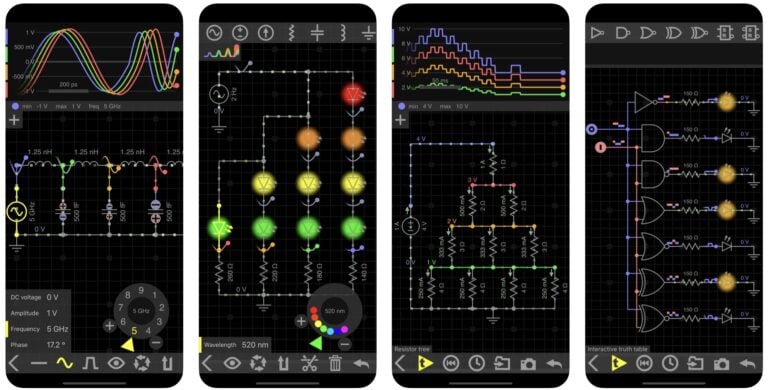
EveryCircuit helps you understand how electronic circuits work. Use the app to build a circuit, run a simulation, and adjust circuit parameters as you go.
Use EveryCircuit to:
- Watch animations of voltage waveforms and current flows
- Use automatic wire routing
- Access IEC and ANSI circuit component symbols
- View public community circuits
- Use an oscilloscope with I-V curves and stack modes
10. FleetSharp Best GPS fleet tracking app
iOS, Android | Free app (requires FleetSharp tracking device and subscription)
FleetSharp is a GPS fleet tracking solution that lets you track your vehicles in real time and use their location to make smarter scheduling decisions.
Use FleetSharp to:
- View live GPS tracking of all vehicles directly in Jobber
- Dispatch the closest electrician to emergency service calls
- Monitor vehicle speed, direction, and fuel levels
- Track driver behavior with reports on speeding and harsh driving
- Replay routes to verify job site visits
- Monitor idle time and optimize fuel usage
- Access dash cam footage in case of accidents (optional add-on)
When you integrate FleetSharp with Jobber, you’ll get reliable tracking without relying on phone signal or battery power. See your crew’s real-time location on Jobber’s map view to shorten appointment windows and maximize your schedule.
Why these electrician apps matter in the field
When you or your crew member is on the field, it’s hard to carry too much gear. Fortunately, many of the tools we’ve listed are mobile and work offline. This gives you more flexibility and convenience as you work on the job. Here’s a breakdown of how the right apps save you time and help you avoid risk.
Save time
Calculate voltage drop in seconds instead of flipping through code books. Look up wire ampacity instantly. Tasks that used to take minutes now take seconds.
Avoid mistakes
Wrong wire size wastes materials. Code violations mean failed inspections. Bent conduit errors cost hours of rework. Apps help you avoid these costly mistakes.
Stay organized
Manage jobs from your phone: track crew hours, send invoices, and collect payments. You handle paperwork quickly and focus on electrical work.
Work anywhere
Many job sites have no cell service. Basements and metal buildings have poor reception. Good apps work offline. You can calculate voltage drop and check NEC codes anywhere.
Electricians use these apps to size wire before ordering materials, calculate voltage drop for long runs, bend conduit accurately, look up NEC requirements during installations, create quotes on site, and route crews efficiently.
Frequently Asked Questions
-
Route planning depends on your business setup and whether you need routing as part of a complete business system or as a standalone tool.
• For an all-in-one solution: Use Jobber with FleetSharp integration. Jobber handles scheduling, quoting, invoicing, and job costing. Add FleetSharp for live GPS tracking of your vehicles directly in Jobber’s map view. This lets you dispatch the closest electrician to service calls and monitor driver behavior. Requires FleetSharp tracking device (available through Jobber App Marketplace).
• For solo electricians: Use Google Maps or Waze for free GPS navigation between job sites.
• For stand-alone fleet tracking without business management software: FleetSharp can be used independently with its own web platform for route replay, idle time tracking, and driver behavior reports. -
Jobber is the best all-in-one field service software for electricians. It handles scheduling, quoting, invoicing, job costing, and crew management in one platform. Plus, Jobber integrates with QuickBooks Online and offers features such as online booking, progress invoicing for multi-day projects, and route optimization.
What makes Jobber ideal for electricians:
• Schedule and dispatch crews based on location
• Create professional quotes with optional add-ons (surge protection, panel upgrades)
• Use progress invoicing for multi-day installations and commercial projects
• Track job costs and crew time from mobile devices
• Accept payments on-site or online
• Integrate with QuickBooks Online for seamless accounting
• Track vehicles with FleeSharp GPs integration -
The top features depend on what type of mobile app you need.
For NEC calculator apps:
• NEC code compliance (2023, 2020, 2017 versions)
• Offline functionality for job sites without cell service
• Wire sizing, voltage drop, and conduit fill calculations
• Code violation alerts
For conduit bending apps:
• Visual step-by-step guides
• Support for your specific bender’s centerline radius
• Multiple bend types (offsets, saddles, 90° bends)
• Ability to save complex calculations for repeat jobs
For business management apps:
• Scheduling and dispatching for multiple crews
• Professional quoting with optional add-ons
• Progress invoicing for multi-day projects
• QuickBooks integration
• Mobile access with offline mode
• Online payment collection -
Most electrical calculator and reference apps work offline—critical when working in basements, warehouses, metal buildings, or remote locations with limited or no cell service.
Apps that work fully offline after download include:
• Electrical Calc Elite
• Ugly’s Electrical References
• Voltage Drop Calculator
• QuickBend
• Electrodoc Pro
• Mike Holt’s Electrical Toolbox
• Master Electrician Reference
• Contractor Calculator
These tools store formulas, electrical tables, wiring references, and calculation features directly on your mobile device, so you can complete electrical calculations without an internet connection.
Originally published in September 2024. Last updated on February 27th, 2026.