Turn slow season into growth season with these 10 powerful new Jobber features

If you’re experiencing a slowdown after the holidays, this is exactly the right time to set yourself up for success later in the year. Whether you’re looking to make more money, improve cash flow, or look more professional, these Jobber features will help you fill your schedule and your bank account.
All features may vary by country and/or plan.
Turn slow season into booking season
Bring in more leads
To grow your customer base and make more money in 2026, your business needs to show up (and stand out) close to the top when clients search for your service in their area. You’ll need a website that’s optimized for search engines, and a strong Google Business Profile, including LOTS of 5-star reviews. Here’s how Jobber helps:
Build a website in just minutes, included in all Jobber plans at no extra charge. Jobber instantly generates a website fully customized to your business, ready for your finishing touches like bringing in your custom domain or adding more pages. The best part? Websites from Jobber come with optimizations built-in to help you rank better in search engines.
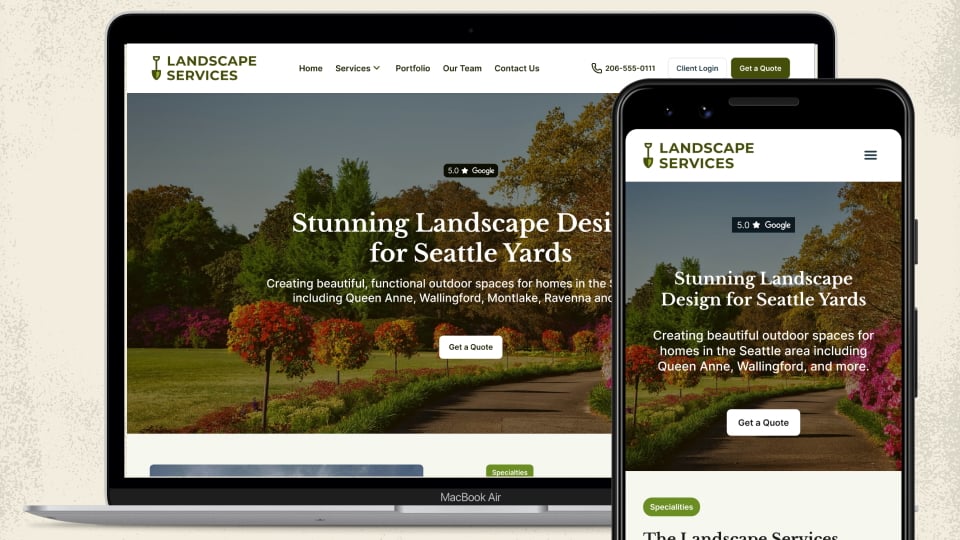
My Jobber website has all the features I look for—multiple pages, customer reviews, request forms, social media, and contact links. And it was so easy to set up!
Marketing Suite helps you double the amount of Google reviews you’re getting from clients. Jobber will automatically text or email your client to request a review of your services. You get to choose what the message says, when and how it gets sent, and whether you follow up with the client automatically (if they haven’t left a review yet).
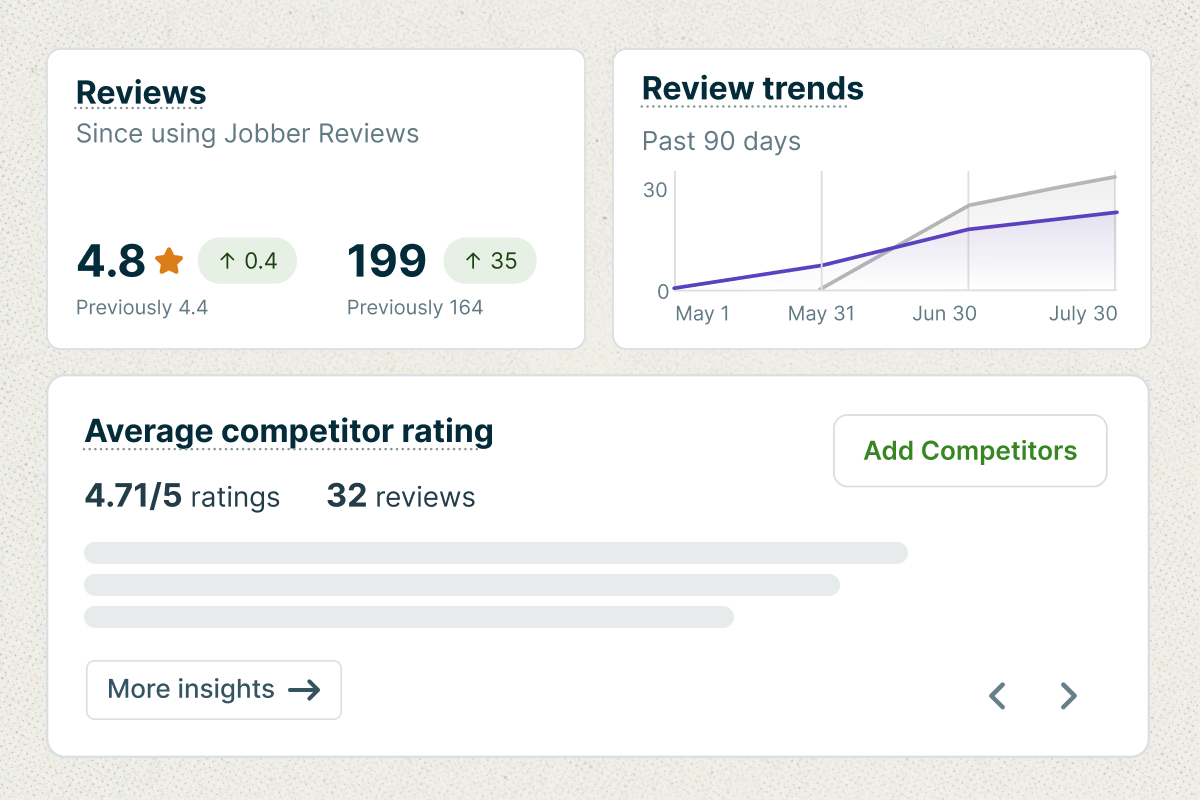
Curious how you stack up against local competitors and their reviews? The new competitor analysis section shows you how you rank amongst your top competitors, and gives insight into their strengths and weaknesses to help you stand out.
We’ve gotten about 150-160 reviews within a year of using Marketing Suite. I don’t have to spend so much money on advertising because it’s all organic clients that see us in the top three with our reviews and our online reputation.
Stay top of mind for your clients
If your year starts out slow, it’s likely because clients aren’t thinking about your services yet. Luckily, it’s easier than ever to send targeted email campaigns in Jobber, to remind your clients you’re here to help. There are now FIVE new powerful targeting options you can use to filter your client lists for campaigns: City, Client Name search, Client Email search, Quote Status, and Lead Source.
And to make it even easier for you, Campaign generator (part of Marketing Suite) lets you enter a simple prompt for the email you want to send, and drafts an email campaign in seconds. Just review and hit ‘send’!
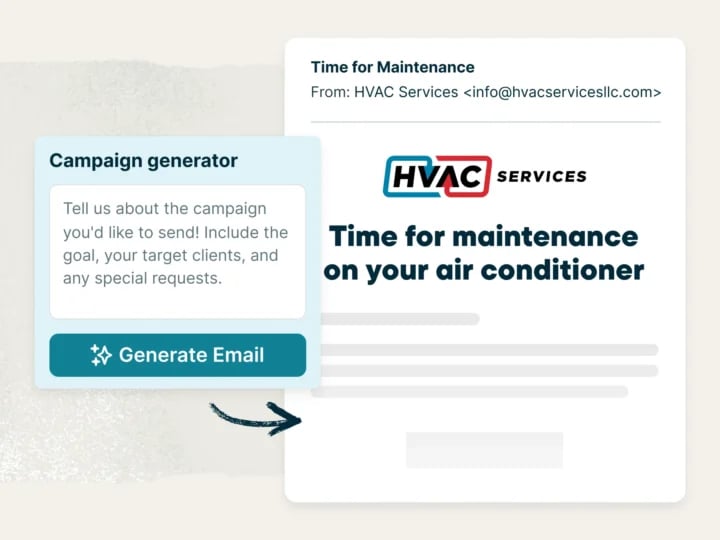
Some prompt ideas to get you started:
- Send an email to all clients we worked with last year, to wish them a Happy New Year and offer a 10% discount on their services if they book into our schedule in the next two weeks.
- Send an email to all clients we have in our database to let them know that in 2026 we’ll be offering irrigation services.
- Send a campaign to past clients offering them VIP access to preferred schedule times for spring clean ups.
- Send an email to lawn mowing clients letting them know we will offer snow plowing services this winter.
Insider tip: Home service pros are getting great results from automated referral campaigns, where clients can refer friends and family to your business in exchange for a small perk or discount on their next service. Once set up, these emails are automatically sent to your existing client base, without you lifting a finger.
Automated referral campaigns make sure we stay in contact with folks who maybe don’t know about the referral program (which itself has helped us net over $20,000 and an untold number of recurring clients).
Make it easy for clients to request and book
Whether leads are coming from your website, social, phone calls or text—you need to make it as easy as possible for them to book.
Request forms
Add request forms to your website or social media accounts for easier lead intake. You can now create multiple, step-by-step request forms for each of your services, so leads aren’t overwhelmed with a long form to complete. Jobber will automatically tag new clients with their source, so you can track where your leads are coming from.
Receptionist
Missed calls shouldn’t mean missed opportunities. Your AI-powered Receptionist assists callers when you’re away from the phone, with anything from answering questions, creating a detailed request, or booking a visit. If needed, Receptionist will transfer the caller directly to you for further assistance. If a caller hangs up before speaking to Receptionist, they’ll get a text message offering to continue the conversation when they’re ready.
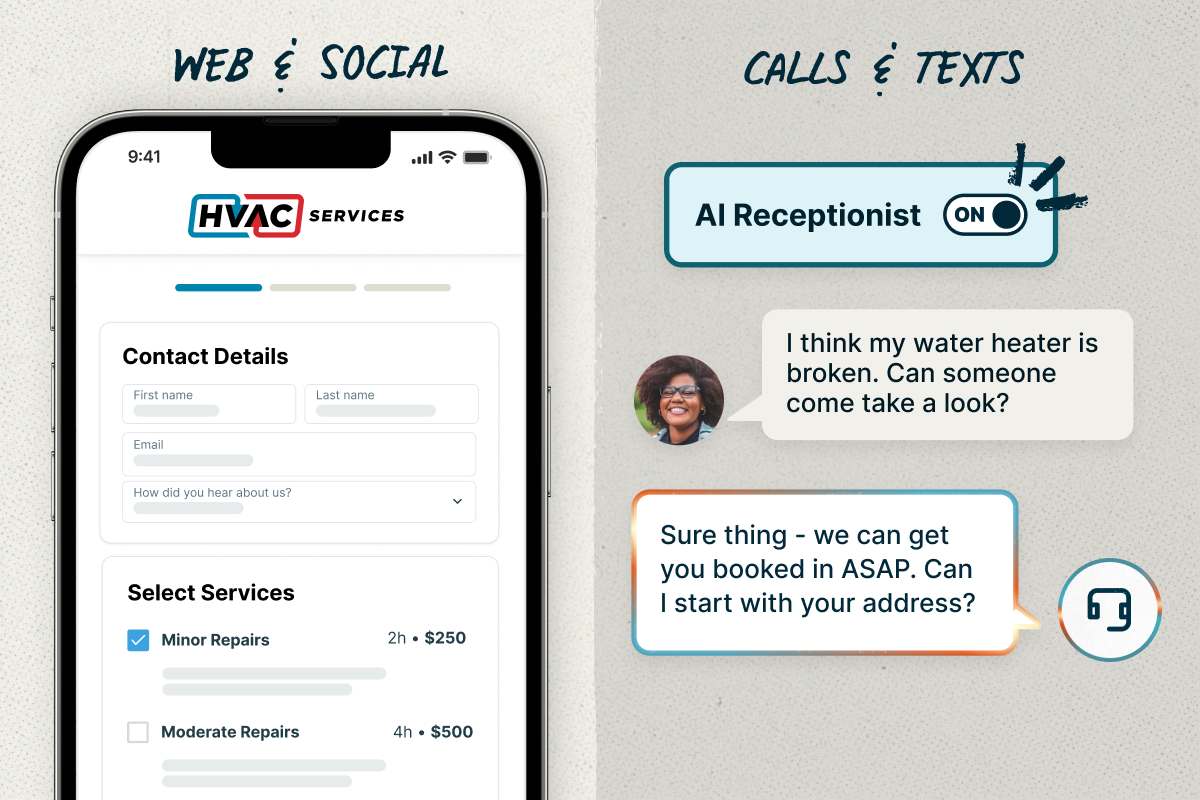
Receptionist books and schedules like a pro, and it captures every detail with total accuracy. It’s responsive, professional, and always on, so I never miss a call or a client. Highly recommended!
Insider tip: When you create your website with Jobber, you can add Receptionist chat to assist visitors. It’s included in your Jobber plan.
Connect integrations that bring in more new business
New additions to Jobber’s App Marketplace make it easier than ever to win new business. Marketplaces like Oply, Thumbtack, and Angi, connect homeowner leads and requests directly into your Jobber account, so you can quote and book jobs faster, without all the extra tools, apps, or guesswork.
And, you can now automatically send direct mail from Jobber with the PostcardMania integration. Follow up with leads, reach homeowners around jobs you’ve recently completed, and more with mailers that see up to 9x the response rate of email.
Get paid on time by making it easy for your clients
Your clients are used to paying instantly everywhere else and they expect the same from you. If you’re not offering digital payment options, competitors who do will feel more modern and easier to work with. Jobber Payments gets you paid 4x faster with fast, flexible ways for your clients to pay: automatic card-on-file, online credit card processing, and ACH bank transfers (US only). These options and automated invoice follow-ups work together to help you get paid fast for the quality work you deliver.
Taking online payments through Jobber has been such a relief for me, and the customer feedback has been very positive.
You can now collect payments in the field using Tap to Pay. Using the Jobber mobile app, you can have a client tap their phone, card, or smart watch onto your phone, and you’ll get paid before you even leave the site. And now, clients can add tips with Tap to Pay and reward your great work right away.

Get paid as jobs progress
A job wrapping up shouldn’t mean chasing down payments or navigating last-minute client questions. When you’re investing in materials and labor throughout the project, relying on a single final payment can disrupt cash flow and create unnecessary stress.
Progress invoicing helps you stay ahead. Set clear payment schedules that appear right on your client’s quote and each invoice, so they understand exactly what’s due at every stage. As they pay each portion, the remaining balance is updated automatically, keeping everything transparent and easy to follow.
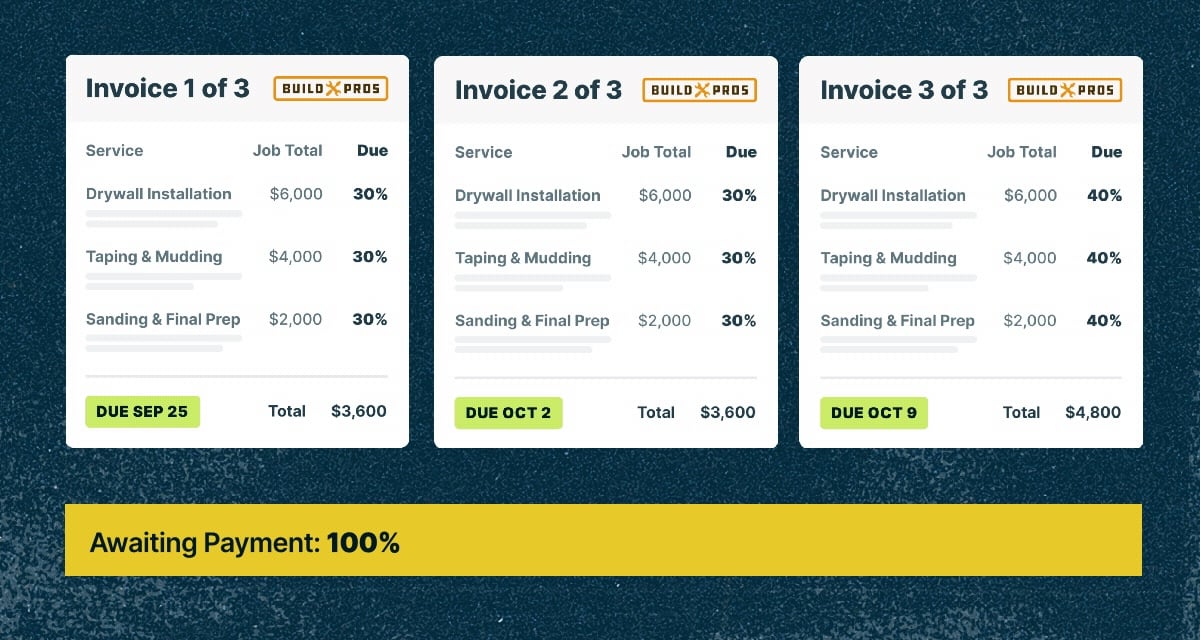
I love making the user experience as effortless as possible, and Progress Invoicing supports that by setting clear expectations and inviting clients to pay each portion right online. For us, it’s been refreshing to have more consistent revenue coming in.
Progress invoicing keeps cash flowing throughout the job, reduces uncertainty, and gives your clients a clear and confident payment experience from start to finish.
If cash gets tight, we’ve got your back
In business, you’re thrown curveballs all the time. Maybe you need to buy materials right away, pay your crew at the end of the day, or cover an unexpected same-day repair. Instant payouts within Jobber helps you access your money in minutes, skipping the typical processing time. That means you can always get your hands on your money when you need it.
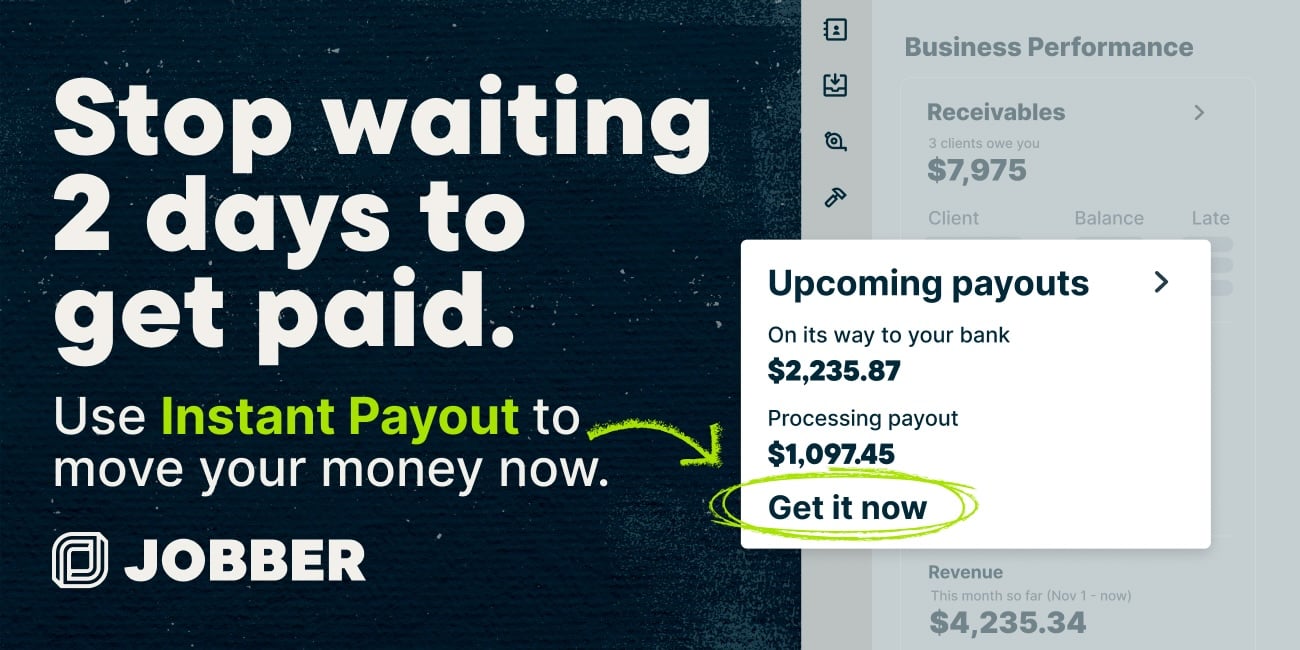
When it’s time to level up your business, our pre-approved business financing helps you move fast – whether you want to upgrade equipment, expand your crew, or scale your services. If you receive an offer, you can apply in minutes, choose the amount you need, and repay it through flexible options that keep cash flow steady.
Other notable new updates from Jobber
Get work done in the field, even with no signal
No signal? No problem. Whether you’re working in basements, new-build sites, or rural areas, Jobber’s new offline support (being released by the end of Jan, 2026) ensures you can work without interruption. Fill out job forms, review visit details and notes, and track time in Jobber just like normal. Everything saves and syncs automatically the moment you’re back online.
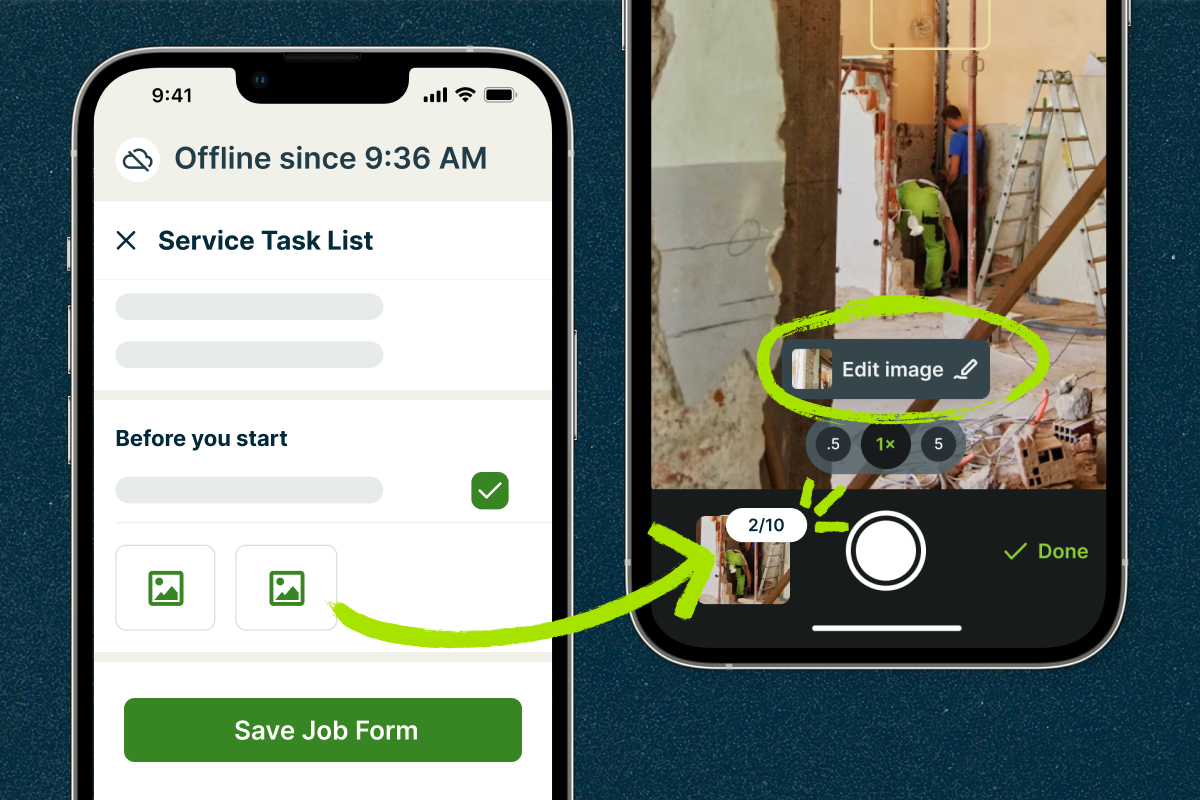
Snapping photos from the jobsite just got faster, too! Now, you can capture and upload multiple photos in a row without waiting for each one to upload. This works even when offline if using images in Job Forms. Then, use new image markup tools to draw, add text, or place shapes directly on your images so nothing gets lost in translation.
Together, these updates make Jobber a reliable teammate in the field: always available, fast, and ready to keep work moving, no matter where the job takes you.
Images in 2-way texting
You already have the power of two-way text messaging in Jobber, and now it’s even better. You can attach images right from the mobile app or desktop Message Center, making it easier than ever to communicate clearly and professionally.
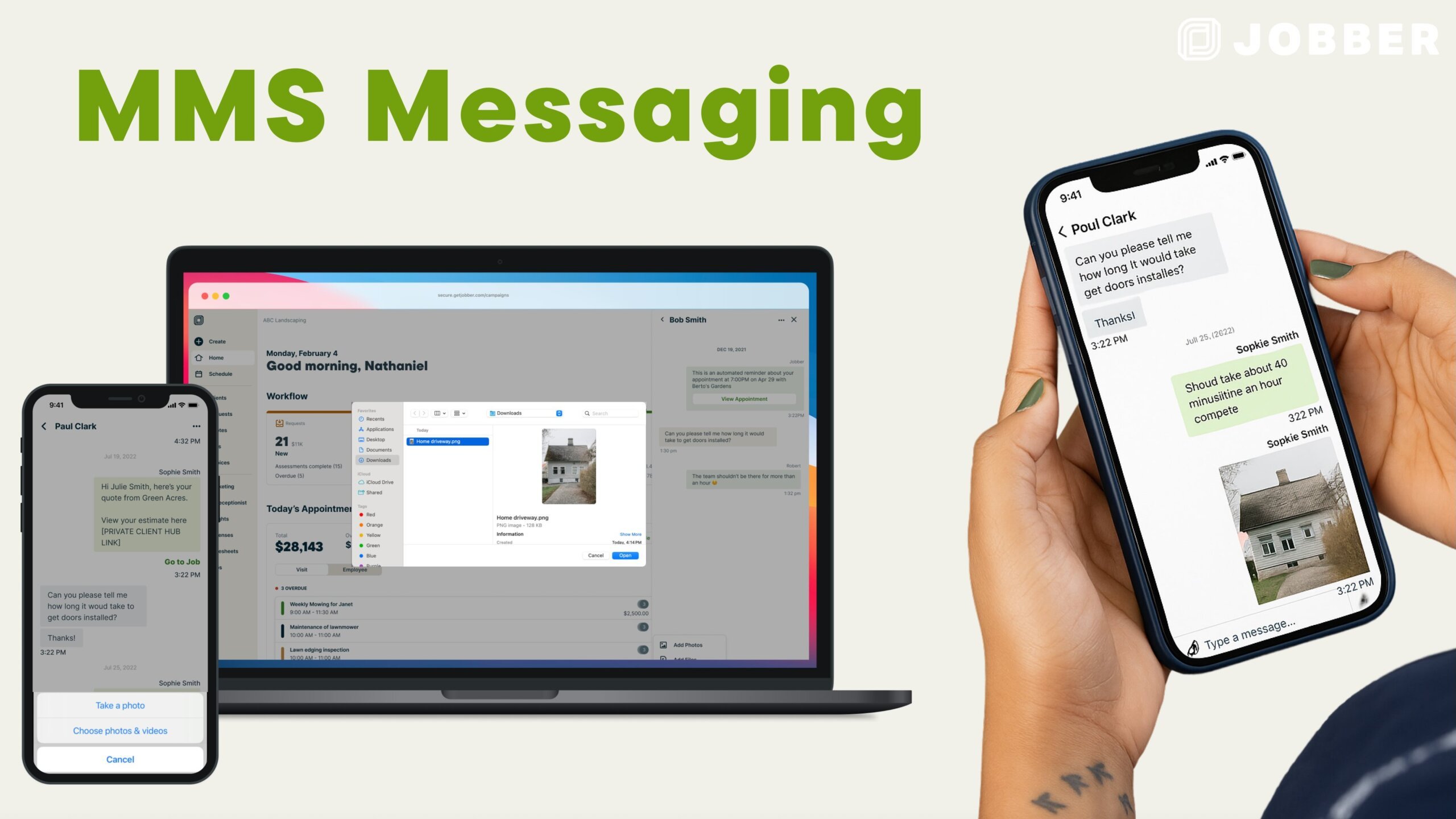
No more jumping between devices, channels, or phone numbers to keep your clients updated. Whether you’re sharing before-and-after photos, visual estimates, or on-site updates, this feature gives you plenty of flexibility to add clarity, professionalism, and accountability to every conversation.
The New Schedule keeps getting better
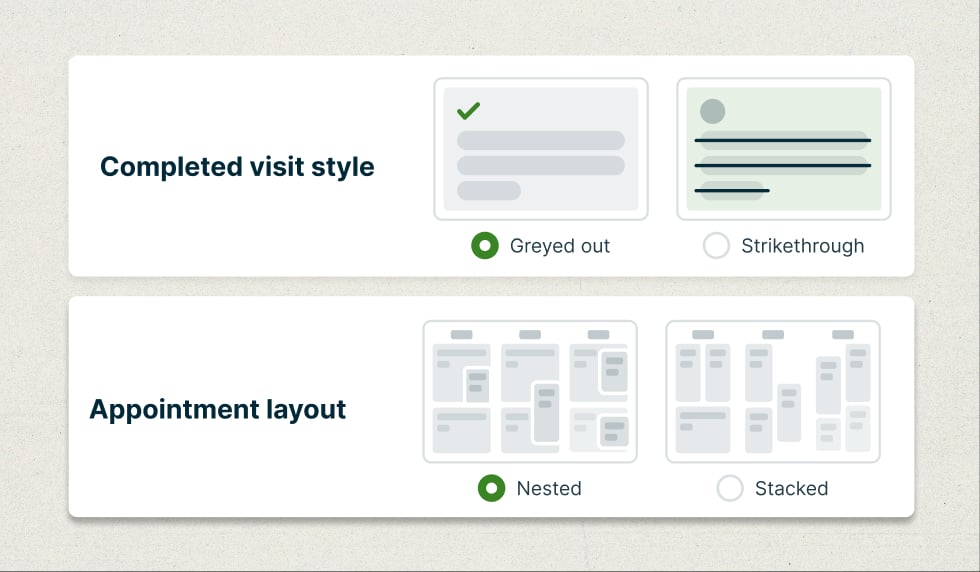
We heard that you want more control over how the New Schedule looks—so we’ve added new customization options to match the way you work. You can now choose how overlapping appointments display (Nested or Stacked) and how completed appointments appear (Grayed out or Strikethrough to keep your custom colors).
More new integrations
Tackle more jobs and grow your business faster in 2026 with these new integrations in the Jobber App Marketplace:
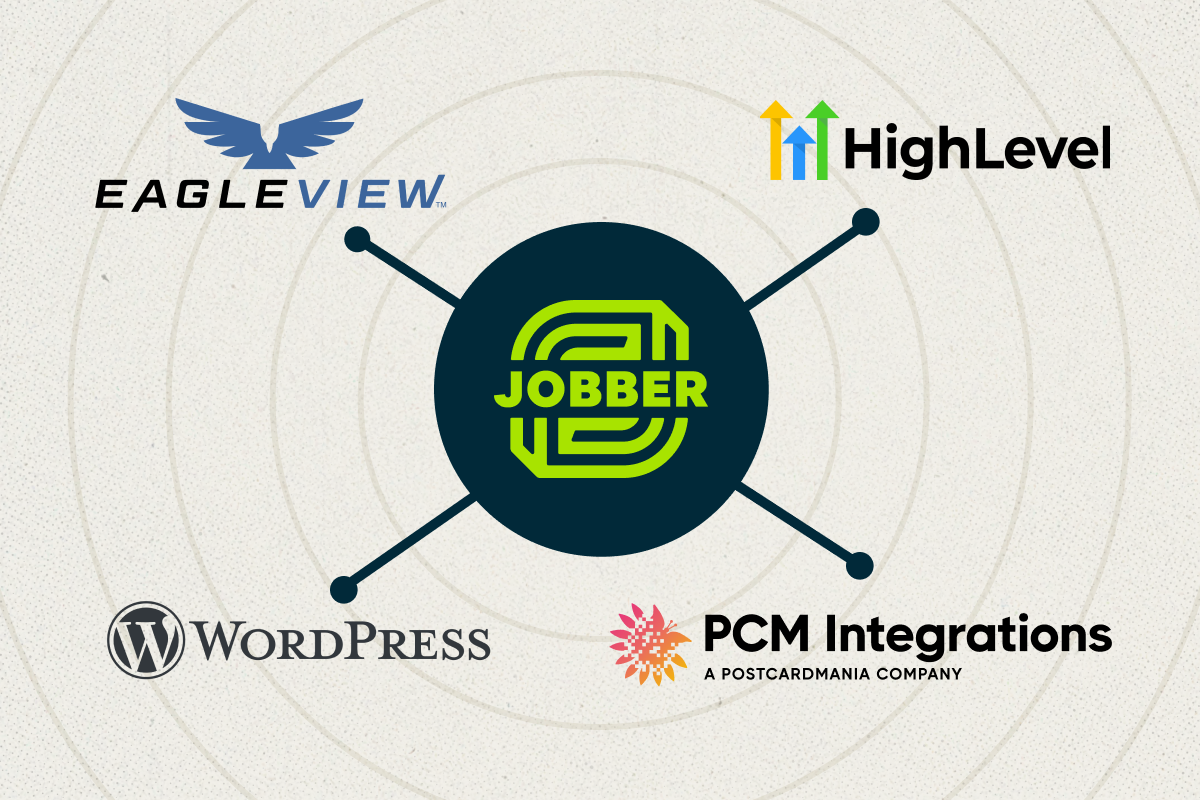
- WordPress: Add Jobber intake forms to your WordPress site so customers can request work anytime and you never miss a lead.
- HighLevel: Connect your CRM and marketing tools with Jobber to keep contacts in sync, automate outreach, and close jobs faster.
- Eagleview: Access accurate aerial roof measurements directly in Jobber to quote jobs faster and reduce site visits. Get 5 free Eagleview reports, valued at up to $450.
- PostcardMania: Launch targeted direct mail campaigns to generate leads and win repeat work, all with zero design or printing hassle.
And we’re nowhere near done yet. Keep an eye on the Jobber App Marketplace for new integrations.
We’re so excited to see what our customer base of 300,000+ home service pros will achieve in 2026! Keep an eye on productupdates.getjobber.com for more updates as they become available.