



Skip to content

How to Manage Roofing Job Estimates (With a List of Tools)

Profile picture of Seth Richtsmeier, freelancer writer for Jobber Academy
Seth Richtsmeier
Nov 13, 2025 14 min read
Start Trial

Key takeaways:

Between weather delays, price hikes in materials, and customers changing their minds halfway through a job, some roofers struggle to keep their bids consistent and profitable.

That’s why learning how to manage your estimates efficiently can make or break your margins. Roofing estimates are the estimated project costs you provide to the customer. They help you make sure you turn a profit on every job and win the job.

This guide covers the entire process. Learn what makes a good estimate, which mistakes to avoid, and how roofing estimation software can make the process faster and smoother.

What do roofing job estimates include?

A good estimate breaks the job down into manageable pieces that you can measure and charge clients for. Start by separating every cost into clear categories:

  • Materials: Shingles, underlayment, flashing, nails, sealant, etc.
  • Labor: Your crew’s time, including setup, tear-off, installation, and cleanup.
  • Equipment: Ladders, scaffolding, compressors, dump trailers, etc.
  • Permits and inspections: These vary by city and can sneak up on you if forgotten.
  • Waste and disposal: Dumpsters and dump fees.

Top estimating tools for roofing contractors

Roofing estimating software is your digital tool for quoting jobs more efficiently and accurately. Instead of juggling spreadsheets and handwritten notes, you can measure a roof from imagery and send a professional estimate before you’ve even left the driveway. No guesswork or crossed-out numbers.

Here’s a quick comparison of some of the best roofing estimation software options out there to help you see which tool fits the way you work.

ToolBest forMeasurement methodPricingMobile
JobberAn all-in-one software solution for your roofing businessManual entry and photo uploadsStarting at $29/month
See all Jobber plans
Yes
Jobber’s Roof Replacement Cost CalculatorEstimating roof replacement costsSatellite imageryFreeYes
AccuLynxLarger firms with office staff and aerial toolsAerial and CAD drawingsCustomYes
BuildxactSmall builders that need all-in-one job costingManual and supplier integrationStarting at $169/monthYes
EagleViewFast aerial measurementsDrone/aerial imageryPer-report basisYes
JobNimbusProject managementAerial and manual hybridCustomYes
iRoofingContractors creating bids manuallyOn-site photo captureStarting at $149/monthYes
RoofSnapCalculating roofing estimatesAerial and mobile sketchingFrom $52/moYes

Jobber

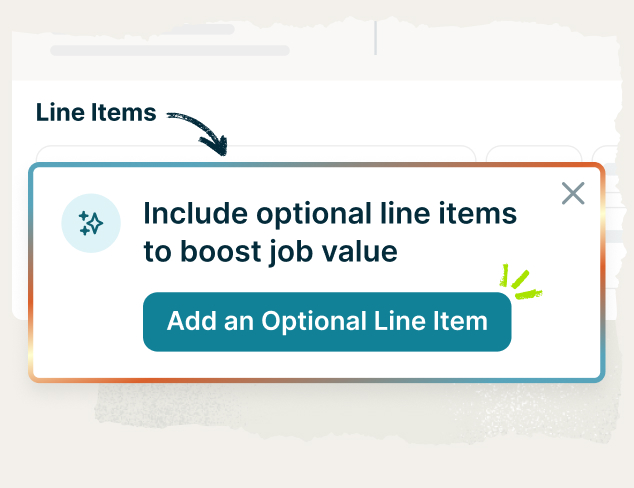
image of optional line items for roofers
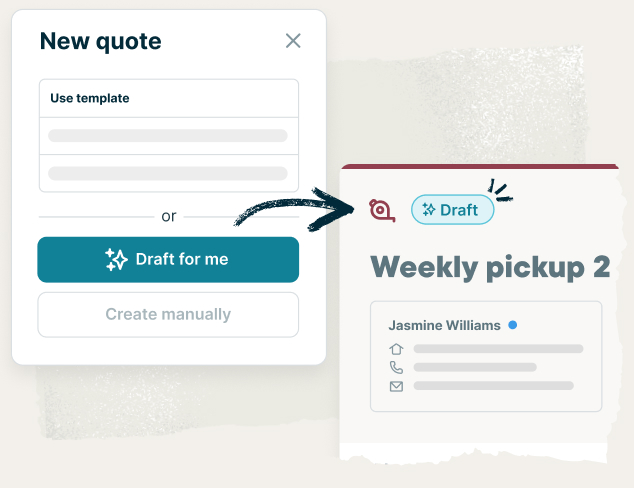
Roof replacement quote sent with Jobber

f you’re looking for the best way to send estimates to clients, Jobber’s roofing business software is the best solution.

Use Jobber to create simple, yet detailed estimates by using custom estimate templates and adding optional line items. Key features include:

  • Let clients quickly approve estimates through Jobber’s client hub, while you prepare to get to work
  • Manage your job details, project costs and markups to set the right price every time
  • Close more contracting jobs through automated quote follow-up texts or emails
  • Offer consumer financing to help your customers pay over time while you get paid upfront
  • Turn your estimates into invoices when the job is done in just a few clicks

Jobber’s Roof Replacement Cost Calculator

Roof measurement and cost calculator tool
Use aerial imagery to calculate the roof replacement cost

Jobber’s roof replacement cost calculator is built to provide a fast, rough estimate you can use to qualify a lead and start the conversation with a prospective customer.

With this calculator, you can:

  • Get a rough measurement of the total area of the roof at the property address you want to create an estimate for
  • Calculate an estimate that matches your pricing structure by adding your price per square
  • See the estimated roof size and replacement cost in less than a minute without even visiting the property
  • Create an estimate and send it directly to your client, using the measurements and replacement cost provided in the tool

AccuLynx

image of estimating roofing jobs in Acculynx
Estimate roof jobs with Acculynx

AccuLynx is a roofing CRM, packed with features that optimize your sales process.

With AccuLynx, you can:

  • Produce detailed, branded estimates in minutes using customizable templates and preloaded material and labor line items
  • Access real-time supplier pricing to ensure your estimates reflect the latest costs for materials
  • Connect every estimate to the project file
  • Easily convert estimates into signed contracts with financing and e-signatures

While AccuLynx focuses heavily on sales and CRM features, Jobber streamlines the process. Create fast, polished estimates, follow up automatically, and turn approvals into jobs.

Buildxact

image of Buildxact's estimate builder
Create an estimate using Buildxact’s estimate builder

Buildxact is construction estimation software that roofers commonly use to create clear estimates for accurate bids and better project planning.

With Buildxact, you can:

  • Add material and contractor labor costs, equipment costs, and markup for complete project estimates that achieve your targeted profit margins
  • Use online templates for common construction projects
  • Measure your plans with on-screen takeoff tools in just a few clicks

While Buildxact is great for general contractors, Jobber is specifically designed for service professionals like roofers. It’s easy to quote, schedule, and get paid, all in one place.

EagleView

image of EagleView's app
Purchase roofing reports from EagleView to create more accurate estimates

EagleView is a measuring app that allows users to access aerial imagery and property measurements to create estimates and plan for roof replacements or repairs.

With EagleView, you can:

  • Access property measurements and data remotely, which reduces the need for site visits and supports more efficient planning.
  • Build 3D roof models to improve your estimating accuracy and prepare professional proposals for various roof types.
  • Get comprehensive measurement reports that include factors like waste calculations and area breakdowns. 
  • Feed your estimation data into your job tracking platform through integrations.
  • Access measurement and roof report data from the field and office.

When you order EagleView reports through Jobber, everything syncs straight into the client’s profile—measurements, pitch details, waste calculations, and more. This helps you build an accurate estimate faster, without the extra trips to the job site.

An image showing Jobber's Eagleview integration
Store EagleView roof reports right in the client’s file in Jobber

JobNimbus

JobNimbus is a CRM and project management tool for roofing companies that run multiple crews.

With JobNimbus, you can:

  • Build quick roof estimate templates that automatically populate line items, pricing, and branding details
  • Link estimates to their associated job record, keeping project financials and scheduling tied together
  • Convert approved estimates into work orders automatically and notify your team of task assignments

While JobNimbus does well with project tracking, Jobber streamlines the entire estimating process. Send quotes, track markups, and convert estimates into invoices.

iRoofing

image of iRoofing estimating feature

iRoofing is a roof slope calculator app for getting accurate measurements, using satellite and Clearoof images.

With iRoofing, you can:

  • Turn measurements into customizable bids, helping you price jobs quickly while providing customers with “good, better, best” options.
  • Allow your clients to preview materials via digital catalogs and visualizer tools. Any selections can be linked back to the original estimate.
  • Store your estimates and send them for an electronic signature. Documents are organized and can easily be retrieved.

RoofSnap

Three screenshots of a sketch report on tablets

Known for having a fast turnaround time, RoofSnap can provide roof measurements in as little as 30 minutes.

With RoofSnap, you can:

  • Order quick aerial measurements or capture data manually on-site with your mobile device.
  • Build and edit both 2D and 3D roof diagrams and attach jobsite photos or notes.
  • Convert measurement data into clear labor and material estimates, with customizable proposals and built-in waste calculations.
  • Generate digital contracts that clients can sign electronically. Connect estimates to later project phases through integrations or workflows.

Step-by-step process for creating estimates

By taking the time to properly estimate all your costs, you can set a fair price that wins the job and increase your profitability. Here’s how to do it.

1.   Clarify client goals

Talk to the customer, either in person or over the phone. Ask as many questions as you need to fully understand their needs. 

  • What kind of home is it? 
  • What are their expectations? 
  • What’s their budget?

Clients may also specify what type of roof they want, such as tile or wood shingles. In that case, your job can be as simple as following their requests.

However, if their preference isn’t the best option due to factors like climate or building code, offer recommendations and different material choices to give your customers some options.

2.   Inspect and measure the roof

Inspect the roof to identify any areas that may require additional labor and/or materials. Take photos and detailed notes, and look for:

  • Any roof damage
  • Condition of the roofing shingles, including how many layers there are
  • Eaves, valleys, hips, and ridges condition
  • Blocked vents, chimneys, plumbing vents, and skylights
  • Cracked or damaged flashing
  • Other special elements like solar panels or satellite dishes

Measure the roof

Measuring the roof helps you determine the number of squares to install, which is based on your largest material cost: your roofing material.

Note: In standard roofing terminology, 1 square = 100 square feet.

For example, if you’re working on a home with external dimensions of 40 ft. x 60 ft., then the total area is 2,400 sq. ft. Divide that by 100 to arrive at 24 ground-level squares.

This is just the flat area, though. Most homes are pitched, and you’ll have to account for that next.

Determine the roof pitch

The roof pitch, or the steepness of the roof, is expressed as a ratio.

A ratio of 4:12, for instance, means the roof rises 4 feet for every 12 feet of horizontal length. For our example, let’s assume the pitch is 6:12.

The final step is to multiply the number of ground-level squares by a pitch multiplier. Continuing with our example, where the pitch is 6:12, we’ll multiply 24 squares by a pitch multiplier of 1.24, which gives us 29.76 squares. Next, round this up to 30 to account for any waste—the final number of squares required for the job.

Pro Tip: Use Jobber’s free roof replacement cost calculator to pull measurements from satellite imagery and create a rough estimate before scheduling a site visit and committing to a final quote.

3.   Estimate your material costs

Asphalt shingles are the most common roofing material, but you have the option to choose other roofing materials, like:

  • Solar tiles
  • Metal roofing
  • Stone-coated steel
  • Slate
  • Rubber slate
  • And even green roofs with plants on them

Regardless of the material, be sure to ask your supplier for the cost per square foot.

Assuming a cost of $5 per square foot for the 30-square-foot home (2,400 square feet), that material cost is now $12,000 (2,400 x $5).

You also need to tally the cost of all other materials, such as nails, flashing, underlayment, and vents. For our running example, let’s say that the cost of those is $600. Your total material cost is now $12,600 ($12,600 + $600).

According to a NAHB survey, roughly 64.4% of home construction costs go directly to materials and labor. When you track costs like this, you’re also building visibility. This helps your client better understand where the cost is coming from and approve the estimate.

4.   Estimate your labor costs

First, determine how many hours the job will take and multiply this by the number of employees on the job. This calculation will give you the number of labor hours. For example, assuming it takes two people 50 hours each to do the job, your labor hours will be 100.

Next, determine your hourly labor cost. Consider both the hourly wage and extras like taxes and workers’ compensation. Knowing that the average hourly rate for a roofing contractor is $24.05, let’s add 20% for taxes and insurance, which brings the total hourly wage to $28.86.

Finally, calculate the total labor cost. Multiply the labor hours (100) by the hourly wage ($28.86) for a total labor cost of $2,886.

Smart contractors build flexibility into their pricing model with buffers for weather delays, unexpected repairs, or shifting supplier quotes. Rather than “padding the bid,” it’s preparing for real job conditions you’ve seen before.

5.   Add overhead and markup

To calculate your overhead rate, add up all your overhead costs for a given month, which might include:

Then divide that monthly number by your total sales for the same month. Multiply it by 100 to get a percentage.

For example, if your monthly overhead costs are $13,000 and your total sales are $100,000, here’s how you determine your overhead rate:

($12,000 ÷ $100,000) x 100 = 13% overhead rate

With a 13% overhead rate, you take:

$2,886 (labor) x 13% = $375.18 overhead

Markup is the additional amount you charge after covering your costs, so you can profit from your services. The percentage of revenue that you take home after applying a markup is your profit margin.

Here’s how markup should factor in:

Labor + materials + overhead + markup = total estimate for the job

So, your labor ($2,886), materials ($12,600), and overhead costs ($375.18) total $15,861.18.

Let’s assume you want a 20% profit margin. This means the cost of the job should make up 80% of the total price.

You can use this formula to calculate your total price:

Total price = Cost ÷ (1 – profit margin)

This is what the price for the job would be:

$15,861.18 ÷ (1 – 0.20) = $19,826.47

6.   Create the proposal

Now it’s time to turn everything into a professional estimate. Here’s what to include:

Pricing

Laying out the price, how it’s structured, and when payments are due. Break down deposits, progress payments, and final balance dates so nothing catches the client off guard.

Also consider offering good, better, best pricing to give your customers options and flexibility in choices.

Services

Spell out exactly what’s included in your quote. List the services clearly, such as:

  • Tear-off and disposal
  • Underlayment
  • Installation
  • Flashing
  • Ventilation upgrades
  • Cleanup

Be specific about warranties, timelines, and what “completion” means. It’s better to over-communicate upfront than to have the customer be confused down the line when the project is already underway.

Optional add-ons

Just like offering premium materials or upgraded ventilation, consider add-ons that boost value. These can include:

  • Gutter installation or maintenance: Ideal for clients tired of leaks or drainage issues
  • Attic insulation or ventilation upgrades: Helps extend roof life and lower energy bills. This could be an easy upsell if you frame it as a long-term savings opportunity.
  • Roof inspections or maintenance plans: Perfect for homeowners who want peace of mind after installation

7.   Review before sending

Before you send off that proposal, do the following to prevent headaches later on:

  • Check the math—line-item totals, labor hours and rates, sales tax, etc. One wrong digit could cost you margin.
  • Read the scope out loud. If a homeowner or fellow team member would need clarification, fix the wording.
  • Confirm timelines and payment milestones, including deposit amounts, progress draws, and final payment due dates.
  • Verify attachments. Photos, roof measurements, and warranty documents should all be included.
  • Run the estimate through a second set of eyes, such as an office manager, foreman, or lead tech. Fresh eyes catch things you might miss.

Common estimation mistakes (and how to avoid them)

It’s easy to rush through an estimate just to get it off your plate. But to manage your roofing job estimates like a pro, taking your time and focusing on accuracy and consistency is key to staying profitable. 

Here are some of the most common mistakes that can quietly cut into revenue, and how to prevent them.

Guessing instead of measuring

Eyeballing a roof pitch or guessing the square footage is a shortcut that might save a few minutes now, but it can cost you thousands later.

Always use verified measurements, like satellite data or physical measurements. And keep your price lists current—because with material prices changing from month to month, an outdated shingle cost can make your estimate a little less profitable.

Underestimating labor

Labor is where many roofers lose margin. Crews work at different speeds, and every roof is different—some have steep pitches, others have extra flashing, and there might be rot that you can’t see from the ground.

Don’t just estimate the hours based on a perfect scenario. Factor in the setup, cleanup, breaks, and learning curve of newer crew members.

Leaving out overhead costs

Indirect costs, like fuel for the truck, dump fees, or liability insurance, exceed 11% of total build prices, yet many contractors fail to account for these. Those small costs pile up, and when you leave them out of your estimates, they affect your bottom line.

Build a simple checklist or use software that automatically accounts for overhead, so those sneaky expenses don’t slip through the cracks.

Neglecting change orders

You’ve probably dealt with a homeowner asking for a color change or new gutters during the middle of a job. Without a formal change order process, that money comes out of your own pocket.

Include a system for documenting and approving any mid-project changes before the work begins. 

Poor communication

A vague estimate will lead to confusion. Be clear about what’s included, what’s optional, and what’s not covered. Use simple line items that describe each part of the job, so there’s no room for misinterpretation. 

Not learning from past projects

Smart contractors treat every finished job as a lesson. Compare your actual labor hours, materials used, and profits against the original estimate. Where did you overbid? Where did you underbid? Over time, those notes make your pricing instincts that much better.

How Jobber helps with roofing estimates

Rather than doing all those calculations manually, Jobber helps you manage your roofing job estimates better, saving you time and minimizing the chances of human error.

Jobber’s made everything way more efficient, from putting together quotes all the way down to invoicing.

In turn, that’s freed up a lot of time in my personal life.

Robert Zoellin Creative Roof Solutions

With Jobber’s roofing business software, you can:

  • Manage all your roofing quotes in a central location
  • Upsell services with optional add-ons and packages
  • Invite clients to approve quotes online in one click
  • Easily accept deposits, so you’re never out of pocket
  • Send estimates to your clients via email or text message
  • Schedule on-site assessments
  • Quickly see the status of all your quotes
  • Capture e-signatures if your roofing projects require them
  • Attach photos and videos to your quotes to give clients more clarity on the scope of work
  • Send automatic quote follow-ups so you can win more jobs with less effort