See Upcoming Updates to Key Pages in Jobber

You’ve told us where Jobber slows you down: waiting for pages to load, digging for notes, jumping into extra screens just to tweak one tiny detail. Those little speed bumps add up fast. So we’re smoothing them out.
A fresh set of upgrades is rolling out across the pages you rely on daily—all designed to help you move quicker, stay in flow, and keep the important stuff right where you need it. These updates will be released gradually, starting with Quotes in December, and continuing with Clients, Properties, Jobs, and Invoices in January 2026.
You don’t need to do anything to get the new experience. These improvements will appear in your account automatically as they become available.
Big upgrades across Jobber
These improvements will show up across the key pages you rely on most—Clients, Properties, Quotes, Jobs, and Invoices.
A new sidebar that keeps what matters front and center
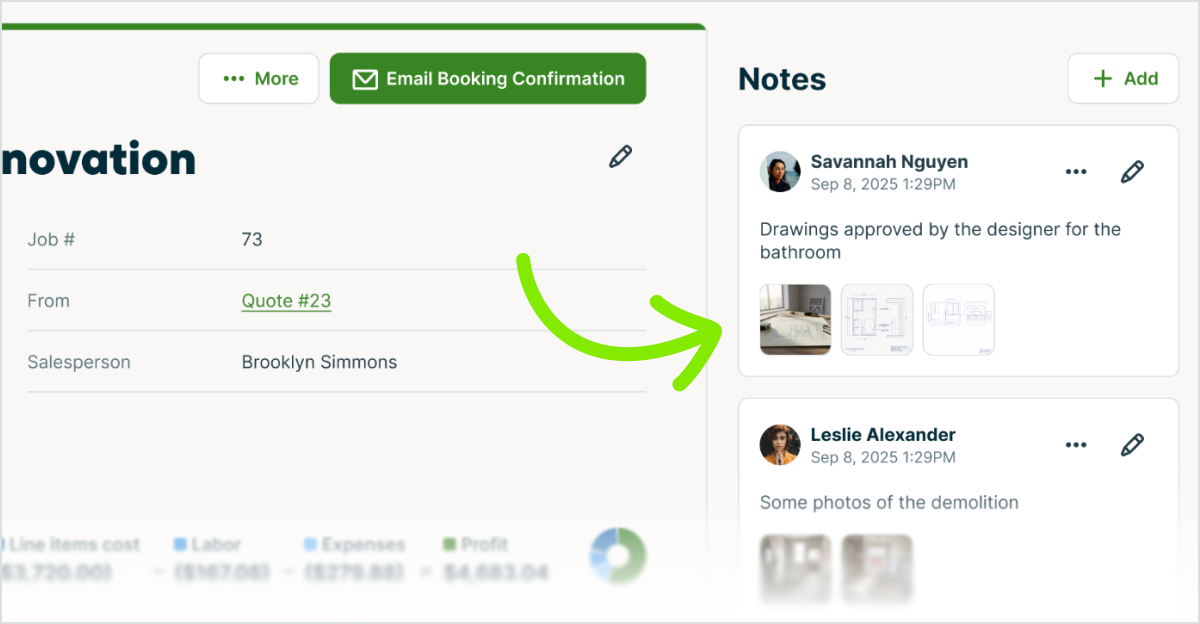
We hear you! Internal notes and other supporting details are moving to the right sidebar on each page. Everything you need stays in view, so you get the info you need with fewer scrolls. No more digging for notes or updates!
Speed upgrades you’ll feel right away
We’re making Jobber faster across the pages you use most. With the upcoming improvements, these pages will load up to 2–3x faster. You’ll feel it when you open a client, jump into a job, or pull up an invoice on the fly.
We’re also making editing faster. Instead of opening a separate screen for a quick fix, you’ll be able to edit directly on the page you’re viewing and stay within the flow.
A refreshed look
We’re updating the layout of Clients, Quotes, Jobs, and Invoices to reduce clutter and make important actions easier to find.
These changes make each page cleaner, clearer, and easier to scan—especially when you’re in a rush.
Small fixes that make a BIG difference
We’ve been sharpening the edges everywhere: fixing older bugs, smoothing quirky flows, and tightening consistency across the app. You’ll notice a cleaner, steadier experience each time you’re in Jobber.
Quote improvements
Rolling out starting December 2025
What’s changing
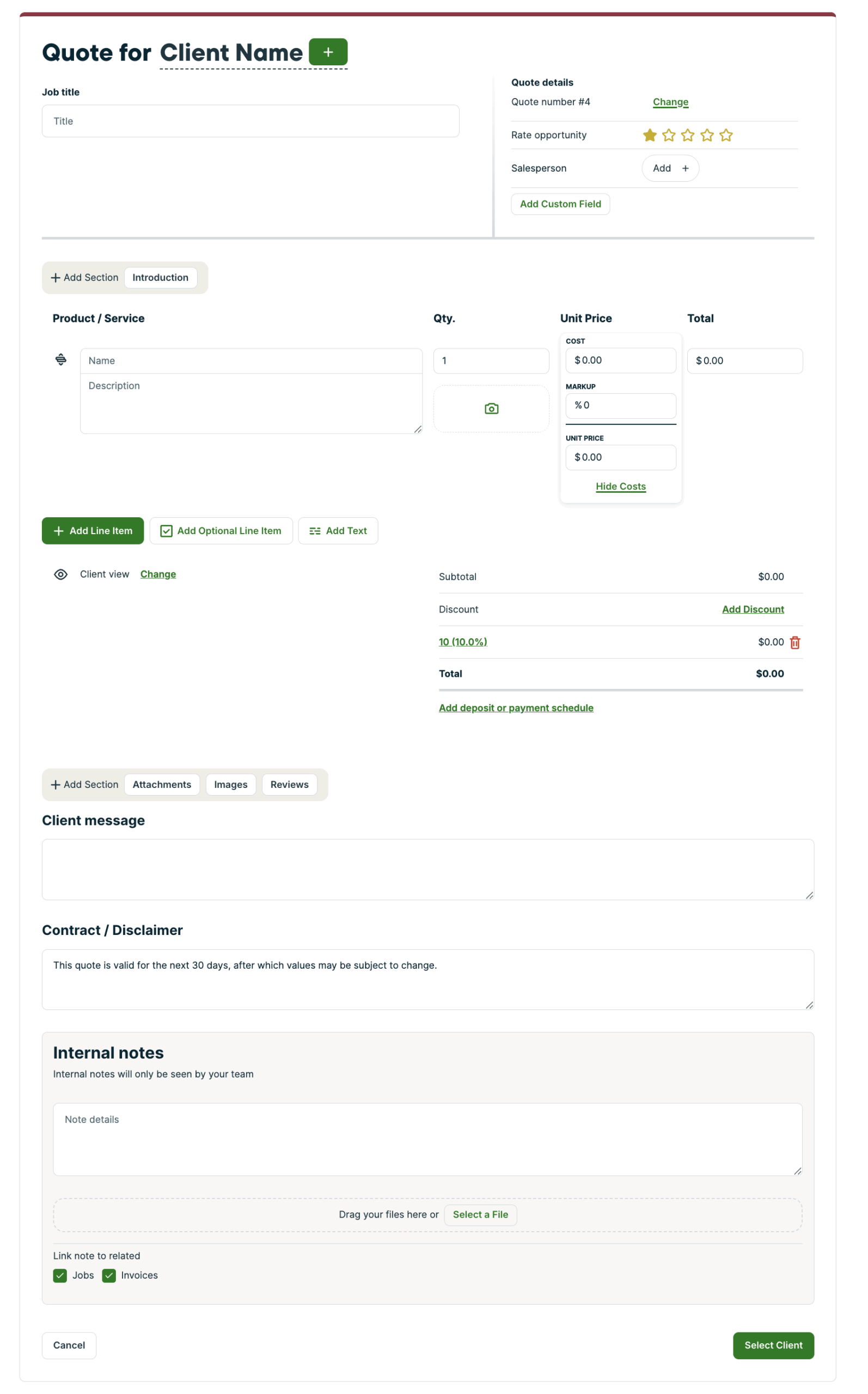
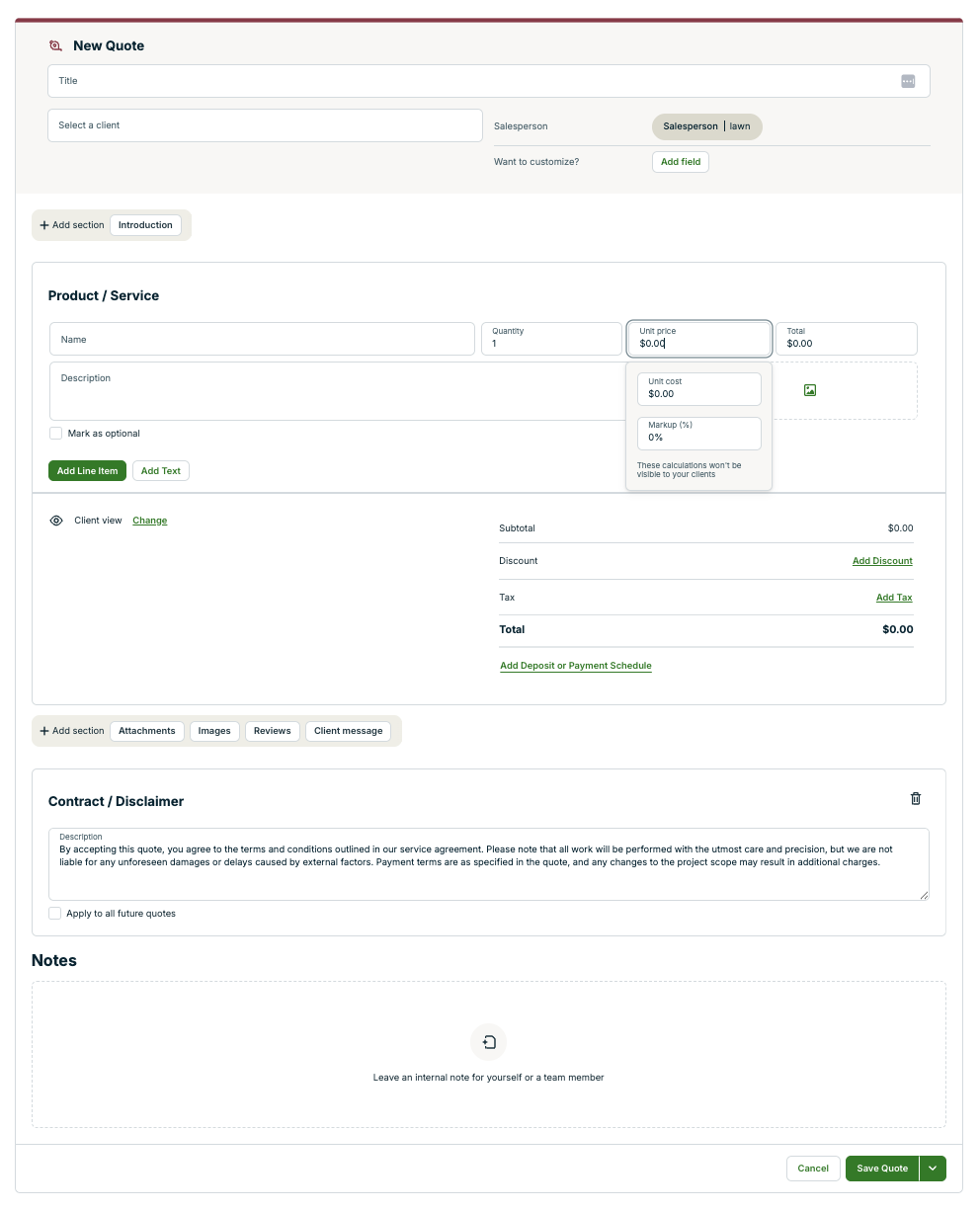
Creating quotes
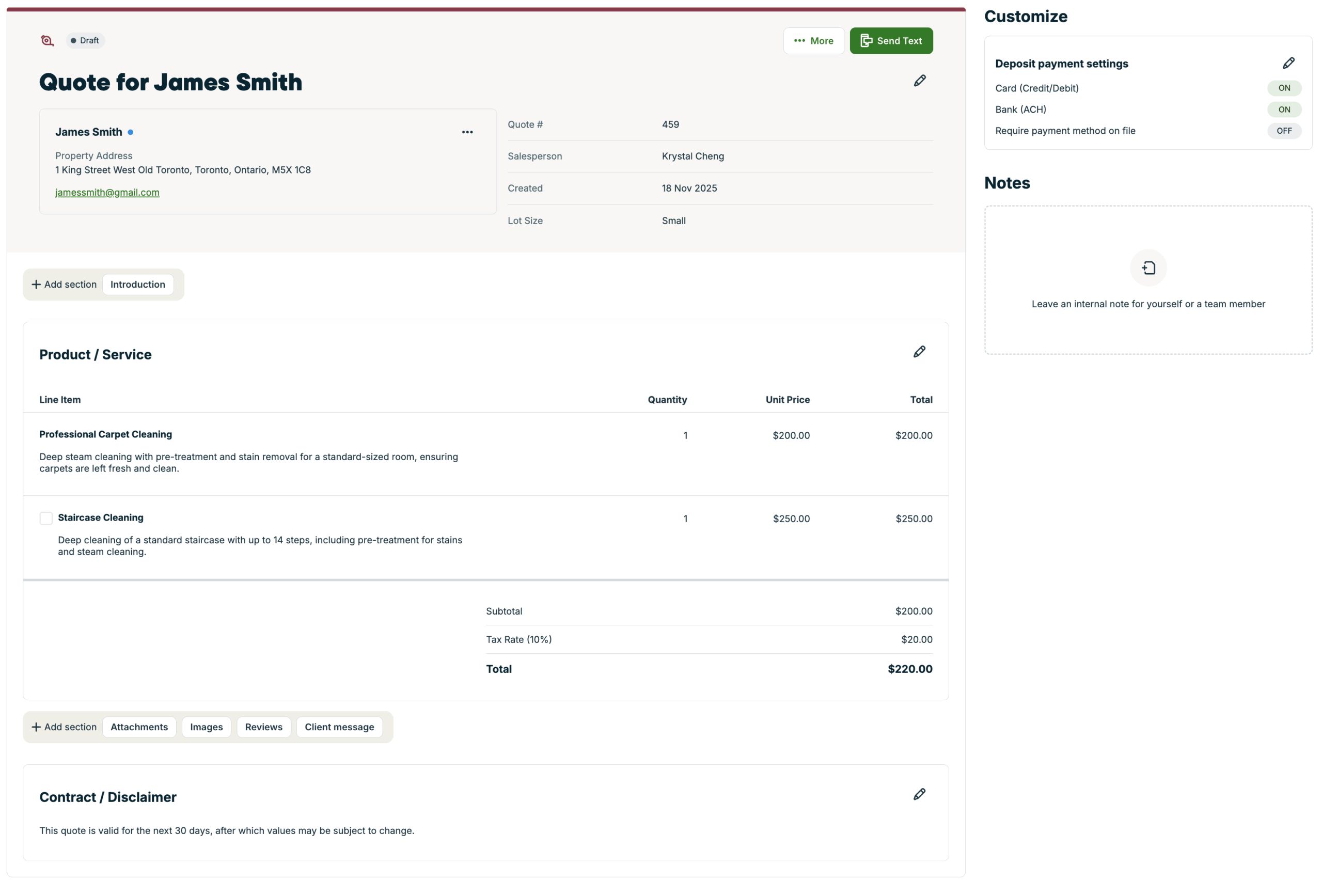
- Turn a regular line item into an optional one instantly to upsell products or services without re-building your quote.
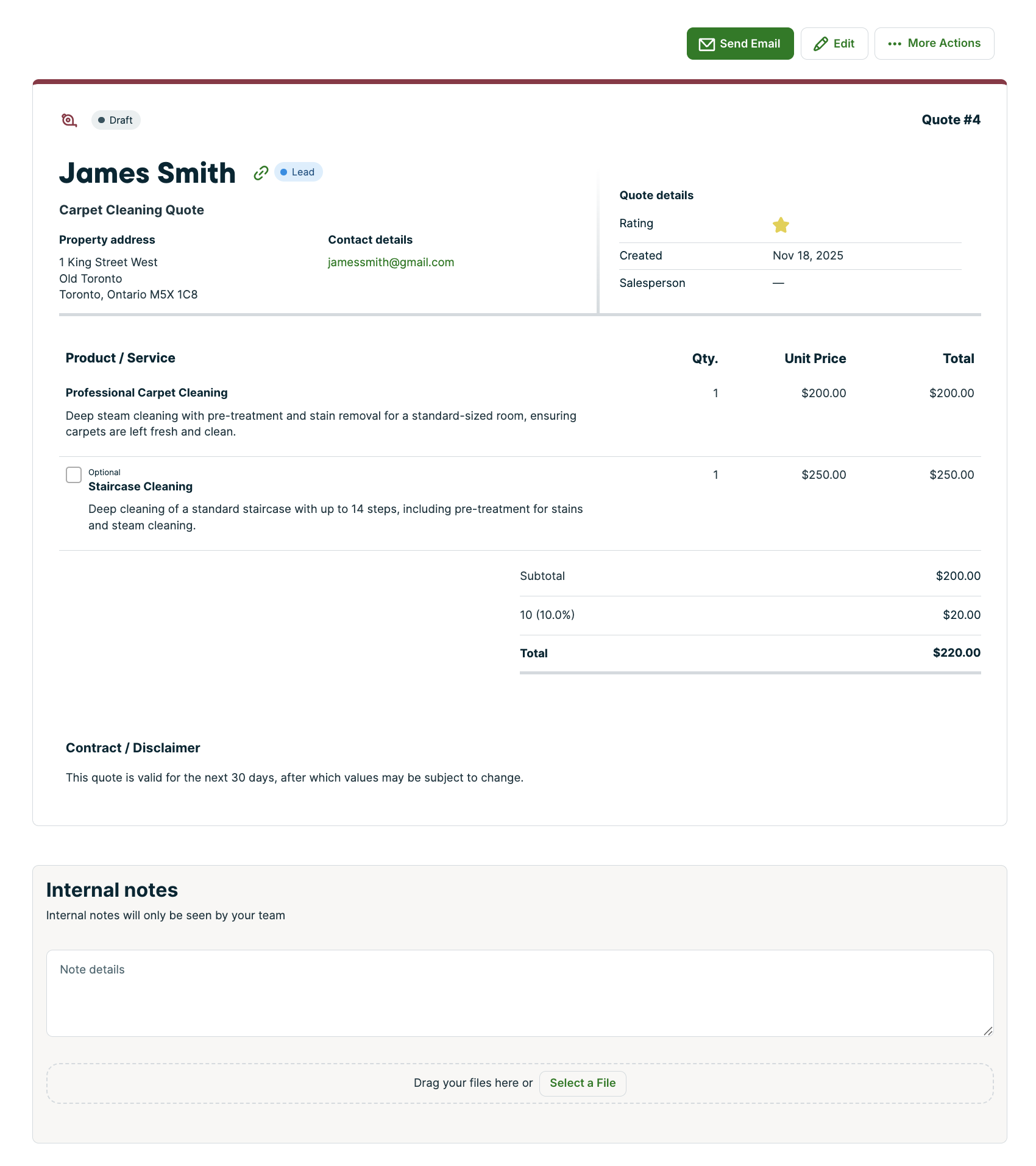
Viewing and editing quotes
- Internal notes and Deposit Payment Settings are moving into the right sidebar.
- Update quote details directly on the page without opening new windows.
What’s being removed
- Star ratings on quotes are retiring. If you need to track prioritization, a custom field is a great alternative.
Page previews
Old Quote Create Page
New Quote Create Page
Old Quote View/Edit Page
New Quote View/Edit Page
Client improvements
Rolling out starting January 2026
What’s changing
Clients are becoming easier to scan, faster to edit, and simpler to manage—especially for clients with lots of contacts or properties.
- Editing is consistent and clearer. Client details are organized into clear sections, and you can update them right where you see them.
- To save you time and make client details easier to maintain, you’ll be able to create the client first, then add or update extra contacts and properties (and their associated contacts) afterward.
- A cleaner layout for quick reviews. Simple clients stay simple, while more complex clients are easier to navigate without feeling overwhelming.
- Smoother scrolling + recent activity upfront. We surface the last 10 items in key sections so you can skim quickly without hunting for tiny scroll areas.
- Contact edits apply everywhere. Update a contact once and it updates across all linked properties.
Other small wins
- Client lifetime value and balance show immediately.
- Quickly search long property lists.
- Edit a property without leaving the client.
- Set Tags while creating a client.
- Notes are easier to spot without scrolling back and forth.
Properties improvements
Rolling out starting January 2026
What’s changing
Properties are becoming a faster, more complete “hub” for everything tied to a location.
- Easier property edits right where you are.
- Fewer steps to add contacts to a property.
Job improvements
Rolling out starting January 2026
What’s changing
Creating jobs
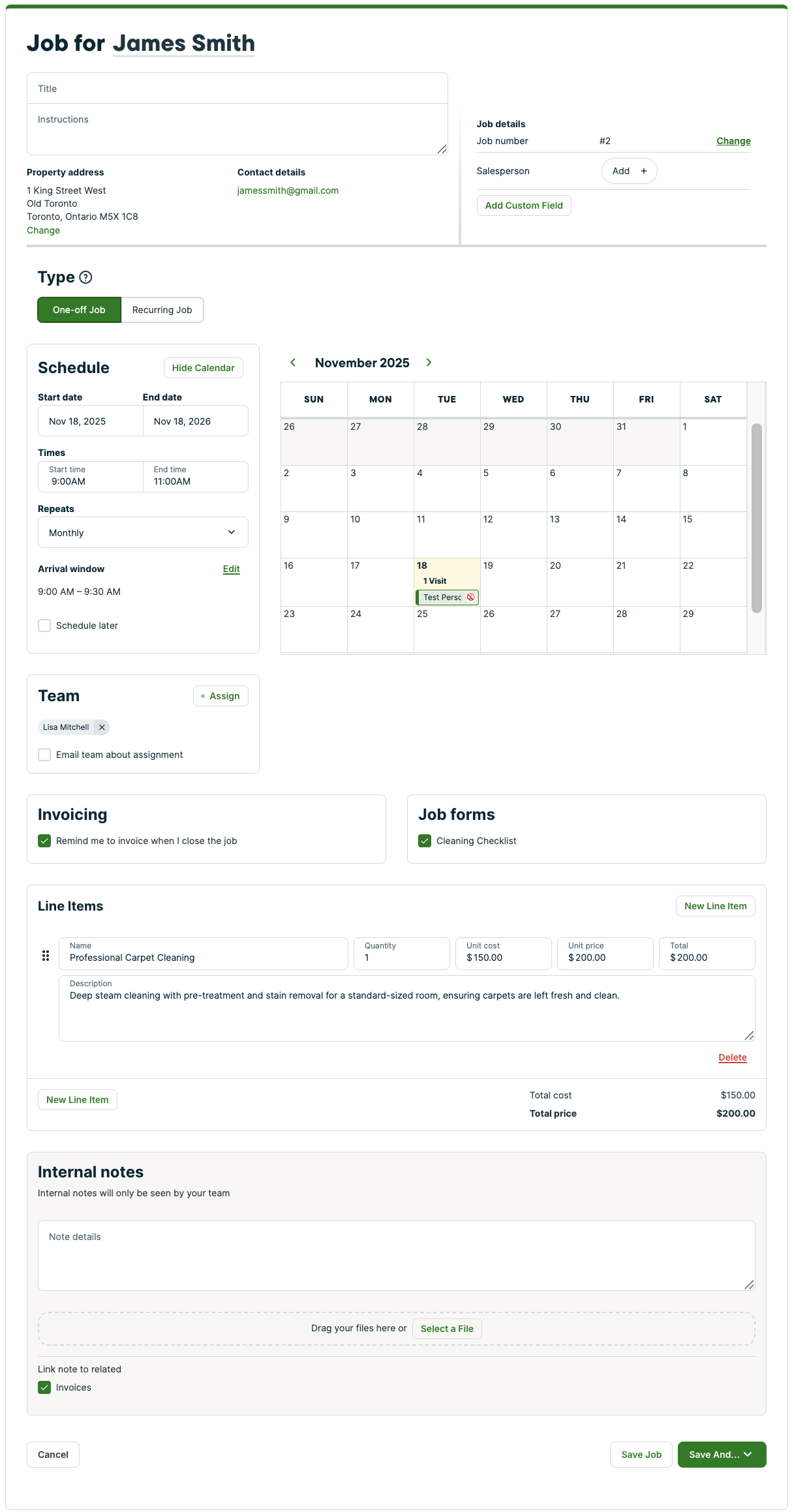
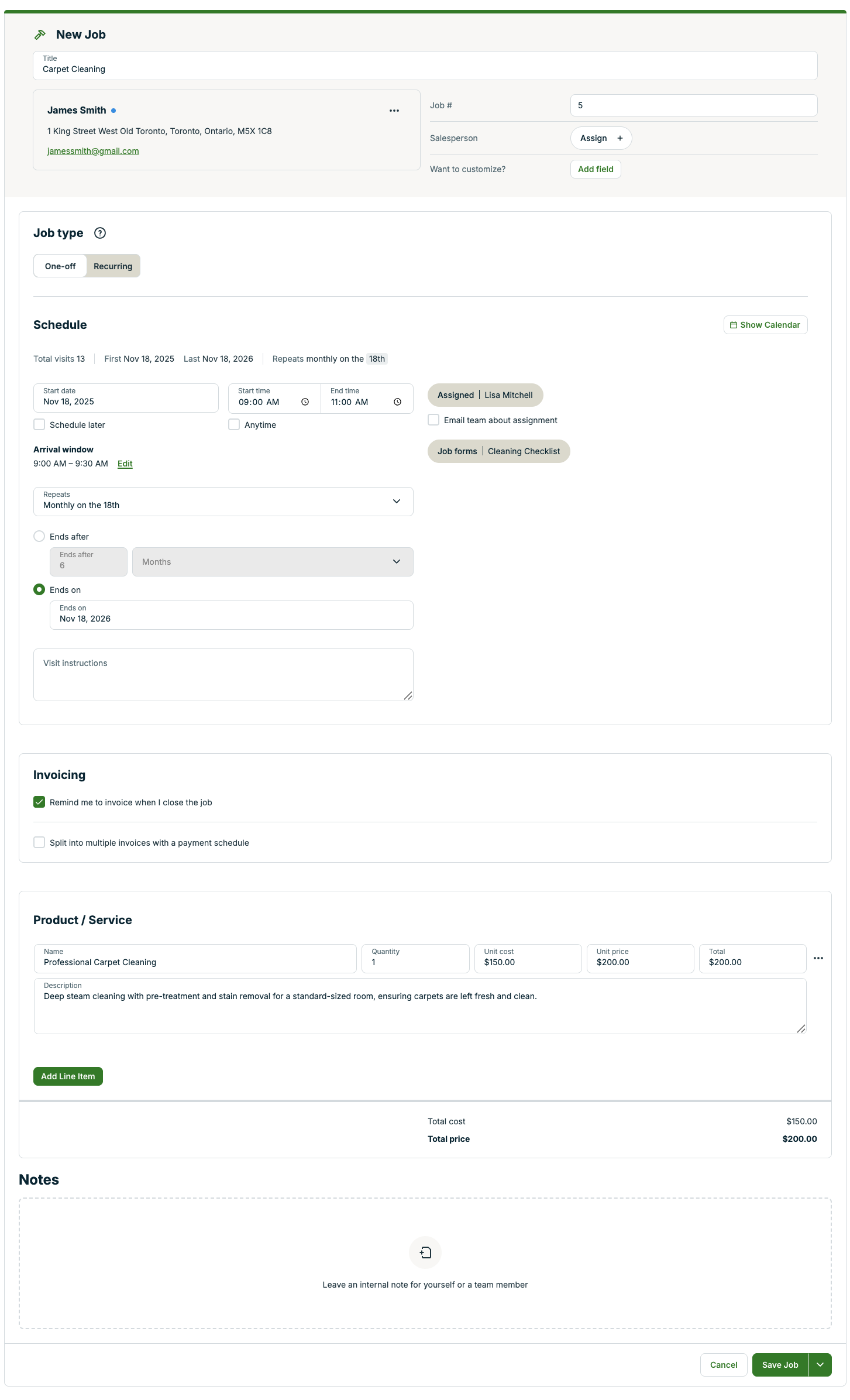
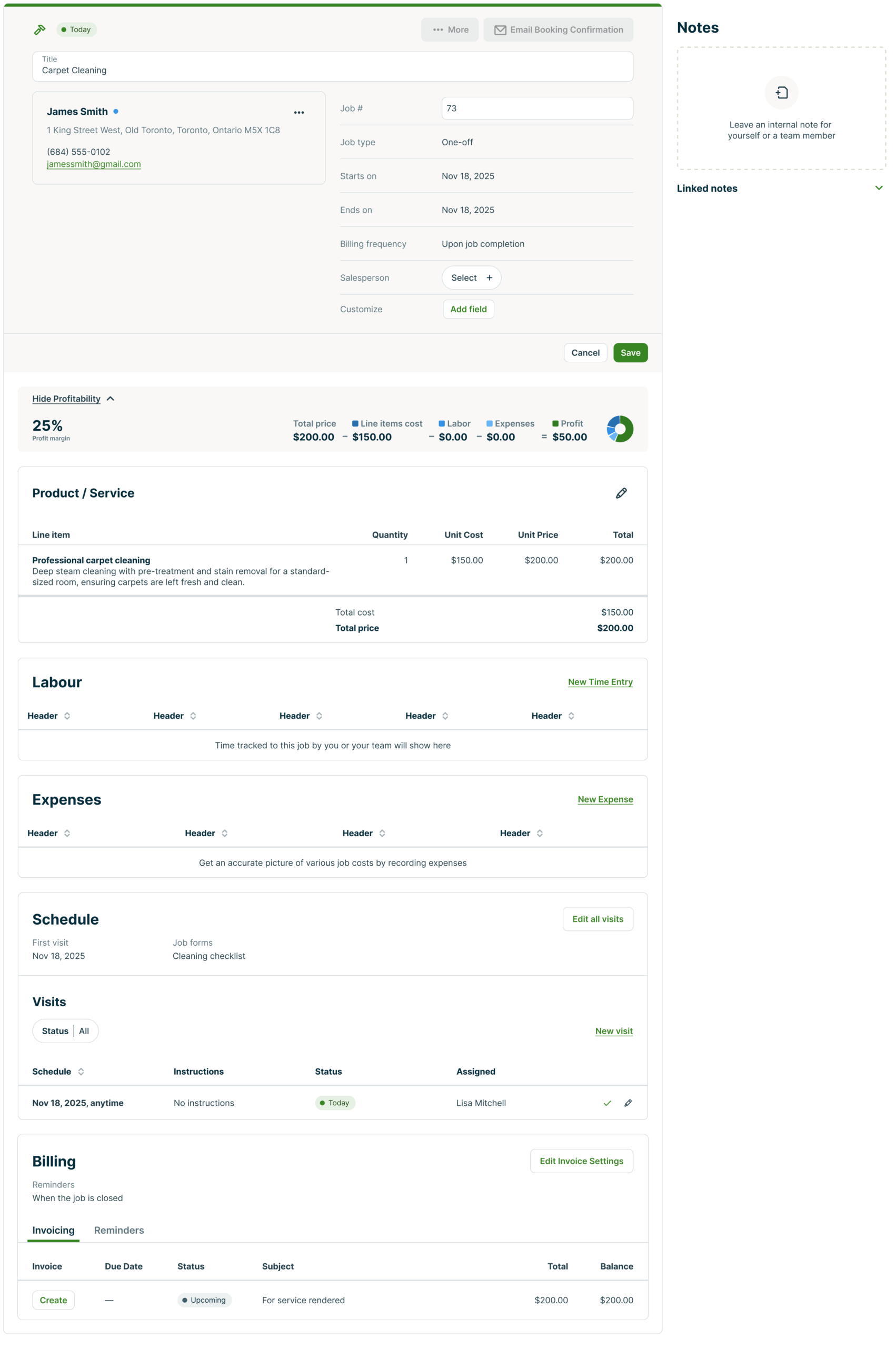
- The Instructions field has moved to make it clearer that instructions are for your visits—this is now located in the schedule section of the job creation screen.
- Saving your progress is always just a click away. The sticky Save bar stays on screen as you scroll, so you can update anything on the page and save instantly—no more hunting for the button or losing your place.
- Permissions update: Users without access to requests will no longer see request details when converting a quote to a job.
- Set end dates on one-off jobs the same way you would for a recurring job, by first selecting how you would like your visits to be set up.
Viewing and editing jobs
- Filter visits to quickly find what you need when viewing a job.
- Edit job details directly on the page without opening new windows.
- To edit the job’s schedule, assigned team, job forms, or instructions, click on the Edit button in the Schedule section.
- To edit the job’s invoice settings, click on the edit button in the Billing section.
What’s being removed
- “Base this Job off a Quote” has been retired, but don’t worry—quotes can still be converted to jobs with all line items and totals carrying over automatically.
- Removed the checkbox setting for adding an unscheduled visit to the calendar. Going forward, all unscheduled jobs will have the unscheduled visit added to the schedule view.
- The calendar preview that was an option while creating your job schedule is being phased out and will soon be replaced by a built-in, interactive mini-schedule.
- Some redundant details when converting quotes to jobs have been cleaned up to reduce clutter.
Page previews
Old Jobs Create Page
New Jobs Create Page
Old Jobs View/Edit Page
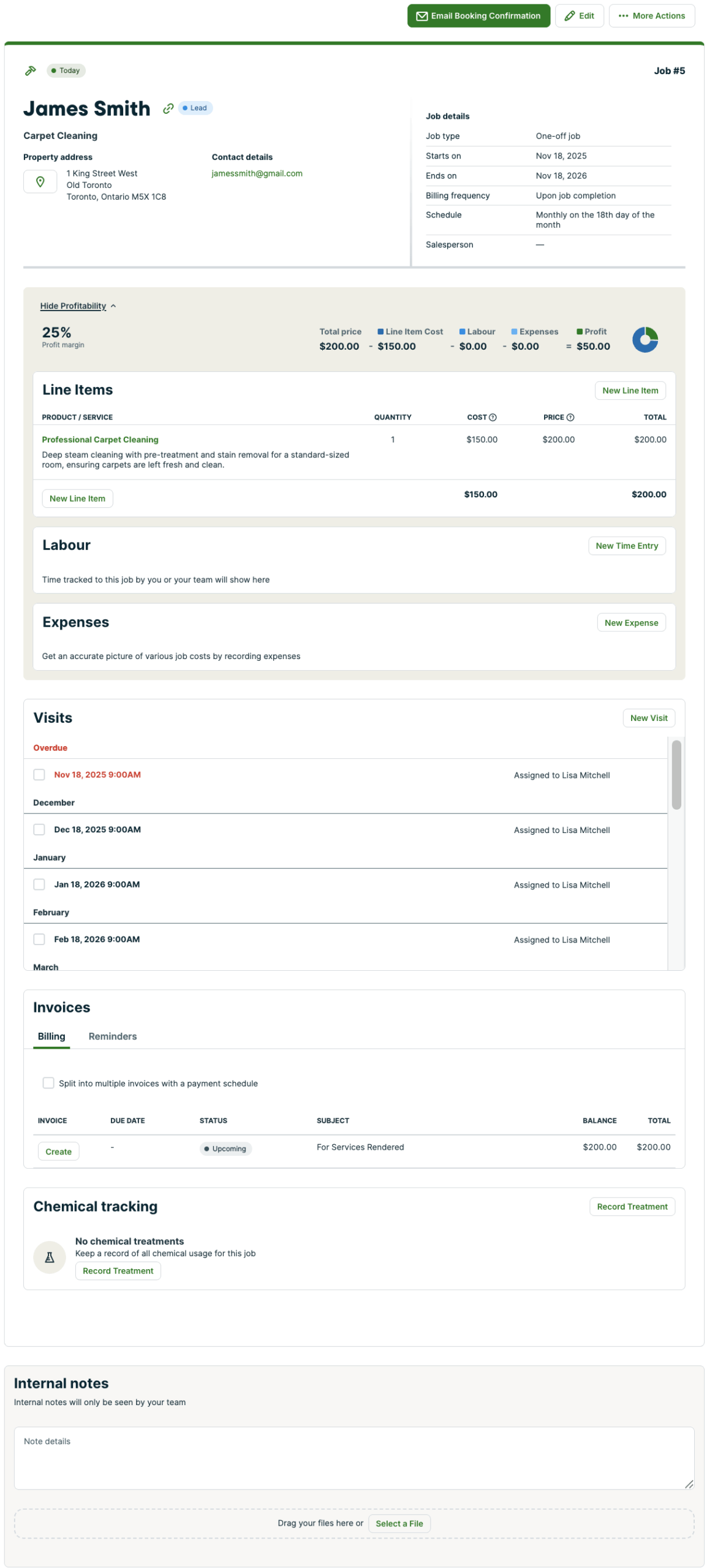
New Jobs View/Edit Page
Invoice improvements
Rolling out starting January 2026
What’s changing
Creating invoices
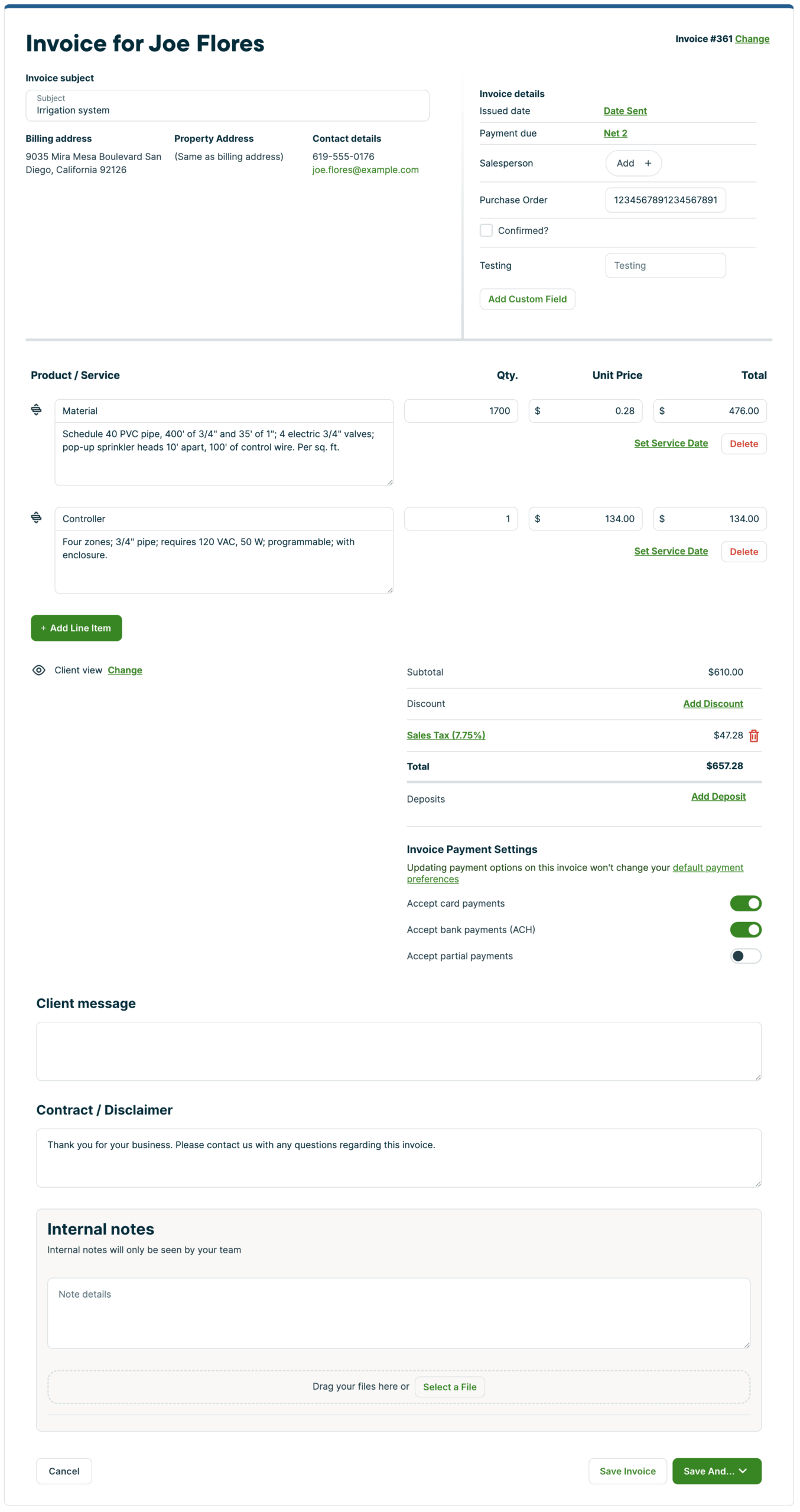
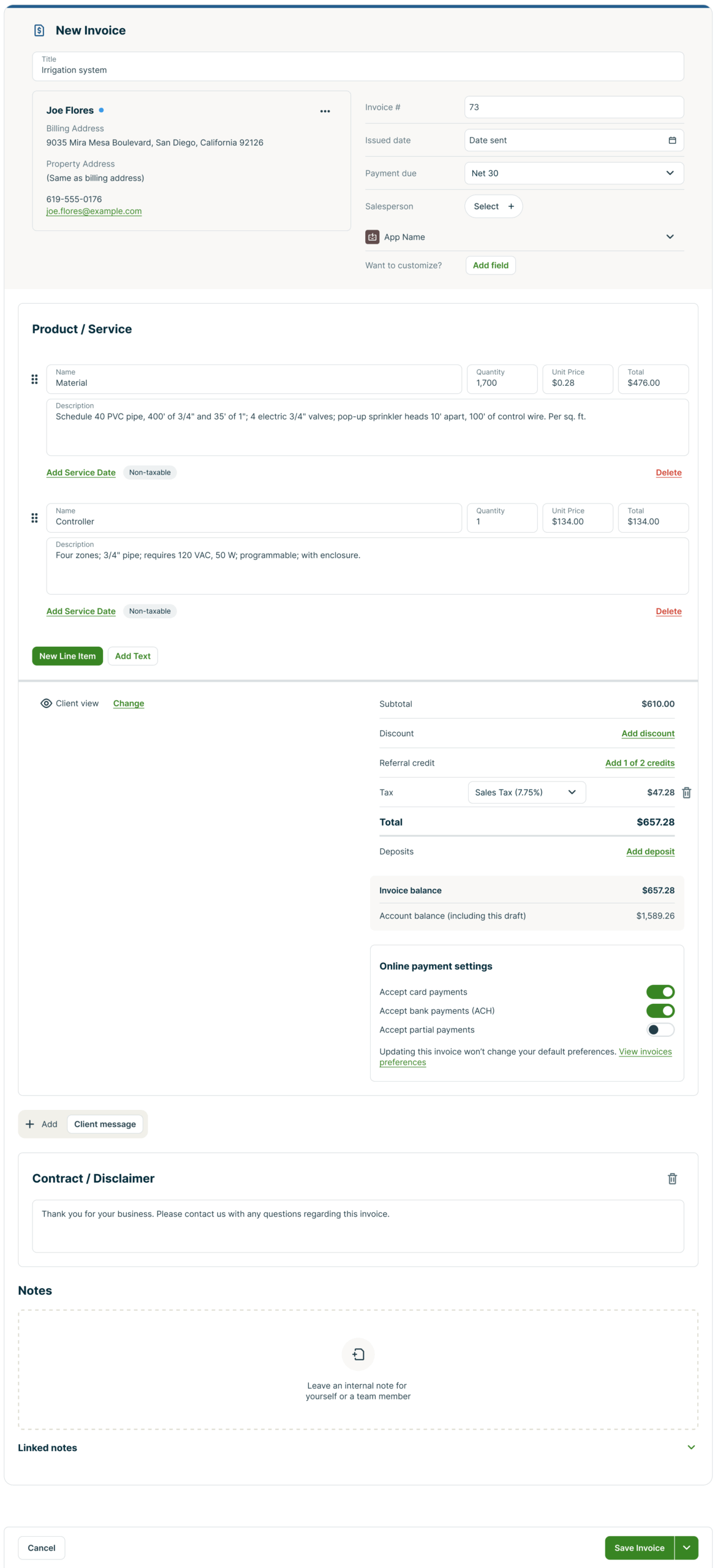
- Get an invoice out the door faster than ever. With client and job selection embedded in the header, you can find, select, or add a client on the spot and keep moving.
- A sticky save bar, so saving progress is always just a click away.
Viewing and editing invoices
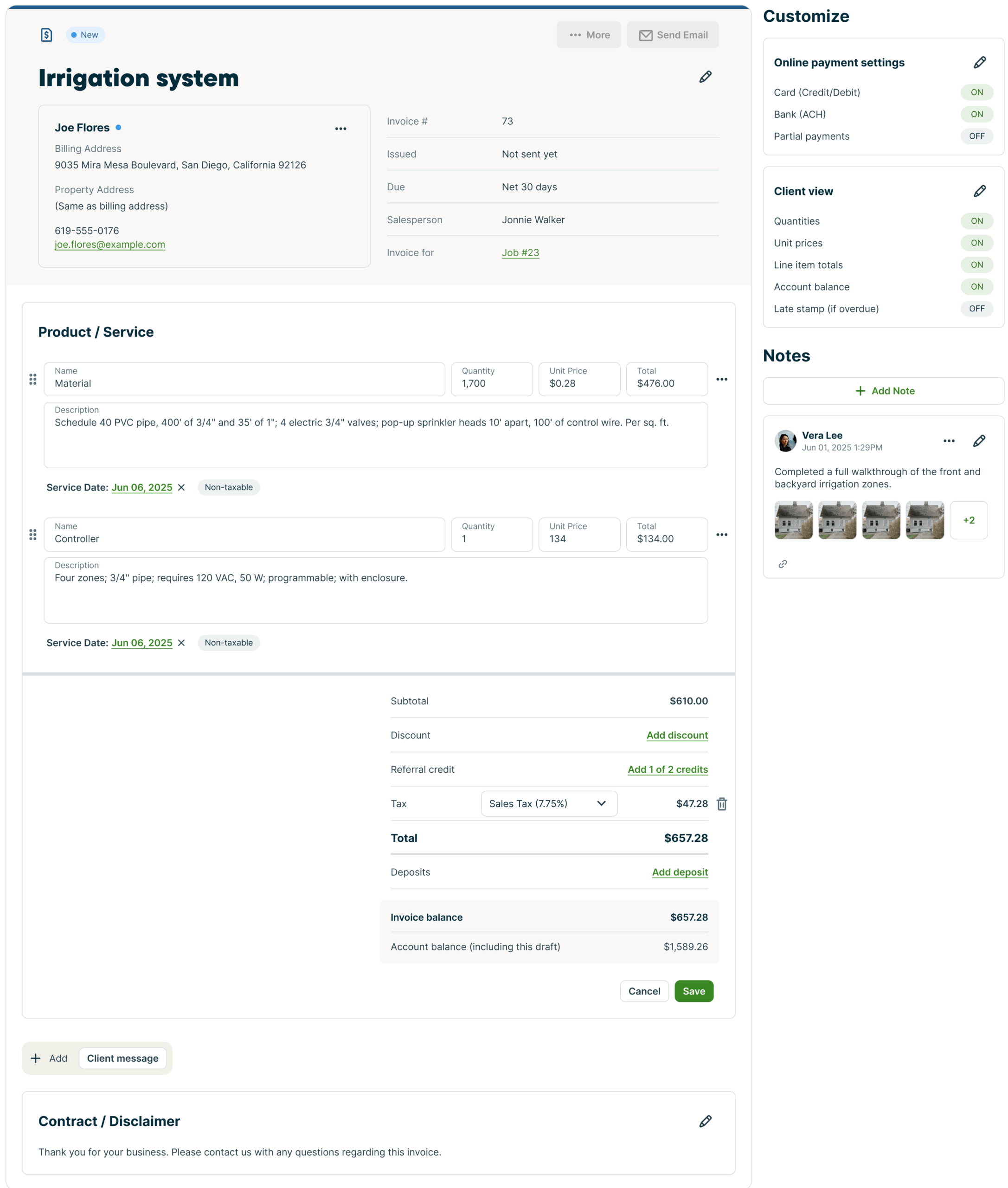
- Online payment settings, client view settings and internal notes will live in the right sidebar, giving you more room to work.
What’s being removed
- The Quickbooks Online Legacy sync indicators won’t show on each invoice anymore, but you can still check the overall status anytime in Settings.
Page previews
Old Invoice Create Page
New Invoice Create Page
Old Invoice View/Edit Page
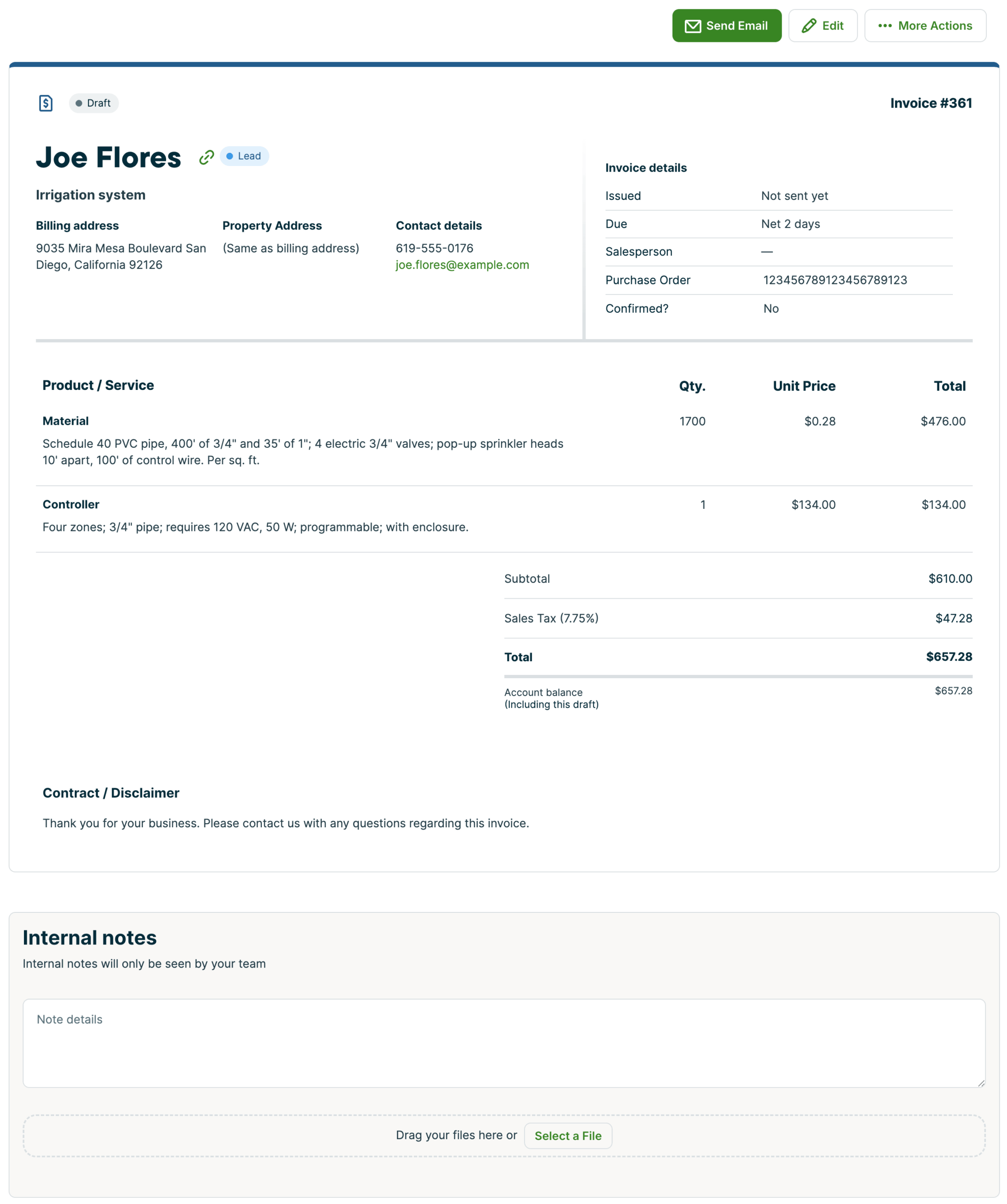
New Invoice View/Edit Page
Keep the feedback coming
Thanks for all the real-world feedback you share with us—it’s guiding every improvement we are making.
When you see the updates, let us know what’s working (or what’s not). Your notes help us make Jobber better for you, so message us in chat or email [email protected].