
Key takeaways:
If you’re searching for the best alternatives to SingleOps for your tree care business, this guide highlights top software choices to help you stay organized, improve efficiency, and support business growth.
- Explore tailored options. Discover five top SingleOps alternatives—Jobber, Aspire, ServiceTitan, Arborgold, and Real Green—each offering industry-relevant features for arborists and tree service companies.
- Prioritize essential features. Look for optimized scheduling, custom invoicing, integrated payment processing, and built-in marketing tools to streamline operations and support business growth.
- Consider user experience and support. Evaluate usability for both office staff and field crews, and check customer reviews for insights into strengths and limitations—including customer service and ease of use.
- Compare value and scalability. Assess pricing (including hidden costs and add-ons), and choose software that scales with your team size and workflow complexity.
- Test before you commit. Take advantage of free trials or demos to ensure the software solves your biggest challenges, fits your unique business needs, and helps you deliver outstanding service.
Run a smoother tree care business with Jobber. Quoting, scheduling, invoicing, and payments—all in one place. Start your free trial.
A successful arborist business requires the right software to keep jobs, crews, and customers organized. SingleOps is a widely used software solution in the arborist industry, but it won’t be the perfect fit for every tree care company.
In this article, we break down what SingleOps offers, share insights from user reviews, and highlight five of the best SingleOps alternatives so you can confidently choose the right software for your arborist business.
Everything you need to know about SingleOps:
What is SingleOps?
SingleOps is business operations management software designed specifically for arborists and tree care companies. It helps streamline daily operations by bringing estimating, scheduling, customer management, and billing into a single tool.
SingleOps offers industry-specific tools to support the unique workflows of tree care operations, such as tree inventories, production-based pricing, and job costing.
SingleOps pricing starts at $220 per month.
Who uses SingleOps?
SingleOps is primarily used by arborist professionals and tree care companies in North America of various sizes, ranging from small local crews to larger multi-crew operations.
Its features are tailored to businesses that need to manage outdoor service work, making it a good fit for teams that handle services like:
- Tree pruning, removal, and trimming services
- Stump grinding and removal
- Plant health care and preventative treatments
- Emergency storm response
- Land and site clearing
What can you do with SingleOps?
SingleOps offers several features designed to help you manage both the admin and field sides of your work, as well as improve your daily processes. Here’s what you can do with the platform:
- Keep track of tree inventory: Catalog species, condition, risk, and work history for every client’s property.
- Create professional estimates: Build detailed, accurate quotes tailored to each job and client, complete with labor, equipment, materials, and markup.
- Schedule and dispatch crews: Manage your team’s calendar with drag-and-drop scheduling tools, assign jobs to the right crew, and keep everyone on task with up-to-date work orders.
- Track customer relationships: Store client information, communication history, and job details in one place to improve follow-ups and overall customer service.
- Monitor job performance and reporting: Gain insights into productivity, revenue, and costs with built-in reports that help you make smarter business decisions and identify areas for improvement.
SingleOps app reviews
We looked at SingleOps reviews on third-party sites to see what real-life users have to say about the software.
Overall
Generally, users say that SingleOps helps them keep better track of their sales process, clients, and business operations.
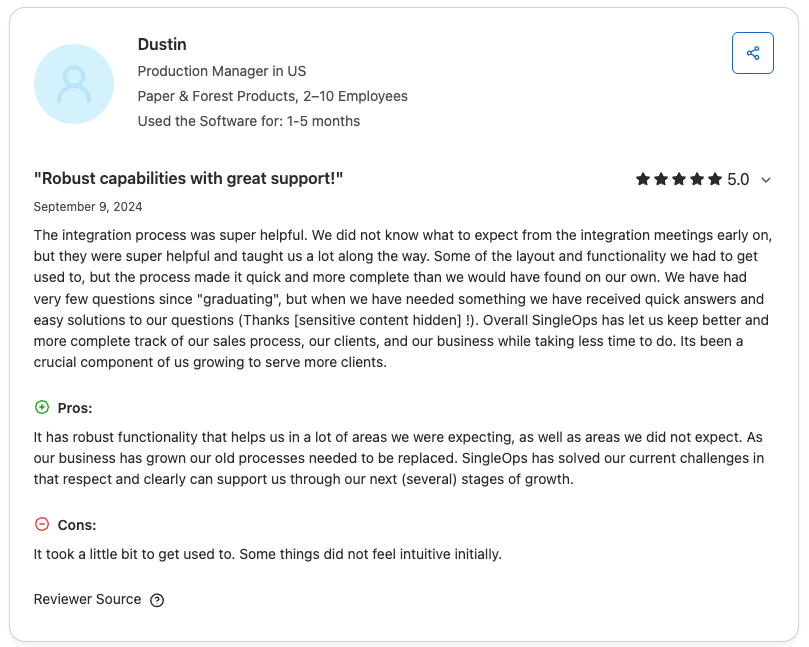
Customer support
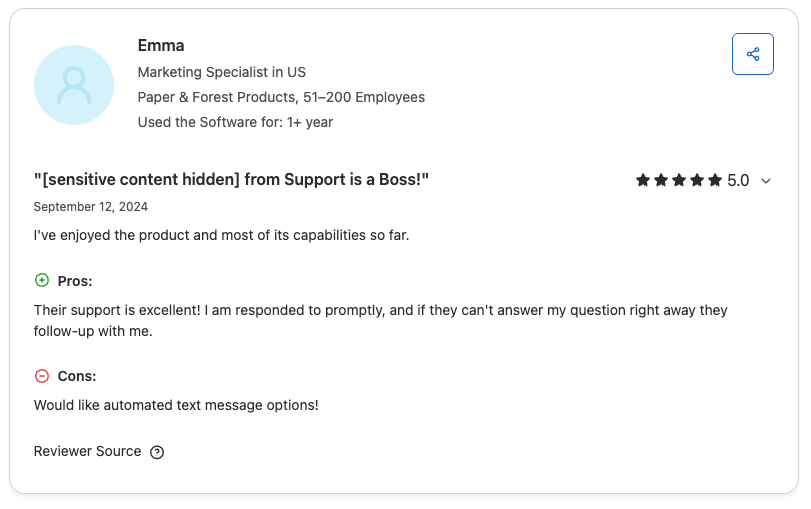
Most users are impressed with the level of support from the SingleOps customer service team, which seems to be the platform’s biggest strength.
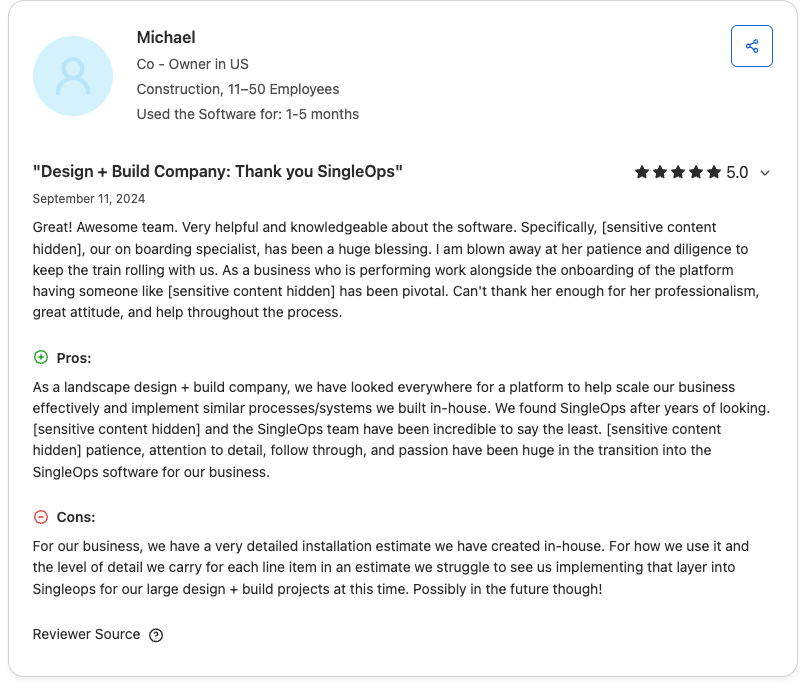
Time tracking
While users are impressed with how SingleOps’ features help their businesses, one user mentioned wishing SingleOps had better employee timekeeping abilities for easier payroll.
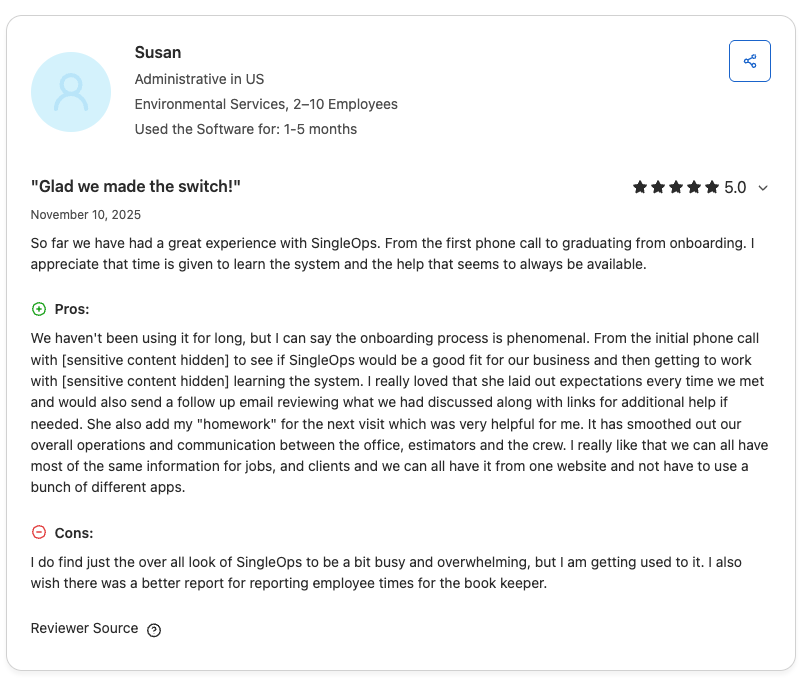
Ease of use
Some customers find SingleOps to have a steep learning curve and don’t find it as simple as other similar options. However, one user notes that SingleOps’ training and videos are helpful.
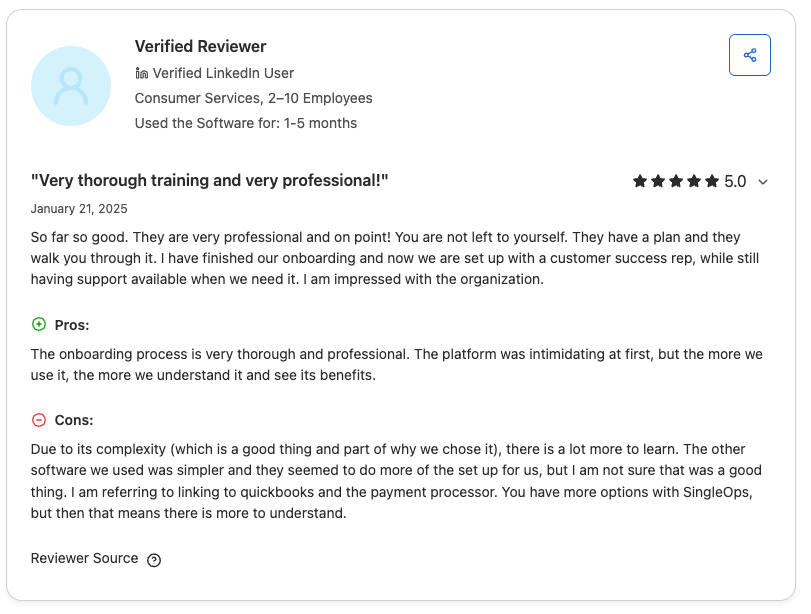
Communication
Although most users are generally satisfied with SingleOps’ features, one user notes that the platform lacks automated text messaging.
Top 5 SingleOps alternatives
To narrow down our list of the top SingleOps app alternatives, we evaluated several tree service apps with key features that tree service businesses need, such as:
- Optimized scheduling
- Quick custom invoicing
- Payment processing
- Marketing features for growth
We checked out some of the top apps websites like Capterra, paying close attention to each app’s reviews. When available, we watched app tutorials to see these tools in action.
Consider these 5 SingleOps alternatives to enhance your tree service operations:
Jobber
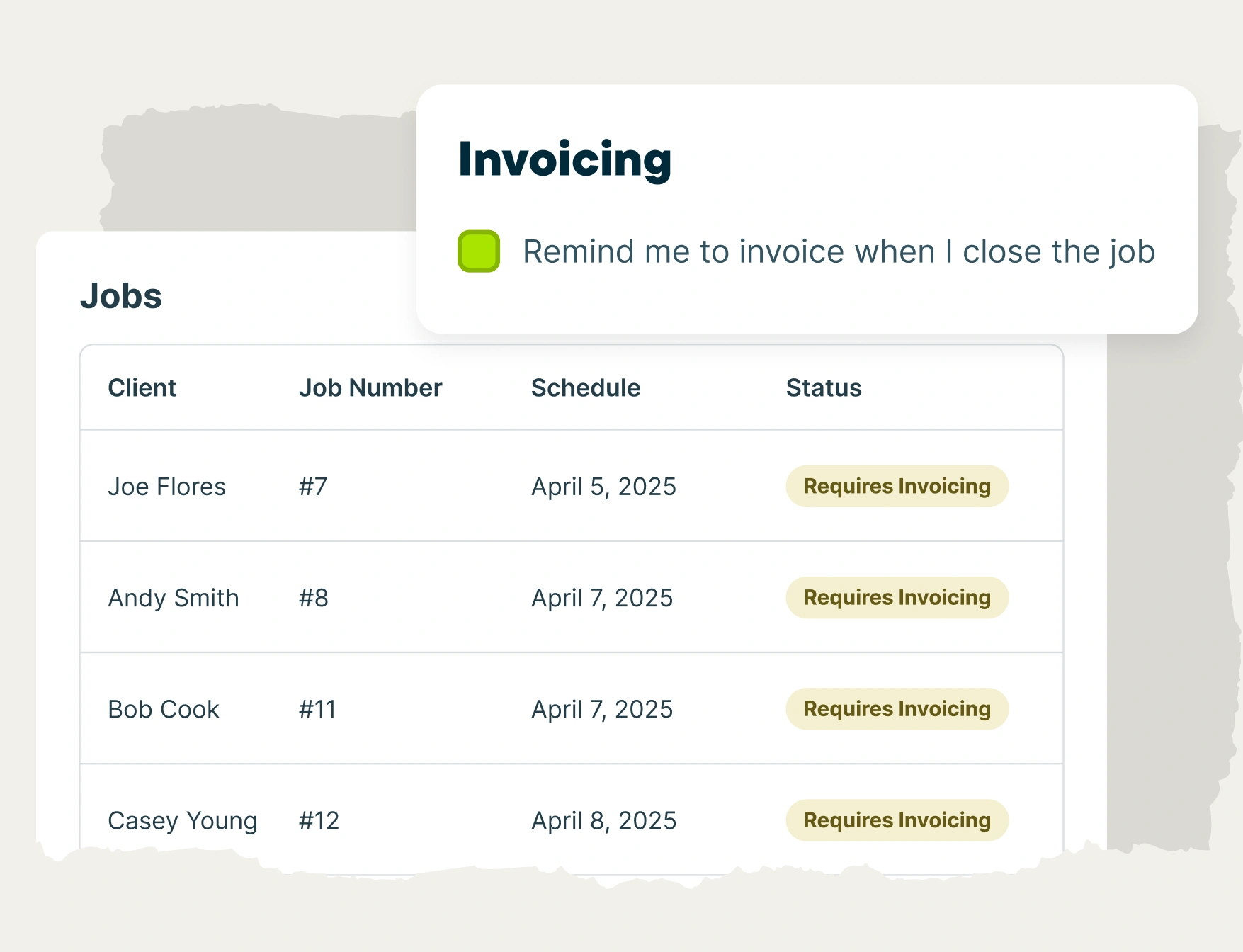
Jobber is the best Single Ops alternative available. This tree care business software helps you track job details, manage crews, and get paid quickly. Its top features include:
- Book client visits and capture job requests without playing phone tag
- Customizable estimates with optional line items for detailed quotes.
- A drag-and-drop calendar for fast, easy work scheduling.
- Automatic time tracking when your team enters and leaves a client’s property for more accurate invoicing and payroll.
- The ability to log information about tree health and chemical usage in the field for quality customer service and regulatory compliance.
- Route optimization to fit more visits into the day.
- Automated appointment reminders and follow-ups to improve customer communication.
- Take calls and texts using Jobber’s AI receptionist.
We’ve grown so much over the years that I could never handle what we do now the way we used to.
I spend the majority of my time in Jobber scheduling site visits, or jobs and communicating with clients.
What makes Jobber a great SingleOps alternative is Jobber’s built-in tree service marketing features, which you can use to get new leads and grow your business:
- Jobber Campaigns helps you create winning email marketing campaigns to attract more customers and cater to current ones.
- Jobber will automatically follow up after a job to request Google reviews, helping your business stand out and attract more new clients.
- Reward your loyal customers and bring in new business with Jobber Referrals.
- Launch an SEO-ready website with built-in request forms to gather the details you need to get the job done right.
- Track the measurable results of your marketing efforts through the marketing insights dashboard.
Finally, once your crew finishes a job, Jobber allows them to collect payment on the spot with an easy credit card reader. Customers can also easily make payments through an online customer portal.
Check out Jobber’s website for pricing.
Aspire
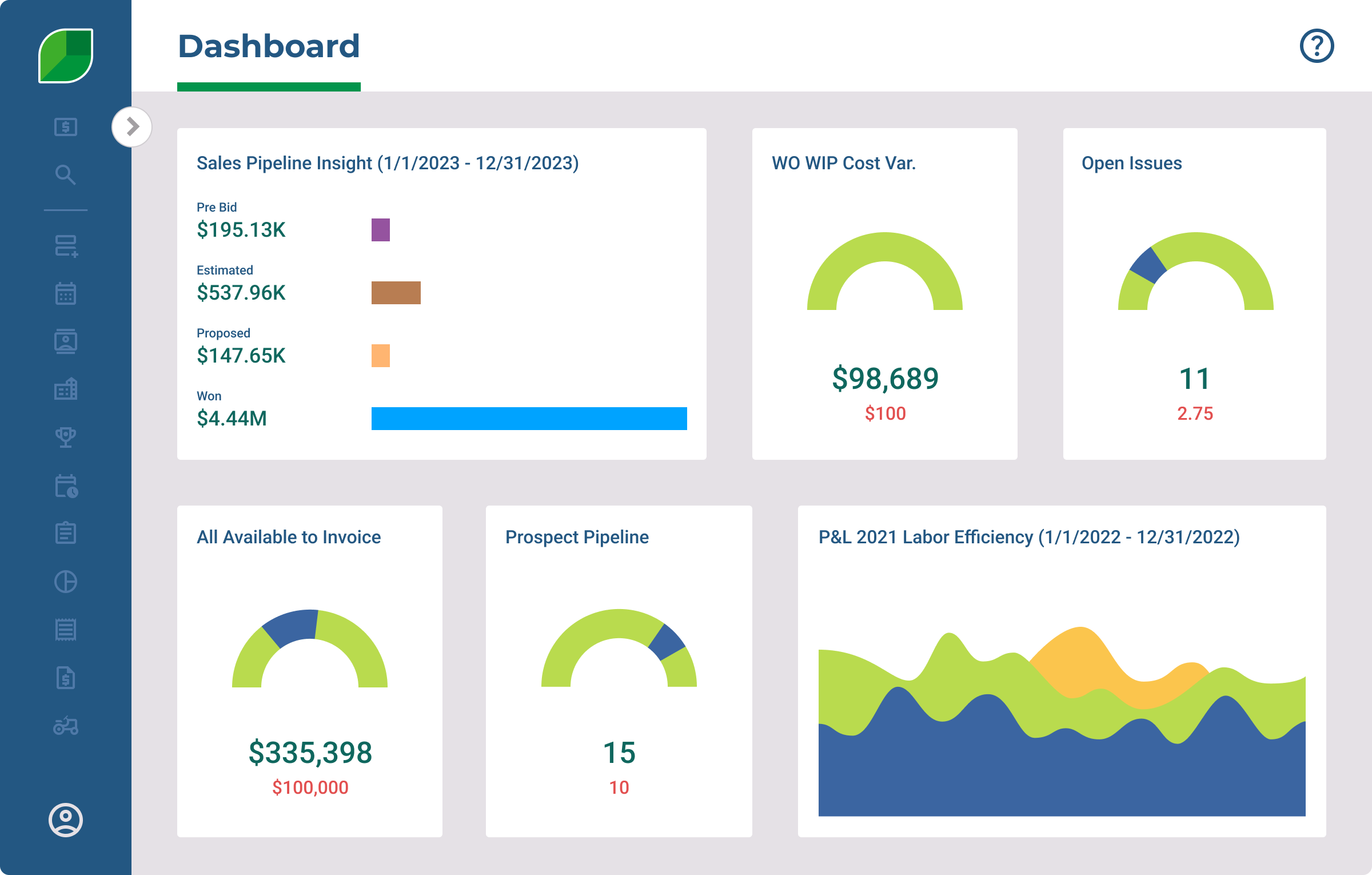
Aspire is software made for landscaping, lawn care, snow removal, and cleaning businesses. The platform wasn’t designed for tree care companies, but some arborists still use it.
If you’re choosing between Aspire vs SingleOps, Aspire has many more advanced features, such as predictable pricing, an open API to customize the platform, and marketing support.
Aspire’s other top features include:
- Job costing capabilities to automatically factor your company’s markups and pricing for landscape jobs.
- Quote templates for easy estimate creation that your clients can approve from an online portal.
- Several invoicing options, including immediate and progress invoicing.
Check out Aspire’s website for pricing.
ServiceTitan
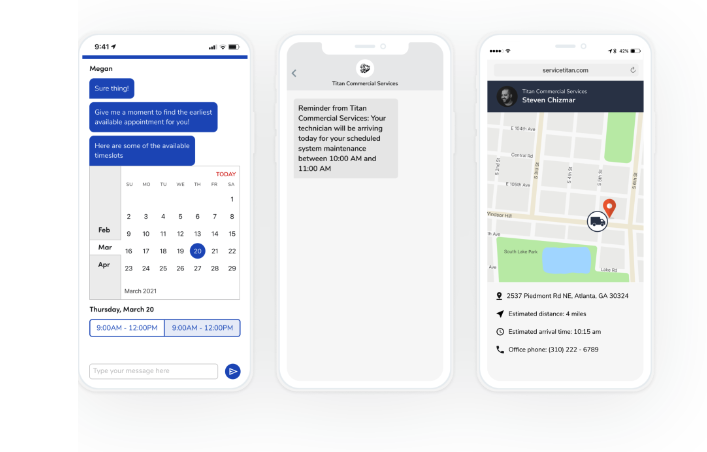
ServiceTitan is field service management software that helps you create and send estimates, schedule jobs, issue invoices, and more.
ServiceTitan is a good SingleOps alternative with several features that can grow with your business, like:
- Detailed job histories for your arborists to reference.
- Two-way customer text messaging.
- A drag-and-drop calendar for easy schedule changes out in the field.
- A notification centre with real-time updates on each job.
ServiceTitan’s pricing isn’t available on their website. You’ll need to contact them for pricing.
Arborgold
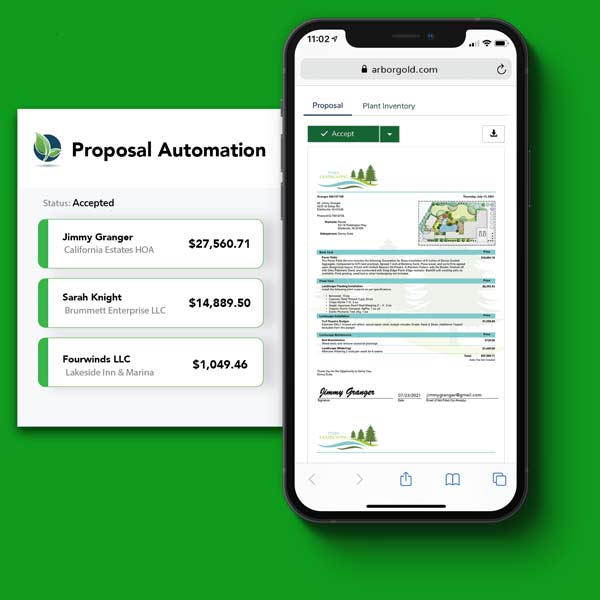
Arborgold is lawn, tree, and landscaping software that offers an all-in-one system for your business.
Arborgold is a good alternative to SingleOps because it has features to help your arborists, sales reps, and office staff—all from one platform.
Arborgold’s top features include:
- Easy scheduling for client estimates, job reviews, and product crew assignments .
- Proposal templates with custom designs.
- An online appointment calendar to automatically assign leads to team members.
Check out Arborgold’s website for pricing.
Real Green
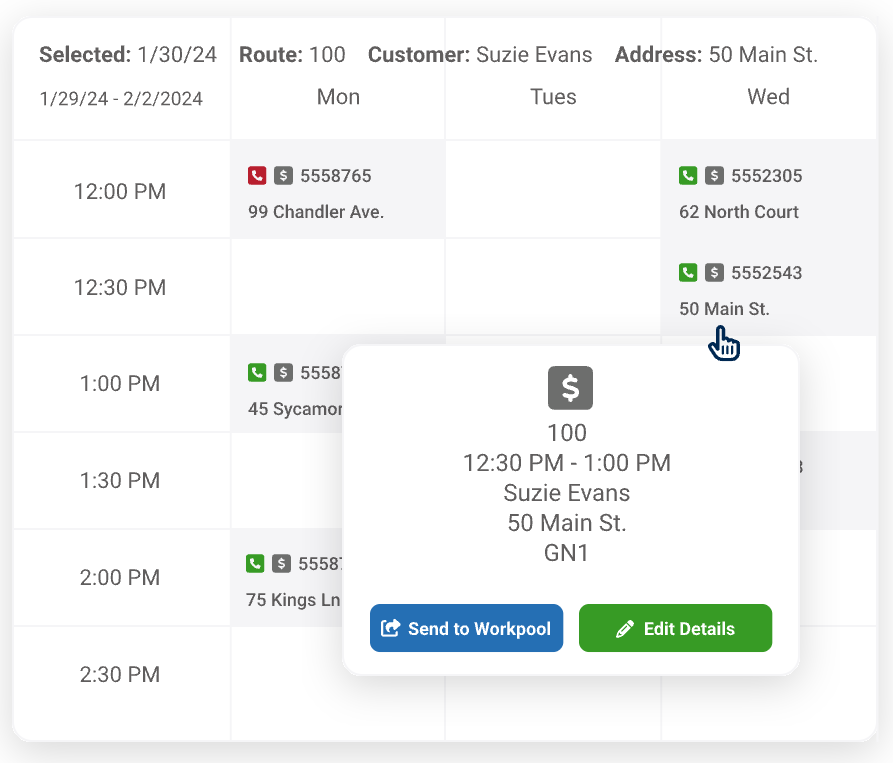
Real Green is business operation software made for green businesses such as lawn care professionals and arborists. It helps you manage scheduling, routing, invoicing, customer communication, and more.
Real Green is a strong SingleOps alternative for lawn and tree care businesses that want industry-specific tools designed to support growth and maintain operational efficiency.
Real Green’s top features include:
- Automated customer notifications via email and text.
- Route optimization tools to improve crew efficiency.
- A centralized dashboard with real-time job and technician updates.
Real Green’s pricing isn’t available on their website. You’ll need to contact them for full pricing.
How to choose the best arborist business software
Choosing the best arborist business software is about solving your business’s biggest challenges. Use these steps to narrow down your options and confidently select the right platform for your tree care business:
- Start by defining your biggest challenges. Identify what’s slowing your business down most—like estimating, scheduling, invoicing, crew communication, or job tracking—and prioritize software that directly solves those problems.
- Match the software to your business size and workflow. Consider your business’s specific needs—such as how many employees you have and how complex your jobs are. Think about which features will help you manage those needs.
- Test usability for both office and field crews. Schedule demos or free trials, and involve the people who will use the software daily.
- Evaluate how the software handles real jobs. Walk through the full life cycle of a job, from estimate to completion to invoicing. Look at each step to see if the system feels efficient and logical for tree care work.
- Compare total cost, not just base pricing. Factor in onboarding fees, per-user costs, add-ons, and long-term scalability to understand how much you’ll pay as your business grows.
- Check reviews. Look for insights from other arborists to understand common pros and cons of the software, including product limitations and customer support experiences.
With Jobber, I’ve been able to put my time into improving my industry instead of just barely trying to keep up.
Choosing the right arborist business software ultimately comes down to finding a solution that fits your workflow, team, and growth goals.
While SingleOps is a strong option, the alternatives covered in this article offer different strengths that may better suit your business.
By comparing your options carefully, you can invest in software that helps your business operate more efficiently and scale with confidence.