Remodeling Estimate Template

Download your remodeling estimate template
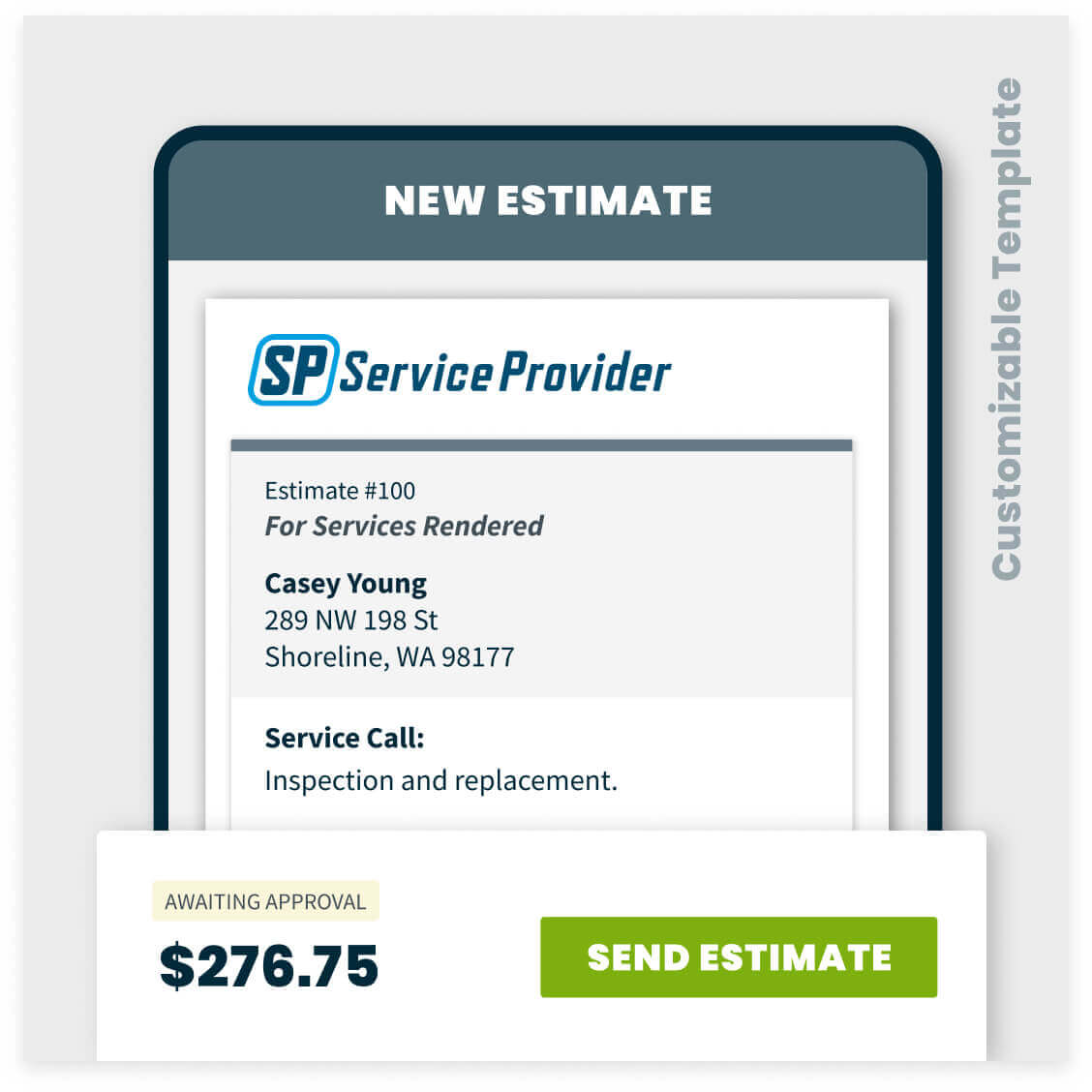
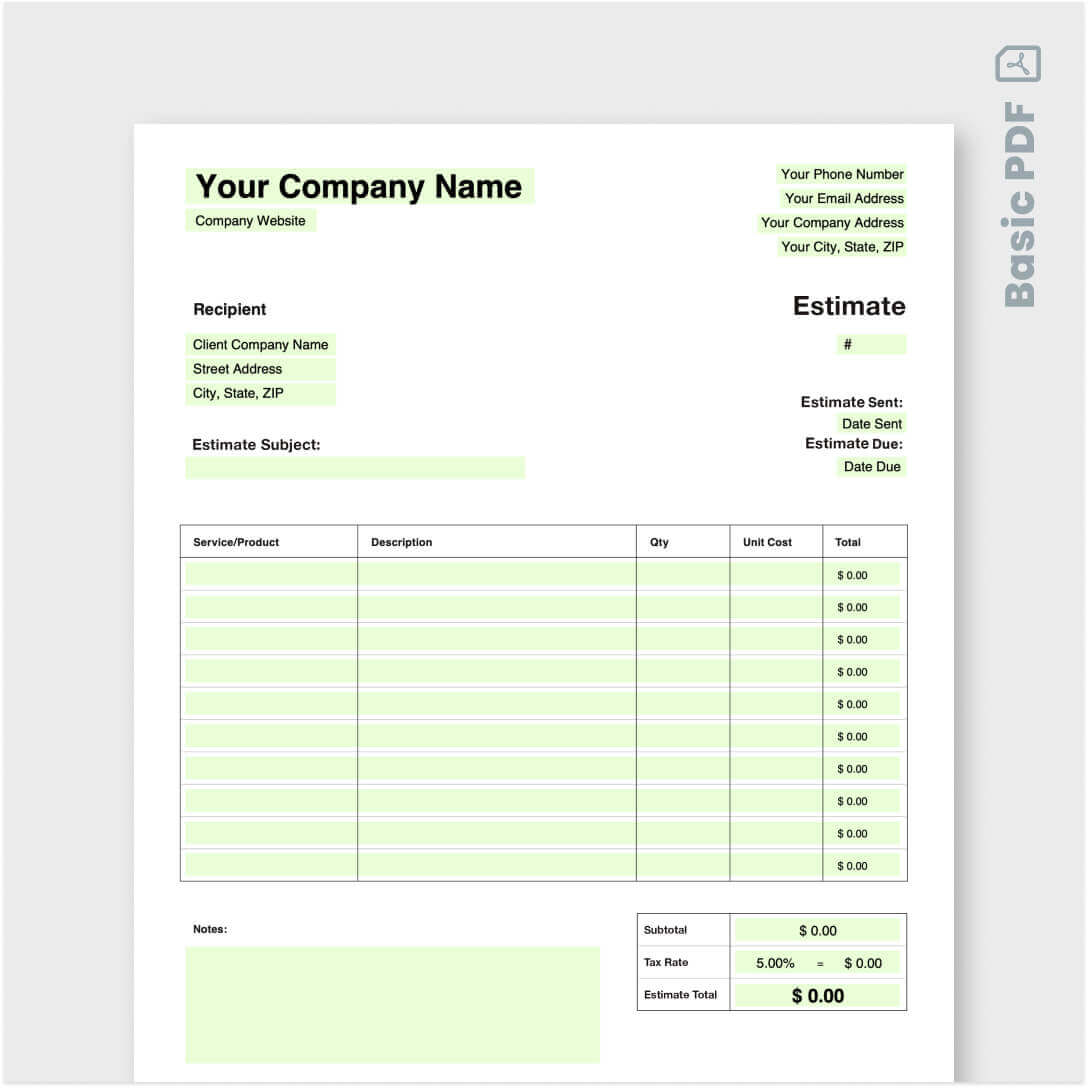
Customize our remodeling estimate template with details like your company name and logo, client information, line items, final price, terms and conditions, and more. Download the basic PDF, or click “Customize Template” to create a professional-looking estimate, convert it to an invoice, and send it to your clients via email or text.
About this template
- Impress your clients and win more jobs
- Add your company name, branding, and terms
- List detailed line items and costs
- Track sent estimates and convert to invoices
Looking for an industry-specific estimate?
- Appliance repair estimate template LP
- Appliance repair estimate template
- Free Building Estimate Template
- Free Car Detailing Quote Template
- Carpet cleaning estimate template
- Carpet cleaning estimate template LP
- Cleaning estimate template
- Free Cleaning Proposal Template
- Commercial cleaning estimate template
- Commercial cleaning estimate template LP
- Free Concrete Estimate Template
- Construction estimate template
- Free Construction Proposal Template
- Free Construction Bid Template
- Construction estimate template LP
- Contractor estimate template
- Free Contractor Proposal Template
- Contractor estimate template LP
- Drywall estimate template
- Drywall estimate template LP
- Free Electrical estimate template
- Free Electrical estimate template LP
- Excavation estimate template
- Free Expense Tracker Template
- Free Fence Estimate Template
- Floor Repair estimate template
- Free Timesheet Template
- Handyman estimate template
- Free HVAC estimate template
- HVAC proposal template
- Job Sheet Template
- Junk removal estimate template
- Landscaping estimate template
- Free Landscaping Proposal Template
- Lawn care Estimate Template
- Painting estimate template
- Pest Control Proposal Template
- Pest control estimate template
- Plumbing estimate template
- Plumbing Inspection Report Template
- Pool estimate template
- Pressure washing estimate template
- Remodeling estimate template
- Free Renovation Estimate Template
- Roof Inspection Checklist
- Free Roof Inspection Report Template
- Roof Measurement Tool
- Roof Replacement Cost Calculator
- Roof Replacement Cost Calculator (Staging)
- Roofing Estimate Template
- Snow removal estimate template
- Tree Removal estimate template
- Window cleaning estimate template
Frequently Asked Questions
-
Our remodeling estimate template makes it easy to send out customizable, professional-looking estimates. It’s perfect for business owners who are just getting started or exploring software instead of pen and paper. The template is part of a larger free toolkit where you can store client information, convert their estimates to invoices, and get paid for your work.
If you’re just looking for a quick-start remodeling estimate template that you can reuse as often as you like, download the free PDF and start sending out estimates right away. -
Your remodeling estimate should include the following information:
• Your business’s name, logo, and contact details
• Your client’s name and contact details
• Estimate number for record-keeping purposes (using the same numbering system as your final invoice number)
• A breakdown of the type of work you’ll be providing, along with a detailed service description
• The approximate cost estimate of completing the work, factoring in hourly labor costs and service costs, product costs and quantities, any special discounts or rates, and applicable taxes
• Optional line items for added services or materials and prices that would enhance the work
• A description of anything that specifically won’t be included in the work
• How long the estimate is valid for
• Terms and conditions (e.g., deposit amount, payment terms)
• Space for the client’s signature so you can start on the approved work -
A remodeling estimate template is a blank copy of your estimate form, which you can fill out to create a detailed estimate after a consultation. You can find templates as fill-in PDFs, Microsoft Word or Google Docs, Google Sheets or Excel spreadsheets, free quoting tools, or even remodeling service software like Jobber. These templates are essential to keeping your business efficient and consistent.
Here’s what using free construction estimate templates can do for your home remodeling business:
• Help you stay organized and include all necessary information
• Reduce room for error by including mandatory form fields
• Make you look more professional than handwritten estimates
• Cut down on repetitive data entry and save you time
• Help you track rates, project costs, expenses, and accounts receivable
• Set client expectations and protect your business with terms and conditions
• Make filing easier with digital copies of all estimates
• Make money in remodeling by winning more sales
With our renovation estimate template, it’s easy to add in the specific details for that job, get the estimate approved, complete the work, invoice the client, and get paid faster—all with just a few clicks. -
No matter the industry, every estimate needs the same elements. Line items, estimate totals, and terms and conditions are just a few examples.
The main difference is your services, which are specific to your industry. Start by deciding what services you’d like to offer, create a list of standard line items for bids and estimates, and set prices for each service. This helps you assemble an estimate and send it off to your client, faster. -
Quotes and estimates seem similar, but there’s one big difference: budget flexibility.
An estimate is a rough but educated guess at how much time, work, and materials will be involved in completing a job. This gives you some wiggle room in case any unexpected repairs pop up during the work.
A quote, on the other hand, tells a client exactly how much they’ll be paying for the job. This can mean higher profits if you come in under budget—but it also means you have to think of everything that could complicate the job and cut into your profits.
(And yes, you can use the estimate template as a remodeling quote template!) -
When you’re creating a remodeling estimate, it should describe the work and the approximate labor costs of completing that work.
Rather than providing average costs, a bid is more exact and tells a potential client the best possible price you can offer for your remodeling services. If you’re bidding on a project, the client is probably getting bids from a few different companies and will choose the lowest price with the best value.
You can use our free estimate template as a remodeling bid template. -
There’s a big difference between estimates and invoices.
An estimate describes what the finished work will look like and how much it’ll cost to complete. This is the first step in any project. An estimate sets the expectations for the client, and you don’t move forward until they sign off on it.
An invoice is a final bill you send to the client for the completed work. This is the last step of the project. The amount on the invoice might be different from the amount on the estimate, depending on how much the work might have changed during the project.
This is also the point where you can talk to the client about consumer financing. -
That depends on how you’re doing it! If you’re using pen and paper, it could take a while to write down your contact details, add the customer’s information, write in all your home renovation line items from memory, and tally up the material costs in your head. That’s part of why some remodeling businesses decide to charge for quotes.
With a remodeling estimate template, some of the necessary elements are already in place and the calculations are done automatically, including taxes and discounts. It should only take a few minutes to fill in the details that are specific to the remodeling project, then send off the estimate to the client for approval. -
Estimating and quote management software like Jobber makes it easy to create an estimate using your desktop or mobile app.
Here’s what you can do with remodeling software:
• Set up client files for storing estimates, job details, and invoices
• Let new leads request work through your website or Local Services Ads
• Create estimates for construction projects with add-ons, packages, and images
• Convert estimates into jobs and invoices
• Give clients the option to approve estimates and pay deposits online
• Communicate with clients using email and SMS
• Schedule teams, route work, and track time and expenses
• Get paid faster using automated follow-ups and credit card processing
Learn more about how Jobber can help you create estimates and win work faster.