
Key takeaways:
If you want to streamline your appliance repair business and boost efficiency, these top eight apps offer practical solutions for every aspect of your operations.
- Comprehensive business management: Apps like Jobber serve as all-in-one platforms for scheduling, dispatching, invoicing, payments, and customer management—making it simpler to run your entire business from your phone.
- Specialized solutions for key tasks: Use Fixably to manage inventory, Aquant Service Co-Pilot for troubleshooting appliance issues, and FleetSharp for real-time vehicle tracking and efficient routing.
- Grow your business and win more jobs: Apps like Tasker by TaskRabbit and Pipedrive help you book new jobs, manage your sales pipeline, and strengthen customer relationships.
- Better documentation and accounting: CompanyCam allows you to visually document jobs with photos and notes, while QuickBooks Online keeps your accounting organized and integrates smoothly with your other tools.
- Choose apps with essential features: Look for solutions offering easy job scheduling, customer management, documentation capabilities, integrated invoicing, and compatibility with your existing systems.
Run a smoother appliance repair business with Jobber. Quoting, scheduling, invoicing, and payments—all in one place. Start your free trial.
Originally published in May 2024. Last updated on May 22, 2025.
These days, some of the most powerful tools for appliance repair technicians live right on your phone. Some apps can help you troubleshoot problems in your customers’ appliances faster. Others make your job schedule more organized and efficient.
We’ve rounded up the eight best appliance repair apps that every technician and team should know about. From streamlining your workflow to helping you book more gigs, these apps are here to make your business smarter—and your life a whole lot easier.
Top 8 apps for appliance repairs:
How we chose the best appliance repair apps
We started our search for the best appliance repair apps by looking at forums to understand the needs of the appliance repair industry. We also discovered what apps are currently on the market.
From there, we took a closer look at select solutions by reading app reviews and watching app tutorials to see these appliance repair tools in action.
This left us with the following eight appliance repair apps that will drive your business to success.
1. Jobber: Best overall appliance repair business software
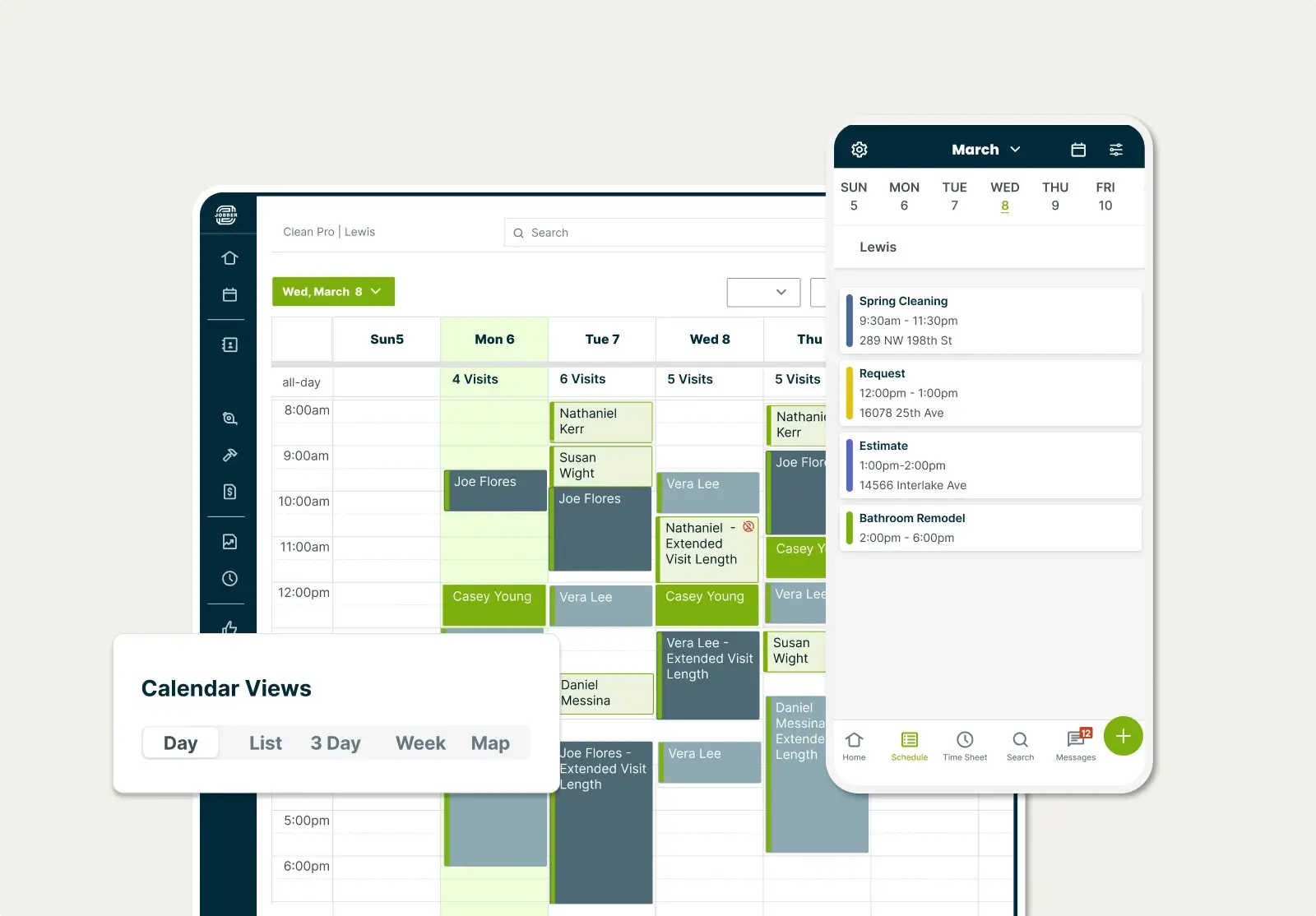
Jobber is appliance repair service software that helps teams send estimates, dispatch technicians, and provide excellent customer service.
Think of Jobber as the all-in-one tool for running your appliance repair business. From getting new repair requests to tracking client info, scheduling jobs, invoicing, and accepting payments—everything happens in one easy-to-use app.
Even better, Jobber helps you stay on top of a busy schedule by optimizing routes for your technicians, reducing travel time between jobs. It’s one of the best scheduling apps for appliance repair professionals looking to work smarter and deliver better service.
Your appliance repair company can use Jobber to:
- Quickly schedule repairs with a drag-and-drop calendar
- Find the most efficient routes in seconds, to fit more work into your day
- Create a work order and convert it into an invoice
- Attach detailed notes, photos, and warranty information to client profiles
- Organize customer information and job history with CRM tools
- Automate client emails and follow-ups to get quotes approved faster
- Get paid on the spot in one tap, with just your phone
- Collect payments online and track unpaid invoices
- Get AI-powered business insights and coaching
My favorite Jobber feature is the ability to access it from anywhere. I love that my techs can access it while they’re in the field, and that my office staff can access it from their computers, whether they’re at home or in the office.

2. Fixably: Best for inventory management
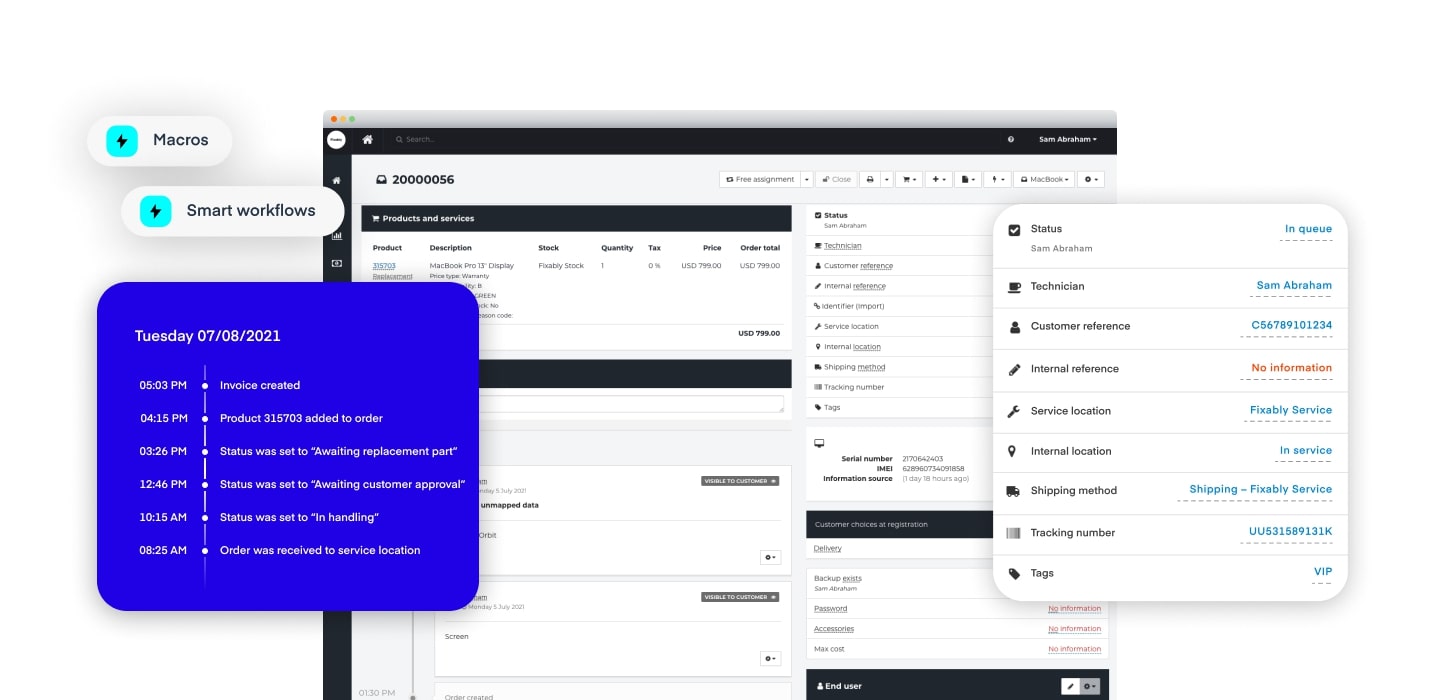
Fixably is repair management software that can simplify repair service workflows for you. This app is ideal if you work at an enterprise-level appliance repair business that needs to manage multiple repair shops and a large inventory.
This appliance repair software’s strength is its inventory tracking, which allows you to easily track spare parts and supplies.
Fixably also helps repair service managers and field technicians see upcoming appliance repair jobs and automate customer communication.
3. Aquant Service Co-Pilot: Best for troubleshooting appliance issues
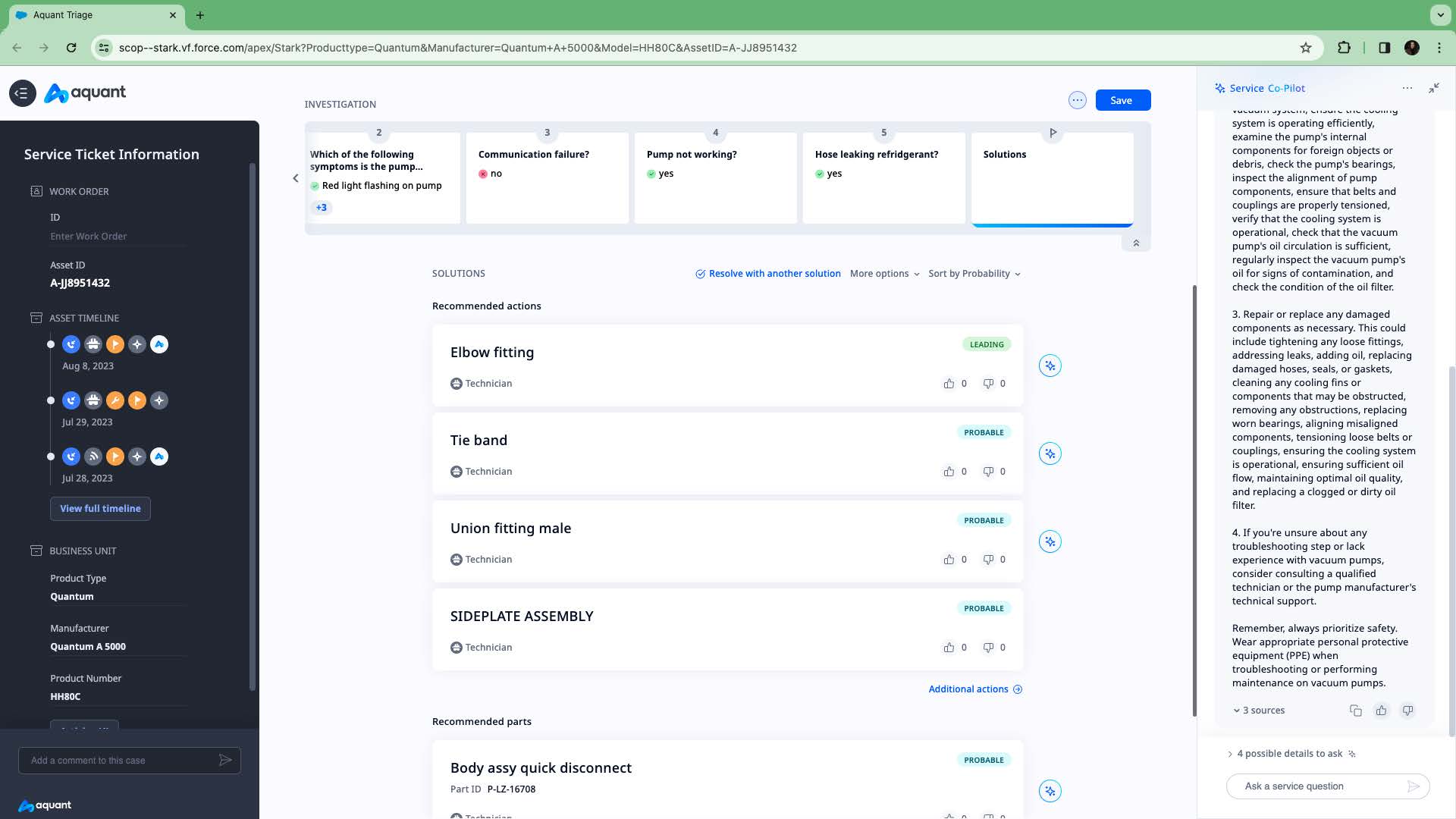
If you manage a larger team of technicians, Aquant Service Co-Pilot is an appliance repair app that helps with troubleshooting. The app gives repair and maintenance recommendations for field techs directly on their mobile devices.
Techs can type in an issue like “broken washing machine drum” or “vacuum pump not working,” and the app will pull up different models of equipment to choose from. Then, the app gives several recommended actions to fix the machine.
Service Co-Pilot becomes even more intelligent over time—it collects data from your repairs and enhances its recommendations with the information you add to its system.
Or, for smart recommendations on how to maximize profits, increase customer reviews, and grow your business, try Jobber’s AI-powered assistant, Jobber Co-Pilot.
4. Tasker by TaskRabbit: Best for booking more repair jobs
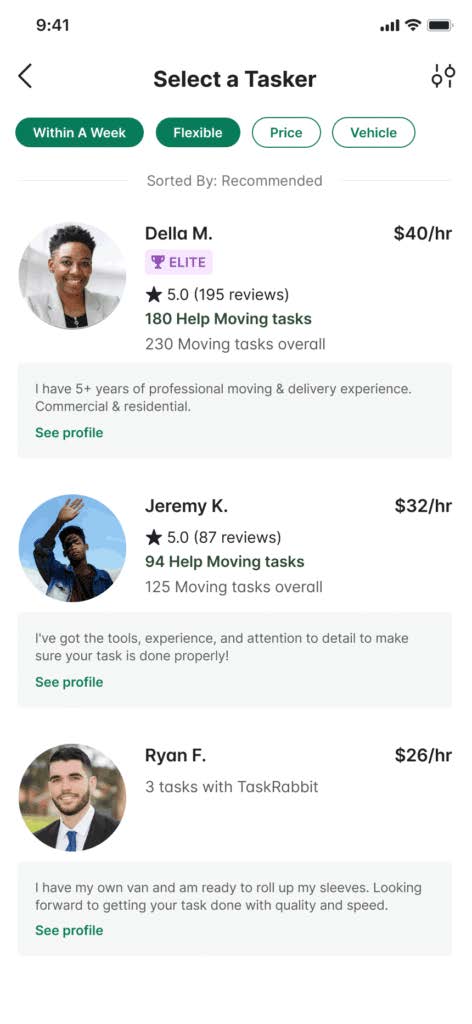
Tasker is a mobile app made by TaskRabbit that helps you book more appliance repair jobs. When homeowners go to TaskRabbit to find qualified repair technicians, you’ll show up as a “Tasker” who can get the job done.
These homeowners type in their home address and exact requirements so that TaskRabbit can suggest nearby appliance repair experts. When appliance repair leads start requesting your business, you can pick the jobs you want and decide how much you’ll charge.
To find appliance repair leads, create a profile and pay a small fee every time a potential client clicks on your site. Once you’ve completed the job, use the app to invoice and get paid for your appliance service.
5. QuickBooks Online: Best for accounting
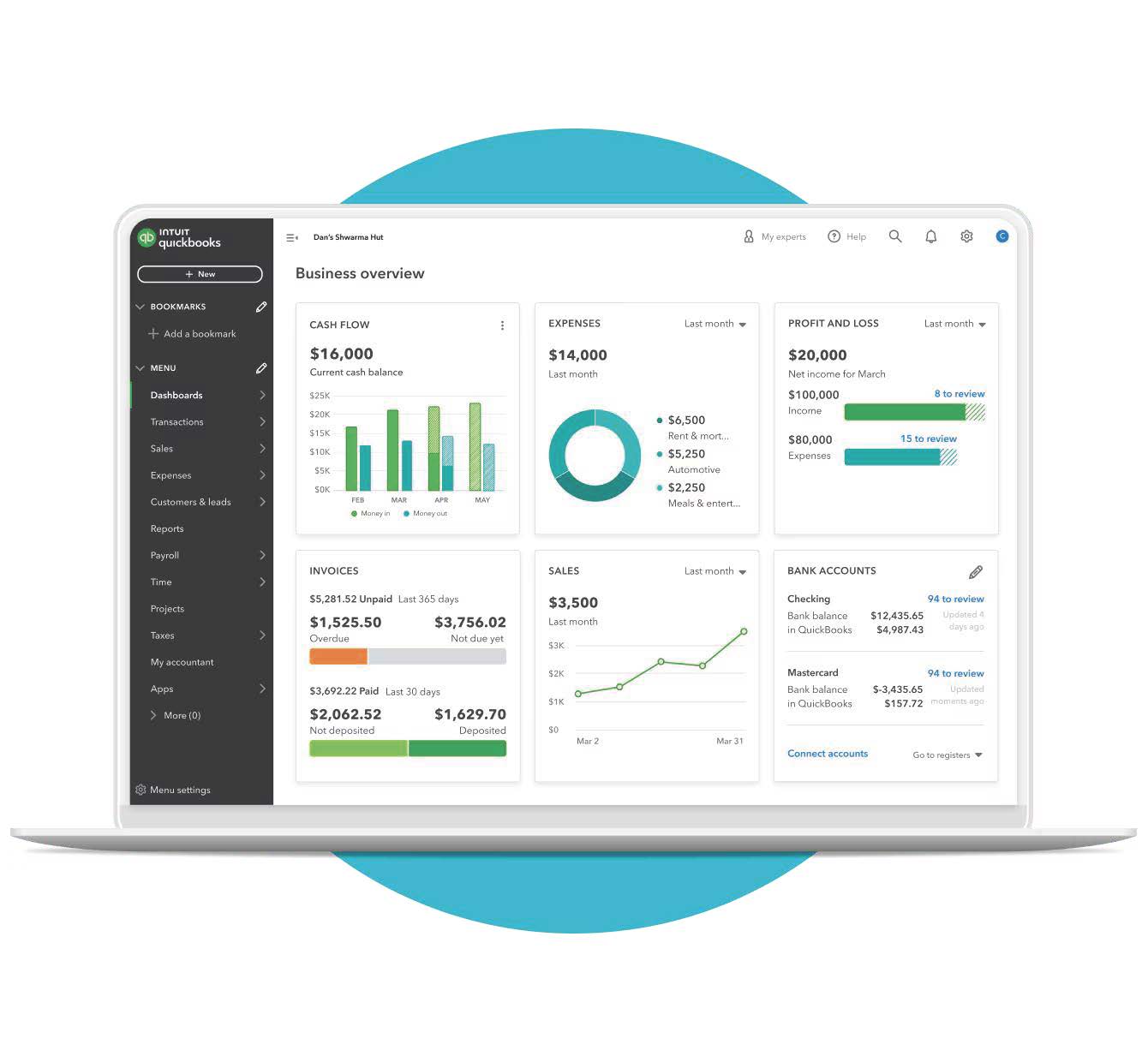
QuickBooks Online is one of the leading accounting software for appliance repair businesses.
Use QuickBooks Online to make payroll easier with invoicing, expense tracking, and payroll management. Track expenses and link them to your invoices, and set up alerts to know exactly when your customers pay their invoices.
Plus, Jobber’s QuickBooks Online integration lets you sync your customer information, timesheets, invoices, and more to keep your data up to date and eliminate double entry.
6. FleetSharp: Best for vehicle management

FleetSharp uses GPS to help you track the efficiency of your work vehicles. It’s great for appliance repair teams that need to pack multiple jobs into busy workdays.
FleetSharp lets you locate and monitor your fleet vehicles so you can manage schedules more effectively, reduce mileage, and keep overhead costs down.
To improve your fleet operations, you can connect FleetSharp with Jobber. You’ll get a live map view of your crew in the field, making it easy to schedule last-minute or emergency repair jobs based on who’s closest and available.
7. Pipedrive: Best for sales pipeline management
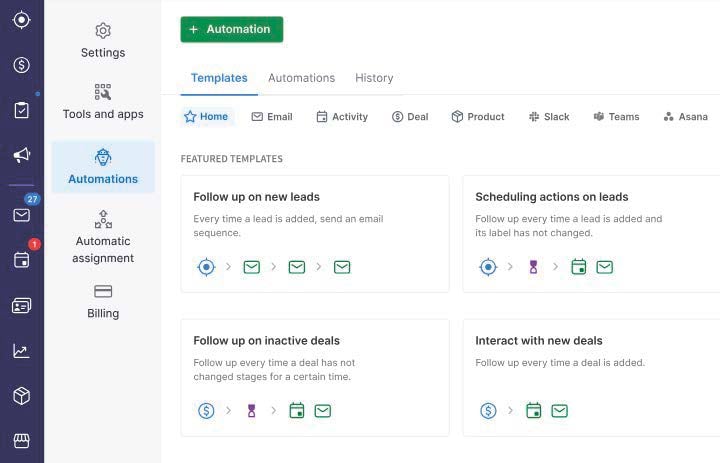
If you have sales staff, consider using Pipedrive to manage your sales pipeline, track your client interactions, and build strong client relationships so you can win more jobs.
Your sales reps can use Pipedrive as a sales CRM to save time on administrative tasks, like importing contact information from leads and following up with potential customers.
READ MORE: Appliance repair marketing: 11 tips for getting more customers
8. CompanyCam: Best for documenting jobs
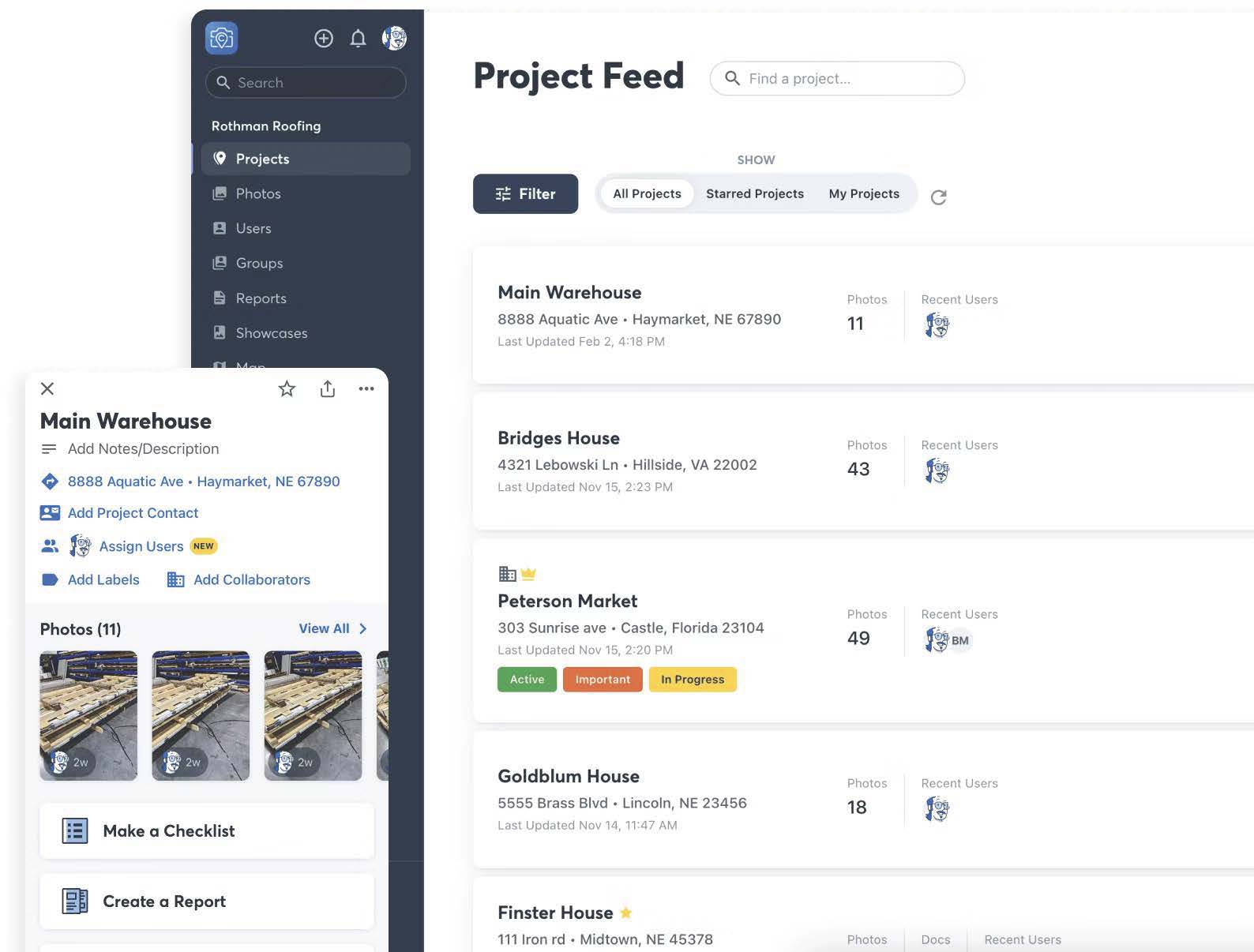
A picture is worth a thousand words, so use CompanyCam to quickly snap, mark up, and share job photos so your team and your customers know exactly what’s going on.
Use CompanyCam to document broken parts, track repair progress, or highlight completed work. Every photo is automatically time-stamped, tagged with the job location, and uploaded to a shared feed your crew can access in real time.
Pro-Tip: Use Jobber’s CompanyCam integration to automatically attach job photos to invoices or updates.
What to look for in apps for appliance repair
Not all apps are built with appliance repair in mind, so it’s important to choose tools that actually support how you work in the field. Here are a few key features to look for:
- Job scheduling and dispatching: Look for apps that make it easy to schedule appointments, assign jobs to techs, and keep track of daily routes.
- Customer management: A good appliance repair app should store customer info, service history, and communication in one place for easy access.
- Photos and documentation: Taking, noting, and storing job photos helps with transparency, accountability, and warranty claims.
- Estimates and invoicing: Apps that let you create quotes and send invoices on the spot save you time and get you paid faster.
- Integrations: Tools that integrate with your existing systems—like your accounting or inventory software—can help streamline your whole workflow.
Ready to work smarter? Choose appliance repair apps that sound like they’ll save you time on and between jobs.
Whether you need appliance repair scheduling software, an appliance troubleshooting app, job management software, or anything in between, the right app can keep your jobs organized and help you grow your appliance repair business
Start introducing these apps to your digital toolbox—one at a time—and keep the ones that help you run a more efficient, scalable appliance repair business.