
Key takeaways:
- Best overall: Jobber— Best for growing residential and commercial cleaning businesses that want CRM, scheduling, quoting, invoicing, and payments in one platform.
- Best for residential cleaning: ZenMaid— Best for house cleaning companies that need simple client management, online booking, recurring scheduling, and automated customer communication.
- Best free CRM: HubSpot— Best for cleaning businesses that need a free way to manage leads, customer information, and sales follow-ups before investing in more advanced tools.
- Best for larger teams: MaidCentral— Best for established residential cleaning companies that need advanced client management, team coordination, online booking, and operational workflows.
Use Jobber to manage your client details all in one place. Start your free trial.
Running a cleaning business involves careful coordination of clients, staff, and service requests. As your business grows, managing all these moving parts manually can lead to missed appointments, scattered client information, delayed payments, and frustrated customers.
That’s where cleaning business software comes in. A good CRM can help you track customer interactions and manage cleaning jobs—all from one platform. As a result, you’ll save time and deliver better service to grow your client base with confidence.
Keep reading to discover the best CRM for cleaning business success and find your perfect match.
Best CRM for cleaning business: 7 top picks
What is CRM software for a cleaning business?
CRM software for cleaning companies helps you store customer information, track communications, manage estimates, and keep every client interaction in one place.
Unlike a generic CRM, a house cleaning CRM is built for service businesses. It often includes scheduling, recurring jobs, invoicing, online payments, and team management.
Many cleaning company CRM platforms combine customer relationship management with field service tools. This makes it easier to manage both customers and day-to-day operations from a single system.
Do you need a CRM or full cleaning business software?
A standalone CRM is a good fit if your main goal is organizing leads and customer information. But if you’re scheduling jobs, dispatching cleaners, sending invoices, and collecting payments, full cleaning business software offers much more value.
It may be time to upgrade to a cleaning company CRM if you:
- Often miss or double-book cleaning jobs
- Store client information across multiple spreadsheets or apps
- Spend too much time scheduling or following up with customers
- Struggle to manage recurring services and team schedules
How we chose the best CRM for cleaning businesses
We started our search for the best CRM for cleaning business management by checking out online forums to better understand the specific needs of the cleaning industry.
We then reviewed websites such as Software Advice for expert reviews on the top CRM software options. When available, we narrowed down our list by watching app tutorials.
To compare each platform fairly, we evaluated the buying considerations that matter most to cleaning businesses, including:
- Recurring job scheduling
- Client and cleaning job history
- Mobile apps for cleaners
- Quoting and invoicing tools
- Workflow automations (like appointment reminders and follow-ups)
- Integrations with popular business software
- Transparent pricing
The result is this curated list of the best cleaning service CRMs to help you choose the right one for your business.
Compare the best cleaning CRMs at a glance
| Disclaimer: Software prices are subject to change after the publication of this article. |
| Tool | Best for | Starting price | Scheduling | Invoicing | Mobile app | Free plan? |
|---|---|---|---|---|---|---|
| Jobber | Growing business who want an all-in-one platform | $29 per user per month | Yes | Yes | Yes | No |
| Zenmaid | Residential maid service focusing on online booking | $19 per month for 40 appointments | Yes | Yes | Yes | Yes |
| Zoho CRM | Budget-conscious owners wanting a customizable CRM | Free plan available, then $19 per user per month | No | No | Yes | Yes |
| Housecall Pro | Home service operators who want Google booking and dispatch | Custom pricing | Yes | Yes | Yes | No |
| MaidCentral | Established residential cleaning companies | Custom pricing | Yes | No | Yes | No |
| Nimble CRM | Solopreneurs, founders, and B2B commercial cleaning teams | $24.90 per user per month | No | No | Yes | No |
| HubSpot CRM | Businesses with dedicated sales and marketing teams | Free plan available, then $26 per user per month | No | No | Yes | Yes |
1. Jobber
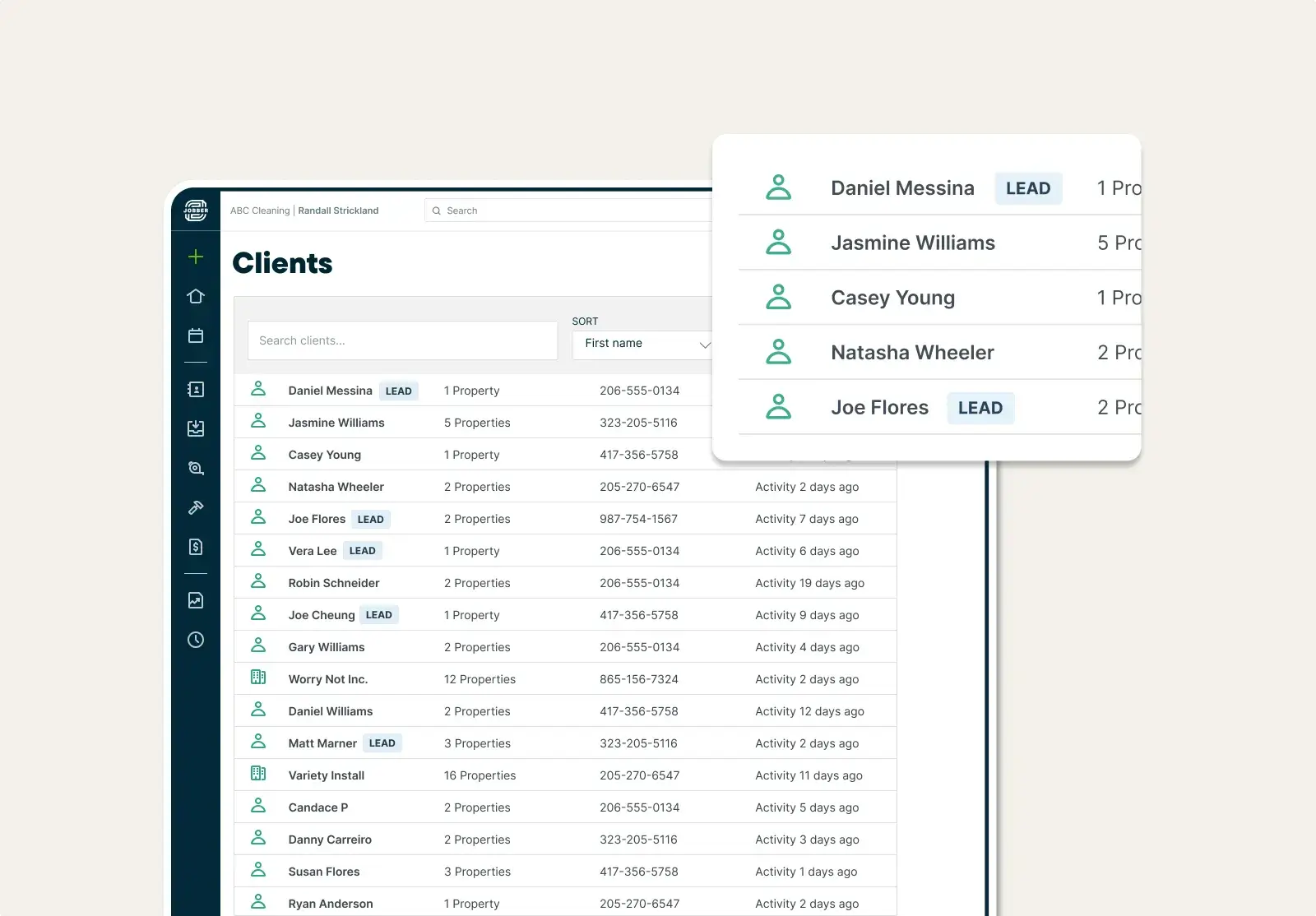
Jobber is the best cleaning CRM software for growing residential and commercial cleaning businesses that want a CRM, scheduling, and invoicing in one platform.
Instead of switching between multiple tools, you can manage customer relationships, schedule jobs, send quotes and invoices, collect payments, and keep your team organized from a single system.
Jobber helps you manage your client history from one place to keep your business organized and deliver quality customer service.
Key features
- View past quotes, job history, invoicing, and more associated with each client.
- Use custom fields to capture important customer and job details.
- Create and store custom cleaning checklists to deliver quality service at every visit.
- Communicate with customers clearly and efficiently with automated notifications, booking confirmations, and on-my-way texts.
- Tag contacts as leads to manage them separately from active clients.
- Gain access to your business data with Jobber Copilot for better decision-making.
Jobber’s client management isn’t the only feature that makes it the best CRM for cleaning companies. You can also use Jobber to:
- Schedule your cleaning staff with a drag-and-drop calendar.
- Create the quickest routes to fit more cleaning jobs in the day.
- Generate quotes with easy templates.
- Send invoices in just a few clicks.
- Collect payment online or on-site.
- Create targeted email marketing strategies.
Now that Jobber is solving all of my problems, I actually have a life. It’s given me more of a work-life balance, and I have more time to grow my business.

Pros and cons for cleaners
| Pros | Cons |
|---|---|
| • Manage CRM, scheduling, quoting, invoicing, and payments from one platform • Customize customer profiles to capture property details and cleaning services • Access client history from anywhere with a mobile app | • Capabilities work best for small or medium-sized cleaning businesses |
Pricing
Jobber starts at $29 per user per month. You can get started with a free trial.
READ MORE: Learn how Millie’s Cleaning Services grew 9x with Jobber
2. Zenmaid
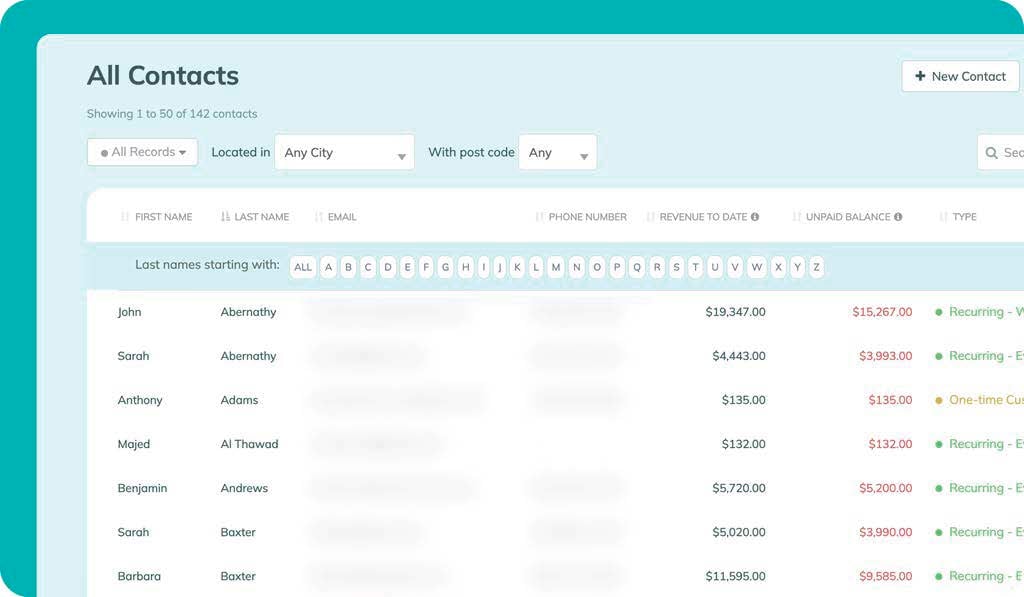
Zenmaid is best for residential maid services that want an easy-to-use CRM with online booking and scheduling tools.
It’s designed specifically for house cleaning businesses, making it simple to manage clients, automate communication, and accept new bookings without the complexity of a larger field service platform.
Key features
- Use tailored booking forms, including service types, pricing, and time slots.
- Set automated reminders and confirmations for leads.
- Contact clients by text or email from your CRM.
- Manage recurring cleanings and customer information from one dashboard.
- Schedule cleaners and assign jobs with an intuitive calendar.
Pros and cons for cleaners
| Pros | Cons |
|---|---|
| • Built specifically for cleaning businesses • Online booking and automated customer communication save administrative time • User-friendly interface | • Limited customization • Basic reporting features |
Pricing
ZenMaid offers tiered pricing starting at $19 per month for up to 40 appointments per month. A free trial is available.
3. Zoho CRM
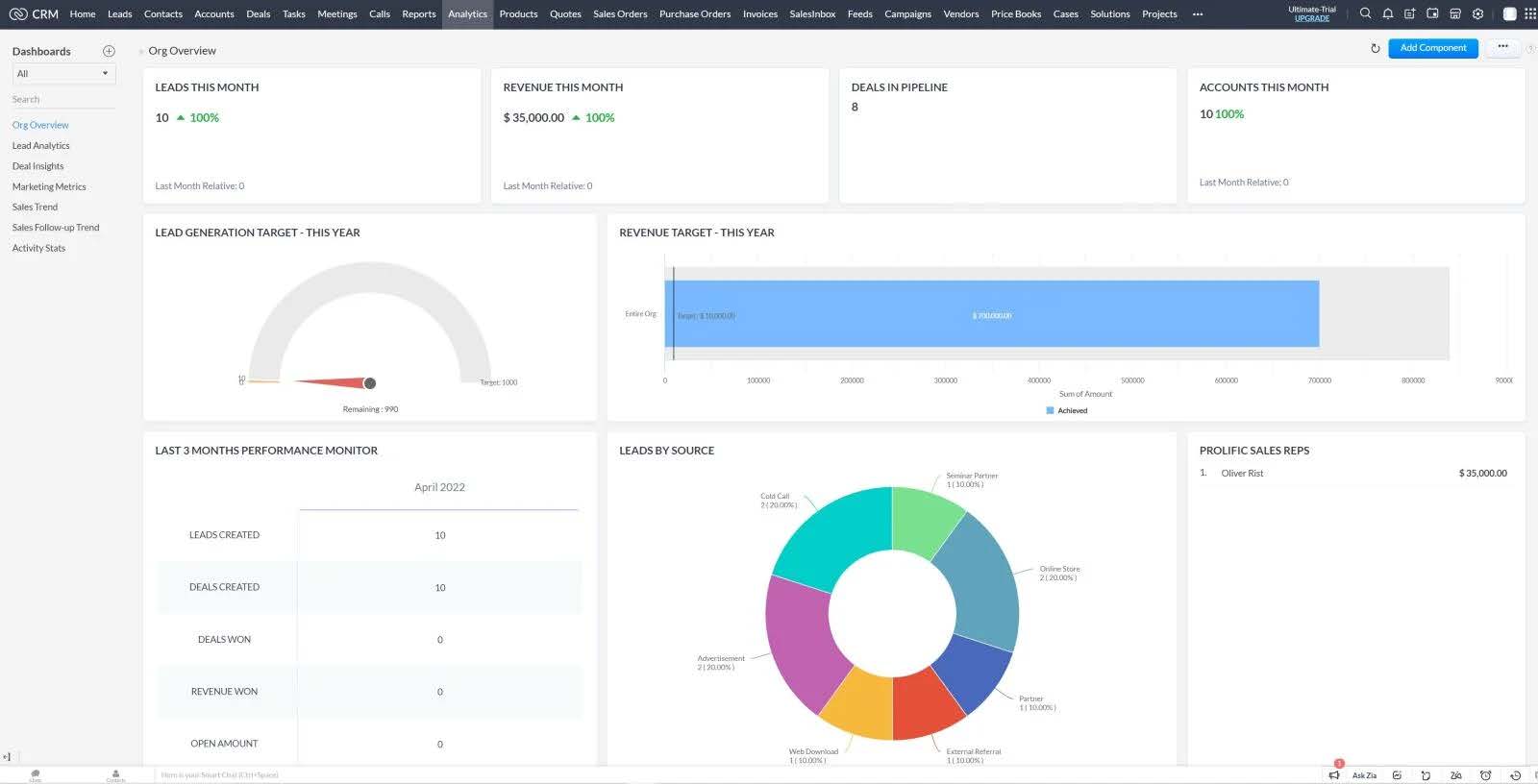
Zoho CRM is best if you’re a budget-conscious cleaning business owner who wants a customizable general CRM.
Its free plan supports up to three users, making it a good choice for small cleaning companies that primarily need to organize customer information, track leads, and automate follow-ups.
Keep in mind that you’ll likely need additional Zoho apps for scheduling, invoicing, and other operational tasks.
Key features
- Attach notes and files to customer contact records.
- Capture leads from forms on your website.
- Create editable sales pipelines and update customer information as you go.
- Build automated workflows for lead assignments and follow-up emails.
- Customize fields and dashboards to fit your commercial or residential cleaning company.
Pros and cons for cleaners
| Pros | Cons |
|---|---|
| • Free CRM options • Customizable to your type of cleaning service business • Strong automation features for lead management and customer follow-ups | • No sales forecasting in the free version • May need multiple Zoho apps to create a full CRM system |
Pricing
Zoho CRM offers a free plan for up to three users, with paid plans starting at $19 per user per month. A free trial is available for paid plans.
4. Housecall Pro

Housecall Pro is the best CRM for home service businesses that want Google booking, built-in dispatching, and customer communication tools.
It helps cleaning companies manage customer relationships while making it easier to book jobs, schedule technicians, and keep customers informed throughout the service process.
Key features
- Use custom tags to organize different types of contacts.
- Let customers book directly from a Google search.
- Send automated emails and text messages to customers.
- Dispatch cleaners with a drag-and-drop scheduling calendar.
- Store customer history, estimates, invoices, and service notes in one place.
Pros and cons for cleaners
| Pros | Cons |
|---|---|
| • Sales teams can make calls directly from the software • Secure bookings with direct-to-calendar scheduling • Customers can book directly through Google | • Lacks key cleaning service software features, such as route optimization |
READ MORE: Jobber vs. Housecall Pro
Pricing
Housecall Pro offers tailored pricing, so you must book a demo to get your quote. A free trial is available.
5. MaidCentral
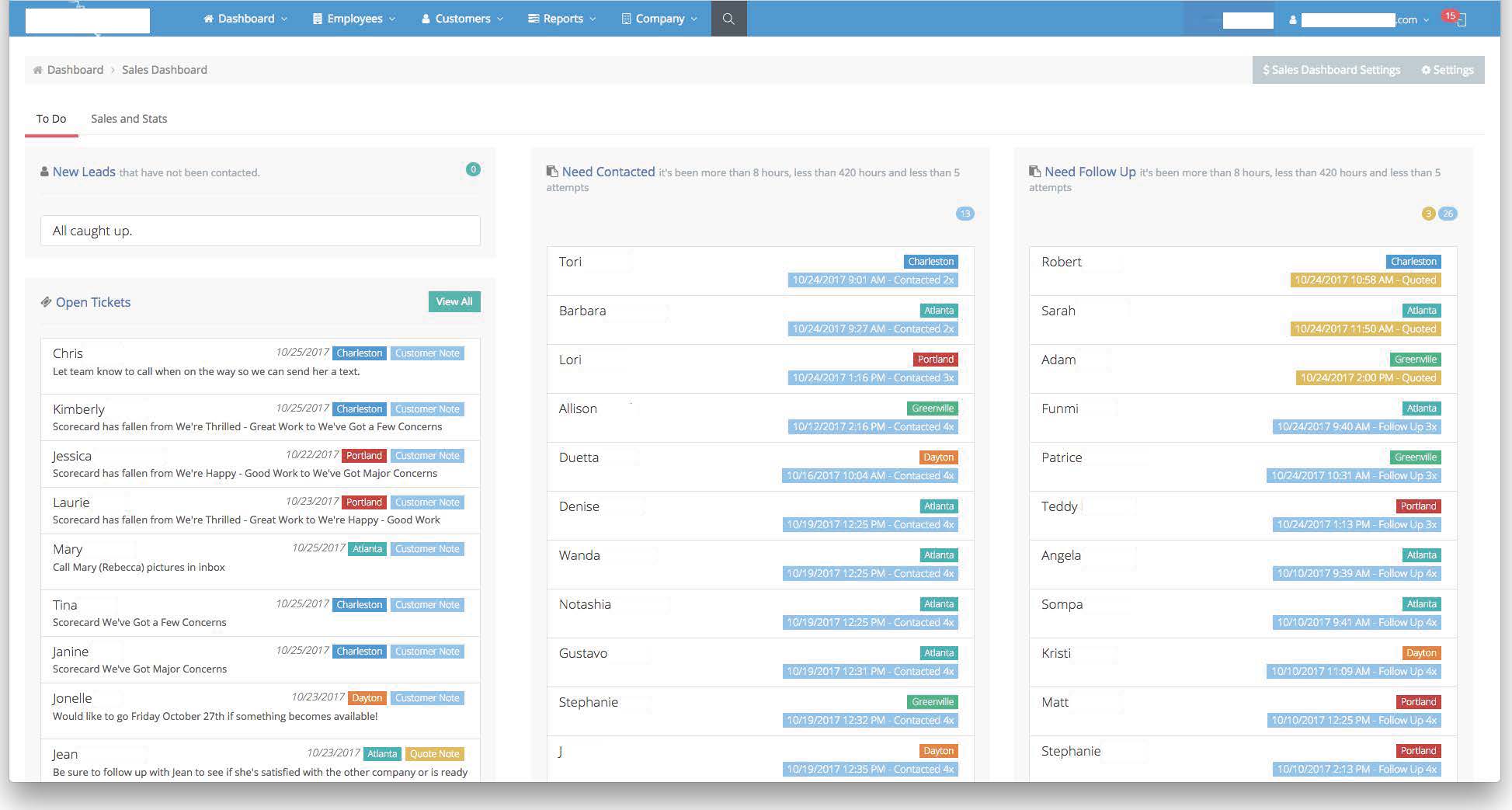
MaidCentral is best for established residential cleaning companies that need advanced client management and team coordination.
Built exclusively for house cleaning businesses, it combines CRM, scheduling, online booking, and employee management. MaidCentral is designed to help larger teams streamline their operations and deliver a consistent customer experience.
Key features
- Give access to customer service details through a customer portal.
- Improve lead and sales follow-up strategies with forecasting features.
- Provide custom notifications and alert preferences for customers.
- Embed online booking forms on your website for new customer appointments.
- Manage recurring services, customer profiles, and cleaning teams from one platform.
Pros and cons for cleaners
| Pros | Cons |
|---|---|
| • Built specifically for residential cleaning businesses • Online leads are sent directly to your sales dashboard and flagged for follow-up • Embedded online booking tool on your website | • High cost compared to other CRMs • Complex features make for a steep learning curve |
Pricing
MaidCentral offers custom pricing based on the size and needs of your cleaning business. Contact the company for a quote or to request a demo.
6. Nimble CRM
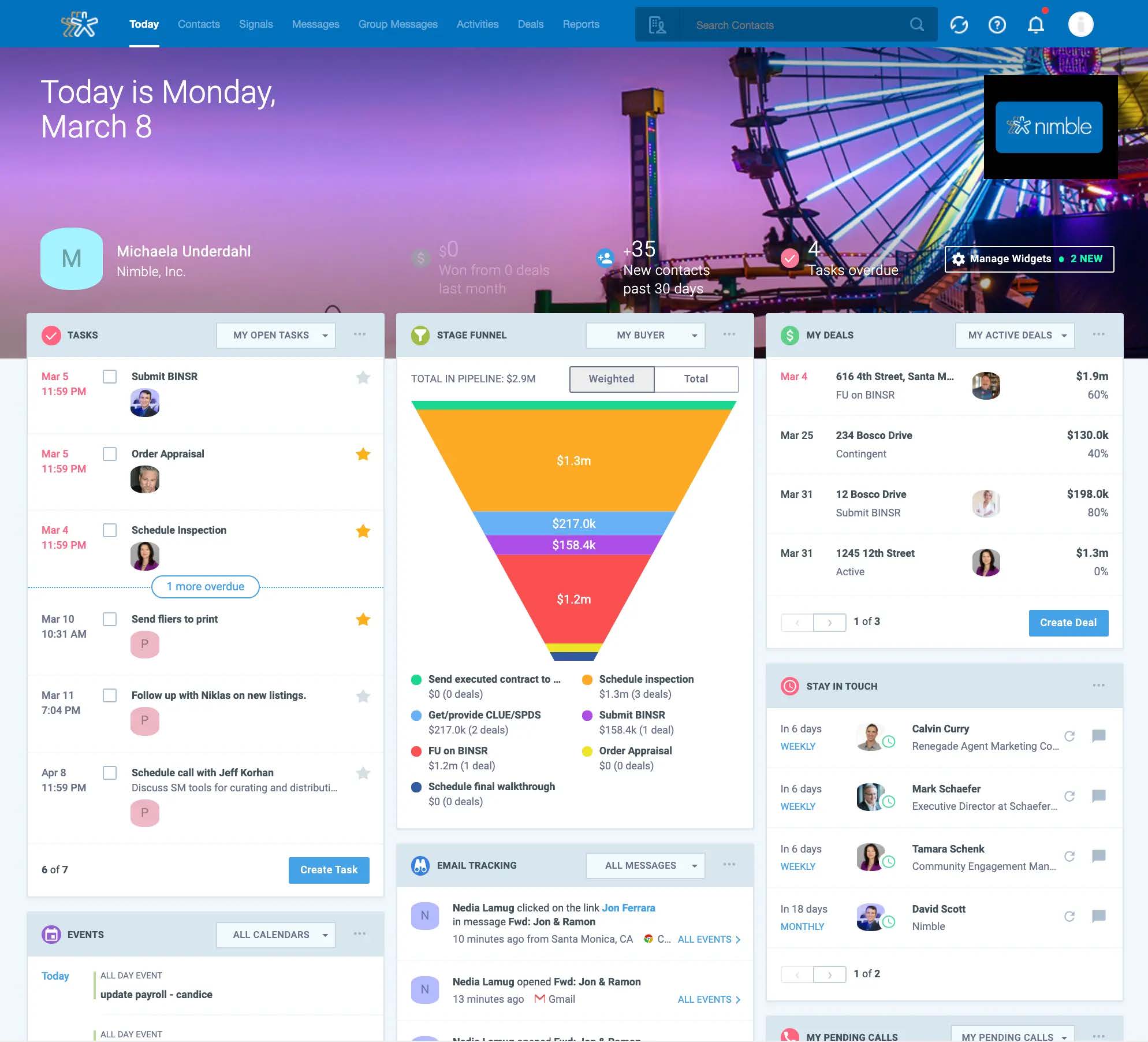
Nimble is best for solopreneurs, residential cleaning founders, and small B2B commercial cleaning teams that need a simple way to manage customer relationships.
It focuses on contact management, communication, and sales follow-ups. This makes Nimble a good option for cleaning businesses that want a lightweight CRM tool without the complexity of a full field service platform.
Key features
- Let each team member customize their own dashboard.
- Create workflow cards that you can link to contact records.
- Add notes, tags, and custom fields to customer profiles.
- Sync contacts, calendars, and emails from Google and Microsoft 365.
- Add social and business data to customer profiles for better relationship management.
Pros and cons for cleaners
| Pros | Cons |
|---|---|
| • Syncs with Google and Microsoft 365 • Can add social and business data to contacts • Adds social and business data to customer records | • Lacks key features for service businesses such as job scheduling, route planning, and checklists |
Pricing
Nimble CRM starts at $29.40 per user per month. A free trial is available.
7. HubSpot CRM
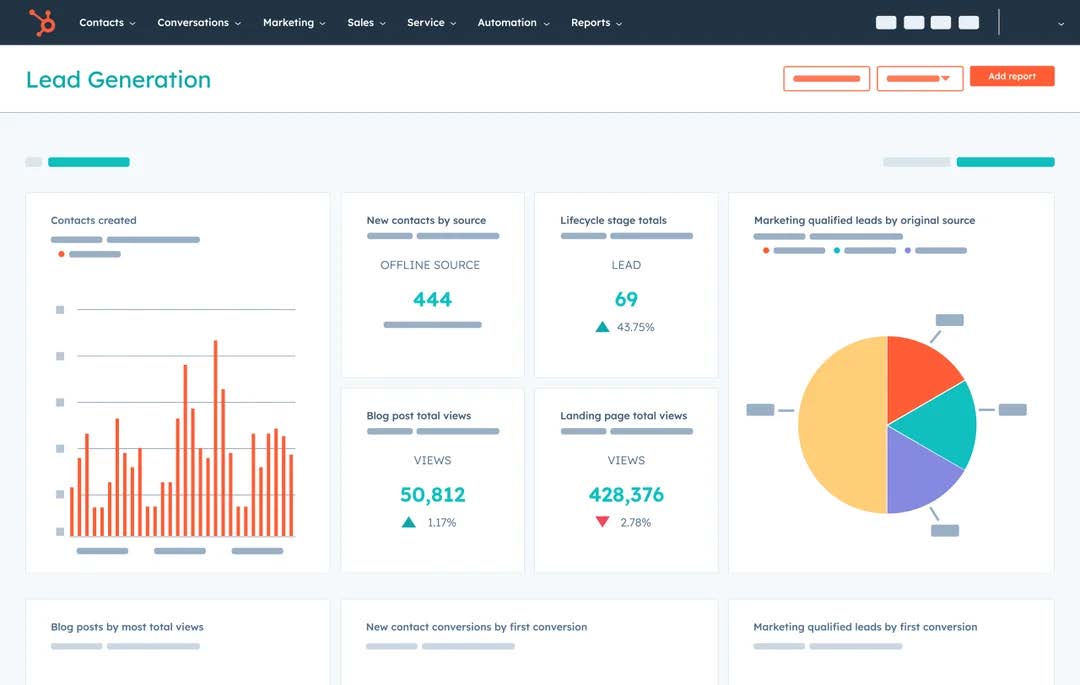
HubSpot is best for cleaning businesses with dedicated sales and marketing teams, multi-service companies, or growing commercial cleaning operations.
Its powerful marketing, lead management, and reporting tools make it a strong choice for businesses focused on generating leads, managing sales pipelines, and building long-term customer relationships.
Key features
- Get notifications when a potential customer opens an email or visits your website.
- Organize customer information with multiple dashboards.
- Access a report library with analytics on contact activity.
- Manage leads through visual sales pipelines.
- Automate marketing emails, follow-ups, and customer communications.
Pros and cons for cleaners
| Pros | Cons |
|---|---|
| • Free version available • Visual dashboard for a real-time view of your sales pipeline • Strong marketing and automation tools for lead generation | • Expensive compared to other software once you outgrow the free version • Lacks cleaning-specific features like scheduling, dispatching, and job checklists |
Pricing
HubSpot CRM offers a free plan with core CRM features. Paid plans with additional sales, marketing, and automation tools start at higher tiers depending on the features and number of users needed. A free trial is available for paid plans.
What to look for in the best cleaning CRM
Choosing the right CRM for your business is about finding a system that keeps you organized, saves time, and helps your cleaning company grow.
Before deciding on the best CRM for your cleaning service business, make sure you consider your business needs. Ask yourself these questions:
- What types of cleaning services do you offer (e.g., house cleaning, carpet cleaning, window cleaning)?
- What other cleaning business apps do you use? What will your new CRM need to integrate with?
- How big is your business currently, and how much do you expect to grow?
Here are some key features to look for in cleaning business CRMs:
- Client communication: The best CRMs send automated reminders, confirmations, and follow-ups to reduce no-shows and increase customer engagement.
- Mobile app: The ability to pull up CRM data on the go ensures that you’re always prepared, whether as a solo cleaner or as part of a team.
- Reporting: Analytical and AI tools help you understand your profitability, job performance, and customer retention so you can make smarter business decisions.
- Customization: Choose a CRM that you can adapt to your workflows—not the other way around—for better task management.
- Integrations: Create an all-in-one system by having your CRM database integrate with other business management software, such as your accounting software.
- Training and support: For a smooth onboarding process, choose a CRM with a good customer support team so that can get up and running sooner.
Features that matter most for house cleaning vs. commercial/janitorial
The best CRM features depend on the type of cleaning business you operate.
For residential cleaning companies, prioritize features that help you manage recurring customers and provide a personalized experience. Important tools include:
- Online booking
- Recurring job scheduling
- Customer notes
- Cleaning checklists
- Automated reminders
- Mobile app
For commercial and janitorial cleaning companies, look for features that support larger teams, multiple locations, and more complex commercial cleaning contracts. Key features may include:
- Employee scheduling
- Team communication tools
- Work order management
- Reporting
- Quality control checklists
- Detailed job tracking
Choosing a CRM built around your service model helps you avoid paying for unnecessary features. At the same time, you can ensure your team has the tools needed to run efficiently.
Integrations worth prioritizing
A CRM becomes much more powerful when it connects with the other tools your cleaning business already uses. The right integrations can reduce manual data entry and create a smoother workflow from lead generation to payment.
Some of the most valuable integrations include:
- Accounting software: Integrating with tools like QuickBooks helps sync invoices, payments, and financial records.
- Payment processing: Online payment integrations make it easier for clients to pay invoices and reduce time spent chasing payments.
- Marketing platforms: Connecting your CRM with email marketing and lead generation tools helps automate follow-ups and build relationships with potential clients.
Free CRM vs paid
Free CRM options like HubSpot and Zoho CRM can be a good starting point for small cleaning businesses that mainly need contact management, lead tracking, and basic customer communication.
However, free tools often lack cleaning-specific features like scheduling, dispatching, recurring job management, invoicing, and team coordination. As your business grows, you may spend more time connecting multiple apps or manually managing workflows.
A paid cleaning CRM or all-in-one cleaning business software is usually worth considering when you:
- Manage multiple cleaners or teams
- Schedule recurring services
- Need automated appointment reminders
- Want online booking and payments
- Need better visibility into job performance and profitability
The right CRM will help your cleaning business run smoother, save time, and grow faster. Whether you need to simply improve your customer management or need full-scale cleaning service software, it’s worth trying a few solutions to find the best fit for your business.
Originally published in May 2025. Last updated on August 3, 2026.
Frequently Asked Questions
-
Cleaning CRM software is a tool designed to help cleaning companies manage customer relationships and streamline daily operations.
The best CRM for cleaning businesses combines features such as client contact management, job scheduling, team coordination, automated reminders, and invoicing into one platform. -
Using a CRM for your cleaning business helps you save time, reduce errors, and improve client satisfaction. As a result, you’ll win more cleaning contracts and your business will run more efficiently.
-
A cleaning business CRM can improve customer relationships by helping you:
• Stay on top of client communication
• Build stronger relationships
• Gain insights into your business performance
With the proper systems in place, both residential and commercial clients will notice your professionalism and enhanced customer service. All of this also makes it easier to run your cleaning business. -
The best CRM for a house cleaning business depends on your needs. However, your growing business may benefit from all-in-one cleaning software that handles bookings, invoices, payments, and team management. Jobber is a popular choice because it combines customer management with scheduling and cleaning-specific tools.
-
Yes, free CRM options like HubSpot CRM and Zoho CRM can help small cleaning businesses manage contacts, leads, and customer communication. However, they typically lack cleaning-specific features like job scheduling, dispatching, and recurring service management.
-
A CRM focuses on managing customer relationships, including contacts, communication, and sales follow-ups.
Cleaning business software combines CRM features with operational tools like scheduling, invoicing, payments, and employee management. -
Yes, HubSpot and Zoho can work well for cleaning companies that need customizable CRM tools for lead tracking and customer management. However, they may require additional software integrations for cleaning-specific tasks like scheduling jobs or managing field teams.
-
Commercial cleaning companies often use CRMs like Jobber, HubSpot, Zoho, or other field service platforms depending on their size and workflow needs.
Larger janitorial businesses typically prioritize features like contract management, team scheduling, reporting, and integrations with accounting and operations tools.