Jobber vs. Housecall Pro
Compare Jobber and Housecall Pro on features, pricing, mobile tools, and support to find the right field service management software for your business.

Jobber vs. Housecall Pro: Comparison Table (2026)
Same categories. Same criteria. Here’s how Jobber and Housecall Pro compare on the features that matter to home service businesses.
High-Level Comparison
Starting price
$29/month (billed annually)
$59- $100/month (depending on industry, billing cycle and plan tier)
Free trial
14 days, no credit card required
14 days, no credit card required
G2 rating
4.6/5
4.3/5
Capterra rating
4.6/5
4.7/5
Route optimization
✓ Available. Built-in
✗ Requires third-party integration
Custom report builder
✓ Available
✓ Available
AI tools
Jobber AI available on all plans, AI receptionist available as an add-on (included in Plus)
AI Team available on all plans, AI call answering (CSR AI) as a paid add-on
Customer support
Phone, chat, email, and live training
Phone, chat, and email. Training only available on Max plans
Connect with peers to share advice, ask questions, and learn best practices.
Visit the Home Service Community
✓ Available
✓ Available
Who are Jobber and Housecall Pro?
Jobber and Housecall Pro are field service management platforms built for home and commercial service businesses, helping companies manage day-to-day operations from scheduling to payment collection.
Jobber
Jobber is an all-in-one field service management software that brings quoting, scheduling, invoicing, payments, customer communication, and AI-powered tools into a single platform built specifically for blue collar businesses.
Whether you’re a solo landscaper or running a 15-person plumbing crew, Jobber is designed to handle the way your business actually works—from the first customer call to the five-star review after the job is done.
Housecall Pro
Housecall Pro is a field service management platform designed for home service businesses.
It offers tools for dispatching, scheduling, customer communication, and payments, and serves trades like plumbing, HVAC, electrical, and cleaning.
Core operations
Jobber gives you a complete set of tools to manage every step of a job, from first client contact to final payment and follow-up review request. The biggest differentiator between Jobber and Housecall Pro is Jobber’s built-in routing functionality, while Housecall Pro relies on third-party integrations for routing and route optimization.
Client management
Keep all quotes, jobs, invoices, payments, and communication history organized in one place.
Learn more
✓ Available
✓ Available
Organize customers into targeted groups for streamlined communication, reporting, and marketing
Learn more
✓ Available
✓ Available
Give clients a centralized portal to view quotes, approve work, pay invoices, and manage appointments online.
Learn More
✓ Available
✓ Available
Let customers request work and book services directly through an online booking form.
Learn More
✓ Available
✓ Available
Track leads, quotes, and follow-ups in one place so opportunities never slip through the cracks.
Learn More
✓ Available as add-on (included in Plus)
✓ Available as add-on (included in some MAX tiers)
Quoting
Create professional, customizable quotes with itemized pricing and company branding.
Learn More
✓ Available
✓ Available
Allow customers to select optional services or upgrades directly within a quote.
Learn More
✓ Available
✓ Available
Instantly converts approved quotes into scheduled jobs without re-entering information.
✓ Available
✓ Available
Scheduling & Dispatch
Easily assign, move, or reschedule jobs with just a click, drag, and drop.
Learn More
✓ Available
✓ Available
Build named crews, view their availability, and schedule the whole team at once for easier dispatching.
Learn More
✓ Available
✓ Available
Automatically organize daily routes to reduce drive time and improve efficiency across multiple appointments.
Learn More
✓ Available Built-in
✗ Requires third-party integration
Get real-time visibility into team locations and job progress in the field.
Learn More
✓ Available Built-in
✓ Available as add-on
Track employee hours and time spent on jobs directly from the field.
Learn More
✓ Available
✓ Available
Invoicing
Automatically create and send invoices when work is marked complete.
Learn More
✓ Available
✓ Available
Automate repeat invoices and payments for ongoing service agreements.
Learn More
✓ Available
✓ Available
Track labor, materials, and expenses to make sure every job stays profitable.
Learn More
✓ Available
✓ Available
Get a dedicated bookkeeper to manage your books and deliver monthly financial reports for clearer business decisions.
Learn More
✓ Available as add-on (US only)
✓ Available as add-on
Payments
Offer customer financing options directly during the payment or quote process.
Learn More
✓ Available
✓ Available
Marketing
Create a simple business website to help attract and convert leads.
Learn More
✓ Available (included in all plans)
✓ Available as an add-on
Stand out in local search with a Google profile that’s active and accurate.
✓ Available (included in all plans)
✗ Not Available
Send follow-up requests to help generate more customer reviews.
Learn More
✓ Available via add-on (included in Plus)
✓ Available
Send targeted marketing emails to clients.
Learn More
✓ Available via add-on (included in Plus)
Limited email campaigns on Essentials and above, with a paid upgrade available
Let customers refer new business through structured referral incentives.
Learn More
✓ Available via add-on (included in Plus)
✓ Available
Create and publish posts to your Facebook page and Google Business Profile.
✓ Available via add-on (included in Plus)
✗ Not Available
Turn completed jobs into marketing posts you can share on your website, Google Business Profile, Facebook, and email to showcase your work.
Learn More
✓ Available via add-on (included in Plus)
✗ Not Available
AI
AI-powered tools to help service businesses run smarter
Learn More
✓ Available (Jobber AI included on all plans)
✓ Available (AI Team included on all plans)
Answer calls and texts 24/7, capture leads, and book jobs automatically.
Learn More
✓ Available as add-on (included in Plus)
✓ Available as paid add-on (CSR AI)
Connects to ChatGPT and Claude so you can use Jobber data in AI conversations.
✓ Available
✗ Not Available
Mobile technician tools
Give your technicians all the tools they need in the field to get the job done right.
Core Mobile app
iOS app
✓ Available
✓ Available
Android app
✓ Available
✓ Available
Attach visual documentation directly to the job
✓ Available
✓ Available
Keep job instructions, required tasks, and site details organized for field teams.
Learn More
✓ Available
✓ Available
Alert team members immediately when jobs are assigned, moved, or updated.
Learn More
✓ Available
✓ Available
Capture customer approvals directly on a mobile device.
✓ Available
✓ Available
Allow customers to pay in person by tapping a card or digital wallet on a mobile device.
Learn More
✓ Available
✓ Available
App language
English and Spanish
English and Spanish
App Store rating
4.8/5
4.6/5
Google Play rating
4.4/5
4.5/5
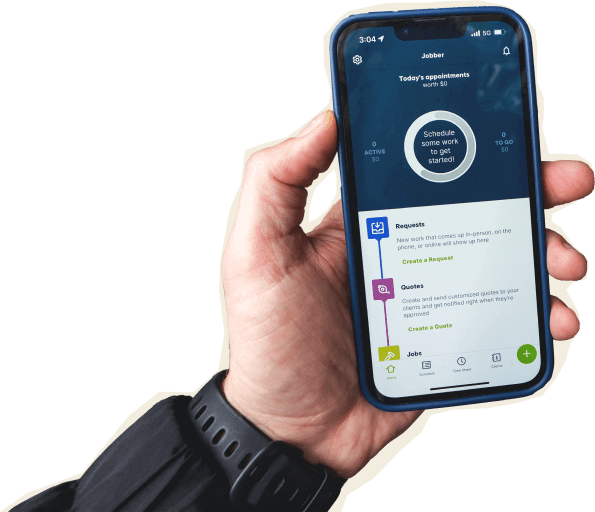
Jobber’s mobile app puts your full schedule, client details, invoicing, and payments in your crew’s pockets. Techs can clock in with GPS, capture job-site photos, complete checklists, collect client signatures, and send invoices—all without leaving the field.
When a schedule changes, push notifications update your team in real time so nobody shows up at the wrong address. The Jobber app is available in English and Spanish, so bilingual teams can work in the language they’re most comfortable with.
Housecall Pro also offers iOS and Android apps with scheduling, invoicing, and on-site tools. Their app is now available in Spanish as well. Both platforms have strong app store ratings: Jobber scores 4.8 on the Apple App Store and 4.4 on Google Play, while Housecall Pro scores 4.6 on the Apple App Store and 4.5 on Google Play.
Jobber’s edge on the App Store reflects its focus on field-friendly features like GPS waypoints, offline visit notes, and multi-photo capture.
Download the Jobber app: App Store | Google Play
Built for how you actually work
Feature lists only tell part of the story. What matters is whether the software fits into your actual day, when you’re juggling callbacks, driving between jobs, and trying to send invoices before dinner. Here’s how Jobber handles three workflows that eat up most of a service business owner’s time.
Get to the next job faster
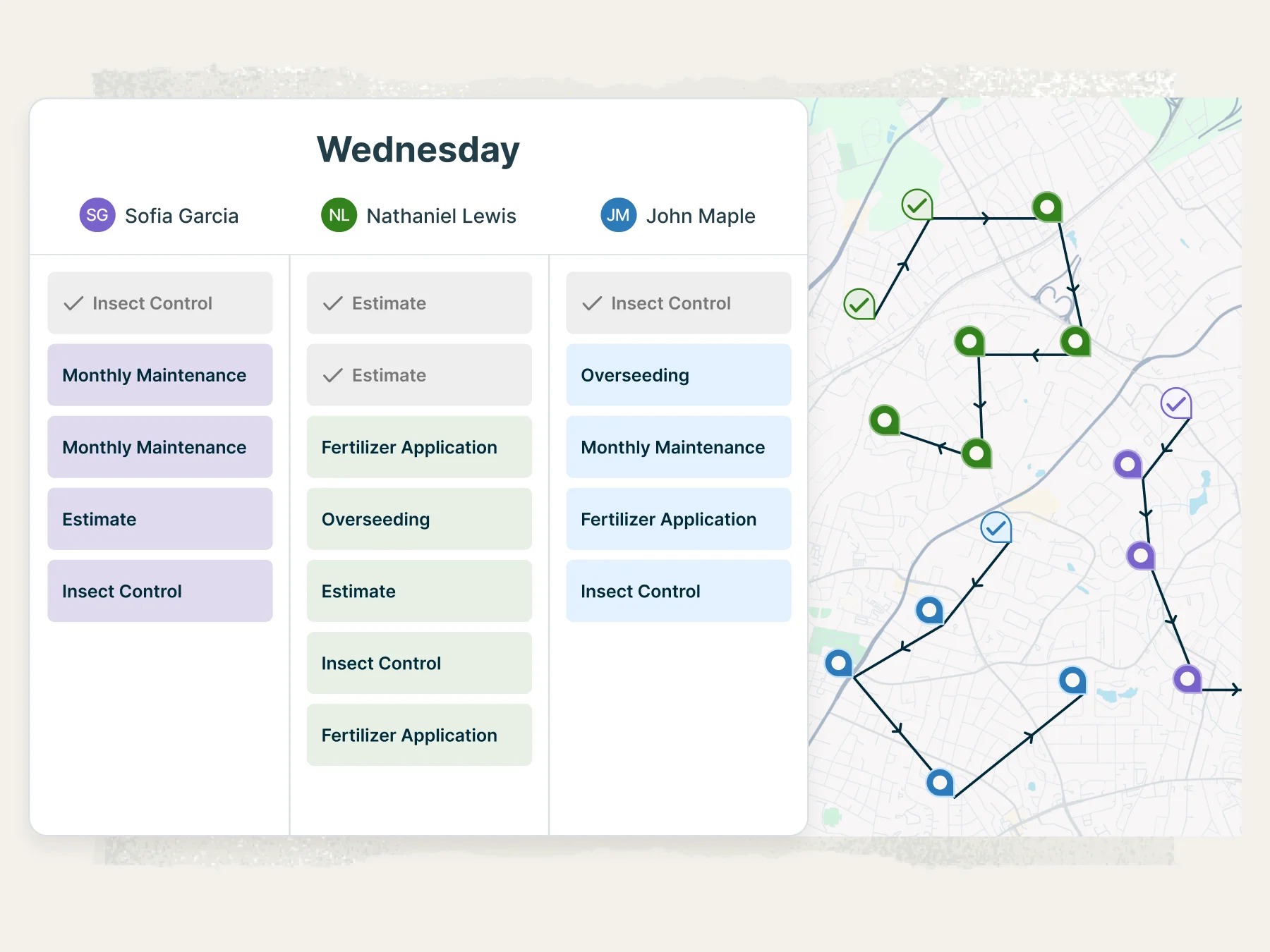
Jobber’s built-in route optimization maps out the most fuel-efficient order for your stops, then syncs routes directly to your team’s phones. No third-party app required, no copy-pasting addresses into a separate mapping tool.
When a last-minute job comes in, drag it onto the schedule, and Jobber recalculates the route automatically. Your crew spends less time in the truck and more time on billable work.
Stop chasing payments
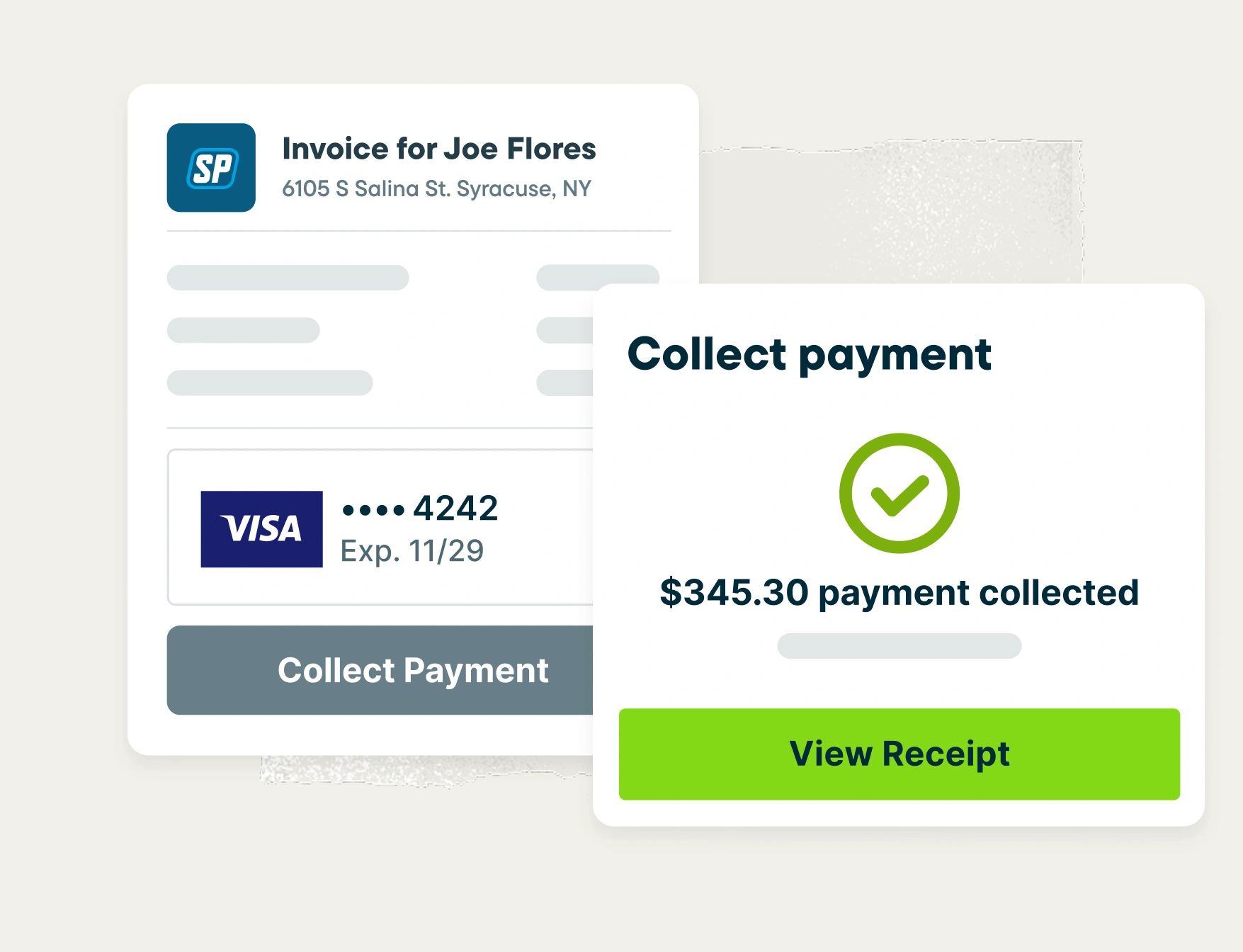
Jobber lets you instantly generate an invoice the moment a job is done.
Customers pay online with a credit card or bank transfer through their client hub, and you can turn on automatic follow-ups so no invoice sits unpaid for weeks.
The result: Jobber customers get paid 4x faster collecting payments online vs. waiting on checks.
Let AI handle the busywork
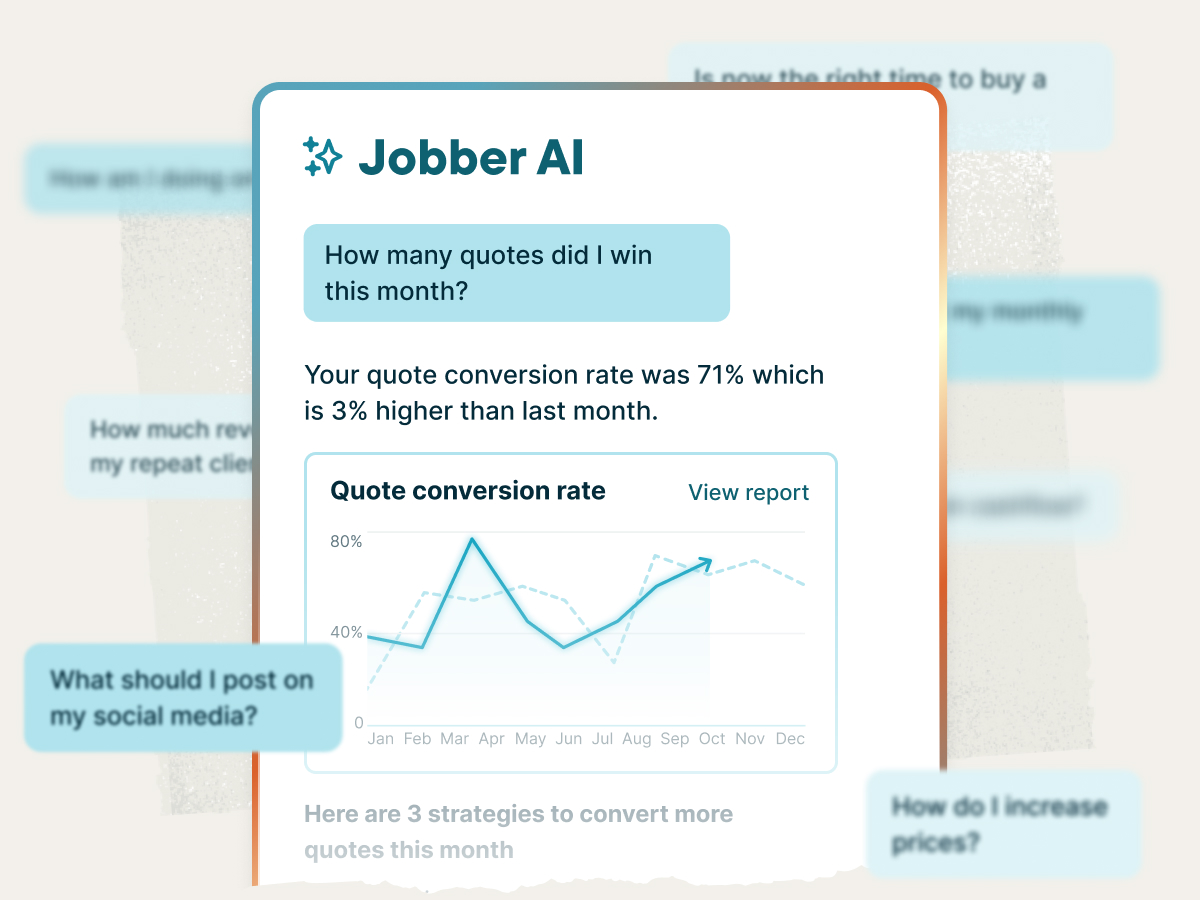
Jobber’s AI tools take admin off your plate so you can focus on the work that actually makes you money.
Jobber AI analyzes your business data and gives you personalized coaching on pricing, scheduling gaps, and growth opportunities. AI Receptionist picks up the phone when you can’t, answers customer questions, and books jobs 24/7.
Pricing
Both Jobber and Housecall Pro offer tiered plans with a 14-day free trial. Comparing them isn’t always straightforward because Housecall Pro’s pricing varies by industry, while Jobber publishes fixed, transparent pricing across all supported industries. Before choosing a plan, compare the total value—including user limits, included features, and whether the tools you need are built into your plan or require upgrading.
Tier 1
Core
1 user
$29/mo (when billed annually)
Basic
1 user
$59-$79/month (depending on industry and billing cycle)
Tier 2
Connect
1 user
$99/mo (when billed annually)
2-15 users
Starting from $149/mo (when billed annually)
Essentials
up to 5 users
Individual: $149/month
Team: $149-$299/month
(pricing depends on industry and billing cycle)
Tier 3
Grow
1 user
$149/mo (when billed annually)
2-15 users
Starting from $229/mo (when billed annually)
MAX
up to 8 users
Individual: $299-$399/month
Team: $299-$649/month
(pricing depends on industry and billing cycle)
Handle complex work and grow without limits.
Learn More
Plus
2-15 users
Starting from $399/mo (when billed annually)
Not available on their pricing page
Additional user pricing
$29/month
$35 – $100/month depending on industry and plan
Free trial
14 days, no credit card required
14 days, no credit card required
Why landscaping businesses choose Jobber
Switching from Housecall Pro to Jobber
We’ve migrated thousands of teams off enterprise field service tools. Here’s what the move looks like.
Tell us your setup
Share your current Housecall Pro configuration: how many techs, which services, what’s working, what isn’t.
Data migration
Our onboarding specialists move your clients, jobs, and open invoices — typically in 5 business days depending on the data being migrated.
Team training
Live onboarding for owners, dispatchers, and field techs. Recorded sessions included.
Go live
Run Housecall Pro and Jobber side-by-side for a week, then cut over when you’re ready. Most teams are fully live within 10 days.
Jobber vs. Housecall Pro: Which should you choose?
No tool is right for every business. The best choice depends on your budget, your team size, and the specific workflows you need to run smoothly. Here’s an honest take on when each platform wins.
Choose Housecall Pro if:
- You need built-in VoIP, or payroll tools inside your FSM and prefer an all-in-one ecosystem, even if it comes with additional add-on costs
- Your workflow depends heavily on features like flat-rate pricing integrations, custom reporting dashboards, mass texting, or collecting payments directly through online booking
- You prioritize certain niche capabilities Jobber doesn’t currently offer natively, such as HCP Cam or recurring-job creation directly from online booking
Choose Jobber if:
- You want premium-level features at a price built for solo operators and growing teams, with access to advanced functionality even on single-user plans
- You need built-in route optimization to reduce drive time and fuel costs without paying for third-party routing software
- You want award-winning onboarding and customer support that helps customize Jobber to your business, not just teach software basics
- You want more transparent, competitive pricing with fewer costly add-ons as your business grows
Frequently asked questions
-
Housecall Pro starts at $59/mo (Basic plan, annual billing). Jobber starts at $29/mo (Core plan, annual billing). Compare plans side by side in our pricing table above to see which offers better total value for the way you run your business.
-
Jobber offers four plans, which can be billed monthly or annually: Core starting at $29/mo, Connect starting at $99/mo (1-15 users), Grow at $149/mo (1-15 users), and Plus at $399/mo (2 to 15 users). Additional users can be added for $29 per month. Teams of 16+ can contact sales for custom pricing. All plans include a 14-day free trial with no credit card required. Visit the pricing page for the latest details.
-
Both platforms offer drag-and-drop scheduling, but Jobber includes built-in route optimization that generates fuel-efficient routes automatically and syncs them to your team’s phones. Housecall Pro requires a third-party integration for routing, which adds an extra step and potentially an extra cost. If your crew runs multiple stops per day, built-in routing can save significant drive time.