
Key takeaways:
Choosing the right CRM can streamline your operations and improve customer relationships for any size general contracting business.
- Comprehensive options for all business sizes. This guide features eight top CRM solutions, each catering to different business needs—from small operations, like Jobber, to enterprise-level platforms, such as HubSpot and Procore.
- Tailored features and industry focus. The recommended CRMs offer specialized tools, including project management, sales pipelines, lead tracking, AI assistance, and marketing automation, to support every aspect of your contracting workflow.
- Evaluation based on real-world needs. Each CRM was selected based on essential features, ease of use, customizability, automation, analytics, and customer support, ensuring they address the unique challenges faced by general contractors.
- Guidance on choosing the best fit. When selecting a CRM, prioritize usability, integration with your current tools, industry-specific features, automation capabilities, and the quality of onboarding and support.
- Try before you commit. Many of the highlighted CRMs offer free trials, allowing you to test software before making a long-term decision and ensuring it meets your business goals.
Use Jobber’s Client Manager to manage all client details in one place. Start your free trial.
Managing construction and contracting projects while maintaining positive customer relationships is a lot to handle. It’s even more challenging without a good CRM to organize leads, customer details, and time on the job.
The right CRM will keep your customer information and interactions organized and easy to access. This will streamline your daily operations and save you time that you can spend on other tasks.
To choose the best CRM for construction business management, follow this guide with eight of the best options on the market. We include all the details you need to pick the perfect software for your business.
8 best CRM software for construction industry needs:
How we chose the best CRM for small construction businesses
Many software companies claim their CRM tools work for general contracting businesses. However, not all of them understand the unique challenges contractors and construction professionals face daily.
To build our list, we researched the most widely used general contracting and construction CRM software. We looked for features that help construction companies achieve better efficiency, organization, and customer satisfaction.
Here’s how we selected our recommendations for CRM software for contractors:
- Researched essential features for construction customer management software
- Watched tutorials to see how each product worked
- Read customer reviews to better understand strengths and weaknesses
- Tested key app features ourselves
Whether you manage a small construction firm or manage projects for a large construction company, our list below has the ideal tool for you.
| Disclaimer: Software prices are subject to change after the publication of this article. |
| CRM | Best for | Top features | Starting price | Free trial |
| Jobber | Small contracting businesses needing an all-in-one tool | • Job details flow automatically through every project stage • Includes quoting, scheduling, and invoicing • Time and material tracking | $25/month | Yes |
| Procore | Project budgeting and cost forecasting | • Manage subcontracts and purchase orders • Create prime contracts | Contact for pricing | No |
| Pipedrive | Sales pipeline management | • Automates repetitive sales tasks • Customizable sales pipelines | $14/month | Yes |
| HubSpot | Large-scale marketing and sales | • Detailed contact records • Large report library | Free for up to two users, then $26/month per user | No |
| Salesforce Service Cloud | AI-assisted tools | • AI-generated recommendations • Access to a mobile troubleshooting resource center | Free for up to two users, then $25/month per user | Yes |
| Zoho Projects | Task management | • Flexible task management options • Easy Gantt charts to view project progress | Free plan available | N/A |
| Houzz Pro | Lead generation | • Marketing tools • Visual collaboration tools | Contact for pricing | Yes |
| SalesRabbit | Door-to-door sales | • Canvassing sales scripts • Define and manage sales territories | $59/month | No |
Jobber
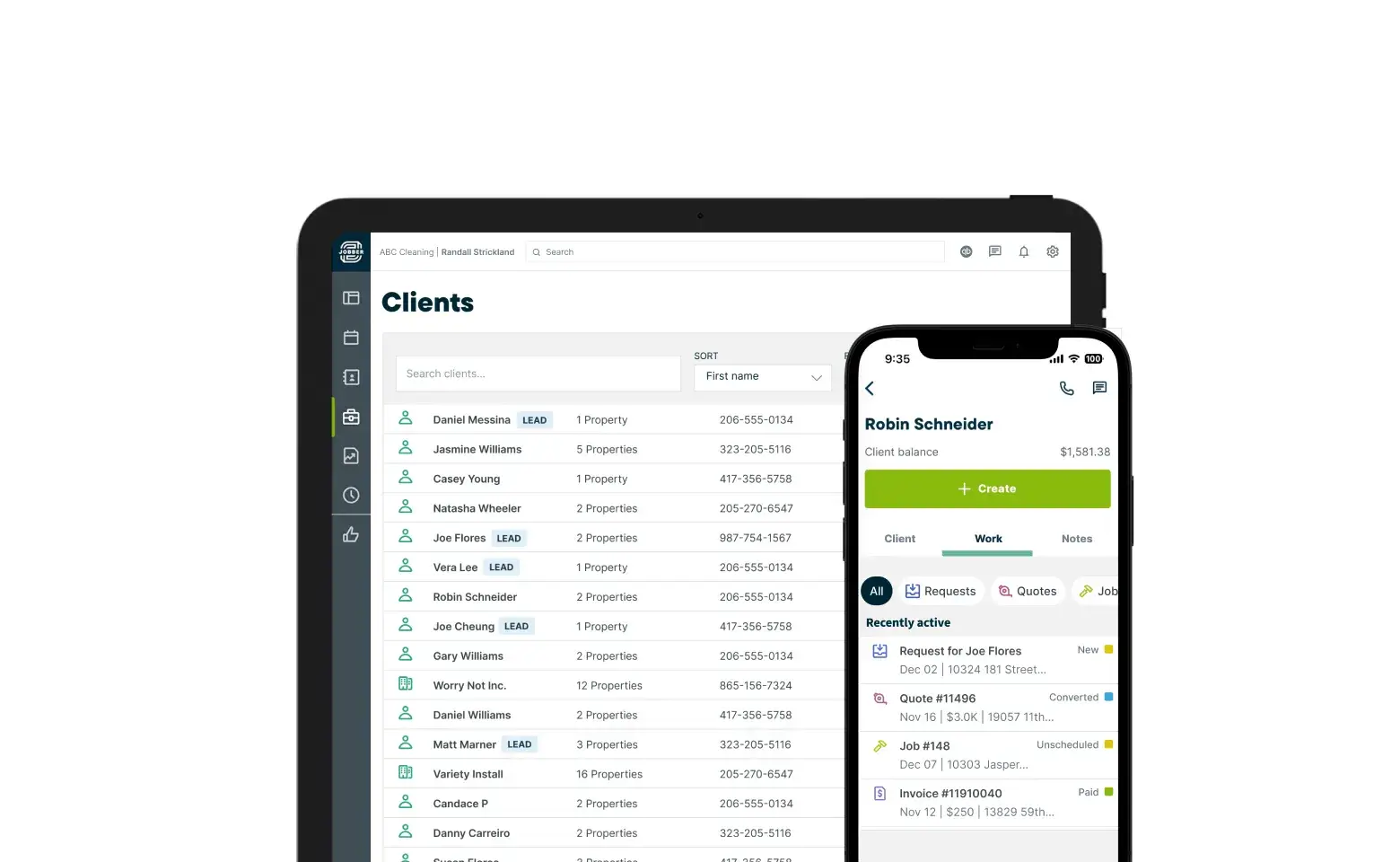
Jobber is a CRM for general contractors that’s trusted by over 350,000 businesses. It helps you manage and organize your client details, construction project history, customer communication, scheduling, quoting, and invoicing.
With Jobber as your general contracting software, your employees and subcontractors have access to all the customer information they need. This helps your business deliver professional and reliable service to every customer.
Here are the features that make Jobber the best CRM for small construction business owners.
Lead management
Jobber lets you tag contacts as leads so you can prioritize your time and respond to them faster.
Jobber also tracks where leads come from and can tie that information into your reports, giving you insight into which sources are driving the most potential business.
Client details
Jobber offers a central hub for client details, job history, communication, notes and more to help you stay organized.
Customize your client profiles to save the details that matter most to your construction business, like materials and project photos.
Job management and tracking
Use Jobber to track important job details like materials, manage photos, and ensure everyone understands the work to do on-site.
Automatically track labor time from the moment a contractor arrives at the jobsite—no manual clock-in or clock-out required.
Reporting
Jobber lets you generate reports for insights that can help you make winning business decisions. Jobber AI can also help discover growth strategies and ways to run your business more efficiently.
For example, you can generate a client engagement report to show which clients you haven’t worked with in the last 12 months, so you can work on winning them back.
If you’ve done good work for someone, they’re 85% more likely to hire you again for a future project.
Don’t ignore your database—nurture those relationships and watch your business grow.

Here are other features that make Jobber the best CRM for construction businesses:
- Communicate schedule changes, send reminders, and keep your entire customer communication history organized in one place.
- Use Jobber to schedule employees and subcontractors with a drag-and-drop calendar and automatic scheduling notifications.
- Use the mobile app to manage jobs, update job notes, and access client information from the field.
- Create and send professional invoices quickly and accept online payments to improve cash flow.
- Sync invoices, payments, and customer details with Jobber’s QuickBooks Online integration to reduce manual data entry and maintain accurate accounting.
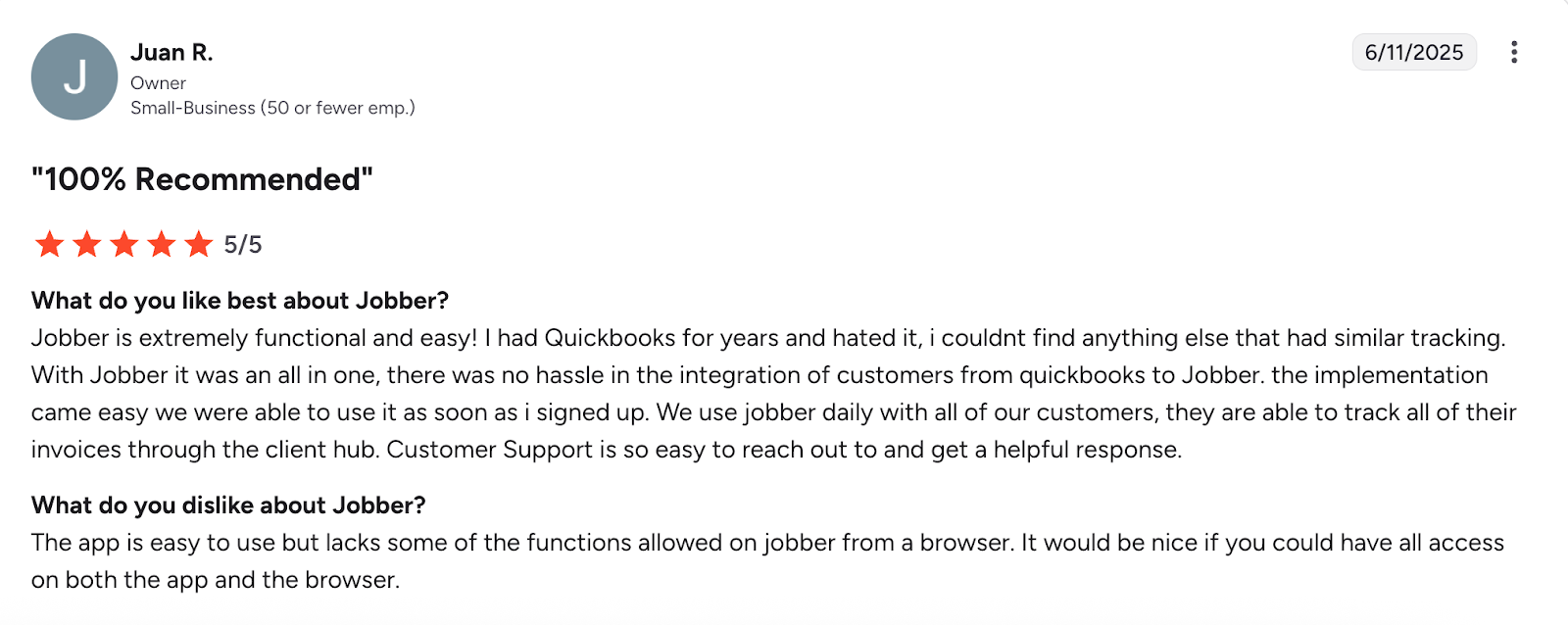
One user especially loves Jobber for easy invoice tracking through client hub and its QuickBooks Online integration.
Procore
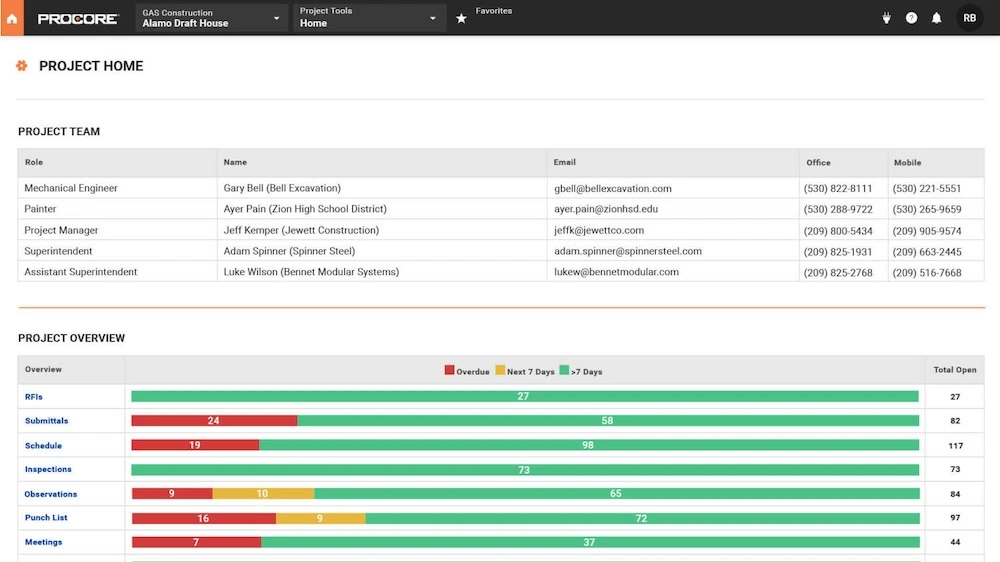
Next on our list is Procore. This construction management software helps general contractors and construction firms manage projects more effectively and maintain client relationships.
This construction CRM solution serves a very wide range of general contracting and construction businesses. With detailed project pipelines and tracking tools, it helps managers complete projects on time and within budget.
Procore allows businesses to:
- Create and manage budgets, track costs, and forecast financials.
- Manage subcontracts and purchase orders.
- Digitally create, manage, and approve prime contracts.
- Work collaboratively with teams on project bids and proposals.
Despite its custom pricing model, which can be a barrier for small business contractors, Procore ensures that organizations pay only for the specific features they need.
READ MORE: What is a punch list in construction?
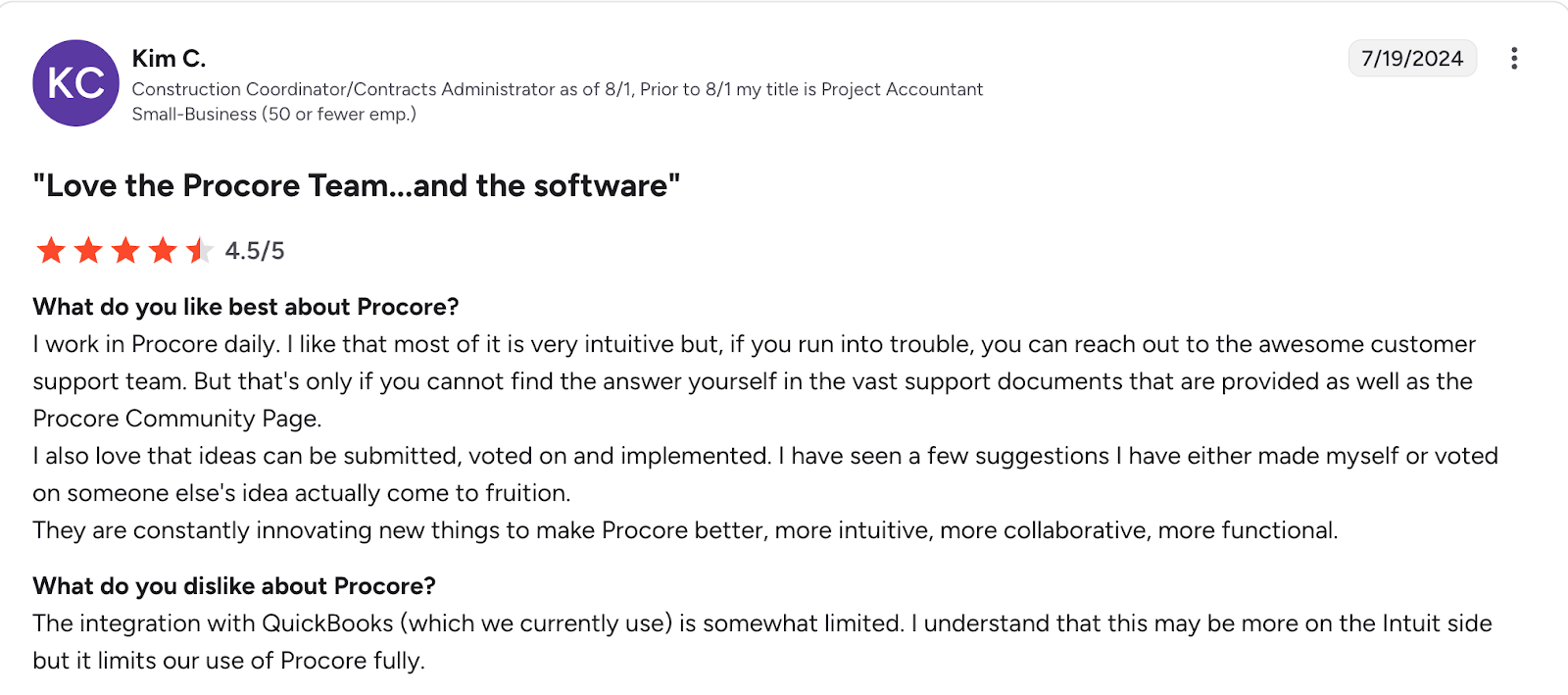
While users enjoy Procore’s customer support, one user points out that Procore’s QuickBooks integration is somewhat limited.
Pipedrive
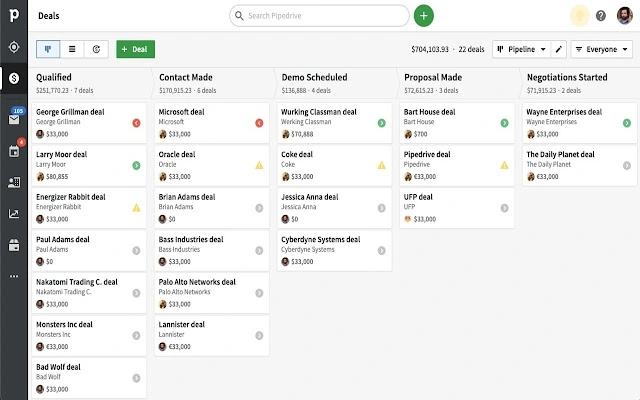
Pipedrive stands out from other contractor CRMs as a great tool for lead management and sales pipeline management.
This pipeline CRM helps you visualize and manage project stages with customizable pipelines—which is a must when you have several bids and deals to keep track of.
If your company has complex sales cycles and project negotiations, you can use Pipedrive to automate repetitive sales and bidding tasks, like setting up meetings and following up on calls.
You can also use Pipedrive to:
- Track and prioritize leads and deals to ensure timely follow-ups.
- Create custom fields to capture project-specific information.
- Generate real-time reports to track project progress and sales performance.
- Sync your team’s calendars to schedule meetings and deadlines effectively.
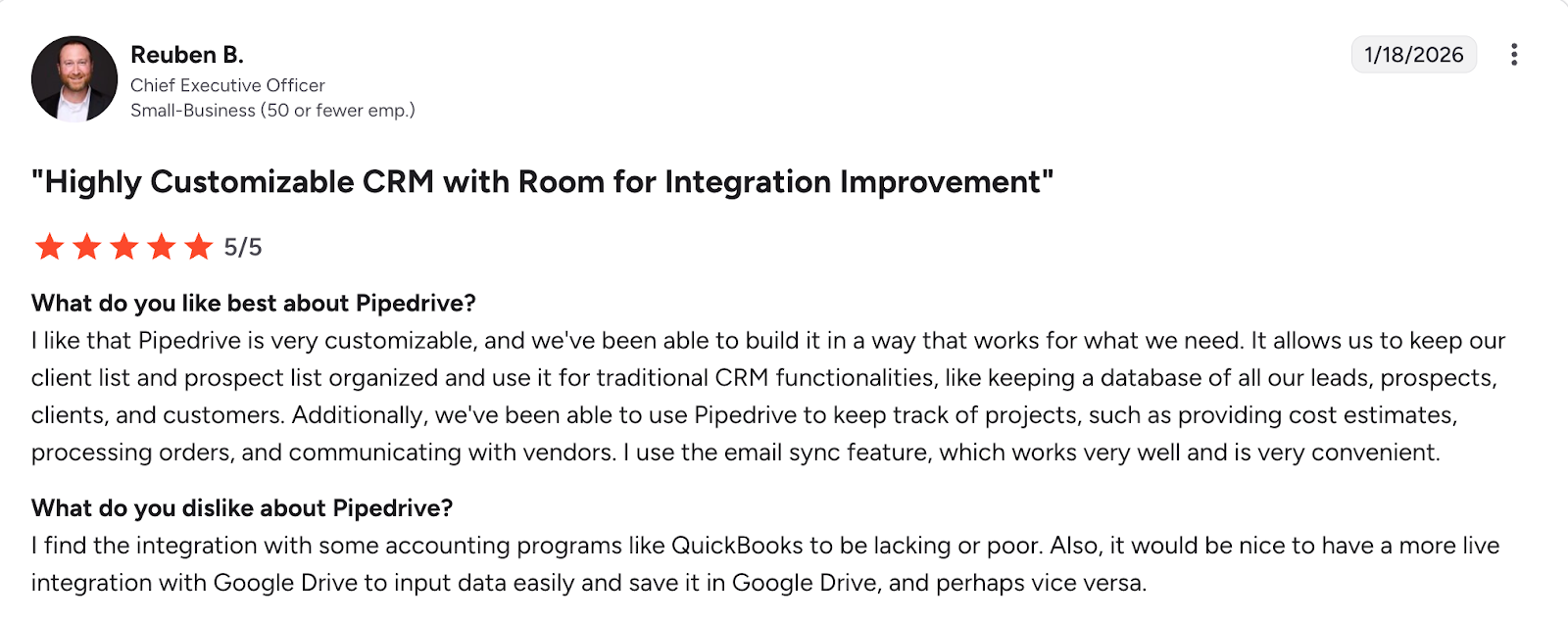
While users enjoy how Pipedrive keeps their client lists organized, one user points out that Pipedrive QuickBooks and Google Drive integrations can be improved.
HubSpot Smart CRM
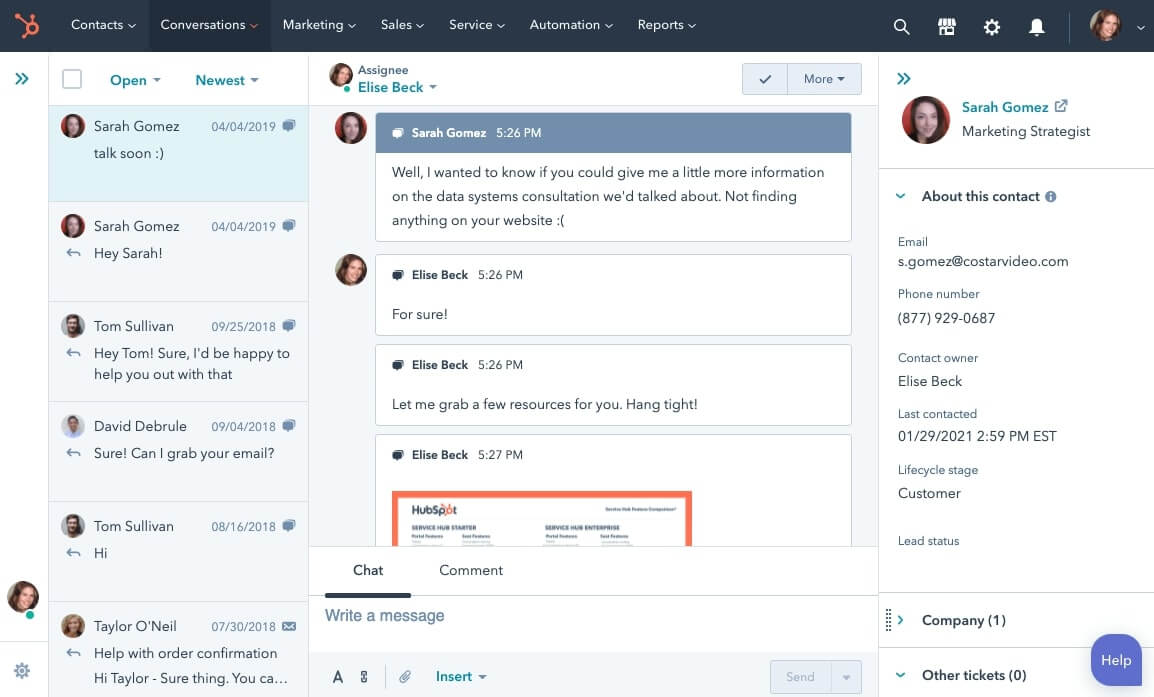
Next on our list is HubSpot CRM, a software that’s versatile enough for general contractors to handle customer service, sales, and marketing.
As part of HubSpot Marketing Hub, the CRM keeps contacts at all those stages connected in one system. All the while, leaders from your sales and marketing teams can run their operations in HubSpot exactly how they want.
HubSpot’s contact records include details that make it an ideal customer management app. Every profile shows opened emails, links, and documents with exact timestamps.
Additionally, the CRM comes with a large library of out-the-box reports that you can customize to fit what you need.
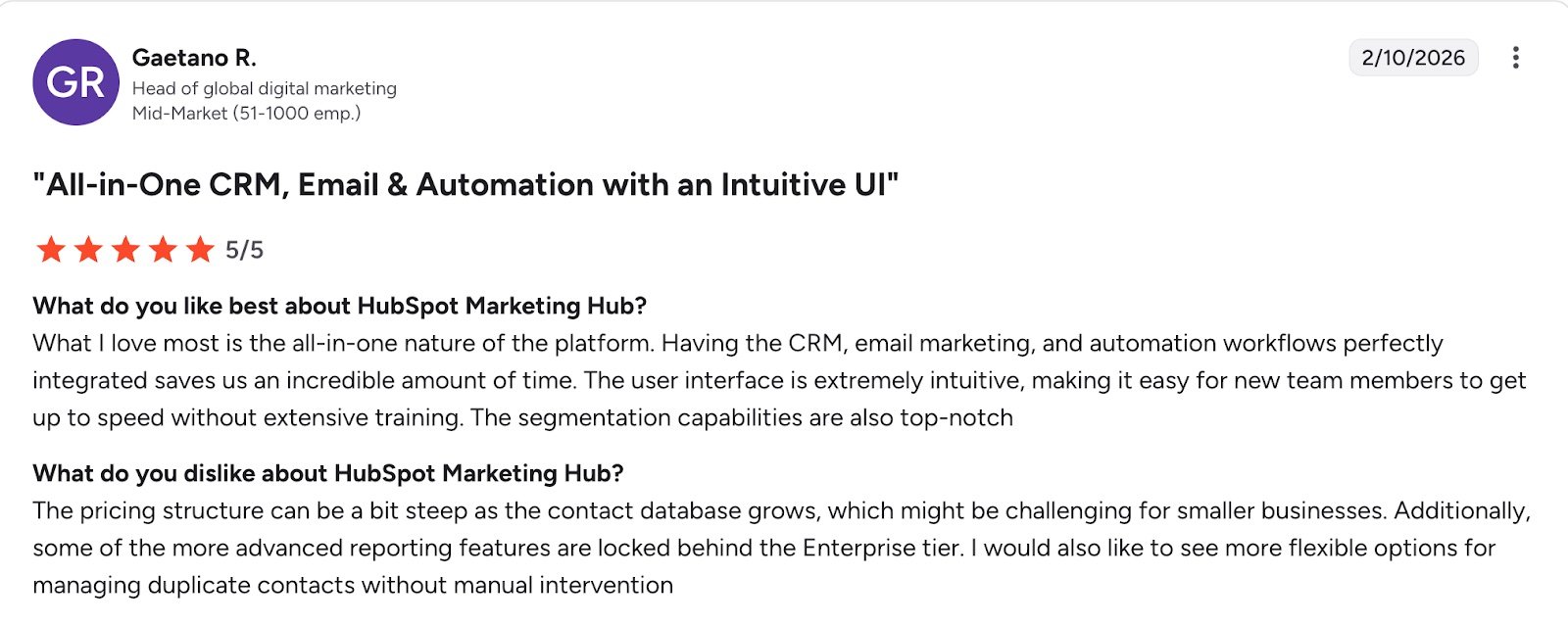
While HubSpot CRM is primarily built for large and enterprise-level companies, it offers plans for small businesses, including a free starter plan. However, one user notes that prices can quickly get steep.
Salesforce Service Cloud
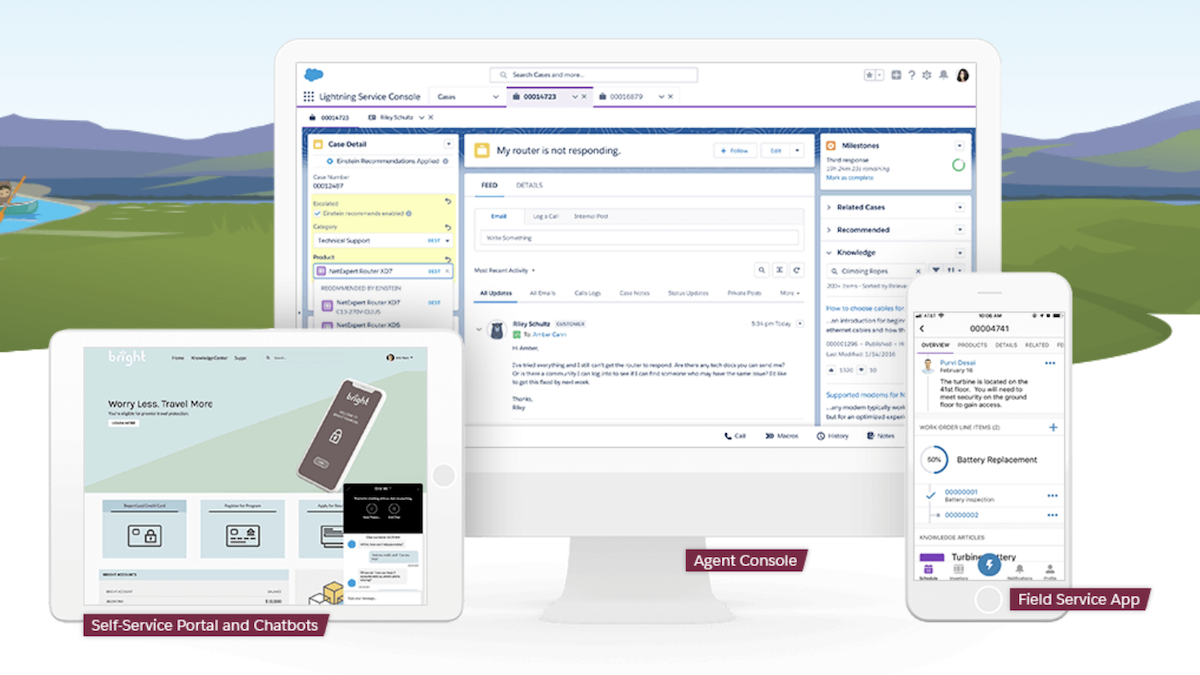
Salesforce now offers a solution built specifically for smaller, mobile contractors. Salesforce Service Cloud stands out as a top CRM for construction professionals with its AI tool, Einstein 1, which gives recommendations to help contractors communicate with clients better.
This CRM also helps your subcontractors troubleshoot while on-site with access to a quick, chat-based knowledge center.
On top of those tools, the Salesforce CRM can help you:
- Assign, schedule, and track field service tasks and appointments for technicians and contractors working on-site.
- Maintain records of equipment, machinery, and maintenance schedules.
- Give you insight into customer satisfaction, service performance, and project profitability.
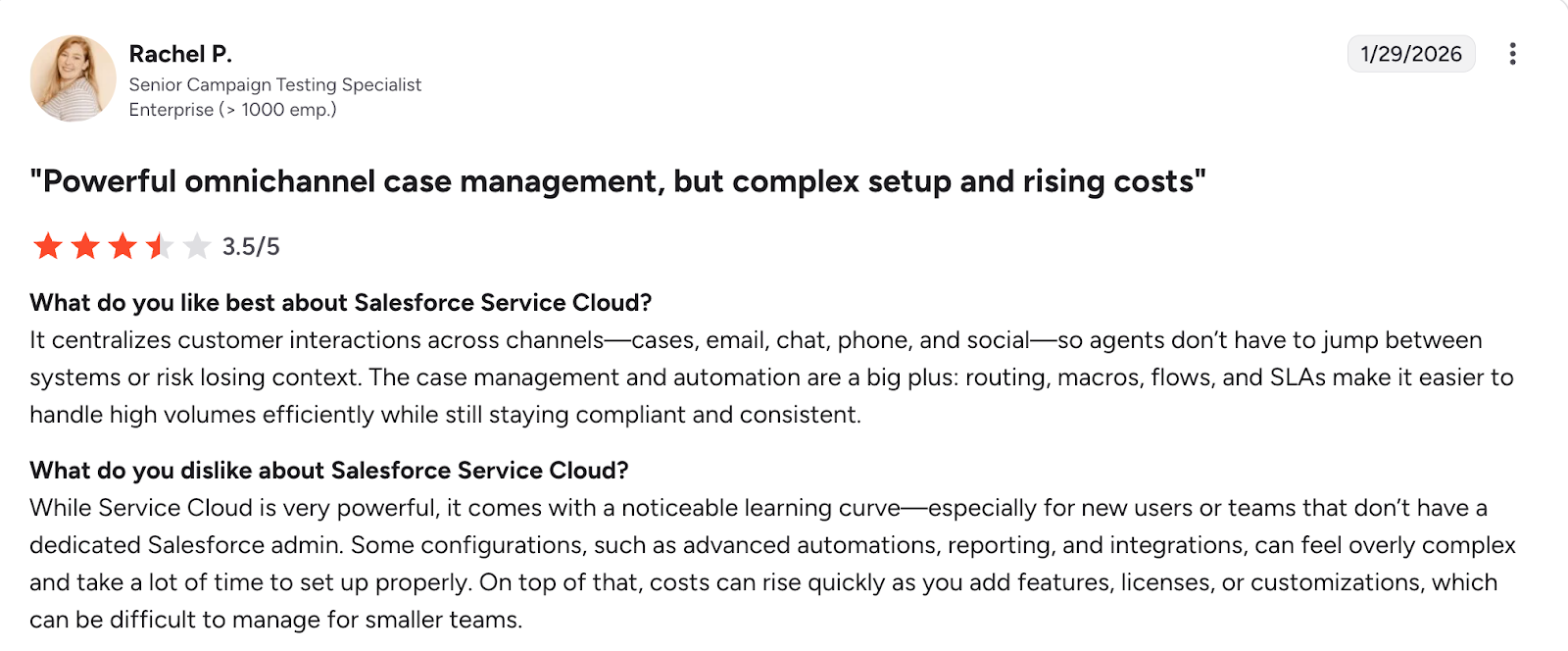
While Salesforce Service Cloud stands out thanks to its powerful AI tool, one user notes that the platform has a noticeable learning curve and that costs can rise quickly.
Zoho Projects
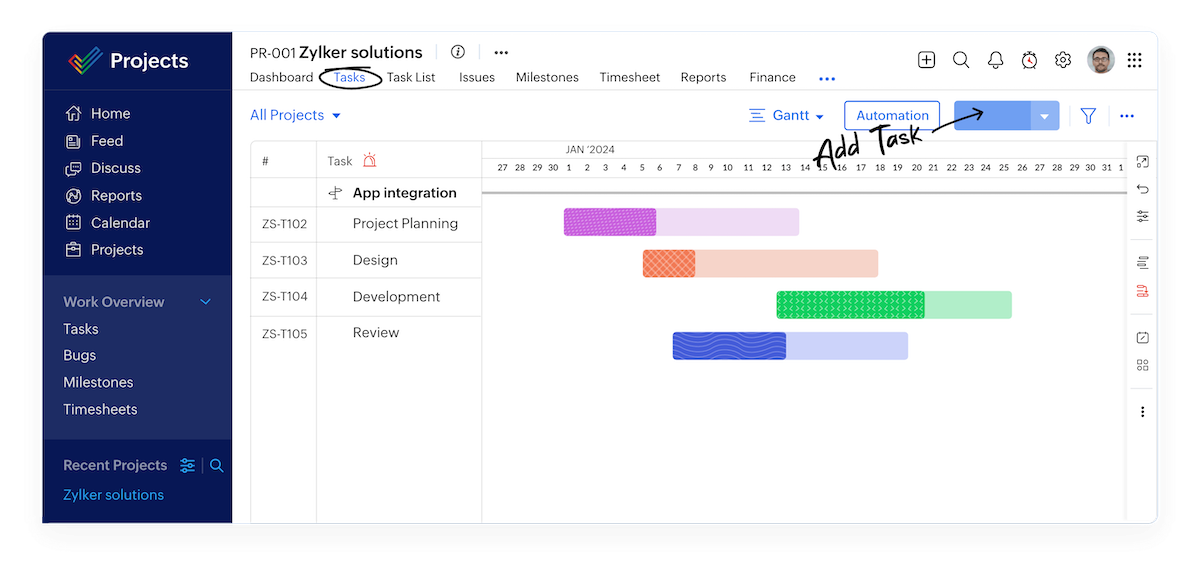
While Zoho Projects isn’t made specifically for the construction industry, Zoho CRM tools are flexible enough to make your construction project management more organized and efficient.
Zoho Projects offers many views of your construction project timelines and tasks. For example, you can visualize project timelines, dependencies, and milestones using interactive Gantt charts, allowing contractors to plan and manage construction schedules effectively.
You can also use Zoho Projects to:
- Monitor the time spent on different tasks and activities by contractors and team members.
- Log and track issues, defects, and change requests encountered during construction projects.
- Allocate resources, such as manpower, equipment, and materials, efficiently across various construction projects.
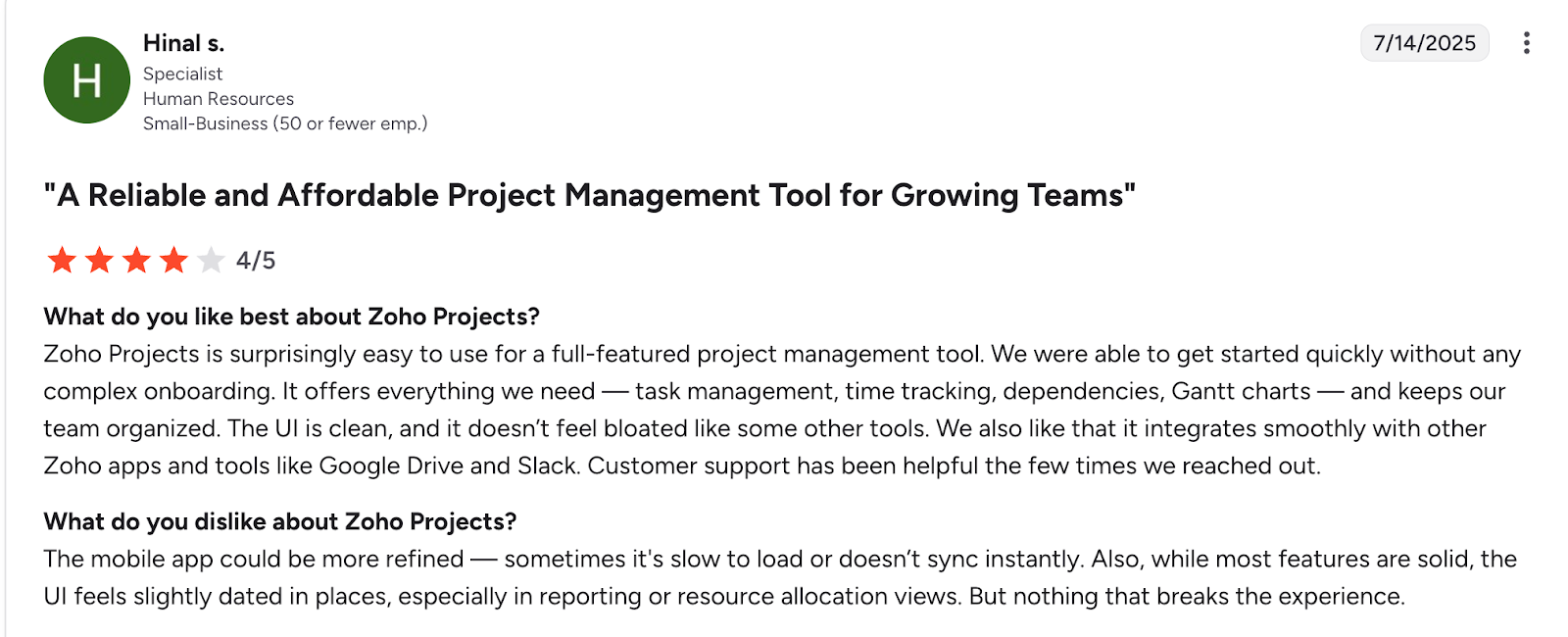
One user says that while Zoho Projects is easy to use, the mobile app can be more refined and the user interface needs improvement.
Houzz Pro

Many contractors know Houzz as a lead generation site where you can find new clients.
Along with lead generation, Houzz Pro has a built-in CRM system that helps contractors who work in home design and renovations run projects and deliver better customer service.
READ MORE: How to make money in construction
Using Houzz Pro, contractors can:
- Capture and organize leads from various sources, including Houzz users, website inquiries, and referrals.
- Track project details, progress, and milestones.
- Use marketing tools to promote construction services and showcase completed projects.
- Schedule appointments, consultations, and site visits.
Houzz Pro also offers visual collaboration tools, like ideabooks and 3D design rendering, that help you communicate your vision to clients more easily.
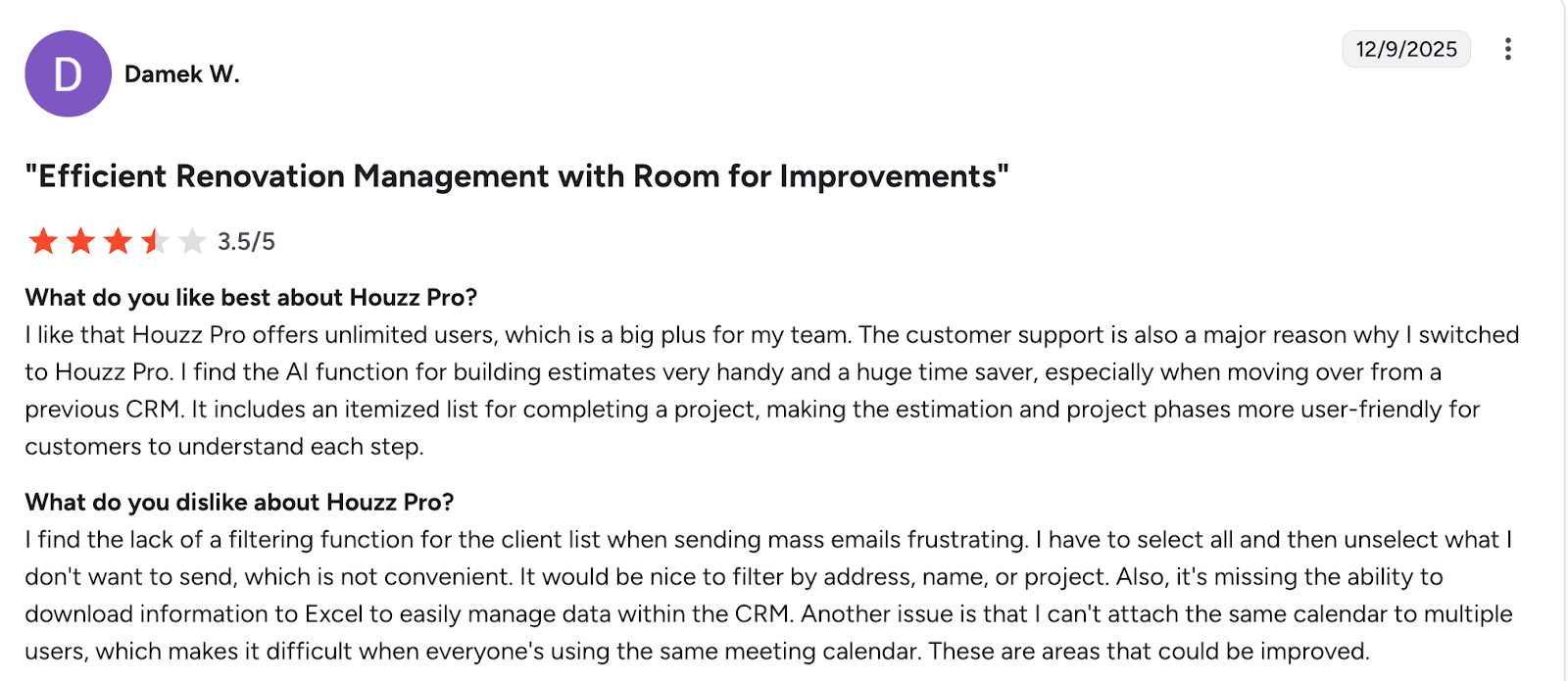
One user notes that although they find Houzz Pro an asset to their business, it lacks a few minor features such as filtering for client lists.
SalesRabbit
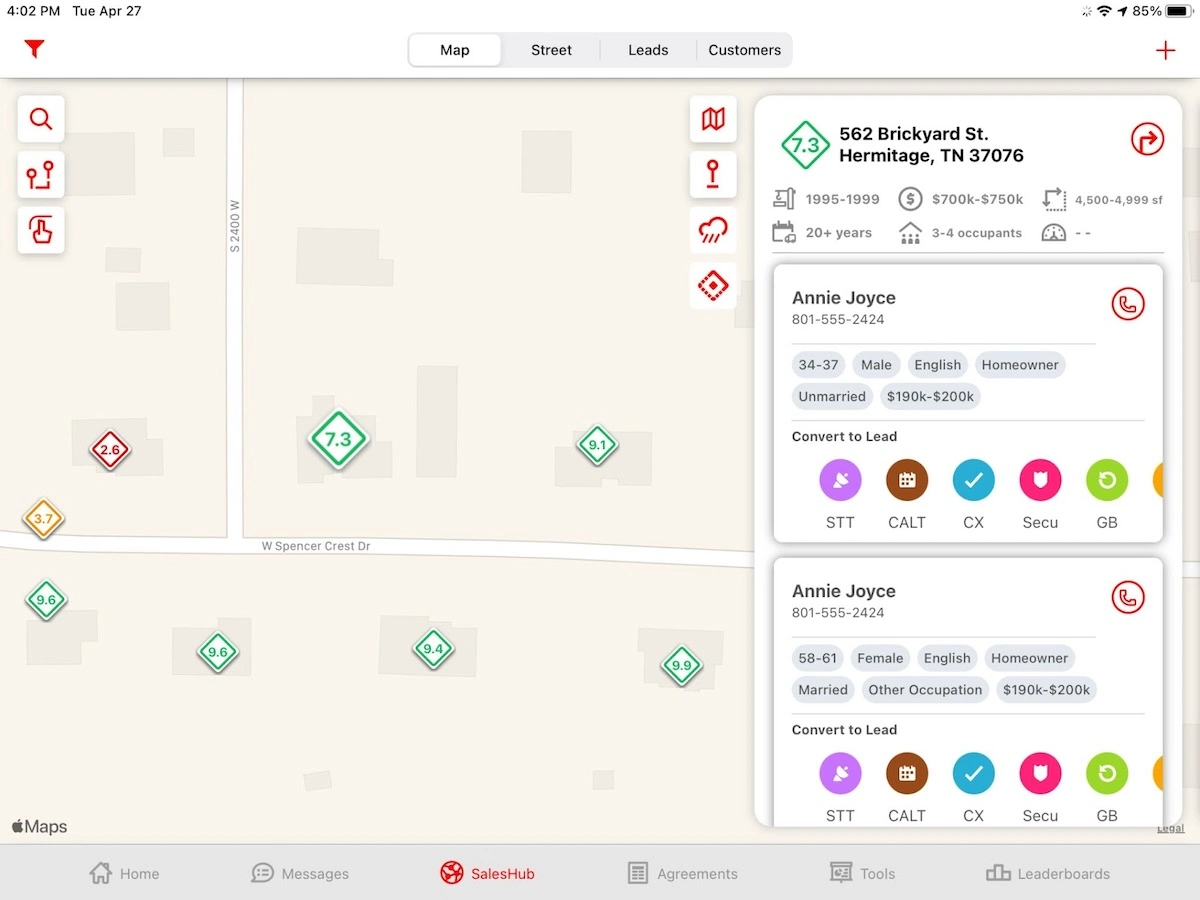
SalesRabbit is our last pick for one of the best construction CRMs. This CRM software is especially helpful for contracting businesses with large sales teams, providing tools to help teams canvas door-to-door.
You can optimize routes for canvassing across different neighborhoods, as well as customizable scripts to help make a sale.
Sales teams can define and manage sales territories based on geographical regions or other criteria. This helps you allocate resources effectively and prioritize leads within their designated areas.
For instance, if you have a roofing contractor company and there was a recent hail storm in a specific area you service, you can generate routes for your sales team to go door-to-door.
Once you save sales leads into SalesRabbit, you can organize them, schedule appointments, store documents, and view them from a mobile app.
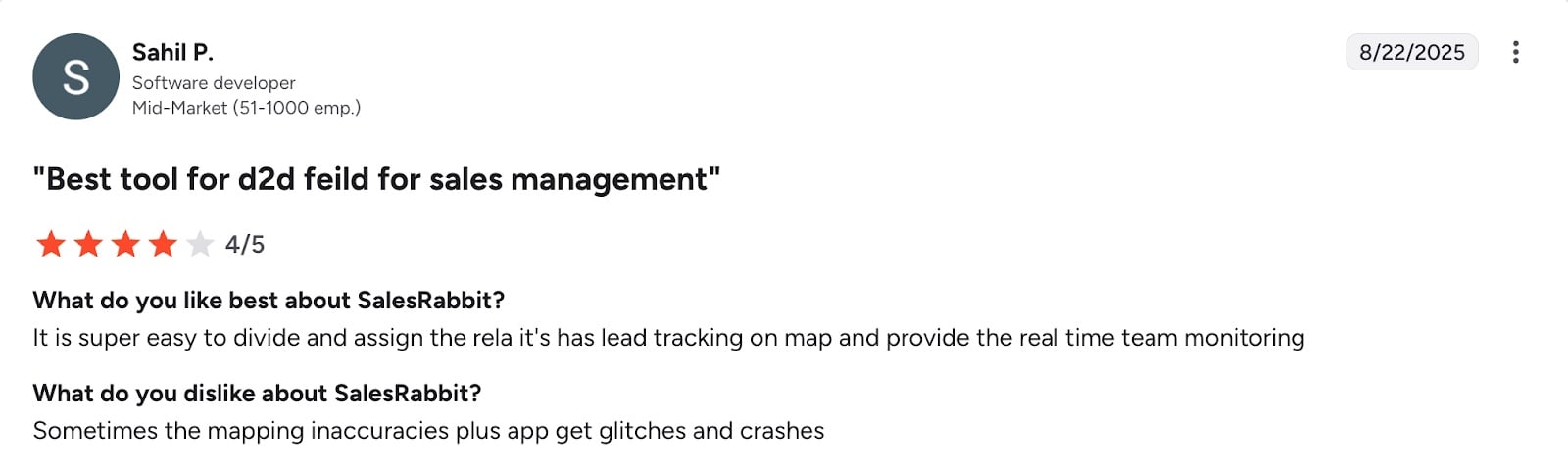
While most users are happy with SalesRabbit’s routing, one user notes occasional map inaccuracies in the app.
How to choose the best CRM for your construction business
The most important features in your general contractor CRM system will depend on factors such as:
- Your company size
- The types of projects you take
- Who your customers are
- Your sales team structure
- What other tools you’re using
READ MORE: Top construction employee scheduling software tools
Here’s what to look for in your general contractor CRM platform:
- Ease of use: Choose a CRM that isn’t difficult for your team to use—including your project managers and contractors. Some CRMs are more complicated than others, so it can be worth spending extra learning time on one that has advanced features that are useful to you.
- Customization: Make sure the CRM can fit with the way your team works. A good CRM system will let you customize your reports, automated follow-up messages, client profiles, tags, contracts, and other documents.
- Automation: The best CRM for contractors should save you time by automating repetitive tasks. Look for one that enables automated reminders for your customers. This way, you’ll never let a bid or invoice payment slip through the cracks.
- Sales process management: When all your sales activity is trackable, you can win new customers faster. Pick a construction CRM that keeps organized daily logs of all your customer data—and helps you to take the right action for leads at each sales stage.
- Analytics and reporting: The best CRM for construction businesses will help you evaluate how effective your sales, marketing, and customer service efforts are. Find a CRM that clearly shows you the information you need to make better business decisions.
- Training and support: Make sure you’ll have an award-winning customer support team to onboard you onto your CRM. You’ll get comfortable with your CRM tool faster with a team that walks you through the features you need and explains how to get the most out of your app.
Essential construction CRM features
While every business has unique needs, construction companies face specific operational challenges—long sales cycles, complex bids, multiple stakeholders, on-site coordination, and tight margins.
The right construction project CRM should handle these realities, not just generic contact management. Whether you run a general contractor company or specialize in residential construction, your CRM should include:
- Lead management: Capture, track, and nurture bids and opportunities through every stage of your sales pipeline so no potential project is overlooked.
- Customer management: Store detailed client and contact information in one centralized place, including communication records and multiple projects per customer. Bonus points if there is an online client portal.
- Job management: Convert won bids into active jobs, track progress and milestones, assign responsibilities, and manage related documents and payments.
- Job and communication history: Maintain a complete, searchable record of all interactions, estimates, revisions, and project information for future reference and accountability.
Jobber has become the brain of our business.
If a client calls, our first process is to put it in Jobber as a work request so it’s in the queue. Then, we convert it to a job or a quote.

To pick the best construction CRM for your business, make a list of the goals you want to accomplish and rank them.
For instance, do you need to prioritize a CRM that comes with marketing features? Is it more important that your construction software has a flexible and customizable sales pipeline? Or would you choose a CRM that has more advanced communication tools instead?
Whichever CRM you choose, see if you can try it out for free first—and don’t be afraid to switch to something new.
Originally published in July 2024. Last updated on March 2, 2026.
Frequently Asked Questions
-
Benefits of using a construction CRM include:
• Better bid management to avoid missed opportunities
• Stronger client communication through centralized contacts and conversation history
• Streamlined job tracking and clear task management
• Time savings with automated reminders, follow-ups, and administrative tasks
• Better business insights with reporting and forecasting -
Jobber has several features that make it the best construction estimating tool for general contractors, such as:
• Create quotes on the spot after a job-site visit.
• Add optional line items, images, and markups so customers understand what they’re paying for and can make choices easily.
• Automatically send email or text reminders to customers who haven’t responded to improve your win rate.
• Allow customers to review, approve, sign, and pay deposits or full amounts online through Jobber’s customer portal.