Jobber vs. Housecall Pro
Compare Jobber and Housecall Pro on features, pricing, mobile tools, and support to find the right field service management software for your business.

Jobber vs. Housecall Pro: Comparison Table (2026)
Same categories. Same criteria. Here’s how Jobber and Housecall Pro compare on the features that matter to home service businesses.
High-Level Comparison
Starting price
$29/mo
$59/mo
Free trial
14 days, no credit card required
14 days, no credit card required
G2 rating
4.6/5
4.3/5
Capterra rating
4.6/5
4.7/5
Route optimization
✓ Built-in
✗ Requires third-party integration
AI tools
Jobber AI
AI Receptionist available as an add-on
AI team members + CSR AI add-on
Customer support
Phone, chat, and email
Live phone and chat support + AI assistant
Who are Jobber and Housecall Pro?
Jobber and Housecall Pro are field service management platforms built for home and commercial service businesses, helping companies manage day-to-day operations from scheduling to payment collection.
Jobber
Jobber is an all-in-one field service management software that brings quoting, scheduling, invoicing, payments, customer communication, and AI-powered tools into a single platform built specifically for blue collar businesses.
Whether you’re a solo landscaper or running a 15-person plumbing crew, Jobber is designed to handle the way your business actually works—from the first customer call to the five-star review after the job is done.
Housecall Pro
Housecall Pro is a field service management platform designed for home service businesses.
It offers tools for dispatching, scheduling, customer communication, and payments, and serves trades like plumbing, HVAC, electrical, and cleaning.
The platform includes AI automation tools in every plan, with CSR AI available as an add-on for handling inbound phone calls.
Core operations
Jobber gives you a complete set of tools to manage every step of a job, from first client contact to final payment and follow-up review request. The biggest differentiator between Jobber and Housecall Pro is Jobber’s built-in routing functionality, while Housecall Pro relies on third-party integrations for routing and route optimization.
Client management
Keep all quotes, jobs, invoices, payments, and communication history organized in one place.
Learn more
Organize customers into targeted groups for streamlined communication, reporting, and marketing
Learn more
Give clients a centralized portal to view quotes, approve work, pay invoices, and manage appointments online.
Learn More
Quoting
Allow customers to select optional services or upgrades directly within a quote.
Learn More
Requires add-on at lower tiers
Instantly converts approved quotes into scheduled jobs without re-entering information.
Scheduling & Dispatch
Assigns multiple team members or crews to the same job for better coordination on larger projects.
Automatically organize daily routes to reduce drive time and improve efficiency across multiple appointments.
Learn More
✓ Built-in
✗ Requires third-party integration
Get real-time visibility into team locations and job progress in the field.
Learn More
✓ Built-in
Available as add-on
Use AI-powered features to automate workflows, improve responsiveness, and reduce manual administrative work.
Learn More
Jobber AI
AI Receptionist is available as an add-on
AI automation tools + CSR AI add-on
Invoicing
Payments
Marketing
Support
Access phone, chat, and email support.
Learn More
✓ 7 days a week
Live phone and chat support + AI assistant
Mobile technician tools
Give your technicians all the tools they need in the field to get the job done right.
Core Mobile app
iOS app
Android app
Attach visual documentation directly to the job
Capture customer approvals directly on a mobile device.
App language
English and Spanish
English and Spanish
App Store rating
4.8/5
4.6/5
Google Play rating
4.4/5
4.6/5
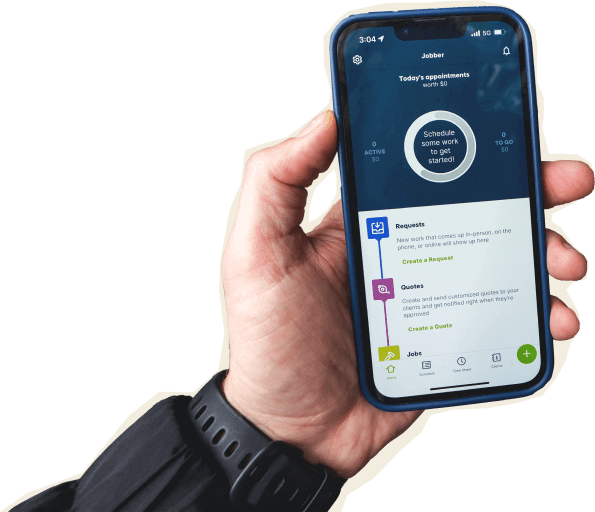
Jobber’s mobile app puts your full schedule, client details, invoicing, and payments in your crew’s pockets. Techs can clock in with GPS, capture job-site photos, complete checklists, collect client signatures, and send invoices—all without leaving the field.
When a schedule changes, push notifications update your team in real time so nobody shows up at the wrong address. The Jobber app is available in English and Spanish, so bilingual teams can work in the language they’re most comfortable with.
Housecall Pro also offers iOS and Android apps with scheduling, invoicing, and on-site tools. Their app is now available in Spanish as well. Both platforms have strong app store ratings: Jobber scores 4.8 on the Apple App Store and 4.4 on Google Play, while Housecall Pro scores 4.6 on both.
Jobber’s edge on the App Store reflects its focus on field-friendly features like GPS waypoints, offline visit notes, and multi-photo capture.
Download the Jobber app: App Store | Google Play
Built for how you actually work
Feature lists only tell part of the story. What matters is whether the software fits into your actual day, when you’re juggling callbacks, driving between jobs, and trying to send invoices before dinner. Here’s how Jobber handles three workflows that eat up most of a service business owner’s time.
Get to the next job faster
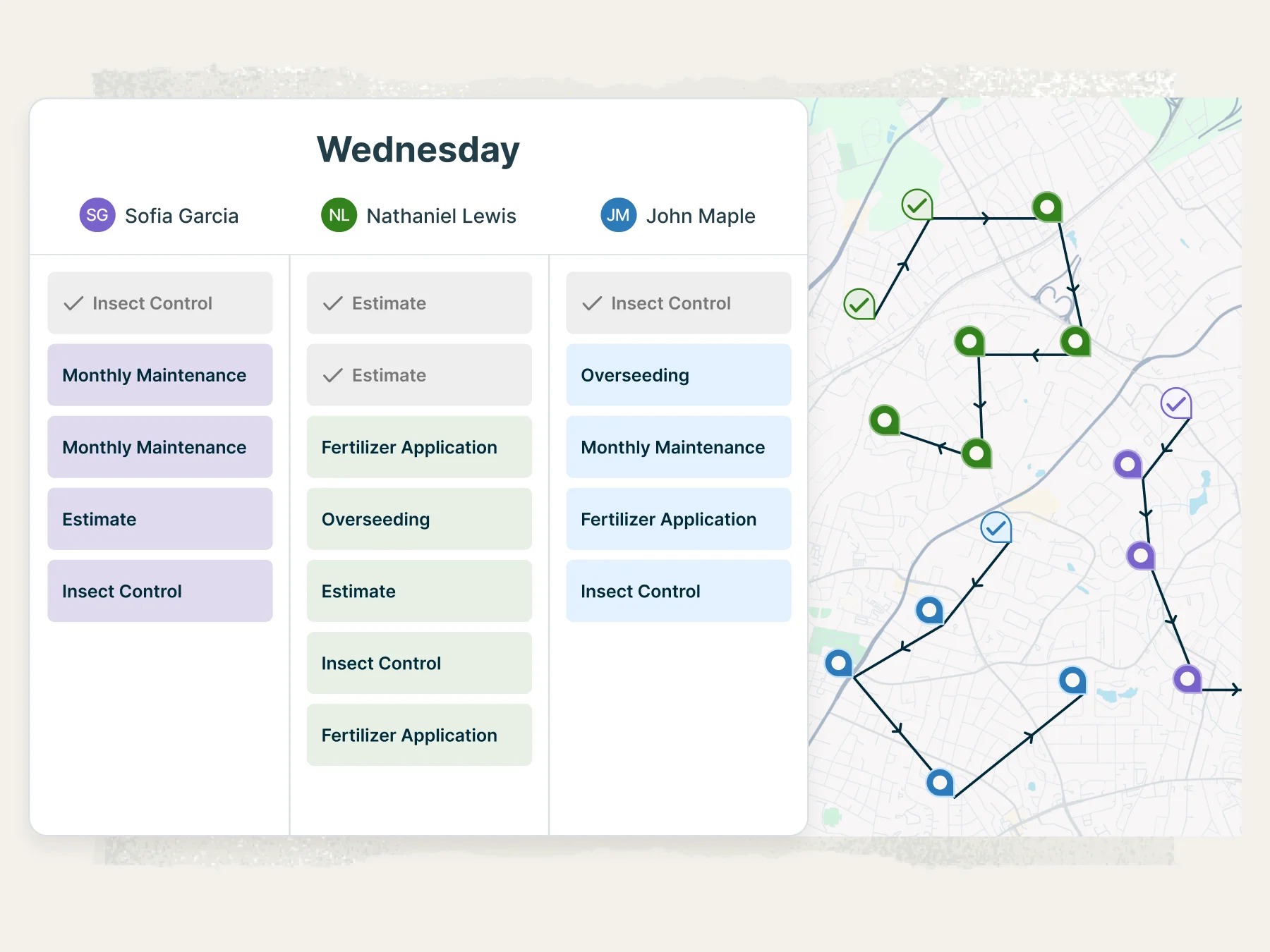
Jobber’s built-in route optimization maps out the most fuel-efficient order for your stops, then syncs routes directly to your team’s phones. No third-party app required, no copy-pasting addresses into a separate mapping tool.
When a last-minute job comes in, drag it onto the schedule, and Jobber recalculates the route automatically. Your crew spends less time in the truck and more time on billable work.
Stop chasing payments
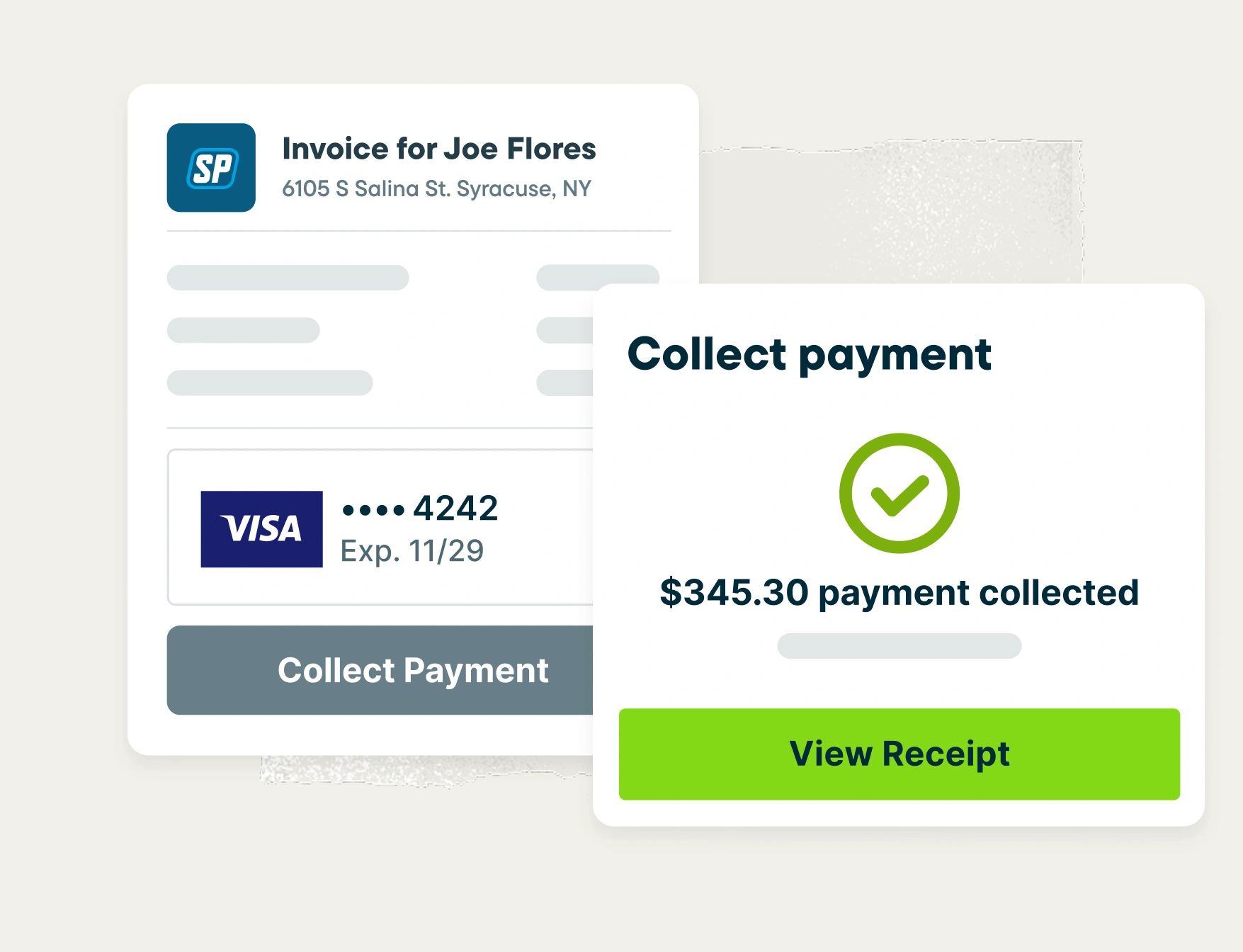
Jobber lets you instantly generate an invoice the moment a job is done.
Customers pay online with a credit card or bank transfer through their client hub, and you can turn on automatic follow-ups so no invoice sits unpaid for weeks.
The result: Jobber customers get paid 4x faster collecting payments online vs. waiting on checks.
Let AI handle the busywork
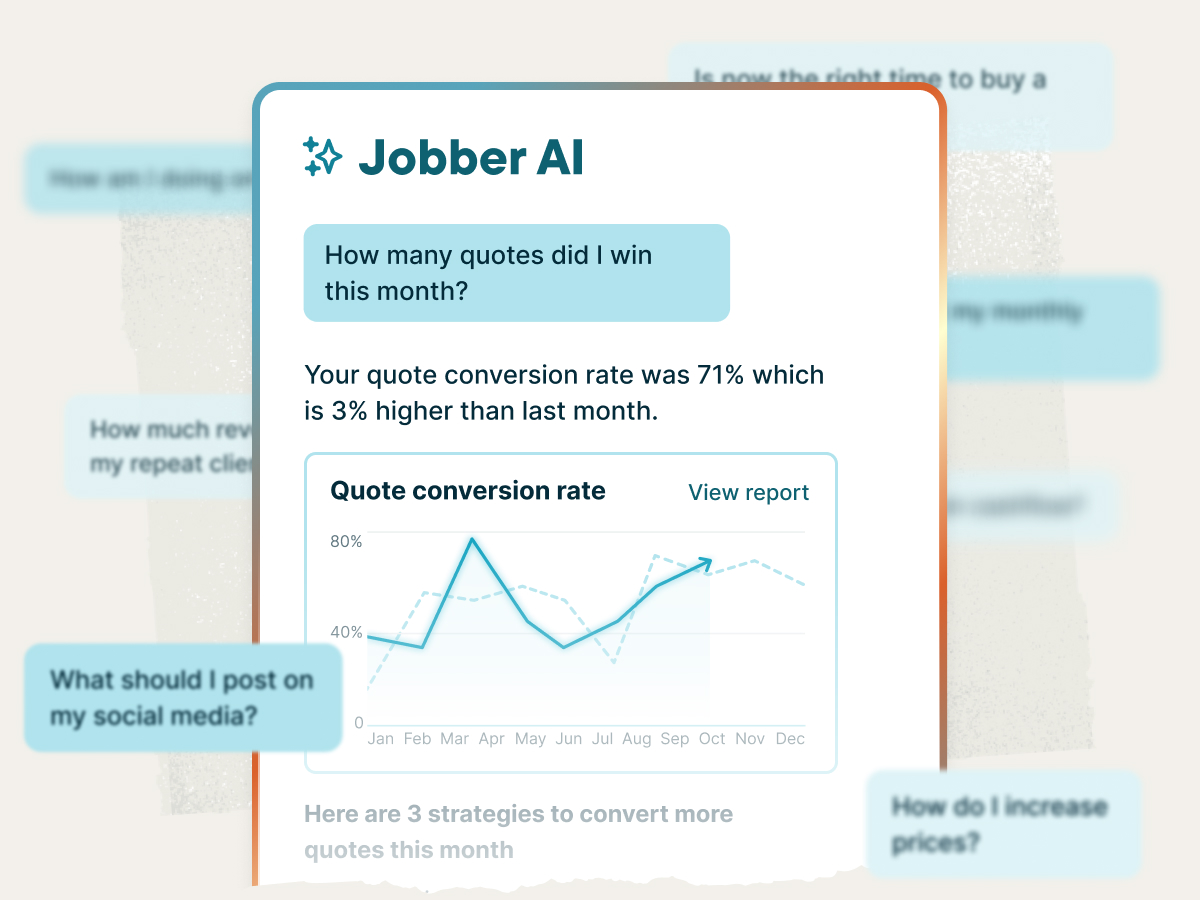
Jobber’s AI tools take admin off your plate so you can focus on the work that actually makes you money.
Jobber AI analyzes your business data and gives you personalized coaching on pricing, scheduling gaps, and growth opportunities. AI Receptionist picks up the phone when you can’t, answers customer questions, and books jobs 24/7.
Pricing
Both Jobber and Housecall Pro offer tiered plans with a 14-day free trial. When comparing costs, look beyond the base price. The right plan depends on how many users you need and which features matter most to your day-to-day operations.
Entry-level
Core
Includes: Online booking, scheduling, quoting, invoicing, payments, client management, mobile app
Monthly: $49/mo
Annual: $29/mo billed annually
Basic
Includes: quoting, scheduling, invocing, invoicing, client communication, and payments
Monthly: $79/mo
Annual: $59/mo billed annually
Small team
Connect
Includes everything in Core, plus: automated follow-ups, routing, expense tracking, QuickBooks Online integration, and custom checklists
Monthly: $139/mo (1 user) or $199/mo (up to 5 users)
Annual: $99/mo (1 user) or $149/mo (up to 5 users)
Essentials
Includes all Basic features plus: QuickBooks sync, equipment tracking, postcard marketing, and price book
Monthly: $189/mo
Annual: $149/mo
Growing business
Grow
Includes everything in Connect, plus: advanced quote customization, custom workflow automations, advanced reporting, and two-way texting
Monthly: $199/mo (1 user) or $399/mo (up to 10 users)
Annual: $149/mo (1 user) or $299/mo (up to 10 users)
MAX
Includes everything in Essentials plus: advanced custom reporting, dedicated onboarding specialist, and escalated phone support
Monthly: $329/mo
Annual: $299/mo
Large team/enterprise
Plus
Includes everything in Grow, plus: Jobber Marketing Suite, AI receptionist, pipeline, premium onboarding, and priority support
Monthly: $699/mo (up to 15 users)
Annual: $529/mo billed annually
Not available on their pricing page
Free trial
14 days, no credit card required
14 days, no credit card required
Jobber powers these industries
Jobber is built for more than 50 industries. Whether you’re a solo operator running a one-person carpet cleaning business or managing a crew of 15 across multiple HVAC service areas, Jobber adapts to the way your trade works.
Unlike platforms built primarily for one trade, Jobber’s scheduling, quoting, and invoicing tools flex to match the job processes and customer expectations of each industry. It’s the same platform trusted by 400,000+ service pros across 60+ countries.
Why landscaping businesses choose Jobber
Switching from Housecall Pro to Jobber
We’ve migrated thousands of teams off enterprise field service tools. Here’s what the move looks like.
Tell us your setup
Share your current Housecall Pro configuration: how many techs, which services, what’s working, what isn’t.
Free data migration
Our onboarding specialists move your clients, jobs, and open invoices — typically in 3–5 business days.
Team training
Live onboarding for owners, dispatchers, and field techs. Recorded sessions included.
Go live
Run Housecall Pro and Jobber side-by-side for a week, then cut over when you’re ready. Most teams are fully live within 10 days.
Jobber vs. Housecall Pro: Which should you choose?
No tool is right for every business. The best choice depends on your budget, your team size, and the specific workflows you need to run smoothly. Here’s an honest take on when each platform wins.
Choose Housecall Pro if:
- You need built-in pipeline management tools for tracking leads through your sales process
- You prefer an integrated phone system (CSR AI is available as an add-on)
Choose Jobber if:
- You need built-in route optimization to cut drive time and fuel costs without a third-party app
- You want AI tools that are live today, including Jobber AI and a 24/7 AI Receptionist that answers calls and books jobs
- You serve one of 50+ industries and need a platform built for the way blue collar businesses actually work
Frequently asked questions
-
Housecall Pro starts at $59/mo (Basic plan, annual billing). Jobber starts at $29/mo (Core plan, annual billing). Compare plans side by side to see which offers better total value for the way you run your business.
-
Jobber offers four plans, which can be billed monthly or annually: Core starting at $29/mo, Connect starting at $99/mo (1 user), Grow at $149/mo (1 user), and Plus at $529/mo (up to 15 users). All plans include a 14-day free trial with no credit card required. Visit the pricing page for the latest details.
-
Both platforms offer drag-and-drop scheduling, but Jobber includes built-in route optimization that generates fuel-efficient routes automatically and syncs them to your team’s phones. Housecall Pro requires a third-party integration for routing, which adds an extra step and potentially an extra cost. If your crew runs multiple stops per day, built-in routing can save significant drive time.