Jobber vs. Yardbook
Jobber is the better choice for growing lawn care, landscaping, and home service businesses that need more than a free starter tool. You get quoting, scheduling, dispatch, invoicing, payments, customer communication, marketing, reporting, and AI tools in one place—built to help your team stay organized from first request to final payment.
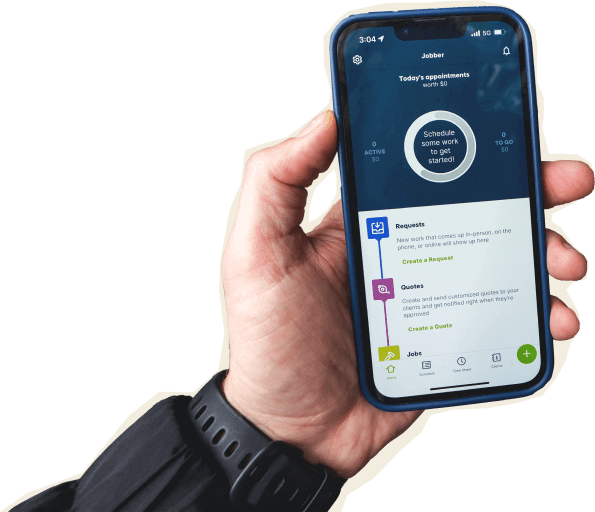

Jobber vs. Yardbook: Comparison Table (2026)
Here’s how Jobber and Yardbook compare at a high level. Yardbook is a low-cost option built for lawn care and landscaping. Jobber is built for growing service businesses that need stronger customer experience, payment tools, mobile workflows, integrations, and support as the team gets busier.
High-Level Comparison
Setup time
~2 hours
~ A couple of minutes (not including customer import)
Pricing model
Transparent pricing starting from $29/month
Free plan available, pricing starts at $34.99/mo
Scheduling & Dispatch
Reporting & Analytics
Who are Jobber and Yardbook?
Jobber
Jobber is field service management software built for home and commercial service businesses across 50+ industries, including landscaping, lawn care, snow removal, pressure washing, junk removal, and more.
It helps you manage the entire job from lead to payment, including quoting, scheduling, dispatch, invoicing, online payments, customer communication, reporting, marketing tools, mobile apps, and Jobber AI.
Yardbook
Yardbook is software built mainly for lawn care and landscaping businesses, especially price-conscious teams looking for a free or low-cost tool.
Its core strengths include route planning, scheduling, satellite lot measurement, chemical tracking, and equipment management.
Core operations
Yardbook covers many basics for lawn care companies, especially if you want free software to get started. Jobber gives growing teams a more connected system for customer communication, booking, quote approval, scheduling, invoicing, payments, marketing, reporting, and AI—so fewer details fall through the cracks when your schedule fills up.
Client management
Keep all quotes, jobs, invoices, payments, and communication history organized in one place.
Learn more
Organize customers into targeted groups for streamlined communication, reporting, and marketing
Learn more
Give clients a centralized portal to view quotes, approve work, pay invoices, and manage appointments online.
Learn More
✓ available on Enterprise only
Let customers request work and book services directly through an online booking form.
Learn More
Quote requests only
Track leads, quotes, and follow-ups in one place so opportunities never slip through the cracks.
Learn More
✓ add-on (included in Plus)
Quoting
Instantly converts approved quotes into scheduled jobs without re-entering information.
Scheduling & Dispatch
Assigns multiple team members or crews to the same job for better coordination on larger projects.
Basic multi-crew scheduling
Automatically organize daily routes to reduce drive time and improve efficiency across multiple appointments.
Learn More
Invoicing
Payments
Access your funds in seconds—even on weekends and holidays.
Learn More
✓ (Payment available in seconds)
Marketing
Create a simple business website to help attract and convert leads.
Learn More
✓ (included in all plans)
Business homepage only
Stand out in local search with a Google profile that’s active and accurate.
Learn More
✓ (included in all plans)
Send follow-up requests to help generate more customer reviews.
Learn More
✓ add-on (included in Plus)
Let customers refer new business through structured referral incentives.
Learn More
✓ add-on (included in Plus)
Create and publish posts to your Facebook page and Google Business Profile.
Learn More
✓ add-on (included in Plus)
AI
AI-powered tools to help service businesses run smarter
Learn More
✓ (Jobber AI included on all plans)
‘AI Assist’ in beta only
Answer calls and texts 24/7, capture leads, and book jobs automatically.
Learn More
✓ add-on (included in Plus)
“I have more hours in my work week now since I started using Jobber, because I don’t have to spend as much time working on invoices and paperwork.”

Mobile technician tools
Jobber’s mobile app is built for crews who need to quote, see job details, track time, update work, invoice, and collect payment from the field. Yardbook offers a public Android app and a mobile web iOS app.
Core Mobile app
Short description
Learn More [if applicable]
Android
iOS beta by request only
App language
English & Spanish
English & Spanish
On the Job
Create and send quotes on-site
Learn More
✓ (full quoting capabilities only available via mobile web app)
Attach visual documentation directly to the job
Photos only
Capture customer approvals directly on a mobile device.
INVOICING & PAYMENTS IN THE FIELD
Allow customers to pay in person by tapping a card or digital wallet on a mobile device.
Learn More
✓ (requires Stripe terminal)
Built for how you actually work
Yardbook can be a useful fit when you’re starting a lawn care business and need a free tool. Jobber is built for the next stage: more customers, more crews, more quotes to follow up on, more invoices to collect, and more moving parts to keep straight.
Build trust, attract more customers, and grow your business
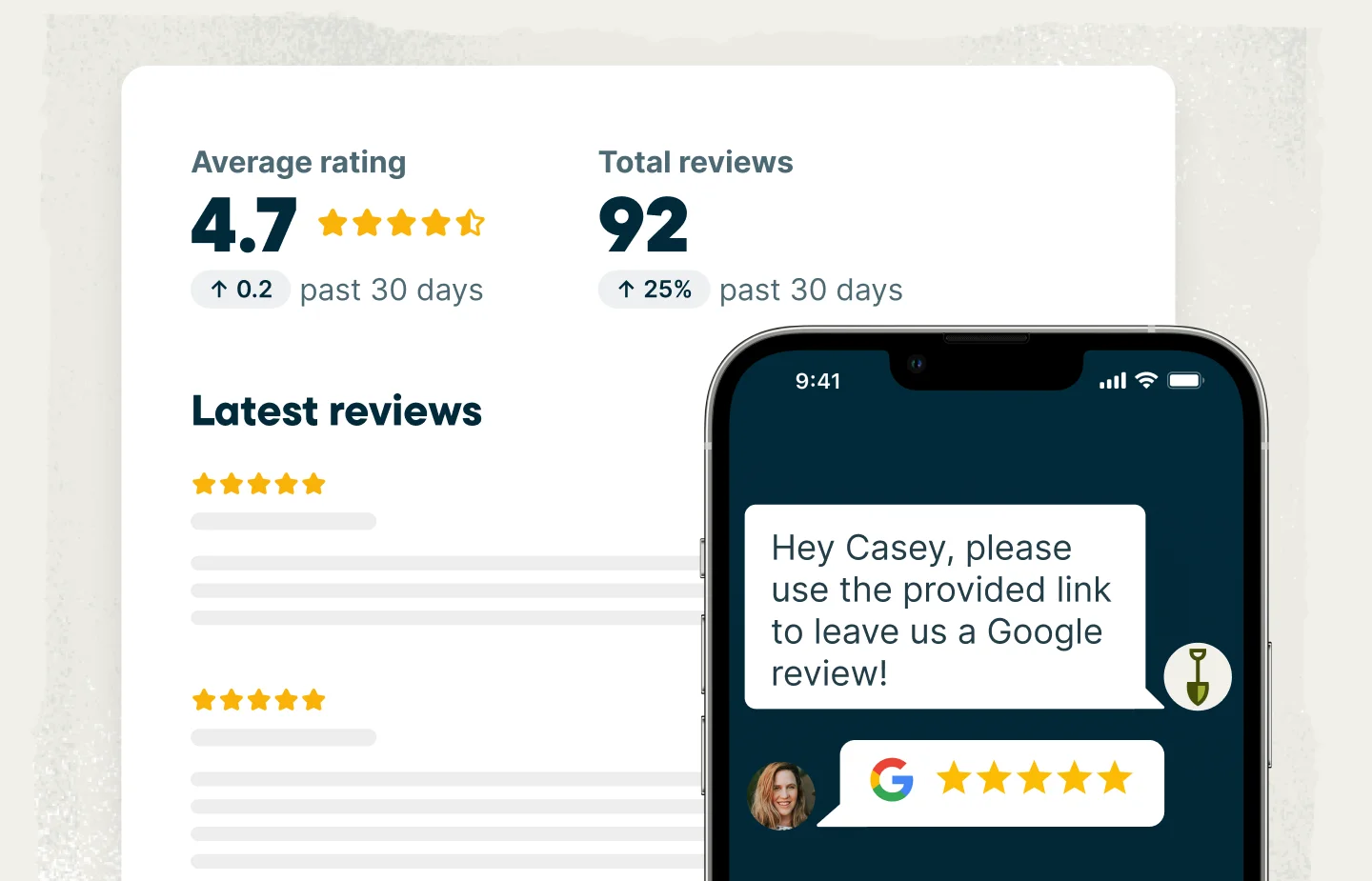
Jobber helps you create a professional online presence from day one. Every plan includes a website with a custom domain, making it easier for customers to find and trust your business online.
Jobber also helps you collect reviews and manage responses in one place, so you can actively build and maintain your reputation. In fact, businesses using automated review requests earn 2x as many Google reviews each month.
Yardbook does not offer the same level of website and reputation management tools.
Deliver a customer experience that feels more professional
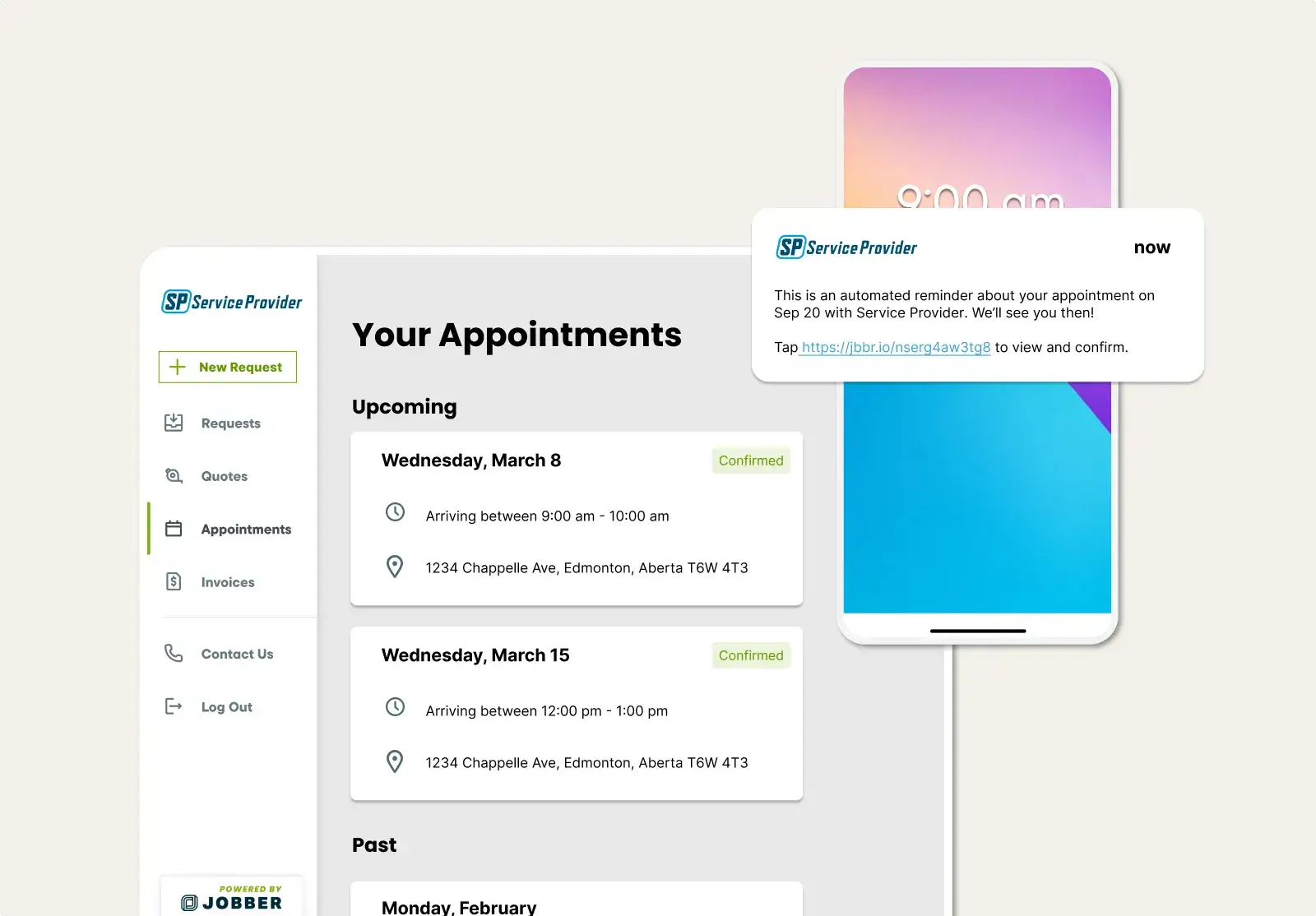
Jobber helps you provide a modern customer experience without adding administrative work. Customers can book services online, access information through client hub, receive automated visit reminders, and get automatic invoice and quote follow-ups.
These tools help customers stay informed and make it easier for them to do business with you.
Yardbook focuses primarily on operational workflows and does not offer the same customer-facing experience.
Put AI to work across your business
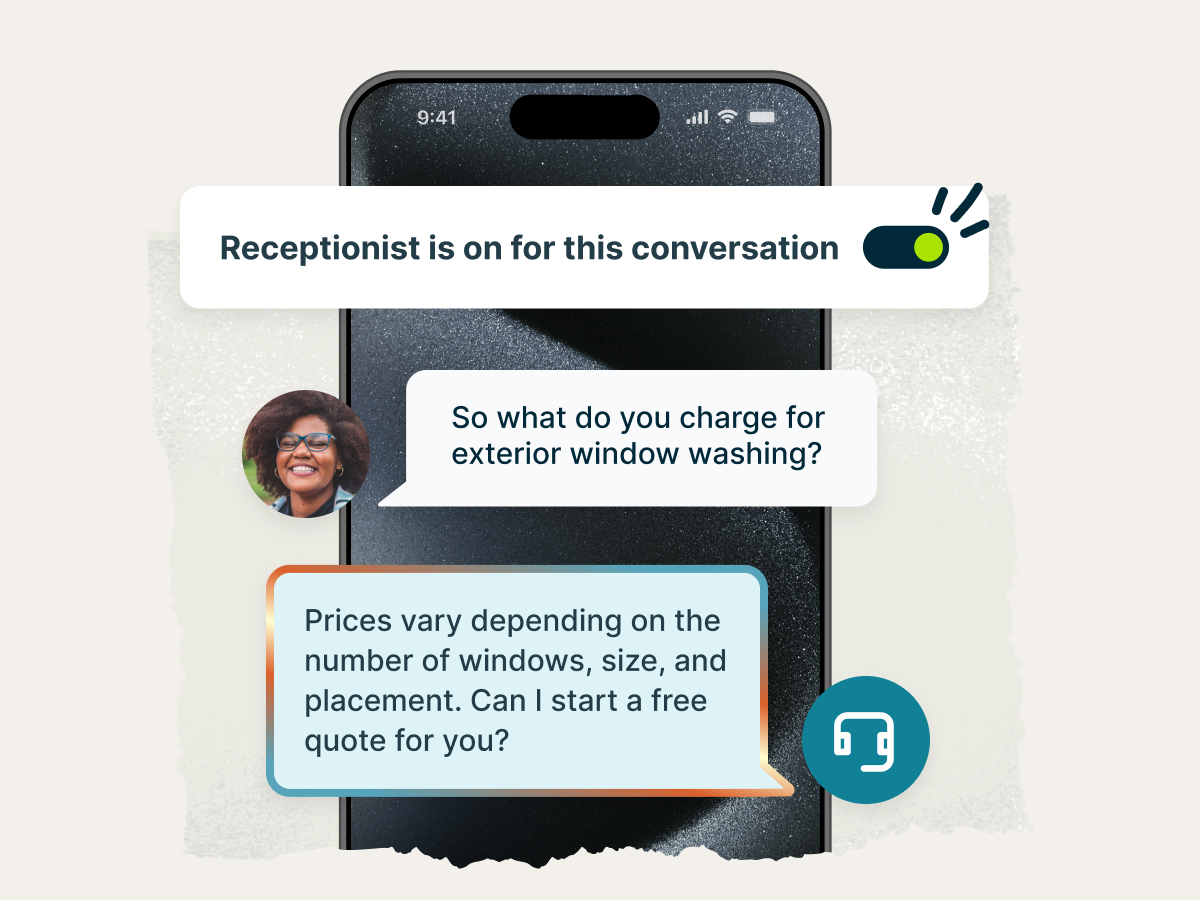
Jobber helps service businesses save time and capture more revenue with built-in AI tools. Jobber AI delivers business insights and answers questions about your operations, while Jobber Receptionist can answer calls and texts, capture leads, and book work around the clock.
Yardbook’s AI capabilities are currently in beta, and are limited to AI-assisted form creation and do not include a business AI assistant or native AI receptionist. For growing businesses, that means more manual work and fewer opportunities to automate customer interactions.
Jobber vs. Yardbook: Pricing
Yardbook’s biggest pricing advantage is clear: it has a free plan and low-cost paid plans with unlimited users. Jobber is a paid platform built for businesses that want stronger workflows, onboarding, support, payment tools, customer experience, integrations, and room to grow.
Entry-Level Team Plan
Core (1 user)
$29/mo (billed annually)
Starter
Free, unlimited users
Mid-Tier Team Plan
Connect (1 user)
$99/mo (billed annually)
$149/mo (up to 5 users)
Business
$34.99/mo, unlimited users
Advanced Team Plan
Grow (1 user)
$149/mo (billed annually)
$299/mo (up to 10 users)
Enterprise
$49.99/mo, unlimited users
Highest Published Tier
Plus (up to 15 users)
$529/mo (billed annually)
Enterprise
$49.99/mo, unlimited users
Additional user pricing
$29/month
Unlimited users included
Free trial
14 days, no credit card required
Free plan available
Jobber powers these industries
Jobber vs. Yardbook: Integrations
Jobber connects to 100+ apps through its App Marketplace, covering accounting, marketing, payments, fleet management, reporting, and more. You can also connect workflows through Zapier or sync your books with QuickBooks Online.
Yardbook offers Zapier integration and QuickBooks sync on its Enterprise plan, but it does not offer a dedicated app marketplace. If your business already depends on multiple tools, Jobber gives you more flexibility to keep the office, field, and books working together.
Why landscaping businesses choose Jobber
Switching from Yardbook to Jobber
Switching systems shouldn’t mess up your busy season. Here’s what the move to Jobber looks like.
Tell us your setup
Share your current Yardbook setup: how many techs, which services, what’s working, what isn’t, and what you want to clean up first.
Data migration
Our onboarding specialists move your clients, jobs, and open invoices — typically in 3–5 business days.
Team training
Live onboarding for owners, dispatchers, and field techs. Recorded sessions included.
Go live
Run Yardbook and Jobber side-by-side for a week, then cut over when you’re ready. Most teams are fully live within 10 days.
Jobber vs. Yardbook: Which should you choose?
No tool is right for every business. Here’s an honest take on when each one wins.
Choose Yardbook if:
- You run a lawn care or landscaping business and want a free or very low-cost tool.
- You need niche green-industry features such as satellite lot measurement or equipment management.
- You’re comfortable with self sign-up and email/ticket-based support.
Choose Jobber if:
- You’re growing beyond basic scheduling and invoicing and need one system for quoting, scheduling, dispatching, invoicing, payments, reporting, marketing, customer communication, and AI-powered automation.
- You want to attract more customers and build a stronger reputation with a professional website, automated review requests, reputation management tools, referral marketing, and online booking.
- You want to deliver a more professional customer experience with online booking, Client Hub, automated reminders, quote and invoice follow-ups, and self-serve payment options.
Frequently asked questions
-
Yardbook can be worth it if you’re starting out, focused only on lawn care or landscaping, and want free or low-cost software. If you’re managing more crews, more customer communication, larger payments, and more reporting needs, Jobber is the stronger fit.
-
Yardbook publishes three plans: Starter at $0/month, Business at $34.99/month, and Enterprise at $49.99/month, all with unlimited users. Jobber’s pricing starts at $29/month and includes a 14-day free trial with no credit card required.
-
Jobber does not have a free plan, and some features are available on higher plans or as add-ons. Yardbook is lower-cost and built specifically for lawn care and landscaping, while Jobber is better suited for service businesses that want a fuller system for operations, payments, customer experience, support, and growth.