An online booking system that fills your schedule with less effort
With Jobber, you’ll save time on scheduling by letting customers book appointments online. Watch jobs appear in your schedule while you stay in control of your calendar.
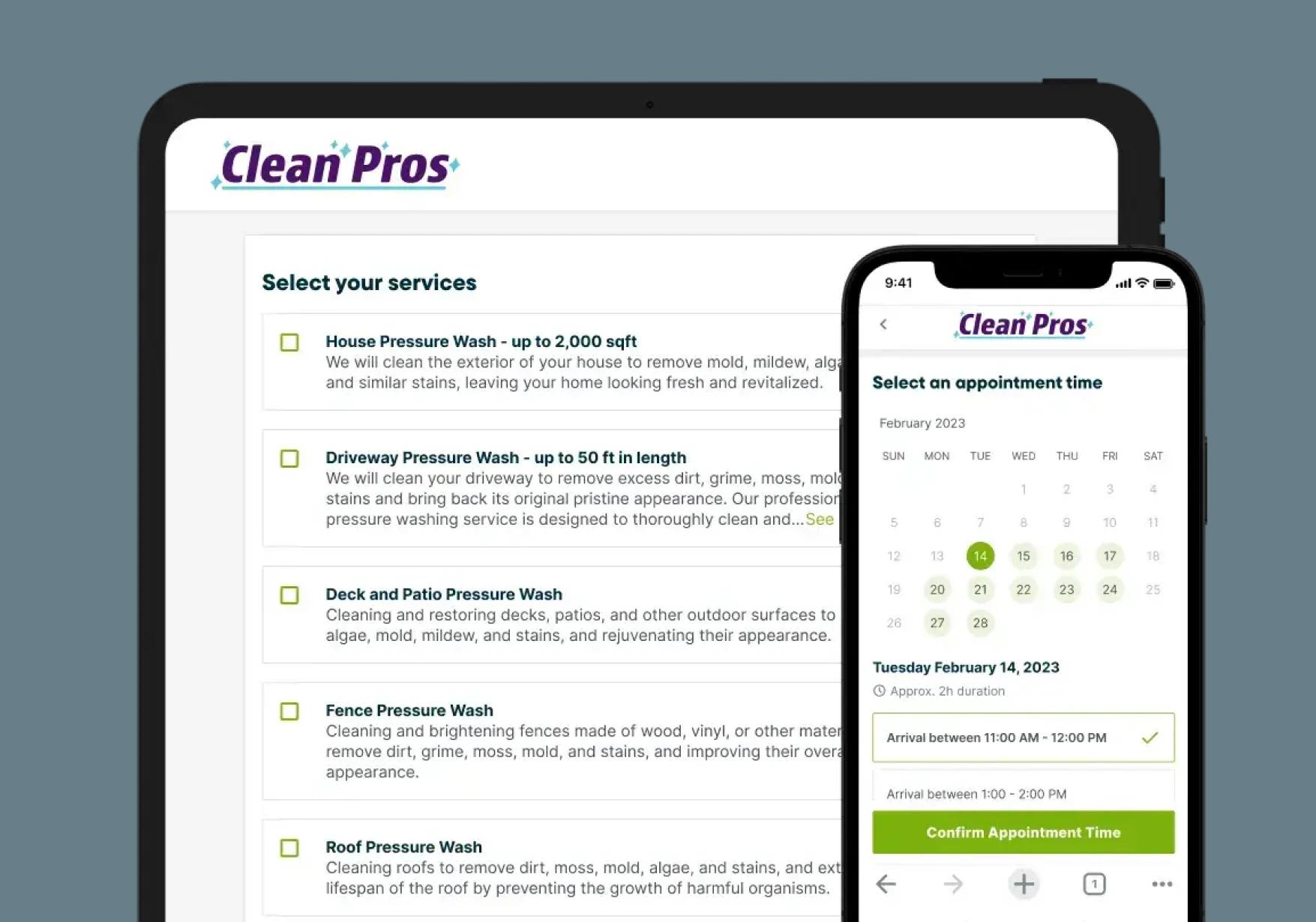
How does online booking work in Jobber?
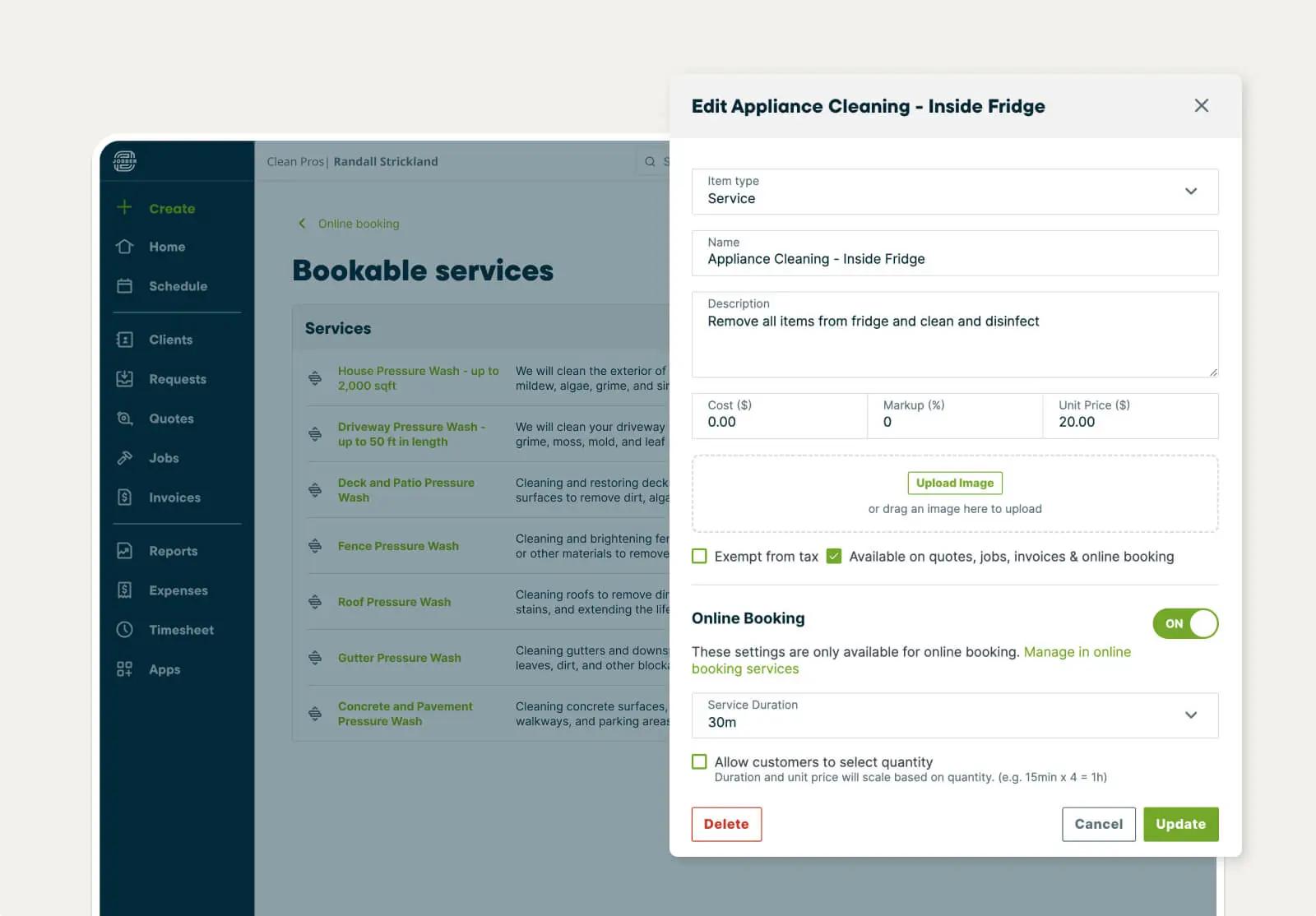
Bookable Services
Let customers know what they can book
Create clear descriptions of what your services include and set estimated prices and durations.
Let customers see multiple service options and choose what fits their needs.
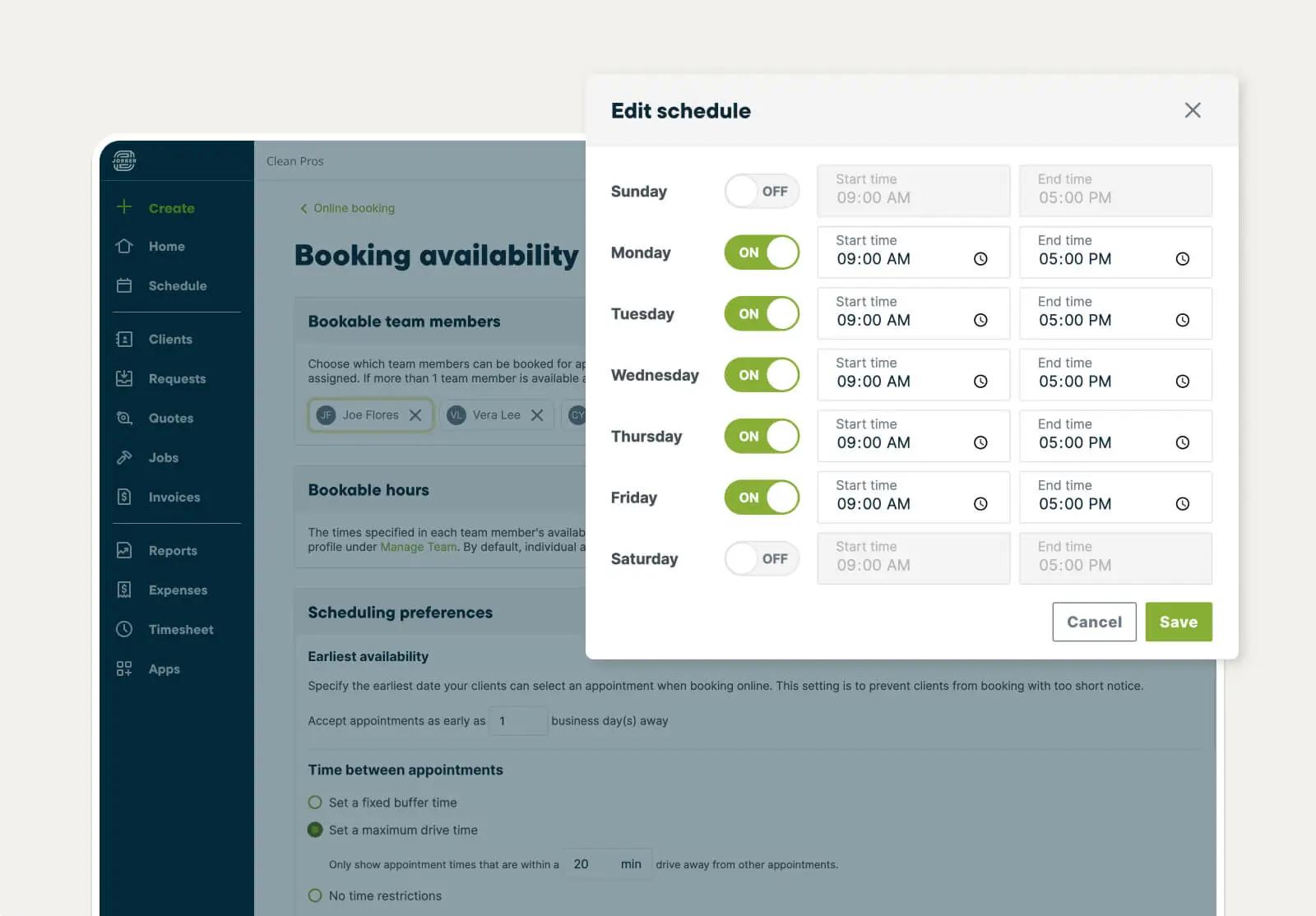
Team Assignment
Automatically assign team members
Choose which team members’ calendars can be made available for bookings and what hours they are available to be booked.
Jobber will automatically assign whoever is available for the appointment and get it booked in their calendar.
"Jobber's online booking feature saves us between 2-5 hours per week in scheduling time, helping our operations run more smoothly–and our customers love it! It has reduced scheduling errors and makes us appear more professional to our customers. I strongly recommend Jobber’s online booking to other service providers looking to reduce the stress of scheduling and save more time."
Ken Walker80205 Turnover

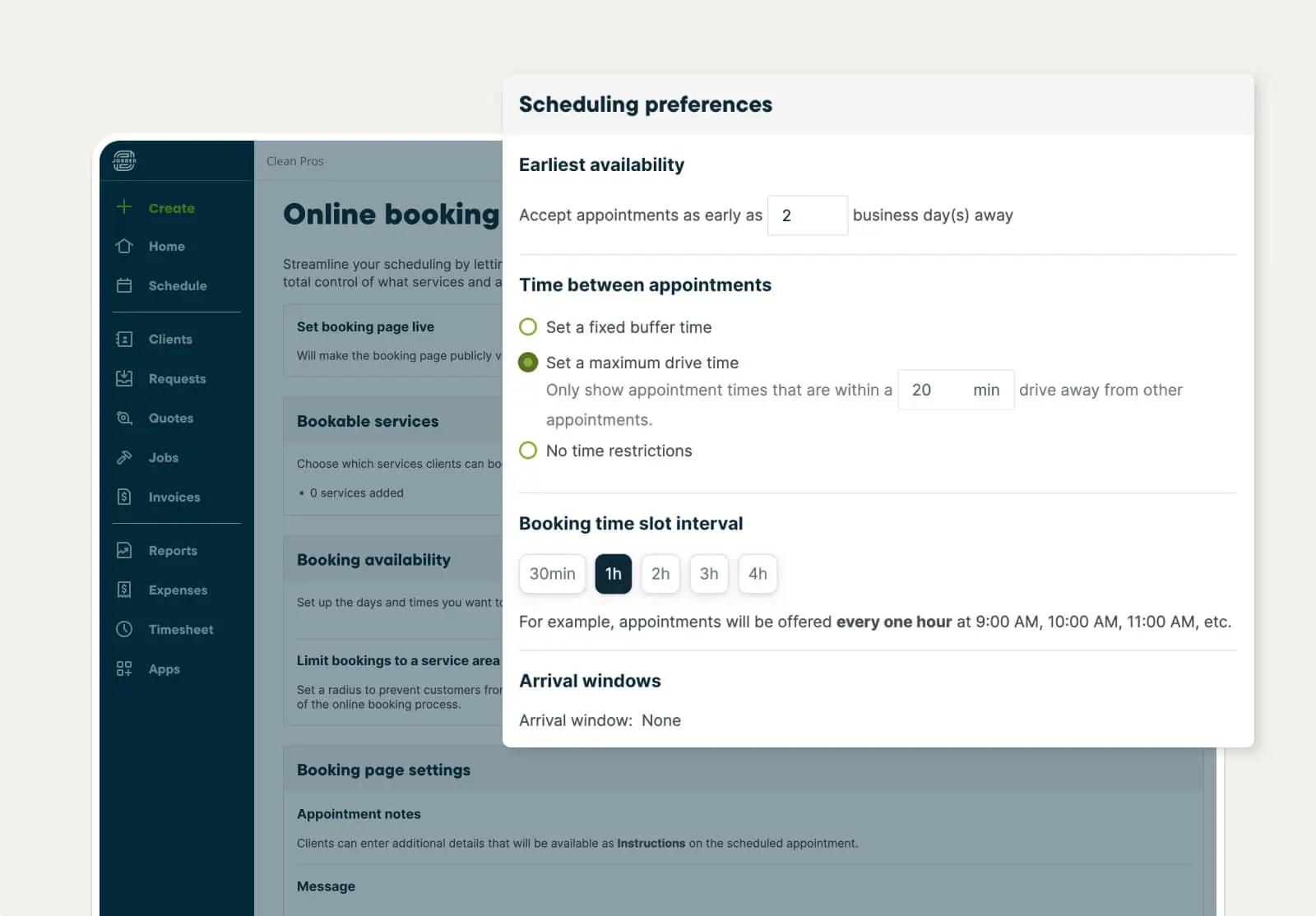
Scheduling Preferences
Stay in control of your schedule
Set controls around how soon a customer can book you, how much time should be allotted between appointments, and when booking slots are offered to your customer.
Scheduling Efficiency
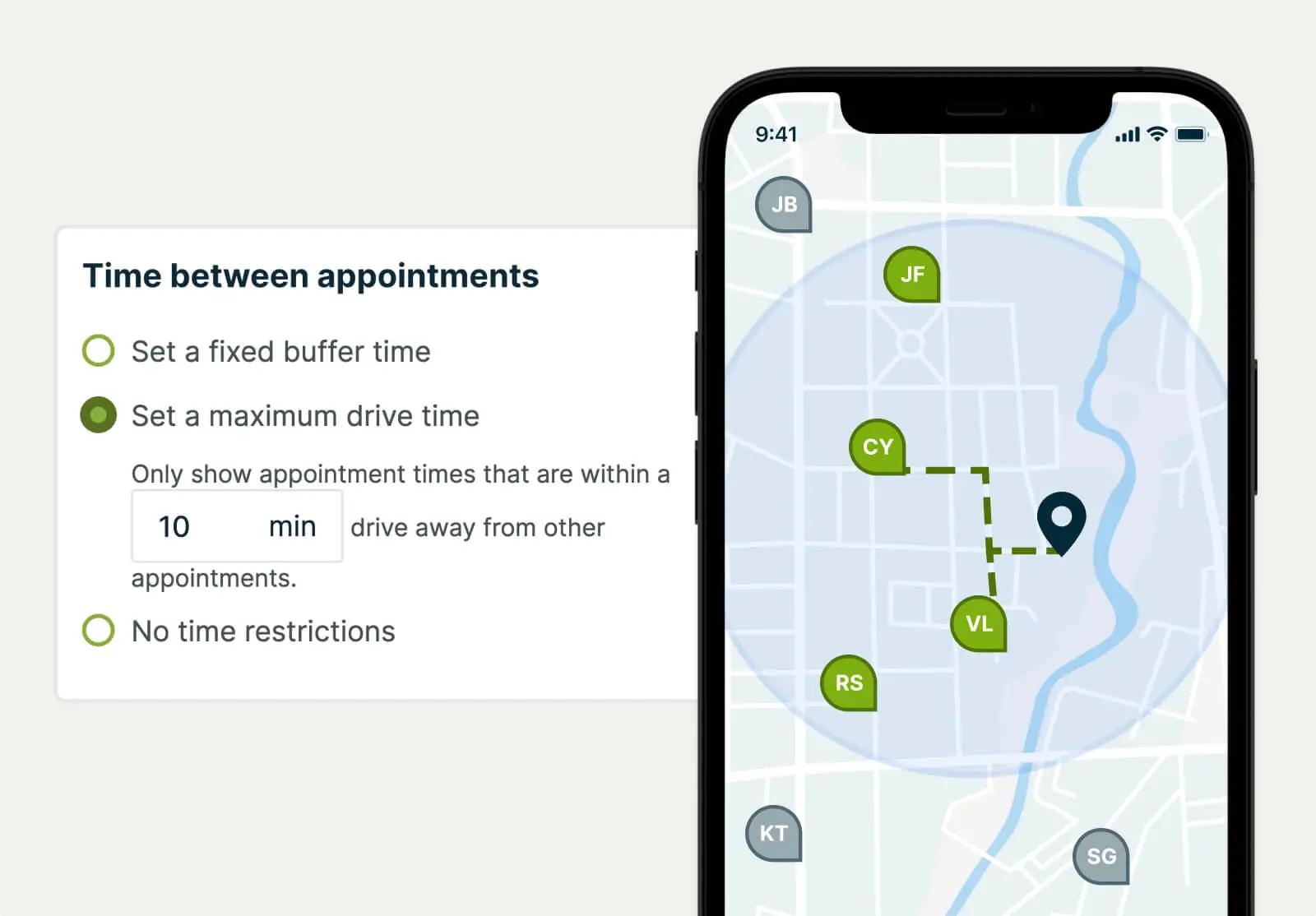
Get bookings that save time and fuel
Spend less time on the road by setting a limit on what area you service and how far you’ll drive between appointments.
This way, bookings made online will automatically be scheduled around your existing appointments.
Automated Confirmations
Never miss a booking
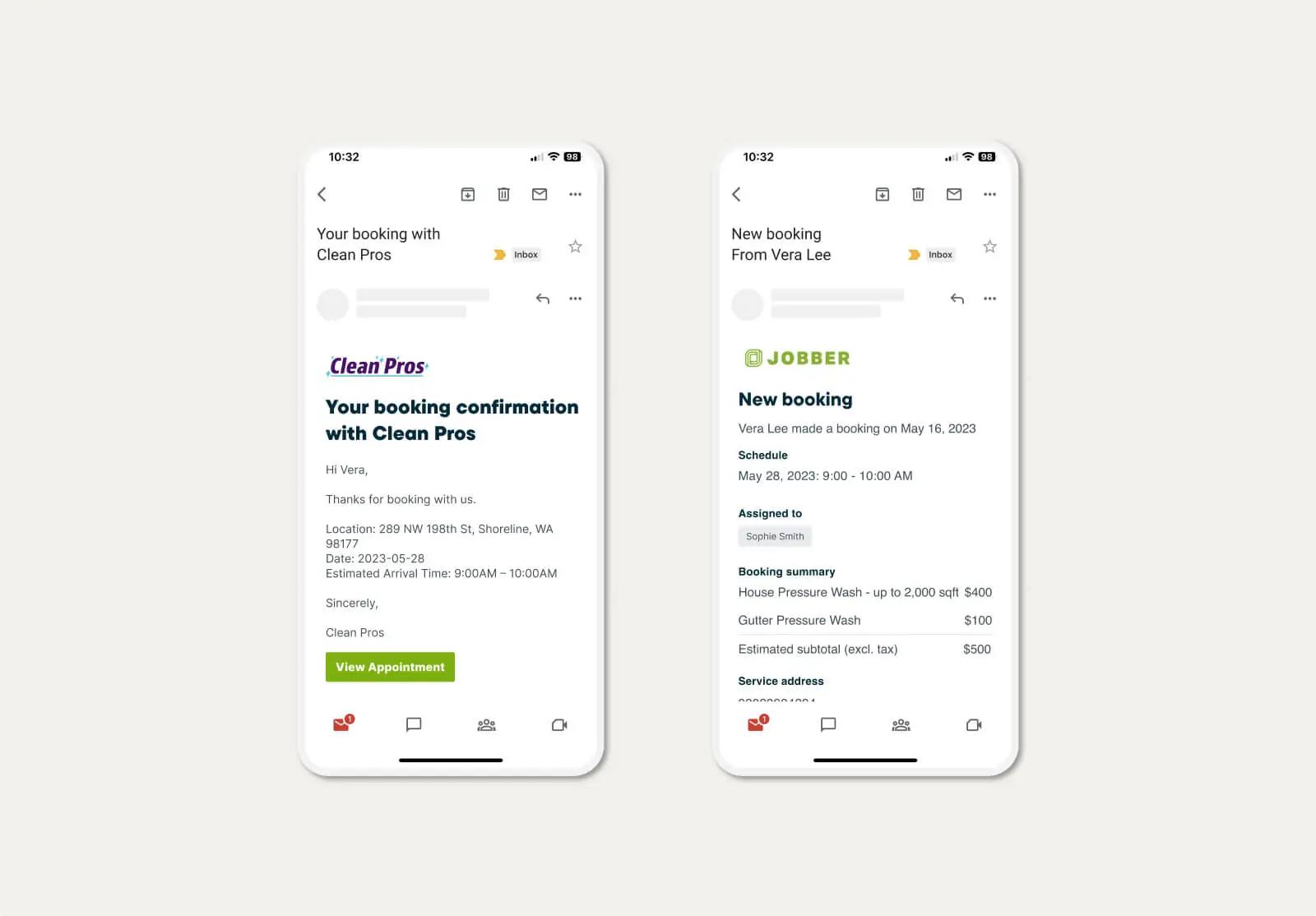
Prevent no-shows and always be ready for upcoming jobs.
When a booking is made, your customer will get an email confirmation and you’ll be notified automatically.
Pick the best plan for your business.
Put Jobber to work for you. No credit card required.
View Pricing
TRUSTED BY 400,000 SERVICE PROS
“When I'm sleeping, people can book online. When I'm sleeping, people can approve their quote. When I'm sleeping, people can pay their invoices. Those are all things that are worth every penny for me.”
Related features
AI Receptionist
Jobber AI Receptionist answers calls and texts 24/7, books jobs, takes messages, and captures leads so you never miss an opportunity.
Learn MoreScheduling
A smart schedule that keeps you one step ahead
Learn MoreQuotes
Jobber lets you build customer-friendly quotes in minutes, price jobs perfectly, and automate your quote follow-ups so you never leave work on the table.
Learn MoreClient Hub
A convenient online client portal that keeps work moving forward
Learn MoreField Service CRM
A field service CRM that helps you wow customers at every stage
Learn MoreCustomer Communication
See how you can keep clients informed with client communication in Jobber. Jobber sends automatic updates, follow-ups, on-my-way texts, and more.
Learn More