



Top 6 Best Buildertrend Alternatives for Your Construction Business
Key takeaways:
If you’re exploring alternatives to Buildertrend for your construction business, several solutions offer unique strengths to help manage projects more efficiently and meet your business needs.
- Diverse alternatives tailored to your needs. Options like Jobber, Procore, Fieldwire, Smartsheet, JobTread, and Buildxact each provide specialized tools ranging from project scheduling and invoicing to advanced task management and real-time collaboration.
- User experience and features matter. While Buildertrend is praised for cloud access and ease of use, some users cite limited customization, financial management, and integration capabilities—which competitors address with more flexible, scalable solutions.
- Right-size your software to your business. The best choice will depend on factors like your team size, typical project complexity, budget, and specific workflow challenges—ensuring software supports both current operations and future growth.
- Project management tools that fit your workflow. Features such as automated reminders, client portals, mobile access, job costing, estimate approvals, and integration with accounting software can make a significant impact on your efficiency and client communication.
- Consider cost and scalability. With pricing models and features varying widely, compare platforms to find the right balance between investment and the value they deliver now and as your business evolves.
Jobber’s the top Buildertrend alternative, with quoting, scheduling, invoicing, and payments—all in one place. Start your free trial.
Buildertrend is a trusted software solution for many construction businesses, but that doesn’t mean it’s the only option on the job site.
Whether you’re looking for a platform that’s easier for your growing team to adopt or simply fits your workflow better, exploring Buildertrend alternatives can help you find the perfect match without sacrificing efficiency.
In this article, you’ll learn everything you need to know about Buildertrend software and discover six alternatives to keep your projects organized, your clients happy, and your crew on track—no matter the size of your builds.
Everything you need to know about Buildertrend software:
What is Buildertrend software?
Buildertrend is a cloud-based construction management software designed to help builders, remodelers, and specialty contractors streamline their projects from start to finish.
It offers tools for scheduling, budgeting, client communication, document management, and change order tracking—all in one platform—so you can keep your projects organized and your team aligned.
The Buildertrend app offers additional flexibility for your field team to update your office staff from anywhere and communicate on the go.
What you can do with Buildertrend software
With Buildertrend, you can:
- Create and manage project schedules
- Track budgets and expenses in real time
- Communicate with clients through a customer portal
- Handle change orders and selections without messy paperwork
- Share photos, daily logs, and documents in a few clicks
Overall, Buildertrend aims to reduce manual admin work while giving contractors a clearer view of their projects, helping teams stay on schedule and within budget.
Buildertrend pricing is customized to your business. Fill out a form on their website for to get a custom quote.
Buildertrend software reviews
We’ve gone through Buildertrend reviews on third-party review websites to identify the software’s pros and cons from real users.
Overall
Most users agree that Buildertrend is ideal for small construction businesses and love the accessibility thanks to the cloud.
However, some customers have been overwhelmed by Buildertrend’s constant feature updates that don’t seem to add a lot of value to the app.
Accounting capabilities
Buildertrend offers financial management features such as estimates and invoicing. However, some users noticed that the app’s overall financial capabilities are limited compared to other similar platforms.
Customization
While Buildertrend is generally a user-friendly platform, some users have noticed a lack of customization options. This makes it difficult to adapt the software to your already established workflows.
Integrations
As mentioned, Buildertrend has limited accounting capabilities. However, it also has limited integrations, including accounting software integrations.
Buildertrend also lacks payment processing integrations such as Stripe, which limits the payment options you can provide to your customers.
Pricing
Buildertrend does not disclose pricing on their website—their pricing is tailored to the size and needs of your business, so you have to contact them for a quote.
That said, some users mentioned that the software’s cost is high, especially compared to other options on the market. It might be a pricey option if you’re just starting your contractor business.
Buildertrend is a popular choice for many construction businesses looking to modernize their project management process. However, depending on your needs and workflows, there may be other platforms that align even better with your goals, which we’ll explore next.
6 Best Buildertrend alternatives
We started our search for the best Buildertrend alternatives by looking through online forums to understand what construction industry experts value in construction software.
We then looked through websites such as Software Advice and G2 to find the best construction management platforms on the market. We read user reviews to understand the pros and cons of each option.
Finally, we watched app tutorials, when available, to see these software solutions in action. We ended up with these six alternatives to Buildertrend that will optimize your construction management and improve your bottom line.
1. Jobber
Jobber’s construction management software is the best Buildertrend alternative for small businesses looking to improve workflows such as project scheduling, invoicing, and payment processing.
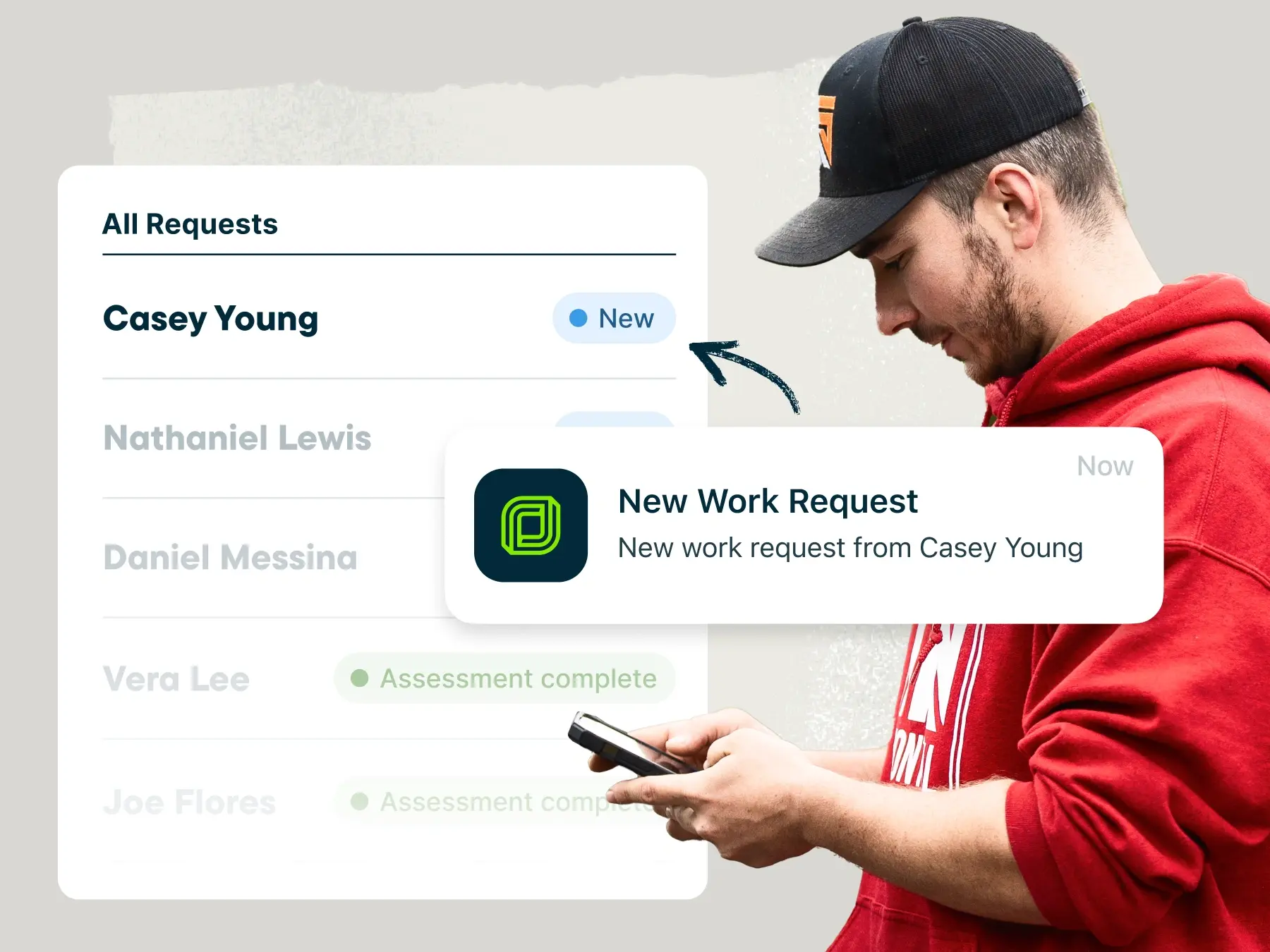
Jobber helps you manage your construction projects from estimate to final payment. Use Jobber’s estimate templates to create professional estimates that you can send and track from anywhere. Clients can quickly approve estimates, request changes, or pay deposits through their self-serve portal.
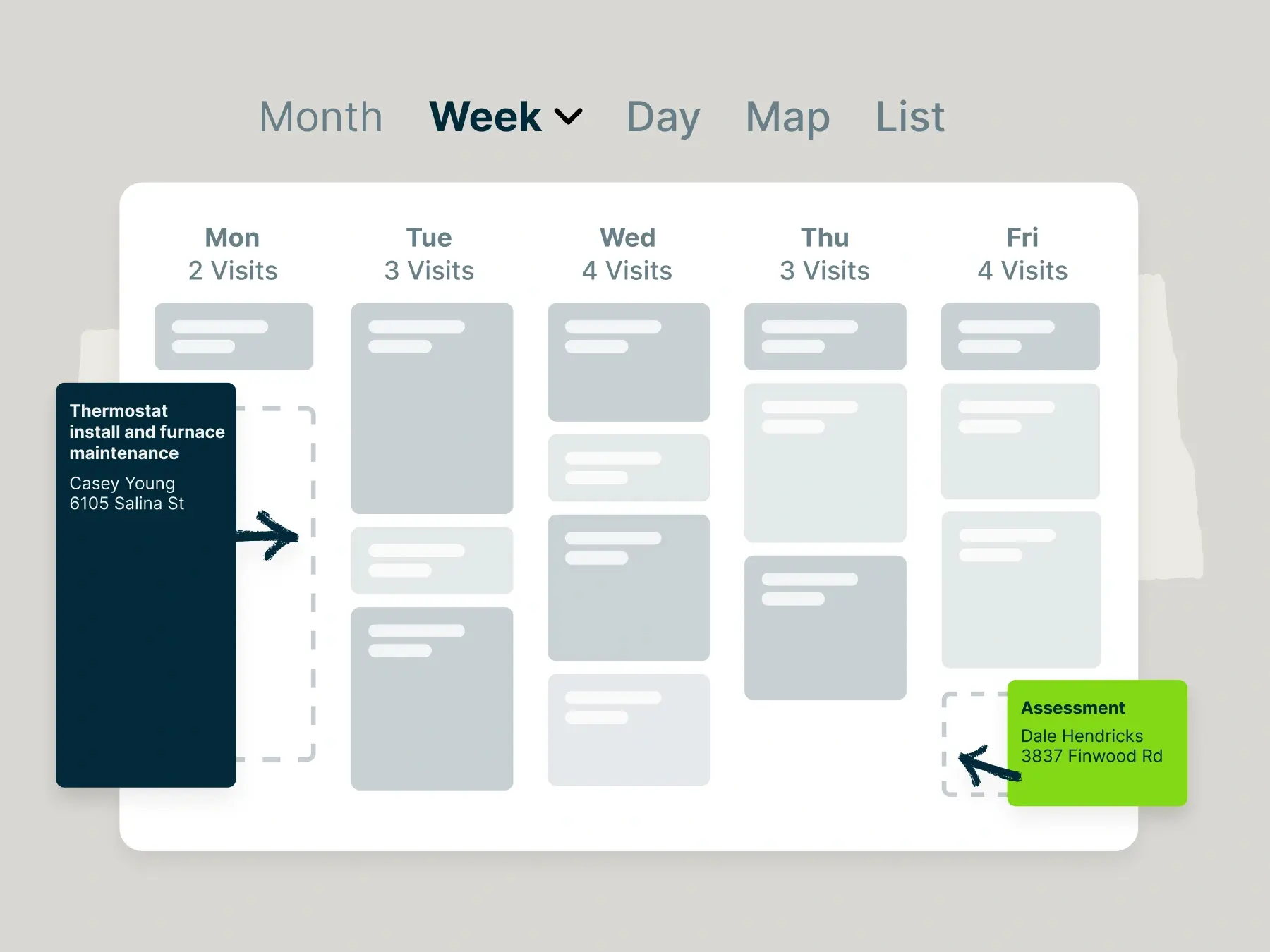
Once you’ve secured the project, use the drag-and-drop calendar to schedule your crew on the job site. If you need to make a last-minute change to a contractor’s schedule, they’ll get a notification through Jobber’s mobile app with all of the details.
When the job is done, instantly generate a professional invoice and send it to your client by text or email. Plus, use one of Jobber’s convenient online payment options to provide your customers with flexibility and get paid faster.
Jobber also lets you:
- Manage customer information with a general contractor CRM
- Job costing tools to help you accurately price your contractor jobs
- Send quote follow-ups to boost your win rate
- Generate the most fuel-efficient routes to spend less time on the road
- Create job checklists to ensure that every project is completed accurately
- Send invoice payment reminders to improve your cash flow
- Integrate with your favorite accounting software such as QuickBooks and Xero to streamline your finances
READ MORE: Best apps for general contractors
Check out Jobber’s website for pricing.
2. Procore
Procore is a construction project management software that is ideal for handling larger, more complex projects than Buildertrend can handle.
Procore offers modules for project management, quality and safety, financials, and field productivity, giving construction teams an all-in-one solution for every stage of construction.
Procore also lets you:
- Strengthen collaboration with real-time document sharing, RFIs, and drawing management
- Easily keep track of budgets and change orders
- Keep your team connected with a mobile app
Due to the app’s ability to handle complex jobs, Procore generally costs more than Buildertrend. However, the extra features may make the higher price tag worth it.
Check out Procore’s website for pricing.
3. Fieldwire
Fieldwire is one of the best Buildertrend alternatives if you prioritize task management and on-site collaboration between your contractors.
Fieldwire allows you to create, assign, and track tasks directly on your plans, ensuring your crew knows exactly what needs to be done and where, reducing miscommunication on-site.
Fieldwire also lets you:
- Document issues, assign them to team members, and track progress in real time
- View up-to-date drawings, add markups, and share changes instantly
- Access the mobile app offline so you can keep working even when connectivity is limited
While Fieldwire is a good alternative to Buildertrend, it lacks a few features that are valuable in the construction industry, such as routing, GPS tracking and an online client portal.
Check out Fieldwire’s website for pricing.
READ MORE: Jobber vs Fieldwire
4. Smartsheet
If you love the flexibility of spreadsheets but need more power for managing your construction projects, Smartsheet is a top Buildertrend alternative to consider.
While not a construction-specific software, Smartsheet combines the familiarity of spreadsheets with advanced project management capabilities. This allows you to customize workflows, track schedules, and manage your contractors effectively.
Smartsheet lets you:
- Build custom project dashboards, Gantt charts, and reports
- Collaborate on the same spreadsheets in real-time
- Automate reminders to keep your projects on track
Check out Smartsheet’s website for pricing.
5. JobTread
JobTread is an intuitive platform that helps construction businesses manage projects, finances, and customer communication.
JobTread lets you:
- Manage estimates, proposals, and change orders in one place
- Keep a close eye on your profit margins with budgeting and job costing tools
- Share documents, updates, and invoices with clients through a customer portal
Check out JobTread’s website for pricing.
6. Buildxact
Buildxact is a great Buildertrend alternative for residential builders and remodelers who want a user-friendly software for estimating, job management, and job costing to better price jobs.
Buildxact lets you:
- Create accurate quotes with takeoff tools
- Track your budgets, expenses, and purchase orders in real time
- Share quotes, invoices, and progress updates with clients through a client portal
Check out Buildxact’s website for pricing.
How to choose the best construction business software
With so many options on the market, choosing the right alternative to Buildertrend can feel overwhelming.
The best choice will align with your workflows, team size, and business goals. Here’s what to consider when making your decision:
- Your business needs: Do you need help with scheduling? Bid management? Team and client communication? Consider your biggest business challenges as this will help you decide on the best construction software.
- Team size: Some software solutions are made for small teams of less than 10 general contractors, while other platforms are ideal for larger teams. If you plan on growing your team, choose a software that can scale with your business.
- Project types: Whether your construction company focuses on residential new builds, remodeling, or a little of both is important when choosing the right software. The complexity of your projects is also a key consideration.
- Ease of use: Consider how much time you and your team have to dedicate to learning a new tool. You’ll want to lean towards a tool that is intuitive and easy to use.
- Your budget: Construction management software is an investment, but you need to understand your budget and stick to it before deciding on a solution.
Frequently Asked Questions
-
When choosing Buildertrend alternatives, you should look for features such as:
• Job scheduling
• Estimating and invoicing
• Client management
• Invoicing
• Efficient routing
• Integrations -
The best construction management software options include:
• Jobber
• Buildertrend
• Procore
• Fieldwire
• Smartsheet
• Buildxact
Each offers tools to help you manage common construction workflows such as scheduling, job tracking, and invoicing, so you can stay organized and profitable as your construction business grows. -
Several construction management platforms are versatile enough for both commercial and residential construction work. Most importantly, you want software that scales with your business.
Jobber is a great place to start as it has strong scheduling, invoicing, client communication, and job tracking tools that are ideal for managing everything from small residential projects to light commercial jobs.