
Key takeaways:
If you’re looking to move beyond CleanGuru, there are several strong alternatives to help streamline and grow your cleaning business.
- CleanGuru covers the basics but has limitations. While CleanGuru offers easy scheduling, time tracking, and proposal creation, it lacks advanced features like online booking, client portals, and robust payment processing.
- Jobber stands out as a top alternative. Jobber offers extensive tools such as drag-and-drop scheduling, automated invoicing, GPS tracking, online booking, client portals, route optimization, and broad payment options—making it suitable for both residential and commercial cleaning businesses.
- Other notable alternatives include Maidly, Janitorial Manager, Clensli, and Zenmaid. Each platform provides unique strengths, from intuitive interfaces and automated reminders to specialized support for solo operators or large teams. Consider these options based on your business size, growth stage, and feature needs.
- Choosing the right software depends on your business needs and budget. Evaluate platforms for ease of use, automation features, job tracking, invoicing capability, and scalability to ensure they support your workflow and future growth.
- Test different options to boost efficiency and profitability. The best app will simplify your admin, help win more jobs, and deliver better service to your clients.
Run a smoother cleaning service business with Jobber. Quoting, scheduling, invoicing, and payments—all in one place. Start your free trial.
Looking for options beyond CleanGuru to manage your cleaning business? You’ve come to the right place.
While CleanGuru is a helpful tool for many, it’s not the only option for cleaning business owners. It’s always smart to explore what else is out there—whether you need different features, more flexibility, or pricing that fits your current stage of growth.
In this article, you’ll learn everything you need to know about CleanGuru. You’ll also find CleanGuru app reviews and five software alternatives to ensure that you use the best app for your cleaning business.
Everything you need to know about the CleanGuru app:
What is CleanGuru software?
CleanGuru is a janitorial business software that streamlines the way you run your cleaning business. The app is designed to help cleaning business owners and teams save time and stay organized.
The CleanGuru app is primarily used by commercial cleaning businesses, but residential businesses can also take advantage of the software’s many features.
What can you do with the CleanGuru app?
Here’s what you can do with the CleanGuru app:
- Create professional bids and proposals: Generate customized proposals to send to potential clients and win more cleaning contracts.
- Schedule and manage jobs: Assign cleaning jobs to your team, track who is working where, and adjust schedules on the go.
- Track time: Team members can clock in and out within the app, allowing you to monitor hours worked.
- Invoice clients and accept payments: Send invoices directly from the app and keep track of payments.
- Communicate with your team and clients: Use in-app notes and messaging to clarify details with your cleaners or clients.
- Monitor inspections and quality: Perform job inspections and track quality checks to maintain high standards across your cleaning contracts
In short, the CleanGuru app helps you run your cleaning business more efficiently by centralizing the essential tools you need in one place.
CleanGuru app reviews
Overall
Overall, users find CleanGuru easy to use and great for keeping employees on track. Features that stand out include the bid estimates and inspection tool.
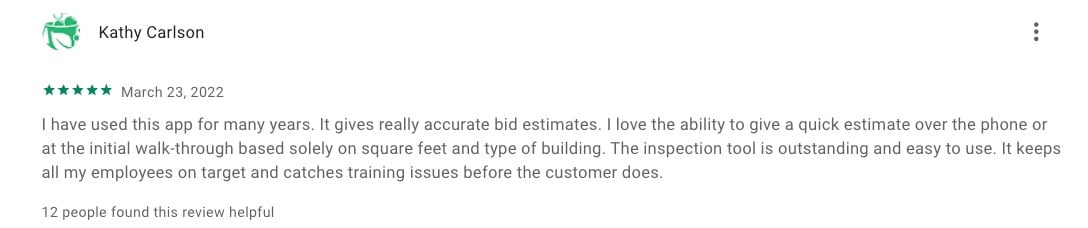
Location-based time tracking
Users are fans of CleanGuru’s geofencing that automatically clocks your cleaners in and out once they arrive and leave the job site. This is a must-have feature in any cleaning business software.

Accounting integrations
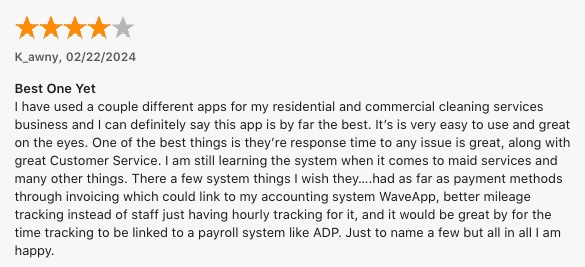
Although CleanGuru is an overall comprehensive cleaning business app, its limited integrations make it difficult to adapt to your current workflows.
Specifically, the only software CleanGuru integrates with is QuickBooks, and the software’s payment options are limited.
Why consider alternatives to the CleanGuru App
While CleanGuru has many of the basic features that cleaning businesses need, the app lacks key features that can bring your business to the next level.
Features that you won’t find in CleanGuru include:
- An online customer portal
- An online booking page
- Job routing capabilities
- Payment processing options
Luckily, there are several apps that include all of these features and more, which we will take a look at now.
Top 5 CleanGuru alternatives
We started our search for the best CleanGuru app alternatives on cleaning industry forums to understand what business owners need from their software.
We then checked out review sites such as G2 and Capterra to see what’s available. We read user reviews and considered the ranking of each app.
We narrowed down our list by watching app tutorials, when available, to see these apps in action. The result is this list of five cleaning service apps to supercharge your business.
1. Jobber
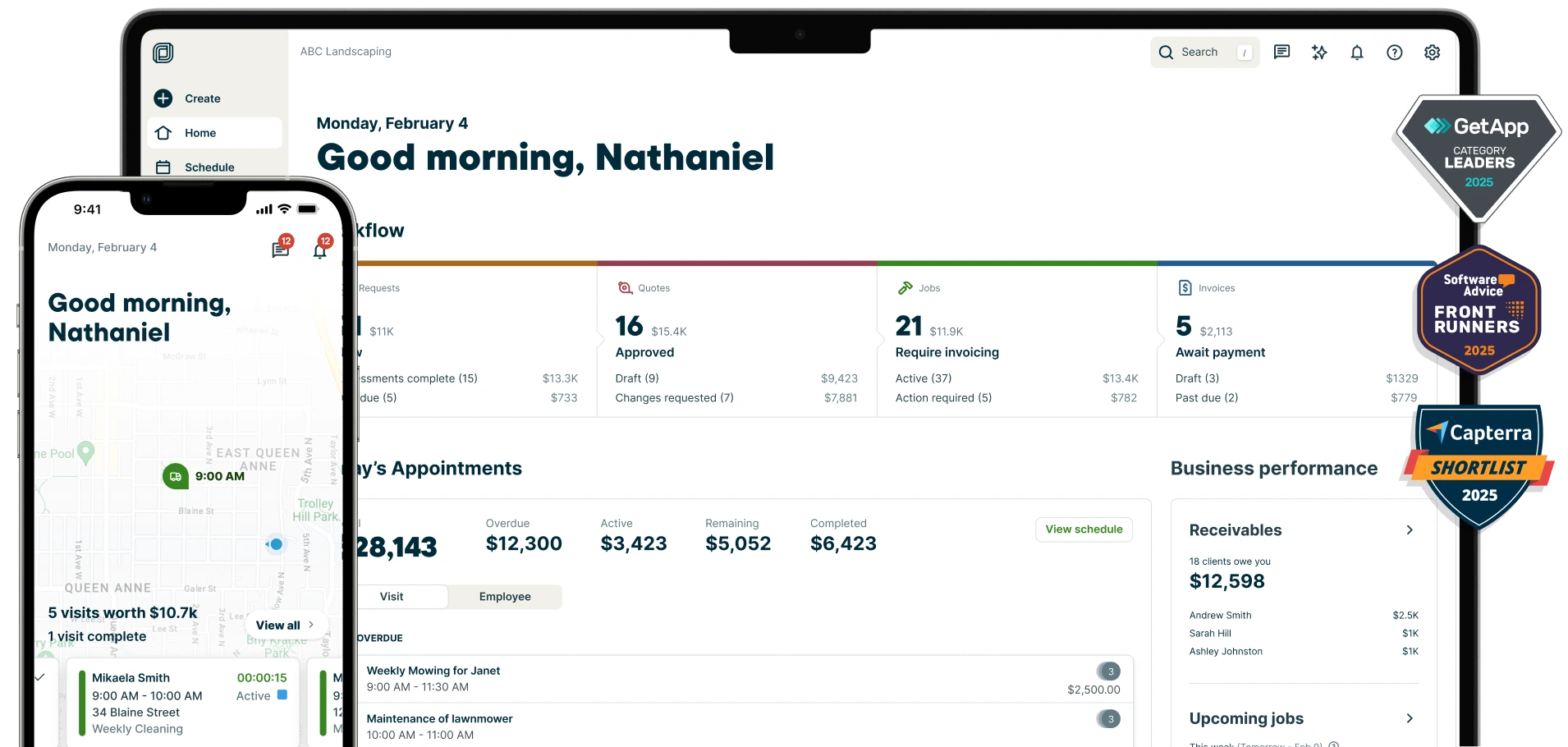
Jobber’s cleaning business software helps you manage every part of your operations. Residential and commercial cleaning businesses alike can use Jobber to schedule cleaners, quote jobs, track job details, and get paid.
In your quotes, create optional line items to offer additional services, such as window cleaning, to maximize every opportunity.
Once the quote is approved, schedule your cleaners with the drag-and-drop calendar and easily visualize their visits for the day. If a last-minute job comes in, you can assign it to your nearest cleaner based on their GPS location.
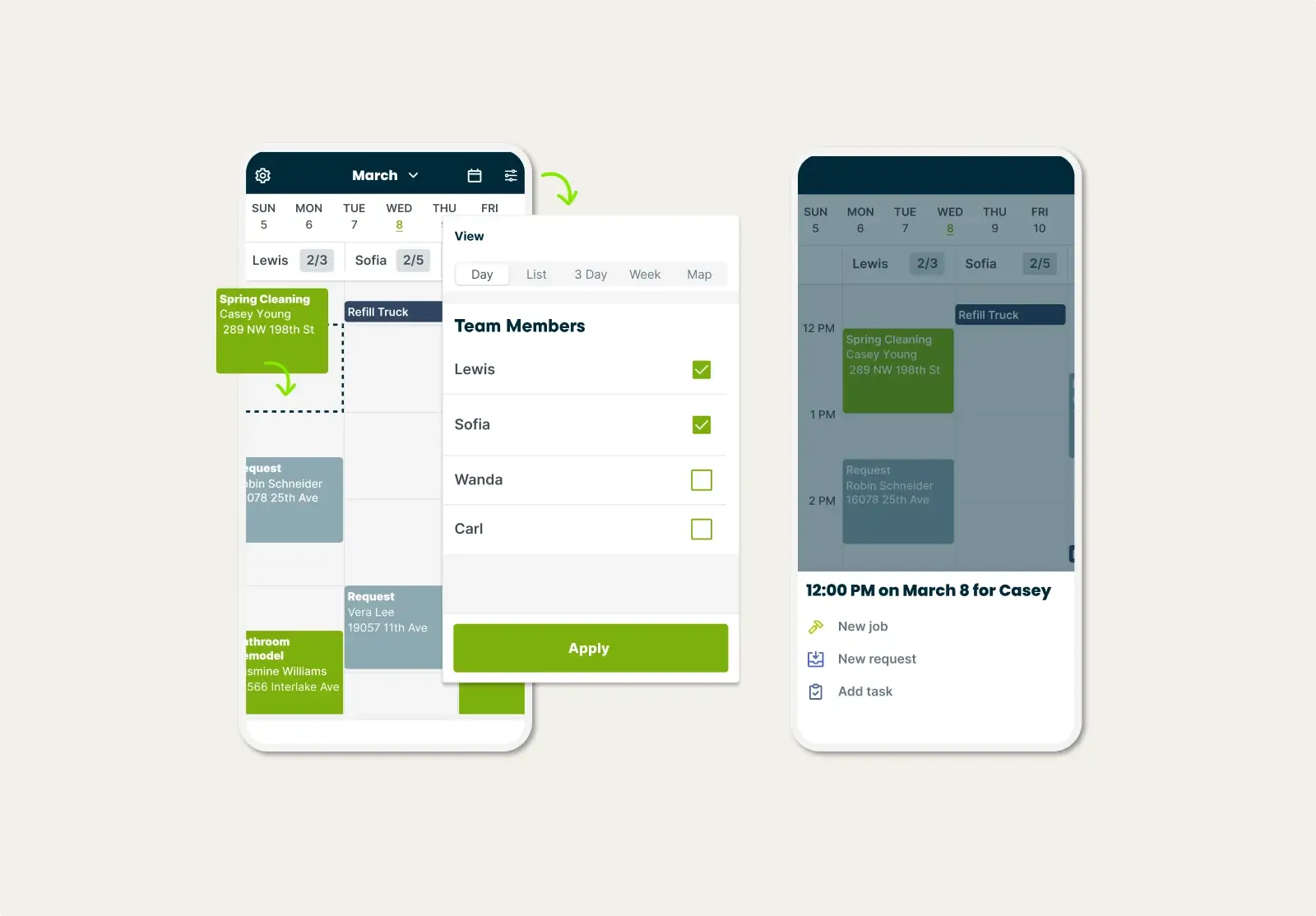
Once I started using Jobber, my life became so much simpler. I wasn’t stuck scheduling all evening and weekends anymore.
You can track your cleaners’ progress in the Jobber mobile app to make sure everything is on schedule. Better yet, Jobber can automatically start their clock-in timers when they arrive at a customer’s property.
When the job is done, generate and send an invoice with just one click. You can also send batch or recurring invoices to simplify your accounting.
Plus, your clients get payment flexibility with several payment options available through Jobber, including Apple Pay and Google Pay. For recurring jobs, like weekly cleanings, payments are even easier—Jobber automatically charges the customer’s card saved on file.
Jobber also helps you:
- Manage your leads and clients from one organized system
- Offer scheduling flexibility with online booking
- Allow customers to approve quotes or request changes through a client portal
- Send “on-my-way” texts to avoid no-shows
- Generate the fastest, most fuel-efficient routes to complete more jobs in a day
- Create custom cleaning checklists to ensure quality control management on all cleaning tasks
- Automatically send invoice follow-ups to remind customers to pay overdue invoices
- Centralizing your accounting with Jobber’s Xero and QuickBooks integration
Check out Jobber’s website for pricing.
2. Maidly
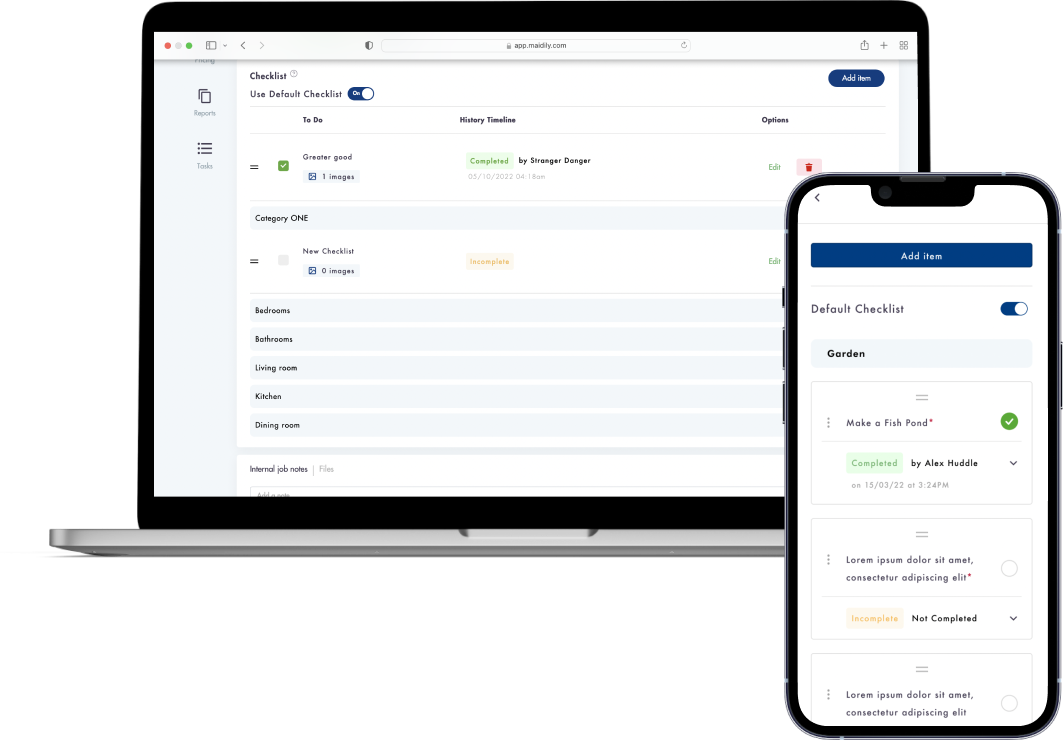
Maidly offers an intuitive interface and features that simplify the way you run your cleaning business, making it a great alternative to CleanGuru.
Maidly offers the core tools you need to grow your cleaning business while being flexible enough to adapt as your company scales.
Maidly’s top features include:
- An online booking page for easier job scheduling
- Geofencing to set up your coverage area for your services
- Stripe integration to accept payments sooner
Check out Maidly’s website for pricing.
3. Janitorial Manager
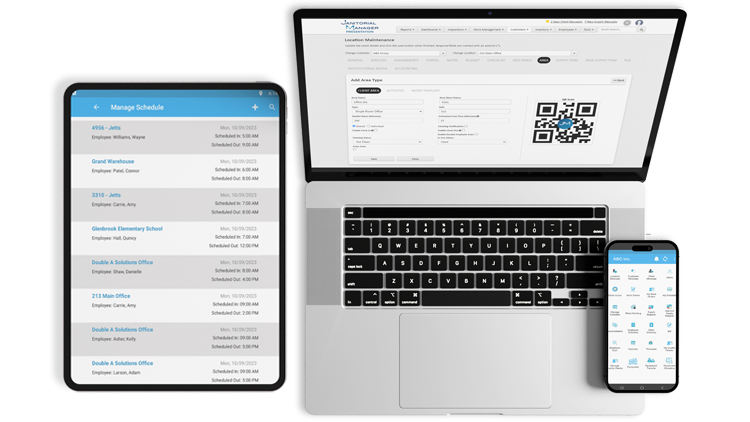
Janitorial Manager is a commercial cleaning business software that gives you more control over your day-to-day operations.
Janitorial Manager is best for larger or growing commercial cleaning businesses that need comprehensive features to handle multiple contracts, manage large teams, and maintain quality across sites.
Janitorial Manager’s top features include:
- A time-tracking tool paired with GPS tracking and geofencing
- Job costing to track which jobs are profitable
- Job checklists with locations
Check out Janitorial Manager’s website for pricing.
4. Clensli
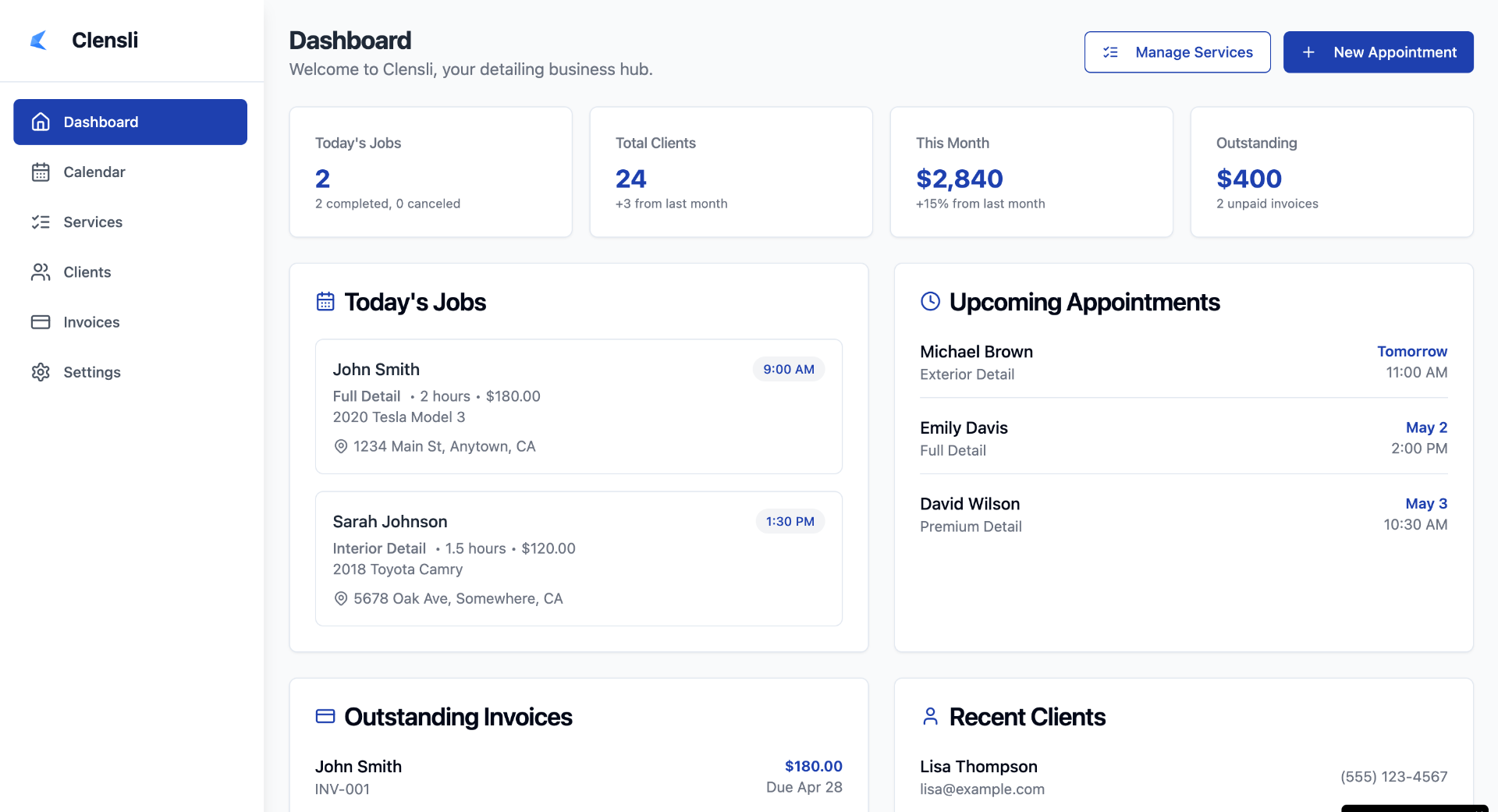
Clensli is a software that offers solutions for auto detailers and cleaning professionals.
Clensli helps cleaning business owners manage bookings, payments, and client communications for simpler workflows.
Clensli’s top features include:
- The ability to set up weekly, bi-weekly, and monthly cleaning schedules
- Quick invoicing and online payments to get paid faster
- Automated reminders to clients to reduce no-shows
While Clensli is an affordable alternative to the CleanGuru app, its limited employee management features make it best for solo business owners or very small teams.
Check out Clensli’s website for pricing.
5. Zenmaid

Zenmaid is a cleaning scheduling app designed primarily for maids and residential cleaning businesses.
This software helps you manage multiple cleaning schedules from one platform. You also get multiple calendar views, including dispatch view, map view, and calendar view.
Zenmaid’s top features include:
- Online booking forms that integrate into your website
- Digital cleaning checklists
- Automated lead follow-ups
While Zenmaid’s simplicity makes it a good alternative to the CleanGuru app, the software lacks some key features for cleaning businesses, such as comprehensive quoting capabilities and payment collection.
Check out Zenmaid’s website for pricing.
How to choose the best cleaning business software
No matter what type of cleaning business you run, it’s important to have the right software in your toolkit.
Choose the best cleaning business software by considering:
- Your business size: Whether you’re solo or have a team of dozens of cleaners makes a difference in the type of software you need.
- Ease of use: You don’t want to dedicate more time than you have learning a new system, so look for software with a clean, intuitive interface.
- Your core needs: Do you need help with scheduling, invoicing, team management, or client communications? List your biggest challenges and find software that solves the right problems for your business.
- Automation: Features such as automated reminders, follow-ups, and recurring invoices will save you time, improve customer service, and increase your bottom line.
- Your budget: You don’t have to break the bank to get the best software. Establish a budget early on to find the right solution for your business.
The best apps for cleaning businesses will have key features such as:
- Estimates and invoicing
- Employee scheduling
- Automated reminders
- Time tracking
- Job checklists
- GPS tracking
- Payment processing
The best cleaning business software will fit your workflow, reduce your admin workload, and support your growth. Take the time to try a few options and choose the one that makes running your business easier, more organized, and more profitable.