8 Best Connecteam Alternatives for Small Businesses and Field Teams

Key takeaways:
If you’re looking for alternatives to Connecteam for managing small business or field teams, there are several great options, each catering to different needs and budgets.
- Find the right fit for your needs. Alternatives like Jobber, Clockify, Xenia, Workyard, Buddy Punch, When I Work, Skedulo, and Sling offer unique strengths ranging from all-in-one field service management to affordable time tracking and shift scheduling.
- Specialized features can make a difference. While Connecteam is broad, some competitors stand out for advanced scheduling, invoicing, quoting, AI-powered reports, GPS time tracking, or industry-specific tools for businesses like field service or construction.
- Ease of use and scalability matter. Consider how intuitive the platform is for your team and make sure its pricing and features will continue to fit as your business grows.
- Look for integrations and mobile functionality. The best solution for your business should work smoothly with your payroll, accounting, and CRM tools, and offer strong mobile apps for team members in the field.
- Jobber is a top choice for field service businesses. Jobber stands out by offering not just team management, but also professional quoting, job scheduling and dispatching, invoicing, and client communications—all tailored for growing field-based companies.
Stay up to date with more insights and business tips—sign up for the Jobber Newsletter.
Connecteam is a popular tool for managing field employees. However, it’s not always the perfect match—especially as your workflows grow more complex or specialized.
The good news is there are plenty of powerful alternatives designed for everything from job scheduling and employee time tracking to overall operations management.
Keep reading to discover the 8 best Connecteam alternatives. Learn what each platform does best so you can find the right solution for your business.
Top 8 alternatives to Connecteam software:
What is Connecteam?
Connecteam is a workforce management software designed primarily for field and frontline teams. The platform is especially popular with industries like construction, field service, retail, and hospitality.
It brings together core team management functions—like employee scheduling, time tracking, communication, task management, and training—into a single mobile app.
With Connecteam, managers can assign shifts, track hours with GPS, send updates, and monitor task progress for optimal employee management. Employees can clock in, view schedules, complete checklists, and communicate with their team directly from their phones.
Connecteam has a free plan for businesses with up to 10 employees. Check out Connecteam’s website for pricing plans.
Why look for Connecteam alternatives?
While Connecteam is a useful solution, it isn’t the perfect fit for every business, especially as needs become more specific or complex.
Here are some reasons to explore Connecteam alternatives:
- You may need more specialized functionality, such as advanced scheduling and dispatching, quoting and invoicing, or industry-specific features.
- Pricing can become expensive as your team grows or as you unlock more advanced features.
- The platform may feel overly complex if you only need a simple scheduling app or time tracking tools.
- Some industries require niche capabilities that Connecteam doesn’t fully support.
- You might need more flexibility with integrations or customizable workflows.
With that in mind, you might want to look at Connecteam competitors. We’ll help you find a solution that better aligns with your business’s growth and increasingly complex needs.
Connecteam alternatives comparison table
| Software prices are subject to change after the publication of this article. |
| App | Best for | Key features | Price | Free trial |
|---|---|---|---|---|
| Jobber | Home service businesses that need an all-in-one solution | • Streamlined quote to invoicing • Drag-and-drop scheduling • Client communication | Starting at $29 per user per month | Yes |
| Clockify | Businesses on a budget | • Automatic time tracking • Pomodoro technique time tracking • Offline timekeeping | Free plan, then $3.99 per user per month | No |
| Xenia | Businessed needing AI functionality | • AI reports • Automatic summaries • Forms, checklists, and templates | Must contact for pricing | No |
| Workyard | Teams that need GPS time tracking | • Automatic clock-in • Time dashboards • Facial detection to clock in | $6 per user per month + $50 per month base fee | Yes |
| Buddy Punch | Small businesses who need a simple time clock | • Break time tracker • Facial recognition • Employee overtime alerts | $4.49 per user per month + $19 per month base fee | Yes |
| When I Work | Hourly or shift-based teams | • Automatic shift assignment • Daily checklists • Photo identity verification | $2.50 per user per month | Yes |
| Skedulo | Large teams | • Visual calendars and routes • Intelligent scheduling • Centralized communication | Must contact for pricing | No |
| Sling | Companies needing affordable labor cost tracking | • Overtime tracker • Clock out reminders • Built-in employee messaging | Free plan, then $1.70 per user per month | No |
Jobber
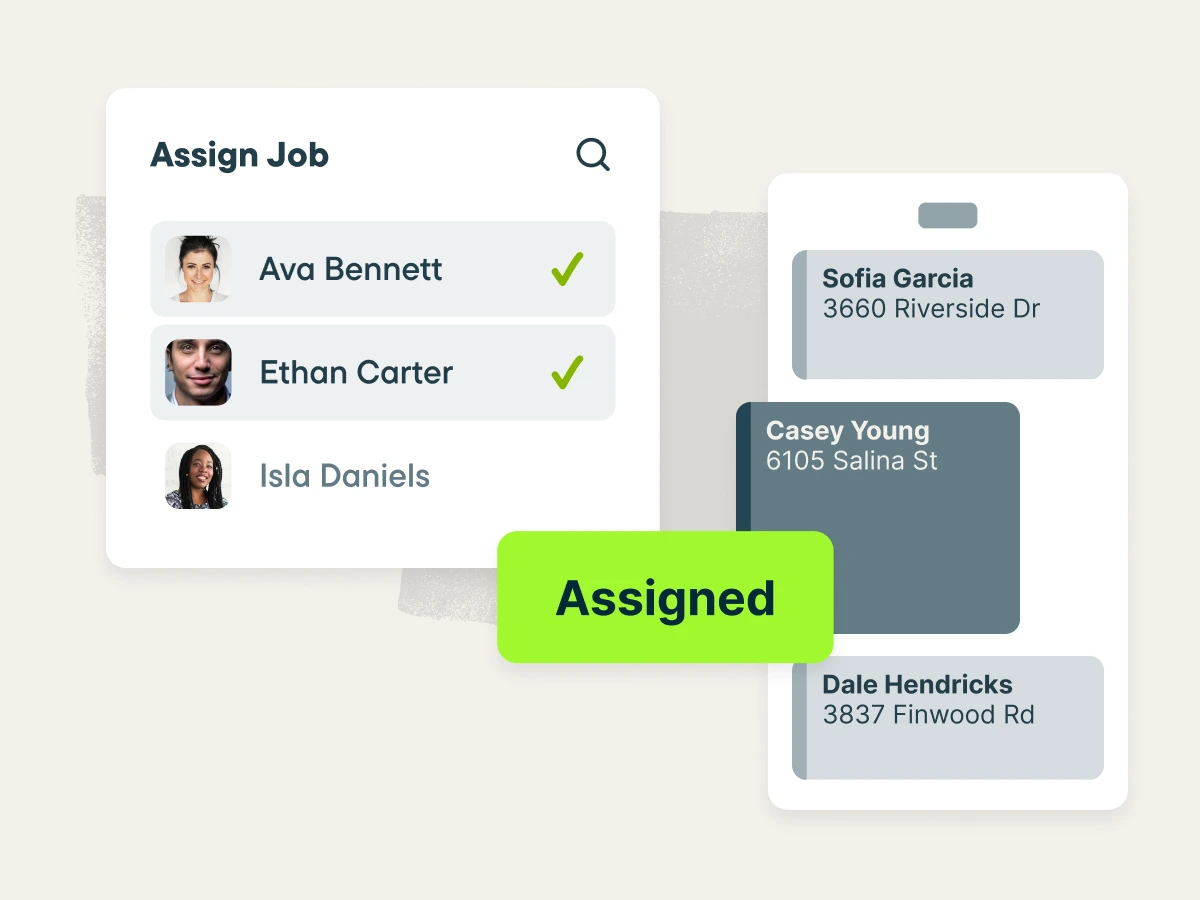
Jobber is the best Connecteam alternative for field service businesses looking for an all-in-one solution for their operations.
Jobber is field service management software built specifically for companies that manage jobs in the field, helping streamline everything from the initial customer request to final payment.
Here are the features that make Jobber a Connecteam alternative worth considering.
Professional quoting
Unlike Connecteam, Jobber makes it easy to create and send professional-looking quotes before you’ve even left the customer’s property.
Create quotes that can include images of your services, or photos taken during the on-site assessment, to add clarity and build trust.
Add optional line items to suggest additional services that fit your customers’ needs, with totals updating automatically in real time. This eliminates the need for back-and-forth revisions and helps speed up approvals so you can win jobs faster.
Jobber sets the tone for an excellent professional first impression from being able to customize what your quote looks like to adding images.
Invoicing and payments
Connecteam lacks invoicing and payment features, making it only ideal up until the job is complete.
Jobber lets you send professional, branded invoices in seconds via text or email as soon as a job is complete. You can customize each invoice with your business details and a personal message to maintain a polished, consistent experience.
Jobber also helps you stay on top of billing by tracking which jobs need invoicing and automatically sending friendly payment reminders. This reduces manual follow-ups and helps you get paid faster without chasing customers.
Finally, get paid sooner by offering your customers several payment options, including online payment, automatic payments, and Tap to Pay.
Job scheduling and dispatching
Jobber’s scheduling features makes it easy to create, assign, and manage jobs in just a few clicks, helping you avoid scheduling conflicts and keep work running smoothly.
Plan out work days using the flexible, customizable calendar with day, week, and month views, along with drag-and-drop scheduling and route optimization.
With real-time GPS tracking and automated routing, you can make faster dispatching decisions and keep every job on schedule.
Job management
With Jobber, all job details—from fleet information to progress updates—are stored in one place to streamline job management.
Once on the job, your field techs can use checklists to ensure that jobs are completed exactly as planned.
Plus, with both manual and location-based timers, you can streamline payroll and reduce administrative work.
Jobber also helps you with fleet management when paired with software such as Fleetsharp. This gives you instant GPS insights into the speed, direction, and fuel level of every vehicle in your fleet.
Client communications
Jobber helps you maintain strong customer relationships through automated reminders, status updates, and follow-ups.
Jobber automatically follows up on pending quotes and unpaid invoices so that you don’t have to spend your time closing jobs and chasing payments.
Your field employees can send your customers automated “on my way” messages to minimize no-shows.
Unlike Connecteam, Jobber has an online customer portal to streamline quote approvals and invoice payments—simplifying overall customer communication.
Finally, never miss an opportunity thanks to Jobber’s AI Receptionist. When a customer calls the AI Receptionist can offer to book a visit, capture details of their request, or simply take a message.
| Pros | Cons |
|---|---|
| • Made for field service businesses • All-in-one solution • GPS tracking and geofencing • Mobile app • Award-winning customer support | • Does not have inventory management • Marketing tools are add-ons that cost extra |
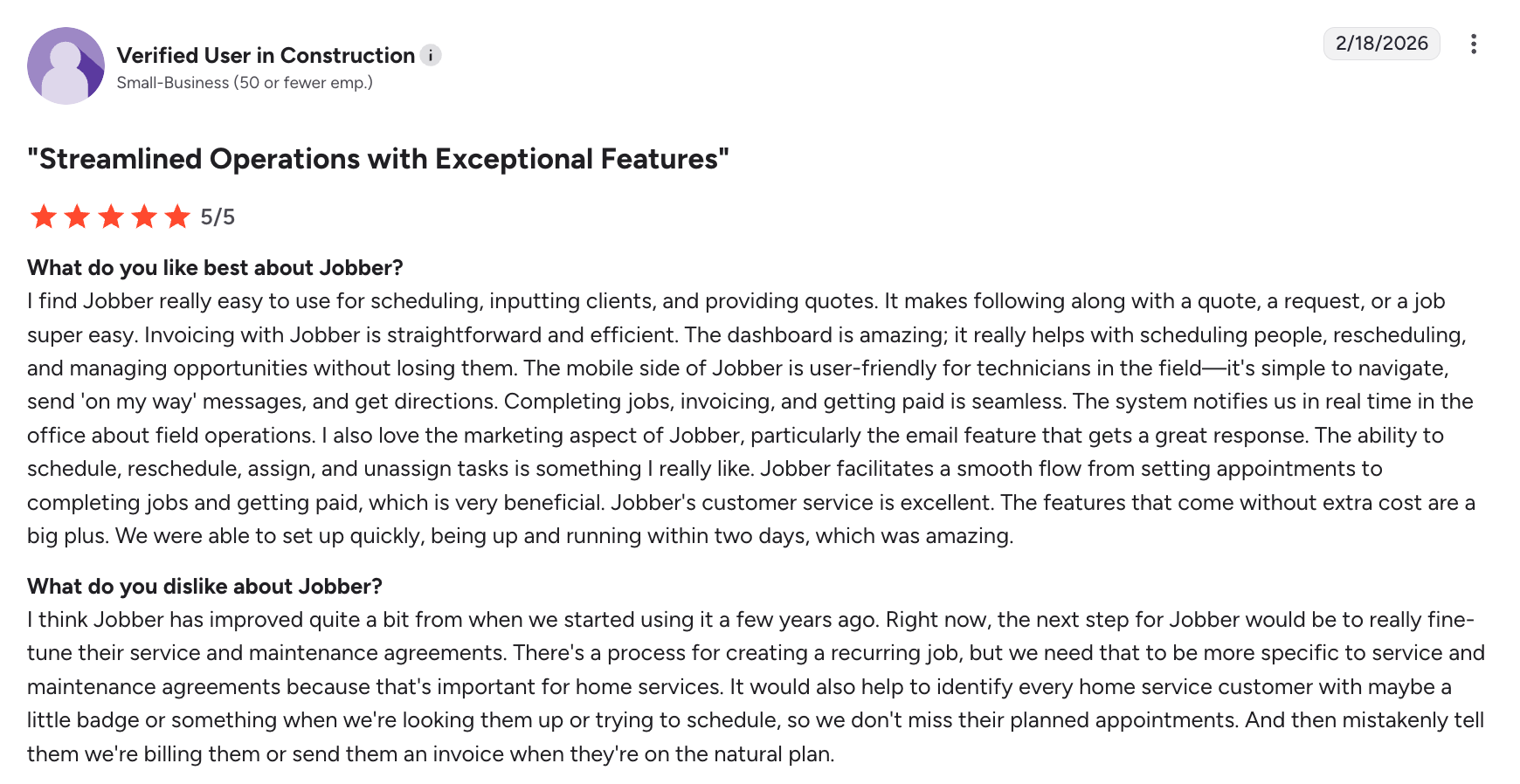
One user notes that Jobber’s features streamlines a smooth flow of their operations—from booking jobs to getting paid.
Check out Jobber’s website for pricing.
Clockify
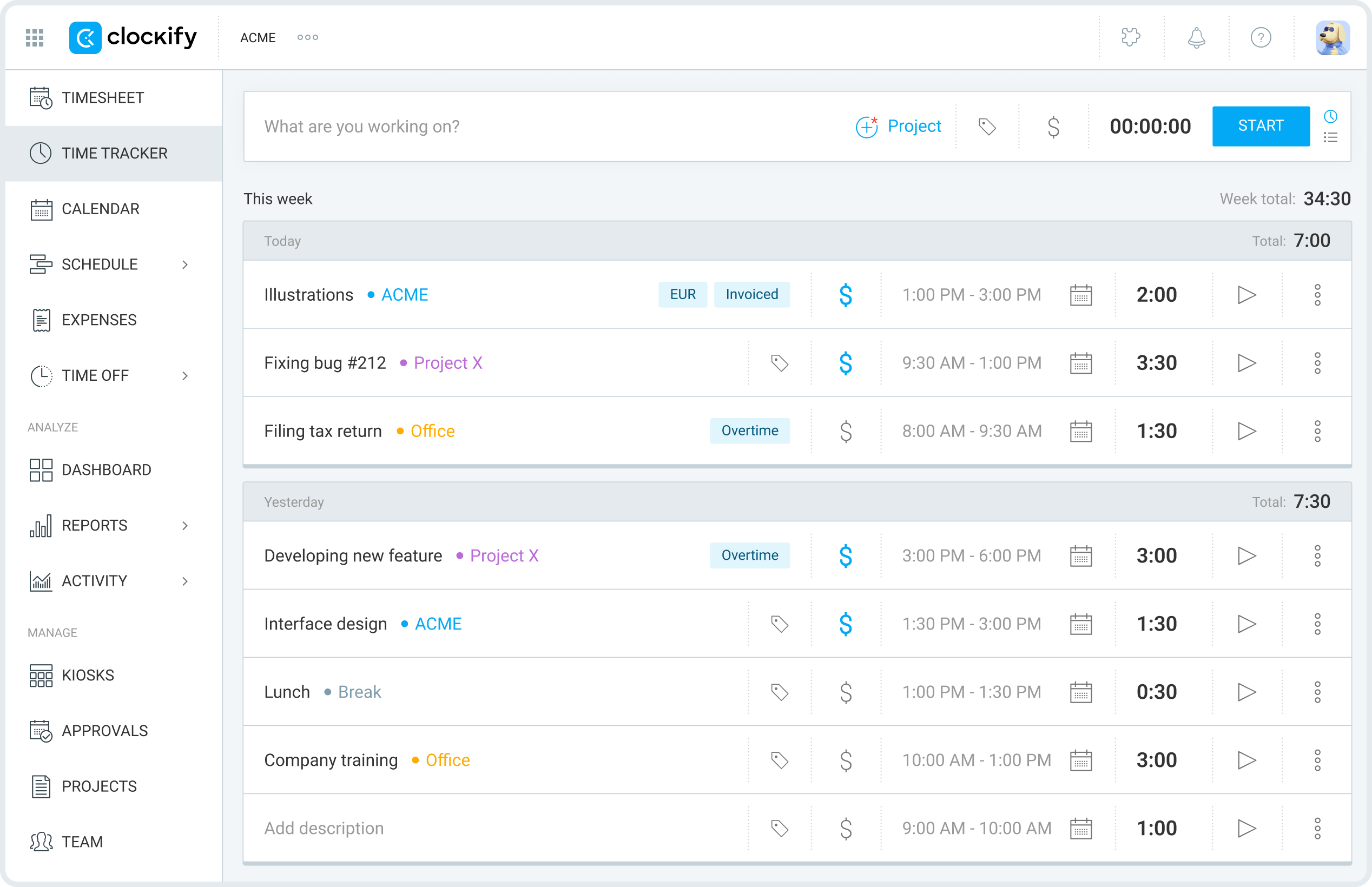
Clockify is a free time tracking app, although it offers paid plans with more advanced features. This makes it the best Connecteam alternative for businesses that need time tracking software on a budget.
Your team can track their time spent using a timer, kiosk, timesheet, or auto-tracker. From there, you can audit recorded time, edit incorrect or incomplete entries, and see any changes made to time entries before you approve.
READ MORE: Free timesheet templates to help manage your team
Clockify’s other key features include:
- Real-time and automatic time tracking
- Custom categories to organize time
- Pomodoro technique time tracking
| Pros | Cons |
|---|---|
| • PIN-protected kiosk • Syncing between multiple devices • Offline timekeeping • Payroll processing | • Lacks invoicing features • Free plan has limited capabilities |
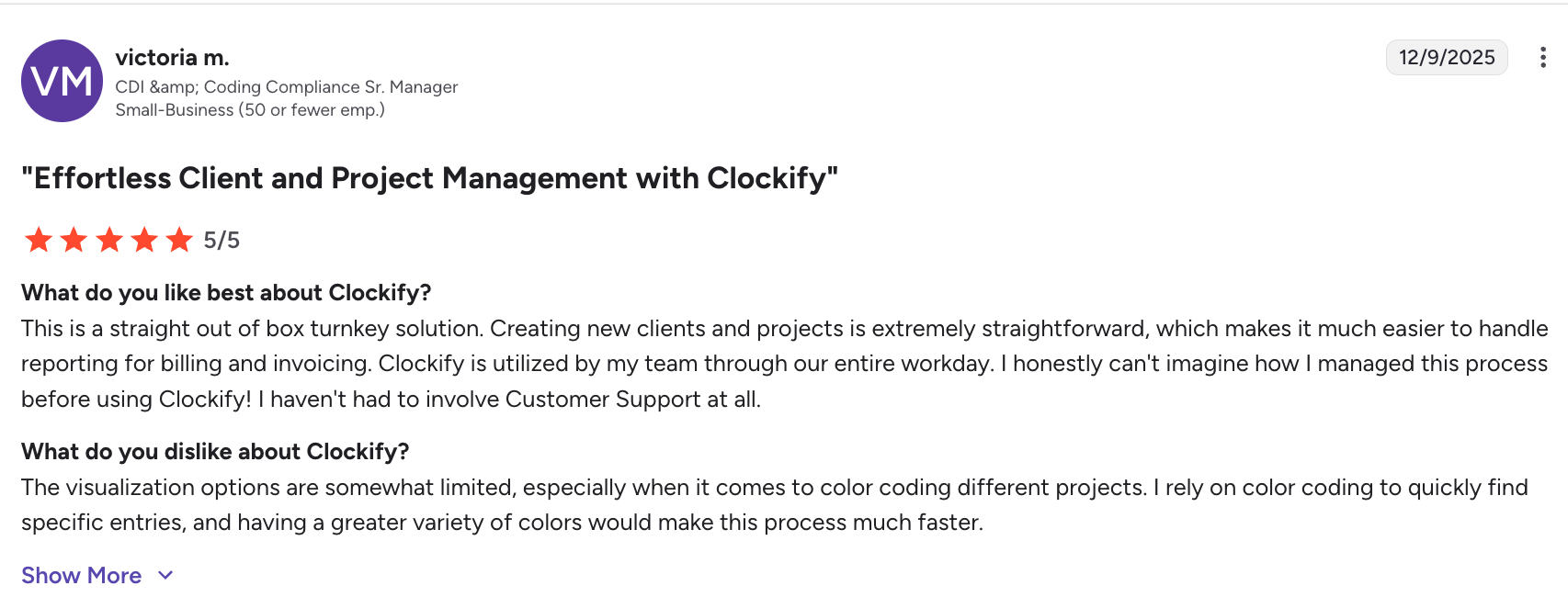
One user notes that while Clockify is a great turnkey solution, there are limited options to visually customize projects.
Check out Clockify’s website for pricing.
Xenia
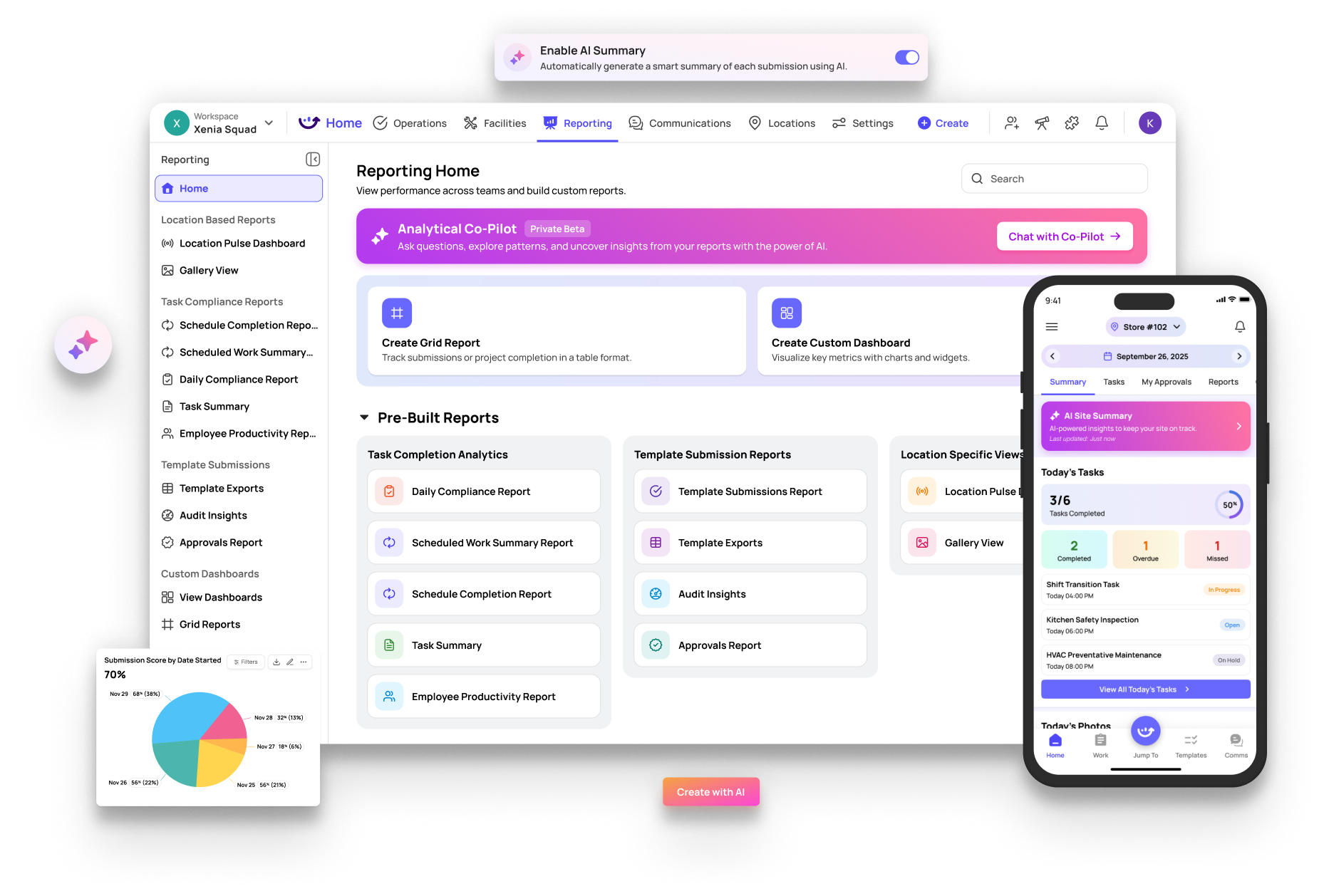
Xenia is an operations software app that is best for businesses with multiple job sites looking for AI functionality.
For example, Xenia lets you capture photos across all your sites. AI instantly flags gaps in product quality, cleanliness, and brand standards, helping you catch quality issues before your customer does.
You can also ask the AI agent questions to get instant answers with visuals for your data.
Xenia’s other key features include:
- AI reports on tasks, incidents, inspections, and more
- Automatic summaries for lengthy reports
- Forms, checklists, and templates
| Pros | Cons |
|---|---|
| • Automation through AI • Instant audit analysis • Real-time reports • Voice-to-text • Role-specific dashboards | • No quote or invoicing features • No QuickBooks integration • Primarily made for retail and food businesses with some capabilities for construction and contractors |
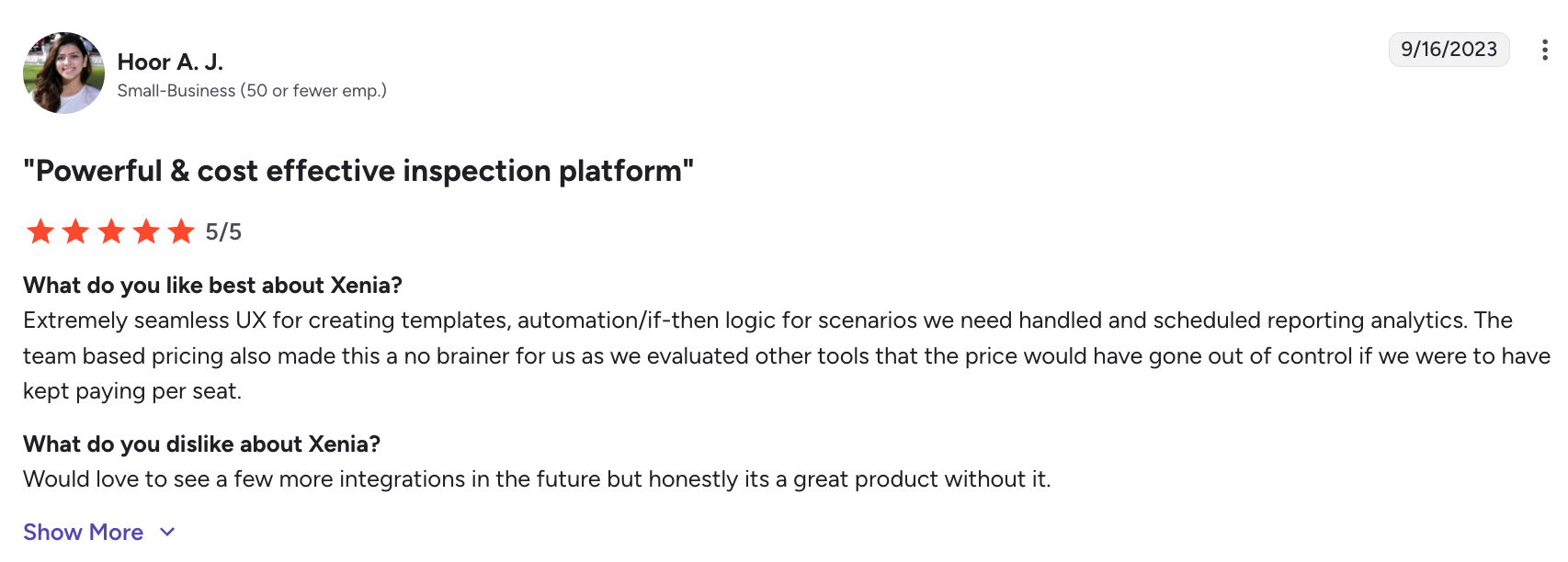
One user notes that while Xenia provides a great user experience, it lacks a few key integrations, such as QuickBooks.
Check out Xenia’s website for pricing.
Workyard
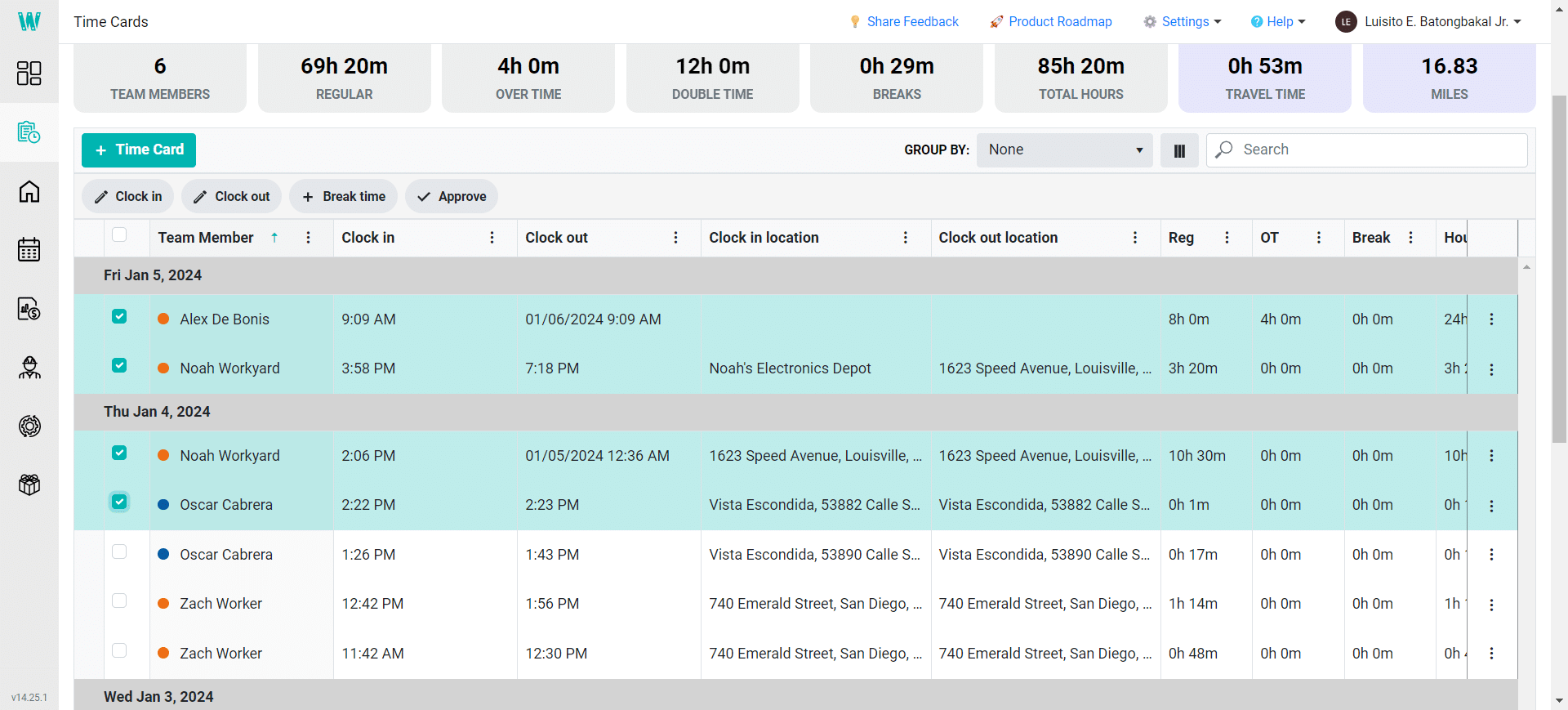
Workyard is the best Connecteam alternative for teams that need a GPS time tracker.
Workyard automatically clocks in frontline employees when they arrive at the job site. If your employees forget to clock out after completing a job, the platform detects the mistake and trims their timecard to the last site visited.
Workyard’s other key features include:
- Automatic mileage capture
- Rules to restrict clock-ins and clock-outs based on location and time
- Team map with real-time locations of team members
| Pros | Cons |
|---|---|
| • Automatic clock-in • Time dashboards for at-a-glance views • Detailed time cards • Smart alerts for potential timecard mistakes • Facial detection to clock in | • Focused on time tracking, not an all-in-one solution • $50 per month company base fee on top of a per-user fee |
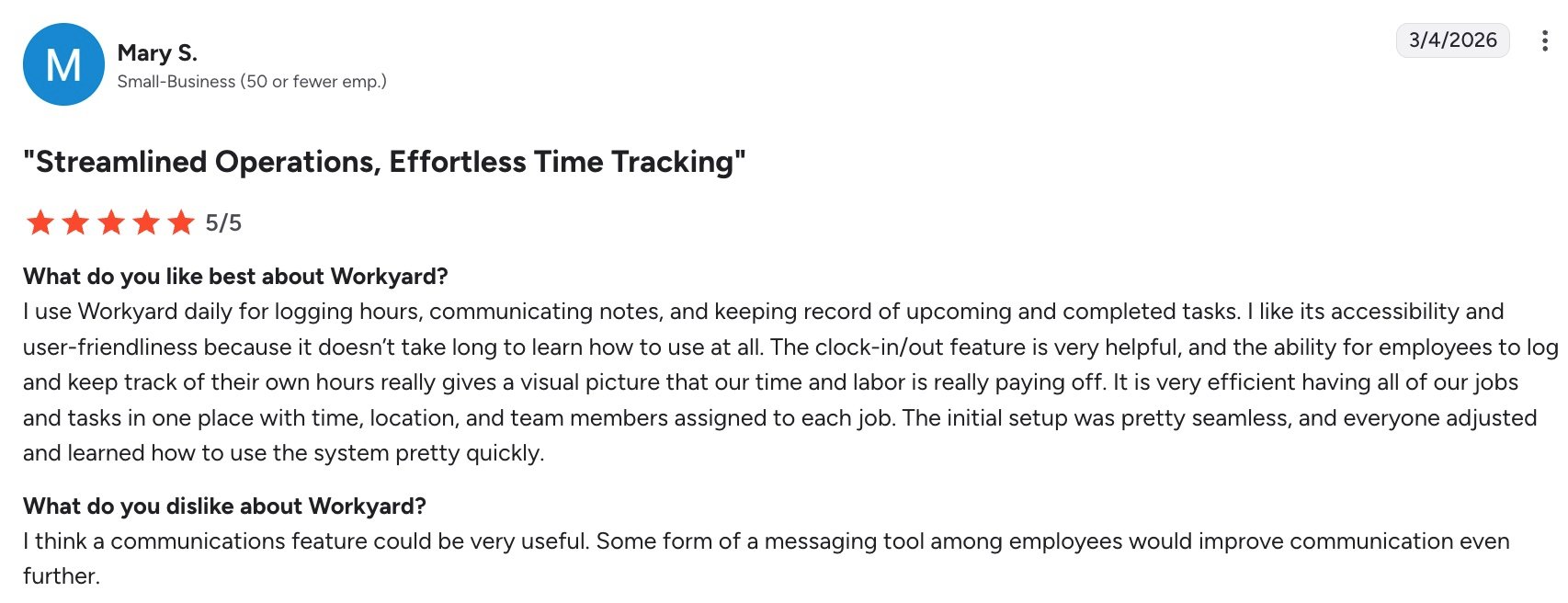
One user notes that Workyard’s clock-in/clock-out feature is very helpful, but wished that the tool had better communication features for employees.
Check out Workyard’s website for pricing.
Buddy Punch
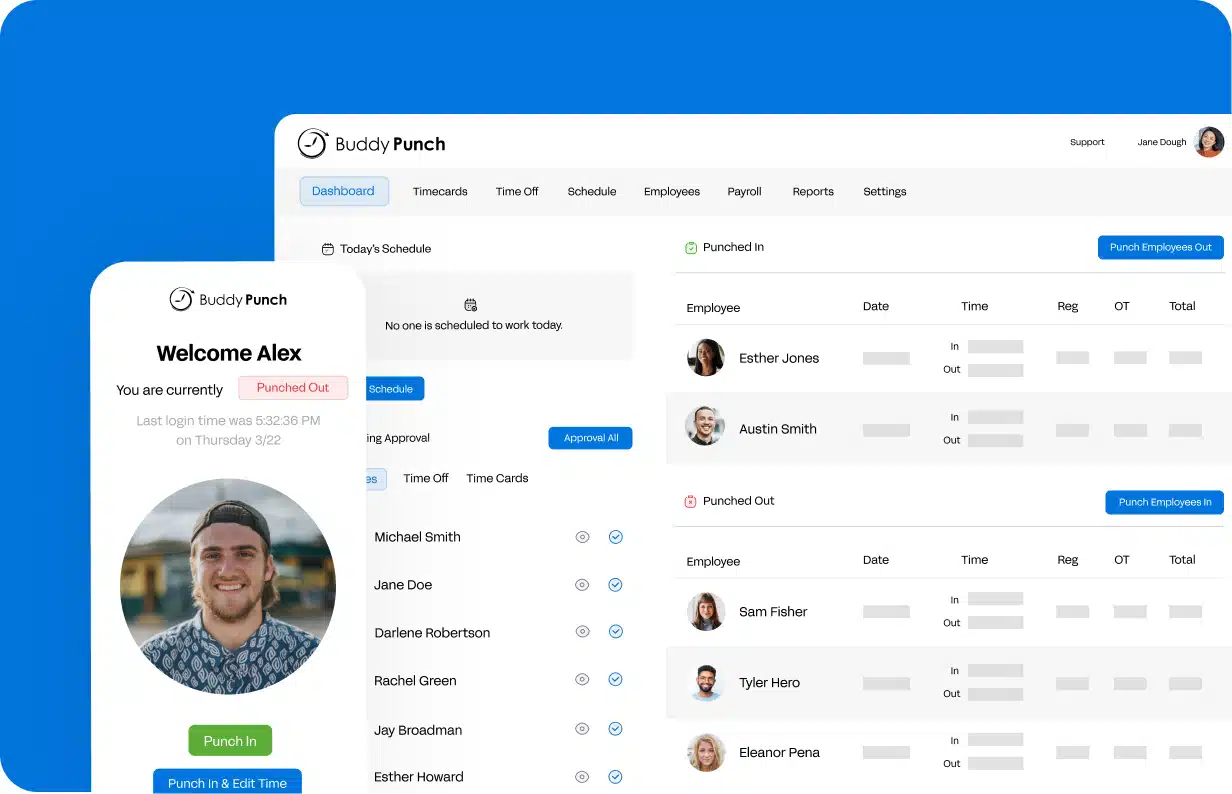
Buddy Punch is the best Connecteam alternative for teams who need a time clock app with scheduling features.
Buddy Punch’s time and attendance tracking software helps you monitor employees from anywhere thanks to GPS tracking and geofencing. You can see exactly who is clocked in and where at any given moment to ensure accurate attendance.
Buddy Punch’s other key features include:
- Alerts when employees are late or miss a shift
- Optional payroll service
- Break time tracker
| Pros | Cons |
|---|---|
| • Facial recognition to prevent buddy punching • Auto-calculated payroll hours • Employee overtime alerts • Integrations with payroll softwares • Drag-and-drop scheduling | • Only has time tracking features • Limited reporting features |
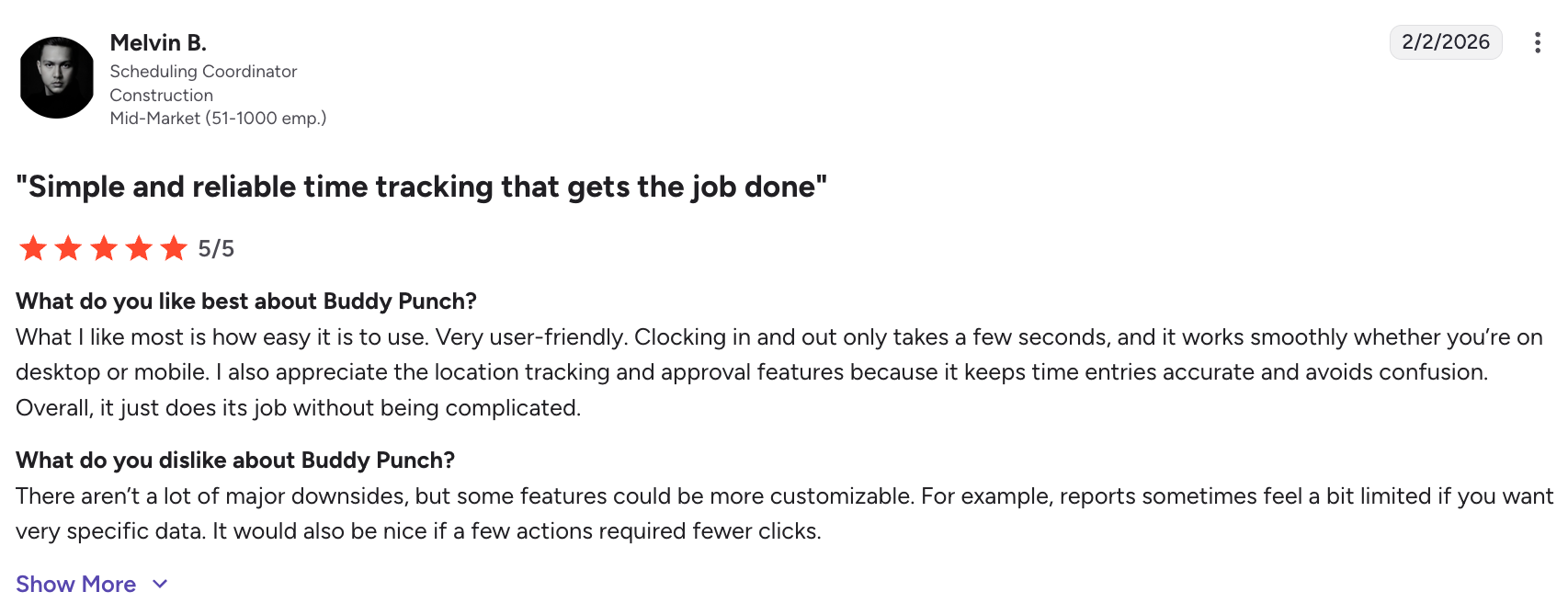
One user notes that Buddy Punch’s location tracking and approval feature helps keep things accurate and avoid confusion. However, they also wish some features were more customizable, such as reports.
Check out Buddy Punch’s website for pricing.
When I Work
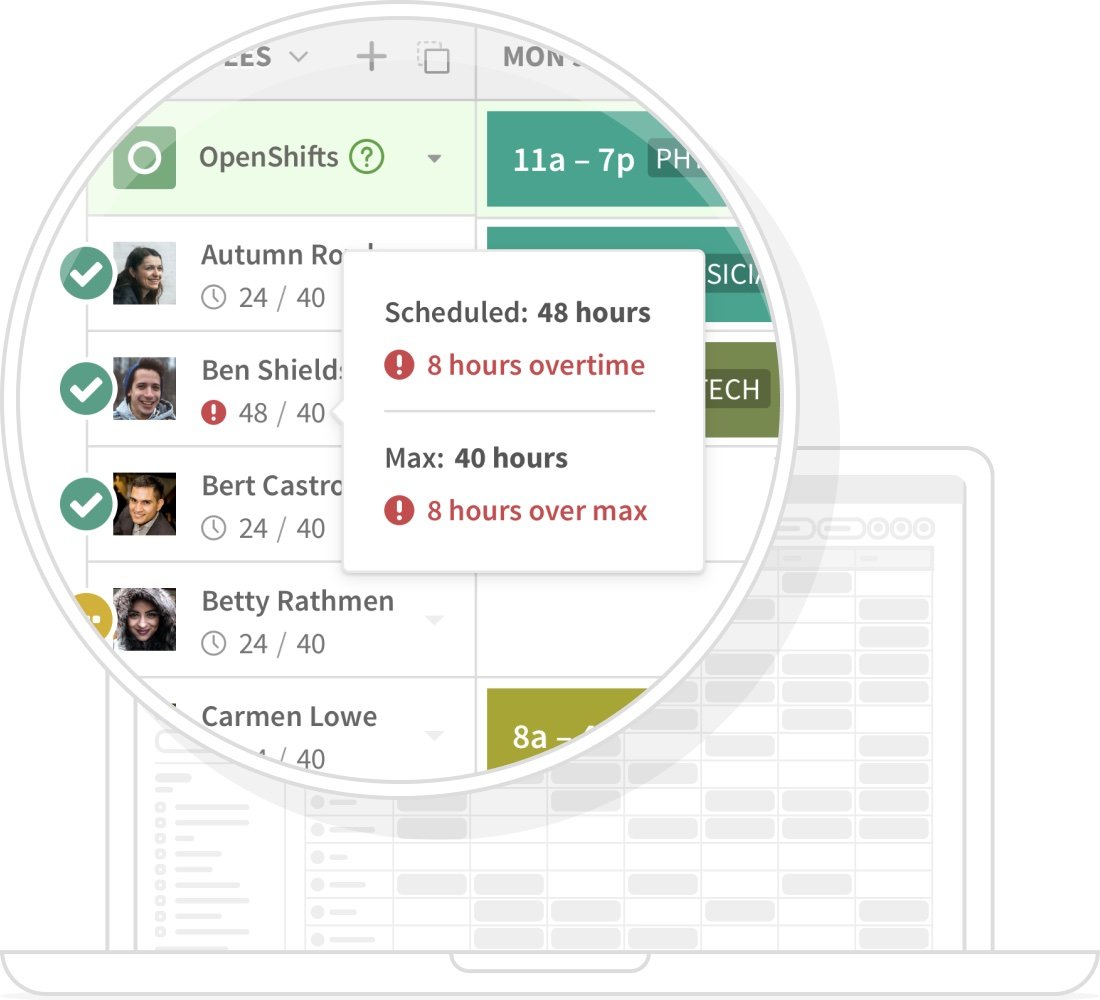
When I Work is an employee scheduling and attendance software that is best for hourly teams.
Use this app to create and share schedules in minutes and quickly adjust them when needed. The app also uses geofencing to help you confirm when and where employees clock in and out.
When I Work’s other key features include:
- Automatic shift scheduling based on team’s availability
- Daily checklists to attach to schedules
- Photo clock-ins for identity verification
| Pros | Cons |
|---|---|
| • Team communication • Schedule templates • One-click shift assignment • Multiple location scheduling • Geofencing to confirm clock-in and clock-out | • Limited features beyond time clock and scheduling • Limited customization options |
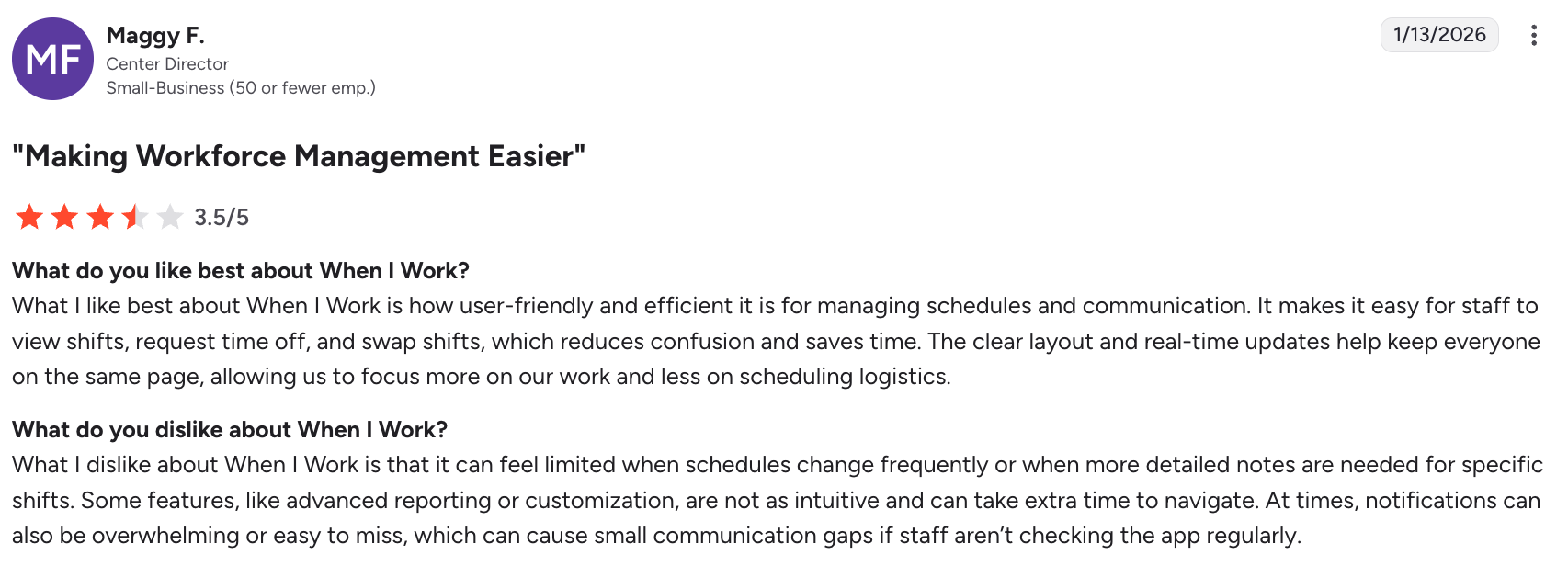
One user notes that When I Work is efficient for managing schedules, they feel limited when they need to write detailed notes for shifts.
Check out When I Work’s website for pricing.
Skedulo
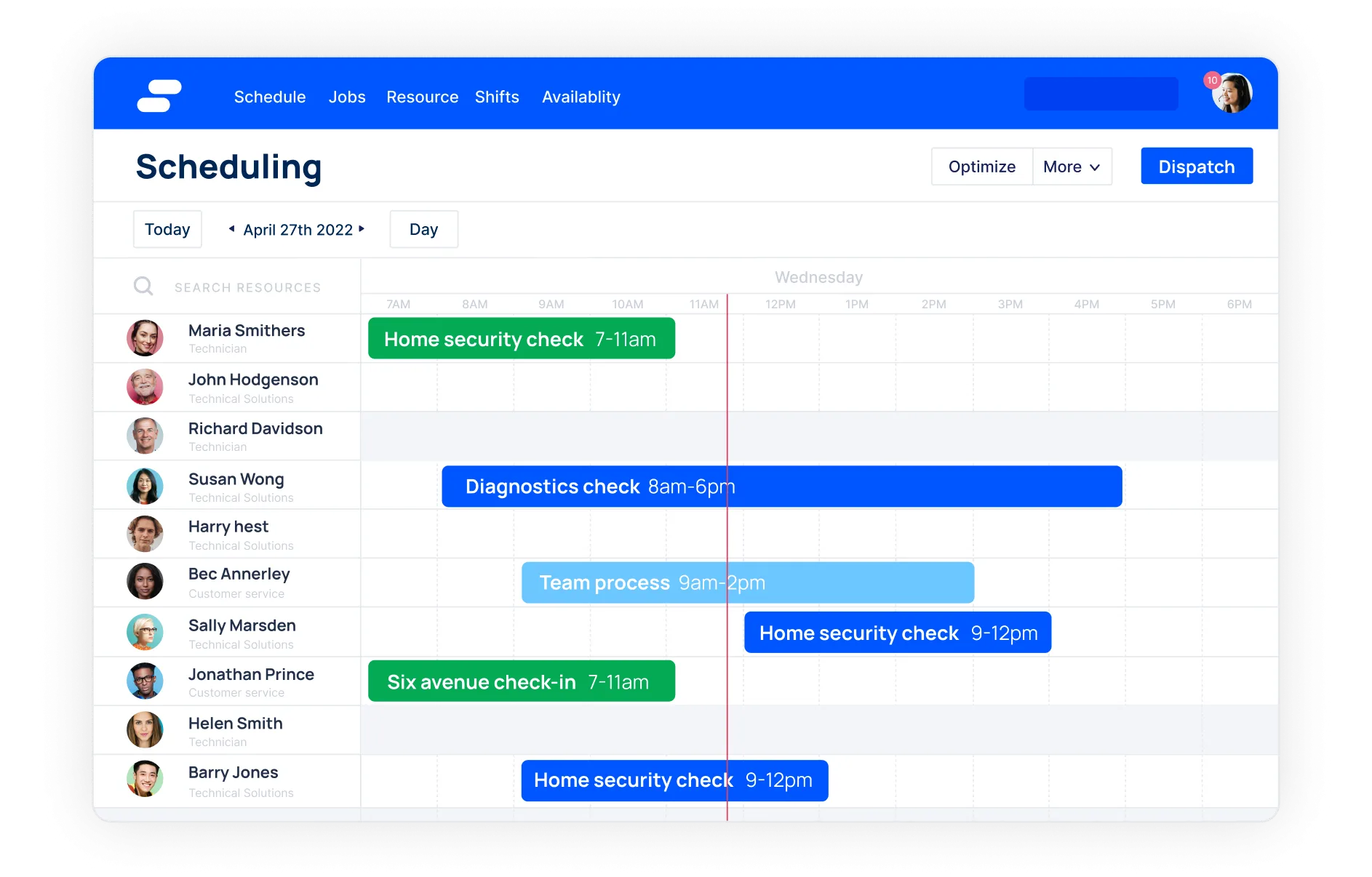
Skedulo is the best Connecteam alternative for large teams. It has several features to help you manage the different needs of your employees.
With Skedulo, you can create optimized schedules by resource, locations, or client. If someone calls in sick, find a qualified replacement at the click of a button using work offers.
Skedulo’s other key features include:
- “First come, first assigned” scheduling capability
- Schedule and roster templates
- Built-in employee messaging
| Pros | Cons |
|---|---|
| • Works offline • Visuals for calendars and routes • Intelligent and automatic scheduling • Centralized frontline communication • Real-time employee locations | • No GPS tracking or geofencing • No QuickBooks integrations |
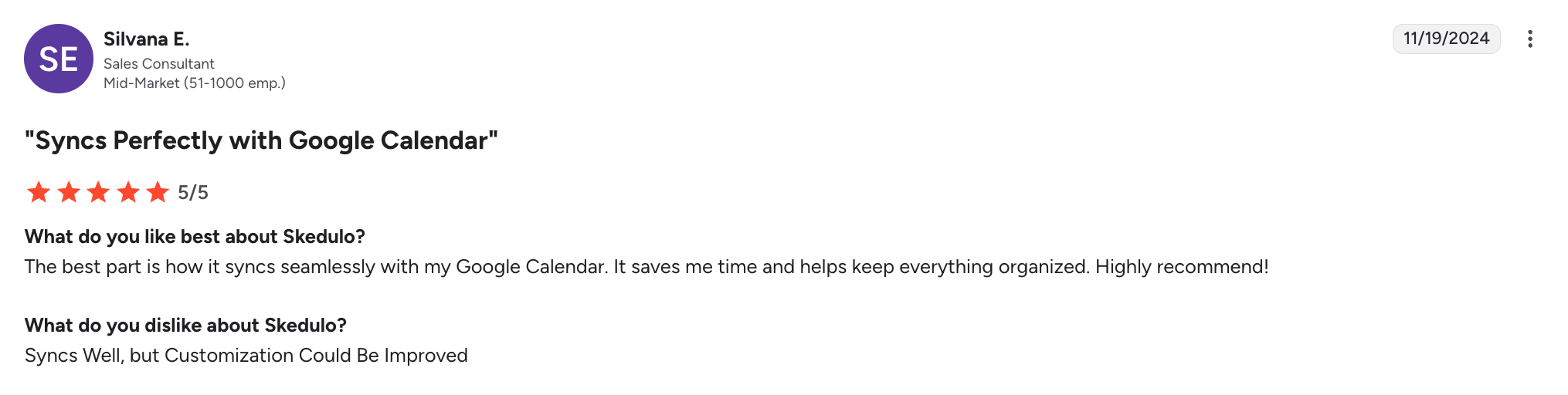
One user notes that Skedulo’s Google Workspace sync works well, but that the software lacks customization capabilities.
Check out Skedulo’s website for pricing.
Sling
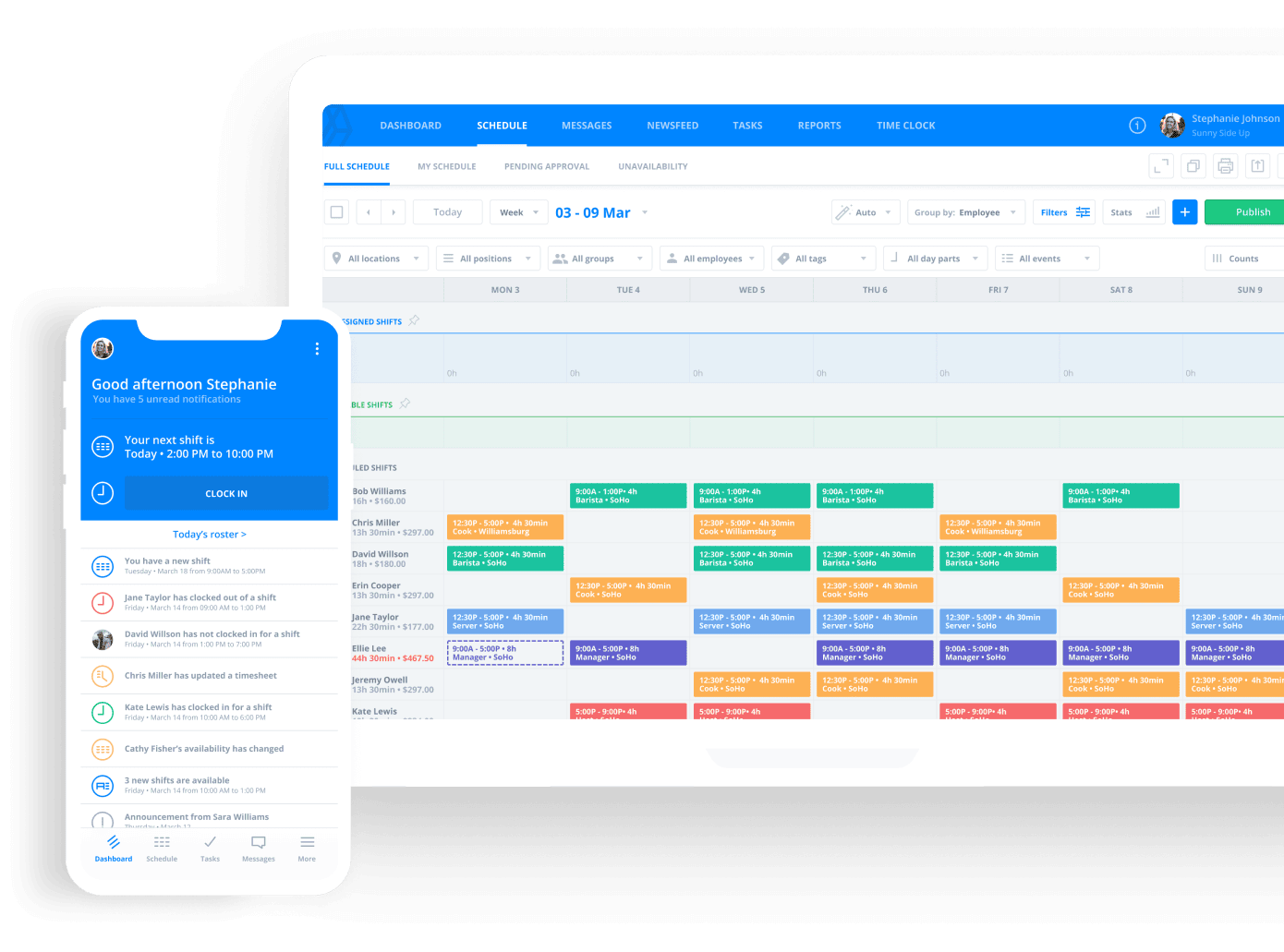
Sling is the best affordable alternative to Connecteam for businesses wanting to closely track labor costs.
Sling’s free plan lets you assign wages to employees and calculate labor costs for each shift. You can also track employee hours by shift or location and add geofencing to your employee time clock for location precision.
Sling’s other features include:
- Alerts when the schedule exceeds the labor budget
- Optional kiosk employee time tracker
- Built-in employee messaging
| Pros | Cons |
|---|---|
| • Optimized labor costs • Alerts for overtime and exceeded budget • Clock-out reminders • Private and group employee messaging • Overtime tracker for labor law compliance | • No GPS tracking • No QuickBooks integration |
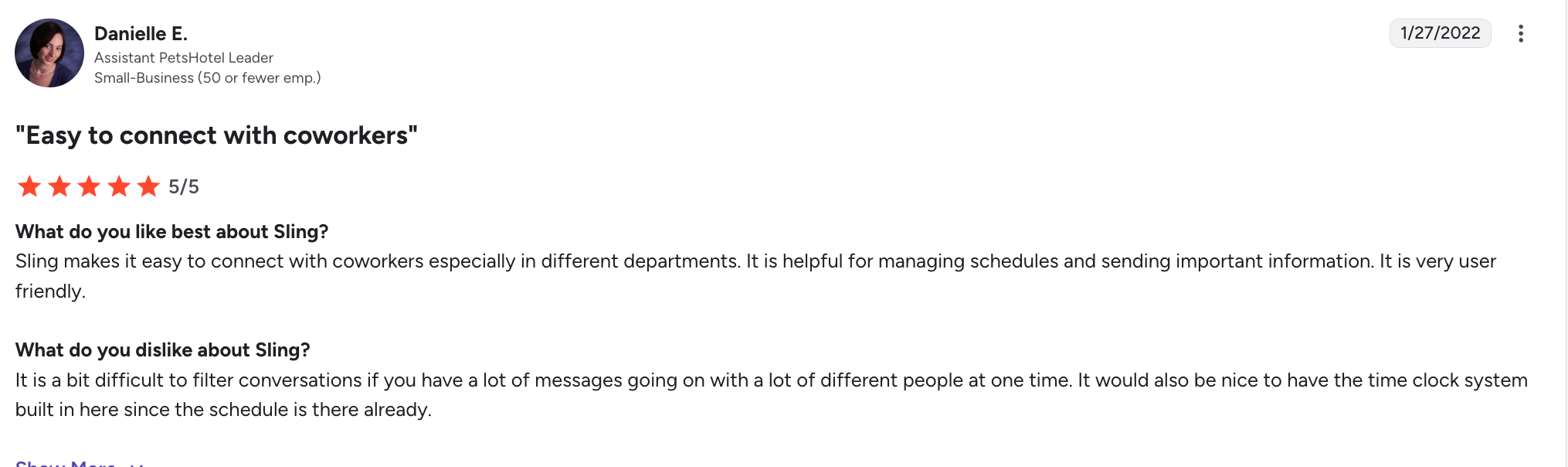
Users enjoy Sling’s built-in messaging to keep their teams connected. That said, one user notes that conversation can be difficult to filter if you have a lot of messages.
Check out Sling’s website for pricing.
How to choose the best Connecteam alternative
Choosing the right Connecteam alternatives comes down to understanding your business needs and matching them with the strengths of each platform. While many tools offer overlapping features, the best option will depend on how your team operates day to day.
Here are a few key factors to consider:
- Identify your core needs. Start by determining what you actually need—whether it’s scheduling, time tracking, job management, or internal communication—so you don’t overpay for features you won’t use. The same goes with features you might need that Connecteam doesn’t have, such as quoting, invoicing, and client communications.
- Consider your industry. Some tools are built specifically for industries like field service or construction, and will offer more relevant features than general workforce management apps.
- Evaluate ease of use. Look for a platform that your team can adopt quickly, especially if you have many field techs who need a simple employee experience.
- Compare pricing and scalability. Make sure the pricing structure fits your current team size and won’t become too expensive as your business grows.
- Check integrations. Ensure the software integrates with your existing tools, such as payroll, accounting, or CRM systems, to avoid workflow disruptions.
- Look for mobile functionality. If your team works in the field, a strong mobile app with offline capabilities and real-time updates is essential.
- Read reviews and test the product. Take advantage of free trials and user reviews to understand real-world performance before committing.
Choosing the right Connecteam alternatives ultimately comes down to finding a platform that aligns with how your business operates.
While there are many solid options available for scheduling, time tracking, and team management, not all tools are built with field service businesses in mind.
That’s where Jobber’s field service software stands out. With its all-in-one approach to quoting, scheduling, job management, invoicing, and client communication, it goes beyond basic workforce management to support the entire job lifecycle.
What I like about Jobber is that it has everything all in one platform.
From putting together quotes, signing the contract, scheduling, invoicing, and collecting payments, I can do it all in one stop from my phone.

Frequently Asked Questions
-
Businesses typically switch from Connecteam when their needs outgrow what the platform can offer.
While Connecteam covers a wide range of features, some teams prefer more specialized tools that go deeper in areas like job scheduling, quoting and invoicing, and more.
Cost is another common factor, as pricing can increase with team size or when advanced features are required. Additionally, some businesses find the platform too complex for their needs and opt for simpler, more focused solutions.
Ultimately, companies switch to find a tool that better aligns with their workflows, industry requirements, and budget as they scale. -
There are several contenders for the best Connecteam alternative for small businesses. Jobber is ideal for field service businesses that need scheduling, invoicing, and client management in one tool.
Clockify is a great free option for simple time tracking, while Buddy Punch and When I Work work well for basic scheduling and attendance.
Overall, the right choice depends on whether you need an all-in-one solution or a simple, budget-friendly tool. -
The best Connecteam alternatives for field service companies is Jobber. Jobber is specifically built for field service businesses like HVAC, plumbing, landscaping, and cleaning. It offers tools for scheduling, dispatching, invoicing, and customer management, all in one platform.
Unlike Connecteam, which focuses more on general workforce management, Jobber is designed to manage the full job lifecycle—from quoting and scheduling to payments and customer communication. This makes it a better fit for service companies that need to manage jobs, crews, revenue, and more. -
There are several Connecteam alternatives that offer free plans. Clockify is one of the most popular free options, with a free plan that includes unlimited users and core time tracking features, making it ideal for small teams. Sling is another free alternative with robust employee messaging.
It’s important to note that free alternatives are usually more limited than full all-in-one solutions. Most likely, you’ll also need to pay for plans that provide more advanced time-tracking features.