
Key takeaways:
If you want to create a standout landscaping website that attracts and converts clients, learning from the best examples and proven strategies is key.
- Study top-performing landscaping websites for inspiration. The article showcases 15 leading landscaping company websites, highlighting design features, calls to action, and service pages that drive results.
- Include essential website elements to convert visitors into leads. Prioritize professional design, clear branding, service lists, proof of quality (like reviews and galleries), easy contact options, and strong calls to action on every page.
- Follow a step-by-step process to build your website. Buy a domain, define your business goals, write focused content for core pages (home, services, about, contact), design with clean navigation and strong CTAs, ensure mobile compatibility, and use a website builder or professional help as needed.
- Optimize for search and track your results. Use local SEO best practices—like service- and location-focused keywords—and monitoring tools like Google Analytics to measure site performance and discover what works.
- Keep your website content current. Regularly update with new testimonials, photos, and service details to keep your site relevant and trusted by potential customers.
Want more tips on building a successful landscaping business, delivered monthly? Sign up for the Jobber Newsletter.
Your website is an essential marketing tool for attracting visitors, educating them about your services, building trust, and making it easy to request a quote or book a service.
To help you create or update your site, we’ve rounded up 15 of the best modern landscaping websites. Get practical tips you can use to build a professional site that turns visitors into leads.
Everything you need to build a successful landscaping website:
15 best landscaping company websites
Roughly 98% of customers go online to find information about local businesses, so you need to make a landscaping services website that attracts them.
Here are 15 examples of professional landscaping websites you can use for inspiration. For each of these landscaping and lawn care website examples, we highlight what the site does well so you can see what might work for your own site—and emulate it.
1. JT Madison Landscaping & Snow
JT Madison Landscaping & Snow includes contact details, social media links, and a “free estimate” call-to-action button in its site header. This way, the information shows up on every page, making it easy for visitors to see and use.
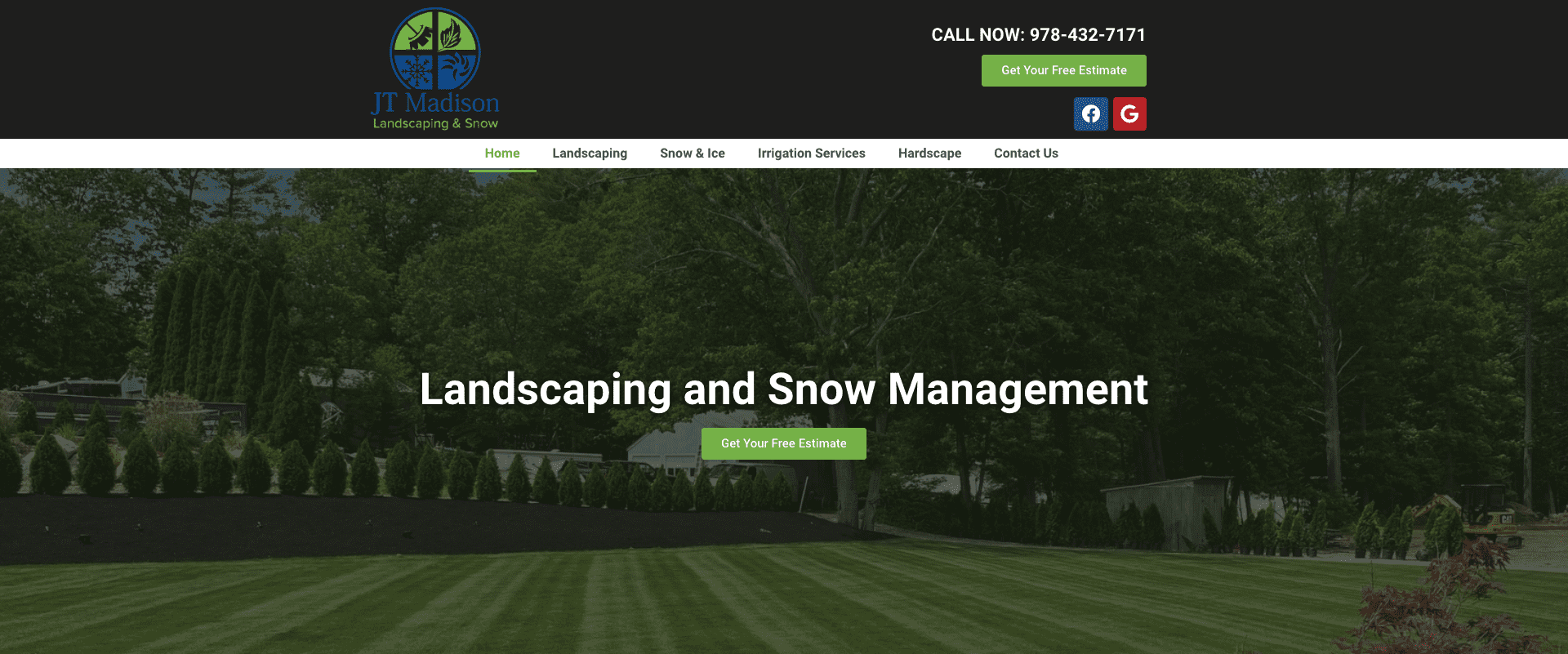
What they do well:
- Divides different services into separate pages
- Links to their social media platforms so visitors can follow them online
- Provides a visible phone number on every page
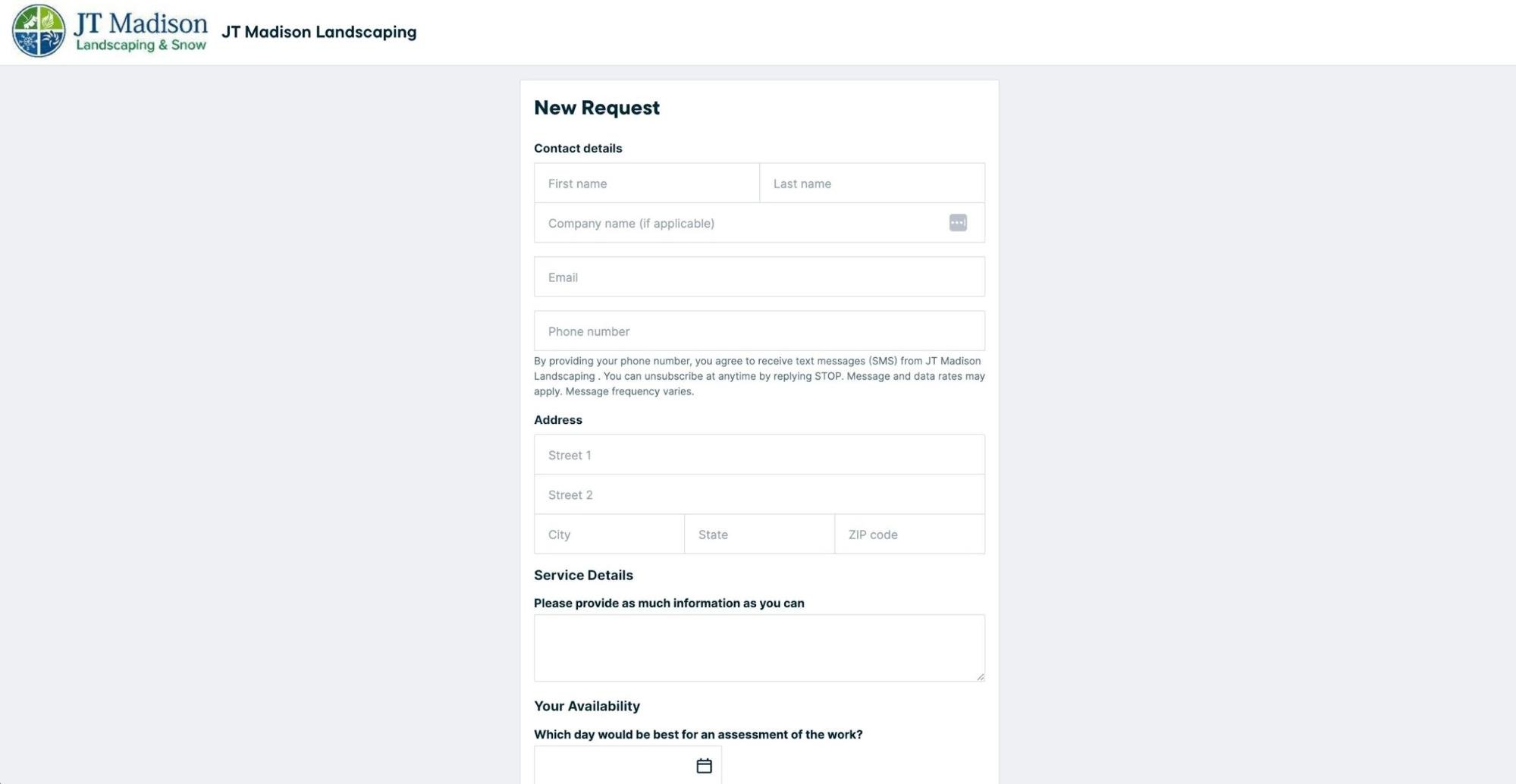
JT Madison’s custom landscaping website design is built with Jobber, which comes with a quote request form. This automatically helps convert visitors into leads by collecting the customer’s contact details, availability, and desired services:
2. Mango Paving & Landscaping
Mango Paving & Landscaping Ltd. has a clean design, eye-catching colors, and professional photos on every page of their landscape contractor website. These elements of their brand help them stand out from competitors.
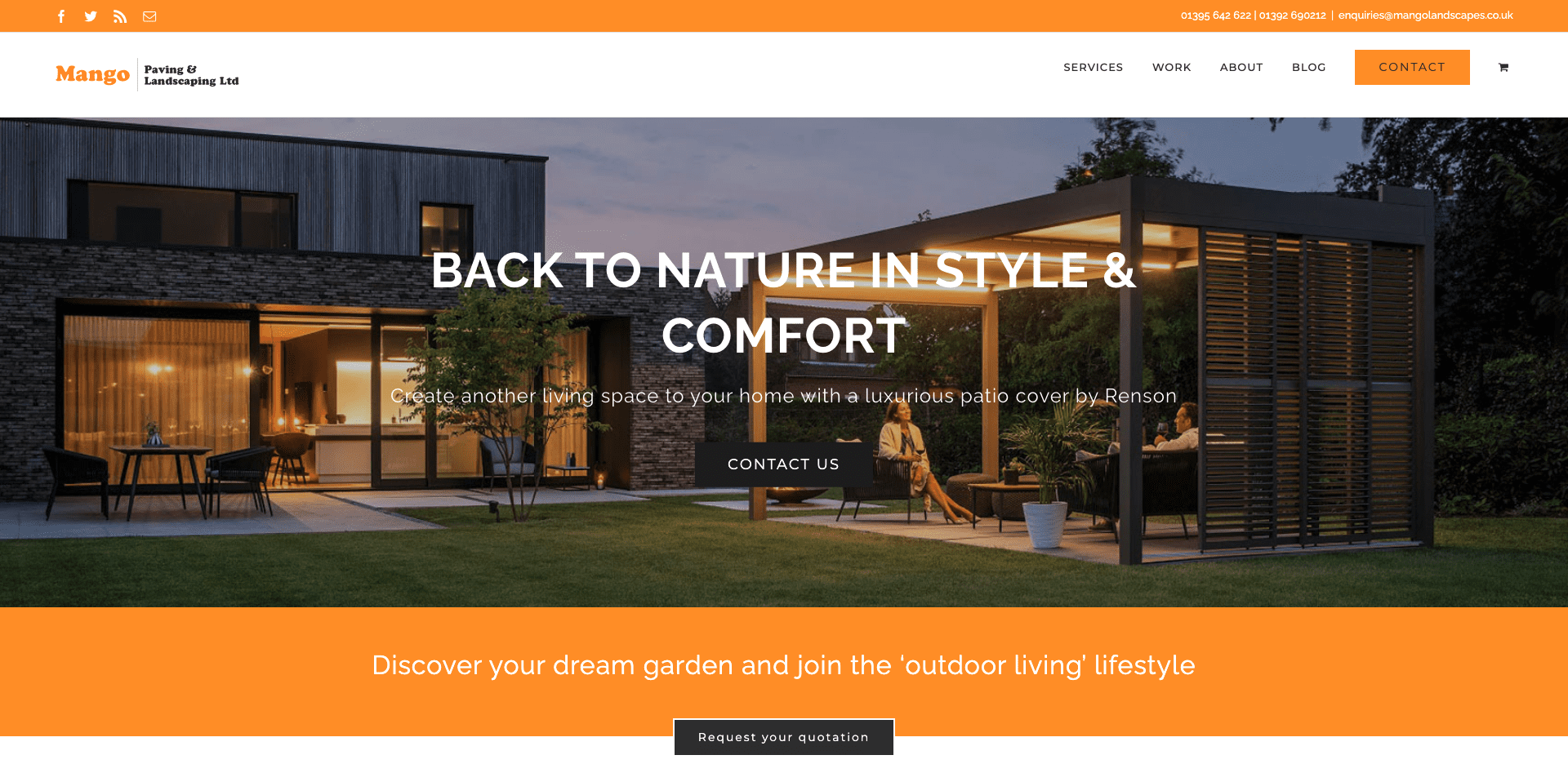
What they do well:
- Have a simple top menu that helps visitors navigate the site
- Display an image gallery full of completed projects
- Show a complete list of the landscaping services they offer
3. AMC Nursery & Landscaping
The AMC Nursery & Landscaping home page includes a company About section. This section quickly tells website visitors who AMC is, how long it’s been around, and what services it offers.
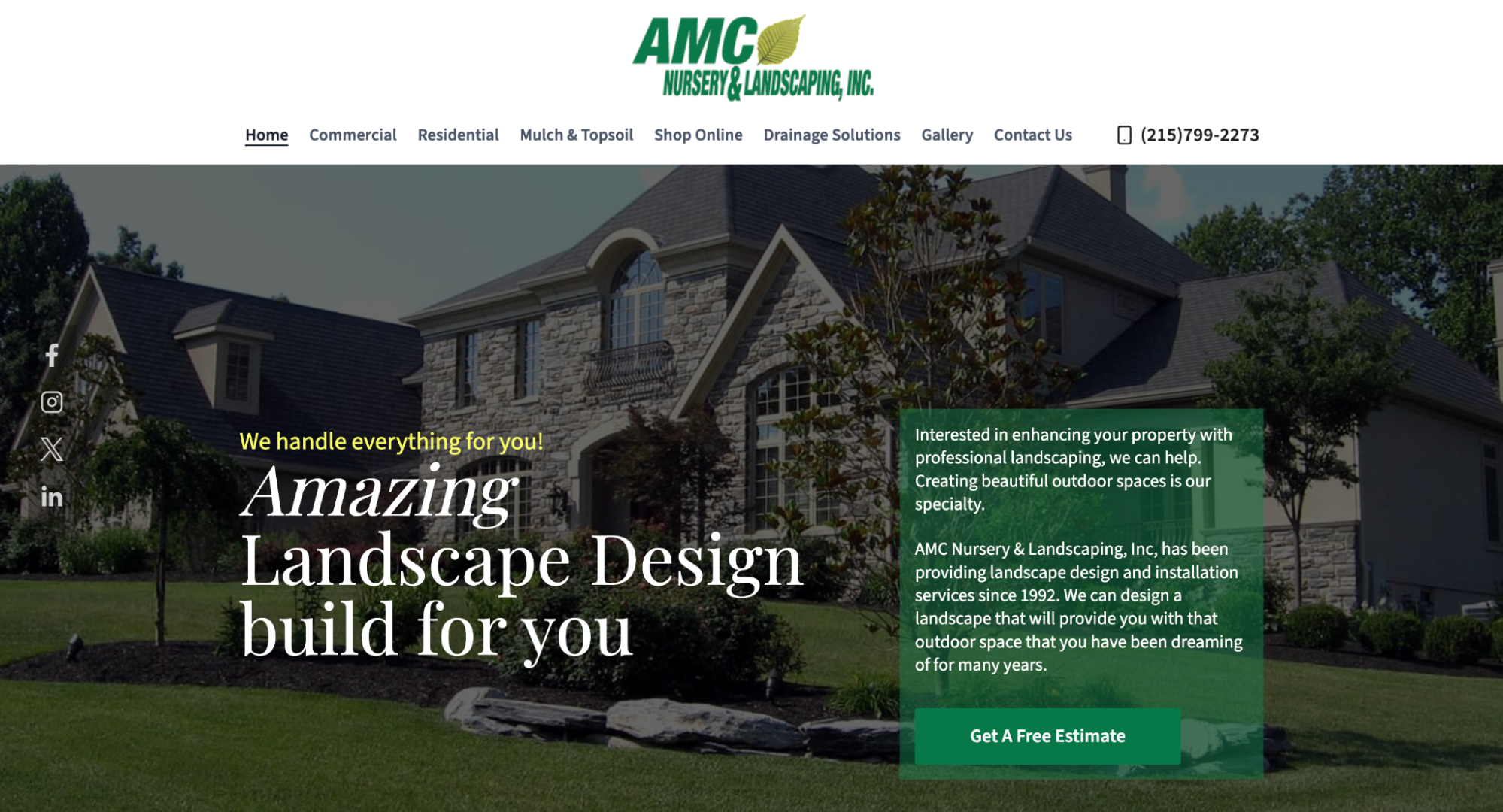
What they do well:
- Offer an online shop for customers to purchase shrubs, trees, and planting supplies
- Provide an online request form to easily capture new leads
- Have a comprehensive list of the commercial and residential services they offer
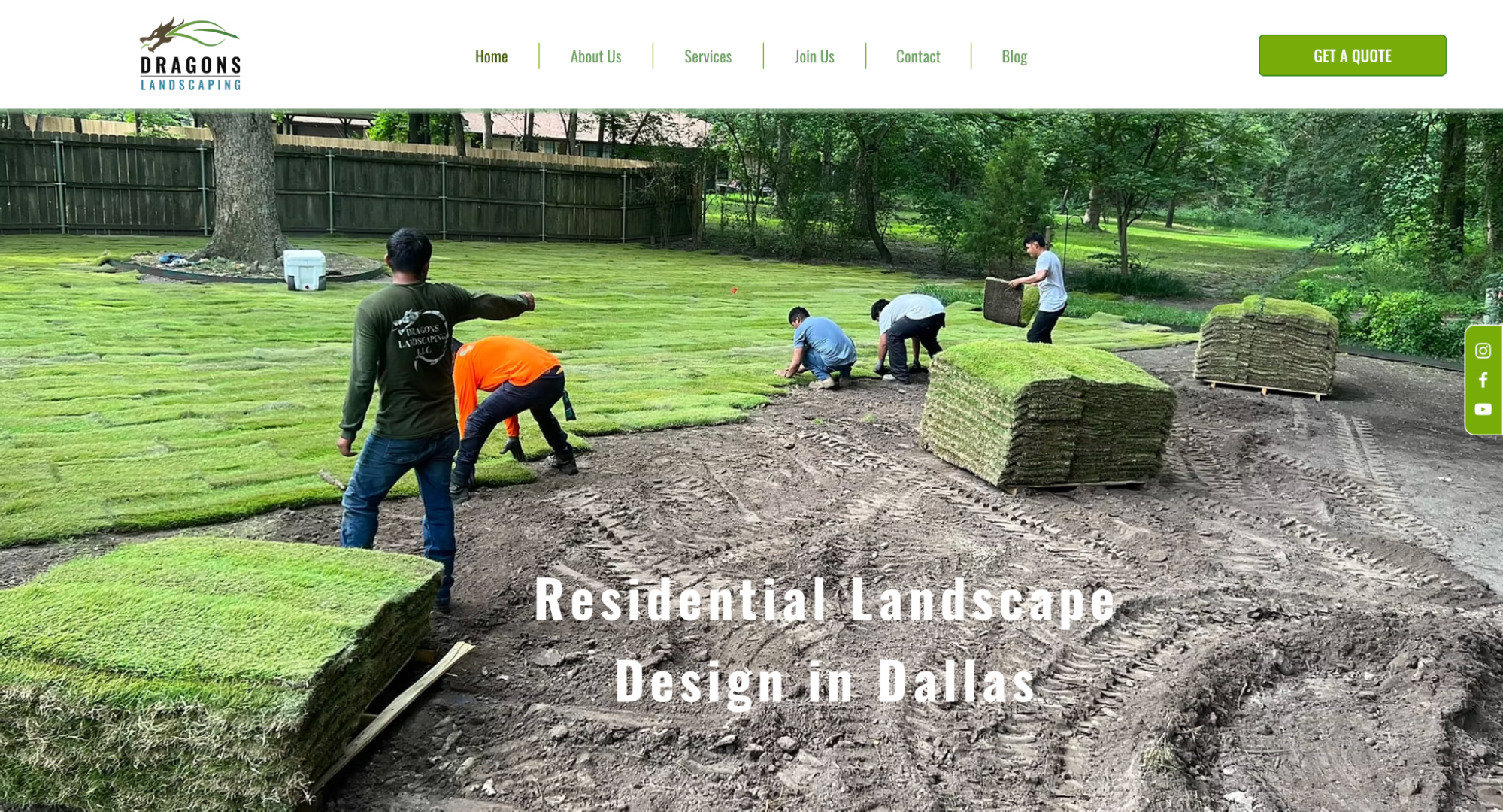
4. Dragons Landscaping
Dragons Landscaping separates its services into individual pages, with images and descriptions for each one. This makes it easy for visitors to learn more about the services they’re looking for.
What they do well:
- Outline their four-step process so potential clients know exactly what to expect
- Include information about their financing program
- Provide links to their YouTube, Facebook, and Instagram accounts
5. Primero TX Landscaping
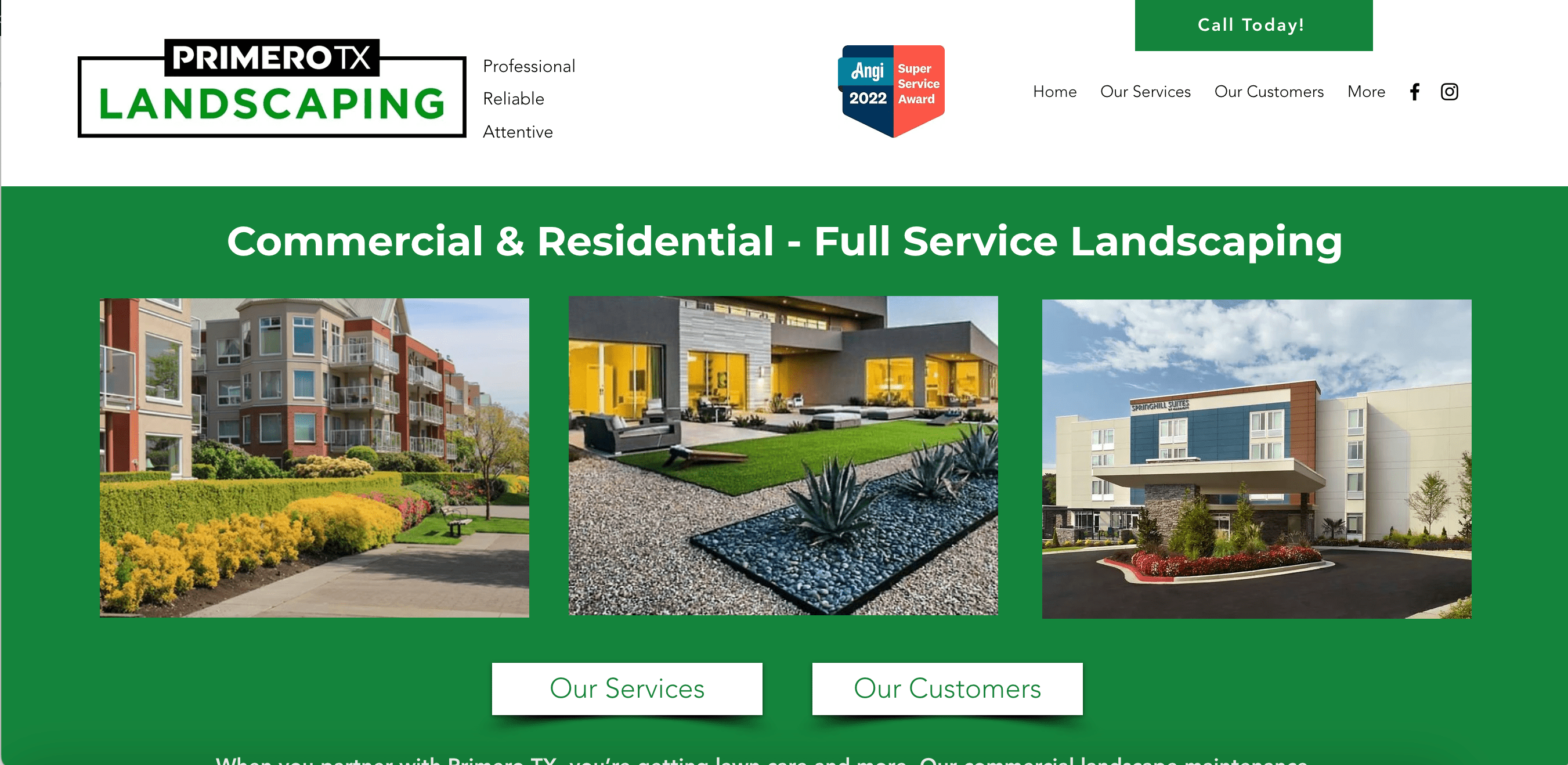
Primero TX Landscaping gives visitors reasons to hire them from the moment they land on their landscaping business website by showcasing their Angi award and images of finished projects.
What they do well:
- Showcase their work with a landscaping project gallery full of before-and-after photos
- Link to their Facebook and Instagram profiles
- List the different types of clients they work with
6. RDP Landscape Inc.
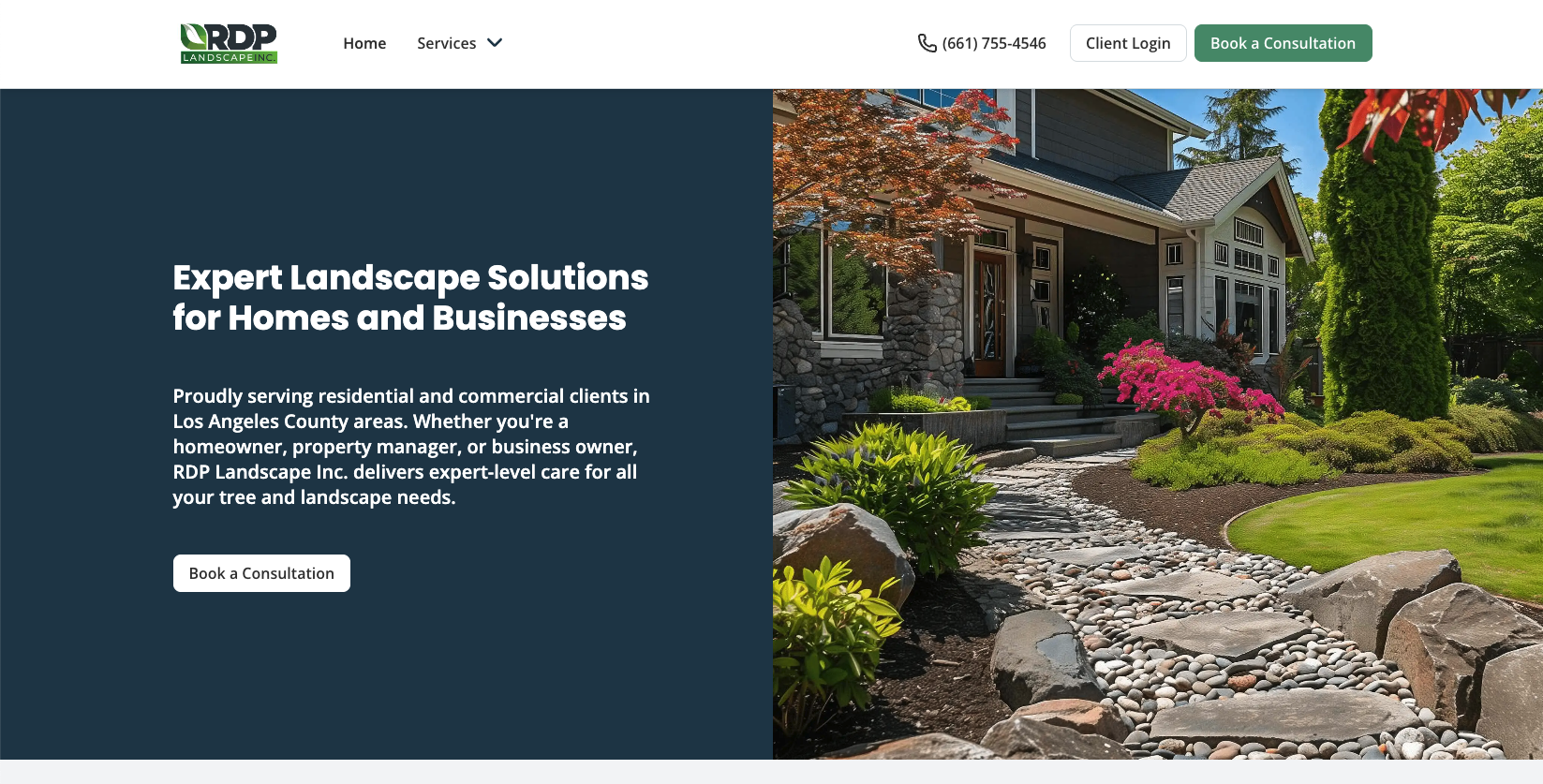
RDP Landscape Inc. has a simple garden design website with a clear CTA for potential clients to book a consultation or for current clients to access their client hub.
What they do well:
- Make it easy for customers to get in touch with a consultation request form
- List their complete service offerings
- Include images of completed jobs
RDP created their outdoor space design website quickly using Jobber. They built unique pages, including a separate page for their tree care services.
The work request form integrates right into Jobber’s landscaping software. It’s easy to turn the work request into a quote, then a job, and finally into an invoice when the work is done, with all the work details consistent throughout.
RDP can even use Jobber to measure their website’s success through a dashboard that tracks how many visitors the site is getting and how many requests are coming from it.
7. NV Landscapes LLC
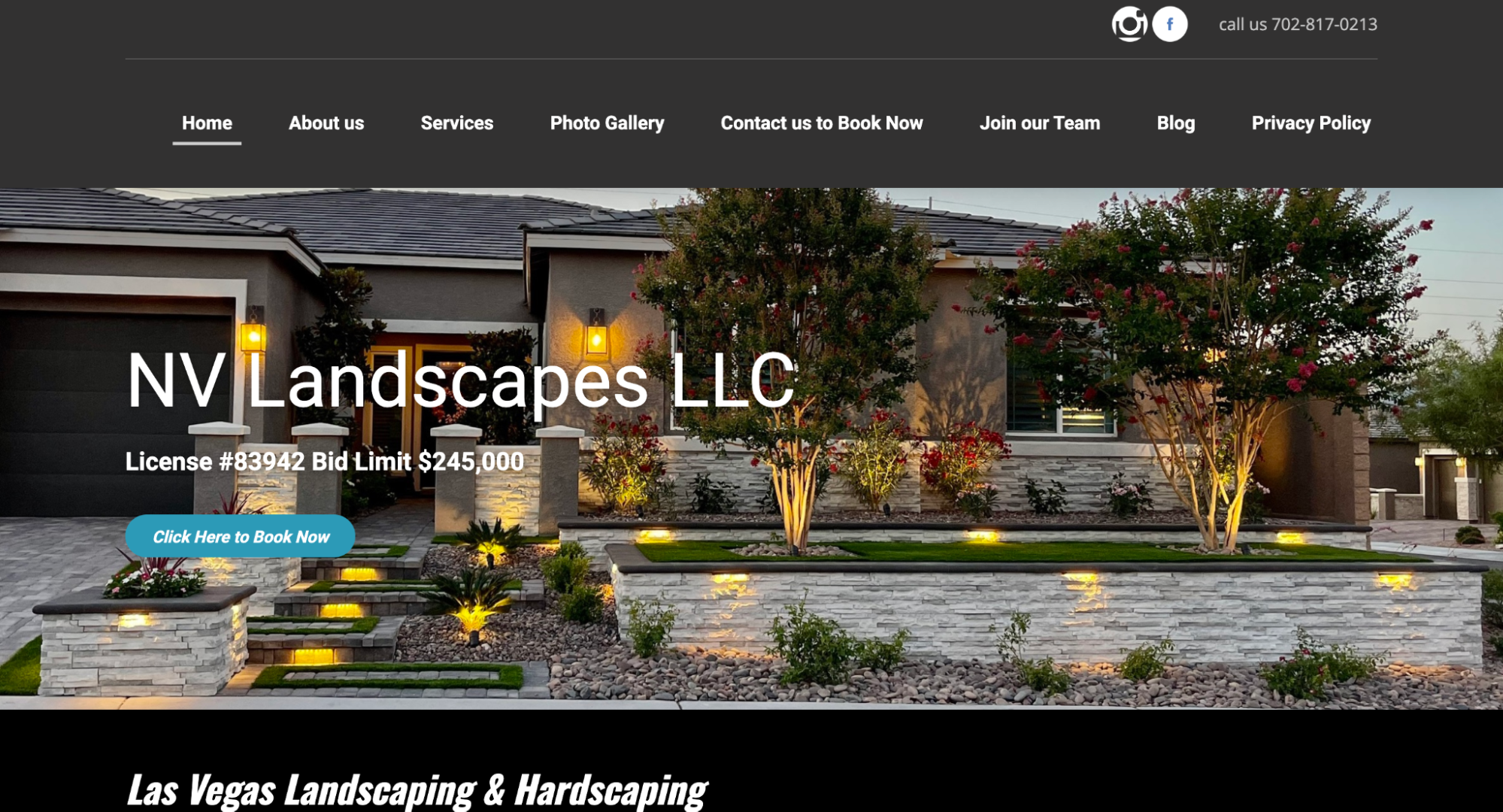
NV Landscapes LLC uses video case studies to show off their good work, a popular choice among some of the best lawn care websites. Their videos include before-and-after footage that highlights the value of their work for potential customers.
What they do well:
- Build trust by placing their license number front and center on their homepage
- Offer educational content for customers through their blog
- Include an “About Us” page that outlines their business history and mission statement
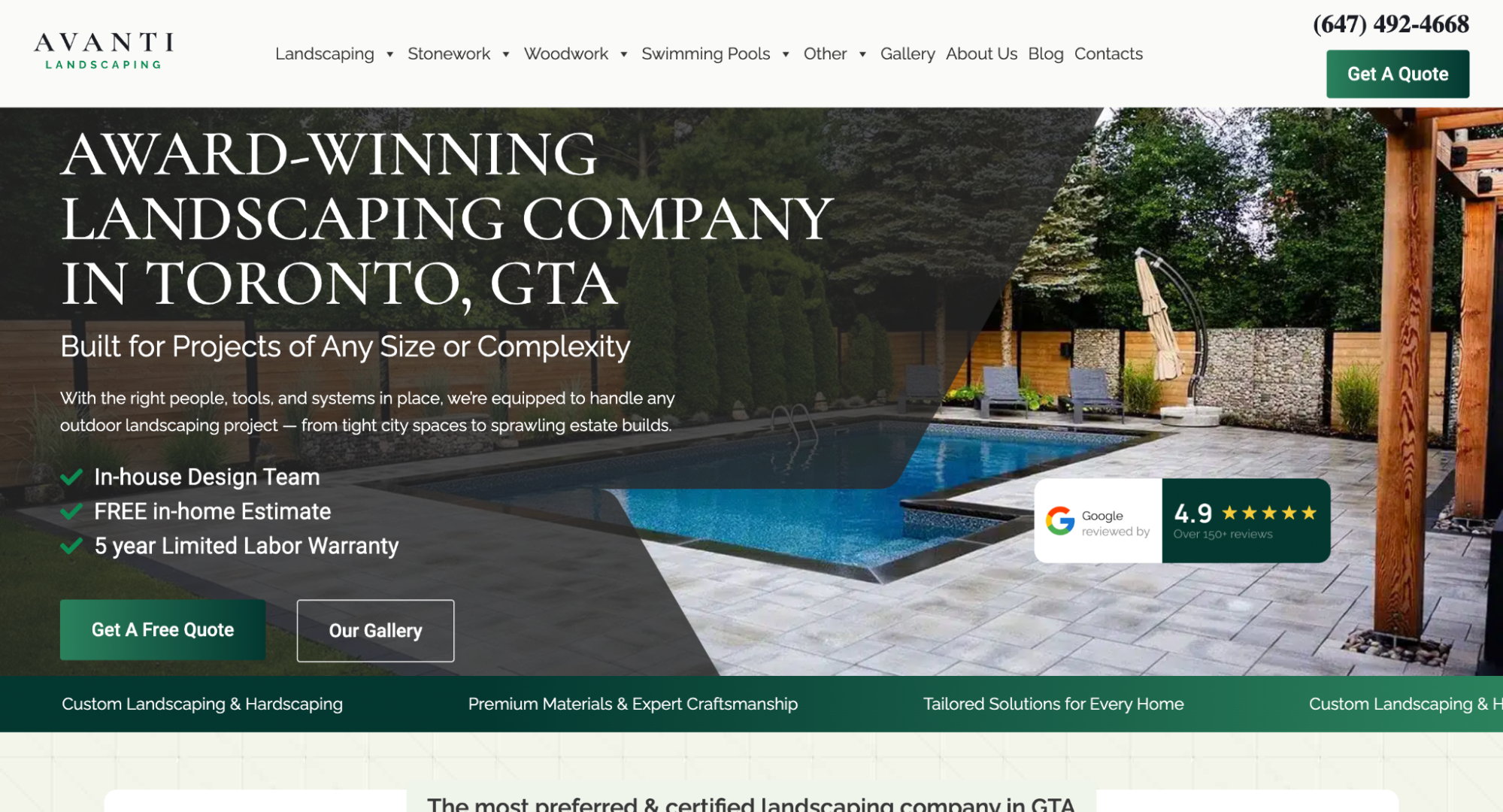
8. Avanti Landscaping
Avanti Landscaping has a detailed About page with its company history, work process, and priorities. This page helps visitors get to know the business and builds trust.
What they do well:
- Provide a professionally designed experience with easy-to-use navigation
- Clearly list the services they offer and the areas they serve
- Include Google reviews from happy customers
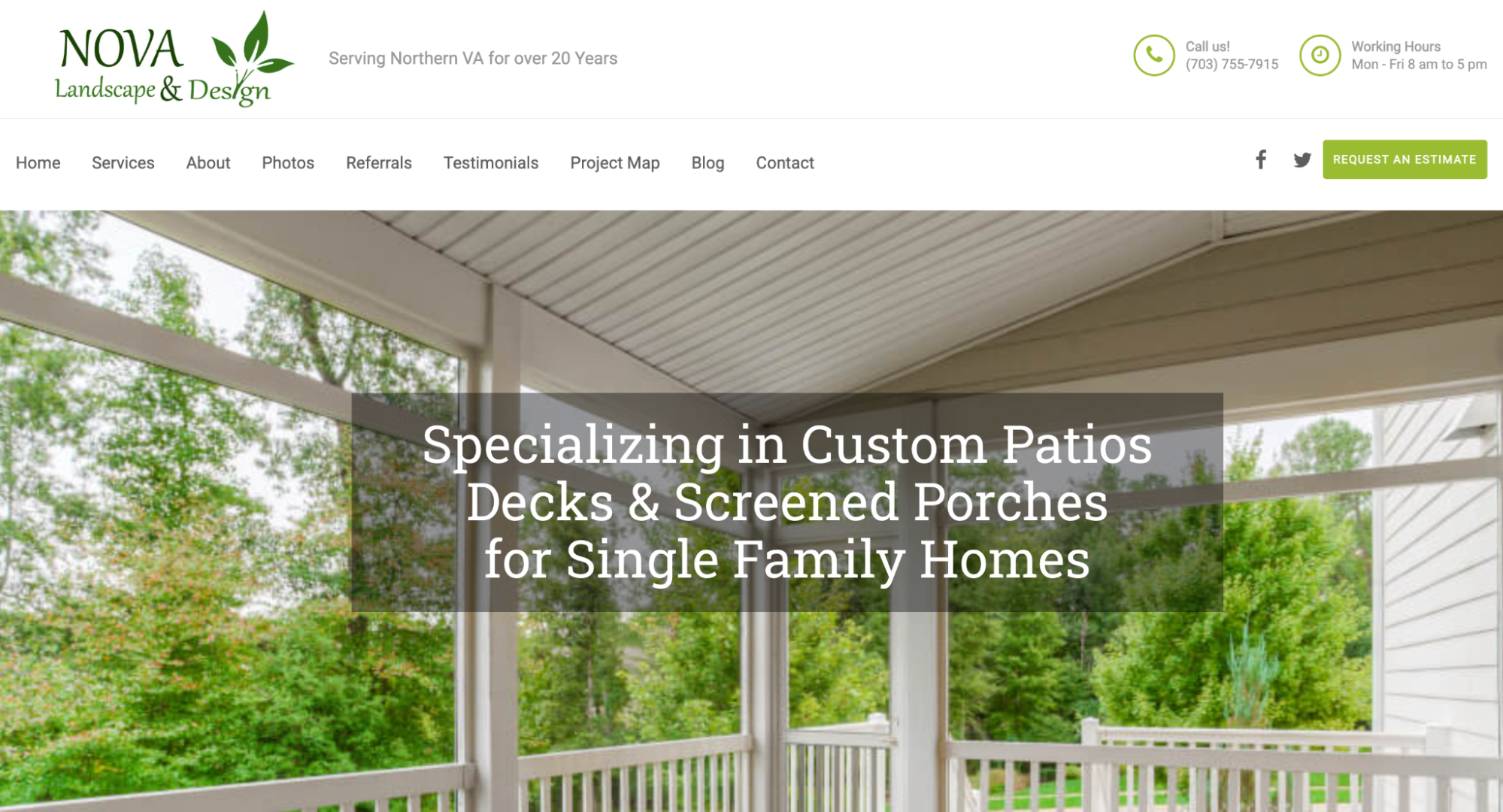
9. Nova Landscape & Design
Nova Landscape & Design not only has an About section on its home page, but also lists all of the locations it services. They have a chatbot to help visitors quickly get answers to their questions, too.
What they do well:
- Share helpful tips for visitors through their regularly updated blog
- Promote their customer referral program
- Provide easy options to get in touch with their phone number, request form, and chatbot available on every page
Want a chatbot that can handle your business while you’re out of office? Jobber’s AI-powered Receptionist answers calls and texts, accepts work requests, and books jobs in your calendar.
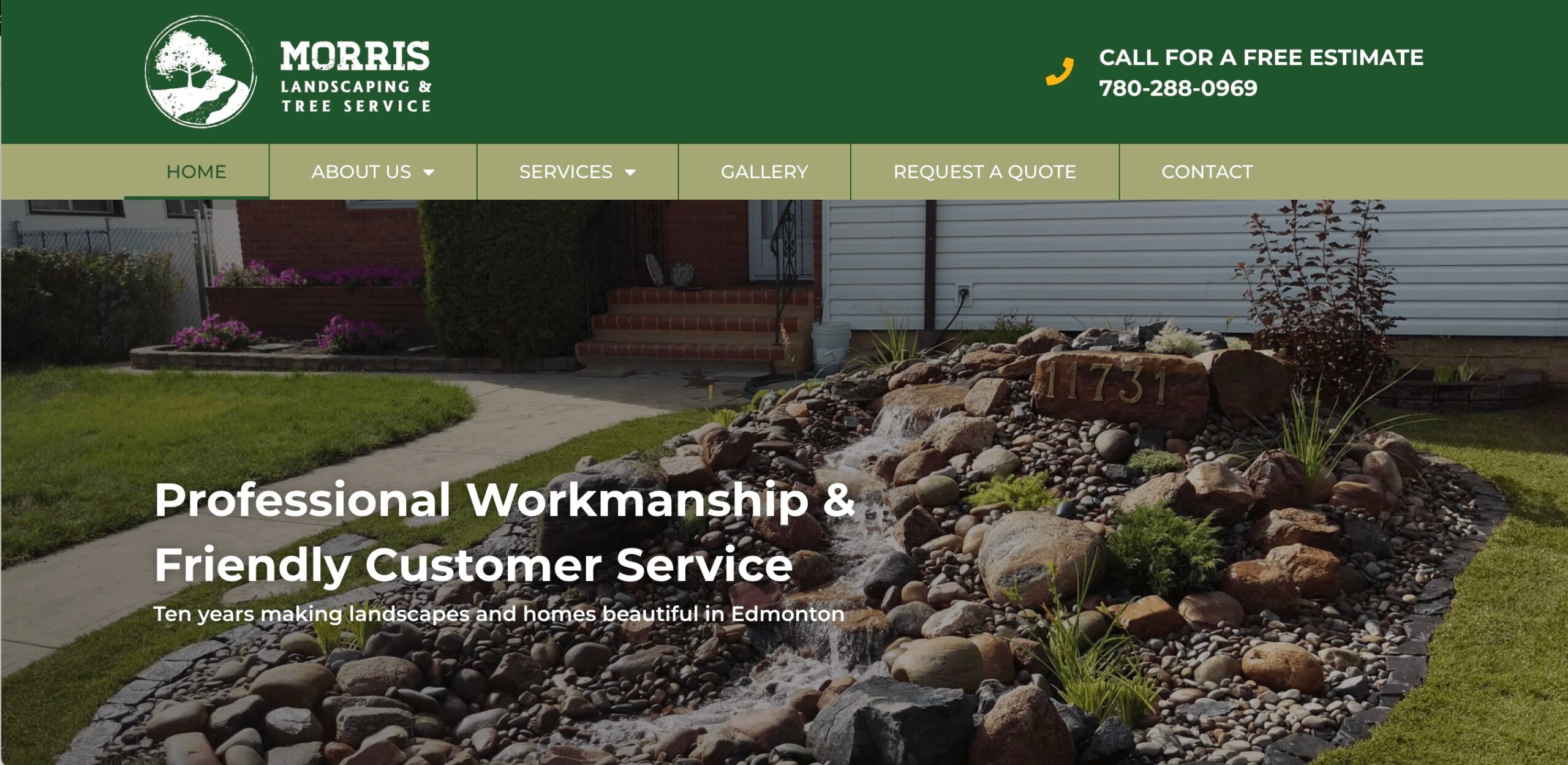
10. Morris Landscaping & Tree Service
The Morris Landscaping & Tree Service website includes a free quote request form. Potential clients can fill out the form to book services online and get their projects started faster.
What they do well:
- Make it easy for customers to request a quote with their online request form
- Build trust by including their arborist certification number
- Include an image gallery of their past completed projects
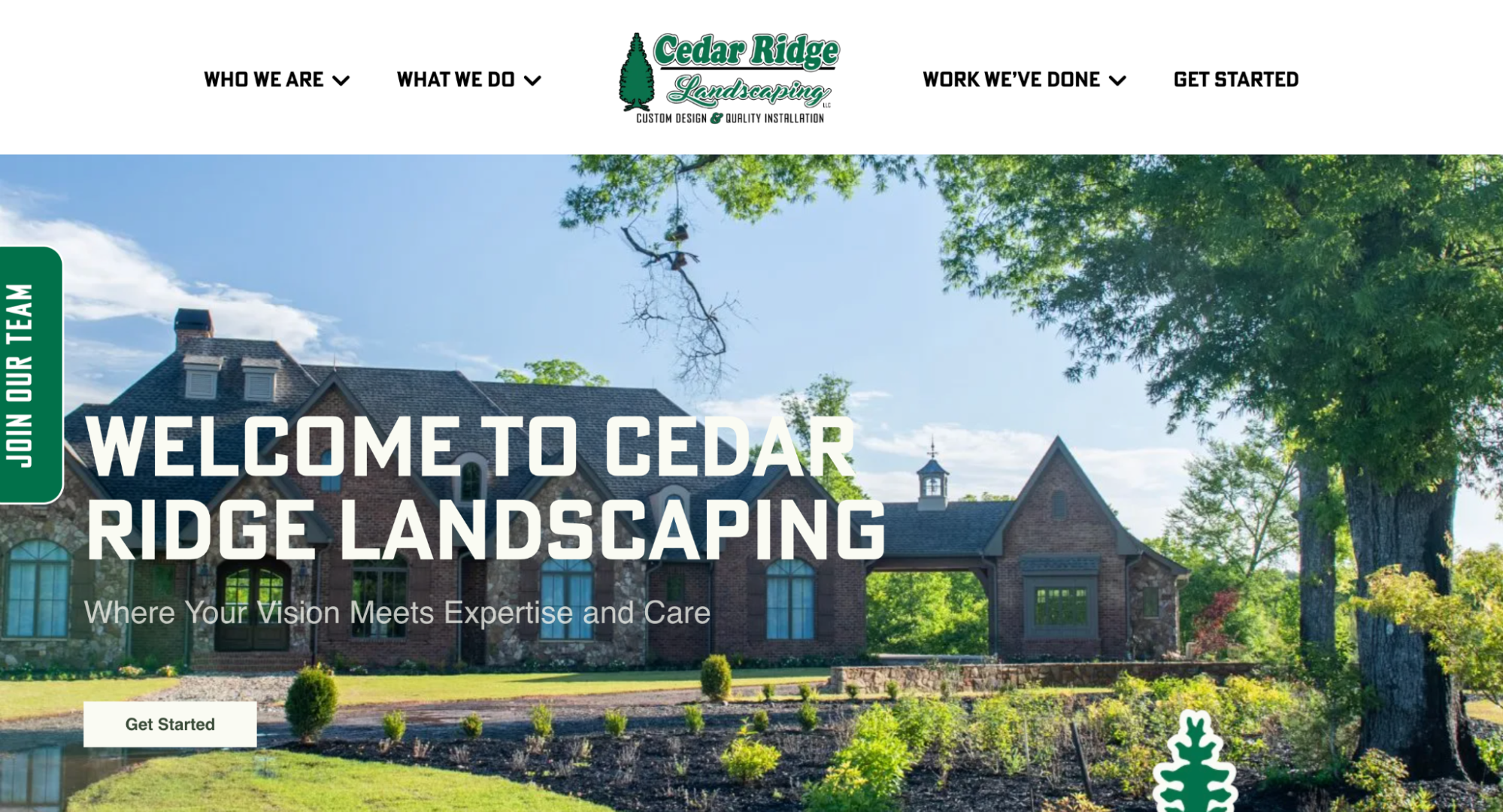
11. Cedar Ridge Landscaping
The Cedar Ridge Landscaping website is professionally designed and easy for customers to navigate. It provides information about who the company is, what they do, and how to get in touch.
What they do well:
- Clearly outline their process for both residential and commercial landscaping jobs
- Provide pictures and bios of all their team members
- Maintain consistent branding throughout with their logo, fonts, colors, and imagery
12. Best Bet Lawn
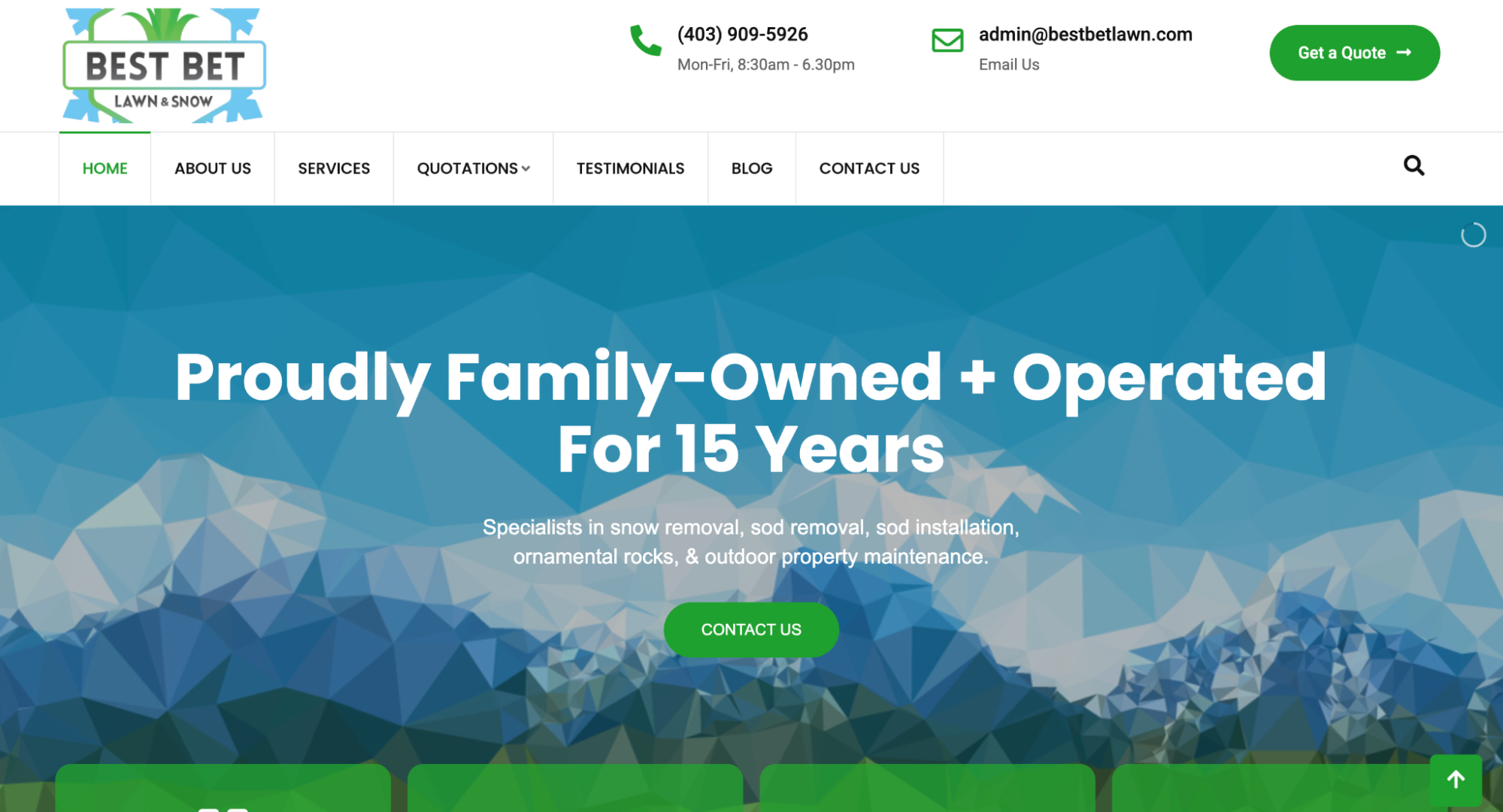
The Best Bet Lawn website focuses on the fact that the company is family-owned and operated. It makes them feel local and personable, which can help them win new clients.
What they do well:
- Show visitors what they could pay for services with a price estimator
- Share information about who they are and why potential customers can trust their business
- Display contact information, including phone number and email address, on every page
13. Kodiak Snowblowing & Lawn Care Inc.
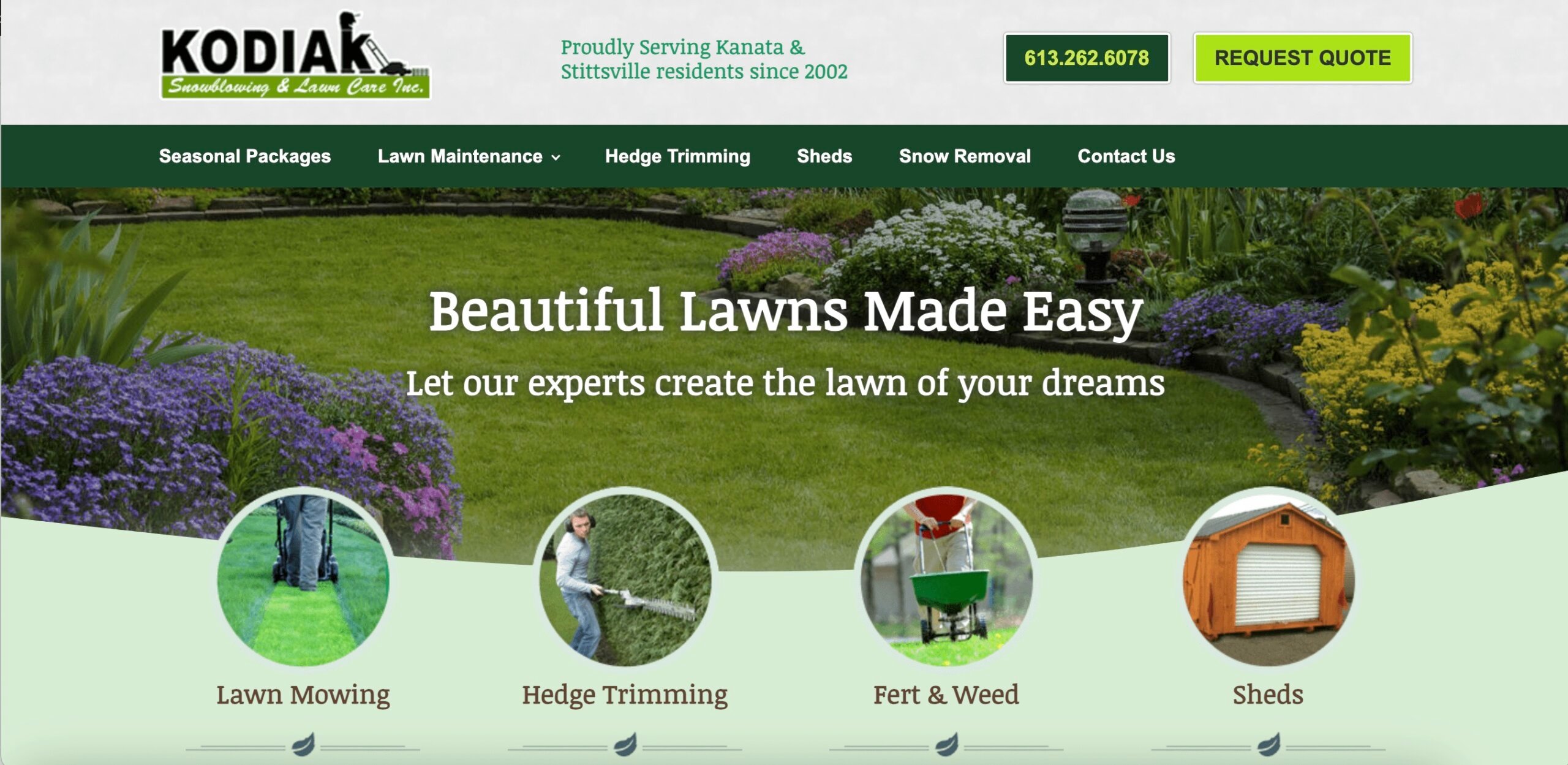
Kodiak Snowblowing & Lawn Care Inc. lists their seasonal packages with pricing and what’s included right on their website. This helps visitors compare services before booking the option that’s right for them.
What they do well:
- List their full range of services right on their homepage
- Make it easy for customers to request a quote
- Provide their contact details, including phone, email, and business address
14. Raymond Landscaping
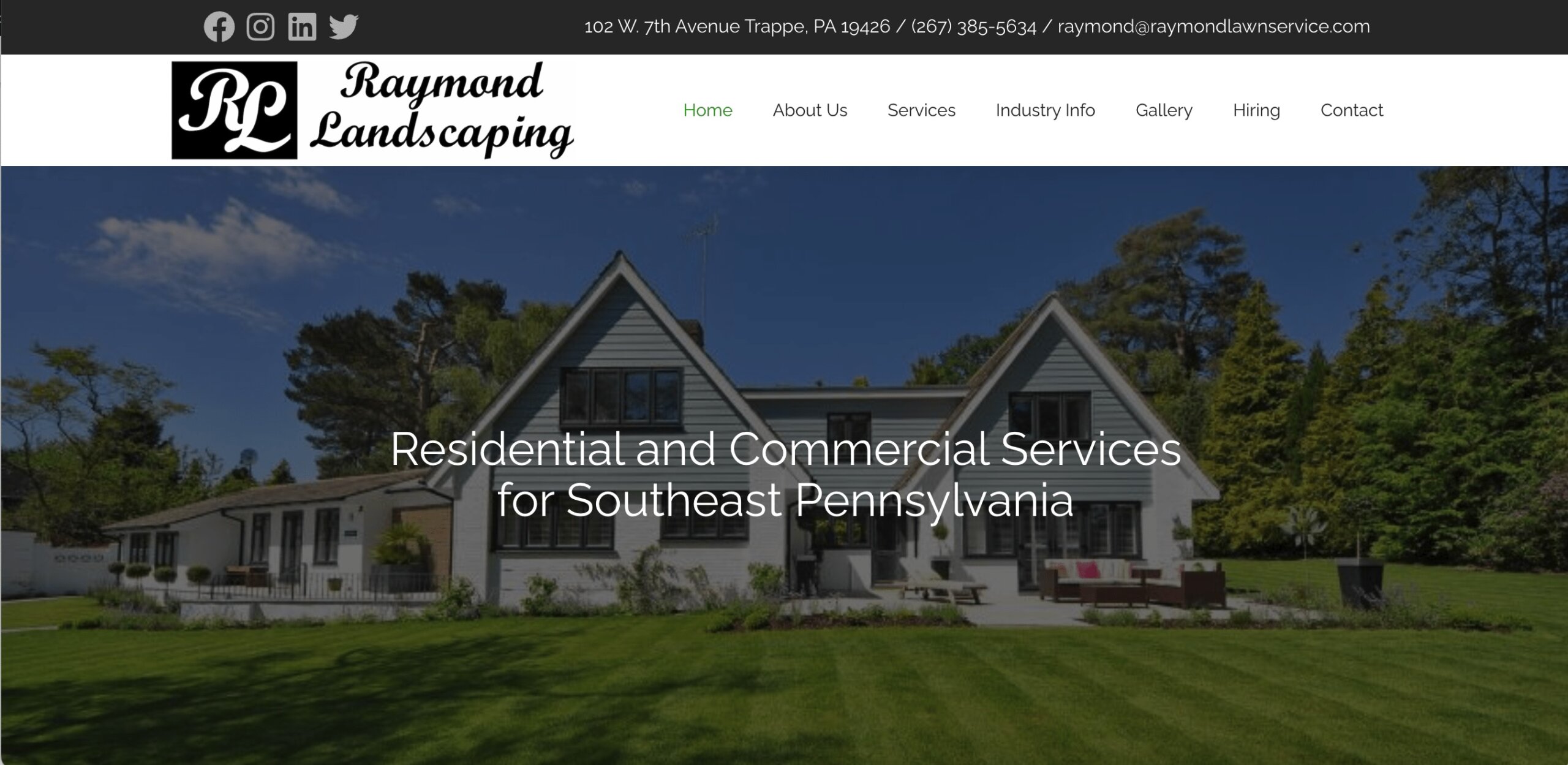
Raymond Landscaping includes positive client testimonials on its website. This tells visitors what a working relationship would look like and builds confidence in the business.
What they do well:
- Provide links to their social media profiles
- Include reviews from past clients
- Include professional photos of past projects in their gallery
15. Lawn Lovers
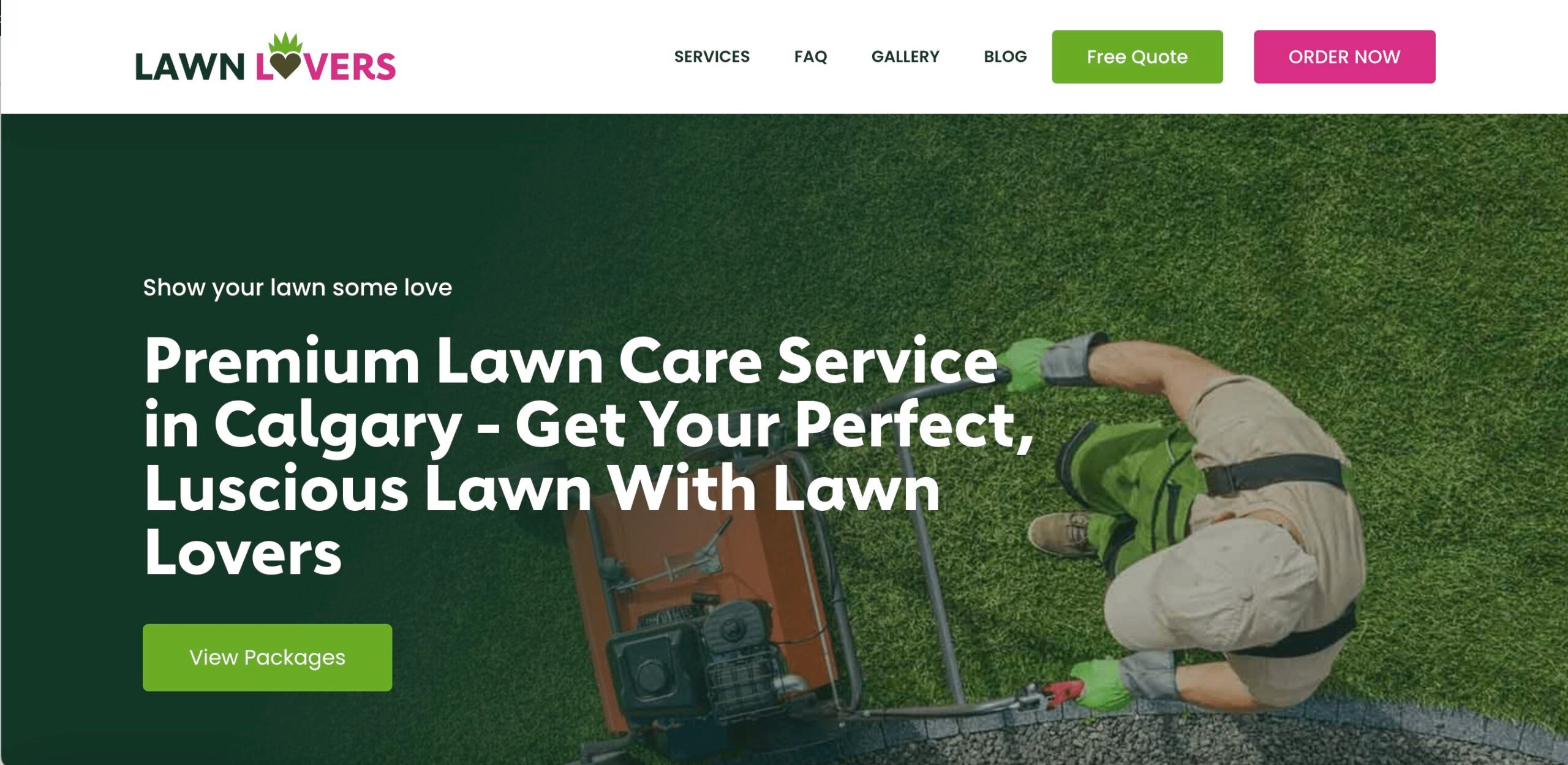
Branding for a landscaping website is essential, and it really stands out on the Lawn Lovers site. Bright pops of fuchsia and green tell the customer where to click next, and their slogan (“Show your lawn some love”) is front and center.
What they do well:
- Provide a full list of services, service packages, and pricing
- Show the difference for customers’ lawns with a before-and-after landscaping gallery
- Offer visitors the chance to sign up for their newsletter and get tips to protect their lawn
You can create email campaigns in Jobber using premade templates that are built for specific goals and landscaping customers, with your company branding included.
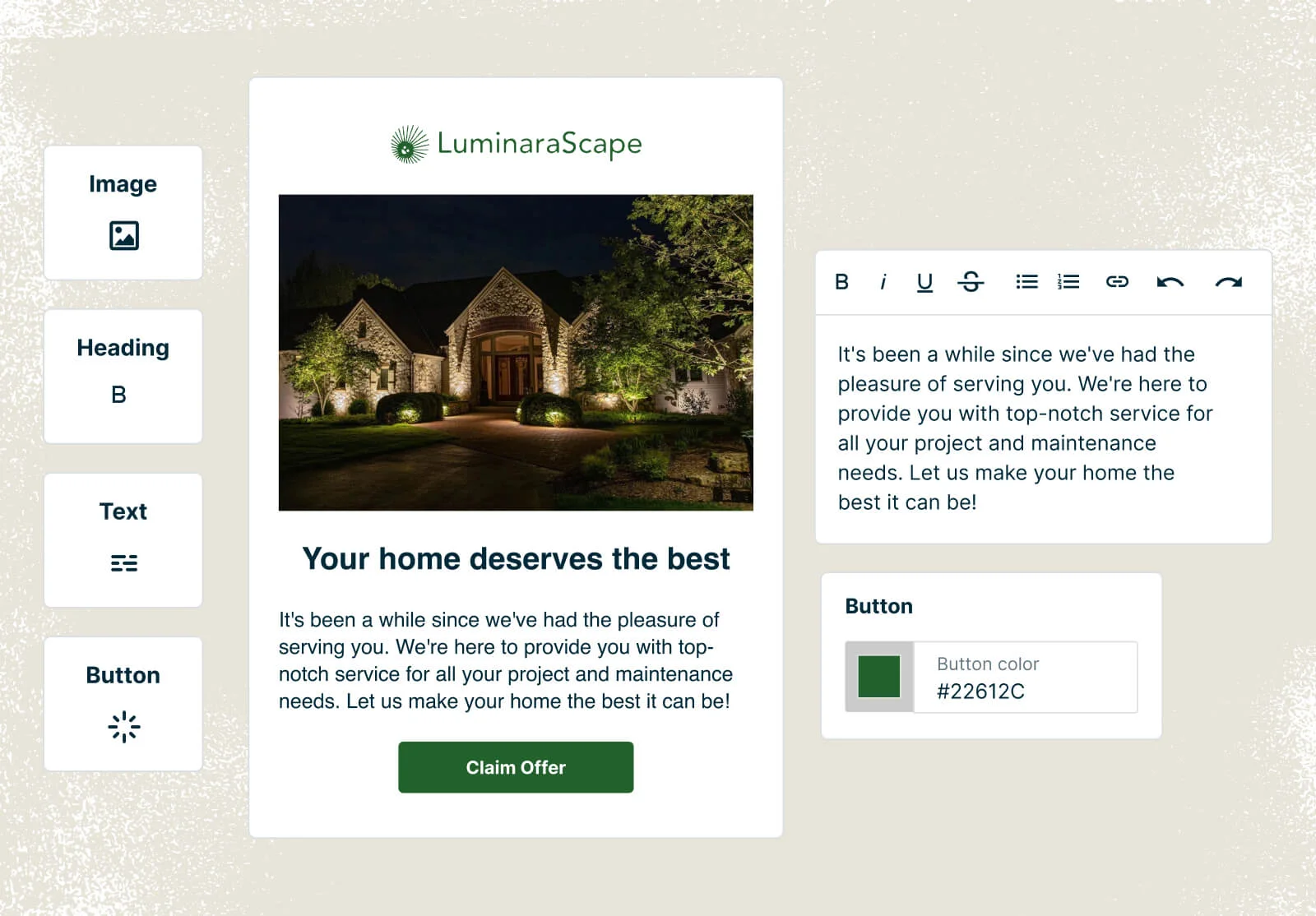
Once you’re done creating an email with details about your landscaping services, you can send it to specific client groups and track your success in a simple dashboard.
What to include in your landscaping website design
To turn visitors into paying clients, your landscape website design should include:
- Professional design: Use a landscaping website builder to design a site that stands out from competitors, using high-quality images that show your ideal clients what to expect. A professional photographer can provide images of your work and your team in action.
- Strong branding: Apply your service business brand across the site to make sure visitors recognize you and see your company as professional and legitimate.
- CTA: Use a strong, clear landscaping website call to action (CTA), so visitors know what to do next (e.g., book services, request a free consultation, or get a free estimate).
- Service offerings: Share your landscaping services list to show potential clients that you can meet their needs—and help your site appear at the top of the search results.
- Service area: Include your service area to help ensure you only get work requests from potential clients nearby. This also helps with search engine optimization (SEO).
- Contact details: Provide your phone number, email address, and a contact form on your lawn care and landscaping website that visitors can fill out for more information.
- Team and career info: If you have a team or are hiring lawn care employees, include a team/careers page on your website to tell potential employees about your business.
- Useful blog: If you have the time to maintain it, create a blog with regularly scheduled content for customers about creating and maintaining their home landscapes.
- Licensing: If your state requires a landscaping license, as in California, include that information. You can also include other details that build trust, like your landscaping insurance number or BBB rating.
- Business information: Share background info about your business on an About page, or write an FAQ section to answer common client questions.
- Reviews and testimonials: After an invoice is paid, use Jobber Reviews to send an automated request for a Google review (and get twice as many reviews every month). You can also share reviews on your tree and shrub care website to build trust with customers.
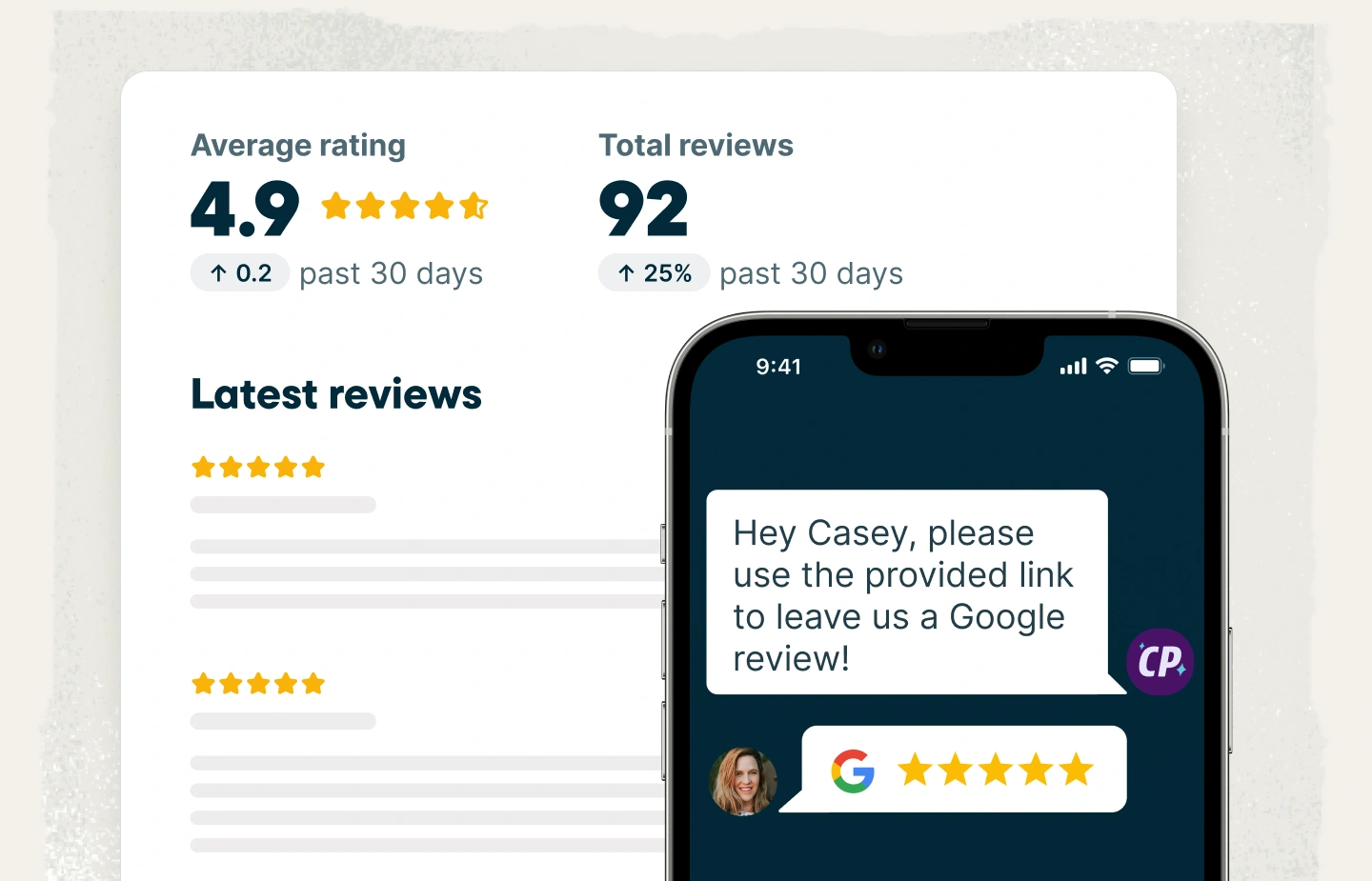
Google says that 17% of your ranking is based on how many reviews you have.
When you respond to reviews… it allows Google to index more content from you and shows that you’re engaging with your people.

How to make a landscaping website
There are three ways to create a service business website: do it yourself using a site builder, hire a web developer to build it, or ask a web agency to create it for you.
Whichever option you choose, here’s how to get started:
1. Buy a domain
Your domain is the web address where your site lives (like “dragonslandscaping.com”). You’ll need to buy a URL for your landscaping portfolio website and then re-register it every year.
If you’re using a site builder, you can buy your domain during the setup process, or you can use a registrar like GoDaddy. Jobber users can also build free Jobber-hosted landscape design websites with a free Jobber subdomain.
2. Define your business goals
When your goals are clear, it’s easier to build a weed control and lawn care website that helps you achieve them. Before you start designing your site, be clear about what you want it to accomplish, like:
- Getting more phone calls
- Generating quote requests
- Booking services online
- Ranking in local search for landscaping companies
- Making your business look more professional
3. Write content for essential pages
To make it easier for customers to find the information they’re after, sort your landscaping website content into the following pages:
- A homepage with your company name that states what you do and how to contact you.
- A services section that shows future clients everything you offer.
- An about page with your licenses, certifications, awards, experience, and values.
- A contact page with your contact details, online booking form, and service area.
You can add more pages if you’d like, as long as there’s enough landscaping website copy to fill each page. But your website should at least have these pages in place before you make it publicly visible.
4. Design and build your site
Your website should help visitors understand who you are, what you offer, and how to contact you, without feeling overwhelmed by details. Follow these tips when you’re designing your site:
- Keep the design simple. Visitors form an opinion of your site in 0.05 seconds, so clarity matters. Your content should be clean and straightforward, without putting too much information on a single page. Use clear section headers, short blocks of text, and a simple menu with only a few links.
- Use consistent branding on every page. Place your company name and logo at the top so visitors know who they’re dealing with. Use your brand colors and fonts to create a consistent look, and include your slogan (if you have one) in highly visible areas.
- Include clear calls-to-action (CTAs). This tells potential customers to take a specific action, like calling, emailing, or filling out a contact form. Use language like “Get Free Quote” or “Call Now,” and place these CTAs throughout the website.
- Make sure the site works on mobile devices. Customers will visit your site on phones or tablets, so mobile usability is essential. Your mobile-friendly landscaping website should load quickly, display images properly, have buttons large enough to tap, and adjust to fit different screen sizes.
If you’re using a site builder like WordPress, Squarespace, or Wix, you can customize landscaping website templates to make your own unique site.
Or, if you’re working with a developer or an agency, you’ll plan your landscape website design together, and they’ll build it for you.
If you’re just starting out, you can use a basic platform like Wix or Squarespace, and get a basic website up in a day or two
Another option for building landscape architect websites quickly is to use landscaping software like Jobber.
Just share details about your business and services, and we’ll create a landscaping website that highlights what sets you apart from the competition.
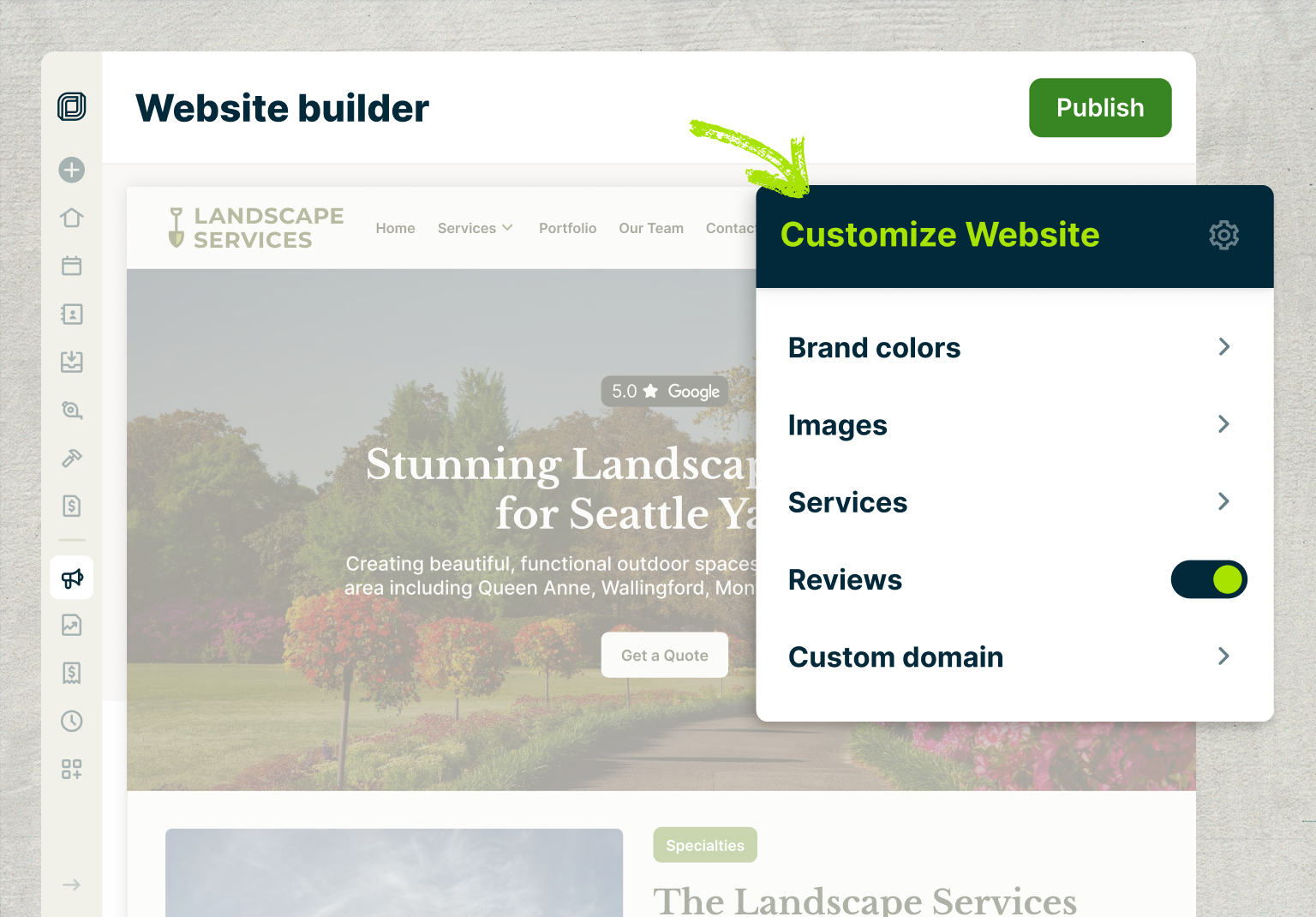
Find out how Jobber helps build residential and commercial landscaping websites in just minutes:
5. Make your site easier to find on search engines
When someone is looking for lawn services, they’ll often type “landscaping services near me” into Google. Help your site appear at the top of search engine results by applying some local SEO (search engine optimization) basics.
You can hire a professional landscaping website SEO company or do it yourself. Here’s how to build an SEO-friendly landscaping website:
- Use service-focused keywords potential customers would use to look for a business like yours, such as “garden design,” “hardscape,” or “backyard design.” It’s best to have individual pages for each service you offer.
- Include location-specific phrases a potential customer would use to search for landscaping services in their neighborhood, like “New York landscaping services,” or “landscapers in Chicago.” If you cover multiple service areas, create unique contact pages for each region.
- Create a Google Business Profile that includes your contact information, website URL, landscaping services, and photos of completed projects. This is where your customers can leave (and see) reviews about your business.
- Regularly publish helpful articles that answer common landscaping questions, such as seasonal maintenance tips, drainage issues, or why certain plants aren’t thriving in a specific yard.
- Aim for roughly 500 words per page, using clear headings and a landscape project gallery with photos or diagrams to make the content easy to scan and understand.
Every Jobber website comes with built-in SEO tools, giving you recommendations for keywords and service pages that’ll help your site appear higher in search results.
From a Google perspective, when someone searches for “your service near me,” or your service with a geographical target, you want to be shown for that.
6. Track site performance
Use Google Analytics and Search Console to track who’s visiting your site, how they got there, and how your site performs on Google.
Sign up for Google Analytics and add Google’s tracking code to your website so you can start measuring visitors, page views, and other data in the GA4 dashboard.
You can also use marketing insights tools like Jobber to track where leads are coming from and the performance of your campaigns.
7. Update regularly
As your client base grows and your business scales, update your site regularly with new photos, testimonials, and other details about your business.
That way, potential clients always have the most up-to-date information about your services and the quality of your work.
READ MORE: Marketing for landscapers: strategies to grow your business
Get landscaping website inspiration from the examples above, then follow our tips to build a great website that quickly attracts potential clients and turns them into paying customers.
Want to go even deeper on this topic? Learn how industry experts create high-converting landscaping websites on this episode of the Masters of Home Service podcast.
Originally published in February 2022. Last updated on January 20, 2026.
Frequently Asked Questions
-
While the best website builder for landscapers will depend on your needs, a Jobber website is a good choice because it integrates with your landscaping business software.
Every Jobber website comes with features like:
• A customizable design that lets you choose colors and build content sections and pages
• A quote request form to help turn website visitors into leads
• Built-in SEO with recommendations for keywords and service pages
• Google reviews to convince visitors that they should work with your business
• An AI-powered Receptionist that chats with visitors, takes requests, and books jobs
• Website reporting so you can track site traffic and leads over time -
Landscaping company websites can take anywhere from a few minutes to a few months to build, depending on how you do it.
A Jobber website can be up and running in just minutes, since it’s automatically generated based on a few details about your business. You can customize your site as much as you’d like.
Building your own site using a landscaping website builder can take a few days or weeks, while working with a web developer or agency could take weeks or even months.
-
A landscaping website will cost anywhere from $60/year to $20,000, depending on how you build it. Here are some of the most common options and their costs:
• A basic plan with a website builder will start at around $60 USD per year. You can expect to pay more for a higher-tier or month-to-month plan.
• A developer will charge $614–$1,817 USD to build you a website. The amount can vary depending on their hourly rate and what your website will include.
• Working with a web agency is the most expensive, with a small business website costing $5,000–$20,000 USD. This is the most hands-off option if you want to save time while still getting a great website.
If you’re a Jobber user, you can build and host a simple website for free.
On top of that, you’ll need to buy a domain. They’re usually $10–$20 per year. But depending on the demand for a specific domain (like landscaping.net), the one you want could cost you thousands of dollars. Annual renewal fees can also be higher. -
The best landscape business websites often include features like:
• Clear calls-to-action that tell visitors to request a quote or book a service.
• Defined service area to attract nearby customers and support local SEO for landscaping websites.
• Services list to tell customers you can meet their landscaping needs.
• About/FAQ content that explains who you are and answers common questions.
• Customer reviews and testimonials to build credibility.
• Blog content to educate customers about lawn care and landscape maintenance.
• Team/careers page to highlight your crew and open roles if you’re hiring.
• AI Receptionist to answer calls or texts and schedule consultations in your calendar.