Jobber vs. QuickBooks: Do You Need Both?
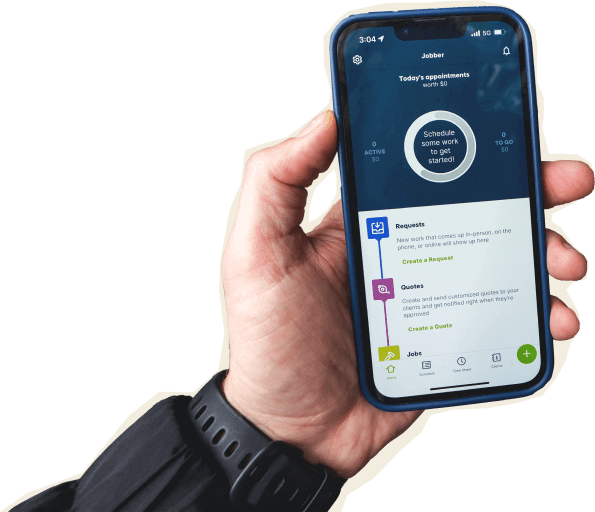
Jobber runs your day-to-day—quoting, scheduling, invoicing, getting paid—and it now handles your bookkeeping too, so your operations and your finances live in one place instead of two.
QuickBooks Online is built specifically for accounting, and the two still sync for anyone who wants to keep managing their books there.

Jobber vs. QuickBooks: Comparison Table (2026)
Jobber and QuickBooks solve different problems. Here’s a side-by-side look at what each one does, and where they overlap.
High-Level Comparison
What it’s for
Running the day-to-day of a service business
Accounting and tax compliance
Built for
Home service pros and their crews
Any small-to-mid sized business and accountants
Field service tools
Combines requests, quoting, scheduling, routing, GPS tracking, job details, customer communications, invoicing and payments into one workflow.
Offers general estimates, invoicing, and payments with options to add field-service capabilities through additional tools and integrations.
Accounting tools
Core bookkeeping and monthly financial reporting fully managed and explained by a dedicated human bookkeeper. Available to existing customers as an add-on to any Jobber plan.
Broad range of accounting tools for businesses with complex financial needs, including advanced reporting, inventory tracking, accounts payable and receivable, payroll, banking and more.
Full service bookkeeping available as an add-on.
Where your books live
Inside Jobber, alongside your jobs, quotes, and invoices
In QuickBooks, separate from your operations
Full-service bookkeeping pricing
Jobber Bookkeeping starts from $149/mo (US only). Requires a Jobber subscription.
QuickBooks Full Service Bookkeeping starts from $300/mo (U.S only). (Requires a QBO subscription.)
Free trial
14 days, no credit card required
30 days, credit card required
Who are Jobber and QuickBooks?
Jobber
Jobber is field service management software for home service businesses—cleaners, plumbers, landscapers, electricians, and pros across 50+ industries. It handles quoting, scheduling, dispatching, invoicing, and payments in one place, and over 400,000 service pros use it to run their day.
Jobber Bookkeeping adds a dedicated bookkeeper who manages and closes your books every month and hands you everything you need for tax time and daily decision-making throughout the year — all in that same platform.
QuickBooks Online
QuickBooks Online is cloud accounting software built for small businesses of every kind. It covers estimates, invoicing, accounts payable and receivable, and the financial statements your accountant needs at tax time, with payroll and inventory tracking available on higher tiers or as add-ons.
Businesses that want hands-on support can add Intuit Expert Full Service Bookkeeping. A dedicated QuickBooks-certified bookkeeper categorizes transactions, reconciles accounts, prepares reports such as profit and loss statements and balance sheets, and reviews the results with you.
The service doesn’t send invoices, pay bills, manage inventory, accounts receivable, or accounts payable, run payroll, provide tax advice, or file tax returns. You remain responsible for those tasks.
What is Jobber Bookkeeping?
Most bookkeeping is built for your tax return. Jobber Bookkeeping is built for the decisions you make in between—a real person closes your books every month and tells you what the numbers actually mean.
It all happens in the same place you quote, schedule, invoice, and get paid, so what your books say and what your business is doing are never two separate stories.
You get a bookkeeper, not a help desk
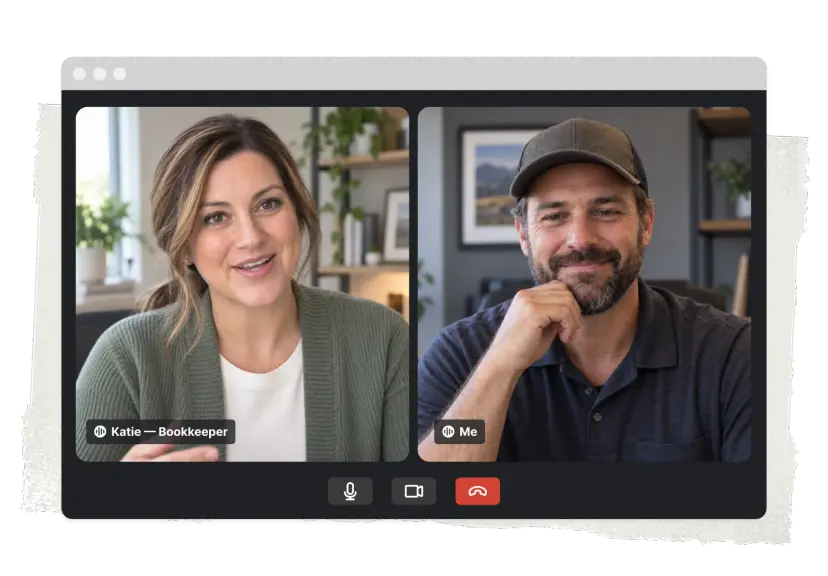
Someone’s name is on your account. They set your books up right at the start, or work through up to 24 months of backlog to catch you up if you’re behind, then close your books out every month after that. Books are done within five days of month-end and you get a text when they’re finished, so you’re never left wondering where things stand.
Questions go straight to them by email or text. No ticket queue. Nobody new to explain your business to.
Find out how August went in September, not next February
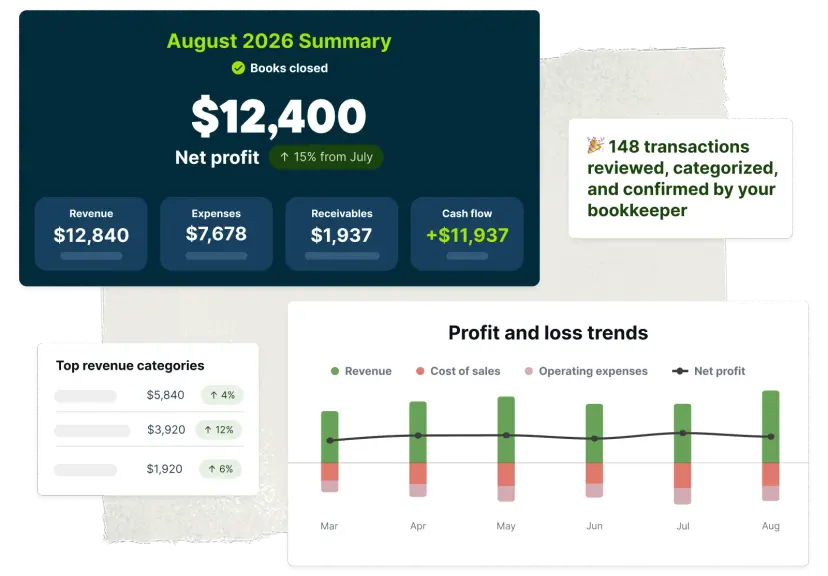
Each month you get a straight read on how the business performed: what moved, what didn’t, and what’s worth a closer look. It comes with a full set of financial reports, so you can watch the shape of the business change over time instead of squinting at one year-end snapshot.
Want to go deeper? Book a review with your bookkeeper and work through what’s driving the numbers. Calls like hiring someone or raising your rates get easier with a year of clean monthly data behind them.

Spend less time matching transactions
Your bank and credit card transactions flow into Jobber through Plaid. Every payment and refund you collect in Jobber lands in your books and gets matched to the right transaction automatically.
The status of your books, what your bookkeeper needs from you, and your full financial picture all sit in the same place you schedule crews and send invoices. Your Insights Dashboard gets sharper too—once verified financial data is flowing in, the revenue and cash flow numbers you’re already looking at become numbers you can lean on.
Questions go straight to them by email or text. No ticket queue. Nobody new to explain your business to.
Do you need both Jobber and QuickBooks Online?
Jobber can help you run your day-to-day work and manage the financial side of your business, from invoicing and payments to bookkeeping. Whether you also need QuickBooks Online depends on how complex your accounting needs are and how involved you want to be in managing your books.
There are three options to consider:
Option 1: Use Jobber to run your entire service business
Best if: You need field service software to manage your work and want a professional to handle your bookkeeping—without adding a separate accounting platform.
Jobber helps you manage leads, quotes, scheduling, jobs, invoices, and payments. Plus, with Jobber Bookkeeping, a dedicated bookkeeper manages your books in the same platform you use to run your business. Your books are closed within five days of each month-end and your bookkeeper walks you through the results so you understand how your business performed.
Your books end up living where your jobs do, so the financial picture and the operations sit together, under one roof.
Option 2: Use Jobber with QuickBooks Online
Best if: You or your bookkeeper already manage the books in QuickBooks and it’s working.
Keep everything as it is. The Jobber to QuickBooks Online sync moves your clients, products and services, timesheets, invoices, payments, refunds, tips, and payouts from Jobber into QuickBooks automatically, so nothing gets entered twice. Your accountant keeps working the way they always have.
This is the right path if your accounting needs include managing accounts payable and paying suppliers, tracking inventory, or a high volume of 1099 contractor filings. If you manage these tasks in QuickBooks today, moving them over may end up in you having to track some things by hand.
Option 3: Use QuickBooks Online on its own
Best if: You’re not scheduling crews, and accounting is the only software you need.
If your business doesn’t run on jobs, visits, and quotes, you may not need a field service platform at all. QuickBooks Online on its own is a solid choice for businesses that don’t have work to dispatch.
Why home service pros choose Jobber bookkeeping
Moving your books to Jobber Bookkeeping
You’re not starting from zero. Everything you’ve already got comes with you. Setup is on us.
Nothing gets left behind
Your QuickBooks Online records come across intact: transactions, categorizations, and history. You pick up where you left off instead of rebuilding a year of work.
We take care of the setup
Connect your accounts and hand over the rest. Your bookkeeper builds the chart of accounts, imports the history, and gets everything squared away before your first monthly close.
Keep your accountant, give them less to fix
You pay your accountant for tax strategy and filing, not for untangling 12 months of receipts. We keep the books clean all year so they can spend your money on the work you hired them for. Come tax time, your bookkeeper hands you an organized tax packet to pass straight along.
Books in rough shape?
Add catch-up bookkeeping and your bookkeeper will work from whatever you’ve got—spreadsheets, exports, bank statements—to clear the backlog and build you a clean starting point.
Jobber vs. QuickBooks Online: Which should you choose?
No tool is right for every business. Here’s an honest take on when each one wins.
Stay with QuickBooks Online if:
- You run accounts payable or inventory tracking through QuickBooks and it’s working
- Your books run on accrual accounting, not cash-basis
- You keep separate books for more than one business or legal entity
- You’ve got a setup that you like and don’t want to change it
Add Jobber Bookkeeping if:
- You’re doing your own bookkeeping and it’s eating your evenings and weekends
- You’ve never seen a monthly profit and loss statement for your own business
- You’re paying for QuickBooks and a bookkeeper separately already
- You want one system and one subscription instead of two
Use Jobber either way if:
- You schedule crews, quote jobs, and invoice customers
- You’re re-entering the same client and invoice details in more than one place
- You want your team quoting and collecting payment from the driveway
Frequently asked questions
-
That depends on what you need from your accounting. Jobber Bookkeeping covers monthly bookkeeping, reconciliation, financial reporting, and an annual tax packet for your accountant. If you’re running accounts payable or inventory tracking, QuickBooks handles things Jobber Bookkeeping doesn’t cover today—and the sync keeps both systems lined up.
-
Yes. Jobber’s QuickBooks Online sync is fully supported and isn’t going anywhere. It’s there for anyone who wants to keep managing their own books in QuickBooks, or whose accounting needs go beyond what Jobber Bookkeeping covers today.
-
Pricing starts at $149/mo and scales with your annual business revenue. It’s an add-on available to existing customers on any Jobber plan, available in the US.
-
Not during the trial. Once you’re on a paid plan—any plan—you can add it whenever you’re ready. Your bookkeeper handles setup from there.