Skip to content

See Upcoming Updates to Key Pages in Jobber 

Cam Haus

You’ve told us where Jobber slows you down: waiting for pages to load, digging for notes, jumping into extra screens just to tweak one tiny detail. Those little speed bumps add up fast. So we’re smoothing them out.

A fresh set of upgrades is rolling out across the pages you rely on daily—all designed to help you move quicker, stay in flow, and keep the important stuff right where you need it.

Updates for Clients, Jobs, Invoices, Online Booking and Timesheets will begin rolling out in mid-March.

You don’t need to do anything to get the new experience. These improvements will appear in your account automatically as they become available.

Big upgrades across Jobber

These improvements will show up across the key pages you rely on most—Clients, Quotes, Jobs, and Invoices.

A new sidebar that keeps what matters front and center 

Screenshot of Jobber's new sidebar

We hear you! Internal notes and other supporting details are moving to the right sidebar on each page. Everything you need stays in view, so you get the info you need with fewer scrolls. No more digging for notes or updates!

Speed upgrades you’ll feel right away 

We’re making Jobber faster across the pages you use most. With the upcoming improvements, these pages will load up to 2–3x faster. You’ll feel it when you open a client, jump into a job, or pull up an invoice on the fly.

We’re also making editing faster. Instead of opening a separate screen for a quick fix, you’ll be able to edit directly on the page you’re viewing and stay within the flow.

A refreshed look

We’re updating the layout of Clients, Quotes, Jobs, and Invoices to reduce clutter and make important actions easier to find.

These changes make each page cleaner, clearer, and easier to scan—especially when you’re in a rush.

Small fixes that make a BIG difference

We’ve been sharpening the edges everywhere: fixing older bugs, smoothing quirky flows, and tightening consistency across the app. You’ll notice a cleaner, steadier experience each time you’re in Jobber.

Client improvements

Rolling out starting March 2026

What’s changing

For clients with multiple contacts or properties, it will now be easier to access and manage their details right from the client page.

  • Quickly view the client’s current balance and lifetime value
  • View all contacts and properties, and easily add new ones
  • Select a property to view comprehensive details

Job improvements

Rolling out starting March 2026

What’s changing

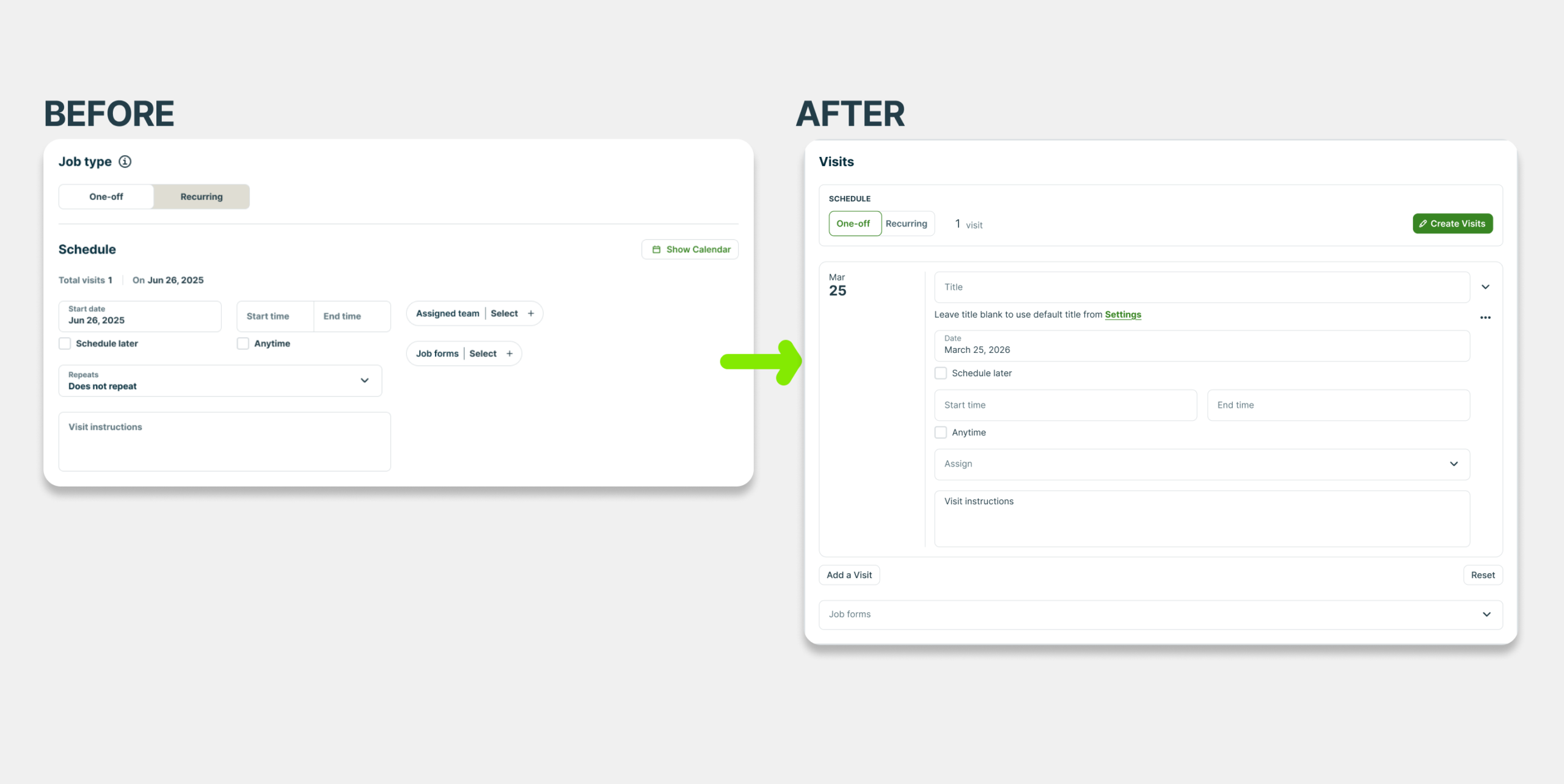
Viewing and editing jobs

  • Edit jobs directly from the job page: The full edit page has been removed. Job details can now be edited directly on the job page instead of opening a separate edit screen.
  • Update job details directly from the relevant sections:
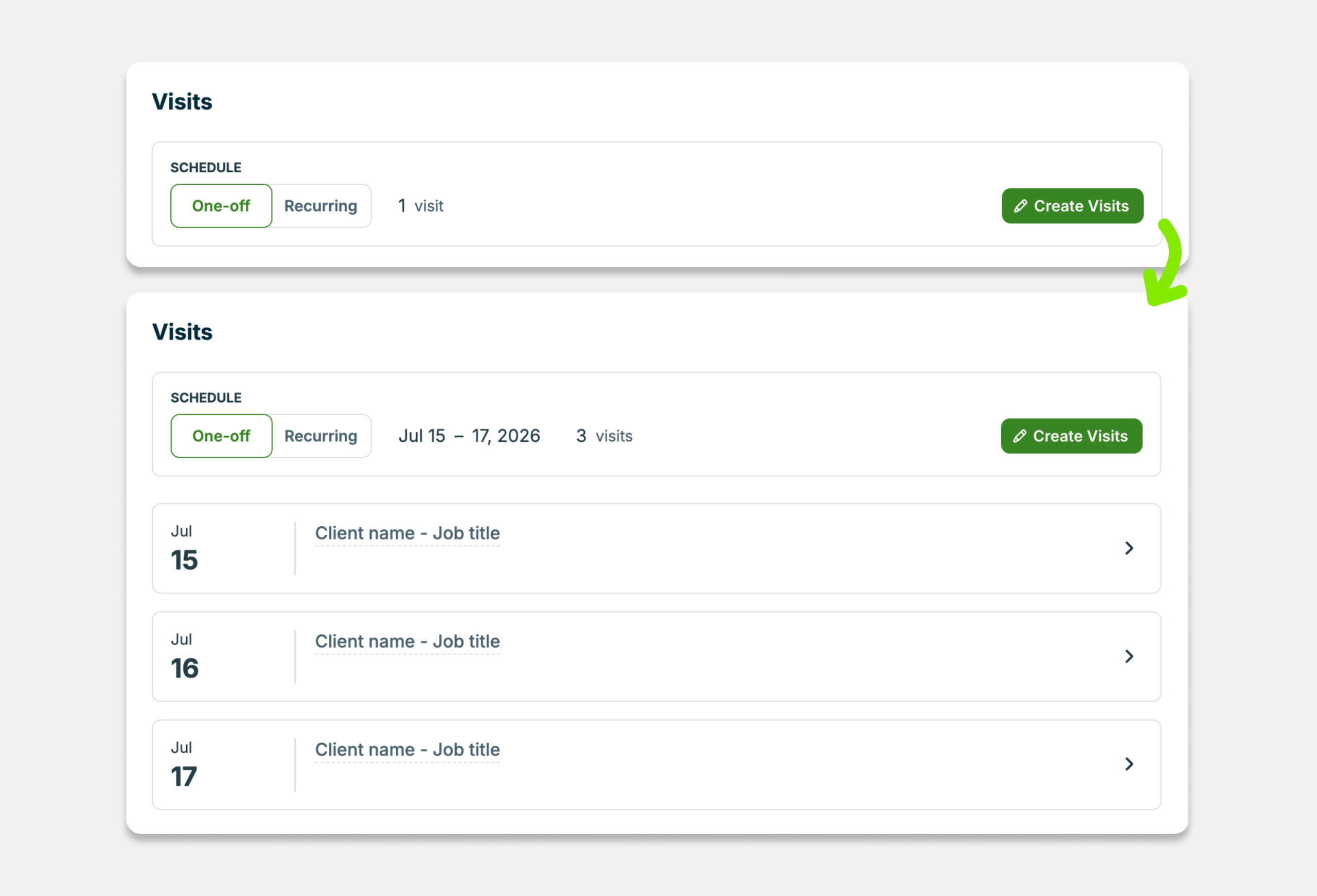
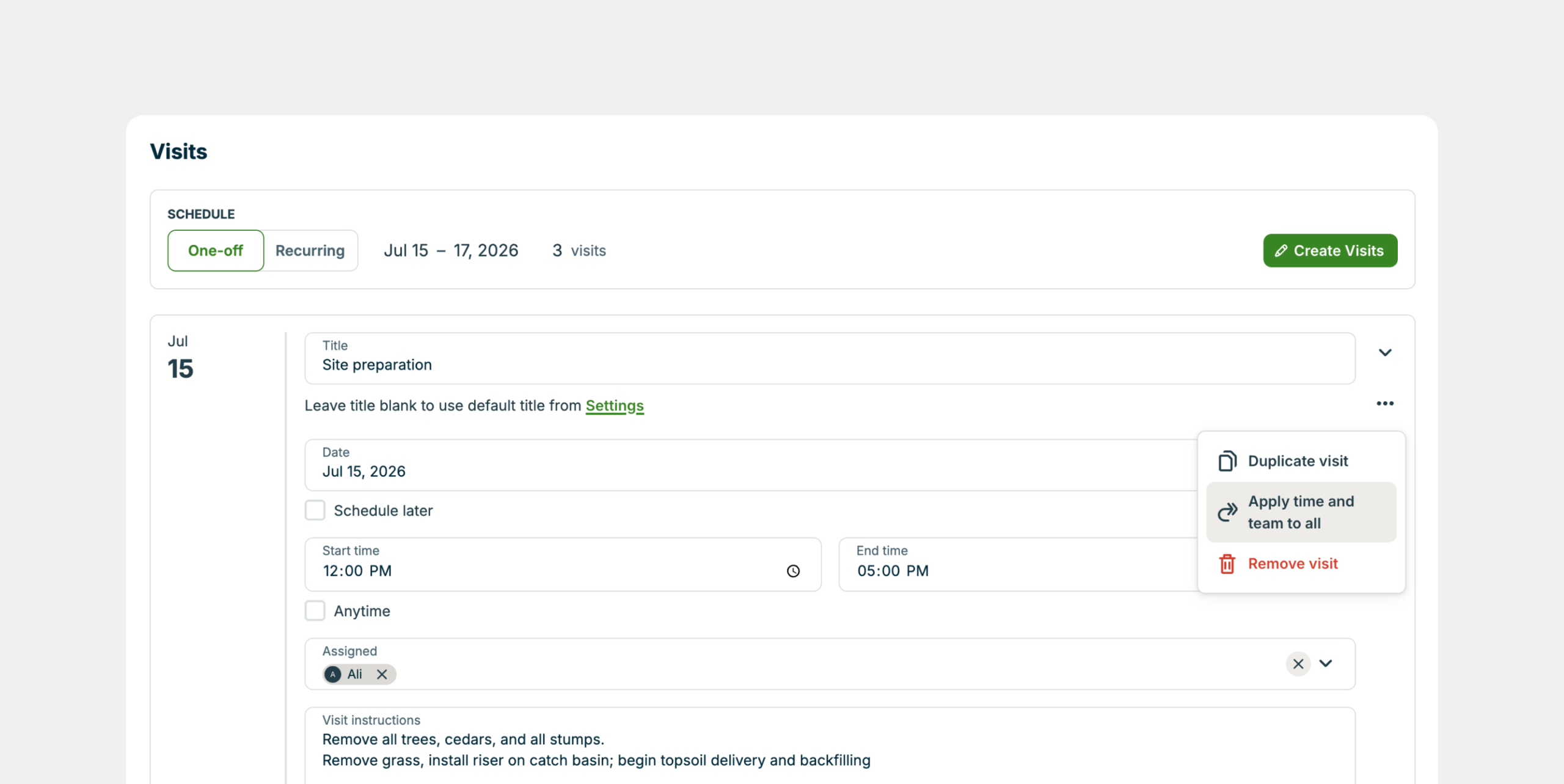
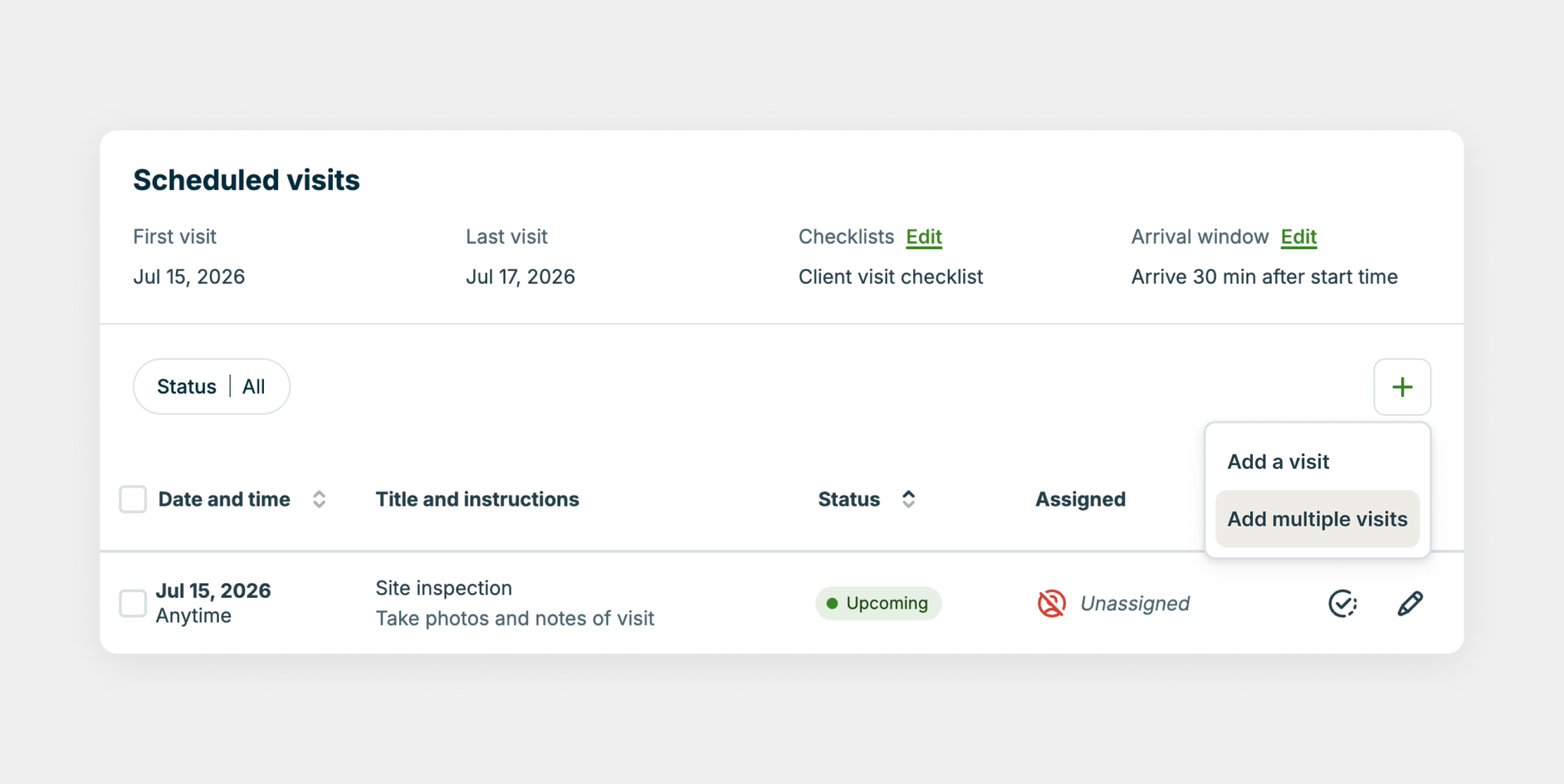
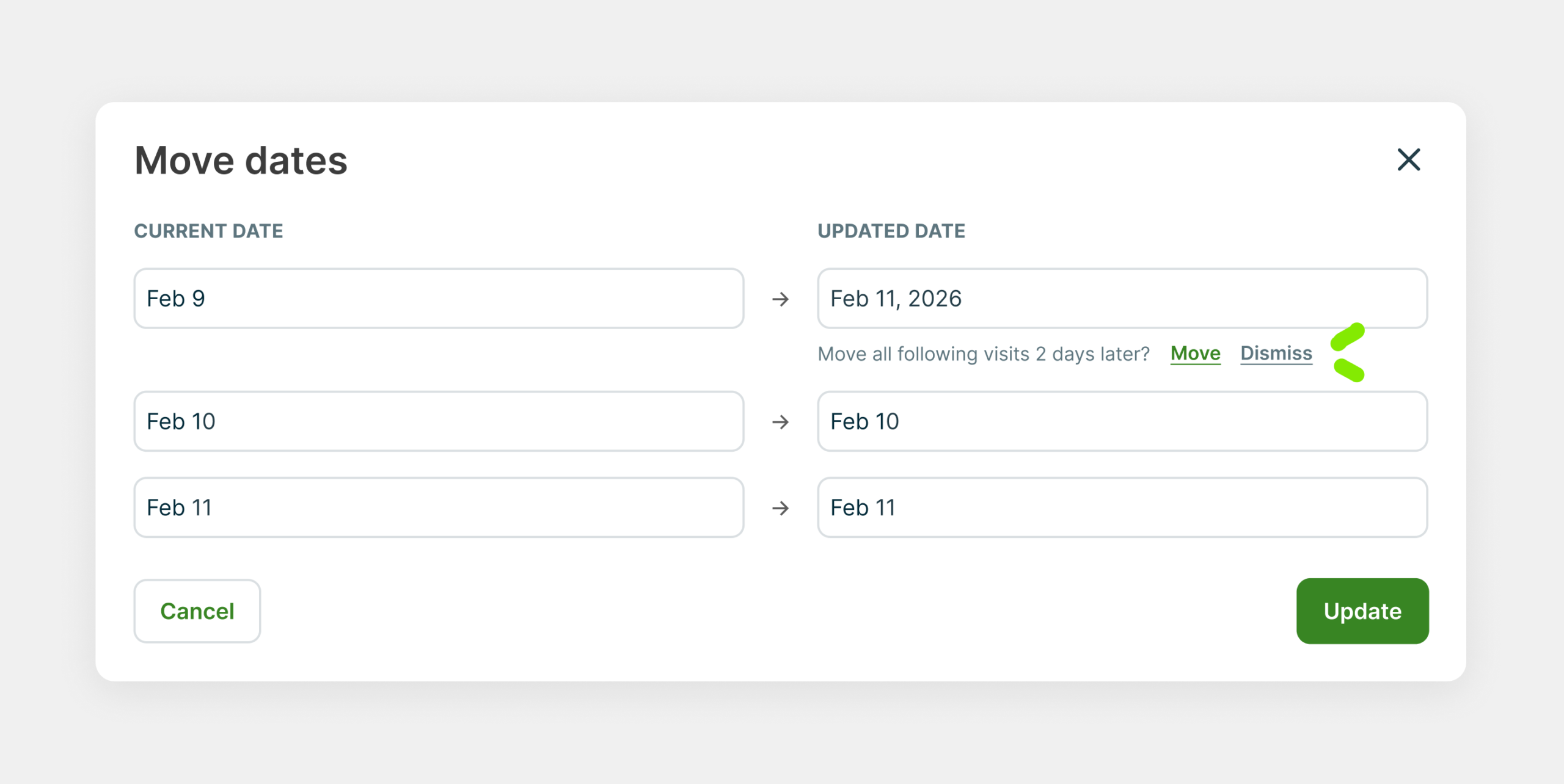
    • Edit a job’s schedule, assigned team, and job forms from the Scheduled visits section by clicking Edit All Visits.
    • Edit invoice settings from the Billing section by clicking Edit Invoice Settings.
    • Edit line items from the Products / Services section using the pencil icon.
  • Internal Notes now appear in the right sidebar so you can easily view and add notes while looking at the rest of the job.
  • Updated fields order for adding time entries and expenses: No fields were removed, only the order has changed.

Scheduled visits section

  • See your schedule at a glance: The Scheduled visits section now includes a summary of the job’s schedule for quick reference.
  • Edit visits faster: Click the pencil icon beside a visit to quickly make changes.
  • Organize visits with new sorting and filtering:
    • Filter visits by completed or incomplete status.
    • Sort visits by date/time or status.

Billing section

  • Invoice settings summary: The Billing section now includes a summary of the job’s invoice settings.
  • Improved invoice reminder visibility: Invoice reminder details are easier to view, including their description, status, and assignee.

Other improvements

  • Close pop-ups faster: Click anywhere outside a modal to close it instead of searching for the X button.

Bug fixes

  • Receipts can now be removed from uploaded expenses without deleting and recreating the expense.

What’s being removed

  • Removed the checkbox setting for adding an unscheduled visit to the calendar. Going forward, all unscheduled jobs will have the unscheduled visit added to the schedule view.
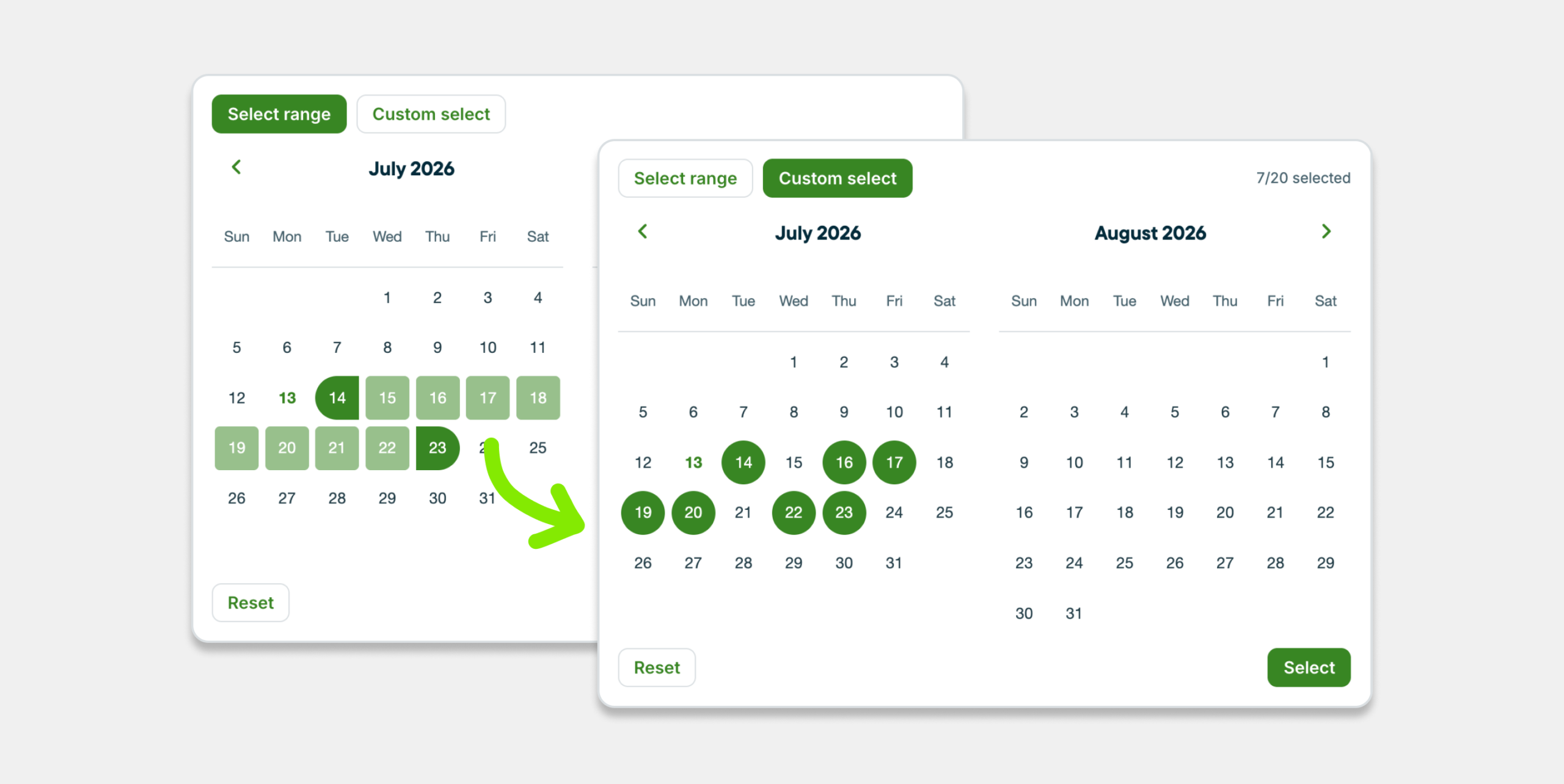
  • The calendar preview that was an option while creating your job schedule is being phased out and will soon be replaced by a built-in, interactive mini-schedule. 

Page previews

Old Jobs View/Edit Page

New Jobs View/Edit Page

Invoice improvements

Rolling out starting March 2026

What’s changing

Creating invoices

  • Send invoices faster than ever. With client and job selection built right into the header, you can find, select, or add a client without leaving the page.
  • A new sticky save bar keeps the save button within reach, so you can save progress anytime as you work.

Viewing and editing invoices

  • Online payment settings, client view settings, and internal notes now live in the right sidebar, giving you more room to review and edit your invoices.

More flexible invoicing

  • Choose a property when invoicing clients with multiple locations.
  • Change the client on one-off invoices if the job isn’t linked.

What’s being removed

Page previews

Old Invoice Create Page

New Invoice Create Page

Old Invoice View/Edit Page

New Invoice View/Edit Page

Online Booking improvements

Rolling out starting March 2026

Online booking is a huge time-saver for businesses. We’re introducing changes that make online booking more useful for all service models, and easier to get in front of more customers and leads.

What’s changing

  • Online booking and request forms are no longer separate experiences. Simply create a new request form and add an online booking section to it. It’s all managed in one place in Jobber.
  • Create multiple forms enabled with online booking. For example, create separate forms for booking an assessment and booking a job.
  • Add intake questions to your online booking experience, so that you gather relevant client details at the same time as the booking.
  • Leads can complete your booking-enabled forms anywhere online. This means you can embed it right on your website, add it to your Client Hub, and more easily book clients from your Google Business Profile.

Timesheets improvements

Rolling out starting March 2026

We’ve redesigned the Timesheets page to make reviewing and editing time faster, clearer, and more accurate so payroll takes less effort.

What’s changing

  • See all employee timesheets in a day or week view. No more toggling between individual profiles to review or edit timesheets.
  • Use the new dropdown to filter by specific employees, allowing you to focus only on the crew members you need to see.
  • Time entries logged to a job are now clickable links, taking you straight to the Job for quick reference.
  • View the scheduled start and end times of jobs alongside the time entries to see how accurate they are to the schedule.
  • A new warning symbol (⚠️) will appear on timesheets with abnormally high hours, helping you catch entry errors or overtime before doing payroll.

Page previews

Old Timesheets Page

New Timesheets Page

Keep the feedback coming

Thanks for all the real-world feedback you share with us—it’s guiding every improvement we are making.

When you see the updates, let us know what’s working (or what’s not). Your notes help us make Jobber better for you, so message us in chat, email [email protected], or fill out the feedback survey.