Jobber vs. Aspire
Aspire is built for large landscaping and commercial cleaning businesses that need advanced estimating, detailed job costing, and greater operational oversight. Jobber is the stronger fit if you’re looking for a practical all-in-one system your office staff and crews can use every day: quotes, scheduling, client communication, invoicing, payments, marketing, and built-in AI.
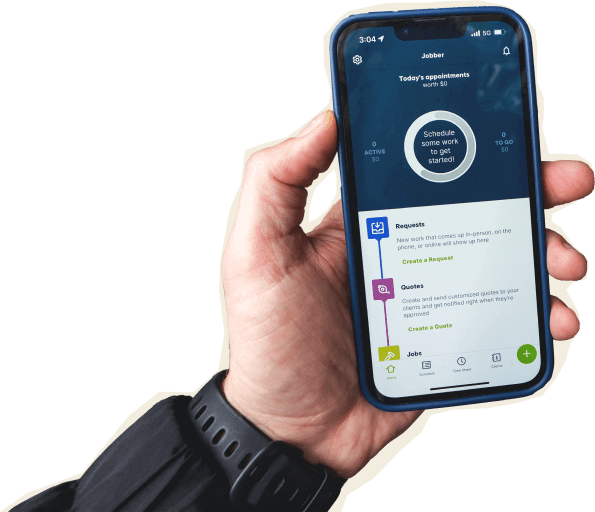

Jobber vs. Aspire: Comparison Table (2026)
Here’s how Jobber and Aspire compare at a high level. Aspire is geared toward larger landscape and commercial cleaning operations with more complex workflows and financial management needs. Jobber gives growing service teams the tools to keep work moving and run their businesses efficiently, without a heavy setup or a steep learning curve.
High-Level Comparison
Setup time
~50 minutes
Typically 90-120 days
Pricing model
Team pricing starting from $149/mo, billed annually
Custom pricing. (Not publicly available)
Scheduling & Dispatch
✓ Available
✓ Available
Custom report builder
✓ Available
✓ Available
AI Tools
Jobber AI available on all plans, AI receptionist available as an add-on (included in Plus)
Titan Intelligence for AI message/email drafting; AI purchase-receipt validation
Who are Jobber and Aspire?
Jobber
Jobber is field service software for home and commercial service businesses that need to manage the full job cycle in one place.
It helps you capture leads, send quotes, schedule crews, track jobs, invoice, collect payments, communicate with clients, and market your business from one platform.
Aspire
Aspire is field service software built mainly for larger landscaping and commercial cleaning contractors.
It focuses on CRM, estimating, scheduling, work tickets, time entry, invoicing, job costing, reporting, purchasing, equipment management, and accounting workflows.
Core operations
Aspire is designed for larger landscape and commercial cleaning businesses with complex operational needs and workflows. Jobber is built to keep the full workflow connected and easier to run day to day—so owners, admins, and crews can stay on the same page and get faster time-to-value, without building workarounds.
Client management
Keep all quotes, jobs, invoices, payments, and communication history organized in one place.
Learn more
✓ Available
✓ Available
Organize customers into targeted groups for streamlined communication, reporting, and marketing
Learn more
✓ Available
✓ Available
Give clients a centralized portal to view quotes, approve work, pay invoices, and manage appointments online.
Learn More
✓ Available
✓ Available
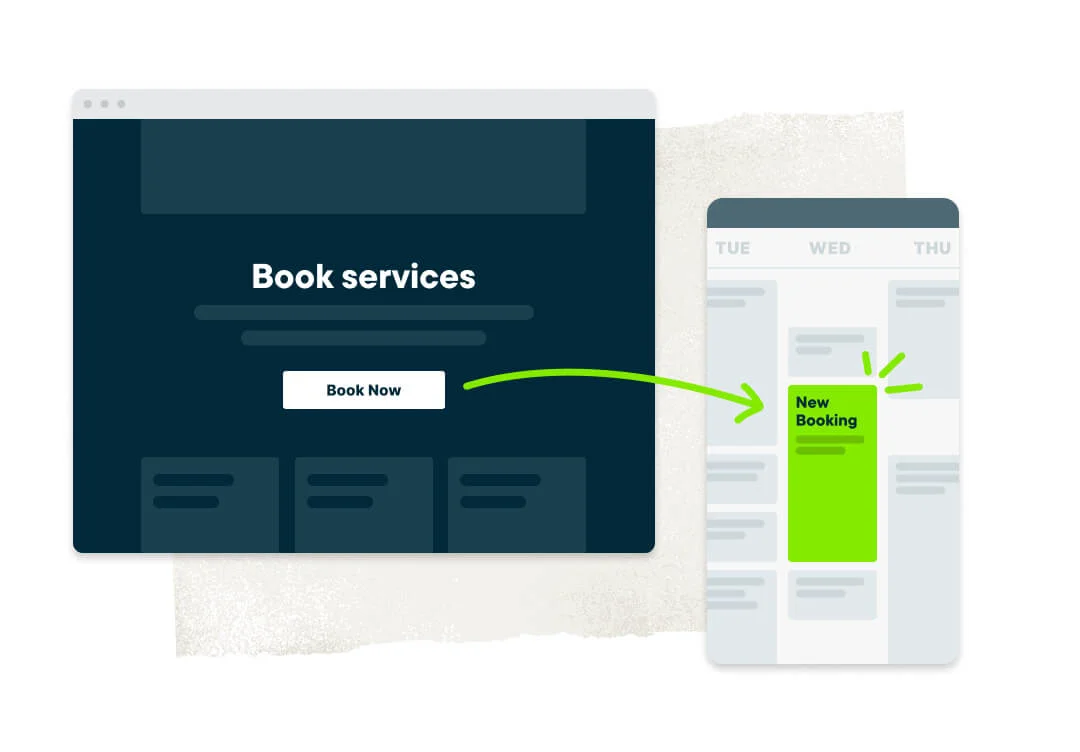
Let customers request work and book services directly through an online booking form.
Learn More
✓ Available
Limited. Existing clients can submit requests via the online portal. No public booking form
Track leads, quotes, and follow-ups in one place so opportunities never slip through the cracks.
Learn More
✓ Available as add-on (included in Plus)
✓ Available
Quoting
Create professional, customizable quotes with itemized pricing and company branding.
Learn More
✓ Available
✓ Available
Allow customers to select optional services or upgrades directly within a quote.
Learn More
✓ Available
✓ Available
Instantly converts approved quotes into scheduled jobs without re-entering information.
✓ Available
✓ Available
Scheduling & Dispatch
Easily assign, move, or reschedule jobs with just a click, drag, and drop.
Learn More
✓ Available
✓ Available
Build named crews, view their availability, and schedule the whole team at once for easier dispatching.
Learn More
✓ Available
✓ Available
Automatically organize daily routes to reduce drive time and improve efficiency across multiple appointments.
Learn More
✓ Available
✓ Available
Get real-time visibility into team locations and job progress in the field.
Learn More
✓ Available
✓ Available as add-on
Invoicing
Automatically create and send invoices when work is marked complete.
Learn More
✓ Available
Limited. Completed tickets auto-populate draft invoices that can be sent manually or in batch
Automate repeat invoices and payments for ongoing service agreements.
Learn More
✓ Available
Limited. No auto-charge on stored cards.
Track labor, materials, and expenses to make sure every job stays profitable.
Learn More
✓ Available
✓ Available
Get a dedicated bookkeeper to manage your books and deliver monthly financial reports for clearer business decisions.
Learn More
✓ Available as add-on (US only)
✗ Not Available
Payments
Offer customer financing options directly during the payment or quote process.
Learn More
✓ Available
✗ Not Available
Access your funds in seconds—even on weekends and holidays.
Learn More
✓ Available
Limited. Next-day only
Marketing
Create a simple business website to help attract and convert leads.
Learn More
✓ Available (included in all plans)
✗ Not Available
Stand out in local search with a Google profile that’s active and accurate.
Learn More
✓ Available (included in all plans)
✗ Not Available
Send follow-up requests to help generate more customer reviews.
Learn More
✓ Available as add-on (included in Plus)
✗ Not Available
Send targeted marketing emails to clients.
Learn More
✓ Available as add-on (included in Plus)
✓ Available as add-on
Let customers refer new business through structured referral incentives.
Learn More
✓ Available as add-on (included in Plus)
✗ Not Available
Create and publish posts to your Facebook page and Google Business Profile.
Learn More
✓ Available as add-on (included in Plus)
✗ Not Available
Turn completed jobs into marketing posts you can share on your website, Google Business Profile, Facebook, and email to showcase your work.
Learn More
✓ Available as add-on (included in Plus)
✗ Not Available
AI
AI-powered tools to help service businesses run smarter
Learn More
✓ Available (Jobber AI included on all plans)
✓ Available (Titan Intelligence: AI drafting for messages, campaigns, emails)
Answer calls and texts 24/7, capture leads, and book jobs automatically.
Learn More
✓ Available as add-on (included in Plus)
✗ Not Available
Connects to ChatGPT and Claude so you can use Jobber data in AI conversations.
✓ Available
✗ Not Available
“I have more hours in my work week now since I started using Jobber, because I don’t have to spend as much time working on invoices and paperwork.”

Mobile technician tools
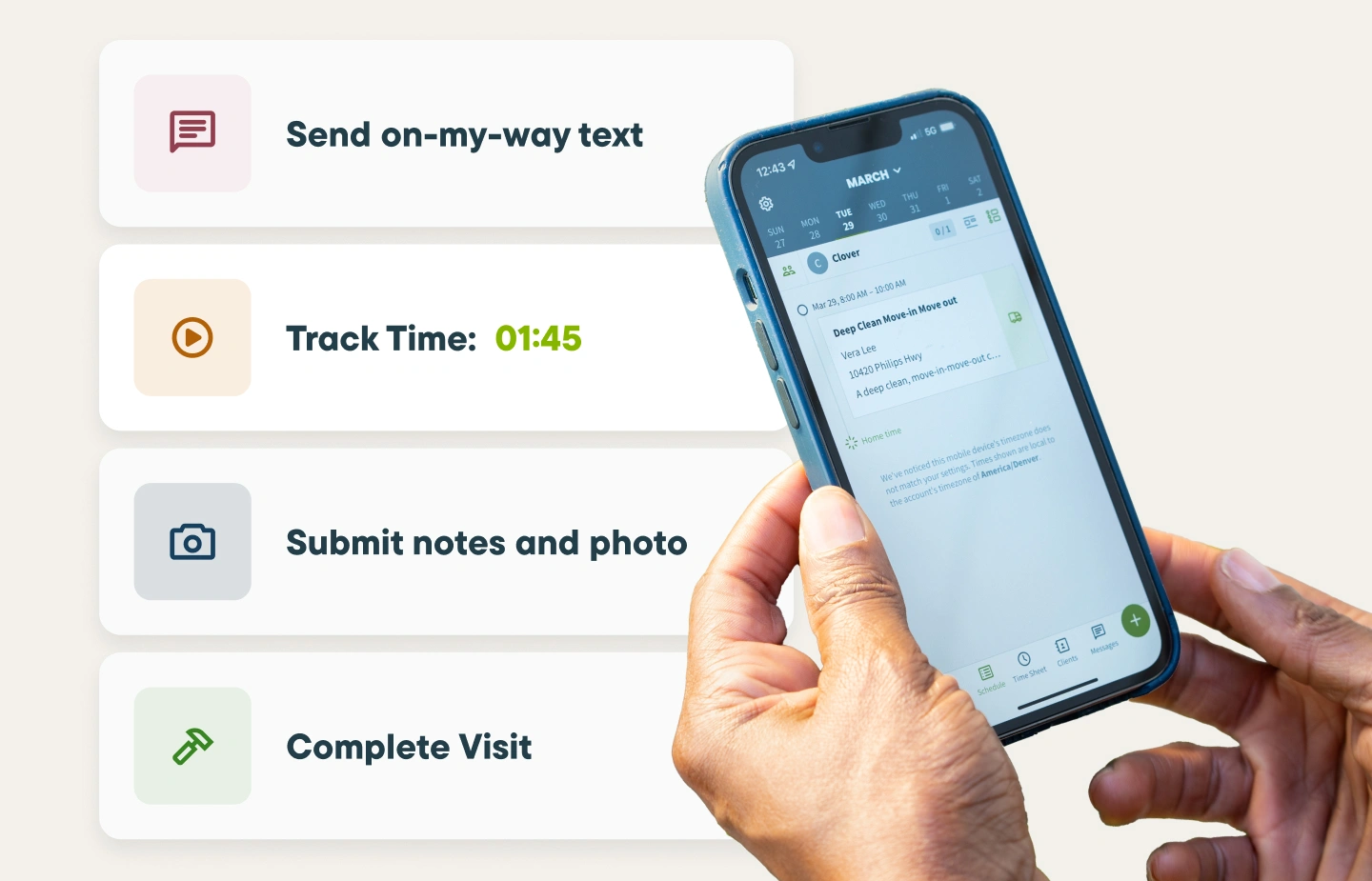
Crews don’t have time to fight with software from the truck. Jobber’s mobile app helps techs and crew leads see schedules, job details, notes, checklists, time tracking, invoices, and payments from the field. Aspire has mobile tools too, but its public app store ratings are lower than Jobber’s on both iOS and Android.
Core Mobile app
iOS & Android native apps
✓ Available
✓ Available
App language
English & Spanish
English & Spanish
On the Job
Create and send quotes on-site
Learn More
✓ Available
✗ Not Available in the app. Available through the desktop platform in a tablet browser.
Attach visual documentation directly to the job
✓ Available
✓ Available
Keep job instructions, required tasks, and site details organized for field teams.
Learn More
✓ Available
✓ Available
Alert team members immediately when jobs are assigned, moved, or updated.
Learn More
✓ Available
✓ Available
Capture customer approvals directly on a mobile device.
✓ Available
✗ Not Available in the app. Available through the desktop platform in a tablet browser.
INVOICING & PAYMENTS IN THE FIELD
Let teams create and send invoices from the field.
Learn More
✓ Available
✗ Not Available in the app. Available through the desktop platform in a tablet browser.
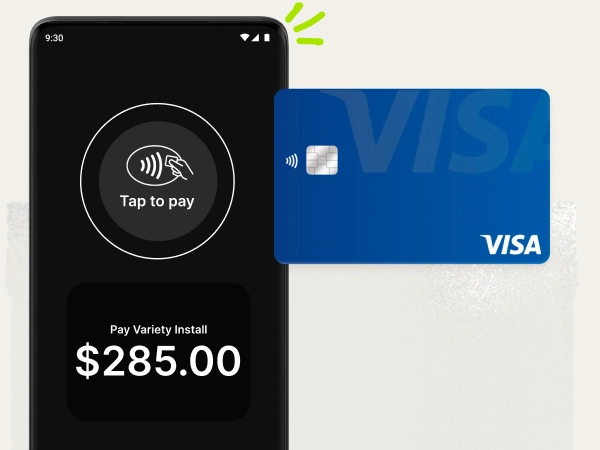
Allow customers to pay in person by tapping a card or digital wallet on a mobile device.
Learn More
✓ Available
✗ Not Available
Built for how you actually work
Aspire is designed for operations with complex operations. Jobber gives growing service businesses the tools they need to run efficiently every day—without a lengthy setup, dedicated administrators, or a steep learning curve. From the first quote to the final payment, everything stays connected in one system that’s easy for office staff and crews to use.
Grow your business, not just your operations
Running jobs efficiently is only part of the equation. Jobber helps you attract and convert more customers with online booking, a professional website, automated review requests, referral tools, email campaigns, and lead management. Businesses using Jobber grow revenue by an average of 44% in their first year. It’s a complete platform for winning work and delivering it.
Aspire helps manage jobs, but offers fewer built-in tools for attracting new customers.
Jobber users get paid 4x faster
Jobber makes it easy to collect payments and improve cash flow. Send invoices, accept cards and ACH payments, offer convenient payment options, and access instant payouts—all from the same platform you use to manage your jobs. No extra systems, complex payment setup, or disconnected workflows.
Aspire doesn’t offer Tap-to-Pay, and payouts are limited to next-day deposits.
Use powerful tools your team can actually adopt
Jobber gives you the day-to-day tools most growing service teams need—scheduling, routing, GPS tracking, job costing, invoicing, payments, marketing, reporting, and AI—inside a system built for fast adoption by owners, admins, and crews.
Jobber vs. Aspire: Pricing
Jobber publishes clear team pricing, so you can compare plans before you talk to anyone. Aspire does not publish standard dollar pricing and organizes plans by company revenue range.
Tier 1
Core
1 user
$29/mo (when billed annually)
Growth ($1M–$5M revenue)
Custom quote required
Tier 2
Connect
1 user
$99/mo (when billed annually)
2-15 users
Starting from $149/mo (when billed annually)
Corporate ($5M–$13M revenue)
Custom quote required
Tier 3
Grow
1 user
$149/mo (when billed annually)
2-15 users
Starting from $229/mo (when billed annually)
Enterprise ($13M+ revenue)
Custom quote required
Tier 4
Plus
2-15 users
Starting from $399/mo (when billed annually)
Enterprise ($13M+ revenue)
Custom quote required
Additional user pricing
$29/month
For 16+ users, contact for pricing.
Custom pricing
Free trial
14 days, no credit card required
✗ Not Available
Jobber vs. Aspire: Integrations
Jobber connects to 100+ apps through its App Marketplace, covering accounting, marketing, payments, fleet management, payroll, photos, takeoffs, and more. You can sync your books with QuickBooks Online, connect payroll through Gusto, use CompanyCam for job photos, or build custom workflows through Zapier.
Aspire lists integrations for accounting, payments, fleet tracking, proposals, and landscape supply workflows.
Why landscaping businesses choose Jobber
Switching from Aspire to Jobber
Switching systems should be planned, not painful. Here’s what the move looks like with Jobber.
Tell us your setup
Share your current Aspire setup: how many crews you run, which services you offer, what workflows matter most, what’s working, and what’s slowing your team down.
Data migration
Jobber offers data import support on Plus, including help moving key business information into your new account, typically within 3-5 business days. Your onboarding team can help you decide what to bring over first so your crews can keep working while the back office gets set up.
Team training
Jobber offers onboarding and support to help owners, admins, and field teams learn the workflows they’ll use every day—quotes, scheduling, jobs, time tracking, invoicing, payments, and customer communication.
Go live
Run Jobber alongside Aspire for a week to make sure everything works the way you need it to. Most teams are fully live within 10 days.
Jobber vs. Aspire: Which should you choose?
No tool is right for every business. Here’s an honest take on when each one wins.
Choose Aspire if:
- You need deep operational controls for estimating, job costing, purchasing, inventory, equipment, and advanced reporting.
- You manage complex workflows for commercial landscaping, with multiple departments, approval processes, or detailed operational tracking requirements.
- You have the office team and implementation time to manage a more complex system.
Choose Jobber if:
- You want quotes, scheduling, crew coordination, client communication, invoicing, payments, marketing, and AI tools in one connected system.
- You need software that your office and field crews can adopt quickly without adding extra complexity.
- You want transparent team pricing, a 14-day free trial, strong mobile ratings, and built-in tools to keep cash flow moving.
Frequently asked questions
-
Aspire is built for larger landscaping and commercial cleaning companies that need deep estimating, job costing, reporting, purchasing, and equipment controls. Jobber is built for service teams that want the full workflow—quotes, scheduling, client communication, invoicing, payments, marketing, and AI—in one easier-to-adopt system.
-
Yes, especially if you want operational control without a long or heavy setup. Jobber is a strong Aspire alternative for growing landscaping, cleaning, and service teams that need scheduling, routing, GPS tracking, job costing, payments, client communication, marketing tools, and mobile access for crews.
-
Yes. Aspire serves larger landscaping and commercial cleaning contractors and has a 4.5/5 overall rating on Capterra.
-
Jobber publishes pricing for teams of up to 15 people, with the Connect team plan starting at $149/mo, billed annually. Aspire does not publish its pricing. Its plans are organized by company revenue range, starting with businesses in the $1M–$5M revenue range, and pricing requires a custom quote. If your team is larger than 15 people, you can contact Jobber for a custom quote tailored to your business.
-
Yes. Jobber is rated 4.8/5 on the Apple App Store and 4.4/5 on Google Play. Aspire is rated 2.3/5 on the Apple App Store and 2.6/5 on Google Play.
-
Yes. Jobber AI is available on all plans, and Jobber Receptionist is available as an add-on on Core, Connect, and Grow, and is included in Plus. These tools help with business questions, customer communication, quote drafting, and missed-call handling.
-
Yes. Jobber Payments supports credit card payments, ACH bank payments in the U.S., Tap to Pay in the U.S. and Canada, automatic payments for recurring work, customer financing in the U.S., and instant payouts for eligible businesses.