Jobber vs. QuoteIQ
Compare Jobber vs QuoteIQ on pricing, features, scheduling, payments, mobile tools, and integrations to choose the right field service software.
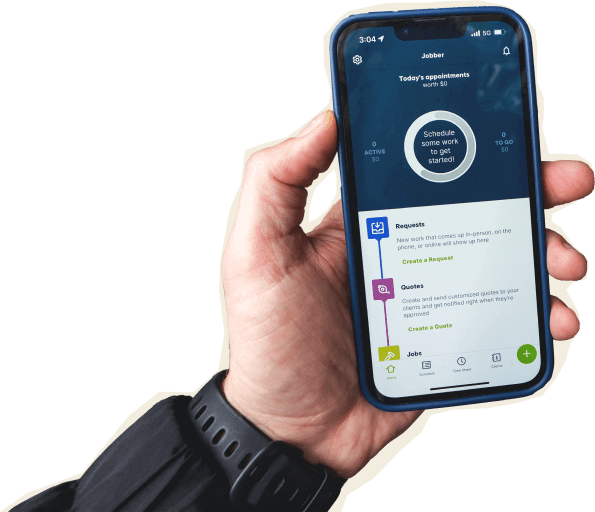

Jobber vs. QuoteIQ: Comparison Table (2026)
Here’s how Jobber and QuoteIQ compare at a high level, especially if you’re running a busy team and need the office, field, and customer experience to stay connected.
High-Level Comparison
Trusted by
400,000 service pros
40,000 contractors
Free trial
14 day free trial, no credit card required
14 day free trial, credit card required
Pricing model
Transparent pricing starting from $29/month (annually)
Tiers from $25/mo (annually)
Scheduling & Dispatch
Reporting & Analytics
AI tools
AI available on all plans at no extra cost
AI Receptionist available as an add-on (included with Jobber Plus)
AI features available on all plans through included IQ Credits
Additional IQ Credits available for purchase.
Who are Jobber and QuoteIQ?
Jobber
Jobber is field service management software that helps home and commercial service businesses run every part of their business—from the first customer request to final payment. Manage leads, quotes, scheduling, dispatching, jobs, invoicing, payments, customer communication, marketing, and reporting in one platform.
With built-in AI tools, award-winning customer support on every plan, and features that help generate repeat business, Jobber is built for service businesses that want to save time, deliver a better customer experience, and grow with confidence.
QuoteIQ
QuoteIQ is a contractor-built CRM for small to medium-sized home service businesses. It focuses on mobile-first estimating, invoicing, scheduling, payments, AI tools, and user-based pricing for cost-conscious contractors.
Core operations
Jobber is built to keep the whole job workflow connected—from first request to final payment. While both platforms cover core field service operations, Jobber combines scheduling, dispatching, invoicing, payments, customer communication, marketing, and reporting in one platform and on every plan, making it easier to run and grow your business. QuoteIQ offers many of these capabilities as well, but key features like online booking, dispatching, and route optimization are limited to higher tiered plans.
Client management
Keep all quotes, jobs, invoices, payments, and communication history organized in one place.
Learn more
Organize customers into targeted groups for streamlined communication, reporting, and marketing
Learn more
Give clients a centralized portal to view quotes, approve work, pay invoices, and manage appointments online.
Learn More
Let customers request work and book services directly through an online booking form.
Learn More
✓ Elite+
Track leads, quotes, and follow-ups in one place so opportunities never slip through the cracks.
Learn More
✓ add-on (included in Plus)
✓ Elite+
Quoting
Instantly converts approved quotes into scheduled jobs without re-entering information.
Scheduling & Dispatch
Assigns multiple team members or crews to the same job for better coordination on larger projects.
✓ Elite+
Automatically organize daily routes to reduce drive time and improve efficiency across multiple appointments.
Learn More
✓ Elite+
Invoicing
Payments
Marketing
Create a simple business website to help attract and convert leads.
Learn More
✓ (included in all plans)
✓ add-on (included in Max)
Stand out in local search with a Google profile that’s active and accurate.
✓ (included in all plans)
Send follow-up requests to help generate more customer reviews.
Learn More
✓ add-on (included in Plus)
Let customers refer new business through structured referral incentives.
Learn More
✓ add-on (included in Plus)
Create and publish posts to your Facebook page and Google Business Profile.
✓ add-on (included in Plus)
AI
AI-powered tools to help service businesses run smarter
Learn More
✓ (Jobber AI included on all plans)
✓ IQ credits available on all plans. Additional credits available at cost.
Answer calls and texts 24/7, capture leads, and book jobs automatically.
Learn More
✓ add-on (included in Plus)
✓ IQ credits available on all plans. Additional credits available at cost.
“After using QuoteIQ, I honestly can’t imagine going back after switching to Jobber. You can tell the developers actually listen to contractors and build features around how businesses operate in the real world. It’s refreshing to log in each day without dealing with bugs or workarounds. Jobber has made running the administrative side of my business much smoother.”
Mobile technician tools
Both Jobber and QuoteIQ have highly rated mobile apps, but Jobber’s ratings are backed by a much larger volume of customer reviews—more than 26,000 combined App Store and Google Play ratings, compared with approximately 4,500 for QuoteIQ.
Core Mobile app
iOS & Android native apps
App language
English & Spanish
English only
On the Job
Attach visual documentation directly to the job
Capture customer approvals directly on a mobile device.
INVOICING & PAYMENTS IN THE FIELD
Built for how you actually work
When you’re running a small team, simple estimating software can get the job done. But as your business grows, you need more than estimates—you need every part of the job working together. Jobber combines quoting, scheduling, dispatching, invoicing, payments, customer communication, marketing, and reporting in one platform, so your office and field stay in sync from the first request to final payment.

Get award-winning support from a team you can count on
Jobber includes award-winning phone, email, and live chat support on every plan, backed by one of the largest teams in the industry.
While QuoteIQ provides customer support, Jobber is backed by a team of more than 1,000 employees, giving growing businesses the confidence that expert help is always available as they scale.
AI that works without making you track credits
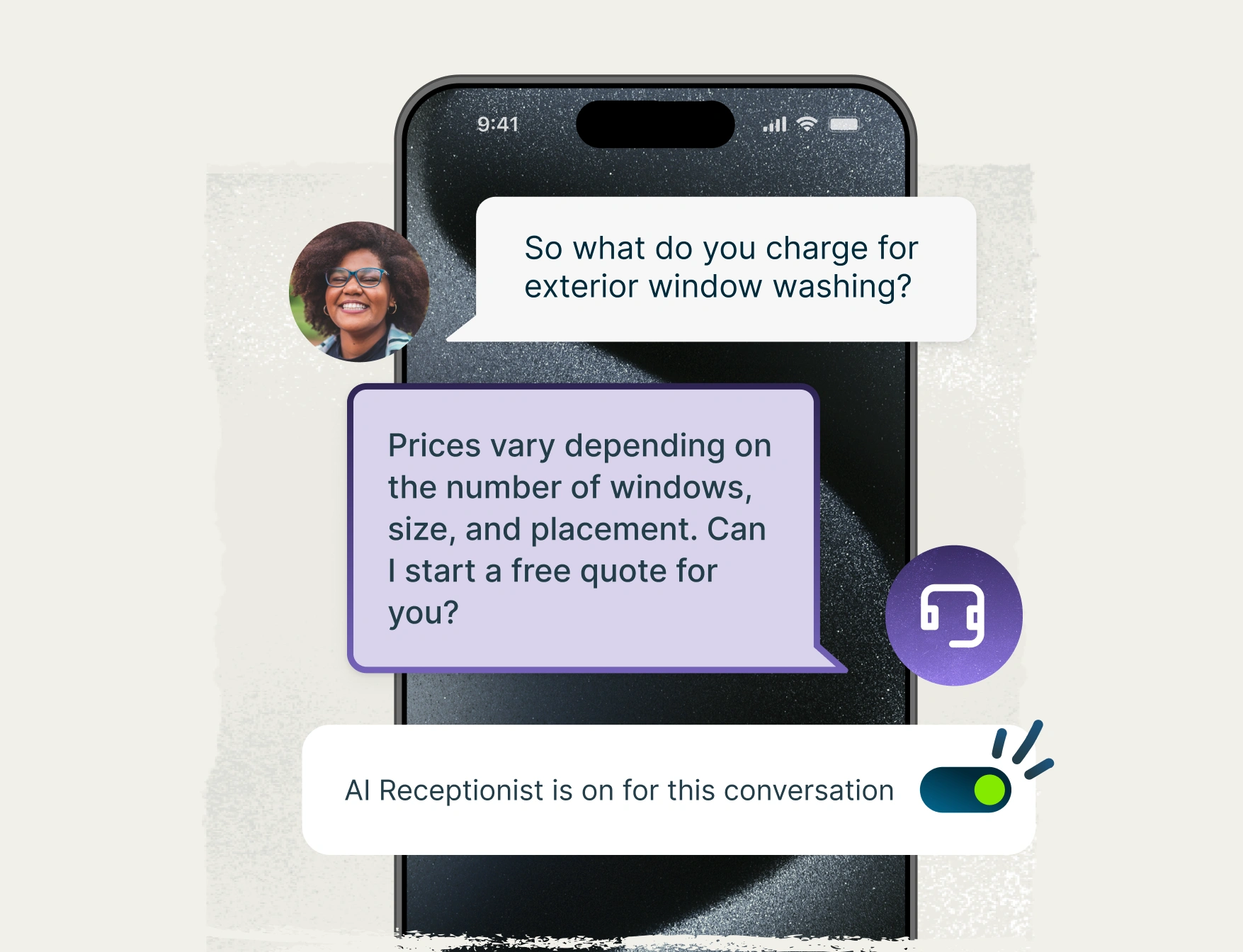
Both Jobber and QuoteIQ use AI to help contractors save time, but they price it differently. Jobber includes Jobber AI on every plan at no extra cost, and AI Receptionist is available as a flat-fee add-on for only $29/month.
QuoteIQ uses a shared pool of IQ Credits for all AI features, including its Virtual Call Team. AI calls cost 125 IQ Credits (about $1.25) per minute, and once your monthly credits are used, you’ll need to purchase more in $25 increments if overages are enabled.
On QuoteIQ’s highest-tier Max plan, the included 8,000 IQ Credits equal about 64 minutes of AI call time—but that’s only if you’re not using AI Autopilot, AI Estimator, or any of QuoteIQ’s other tools that draw from the same IQ Credits pool. On the entry-level Essentials plan, you get only 4 minutes of call time included. Once those credits run out, AI features stop working until your next billing cycle, unless you buy more.
Jobber works differently: AI is included on every plan with no credit system to track, and AI Receptionist’s flat monthly fee doesn’t change no matter how many calls come in. For businesses that rely on AI to answer calls, transparent pricing can make costs much easier to predict.
Grow your business from the same platform you run it
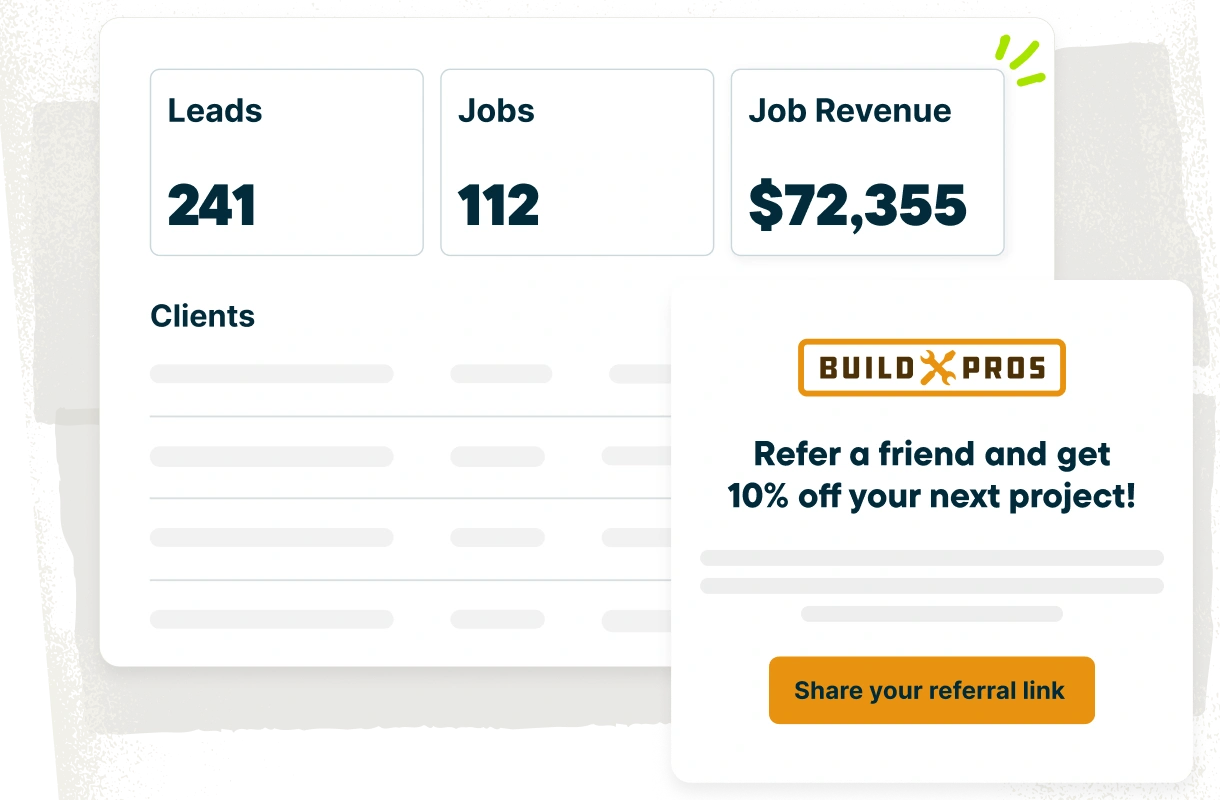
Jobber combines the tools you need to run your business with the tools you need to grow it. Build a professional website, request customer reviews, send email campaigns, manage your Google Business Profile, automate customer referrals, and schedule social media posts—all without leaving Jobber. On average, customers using Jobber’s Marketing Suite grow 41% more than customers who don’t.
QuoteIQ includes review requests on its Beginner plan, and basic email and text automation starting on Pro, but mass email and text campaigns require Elite, and its website builder is a paid add-on until you reach the Max Plan. It also doesn’t offer Google Business Profile management, automated referral marketing, or native social media posting, making Jobber the more complete option for attracting new customers and growing your business.
Jobber vs. QuoteIQ: Pricing
Jobber offers transparent pricing based on the plan and number of users you need, so you only pay for the features and team members your business requires. QuoteIQ ties user limits to its pricing tiers, so adding more people may require upgrading to a higher-priced plan, even if it includes features you don’t want or need.
For larger teams, Jobber’s pricing can be more cost-effective. You choose the plan that fits your business and add the users you need, while QuoteIQ requires businesses with more than 10 users to move to its highest-priced Max plan.
When comparing Jobber and QuoteIQ pricing, factor in AI usage too. Jobber’s AI features are included in your plan at a flat rate that doesn’t change, while QuoteIQ’s AI tools run on a shared pool of monthly credits, so your costs can vary depending on how much you use them.
Entry-Level Team Plan
Core (1 user)
$29/month (billed annually)
Essentials (1 user)
$25/month (billed annually)
Mid-Tier Team Plan
Connect (up to 15 users)
Starting at $99/month (billed annually)
Pro (4 users)
$125/month (billed annually)
Advanced Team Plan
Grow (up to 15 users)
Starting at $149/month (billed annually)
Elite (10 users)
$249/month (billed annually)
Highest Published Tier
Plus (2-15 users)
Starting at $399/month (billed annually)
Max (unlimited users)
$582.50/month (billed annually)
Additional user pricing
$29/mo (billed annually)
No per-user fees; teams with more than 10 users must upgrade to Max to unlock unlimited users
AI receptionist
$29/month (included in Plus)
Virtual Call Team uses IQ Credits at 125 credits (~$1.25) per minute
Included AI usage
Unlimited usage built in to pricing
Max plan includes 8,000 IQ Credits shared across all AI features (~64 minutes of AI call time if used only for Virtual Call Team)
Essentials includes just 500 (~4 minutes).
AI overages
None
Additional IQ Credits purchased in $25 increments when credits run out
Free trial
14 days, no credit card required
14 days, credit card required
Jobber vs. QuoteIQ: Integrations
Jobber connects to 100+ apps through its App Marketplace, covering accounting, marketing, payments, fleet management, and more. You can also connect Jobber with tools like QuickBooks Online, Gusto, CompanyCam, Zapier, and more, so your field service software fits the way your business already runs.
QuoteIQ lists a few integrations, including Google Calendar, Slack, Zapier, Make, Webhook Relay, and QuickBooks on Pro plans and above. QuoteIQ does not list Xero support. If your office depends on accounting, payroll, marketing, or reporting tools, Jobber gives you more room to connect the systems your team already trusts.
Why handyman businesses choose Jobber
Switching from QuoteIQ to Jobber
Switching software shouldn’t slow down booked work. Here’s what the move looks like.
Tell us your setup
Share your current QuoteIQ setup: how many techs, which services, what’s working, what isn’t, and where your team is losing time.
Data migration
Our onboarding specialists move your clients, jobs, and open invoices — typically in 3–5 business days depending on the data being migrated.
Team training
Live onboarding for owners, dispatchers, and field techs. Recorded sessions included, so seasonal, new, or part-time team members can catch up without pulling everyone off the road.
Go live
Run QuoteIQ and Jobber side-by-side for a week, then cut over when you’re ready. Most teams are fully live within 10 days.
Jobber vs. QuoteIQ: Which should you choose?
No tool is right for every business. Here’s an honest take on when each one wins.
Choose QuoteIQ if:
- You’re a cost-conscious solo operator or small crew that wants a low starting price for core quoting and invoicing tools.
- You want mobile-first estimating tools with built-in satellite measurement and before-and-after photo features.
- You’re comfortable with your monthly AI costs varying based on usage, rather than paying one predictable amount every time.
Choose Jobber if:
- You want core features like dispatching, route optimization, online booking, and AI tools available without having to upgrade to a higher-tier plan.
- You want built-in tools to generate more business, including a website builder, Google Business Profile manager, automated referrals, and social media posting
- You want a platform you can rely on. With over 15 years in the industry, Jobber has helped 100,000+ service businesses and 400,000+ users in 50+ industries run and grow their businesses.
Frequently asked questions
-
QuoteIQ’s published pricing starts at $25/month (billed annually) for Essentials and goes up to $582.50/month (billed annually) for Max.
Plans vary by both user limits and feature access, so your total cost depends on the size of your team and the tools you need. For example, online booking and route optimization require Elite ($249/month, billed annually) or higher.
If you use QuoteIQ’s AI features, they’re powered by monthly IQ Credits, and once your included credits run out, additional credits are purchased in $25 increments if overages are enabled. Before choosing a plan, compare the included users, features, and potential AI overage costs—not just the advertised monthly price. -
No. Both Jobber and QuoteIQ publish their plan pricing upfront. Jobber’s pricing is transparent based on the plan you choose and the number of users you need, with pricing for add-ons like AI Receptionist and Marketing Suite also listed publicly.
QuoteIQ also publishes its monthly plan pricing, but its AI features use a shared pool of monthly IQ Credits. If you run out of credits, you can purchase more in $25 increments if overages are enabled. Be sure to consider both your monthly plan cost and any potential AI credit charges when comparing pricing. -
QuoteIQ may be worth it if you’re a cost-conscious contractor who wants user-based pricing, and you rely on additional estimating tools for lawn care or roofing jobs. Jobber is the better fit if you need a more connected system for multi-crew scheduling, customer communication, payments, marketing, reporting, and integrations as your business grows.
-
Both Jobber and QuoteIQ help you quote jobs, schedule work, and get paid. The difference is that Jobber gives you a more complete platform to run and grow your business. Along with day-to-day operations, you get built-in marketing tools, AI, award-winning support, transparent pricing, and software trusted by more than 100,000 service businesses and 400,000 users.
QuoteIQ focuses on core field service workflows, but several advanced features require higher-tier plans, and it doesn’t include Google Business Profile management, automated referrals, or native social media posting. Its AI features also run on a shared credit system so monthly AI costs can vary based on usage, while Jobber’s stay the same every month.