Jobber vs. Service Fusion
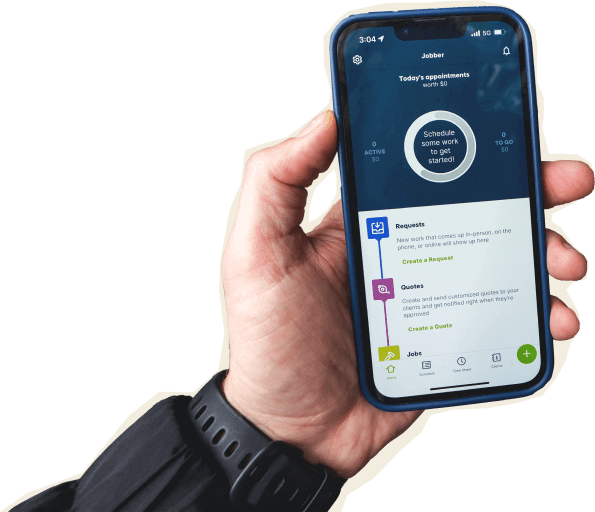
Jobber is the stronger choice for busy home service businesses that want powerful job management without slowing the team down. Quote, schedule, dispatch, invoice, collect payment, follow up with customers, and manage marketing in one place—backed by a 14-day free trial and trusted by 100,000+ businesses and 400,000+ service pros.

Jobber vs. Service Fusion: Comparison Table (2026)
Here’s how Jobber and Service Fusion compare at a high level. Service Fusion can be a fit for larger teams that want unlimited users on every plan. Jobber is built for growing service businesses that need strong field service tools, easier adoption, and less admin drag.
High-Level Comparison
Setup time
~2 hours
~10 hours
Pricing model
Team pricing starting from $149/month, billed annually
Flat rate, unlimited users
Scheduling & Dispatch
Reporting & Analytics
AI Tools
Jobber AI available on all plans, AI receptionist available as an add-on (included in Plus)
ServiceCall.ai VoIP phone system available as an add-on; no dedicated AI receptionist
Who are Jobber and Service Fusion?
Jobber
Jobber helps home and commercial service businesses run the full job lifecycle in one place—from lead capture and quoting to scheduling, dispatching, invoicing, payments, customer communication, reporting, and marketing. It’s built for service businesses that need powerful software their office and field teams can use confidently every day.
Service Fusion
Service Fusion is a field service management platform aimed at mid-size and enterprise-size service companies. It offers tools for customer management, estimates, jobs, scheduling, dispatching, invoicing, reporting, payments, mobile technicians, and add-on operational tools.
Core operations
Both Jobber and Service Fusion cover the core field service essentials, including customer management, estimates, scheduling, dispatching, invoicing, and payments. Jobber also includes online booking, Client Hub, automated follow-ups, marketing tools, AI-powered features, and fast payment collection—giving customers more ways to book, communicate, and pay while reducing manual work for your team.
Core Operations
Client management
Keep all quotes, jobs, invoices, payments, and communication history organized in one place.
Learn more
Available
Available
Organize customers into targeted groups for streamlined communication, reporting, and marketing
Learn more
Available
Available
Give clients a centralized portal to view quotes, approve work, pay invoices, and manage appointments online.
Learn More
Available
Available via add-on (included in Pro)
Let customers request work and book services directly through an online booking form.
Learn More
Available
Service requests only via add-on
Track leads, quotes, and follow-ups in one place so opportunities never slip through the cracks.
Learn More
Available via add-on (included in Plus)
Estimate tracking only
Quoting
Create professional, customizable quotes with itemized pricing and company branding.
Learn More
Available
Available
Allow customers to select optional services or upgrades directly within a quote.
Learn More
Available (unlimited quote options and add-ons)
Limited to five estimate options
Instantly converts approved quotes into scheduled jobs without re-entering information.
Available
Available
Scheduling & Dispatch
Easily assign, move, or reschedule jobs with just a click, drag, and drop.
Learn More
Available
Available
Assigns multiple team members or crews to the same job for better coordination on larger projects.
Available
Available
Automatically organize daily routes to reduce drive time and improve efficiency across multiple appointments.
Learn More
Available
Not available
Get real-time visibility into team locations and job progress in the field.
Learn More
Available
Available via add-on
Invoicing
Automate repeat invoices and payments for ongoing service agreements.
Learn More
Available
Available via add-on (included in Pro)
Track labor, materials, and expenses to make sure every job stays profitable.
Learn More
Available
Available
Get a dedicated bookkeeper to manage your books and deliver monthly financial reports for clearer business decisions.
Learn More
Available via add-on (US only)
Not available
Payments
Offer customer financing options directly during the payment or quote process.
Learn More
Available
Available
Marketing
Create a simple business website to help attract and convert leads.
Learn More
Available (included in all plans)
Not available
Stand out in local search with a Google profile that’s active and accurate.
Available (included in all plans)
Not available
Send follow-up requests to help generate more customer reviews.
Learn More
Available via add-on (included in Plus)
Available
Send targeted marketing emails to clients.
Learn More
Available via add-on (included in Plus)
Not available
Let customers refer new business through structured referral incentives.
Learn More
Available via add-on (included in Plus)
Referral tracking only
Create and publish posts to your Facebook page and Google Business Profile.
Available via add-on (included in Plus)
Not available
Turn completed jobs into marketing posts you can share on your website, Google Business Profile, Facebook, and email to showcase your work.
Learn More
Available via add-on (included in Plus)
Not available
AI
AI-powered tools to help service businesses run smarter
Learn More
Available (included on all plans)
Not available
Answer calls and texts 24/7, capture leads, and book jobs automatically.
Learn More
Available via add-on (included in Plus)
Available via add-on
Connects to ChatGPT and Claude so you can use Jobber data in AI conversations.
Available
Not available
Before using Jobber, we were stuck just under $1 million in revenue. Once we switched to Jobber, we were able to grow by roughly 75%.

Mobile technician tools
Your field app needs to work wherever the job takes your crew. Jobber’s native iOS and Android apps let technicians quote work, update job details, capture photos, complete checklists, track time, create invoices, and collect payments—all from the field. Service Fusion also offers mobile apps, but some field capabilities require higher-tier plans, paid add-ons, or separate apps, and its Android app has a lower user rating.
Mobile Technician Tools
Core Mobile app
iOS & Android native apps
Available
Available
App language
English & Spanish
English & Spanish
On the Job
Attach visual documentation directly to the job
Available
Available
Keep job instructions, required tasks, and site details organized for field teams.
Learn More
Available
Available
Alert team members immediately when jobs are assigned, moved, or updated.
Learn More
Available
Not available
Capture customer approvals directly on a mobile device.
Available
Available
INVOICING & PAYMENTS IN THE FIELD
Allow customers to pay in person by tapping a card or digital wallet on a mobile device.
Learn More
Available
Separate app required
Built for how you actually work
Service Fusion covers many field service essentials, particularly for larger businesses that value unlimited users. Jobber goes further with features like online booking, AI-powered tools, marketing, and fast payments to help businesses manage more of the customer journey in one place.
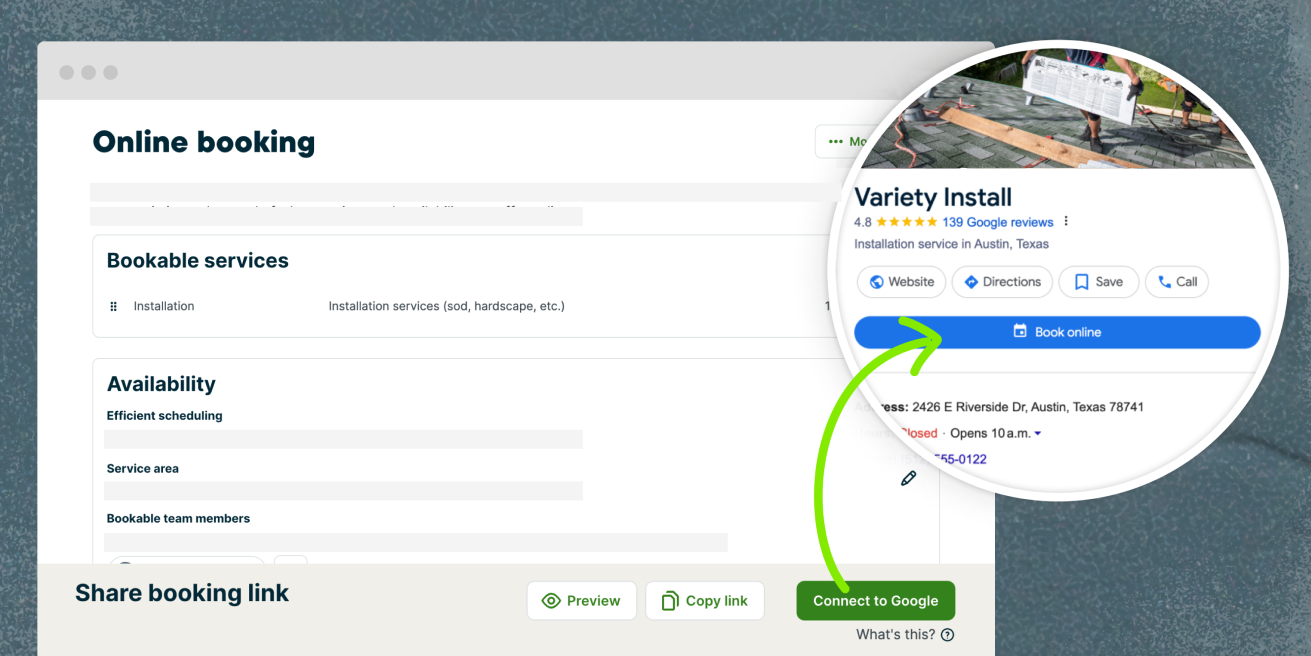
Capture more work with without phone tag
Jobber includes online booking, so customers can book work anytime through your website or Google Business Profile instead of waiting for someone to answer the phone.
Online booking is built into the same system as quoting, scheduling, and customer communication, so new requests flow directly into your workflow—helping you respond faster and turn more leads into booked jobs.
Service Fusion only supports online service requests through its customer portal, so customers can request work but can’t book an available time directly into your schedule.
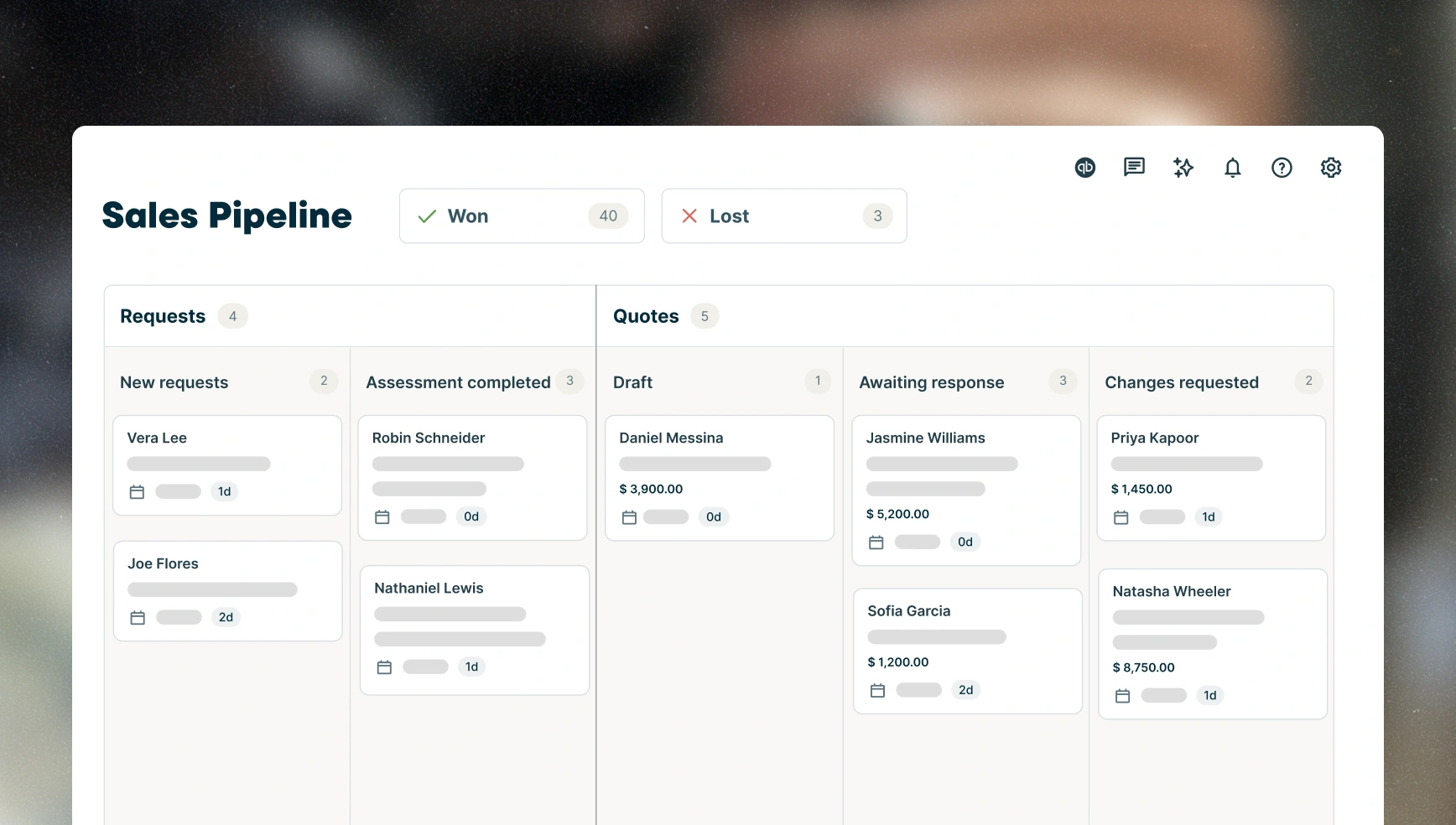
Keep every sales opportunity moving forward
Jobber offers a dedicated sales pipeline to help you track opportunities from the first customer inquiry to a closed deal. With a visual pipeline, customizable stages, sales reporting, and AI-powered insights, your team can see exactly where every opportunity stands and what needs attention next.
Service Fusion tracks estimates and their status, but it does not offer a comparable sales pipeline or dedicated opportunity management. Sales activity is tied to the estimate workflow rather than managed in a visual pipeline.
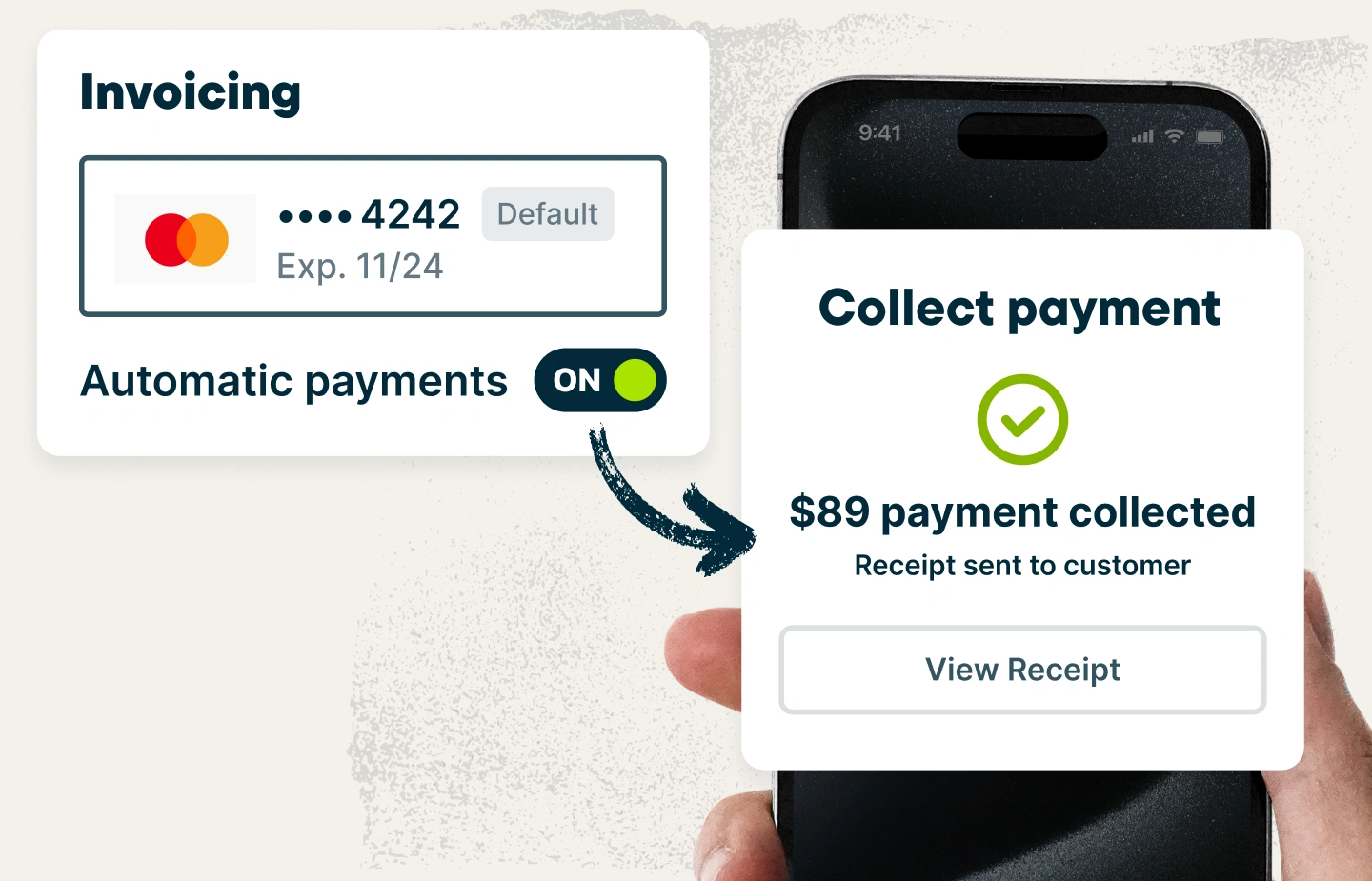
Get paid faster from the field
Jobber lets you collect payments in the field with Tap to Pay, online payments, ACH, automatic payments, customer financing, and instant payouts—all from the same app. Service Fusion also supports online payments, ACH, automatic payments, and customer financing, but mobile tap-to-pay requires the separate FusionPay app and it does not advertise instant payouts.
Getting paid before you leave the job helps improve cash flow and reduces the time spent following up on outstanding invoices. Jobber customers get paid 4× faster by collecting payments online instead of waiting for checks.
Jobber vs. Service Fusion: Pricing
Jobber provides pricing for team plans and includes a 14-day free trial with no credit card required. Service Fusion does not publish pricing on its website, so you’ll need to contact its sales team for a quote. They also offer a product demo instead of a free trial.
Pricing Comparison
Tier 1
Core
1 user
$29/mo (when billed annually)
Starter
Quote required
Tier 2
Connect
1 user
$99/mo (when billed annually)
2-15 users
Starting from $149/mo (when billed annually)
Plus
Quote required
Tier 3
Grow
1 user
$149/mo (when billed annually)
2-15 users
Starting from $229/mo (when billed annually)
Pro
Quote required
Additional user pricing
$29/mo
Unlimited users
Free trial
14 days, no credit card required
Jobber vs. Service: Integrations
Jobber connects to 100+ apps through its App Marketplace, including QuickBooks Online, The Home Depot, ArcSite, Ply, and more. You can also connect workflows through Zapier, and keep the tools you already rely on working together.
Service Fusion supports key business connections like accounting, payments, financing, GPS, and fleet tracking.
The BEST Software for Home Services
Switching from Service Fusion to Jobber
Moving software can feel risky when your schedule is already full. Here’s the practical path we use to help you make the move without dropping jobs, invoices, or customer details.
Tell us your setup
Share your current Service Fusion setup: how many techs, which services you offer, how you quote, how you schedule, what’s working, and what’s slowing the team down.
Data migration
Our onboarding specialists move your clients, jobs, and open invoices—typically in 3–5 business days depending on the data being migrated.
Team training
Live onboarding for owners, dispatchers, and field techs. Recorded sessions included, so new team members can catch up without pulling your best people off the road.
Go live
Run Service Fusion and Jobber side-by-side for a week, then cut over when you’re ready. Most teams are fully live within 10 days.
Jobber vs. Service Fusion: Which should you choose?
No tool is right for every business. Here’s an honest take on when each one wins.
Choose Service Fusion if:
- You need unlimited users.
- You need QuickBooks Desktop integration.
- You need inventory management to track parts, materials, and stock levels.
Choose Jobber if:
- You want a dedicated Sales Pipeline to track opportunities from first contact to closed deal with a visual pipeline, reporting, and AI-powered insights.
- You want customers to book available services online through your website or Google Business Profile instead of only submitting a service request.
- You want technicians to accept Tap to Pay and other in-person payments directly in the Jobber app without switching to a separate payments app.
Frequently asked questions
-
Jobber has a 4.6/5 Capterra ease-of-use rating, compared with Service Fusion’s 4.0/5. Jobber is built for service teams that need strong features without a long, complicated rollout.
-
Service Fusion does not offer a free trial. Jobber offers a 14-day free trial with no credit card required, so you can test quoting, scheduling, invoicing, payments, and customer communication before choosing a plan.
-
Yes. Jobber onboarding specialists can help move your clients, jobs, and open invoices, typically in 3–5 business days depending on the data being migrated. Most teams are fully live within 10 days.