Jobber vs. Workiz
Jobber gives service teams job costing and a client portal that Workiz doesn’t include. Trusted by 400,000+ service pros.

Jobber vs. Workiz: Comparison Table (2026)
Here’s a quick snapshot of how Jobber and Workiz compare across the categories that matter most.
Pricing model
Individual and team pricing starting at $29/month (billed annually)
Must request pricing
Scheduling & Dispatch
✓ Available
✓ Available
Custom report builder
✓ Available
Custom reports on Pro and up
Mobile app
4.4 stars on Google Play Store (6k+ ratings)
4.8 stars on App Store (18k+ ratings)
2.4 stars on Google Play Store (422+ reviews)
4.6 stars on App Store (2k+ ratings)
AI Tools
Jobber AI available on all plans, AI receptionist available as an add-on
Genius Scheduling and Genius Leads (Pro and up); AI answering, call insights, AI writer are paid add-ons
Who are Jobber and Workiz?
Jobber
Jobber is field service management software built for home service businesses.
More than 400,000 service pros across 50+ industries use Jobber to handle scheduling, quoting, invoicing, job costing, client communication, and marketing from one platform.
Workiz
Workiz is field service management software focused on dispatching, scheduling, and invoicing.
It is known for its integrated phone system (sold as a paid add-on) and is a fit for call-heavy service businesses that rely on phone-based lead capture and dispatch.
Core operations
Jobber and Workiz overlap on day-to-day scheduling and invoicing, but Jobber pulls ahead on profitability tracking, quoting flexibility, and overall customer experience. Jobber offers job costing, AI-drafted quotes, and a Client Hub where your clients can request work, approve quotes, and pay invoices on their own.
Customer Relationship Manager (CRM)
Keep all quotes, jobs, invoices, payments, and communication history organized in one place.
Learn more
✓ Available
✓ Available
Organize customers into targeted groups for streamlined communication, reporting, and marketing.
Learn more
✓ Available
✓ Available
Give clients a centralized portal to view quotes, approve work, pay invoices, and manage appointments online.
Learn More
✓ Available
✓ Available
Let customers request work and book services directly through an online booking form.
Learn More
✓ Available
✓ Available
Two-way text messaging
✓ Available
✓ Available via phone add-on only (starts at $99/mo)
Quoting
Create professional, customizable quotes with itemized pricing and company branding.
Learn More
✓ Available
✓ Available
Allow customers to select optional services or upgrades directly within a quote.
Learn More
✓ Available
✓ Available
Instantly converts approved quotes into scheduled jobs without re-entering information.
✓ Available
✓ Available
AI-drafted quotes
✓ Available
✗ Not Available
Track leads, quotes, and follow-ups in one place so opportunities never slip through the cracks.
Learn More
✓ Available via add-on (included in Plus)
✓ Available. Leads tracking; AI Genius Leads on Pro and up
Scheduling & Dispatch
Easily assign, move, or reschedule jobs with just a click, drag, and drop.
Learn More
✓ Available
✓ Available
Build named crews, view their availability, and schedule the whole team at once for easier dispatching.
Learn More
✓ Available
✓ Available
Automatically organize daily routes to reduce drive time and improve efficiency across multiple appointments.
Learn More
✓ Available
✓ Available
Get real-time visibility into team locations and job progress in the field.
Learn More
✓ Available
✓ Available
Invoicing
Automatically create and send invoices when work is marked complete.
Learn More
✓ Available
✓ Available
Automate repeat invoices and payments for ongoing service agreements.
Learn More
✓ Available
✓ Available via Service Plans (Ultimate plan)
Track labor, materials, and expenses to make sure every job stays profitable.
Learn More
✓ Available
Limited. Job profit margins from tech labor costs and job-linked expenses
Get a dedicated bookkeeper to manage your books and deliver monthly financial reports for clearer business decisions.
Learn More
✓ Available via add-on (US only)
✗ Not Available
Payments
Offer customer financing options directly during the payment or quote process.
Learn More
✓ Available
✓ Available
Marketing
Create a simple business website to help attract and convert leads.
Learn More
✓ Available (included in all plans)
✗ Not Available
Stand out in local search with a Google profile that’s active and accurate.
✓ Available (included in all plans)
✗ Not Available
Send follow-up requests to help generate more customer reviews.
Learn More
✓ Available via add-on (included in Plus)
✓ Available via third-party (NiceJob)
Send targeted marketing emails to clients.
Learn More
✓ Available via add-on (included in Plus)
✓ Available via add-on (Genius Marketing)
Let customers refer new business through structured referral incentives.
Learn More
✓ Available via add-on (included in Plus)
✓ Available via third-party (NiceJob)
Create and publish posts to your Facebook page and Google Business Profile.
✓ Available via add-on (included in Plus)
✗ Not Available
Turn completed jobs into marketing posts you can share on your website, Google Business Profile, Facebook, and email to showcase your work.
Learn More
✓ Available via add-on (included in Plus)
✗ Not Available
AI
AI-powered tools to help service businesses run smarter
Learn More
✓ Available (Jobber AI included on all plans)
✓ Available. Genius Scheduling, Genius Leads (Pro and up); AI messaging and call insights (Genius Phone add-on)
Answer calls and texts 24/7, capture leads, and book jobs automatically.
Learn More
✓ Available via add-on (included in Plus)
✓ Available via add-on (Genius Answering)
AI integrations (MCP)
✓ Available. Connects to ChatGPT and Claude so you can use Jobber data in AI conversations.
✗ Not Available
“Our revenue has grown 100% year-over-year for the past few years while using Jobber. It’s the main reason our business is running so efficiently.”
Mobile technician tools
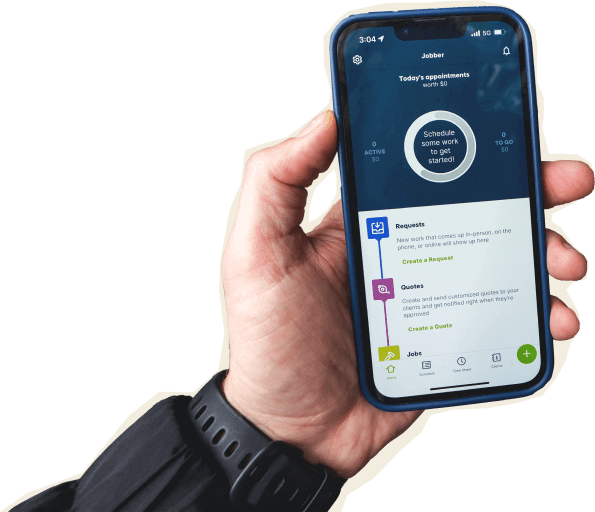
Jobber’s mobile app is rated 4.8 on the App Store across 18,000+ ratings. Field teams can quote from the driveway, capture photos, complete checklists, clock in and out with GPS, and send invoices from their phone. Notes created without a cell connection save locally and sync when reconnected.
Core Mobile app
Available in English and Spanish
✓ Available
✓ Available
INVOICING & PAYMENTS IN THE FIELD
Allow customers to pay in person by tapping a card or digital wallet on a mobile device.
Learn More
✓ Available
✓ Available
On the Job
Attach visual documentation directly to the job
✓ Available
✓ Available
Keep job instructions, required tasks, and site details organized for field teams.
Learn More
✓ Available
Limited. Checklists on Ultimate plan only
Alert team members immediately when jobs are assigned, moved, or updated.
Learn More
✓ Available
✓ Available
Capture customer approvals directly on a mobile device.
✓ Available
✓ Available
Built for how you actually work
Jobber is built around the way home service businesses actually run their days, from tracking margins on every job to turning past clients into repeat revenue.
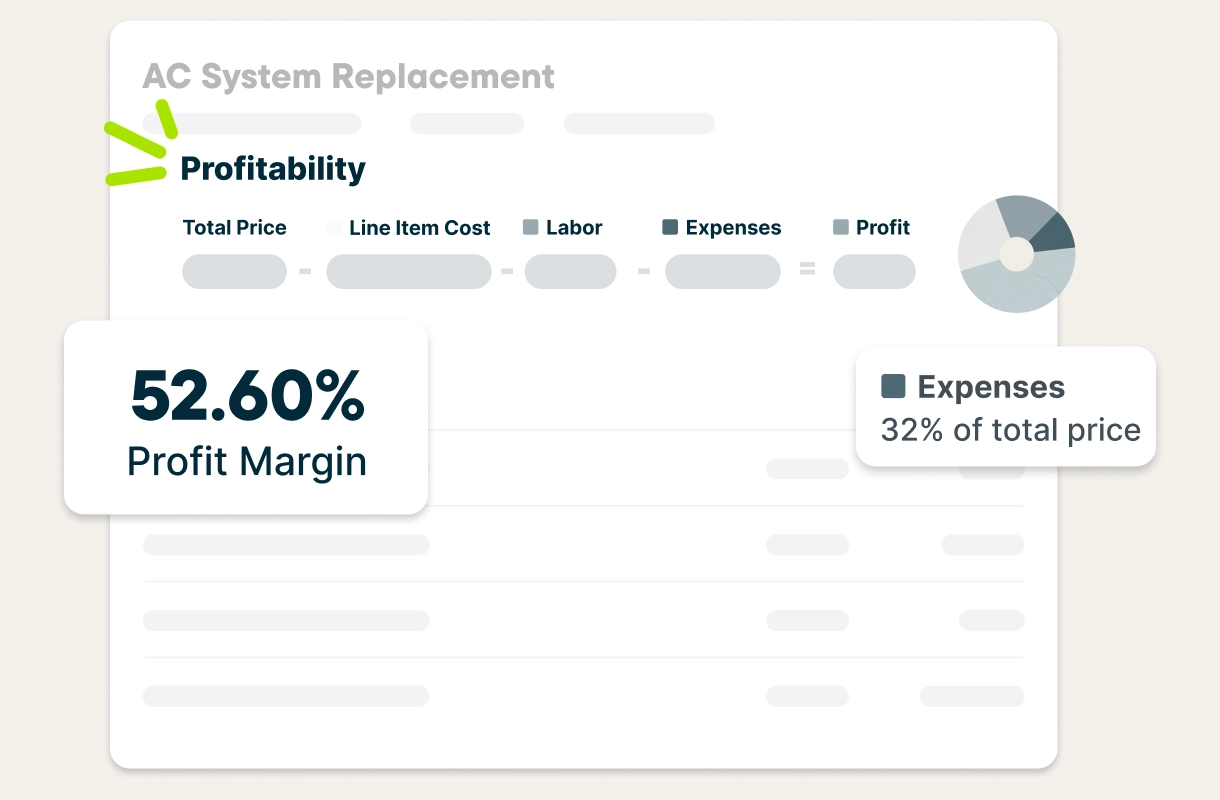
See exactly which jobs are making you money
Jobber tracks materials, labor, and expenses against revenue for every job in real time, so you can see which jobs are profitable before the month is over. Job costing is built into Jobber’s Grow and Plus plans.
Workiz does not offer job costing on any plan.
Give clients everything they need in one place
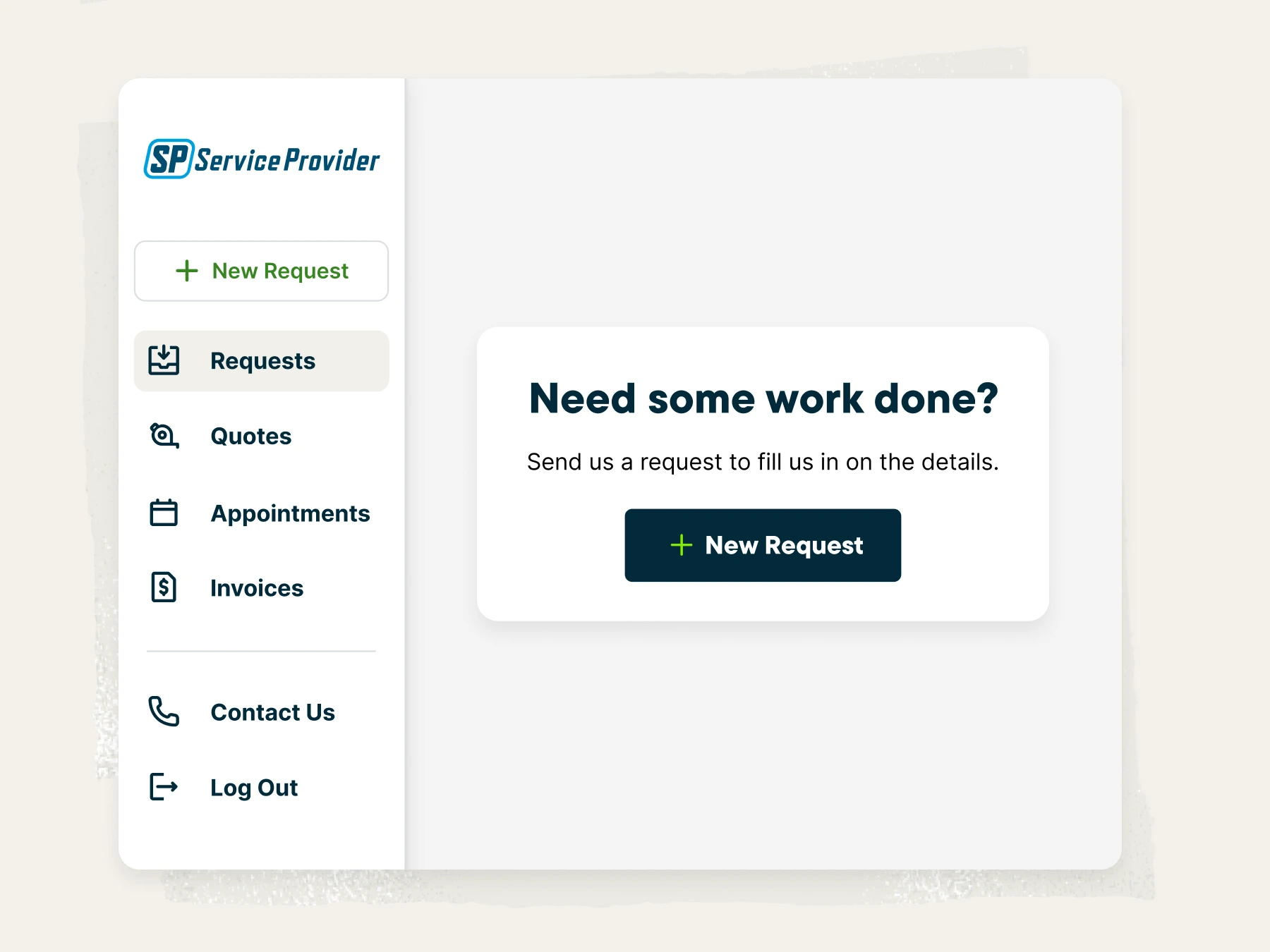
Jobber’s Client Hub reduces follow-up calls by giving clients a self-serve portal for requests, approvals, and payments. Instead of fielding status check-ins and chasing quote approvals, your office team stays focused on booking new work.
Clients can:
- Request new work
- Approve quotes and select optional line items
- View upcoming appointment details, including crew names and photos
- Make partial payments and save payment methods for future jobs
Work requests and payment management are not available in Workiz’s client portal.
Turn past clients into repeat revenue
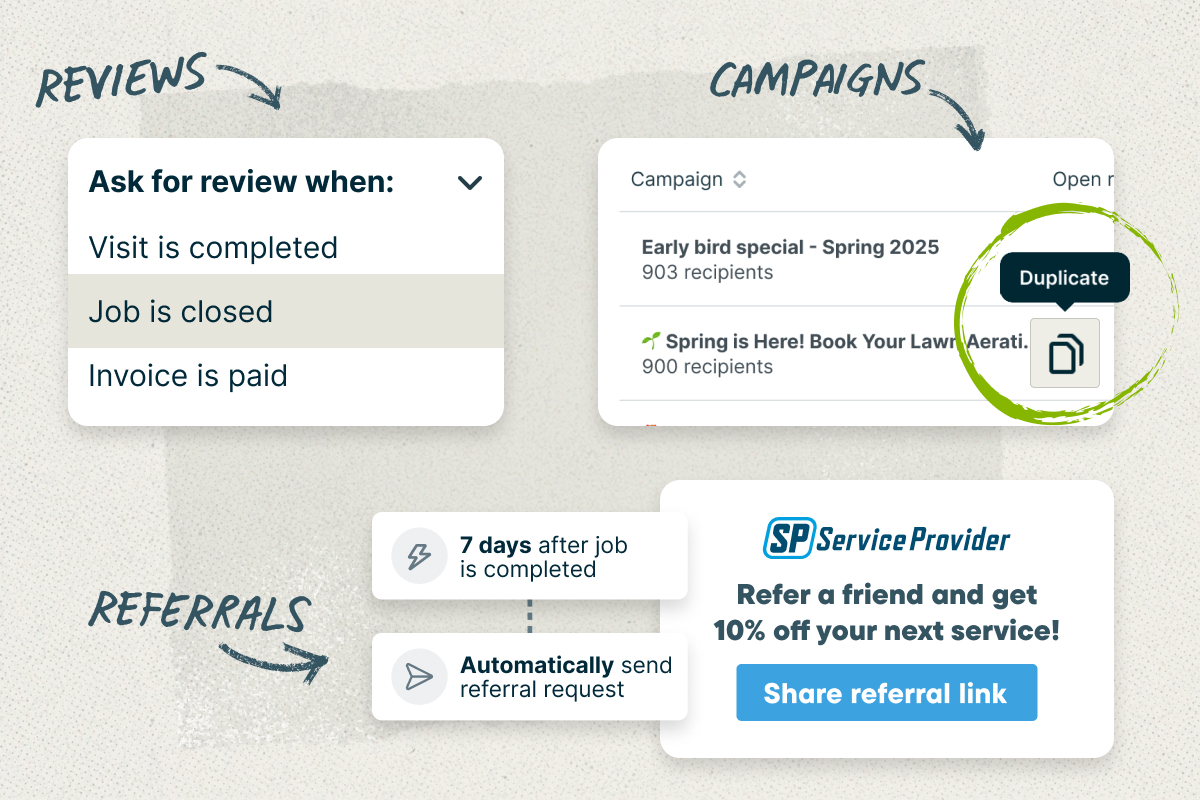
Jobber’s Marketing Tools help service businesses win more work and keep customers coming back—all from the same platform they use to run their business. Businesses can create a professional website, send email campaigns, automate review requests, and generate referrals. In fact, 80% of marketing campaigns sent through Jobber led to a new job booked within 30 days.
With Jobber, you can:
- Launch a website optimized for local search
- Re-engage customers with email campaigns
- Automate Google review requests
- Generate referrals through Client Hub
Workiz does not offer a built-in website builder, email marketing, referral program, or native review automation.
Jobber vs. Workiz: Pricing
Jobber provides stronger value across every pricing tier, with low starting costs, more affordable additional user pricing, and no hidden fees. It also offers pricing transparency, a longer free trial (14 days vs. 7 days), and publicly available pricing, making it easier for your business to evaluate costs and scale with confidence.
Tier 1
Core
1 user
$29/mo (when billed annually)
Kickstart
Must request pricing
Tier 2
Connect
1 user
$99/mo (when billed annually)
2-15 users
Starting from $149/mo (when billed annually)
Standard
Must request pricing
Tier 3
Grow
1 user
$149/mo (when billed annually)
2-15 users
Starting from $229/mo (when billed annually)
Pro
Must request pricing
Tier 4
Plus
2-15 users
Starting from $399/mo (when billed annually)
Ultimate
Must request pricing
Additional user pricing
$29/month
Starting at $46/month
Solo-User Pricing Available
✗ Not Available
Free trial
14 days, no credit card required
7 days
Pricing Transparency
Full pricing publicly listed
Hidden pricing
Why HVAC businesses choose Jobber
Switching from Workiz to Jobber
We’ve migrated thousands of teams from field service tools that no longer served their needs. Here’s what the move looks like.
Tell us your setup
Share your current Workiz configuration, team size, and the data you need to bring over. We’ll map out the migration plan.
Data migration
Jobber handles the data transfer. Your client records, job history, and account details move over without manual entry—typically within 3-5 business days, depending on the data being migrated.
Team training
An onboarding specialist guides your team through Jobber with live training sessions and recorded walkthroughs you can revisit anytime.
Go live
Run Jobber alongside Workiz for a week to make sure everything works the way you need it to. Most teams are fully live within 10 days.
Jobber vs. Workiz: Which should you choose?
No tool is right for every business. Here’s an honest take on when each one wins.
Choose Workiz if:
- Your business runs primarily on phone calls, and you want a built-in VoIP system (sold as a paid add-on starting at $99/mo)
- You rely heavily on subcontractors and need unlimited subcontractor users at no extra cost
- You need inventory management or purchase orders (available on Workiz’s Ultimate plan only)
Choose Jobber if:
- You want to know which jobs are actually profitable with built-in job costing
- You need a platform that scales affordably as your team grows (10 users included on Grow vs. five on Workiz Pro)
- You want built-in tools to drive repeat revenue: email campaigns, review automation, and a client referral program
Frequently asked questions
-
Jobber is the stronger fit for multi-crew service businesses managing high job volume. It offers features such as job costing to track profitability for every job and crew, Marketing Tools to drive repeat revenue, and a client portal to reduce office call volume. Workiz is a better fit for businesses where an integrated phone system is the primary need.
-
Workiz does not publicly disclose full plan pricing, making it difficult for service businesses to compare total software costs upfront. While Workiz publishes per-user pricing (starting at $46/month), additional costs may apply depending on your plan selection and add-ons. In contrast, Jobber’s pricing is transparent, with additional users starting at $29 per month, making it easier for growing teams to understand and predict their software investment.
-
Yes. Jobber offers free data migration, typically completed in three to five business days. An onboarding specialist handles the transfer and trains your team with live and recorded sessions. Most teams are fully live on Jobber within 10 days.