Free Flooring Invoice Template
Jobber’s free flooring invoice template generator helps you bill for hardwood, luxury vinyl plank (LVP), laminate, tile, carpet, and epoxy jobs in minutes. Add square footage, materials, labor, and removal costs, then download a professional PDF that’s ready to send to the client.

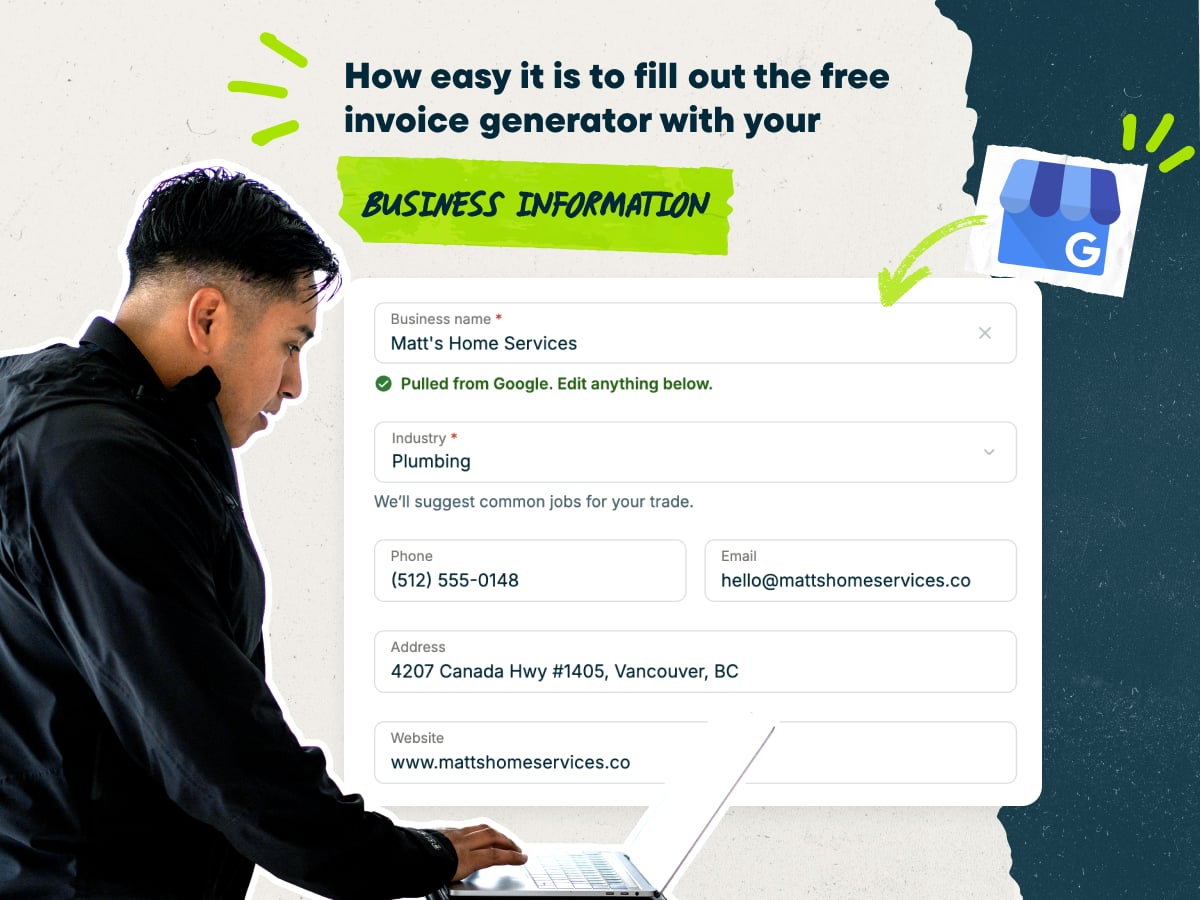
Create a flooring invoice fast with our free invoice template generator
Here’s how the flooring invoice template works:
- Enter your business name, and the template fills in your company details for you
- Add flooring line items, starting from typical pricing you can adjust to your rates
- Fill in your client’s name, contact details, and service address
- Download your invoice as a PDF, or save it in Jobber to send later
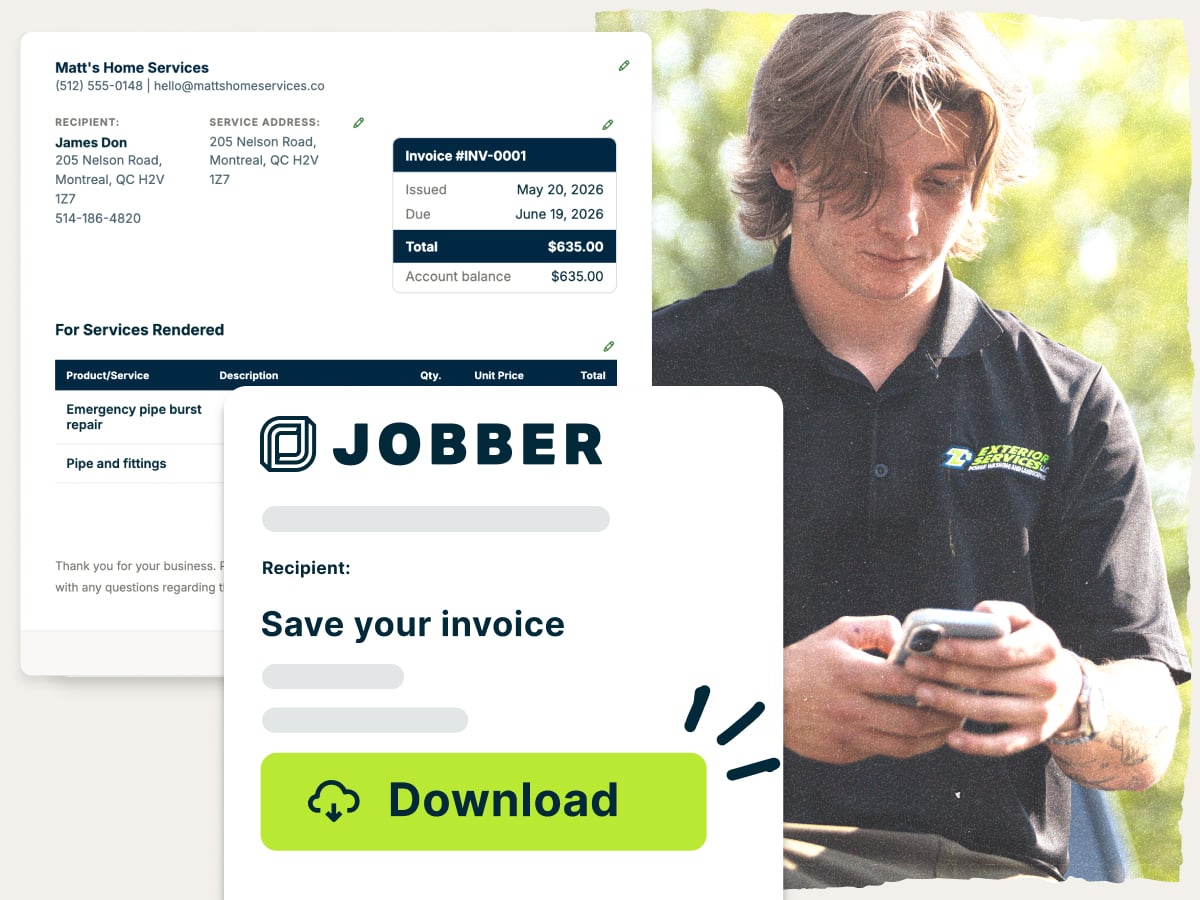
Why use Jobber’s free flooring invoice template?
- Ready to customize: Add your business details, line items, and rates. Edit any field to match how you price flooring jobs
- Set up with the essentials: Every field a flooring invoice needs is already in place. Fill in all the details and you’re ready to send
- Free to download: Get a professional PDF at no cost. Send it to your client as soon as the job is done
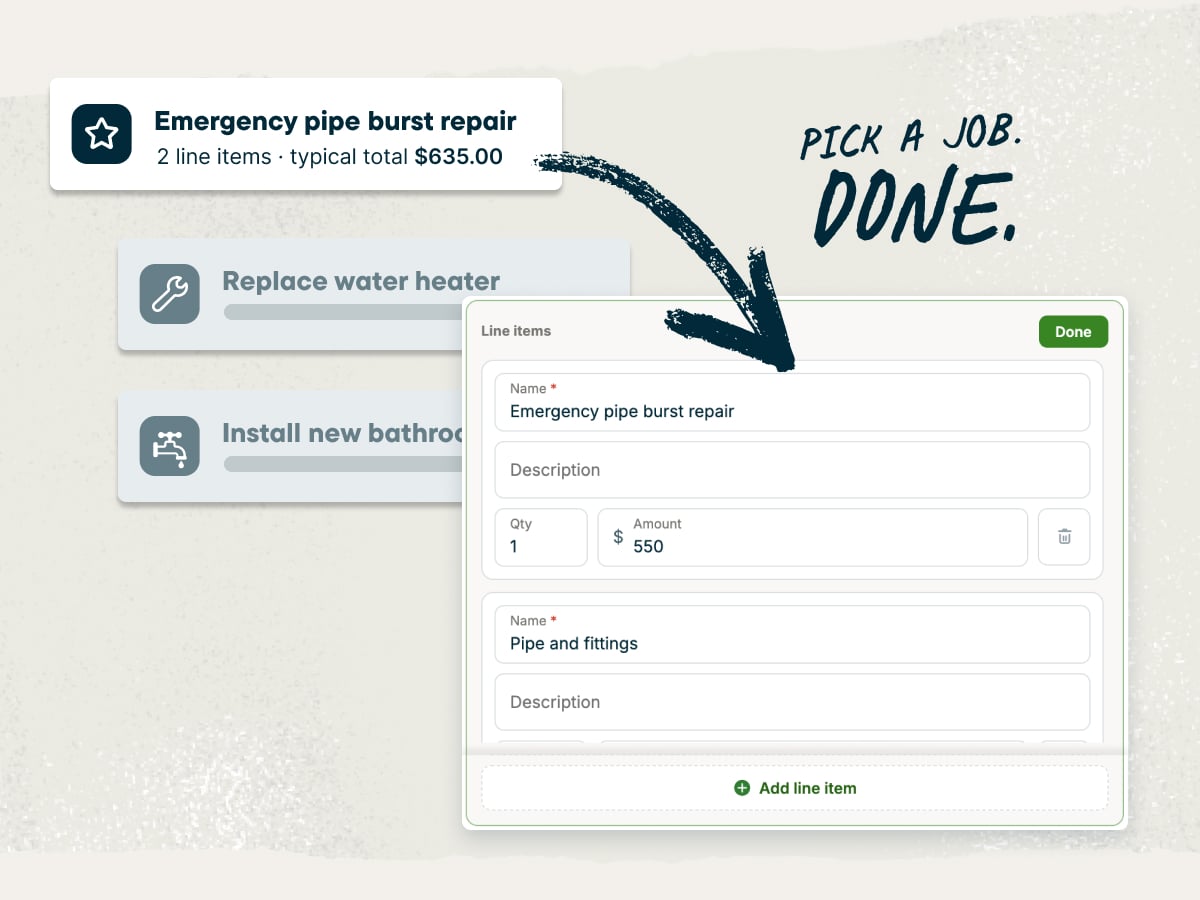
A flooring invoice template built for flooring businesses
Flooring jobs have more moving parts than a single line item. This flooring invoice template gives you room for square footage, materials, waste, prep, and trim. Your client sees exactly what they’re paying for, and you get paid for all the work you did.
Explore other flooring free tools
Use these free tools to quote, price, and run your flooring jobs:
Over 400,000 home service pros in 50+ industries trust Jobber
“I’m honestly blown away—since switching to Jobber, my conversion rate jumped a solid 30%. I’ve always been meticulous with quotes, invoices, and thank-you letters, but this platform adds a layer my clients really respond to. It’s like they feel taken care of before the job even starts. No regrets—this was hands-down one of my smartest moves this year.”
How to create a flooring invoice
You can build your invoice in Microsoft Word, Google Docs, Microsoft Excel, or Google Sheets. Word and Docs are simple to customize, but they don’t add up your total for you. And while Excel and Sheets take care of the math, they don’t offer professional-looking formatting.
Instead, use this flooring invoice template to show your client what they’re paying for and cut down on back-and-forth.
Whichever tool you use, follow these flooring-specific tips when you write an invoice:
- Bill by the square foot. Use the measurements from your approved quote so the invoice matches what your client agreed to.
- Show the waste allowance. List the extra material you ordered for cuts so clients see why you bought more than the room’s square footage.
- Separate tear-out and disposal. Create separate line items for removal and haul-away so those fees are easy to spot.
- Call out subfloor prep. Note leveling, repairs, and moisture barrier work, so clients know about the prep hidden under the new floor.
- Itemize transitions, trim, and stairs. List thresholds, baseboards, quarter round, and stair nosing on separate lines.
- Subtract deposits and progress payments. Show every payment you’ve received so the balance due is clear at a glance.
- Attach change orders. Reference any approved changes, like an added closet or subfloor repairs found after tear-out.
Need to create lots of invoices, fast? Jobber’s invoicing software turns completed jobs into invoices, so you skip retyping line items. It handles deposit, progress, and final bills, plus the other types of invoices flooring pros send.
What is the flooring invoice template best for?
The flooring invoice template works for any job you bill by the square foot, room, or project. It’s a good fit for jobs like:
- New flooring installs: Bill materials, labor, and prep for new floors on one clear invoice, including hardwood, LVP, laminate, tile, and carpet.
- Refinishing: List sanding, stain, and finish coats by the square foot.
- Repairs: Bill board replacements, cracked tile, or patch work with a few quick line items.
- Multi-room and phased jobs: Invoice each room or job phase, and track deposits and progress payments along the way.
- Commercial and epoxy coating jobs: Itemize surface prep, coating layers, and square footage for garages, shops, and commercial floors.
What should be included in a flooring invoice?
A flooring invoice should include the same basic information as any other service business invoice, with details specific to your flooring work.
Include these fields on your flooring invoice:
- Invoice number: Give each job a unique invoice number so you and your client can track it.
- Issue and due dates: Show the date you sent the invoice and the date payment is due.
- Company information: Add your business name, logo, phone number, and email.
- Client information and service address: Add your client’s name and contact details, plus the address where you did the work.
- Flooring line items: List each service with the material type, square footage, and unit price.
- Materials: Include flooring, underlayment, adhesive, and trim, as well as the waste allowance.
- Labor: Bill installation by the square foot or by the hour, using our labor cost calculator to set a rate that covers your costs.
- Removal, disposal, and prep: List tear-out, haul-away, furniture moving, and subfloor prep as separate charges.
- Payments received: Show any deposit or progress payments, along with the dates you received them.
- Subtotal, tax, discounts, and fees: Show the subtotal, then add sales tax, discounts, and fees like delivery.
- Total due: Put the final balance where your client will see it first.
- Payment terms: Set clear payment terms that state when payment is due, how the client can pay, and any late fees that apply to late payment.
- Warranty notes: Note your workmanship warranty and point clients to the manufacturer’s warranty for materials.
- Thank-you note: Close with a short thank-you note to encourage repeat work and referrals.
Bigger jobs, like whole-house installs or phased commercial floors, need a different approach. Break the work into phases, invoice a deposit upfront, and send progress invoices as each phase wraps up. Track every change order so your final invoice lines up with the amount your client approved.
Free flooring invoice template vs. Jobber invoicing software
The free flooring invoice template is a quick way to bill for a single job. Fill it in, download the PDF, and send it to your client.
As you take on more installs, Jobber’s invoicing software saves your client and job details for you. It turns finished jobs into invoices, sends them by text or email, automatically sends payment reminders, and lets clients pay online. Jobber customers get paid 4x faster collecting payment online vs. waiting on checks.

and payment history organized in one place for easier access.
and pricing already recorded on the completed job.
making it easy for them to review and pay.
it is time to invoice at job completion or on a recurring schedule.
and send them to customers in a few clicks.
remind customers when an invoice remains unpaid.
so they can pay directly from their digital invoice.
while working from the office, on the road, or at a job site.
Frequently asked questions about flooring invoices
-
A flooring invoice template is a ready-made layout you can use to bill clients for flooring work. Jobber’s version is a free template generator you can fill in online. The generator provides formatting, adds up your service totals, and provides a PDF to send to the client.
-
Start with the measurements and pricing from your approved quote. Enter each line item in the template, subtract a deposit if applicable, and download the PDF to send. The tips above walk through the flooring-specific details.
-
Yes. You can edit everything in the document to match the way you operate, including line items, rates, and payment terms. Add your logo so your invoice matches your quotes and trucks, and include a thank-you note to the client.
-
Yes. The flooring invoice template generator is free to fill out and download as a PDF. You can email it, print it, give it to your client on site, or save it in Jobber.
-
Yes. Download your finished invoice as a PDF that looks the same on any device. That way, the client will see the document exactly as you intended.
-
To price flooring jobs, measure and multiply each room’s length and width, then add the rooms together for total square footage. Multiply that total by your per-square-foot rate, with materials and labor on separate lines. It’s a good idea to add about 10% extra material for waste.
-
Yes. Tear-out, haul-away, and subfloor prep take real time and materials that you should bill for. Price removal by the square foot or as a flat fee, and bill leveling or repairs separately. If you find subfloor damage after tear-out, get your client’s approval on a change order before you bill for it.
-
A flooring invoice puts your business and client details at the top, followed by line items for materials, labor, prep, and trim. The bottom shows the subtotal, tax, deposits paid, total due, and payment terms.

Follow these invoice best practices to keep your invoice clear and easy to pay. -
Here’s how to bill for flooring work in Jobber:
1. Create a quote with your flooring line items and send it to the client for approval.
2. Turn the approved quote into a job and use service scheduling to book your crew.
3. Convert the completed job into an invoice with your line items already filled in.
4. Send the invoice to your client by email or text.
5. Collect payment online, or track and automatically follow up on the unpaid invoice. -
People often use the terms interchangeably, but it usually depends on who’s holding the document. An invoice is the itemized document you send to the client when you ask for payment. The client may call it a bill because it’s something they need to pay.
-
The difference between a quote vs invoice is when you send it and why. A quote is the price you give before work starts. An invoice asks for payment after you finish the work or reach a project milestone. If the scope changes, like an added room or subfloor repair, record it in a change order so the final invoice matches your client’s approval.
-
You can send an invoice a few different ways:
• Email: Send a PDF or a link that your client can open on any device.
• Text message: Text a link so your client can review the invoice on their phone.
• Client hub: Let clients view and pay invoices in Jobber’s online client hub.
• In person: Print the invoice and hand it over at the final walkthrough.
With Jobber’s credit card processing, clients can pay by card right from the invoice. -
Send the invoice as soon as the job’s done, while the work is fresh in your client’s mind. For multi-room installs, send a deposit invoice when the client books, progress invoices at set milestones, and a final invoice after the walkthrough.
Whether you invoice before or after a job depends on the job’s size and how much material you buy upfront. -
Your client should pay by the due date in your payment terms. Common terms include due on receipt and net 30, which gives clients 30 days to pay. Shorter terms help you improve cash flow, especially when you need to buy materials for the next job.
For big installs, offering financing to customers makes it easier for them to approve larger projects. Jobber’s consumer financing lets clients pay over time instead of all at once. -
Flooring invoicing software creates, sends, and tracks invoices for you. Jobber’s field service invoicing software turns completed jobs into invoices, sends payment reminders, and accepts online payments. It’s part of Jobber’s flooring business software, which also handles quotes, scheduling, and client details.
Over 400,000 home service pros in 50+ industries trust Jobber
“If you can make a quote on the spot, you’re 10 steps ahead of the competition.”
Jobber changed the game because it’s right at people’s fingertips.
