
Key takeaways:
Finding the right CRM can transform your home service business by streamlining operations and improving customer relationships.
- Top CRM choices tailored for home service businesses. The article reviews and compares 7 leading CRM platforms, including Jobber, Housecall Pro, ServiceTitan, FieldEdge, Service Fusion, HubSpot CRM, and Nutshell CRM, each with unique features and price points to suit different needs.
- Essential features for efficiency and growth. The best CRMs for this industry offer key tools like lead management, customer profiles, communication history, online booking, automated reminders, and mobile access to help organize workflows and deliver consistent service.
- How to select the right solution for your business. Choosing a CRM should be based on your core challenges, integration needs, scalability, mobile usability, and price—making sure the platform fits both your current team and future plans.
- Direct comparisons and honest user feedback. The reviews address not just standout features but also potential limitations like learning curve, pricing, and customization, giving you a balanced view of each CRM’s strengths and weaknesses.
- Practical benefits for home service pros. Adopting the right CRM can lead to better organization, increased job bookings, improved customer satisfaction, and streamlined communication—all crucial for running and growing a home service business.
Use Jobber to manage your client details all in one place. Start your free trial.
Running a home service business involves managing leads, schedules, and customer relationships—all while staying focused on the job.
Luckily, there’s one tool that can simplify these tasks by organizing your workflows, improving communication, and helping you close more jobs: a CRM (customer relationship management) tool. However, not every CRM is built for the unique needs of the home service industry.
To help you find the best CRM for home service business needs, we’ve reviewed the top CRM platforms and narrowed them down to our top 7 picks. Whether you’re more focused on features, scalability, or price, you will find the best CRM for your business here.
7 best home services CRMs:
What is a home services CRM?
CRM software is a tool designed to help your business manage client relationships, track leads, and organize interactions across sales, marketing, and service teams.
A home services CRM ensures that customer information, job details, schedules, and communications are stored in one centralized system. This allows your business to streamline operations, improve response times, and deliver a more consistent customer experience.
| App | Best for | Key features | Price | Free trial |
|---|---|---|---|---|
| Jobber | Home service businesses that want a comprehensive solution to manage customers from estimate to final payment | • Online booking • Job history at your fingertips • Automated notifications | Starting at $39 per user per month | Yes |
| Housecall Pro | Small businesses that want a user-friendly platform | • Visual pipeline • Online booking • Custom intake forms | Starting at $59 per user per month | Yes |
| ServiceTitan | Growing teams | • Web scheduler • Tech tracking • Appointment reminders | Must request pricing | No |
| FieldEdge | Teams that need more advanced features | • Automated texts and voicemails • Visual pricebook • Service agreement renewal reminders | Must request pricing | No |
| ServiceFusion | Businesses that need streamlined customer and job management | • Referral source tracking • Choice of communication preferences • Call tracking software | Starting at $245 per month for unlimited users | No |
| HubSpot CRM | Businesses looking for an affordable option | • Reporting dashboard • Pipeline management • Lead management | Free plan, then $20 per user per month | Yes – free plan available |
| Nutshell CRM | Businesses looking to optimize their sales process | •Import customer data from any source • Lead management pipeline • Targeted email campaigns | $13 per user per month | Yes |
How we chose the best scheduling CRM for home service businesses
We chose the best CRM for home service businesses on this list by compiling tools made especially for home service businesses. These tools included features such as lead management, customer communication, and online booking.
We checked reviews on websites such as Capterra to discover what real-world users think of the software.
From there, we took a closer look at each CRM solution by watching app tutorials, when available, to see the tools in action and judge these capabilities for ourselves.
The result? This curated list of the best CRMs for home services professionals to manage clients and deliver quality customer service.
1. Jobber
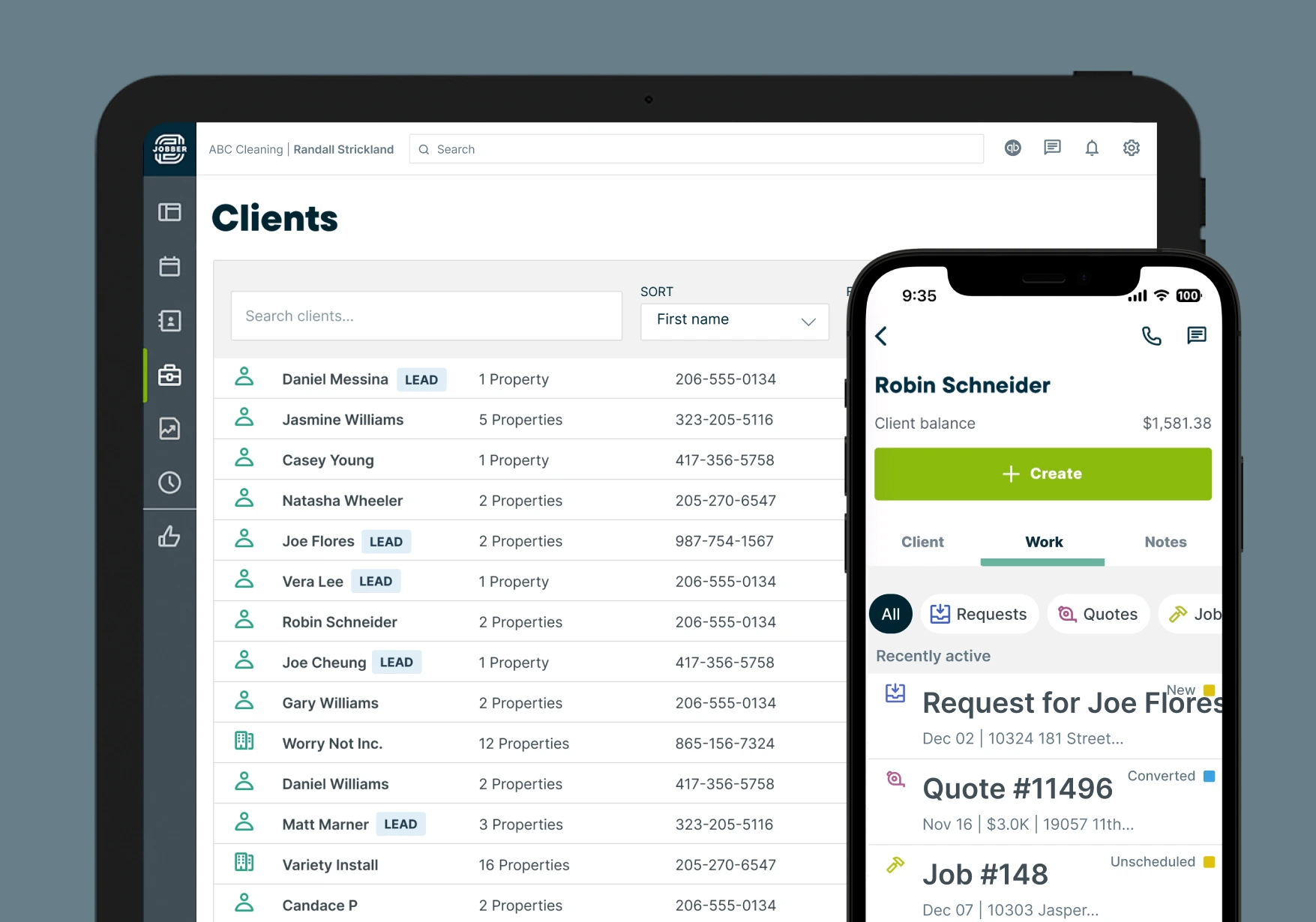
Jobber is a field service CRM built specifically for home service businesses. Jobber lets you centralize your customer management, job management, estimates, invoicing, payments, and other workflows in a single, easy-to-use tool.
READ MORE: 10 Jobber + Zapier Integrations
Here are Jobber’s top CRM features for home service businesses.
Client details at your fingertips
Jobber lets you customize your client profiles with the details that matter most for your business.
For example, you can add a note to a client’s profile that there is a dog on the premises so that your techs are never caught by surprise.
Job and communication history for quick reference
With Jobber, your customer history is always at your fingertips.
When a customer calls with a question about a past job, you can quickly pull up their information—including their communication history—to ensure that you are both on the same page.
For example, with Jobber, if a customer calls to dispute their invoice, you can refer to past interactions to confirm that the work they requested was completed.
Lead management to grow your business
Jobber helps you keep your leads and existing customers separate so that you can give each contact the attention they need.
Leads are tracked automatically so that you can see where potential customers are coming from, contact them immediately, and convert them to paying clients faster.
f you wait longer than three minutes to call a new lead back, there is an 80% chance you will lose that job.
Online booking
With online booking options, Jobber lets customers see multiple service options and choose what fits their needs.
Better yet, create clear descriptions of what your services include and set estimated prices and durations so that your customers have all the information they need.
2. Housecall Pro
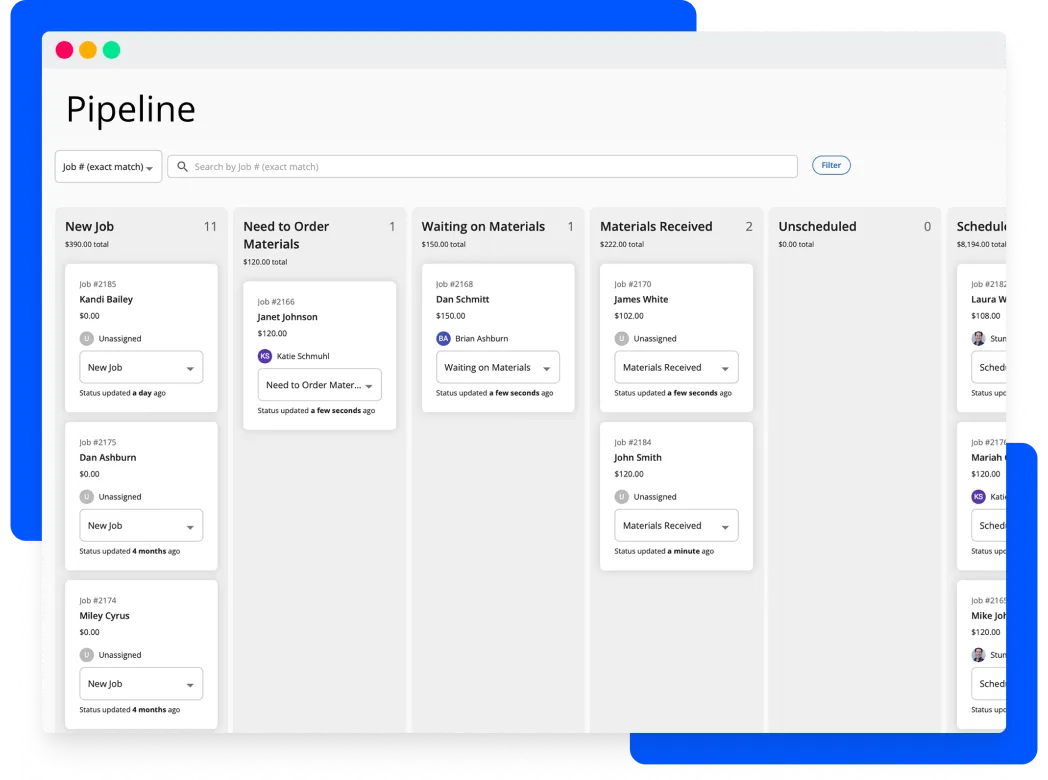
Housecall Pro is a user-friendly home service software with several CRM features for small businesses.
Housecall Pro features a pipeline dashboard that lets you track every opportunity as it comes in. The platform also offers custom intake forms to capture leads.
Housecall Pro’s other features include;
- Automated follow-ups
- Online booking form
- Job inbox notifications for new leads
READ MORE: Jobber vs Housecall Pro
While Housecall Pro has good CRM features, some users find the software too expensive compared to similar options.
3. ServiceTitan
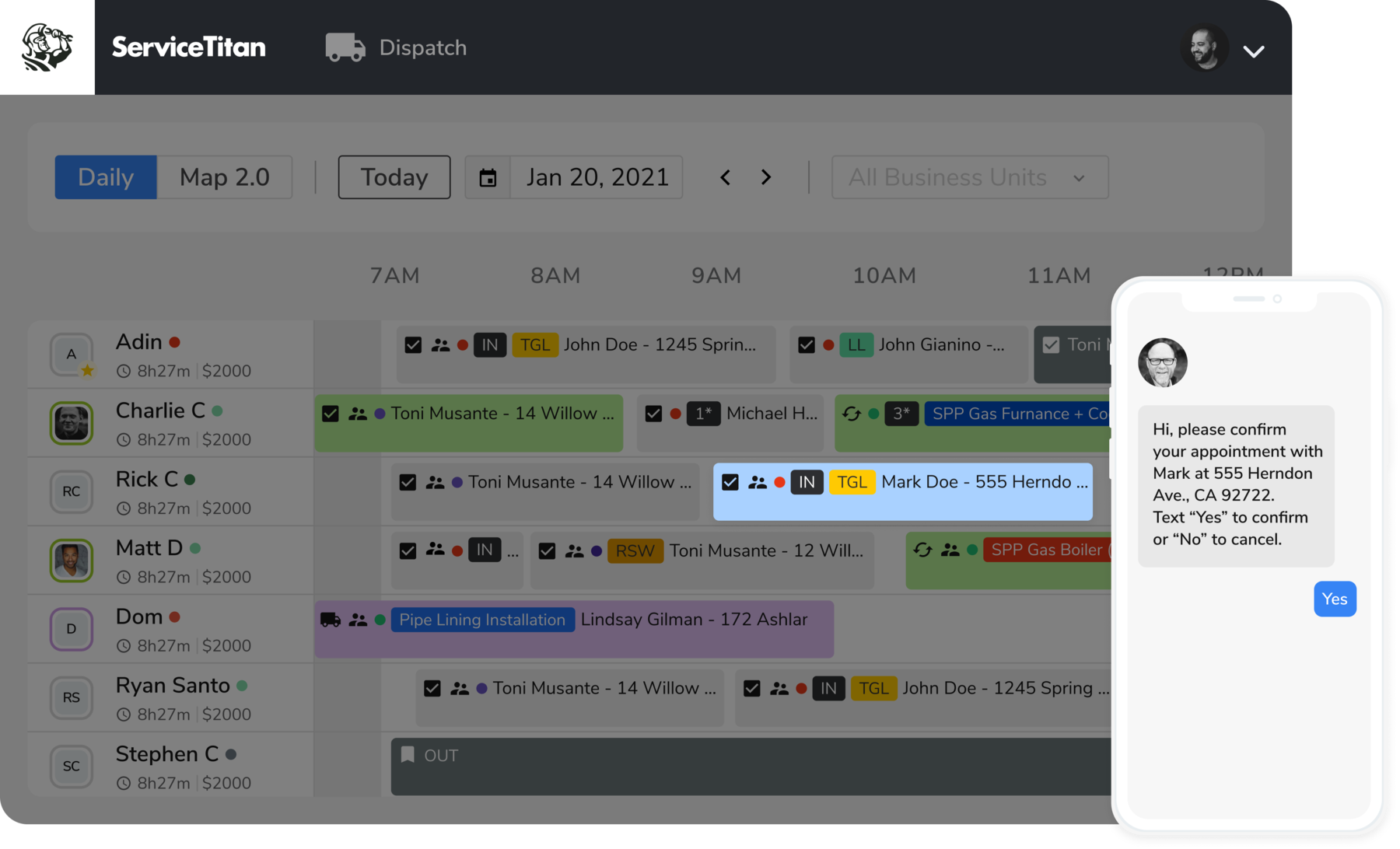
ServiceTitan is a service business CRM software built for growing home service businesses.
ServiceTitan has many features that focus on providing an excellent customer experience. For example, you can send appointment reminders and tech bios to customers so that they know what and who to expect.
ServiceTitan’s other features include:
- Two-way customer texting
- Technician tracking for customers
- Web scheduler for your website
READ MORE: Jobber vs ServiceTitan
ServiceTitan’s many features make it a great option for growing teams, but one user says that the platform can be complicated for new users and that the learning curve is steep.
If you want software that you can have up and running right away, you may want to consider other alternatives to ServiceTitan.
4. FieldEdge
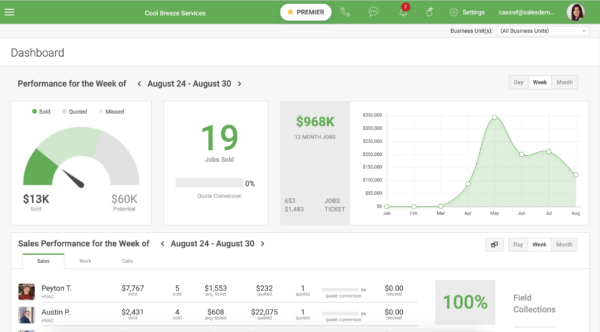
FieldEdge is a field service management app with features that simplify customer management for your team.
Use FieldEdge to automatically send a text, email, or voicemail to let customers know your tech is on the way. You can also have your tech’s work orders show notes, customer history, and equipment history.
FieldEdge’s other features include:
- Visual pricebook to show customers
- The ability to write custom notes for each customer
- Service agreement renewal reminders
READ MORE: Jobber vs FieldEdge
While users like how easy FieldEdge is to use, one user says that when FieldEdge makes changes to the platform, users are not informed.
5. Service Fusion
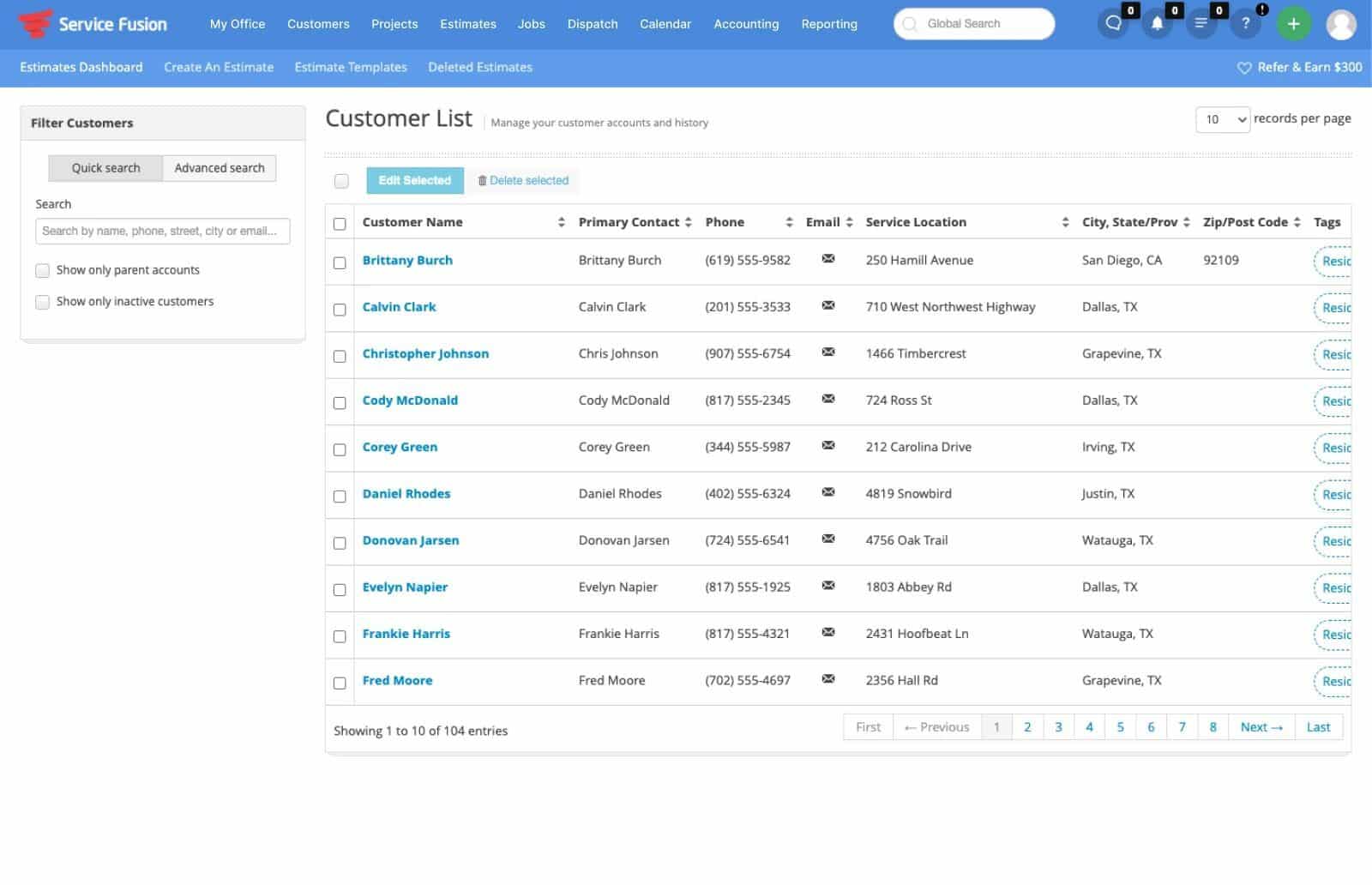
Service Fusion has multiple customer and job management tools to help you run your home service business.
Service Fusion lets you manage several service locations at once, so you can see which techs are servicing which customers at all times.
Service Fusion’s other features include:
- Referral source tracking
- Set communication preferences to text or email
- Call tracking software
One user says that the customer texting function needs improvement, but Service Fusion’s customer support team works with them to find solutions.
6. HubSpot CRM
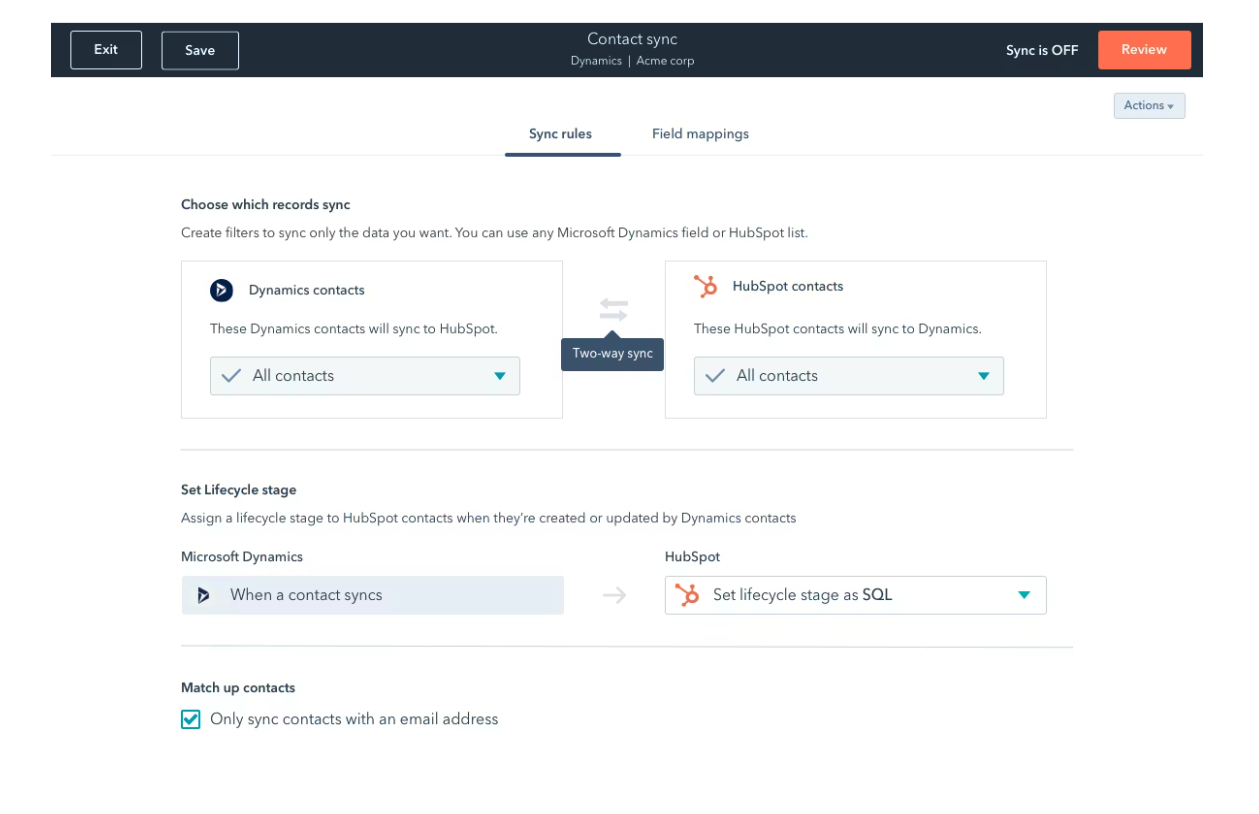
HubSpot CRM is a free solution that’s great for home service businesses just starting out or that are on a budget.
HubSpot keeps all of your customer data in one platform for easy access, which helps you create great customer experiences. You can store, track, manage, and report on opportunities that your team is working on and ensure that everyone is always on the same page.
HubSport CRM’s other features include:
- Keep track of daily to-dos and activities
- Reporting dashboard for a single source of truth
- Pipeline to visualize your entire sales cycle
While HubSpot CRM is free, one user states that if your business grows to needing more extensive CRM features, the cost goes up significantly.
7. Nutshell CRM
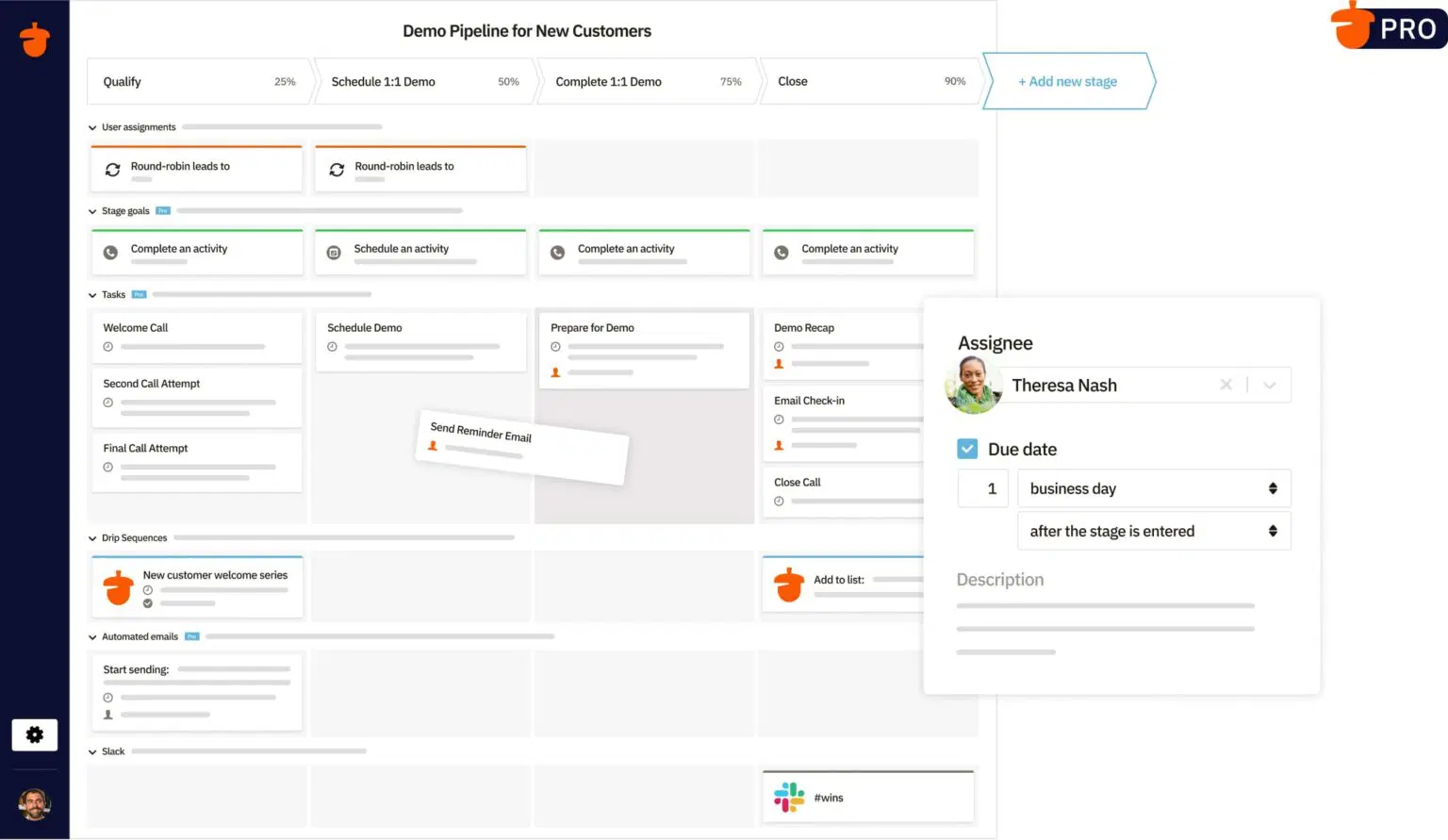
Nutshell CRM offers the features that home service businesses need to streamline their sales process.
Import customer data and emails from any source. Nutshell also offers the help of their experts if you need assistance importing this data.
Once you’ve won a service contract, move the lead to an account management pipeline where you can track every stage a job moves through to completion.
Nutshell CRM’s other features include:
- Access customers’ job history, invoices, contracts, and addresses from one place
- Phone customer directly from the app
- Create targeted email campaigns
While most users find Nutshell easy to use, some users find the CRM too simple for their needs, with one user highlighting the lack of customization and reporting features.
How to choose the best CRM for home service
With so many home service business software options out there, finding the best CRM app for your business can be a challenge.
For a smooth process, start your search by doing the following:
- Identify your core needs: Figure out what your business’s biggest problems are—whether that is lead management, organizing customer data, or marketing.
- Ensure mobile access: Your field technicians should be able to update jobs, notes, and customer info on the go.
- Check integrations: Make sure the CRM works with your existing accounting, marketing, and payment tools.
- Prioritize ease of use: A simple interface helps your team adopt the software quickly with minimal training.
- Plan for growth: Choose a CRM that can scale as your business expands.
- Compare pricing and support: Balance cost with customer support quality, onboarding, and long-term value.
What features to look for in a home services CRM
These are the top features that your CRM should have:
- Lead and contact management: Track new leads, customer history, and communication in one central place—it’s even better if your CRM separates leads and customers from one another.
- Automated reminders and follow-ups: Send texts or emails to reduce no-shows and keep customers informed.
- Customer self-service: Enable clients to book or schedule online, improving convenience and conversions.
- Reporting and analytics: Provide insights into sales, job performance, and customer trends to guide decisions.
- Third-party integrations: Connect with accounting, payment, marketing, and other key business tools to integrate your data all in one place.
Choosing the right CRM can improve how efficiently your home service business operates and grows. By selecting one of the CRMs on our list, you’ll be better equipped to stay organized, improve customer satisfaction, and scale your business with confidence.
Frequently Asked Questions
-
Using a CRM for home services helps you stay organized, book more jobs, and deliver better customer experiences by:
• Centralizing customer data
• Automating scheduling and follow-ups
• Improving communication with field technicians
• Providing insights to grow your business more efficiently -
Most CRM systems can be implemented in a few days to a few weeks, depending on the size of your business and the complexity of your setup.
Home service CRMs with built-in templates and onboarding support are often quicker to get up and running. -
Your business is ready for a CRM if you’re struggling to track leads, manage schedules, or keep customer information organized as you grow.
If manual processes are causing missed follow-ups, double bookings, or lost revenue, a CRM can help streamline operations and improve efficiency.