
Key takeaways:
If you’re looking to improve your HVAC company’s social media game, this article delivers 30 practical post ideas complete with real examples and helpful guidance.
- Share authentic work and expertise. Post before-and-after photos, maintenance visits, and repair explanations from real jobs to showcase your team’s skills and services.
- Answer common homeowner questions. Use your feed to address FAQs about maintenance, thermostat use, system issues, and industry terms—building trust and positioning your company as a helpful resource.
- Promote seasonal services and availability. Keep followers informed about seasonal reminders, appointment openings, weather prep tips, and maintenance plan details to drive timely bookings.
- Build relationships with customer-focused content. Highlight positive reviews, share project stories, thank referrers, and explain your booking process to show great service and build credibility.
- Showcase your team and connect locally. Introduce technicians, celebrate training, share behind-the-scenes glimpses, and spotlight community involvement to make your business more personable and approachable.
- Encourage engagement and address real homeowner needs. Invite questions, run polls, bust common HVAC myths, and respond to audience feedback to keep your content interactive and relevant.
- Streamline content creation with tools like Jobber. Save time by using software to draft, schedule, and manage posts, making it easier to maintain a consistent and impactful online presence.
For more expert tips and actionable ideas to grow your business, sign up for the Jobber Newsletter. Subscribe here.
The best HVAC social media posts come from work you’re already doing: completed jobs, common homeowner questions, seasonal reminders, and everyday team moments.
That content matters more than most owners expect. In Jobber’s Recent Homebuyer Report, 40% of millennial homeowners found the pro they hired through social media, ahead of referrals and Google.
The hard part is knowing what to post every week. This guide covers 30 HVAC social media post ideas, with image and caption examples, so your next post is always ready.
Jobber Social Posting can also draft posts from your job photos and publish them to Facebook, Instagram, and Google.
Try these ideas for HVAC social media marketing:
New to social media? Start with our HVAC social media guide.
Show your work with job photos
Photos from real HVAC jobs help homeowners see the services you provide and the quality of your work. With the customer’s permission, use clear photos to explain a repair, show an installation, or highlight a detail that homeowners might not notice otherwise.
1. Share a before-and-after installation
Show homeowners what an HVAC system looks like before and after installation. Matched-angle photos make it easy for potential customers to see the changes and understand the work your company can do.
- Visual idea: Two side-by-side photos of the same area before and after an installation or replacement, taken from the same angle
- Caption idea: “Looking to replace your [system type] in [city]? Here’s a look at a recent installation by [company]. We completed [brief description of the work] to help the homeowner with [documented reason for the project].”
- Call to action: “Request an estimate for your home now: [service link]”
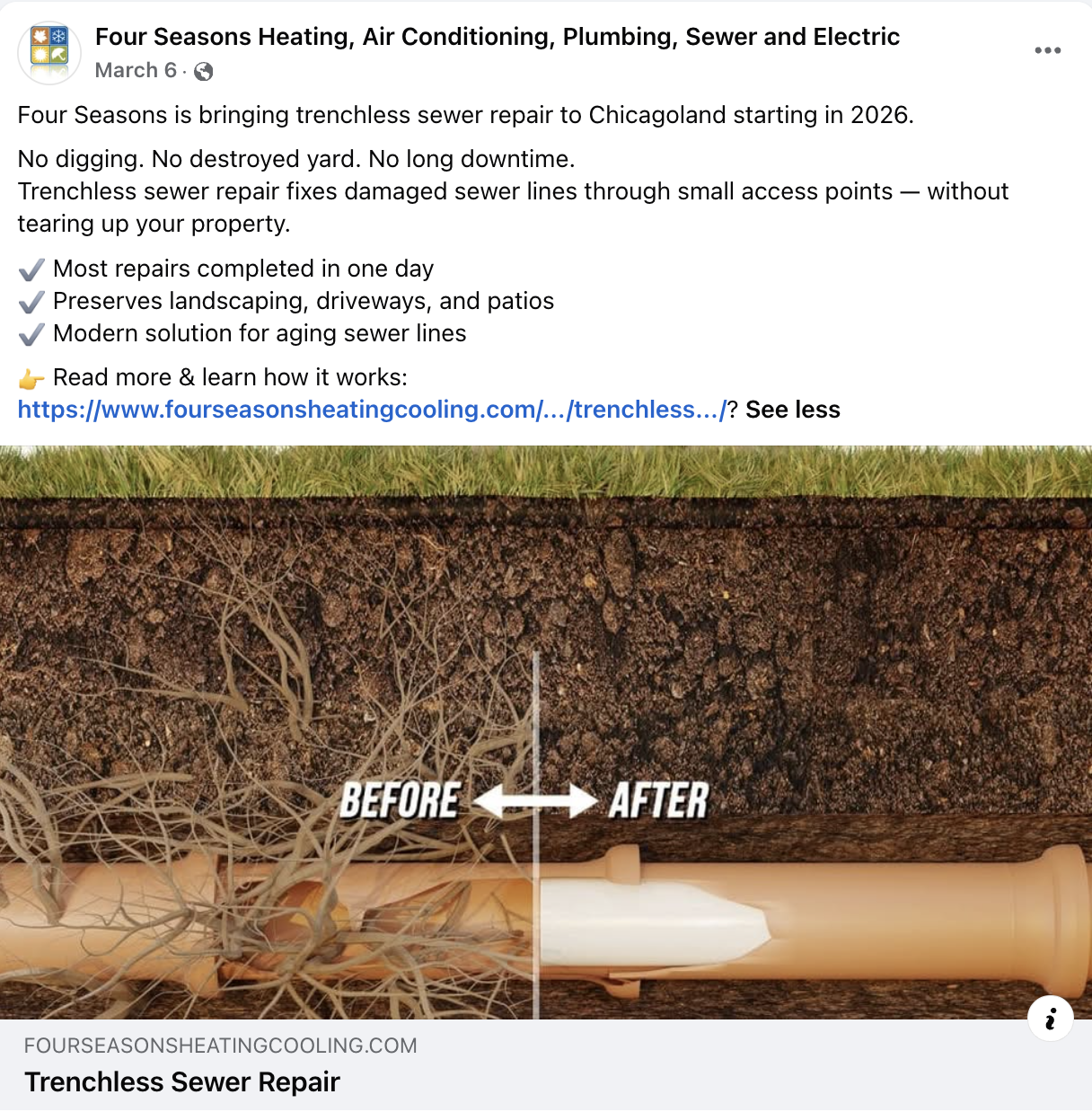
Here’s an example from Four Seasons Heating, Air Conditioning, Plumbing & Electric. Notice how the caption describes the company’s new service and the benefits to customers, with a link to a page on their website for more information:
2. Share a problem-and-solution post
Explain a repair in simple terms, including the issue you identified, so homeowners can understand what went wrong and how your team addressed it. This shows your expertise without using technical jargon that’s hard to understand.
- Visual idea: A photo showing the affected component you repaired and the work completed
- Caption idea: “What can cause [specific HVAC problem]? On this service call, our technician found [confirmed cause] and completed [repair]. If you’ve noticed a similar symptom at home, [company] can help you find the cause.”
- Call to action: “Book a diagnostic visit: [booking link]”
3. Show a maintenance visit
Give homeowners a quick look at what happens during a routine HVAC maintenance visit. Explaining the checks included in your service tells customers what they’re paying for.
- Visual idea: Photo carousel showing the technician completing maintenance tasks (e.g., inspecting equipment, checking the filter, testing system operation)
- Caption idea: “What happens during an HVAC maintenance visit? At [company], our [service type] includes [check 1], [check 2], and [check 3]. Regular maintenance helps us identify potential issues and check that your equipment is operating as expected.”
- Call to action: “Book your HVAC visit: [booking link]”
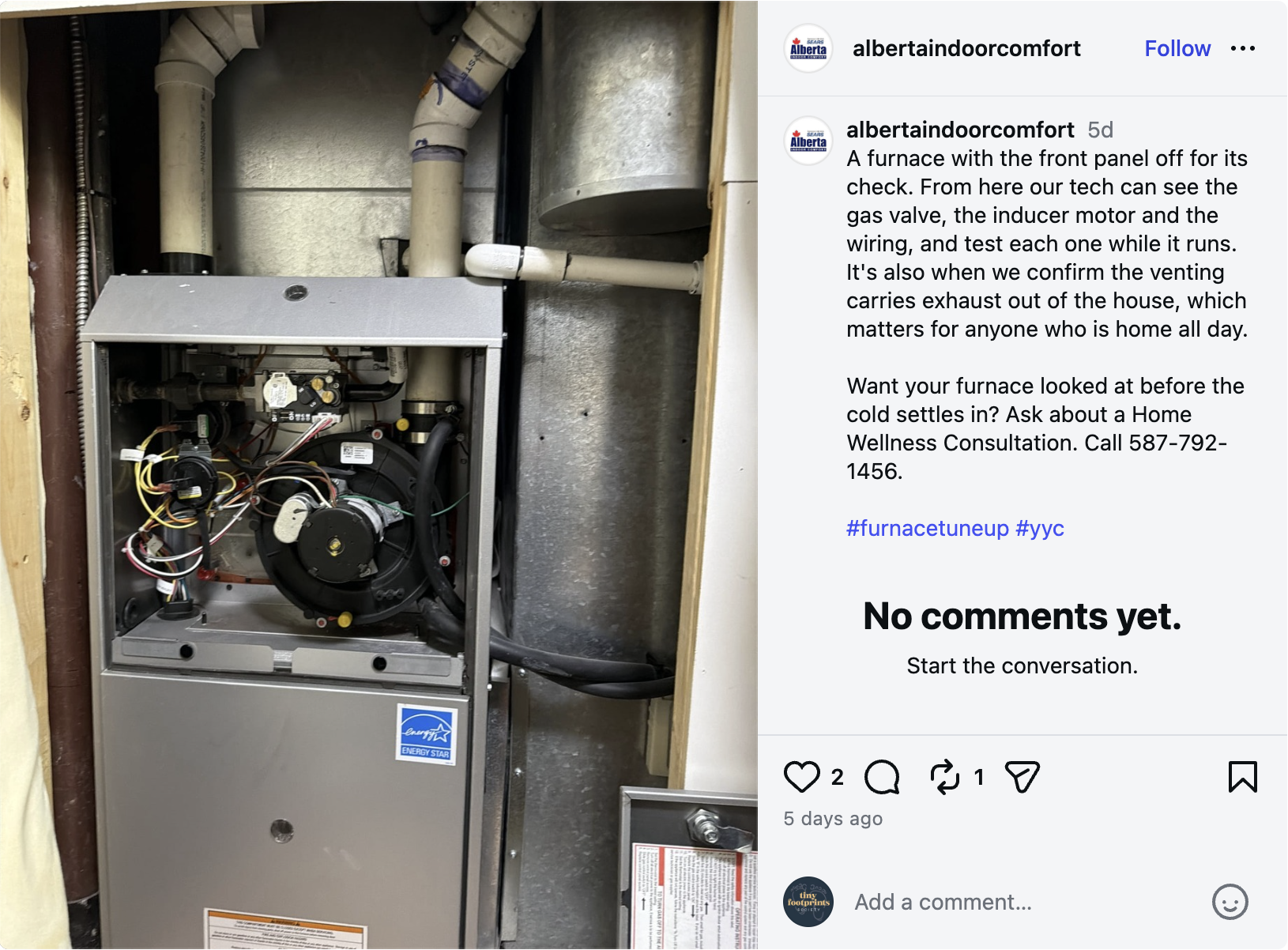
This example post from Alberta Indoor Comfort shows what a furnace looks like on the inside, using a photo taken during a maintenance call:
4. Highlight a tidy installation
Show off a detail that proves you care about quality work, like organized refrigerant lines, properly supported ductwork, or a neat equipment layout. Explain why the detail matters instead of asking homeowners to judge the workmanship for themselves.
- Visual idea: Close-up of the completed work, ensuring it meets relevant manufacturer requirements and applicable codes
- Caption idea: “Good HVAC work includes the details you might not notice at first. Here’s a look at [specific installation detail] from a recent [job type]. Proper installation helps support [relevant benefits, like reliable operation or easier future servicing].”
- Call to action: “Learn about our installation services: [website link]”
5. Explain an HVAC component
Use a close-up photo to introduce one part of a heating or cooling system and explain what it does. A short, clear explanation can help homeowners better understand their equipment and recognize when they may need service.
- Visual idea: Labelled photo of a component (e.g., condensate drain, outdoor condenser coil, furnace flame sensor)
- Caption idea: “What does a [component] do? This part helps [plain-language explanation of its function]. If it becomes damaged or stops working correctly, it can [describe what happens to the relevant system function].”
- Call to action: “Contact [company] with your HVAC questions.”
Answer common heating and cooling questions
Homeowners often have basic questions about their HVAC systems but don’t know where to find reliable answers. Use short explanations to help them understand routine maintenance, common symptoms, and when to contact a professional.
6. Help homeowners find the right filter
Show followers where to find their air filter’s dimensions and how to check the equipment manufacturer’s recommendations for filter type. Keep your advice general—avoid suggesting that every home needs the same filter type or replacement schedule.
- Visual idea: Photo of a filter label of graphic showing where dimensions are printed
- Caption idea: “Need to replace your furnace filter? Check the dimensions printed on your existing filter and review the manufacturer’s guidance before buying a replacement. Not sure which filter is right for your system? We can help.”
- Call to action: “Send us your filter question.”
7. Answer a thermostat question
Choose an HVAC question you regularly hear from customers, like how to switch between heating and cooling modes or how to program a schedule. Keep the demonstration specific to one thermostat model, since features and functions can vary across different systems.
- Visual idea: Short video showing a technician using the thermostat, or a labeled photo or graphic with numbered steps
- Caption idea: “Not sure how to [thermostat task]? Here’s a quick guide for [thermostat model or type]. If your thermostat isn’t responding as expected, [company] can help you work out the next step.”
- Call to action: “Keep our tips handy and save this post for later.”
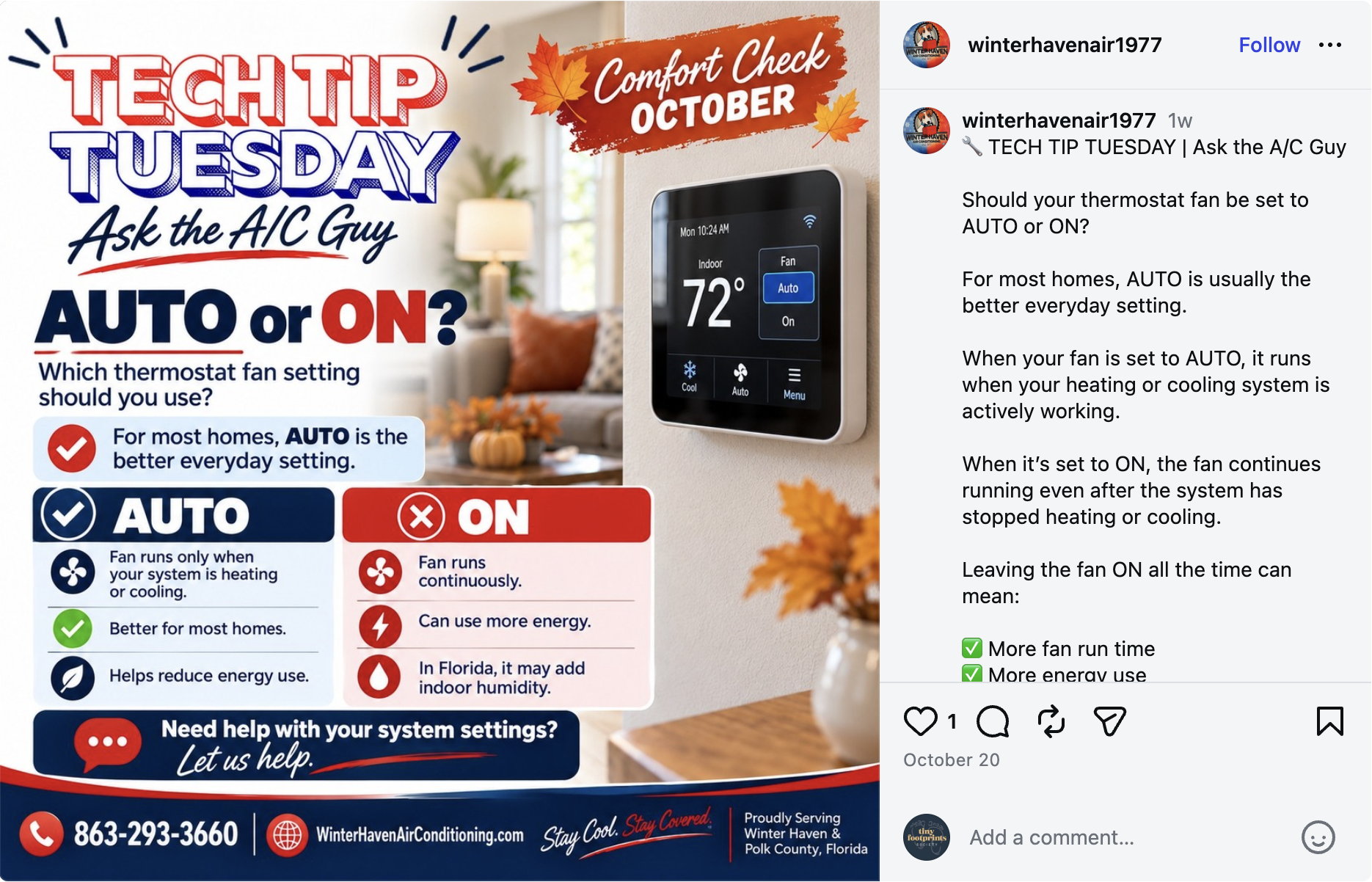
This “Tech Tip Tuesday” post from Winter Haven Air answers a common question about thermostat fan settings. It even takes the time to explain what happens with each setting:
8. Explain when to call a professional
Pick one symptom of an HVAC problem, explain why it deserves attention, and give followers a safe next step to take. Avoid suggesting a DIY fix or trying to diagnose their equipment based on a social media comment.
- Visual idea: Video of a technician speaking to the camera, or a graphic describing the symptom and next steps to take
- Caption idea: “If your [heating or cooling system] is [specific symptom, like a water leak or burning smell], don’t ignore it. The cause can vary, so you may need a professional assessment. If you notice a [other specific sign] or suspect a problem, stop using the equipment and contact an HVAC technician.”
- Call to action: “Contact [company] to arrange an assessment.”
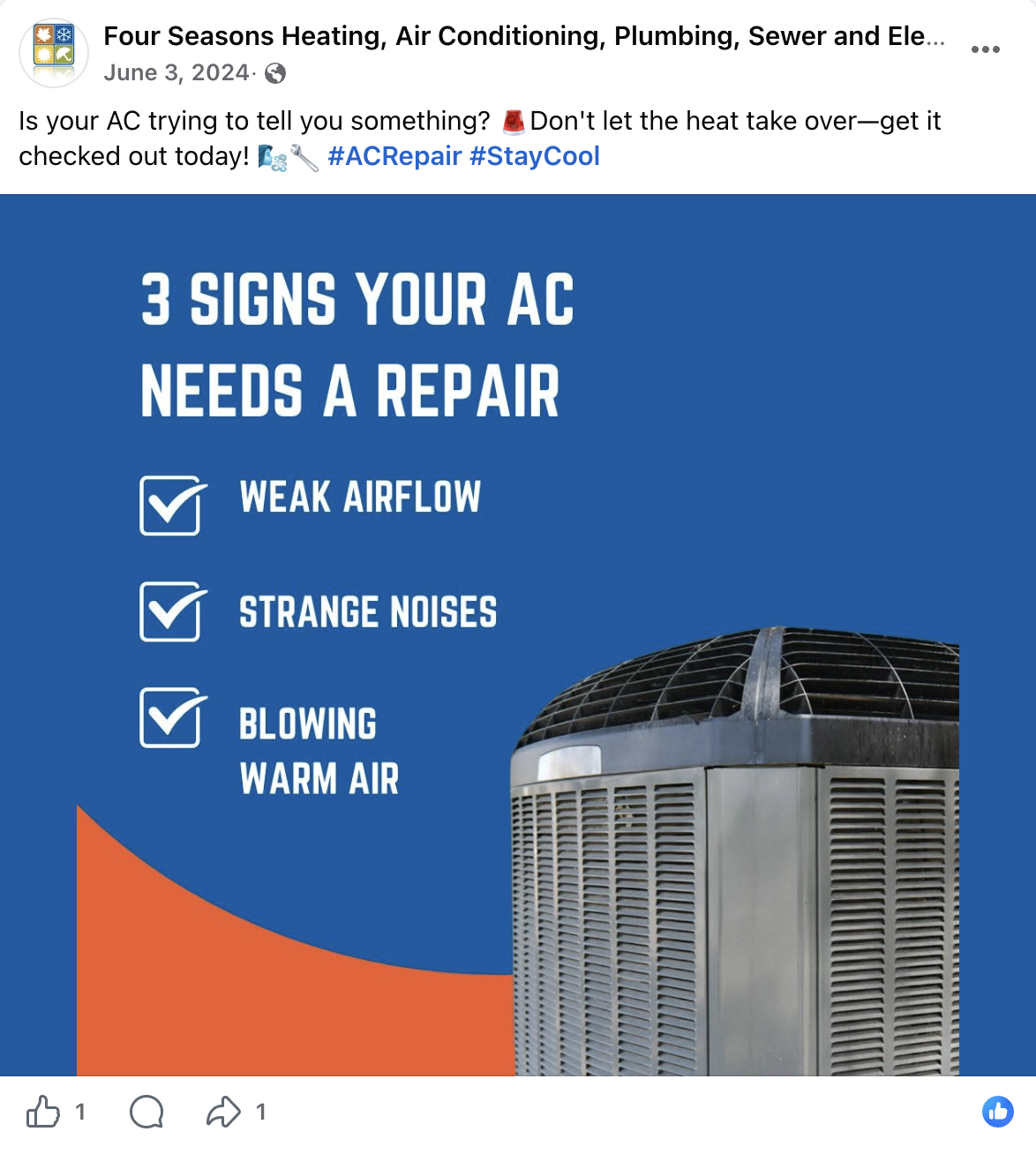
Check out another post from Four Seasons below. This one has a branded, eye-catching graphic that quickly shares important information about air conditioner issues with readers:
9. Define an HVAC term
Explain one technical term that potential customers may encounter when they’re comparing equipment or reviewing an estimate, like “SEER2,” “AFUE,” or “heat pump.” Focus on what the term means for their decision, not just its full name.
- Visual idea: Simple graphic with the term, its definition, and one practical takeaway
- Caption idea: “What does [HVAC term] mean? In simple terms, [plain-language definition]. If you’re comparing [equipment types or options], understanding this term can help you ask more informed questions.”
- Call to action: “Ask us about your equipment options.”
10. Answer a question your office heard this week
Turn a common question from a service call or phone conversation into a useful post. Remove names and identifying details, and make sure the answer reflects the specific situation. Not every system works the same way, so the correct answer may vary for each follower.
- Visual idea: Branded question-and-answer graphic or video of a technician accurately explaining the answer
- Caption idea: “We often get questions about [insert a common homeowner question]. The short answer is [plain-language answer, with any important qualifications]. What HVAC question would you like us to cover next?”
- Call to action: “Leave your question in the comments.”
Share seasonal reminders and availability
Seasonal posts give homeowners a reason to contact you before their system needs urgent service. Plan content about heating and cooling tips that fits the changing seasons in your service area, and update availability posts whenever your schedule changes.
11. Post an AC maintenance reminder
Remind homeowners to arrange their cooling system inspection or maintenance before the hottest part of the season. The best timing depends on your local climate and how quickly your schedule fills up.
- Visual idea: Photo or video of a technician inspecting an outdoor condenser or indoor cooling equipment
- Caption idea: “Getting ready for warmer weather in [city]? Spring is a good time to arrange your air conditioner maintenance before you rely on it every day. Ask [company] about our cooling maintenance service and what’s included.”
- Call to action: “Book AC maintenance at [service link].”
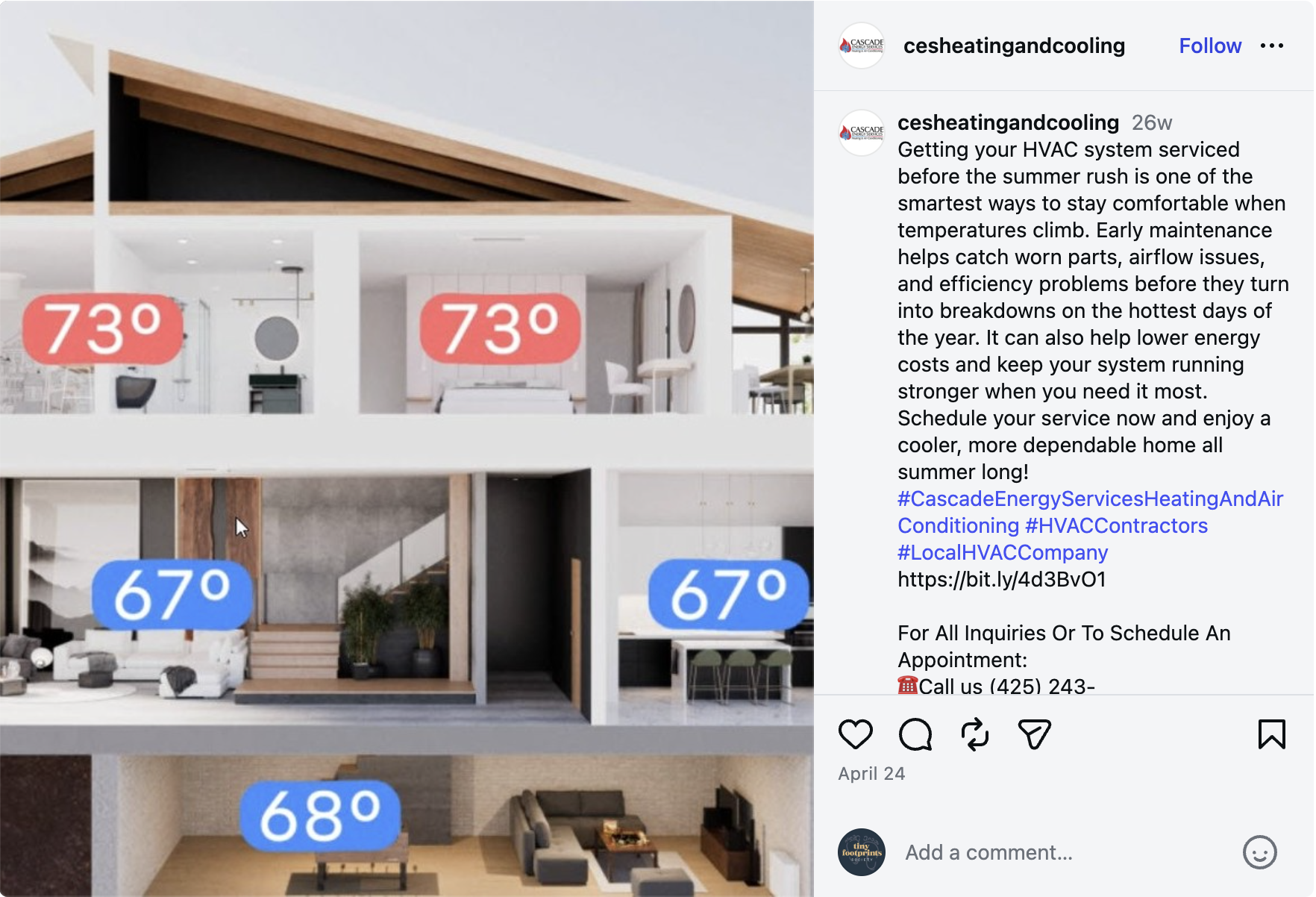
This post from CES Heating & Cooling explains the importance of AC maintenance and uses a graphic to show how improper maintenance can affect temperatures throughout the house:
12. Help homeowners prepare for heating season
Use a fall post to remind homeowners to schedule furnace or heat pump maintenance before temperatures drop. Give them one practical action (like checking the manufacturer’s maintenance requirements) and explain when an inspection makes sense.
- Visual idea: Photo of a technician inspecting heating equipment
- Caption idea: “Before heating season starts in [city], take time to check your system’s maintenance needs. [Company] offers [actual heating maintenance service] to help you prepare for colder weather. Here’s what our service includes: [verified service details].”
- Call to action: “Schedule a heating system check: [booking link]”
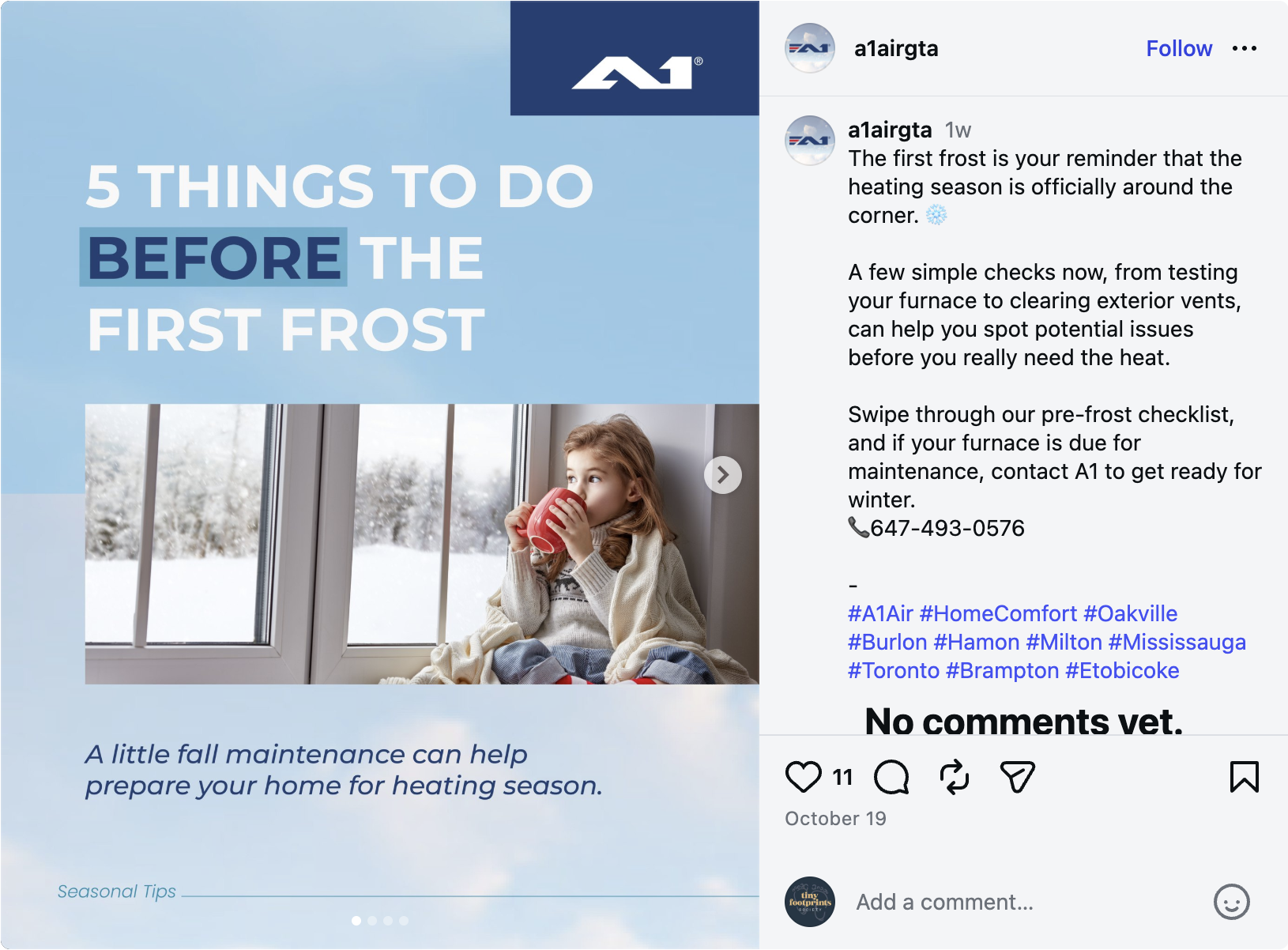
A1 Air Conditioning and Heating shared this image carousel post, which is full of helpful tips to help homeowners prepare their homes for the change in weather:
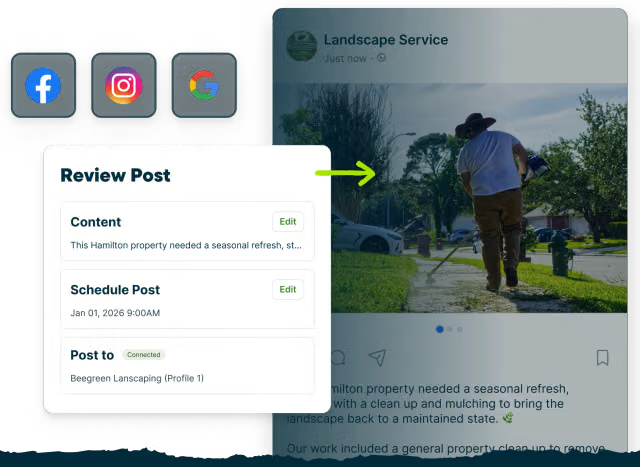
To prepare this post in Jobber, start with a recent photo of your team servicing a furnace. Describe the seasonal reminder you want to share and generate a draft. Then review the wording, add a photo, check the timing, and schedule it before heating season begins.
13. Share a weather preparation tip
Respond to an upcoming heat wave, cold snap, or other local weather concern with advice homeowners can use safely. Keep the information specific to the weather event and avoid promising that a simple action will prevent a breakdown.
- Visual idea: Photo of a clear outdoor unit or a person experiencing the expected weather (e.g., extreme heat/cold)
- Caption idea: “A [heat wave/cold snap] is coming to [area]. Before temperatures change, [recommend safe, relevant preparation steps to take, like ensuring supply and return vents aren’t blocked]. If your system is already showing signs of trouble, contact a qualified HVAC professional—don’t wait for the weather to get worse.”
- Call to action: “Contact [company] if your system needs attention.”
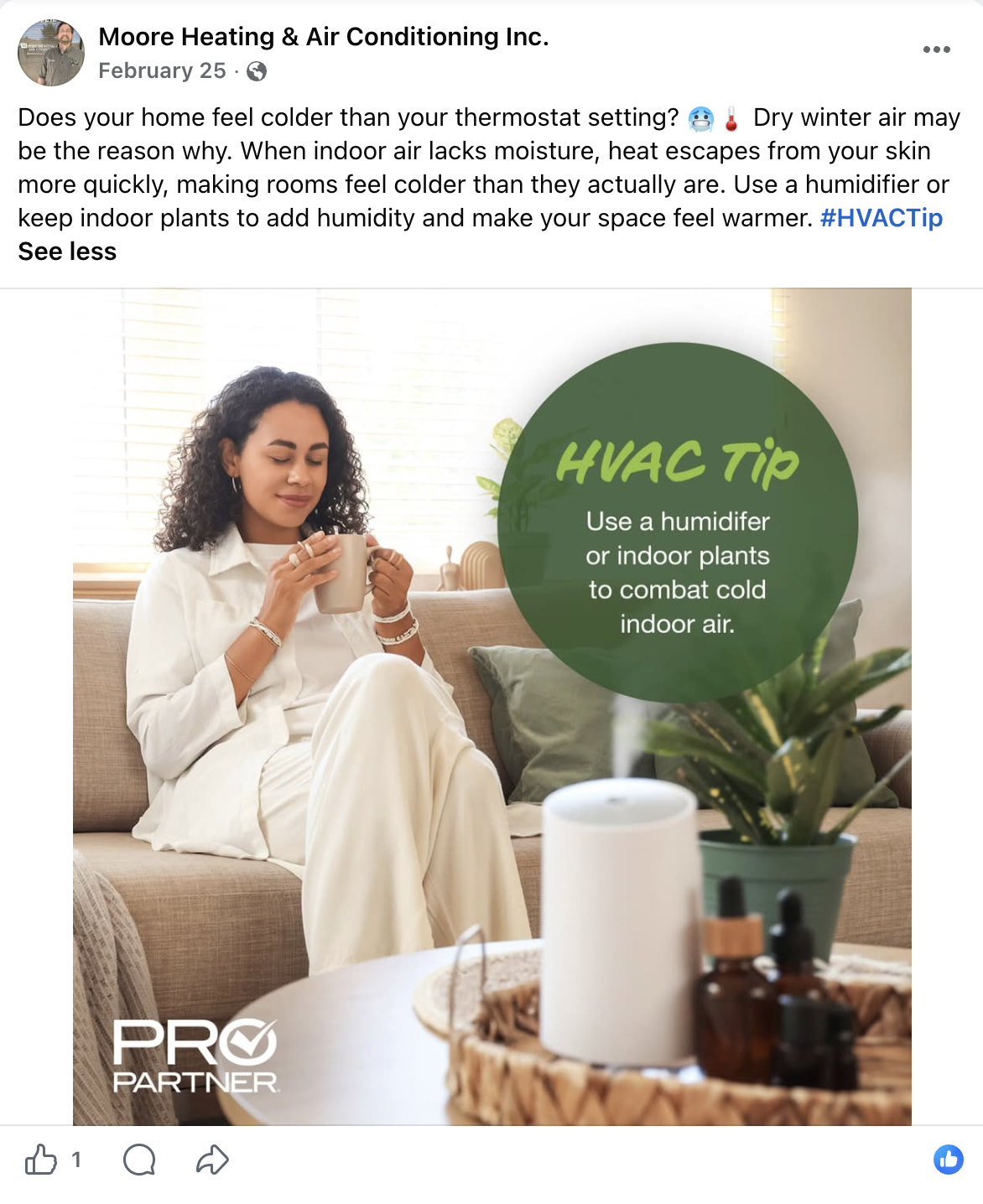
Here’s an example from Moore Heating & A/C. It features a useful tip and a calming image to reach customers with their message, as well as a hashtag to help the post get more visibility on Facebook:
14. Share available service appointments
An availability post can help fill open appointments. Share the service types you can accommodate and the area you serve. Only advertise openings that are still available, and update the post when your schedule changes.
- Visual idea: Simple graphic showing current schedule openings, or a photo of a technician ready to start their workday
- Caption idea: “[Company] has [number] [service type] appointments available in [city or service area] on [date or dates]. If you’ve been planning to book [service], we’d be happy to help. Availability can change, so contact us to confirm a time.”
- Call to action: “Request an appointment at [service link].”
15. Explain your maintenance plan
Help homeowners understand what your maintenance plan includes. It’s best to provide clear details about included services, visit frequency, eligibility requirements, and any applicable terms rather than general promises about savings or reliability.
- Visual idea: Checklist graphic or photo of a technician completing a covered maintenance task
- Caption idea: “What does [company]’s HVAC maintenance plan include? Members receive [verified inclusion 1], [verified inclusion 2], and [verified inclusion 3], subject to [relevant terms]. It’s a practical option if you want a clearer plan for routine equipment maintenance.”
- Call to action: “Ask us about our maintenance plans.”
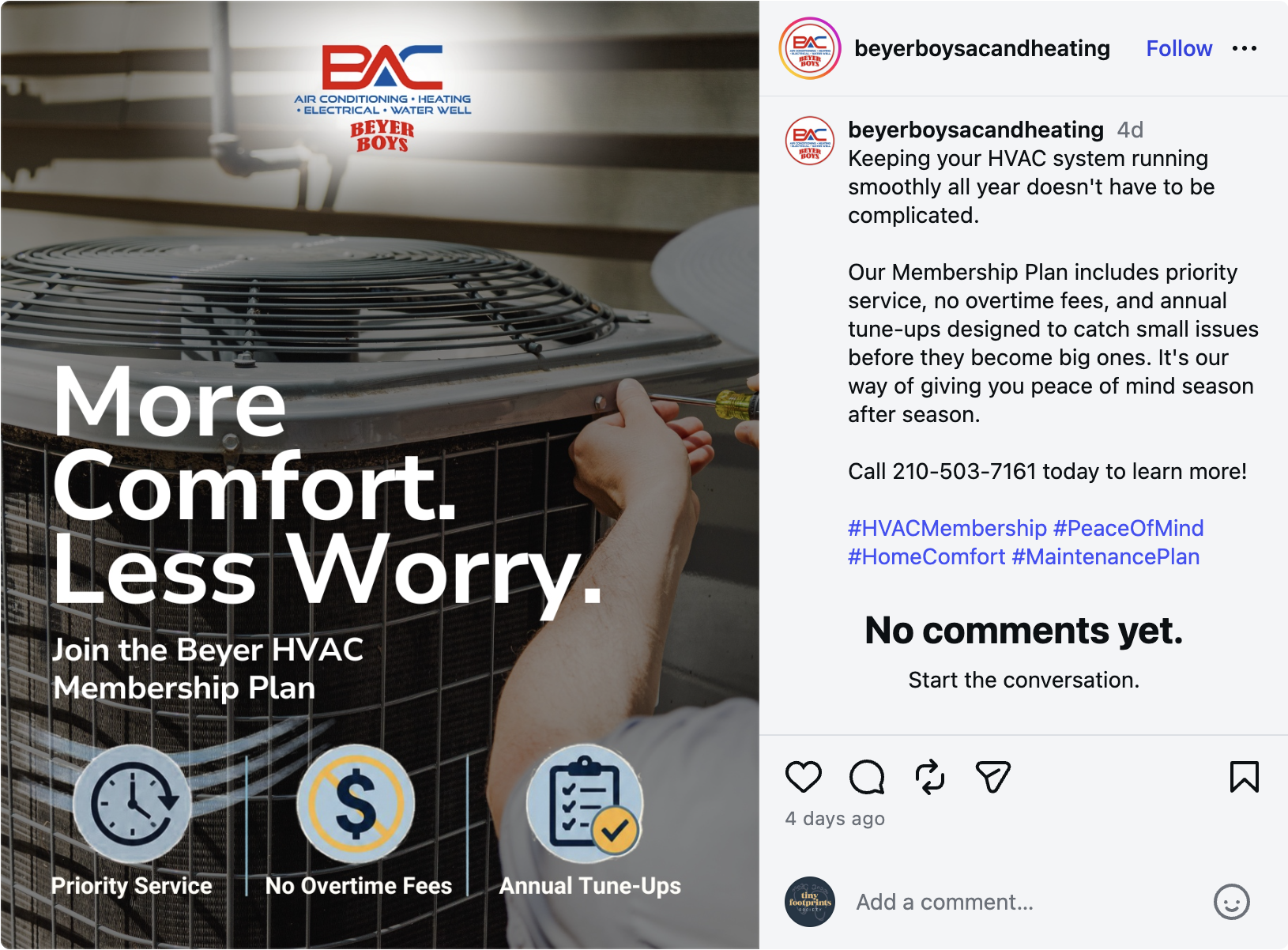
This post from Beyer Boys introduces the company’s maintenance plan, explains what’s included, and highlights why customers should sign up for it:
Build trust with customer experiences
Homeowners want to know what it’s like to hire your company, not just which services you offer or what equipment you can install. Answer their questions using genuine customer feedback, documented project details, and clear explanations of your service process.
16. Turn a review into a post
A positive review can show potential customers what existing clients appreciate about your business. Get positive feedback from a customer, ask for their permission to share their words, and include at least a first name so the review is clearly from a real person.
- Visual idea: Branded graphic with text-based customer testimonial, paired with a relevant job photo (if you have permission to use it)
- Caption idea: “We’re grateful when customers take the time to share their experience with [company]. Thank you to [customer name or approved anonymous attribution] for this feedback about [service]. If you’re looking for help with [service type] in [city], we’d be happy to hear from you.”
- Call to action: “Read more HVAC customer reviews: [review link]”
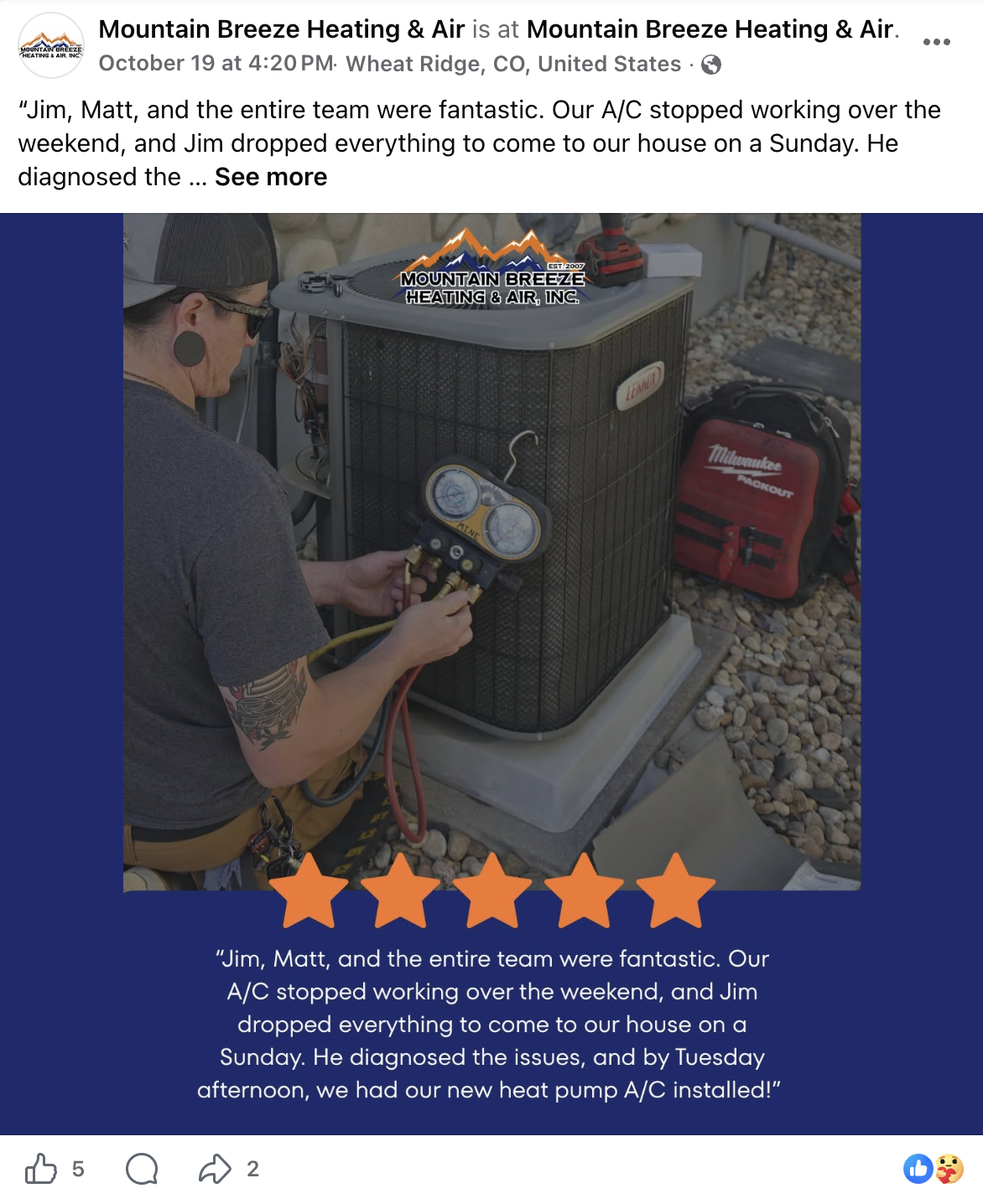
See this example from Mountain Breeze Heating & Air. It uses the testimonial in both the caption and the graphic for easy reading. The graphic also features five stars so readers immediately know it’s a good review:
17. Share a customer project story
Explain a finished project using three simple points: the customer’s need, your team’s work, and the outcome. This gives potential customers context that one equipment photo alone can’t provide. Make sure you have the customer’s permission to use job photos and details.
- Visual idea: Image carousel showing the original equipment, work in progress, and completed project
- Caption idea: “For this project in [area], the homeowner needed help with [documented problem or goal]. Our team completed [work performed], resulting in [verified outcome]. Dealing with a similar issue? [Company] can explain the options for your home.”
- Call to action: “Request a consultation: [service link]”
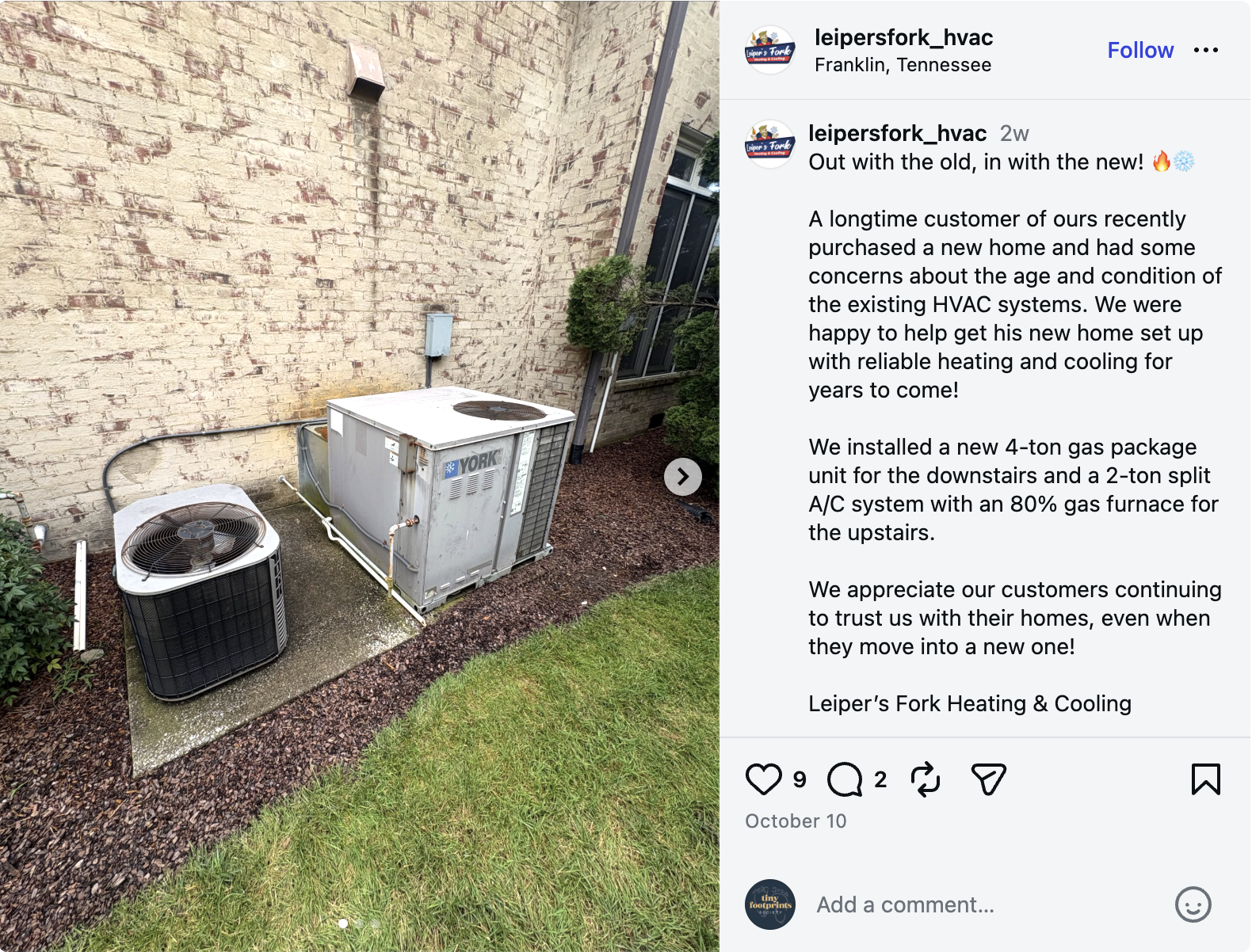
Check out this post from Leipers Fork Heating & Cooling for a good example of how you can share customer stories on social media:
18. Address a booking concern
Answer a question about your customer service process that might convince homeowners to book, like what happens when a technician is on the way or how your team protects floors during a visit. Pick one part of the process and make sure it’s one your business always follows.
- Visual idea: Photo that represents your customer service process (e.g., a technician wearing shoe covers, an on-my-way notification, technicians preparing for a visit)
- Caption idea: “Wondering what to expect when [company] visits your home? Our process includes [actual step 1] and [actual step 2]. We want you to know what to expect before your appointment begins.”
- Call to action: “Find out what to expect: [service link]”
19. Show what happens after a service request
Explain every step in your booking process, from submitting a request to getting a service confirmation and having a technician show up at the customer’s home. This can reduce uncertainty for new customers and help them understand how to get started.
- Visual idea: Simple three-step graphic: submit request, confirm appointment, receive service
- Caption idea: “Need HVAC service in [city]? Here’s how to get started with [company]: [step 1], [step 2], and [step 3]. Tell us a little about your heating or cooling issue, and we’ll help you understand the next step.”
- Call to action: “Submit a service request: [service request form link]”
20. Thank a customer for a referral
A genuine thank-you can recognize the people who recommend your company and remind others that you appreciate referrals. Get a customer’s permission before you use their name, and only describe referral rewards if your business offers them.
- Visual idea: Team photo or simple branded thank-you graphic
- Caption idea: “A big thank-you to everyone who recommends [company] to friends and neighbours in [city]. We appreciate your confidence in our team and the opportunity to help more local homeowners. If you know someone who needs [service type], we’d be glad to hear from them.”
- Call to action: “Share our contact details with someone who needs HVAC service.”
Introduce your team and local business
HVAC technicians work inside people’s homes, so homeowners may appreciate knowing the faces behind the company. Team introductions and behind-the-scenes content help make your business feel more familiar, helping HVAC leads confidently book appointments.
21. Introduce a technician
Give homeowners a short introduction to the people who visit their homes. For each post, focus on the technician’s role, their relevant experience, or a personal detail they’re comfortable sharing with customers. This helps followers get to know them.
- Visual idea: Photo of a specific technician in branded work attire
- Caption idea: “Meet [technician name], one of the technicians at [company]. They work on [relevant services or equipment] and enjoy [approved personal detail or professional interest]. We’re glad to have them helping homeowners across [service area]!”
- Call to action: “Follow [company] to meet more of the team.”
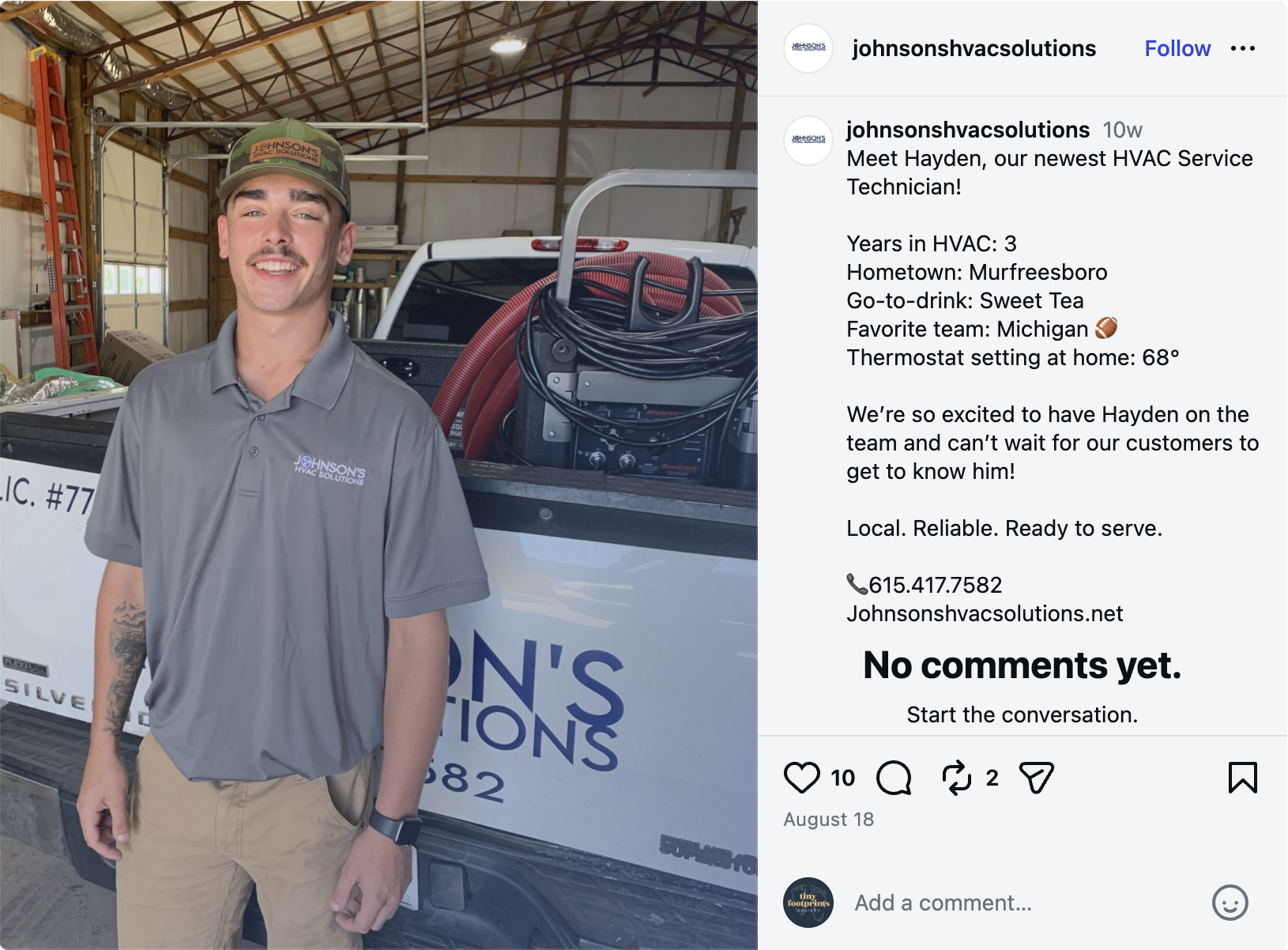
See how Johnson HVAC Solutions introduced their technician Hayden with a quick-fact Q&A format, including his favorite thermostat setting:
22. Show a day with your crew
Give followers a quick look at what a typical workday involves. A few moments from an ordinary day—like a morning briefing or job preparation—can show the activities that happen outside the finished job.
- Visual idea: Short video or photo montage filmed with crew members’ permission and without showing customer details
- Caption idea: “Here’s a look at a day with the [company] team. Today, we’re preparing for [general job type or activity] across [service area]. Every visit starts with the right equipment, a plan, and a team who’s ready to help.”
- Call to action: “Follow along for more behind-the-scenes updates.”
23. Celebrate training or certification
Share a genuine training milestone, explain how it supports your team’s work, and show the benefit for the customer. Use the exact name of the credential earned so the customer can look it up on their own.
- Visual idea: Photo of a technician, training group, or certificate
- Caption idea: “Congratulations to [team member] on completing [actual course or certification]! This training supports our work on [relevant equipment or service] and helps us stay up-to-date with our equipment knowledge and industry requirements.”
- Call to action: “Contact [company] to ask about our [relevant service].”
24. Highlight a community connection
Show your company’s real involvement in the area you serve. A recent local event, sponsorship, volunteer activity, or community partnership can help homeowners see your business as part of their community.
- Visual idea: Event photo, team volunteer photo, or approved partner image
- Caption idea: “We were glad to take part in [event or initiative] in [city]. Thanks to [organizer or partner] for bringing the community together around [purpose]. We’re proud to be part of the local community we serve.”
- Call to action: “Follow [company] for more local updates.”
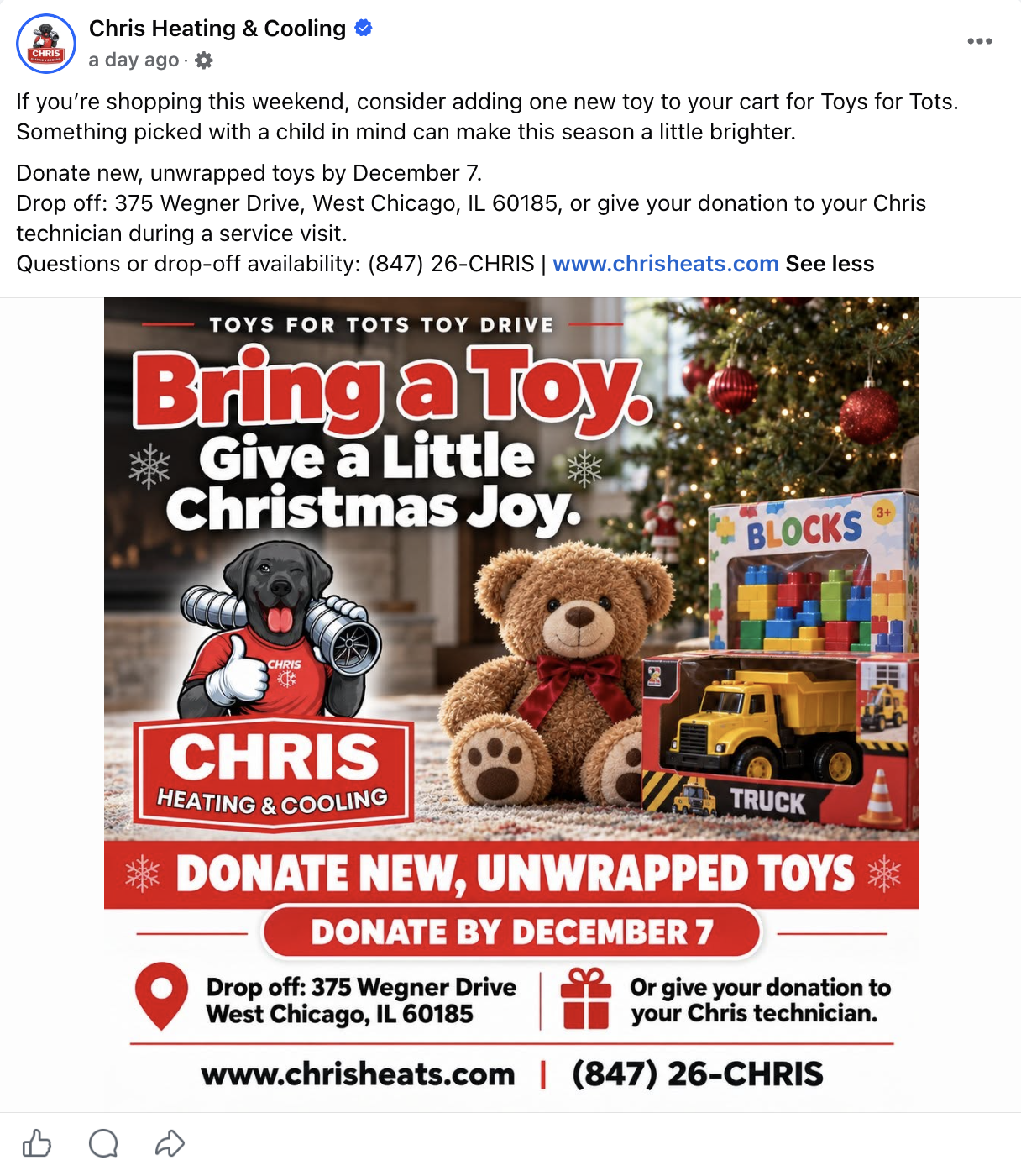
Here’s an example from Chris Heating & Cooling. In addition to highlighting the company’s involvement with a community toy drive, the post shares important details so followers can participate, too:
25. Show your job preparation
Explain how your team prepares before arriving on site—and how that preparation benefits the customer. Organized tools, stocked vehicles, and job checklists can show the practical steps your company takes to support efficient service.
- Visual idea: Photo of service vehicles, tools, or job checklists with customer information hidden
- Caption idea: “Before our first appointment, the [company] team checks [actual preparation step]. Being prepared helps us [specific, realistic customer benefit]. Here’s a quick look at what goes into getting ready for a day of HVAC service.”
- Call to action: “Contact us to book your next service visit.”
Get homeowners involved
With social media for HVAC companies, not every post needs to promote a service directly. Questions, polls, myth-busting posts, and short videos can encourage homeowners to participate while giving your team ideas for future content.
26. Ask for HVAC questions
Invite homeowners to share any questions about their heating or cooling systems, like maintenance, equipment, or symptoms of common issues. Use the responses to plan future posts around real questions instead of guessing what your audience wants to know.
- Visual idea: Team photo or simple graphic with a text-based prompt (e.g., “What do you want to know about your HVAC system?”)
- Caption idea: “What would you like to know about your home’s heating or cooling system? Leave your HVAC questions below, and the [company] team will choose topics to explain in future posts. For problems with your own equipment, talk to us and get a professional assessment.”
- Call to action: “Leave your question in the comments.”
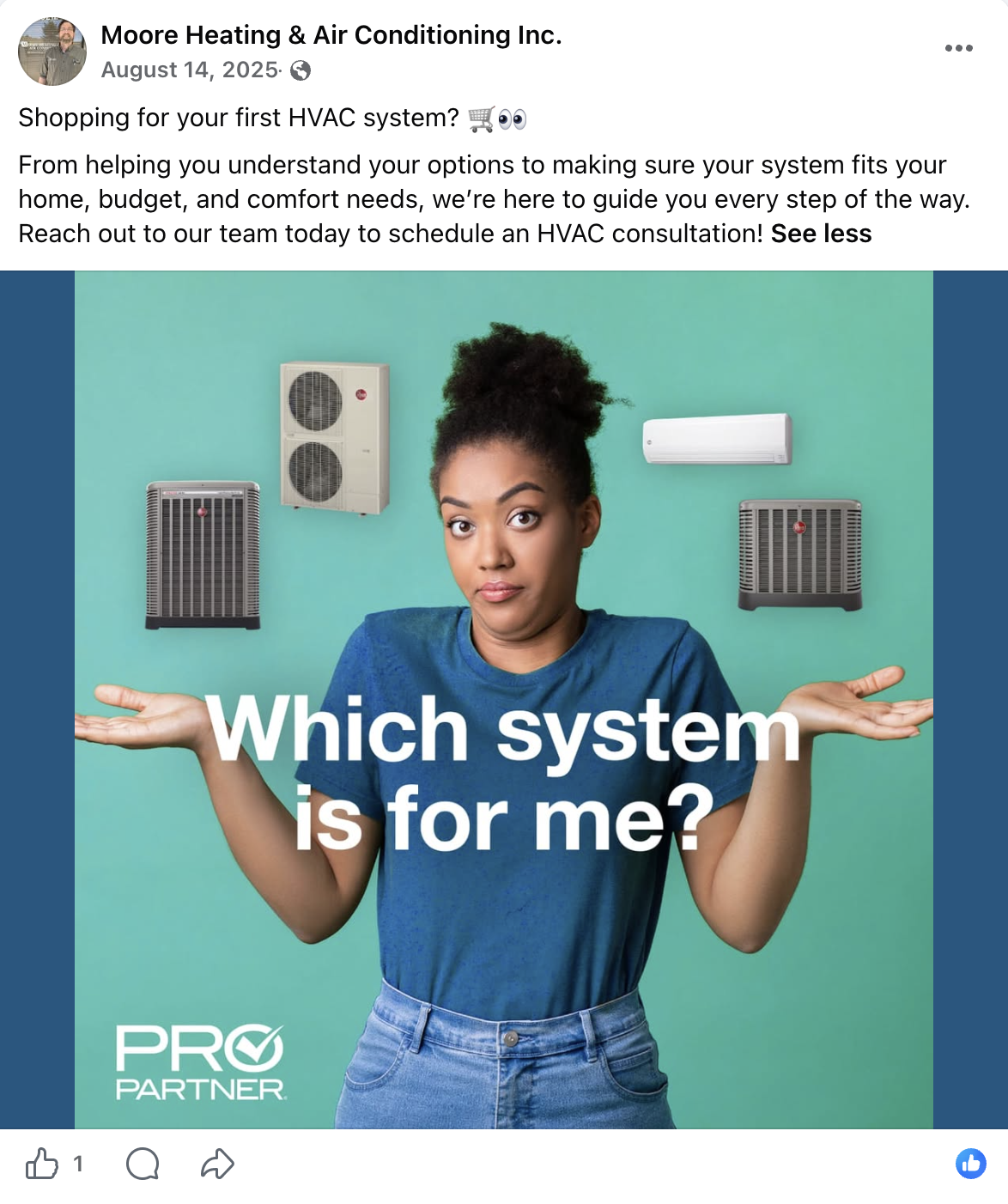
Check out this post from Moore Heating & A/C. It features an eye-catching photo and a brief caption telling the reader that the company can help answer their questions:
27. Run a thermostat preference poll
Use a simple poll to encourage low-effort participation. Ask a question about thermostat habits, scheduling preferences, or smart thermostat features without implying there’s one correct setting for every household.
- Visual idea: Two-option graphic or a native poll in a platform’s Stories feature
- Caption idea: “Quick question for homeowners in [city]: how do you usually manage your thermostat? A: Set a schedule and leave it alone. B: Adjust it throughout the day. Vote below! (Fun fact: your home’s best settings depend on your equipment, comfort needs, and energy goals.)”
- Call to action: “Vote in the poll.”
28. Explain an HVAC myth
Choose a common misconception about HVAC systems and correct it using reliable technical information. For example, this could be about filters, thermostat settings, heat pumps, or equipment efficiency. Correct the misunderstanding without oversimplifying the answer.
- Visual idea: Myth-vs-fact graphic with a brief explanation
- Caption idea: “HVAC myth: [Common misconception]. The fact: [Verified explanation]. The right choice for your home depends on [relevant factors, such as system type, equipment guidance, or outdoor conditions].”
- Call to action: “Save this post or share it with a friend.”
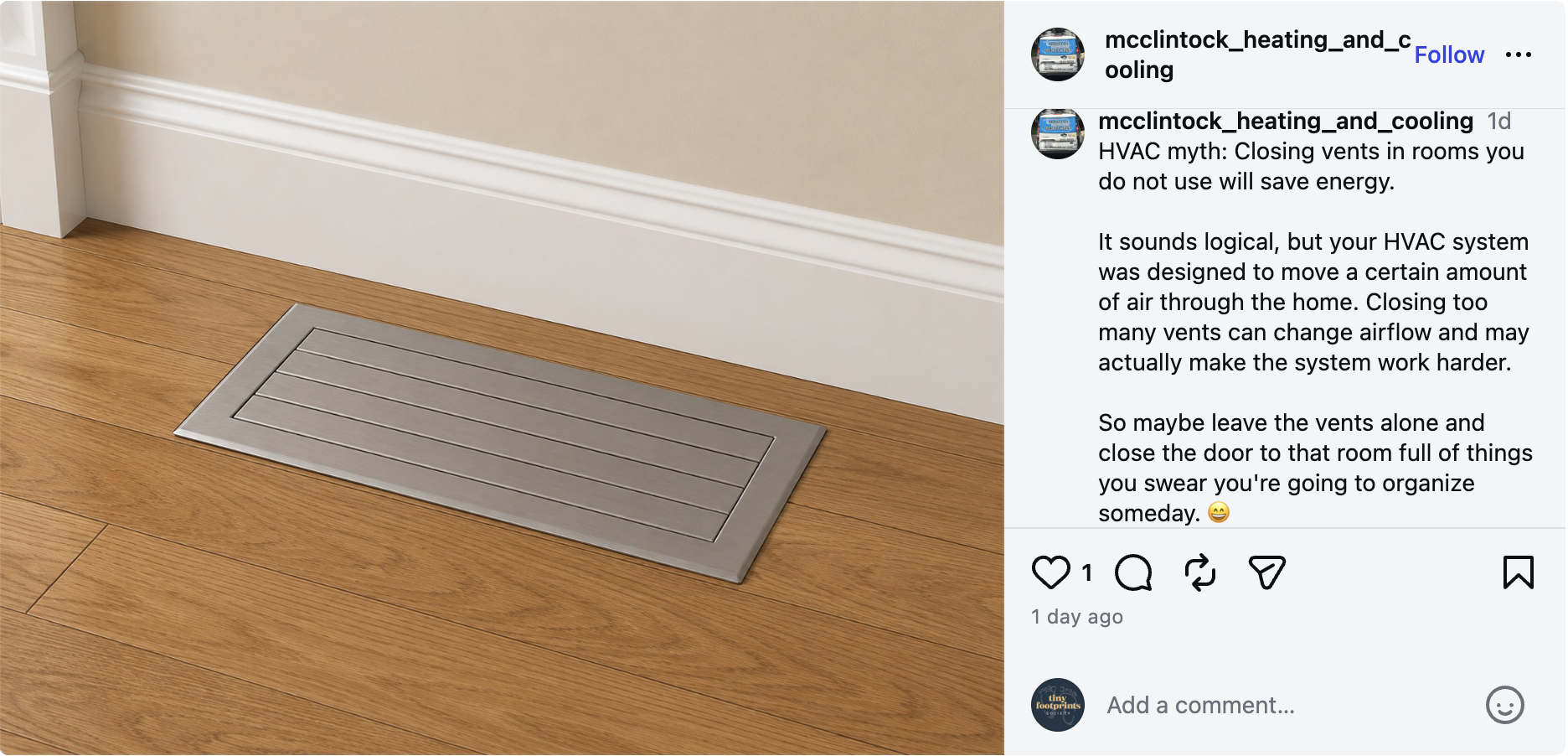
Not sure what a myth-busting post could look like? McClintock Heating & Cooling has a great example with a simple photo that you can take on any job site—or even in your own home:
29. Explain a common system sound
Use a short, captioned video to discuss a sound homeowners might notice, like rattling, buzzing, or clicking. Include the sound itself in the video, if possible. Make it clear that different faults can produce similar symptoms and a sound alone isn’t enough to diagnose a system.
- Visual idea: Short recording of an actual sound, with permission to film on site, or a video of a technician explaining the symptom
- Caption idea: “Hearing an unusual [type of sound, like clicking or rattling] from your HVAC system? The cause can range from a loose component to an equipment issue that needs attention. If the sound is persistent, new, or comes with poor performance, talk to us and book a professional assessment.”
- Call to action: “Book a diagnostic visit: [service link]”
30. Answer a follower’s question on video
Turn a question from your comments or messages into a short video answer. Choose a topic you can explain clearly in under a minute, and invite followers to suggest the next one.
- Visual idea: Video of a technician speaking directly to the camera, with captions for viewers watching without sound
- Caption idea: “You asked: [Insert follower’s question]. Here’s the short answer: [clear, verified explanation]. Every HVAC system is different, but we hope this helps you understand the basics. What should we explain next?”
- Call to action: “Leave your question in the comments.”
Create HVAC social posts faster with Jobber
Between service calls, emergency repairs, and managing your crew, finding time to post on social media isn’t always easy. Coming up with ideas, finding photos, writing captions, and scheduling posts can quickly turn into another job on your to-do list.
Jobber Social Posting takes that work off your plate. It turns the jobs, photos, and customer reviews you already have into ready-to-review social media posts, helping you stay visible online without spending hours creating content.
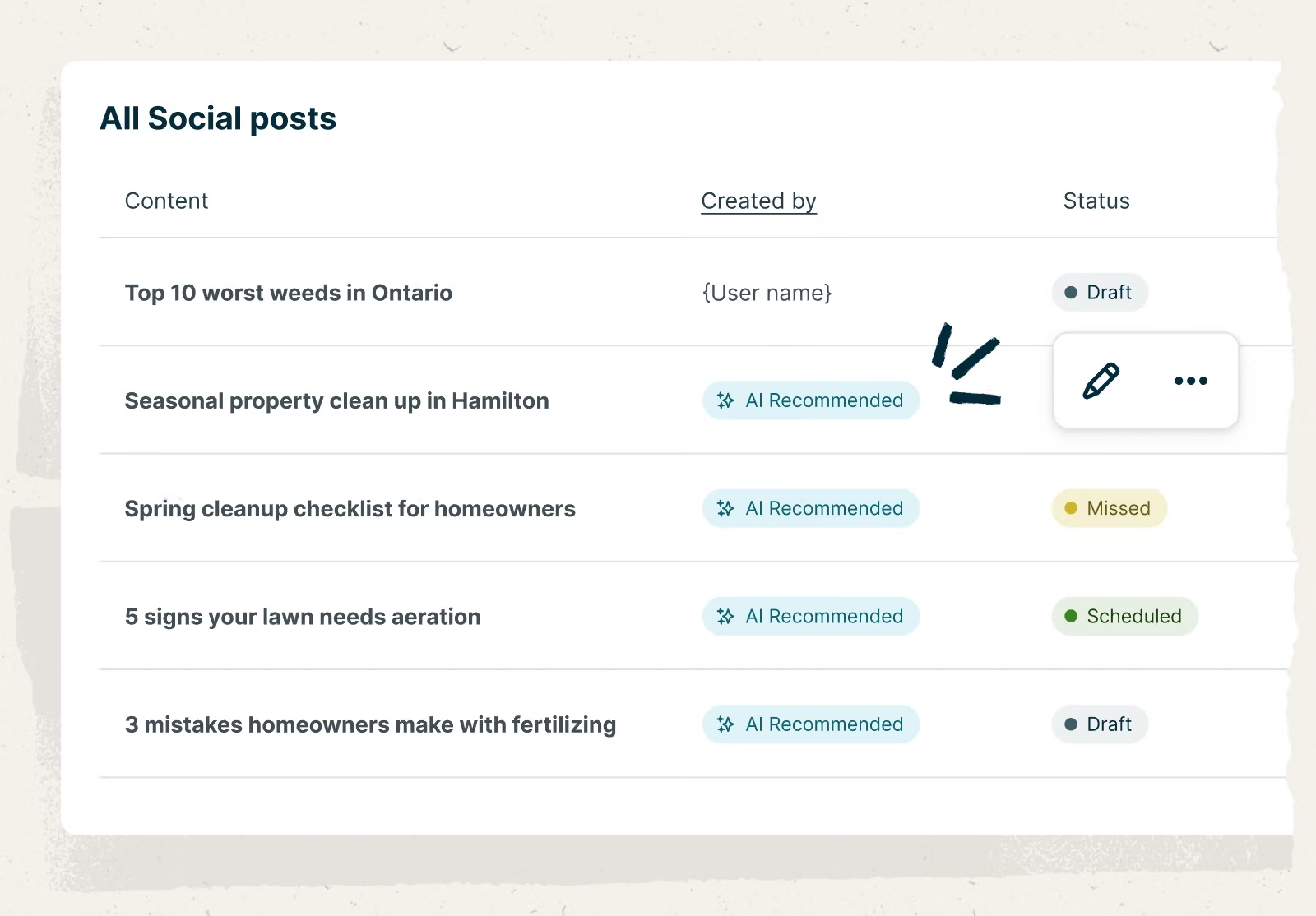
Here’s how Jobber can help you show off your work, reach more local customers, and spend less time on social media:
- Turn completed jobs into social posts. Jobber drafts posts from completed jobs, services, reviews, and photos. That furnace replacement you just finished? Turn it into a post showing off the installation, highlighting your team’s expertise, or reminding homeowners to book heating maintenance. You can also create posts using your own ideas and content.
- Skip the brainstorming. Jobber’s recommended posts help you choose what content to share next, based on your recent jobs and business activity. This is a big help when your team is busy with service calls and you don’t have time to plan a full content calendar.
- Show more than your work. Create general posts about your team, seasonal services, promotions, and appointment availability. That gives you a way to maintain a varied social media presence. You could schedule an installation photo one week, introduce a technician the next, and share a seasonal maintenance reminder after that.
- Manage Facebook and Instagram in one place. Connect your business accounts and create, edit, and schedule posts without switching between social media apps. Jobber also lets you publish content to your Google Business Profile, giving you another place to share updates with local customers.
- Stay active online, even during your busiest weeks. Track drafts, schedule posts, and publish content without leaving Jobber. That makes it easier to prepare several posts in one sitting, once a week, instead of trying to find time to write and publish a post every day.
- Let Jobber do the drafting. You make the final call. Jobber prepares your content, but you decide what to publish. Review posts, edit captions, pick photos, and confirm timing before approving posts. Make sure every post reflects the work you completed and the services you offer.
I really like being able to autogenerate content for my socials! I love this a lot. It is helping me be seen. I never had the time to brainstorm before and this just makes it so easy
READ MORE: HVAC marketing strategies to win new customers
Make HVAC social media posts easier than ever
You don’t need to publish all 30 ideas in this article at once. Start with two or three posts that fit your business and the time you have available. Focus on sharing useful content consistently, and track which posts lead to questions, service requests, and booked jobs.
Over time, your existing work can provide a steady source of content. With a few repeatable post formats and a social media scheduling tool like Jobber, you can keep your business visible without making social media another full-time responsibility.
Frequently Asked Questions
-
Your HVAC company can share these types of content on social media:
• Before-and-after HVAC photos of completed installations or repairs
• Answers to common customer questions
• Seasonal maintenance reminders and service availability
• Customer testimonials and success stories
• Technician introductions and highlights
The most useful posts show real work, explain a practical topic, or help homeowners understand how to book your HVAC services.
-
Start with Facebook and Instagram. Facebook can help you share local business updates, reviews, service information, and community news. Instagram is useful for visual content like before-and-after photos, short technician videos, and team introductions.
You can also use your Google Business Profile to share relevant updates with potential customers looking for local services. Only choose platforms you can maintain consistently—you don’t need to maintain profiles on every available channel.
-
Yes, you can often reuse photos from completed jobs across social media, HVAC email campaigns, and other marketing materials. Just make sure you get permission from the customer first. You’ll also want to avoid sharing identifying details or private information in your photos and captions.
You can also adapt the caption for each channel. For example, a short Instagram caption might focus on a visual detail. An email, on the other hand, could provide more information about the service you provided and link to the booking page on your website. -
Yes. With social posting in Jobber, it’s easy to draft posts from completed jobs, services, reviews, photos, and other content. You can edit the drafts, schedule posts, and manage publishing for your connected channels, including Facebook, Instagram, and Google Business Profile. You’ll be able to review and approve posts before they go live.