AI in Field Service: Practical Use Cases, Risks, and How to Start

Key takeaways:
AI is transforming field service management by streamlining daily operations, improving customer interactions, and offering actionable business insights for service professionals.
- Automate repetitive tasks. AI tools can handle scheduling, dispatching, quoting, and customer communication, saving time and reducing administrative work for teams of any size.
- Enhance competitiveness and customer experience. By responding to leads faster and maintaining professional communication, AI helps businesses stand out and capture more opportunities.
- Boost productivity and efficiency. Features like AI-powered scheduling, optimized routing, and automated job documentation enable crews to fit more jobs into their day and minimize paperwork.
- Gain valuable business insights. AI analyzes historical job data to identify trends, improve decision-making, and uncover areas for growth, helping business owners operate smarter and more profitably.
- Start easily, but stay vigilant. Integrated AI features in field service platforms make implementation simple, but ongoing human oversight is needed to ensure accuracy, quality, and data security.
Stay ahead in the field service industry with the latest tips and insights. Sign up for the Jobber Newsletter.
AI in field service is changing how home service businesses handle their day-to-day tasks, from intelligent scheduling and dispatching to quoting and customer communication.
Whether you have a two-person crew or a multi-tech operation, AI tools can help you save time, reduce admin work, and streamline your business.
But it’s not one-size-fits-all. To find out whether AI could work for your field service company, use this guide to learn how to start using it, which problems it solves, and where it still has room to grow.
What is AI in field service operations?
In field service, artificial intelligence (AI) tools help you automate or support day-to-day business tasks. They can help home service business owners:
- Schedule jobs and dispatch crews.
- Answer customer questions and take messages.
- Create and send quotes.
- Document job details and notes.
- Get insights into past projects to help with future planning.
AI in field service management is usually built into the software you already use, like Jobber. That means you won’t need multiple apps or platforms to use them to handle tasks like drafting emails, flagging outstanding invoices, and scheduling employees.
Benefits of field service AI
Field service AI doesn’t replace your on-the-job knowledge and experience. But AI automation can make everyday tasks easier for you and your team. Here’s how:
1. Reduce admin work
Admin tasks can be tedious and time-consuming. Agentic AI can handle a lot of the repetitive tasks that eat into your day, like logging job notes, sending appointment reminders, and answering calls.
It can also help you draft emails, create quotes, and respond to client messages faster. This frees up more of your time to focus on getting jobs done, which lets you fit more jobs into the schedule and make your business more profitable.
2. Stay competitive
78% of customers buy from the first business that responds when they reach out to companies online. The faster you respond, the more likely you are to win the job.
Field service AI tools let you respond to leads faster. That way, you stay ahead of the competition, no matter how big your field team is.
3. Boost technician productivity
When your crew has less paperwork to do, they can focus on the job at hand. Field service AI can log job notes, create pre- and post-job summaries, and provide on-site troubleshooting support.
This way, your crew members don’t have to manually type notes or spend time after hours catching up on documentation. Instead, with greater operational efficiency, they can fit more jobs into a single day.
4. Save money
Hiring additional staff to answer calls or dispatch crews isn’t always an option. A field service AI assistant can absorb some of that work by answering calls, scheduling jobs, and handling customer communication.
With AI, you can scale your activities and free up employees to focus on other tasks—without bringing on new team members before your revenue can support it.
Top use cases for AI in field service
You can use AI to save hours of work for a variety of tasks. But in field operations, it makes the biggest difference in a few key areas, including:
1. AI-assisted customer communication
AI-assisted customer communication comes in many different forms, such as:
- Virtual receptionists that can answer calls, draft email responses, and take messages
- Automated review requests, appointment reminders, and quote follow-ups
- AI-generated email and text message responses
This helps ensure your language is polite, professional, and clear, so every customer interaction makes a good impression. It also ensures your field service operation can respond to messages more quickly, even when you’re in the middle of a job.
If I have an unhappy client and need to carefully word everything, I will take the entire email over to AI.
I upload it all, describe the entire situation, what I would like to say, what message I’d like them to receive, and how I would like the tone to feel. And I let it rewrite that.

2. Smarter scheduling and dispatching
Scheduling work isn’t just about filling time slots. You have to account for location, complexity, technician skills, travel time, and last-minute changes.
When you optimize your routes and schedules, you can cut down on unnecessary travel time and backtracking, letting you fit more jobs into your day.
AI scheduling tools like Jobber automatically optimize routes so your crew members spend less time on the road and more time at job sites.
They can also prioritize jobs by urgency level and suggest technicians based on complexity and experience. This ensures you focus on the work that matters most, and you always match the right people with jobs they can handle.
3. Faster quoting
Quoting leads takes time, but generative AI can come in handy when you need to quickly respond to a service request. It can generate quotes and draft proposals based on job type, scope, and past work.
With Jobber AI, all you need to do is review your quote and hit send. Instead of drafting the quote from scratch, you can save time and respond to leads faster.
One of the most time-consuming tasks we have is putting together estimates. That used to set me back a day or two.
[With AI], we’re able to delegate that out, and we’re streamlining that estimate process and getting those estimates done within minutes.

4. Job documentation and technician notes
Keeping accurate job records is important for billing, callbacks, and follow-ups. But when a field service technician is wrapping up a job to head to the next, they might rush through their notes—or even skip them altogether.
Field service AI transcribes voice notes, auto-generates job summaries, and logs key information while your crew is still on site. That means better job documentation that provides the level of detail you need, without slowing down your service teams.
5. Operational insights from historical job data
Your job history is full of useful information, such as which services are most profitable, how often you get repeat customers, and when your busiest time of year is. But digging through that data manually to find patterns isn’t realistic when you’ve got a business to run.
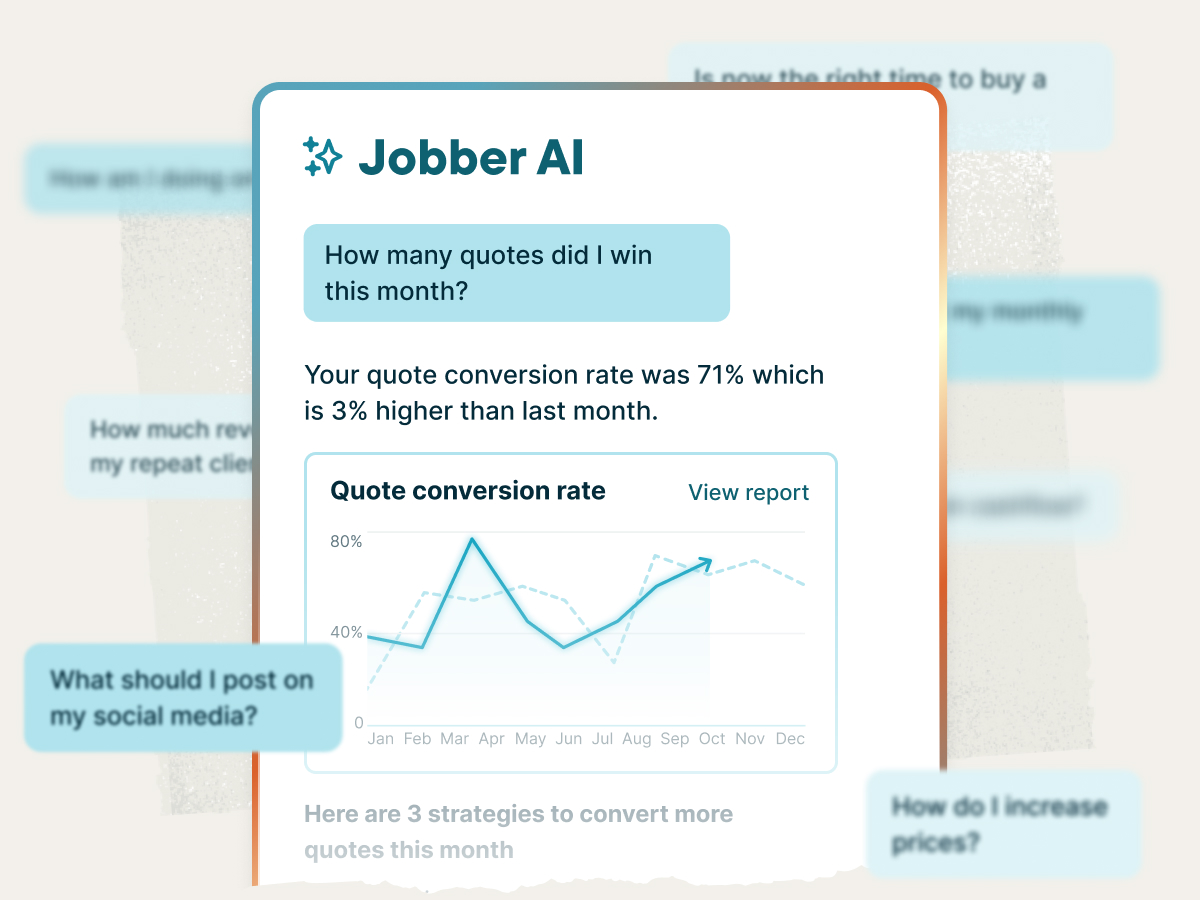
The Jobber AI agent provides expert business advice backed by real data, from growth strategies to ways to improve efficiency. This helps you identify opportunities, track trends, and make better decisions for your field service business.
How to implement AI in field service management
You don’t need a big budget or technical background to start using AI for your service business. The key is to choose which areas you need help with, test how well AI handles those tasks, and build from there.
Most field service management platforms, like Jobber, offer built-in AI features as an add-on or part of an upgraded plan. For example, Jobber AI can draft quotes, write emails, schedule jobs, create work requests, and answer customer calls.
If you don’t have field service management software and want a simpler solution, there are also standalone AI tools for writing emails, answering customer queries, and managing social media.
To implement AI for your field service business, follow these steps:
- Define your needs, like whether you want it to answer calls or provide insights into historical customer data.
- Choose AI tools that meet them, like a software platform or individual tools.
- Test the tools to see how effective they are.
- Train your team using technology adoption methods.
- Upgrade your tools or add new ones as your business grows.
What are the challenges of integrating AI into field service management?
When it comes to integrating AI into your field service management process, the biggest concerns are:
- Choosing the right tools. With so many options available, it can be hard to know which platform to pick. Ask for recommendations, test tools carefully, and start small.
- Managing multiple platforms. Using different tools for each task creates multiple logins, separate operational costs, and more room for error. Platforms like Jobber AI keep all your AI tools in one place—and integrate with the software you use to manage your business.
- Training your team. Getting your crew on board with new technology can be challenging. Pick AI tools that are easy to use and make their jobs easier, and they’ll be more likely to use them.
- Finding tools that actually work. Not all AI tools are built for field service. Some require heavy customization or editing to work for your business. Try to find tools made for your needs instead of a one-size-fits-all solution.
- Data privacy and security. Any tool that handles customer or financial information needs to meet basic security standards. Only use tools from well-known, reputable providers that have policies about how they treat and store confidential information.
- Reviewing AI outputs. AI messages, quotes, and notes still need to be reviewed by a human for accuracy and completeness. Don’t rely on AI to do your job. Instead, use it as a support tool, and always check your work.
What to double-check when using AI
AI in field service is useful, but it works best with human oversight. While it can offer suggestions for a variety of scenarios, it’s not human, and it lacks your business experience. That’s why you shouldn’t let it make important decisions without taking a look yourself.
For example, you should always review and approve:
- Pricing decisions, including standard and custom quotes and proposals, to make sure they’re accurate and realistic
- Dispatching crews and setting routes so the right people get to the right jobs at the right times
- Assigning field technicians to jobs, because AI doesn’t always know who has the most experience or an existing relationship with a customer
- Responding to customer complaints or disputes, since people are learning how to spot AI-written language and won’t appreciate receiving an obvious AI response
- Automating customer responses to ensure they’re professional, accurate, and up-to-date
As AI grows, it’s going to make us way more productive in our businesses.
It’s [also] going to make the human touch a premier service.

Using AI in field service management
Field service AI won’t run your business for you. But it can support the day-to-day tasks that eat up a lot of your days—especially if the tools you need are already built into the software you use, like Jobber AI.
This way, you don’t need multiple logins, different bills, or a complicated onboarding process to get started. Simply turn on the features that fit your workflow and go from there.
Frequently Asked Questions
-
AI field service tools help home service business owners save time on admin tasks, respond to leads faster, and get valuable insights into business performance. They’re an effective way to handle everyday tasks without having to bring on new staff members before you have the budget.
-
The most important factors to consider are:
• Which tasks you need help with
• What your budget is
• Whether AI tools exist to effectively address your needs
• Whether the tool is built for field service businesses
Generic tools may not be the best fit or could require customization to work for your business, services, and customers. Instead, it’s best to pick a tool that’s designed for the field service industry and integrates with your business management software, like Jobber AI. -
The success of your AI tools depends on what you’re using them for. In general, you may want to monitor:
• Lead response time
• Quote turnarounds
• Job completion rates
• Customer satisfaction scores
• Revenue per technician
• Admin hours saved
• How often AI-generated responses need to be edited before use -
The easiest way to start with AI is to use tools that are built into the software you already use. These require no additional setup or integration. Jobber AI is a good example of a tool that’s already part of your field service management software.
• Jobber automates repetitive tasks like visit reminders, quote and invoice follow-ups, quote creation, and other admin to free up more time for paying jobs.
• AI Receptionist answers calls and texts 24/7, captures leads, books jobs, creates requests, takes messages, and provides real-time notifications.
• Rewrite instantly improves client communications by rephrasing messages to sound polished and professional.
• Voice commands let you complete tasks hands-free from the mobile app, including creating quotes, rescheduling jobs, and getting directions.
• Jobber AI also provides business insights, analyzing your business data and giving advice about ways to improve efficiency and growth.
If you don’t use a field service management platform or aren’t ready to invest in one, you can start with one-off tools like ChatGPT to help with drafting emails, quotes, and client messages. -
The biggest current AI trends for field services are related to admin tasks like scheduling and client communication. But as AI technology evolves, it’ll lead to new opportunities for home service providers. Here are a few industry-specific examples of upcoming trends:
• HVAC: Predictive system maintenance and automated diagnostics
• Plumbing: Smart leak detection to identify the source of a problem
• Electrical: Automated system design and project planning
• Roofing: Rapid roof measurement and material calculations