
Key takeaways:
If you’re searching for the best field service management software for 2026, this guide helps you compare the top platforms based on features, usability, pricing, and fit for your business.
- Streamline operations with a unified platform. Field service management software combines quoting, scheduling, invoicing, payments, and team communication to reduce admin work and let you focus on growing your business.
- Choose tools tailored to your business size and workflow. Options like Jobber excel for home and commercial service teams, while Housecall Pro, ServiceTitan, Service Fusion, FieldPulse, Connecteam, and Kickserv each offer unique strengths—ranging from best for growing teams and budget-friendly plans, to free options for small crews.
- Prioritize ease of use and essential features. The best choice offers a friendly experience for both office staff and field technicians, supporting core needs like scheduling, mobile access, quoting, invoicing, and integrations without unnecessary complexity.
- Test and compare before committing. Take advantage of free trials and demo options—such as Jobber’s free trial—to see how each platform can improve your workflows and save time.
- Pick software that grows with your business. Look for simple setup, transparent pricing, and scalability, so you don’t outgrow your system as your workload increases.
Stay informed on top tools and field service best practices—sign up for the Jobber Newsletter for more expert insights. Join here.
Running a field service business means balancing work in the field with a never-ending list of admin tasks—from quoting and scheduling jobs to sending invoices and chasing payments.
Field service management software brings these workflows into one place. That way, you spend less time on paperwork and more time serving customers and growing your business.
But with dozens of platforms promising to simplify your operations, finding the right one can quickly become another job. To help, we’ve compared the best field service management software based on features, ease of use, mobile experience, pricing, and integrations.
Whether you run a solo operation or manage a growing team, this guide will help you find a platform that fits your business needs.
The best field service management software for small business
What is field service management software?
Field service management helps service businesses manage jobs through quoting, scheduling, dispatching, invoicing, payments, and customer communications.
Instead of relying on separate spreadsheets, calendars, and messaging tools, field service management software brings these workflows into one system so teams can stay organized and get more work done.
Who uses field service management software?
Field service management software is designed for businesses that send employees out to customers’ homes, businesses, or properties to provide services. Common users include:
- HVAC businesses managing service calls, maintenance, and installations
- Plumbing companies scheduling repairs, inspections, and emergency jobs
- Electrical contractors coordinating technicians and needing work order management
- Landscaping companies managing recurring lawn and property maintenance
- Cleaning businesses scheduling residential or commercial cleaning crews
- Tree care companies coordinating estimates, crews, and jobs across multiple locations
Both office staff and field crews can use the same platform. Office teams can handle scheduling, dispatching, customer service and communication, and online invoicing.
Technicians and crews, on the other hand, can access job details, update work orders, collect information, and communicate with customers from the field.
How we picked the best field service management software
To pick the best field service management software, we evaluated each platform based on the factors that matter most to small and midsize service businesses, including:
- Ease of use: We prioritized platforms with intuitive interfaces that owners and technicians can learn quickly without extensive training.
- Mobile app quality: We considered how easily field techs can access schedules, job details, customer information, and other essential tools from their phones.
- Core field service features: We looked for tools that support everyday workflows, including scheduling and dispatch, quoting, invoicing, payments, and customer management.
- Pricing transparency: We assessed how clearly each software provider communicates its pricing, plan limits, and additional costs for better budget planning.
- Integrations: We considered how well each platform connects with common business tools, such as accounting, payroll, and payment software, to reduce duplicate data entry.
- Real customer reviews: We reviewed customer feedback to identify common strengths and weaknesses in usability, functionality, and customer support.
We looked for software that can handle essential workflows like scheduling and dispatch, quoting, invoicing, payments, and customer communication without creating unnecessary complexity.
We also considered how well each platform supports teams as they grow. With this guide, you can choose software that fits your business today and can keep up as your workload increases.
The best field service management software of 2026
The best field service management software should make it easier to manage the entire job lifecycle, from the first quote to the final payment. The right choice depends on your team size, trade, budget, and how much operational complexity you need the software to handle.
To help you out, here are seven field service platforms worth considering.
Disclaimer: Software prices are subject to change.
| Software | Best for | Standout feature | Starting price | Mobile app rating | Free trial |
|---|---|---|---|---|---|
| Jobber | Home and commercial service businesses | End-to-end job management with a simple mobile experience | Starting from $29 per user per month | 4.6 | Yes |
| Housecall Pro | Consumer-focused home services | Customer experience tools | Custom pricing | 4.3 | Yes |
| Service Titan | Enterprise field service teams | Advanced dispatching | Custom pricing | 4.4 | No |
| Service Fusion | Flat-rate pricing and dispatching | Unlimited users | $208 for unlimited users | 4.1 | No |
| FieldPulse | Growing teams that want lots of features | Custom workflows | Custom pricing | 4.7 | No |
| Connecteam | New field management businesses | Free operations and workforce management | Free for up to 10 users | 4.6 | Yes |
| Kickserv | Businesses on a budget | Affordable scheduling | $60 per month for 5 users | 4.5 | Yes |
1. Jobber: Best overall for home and commercial service businesses
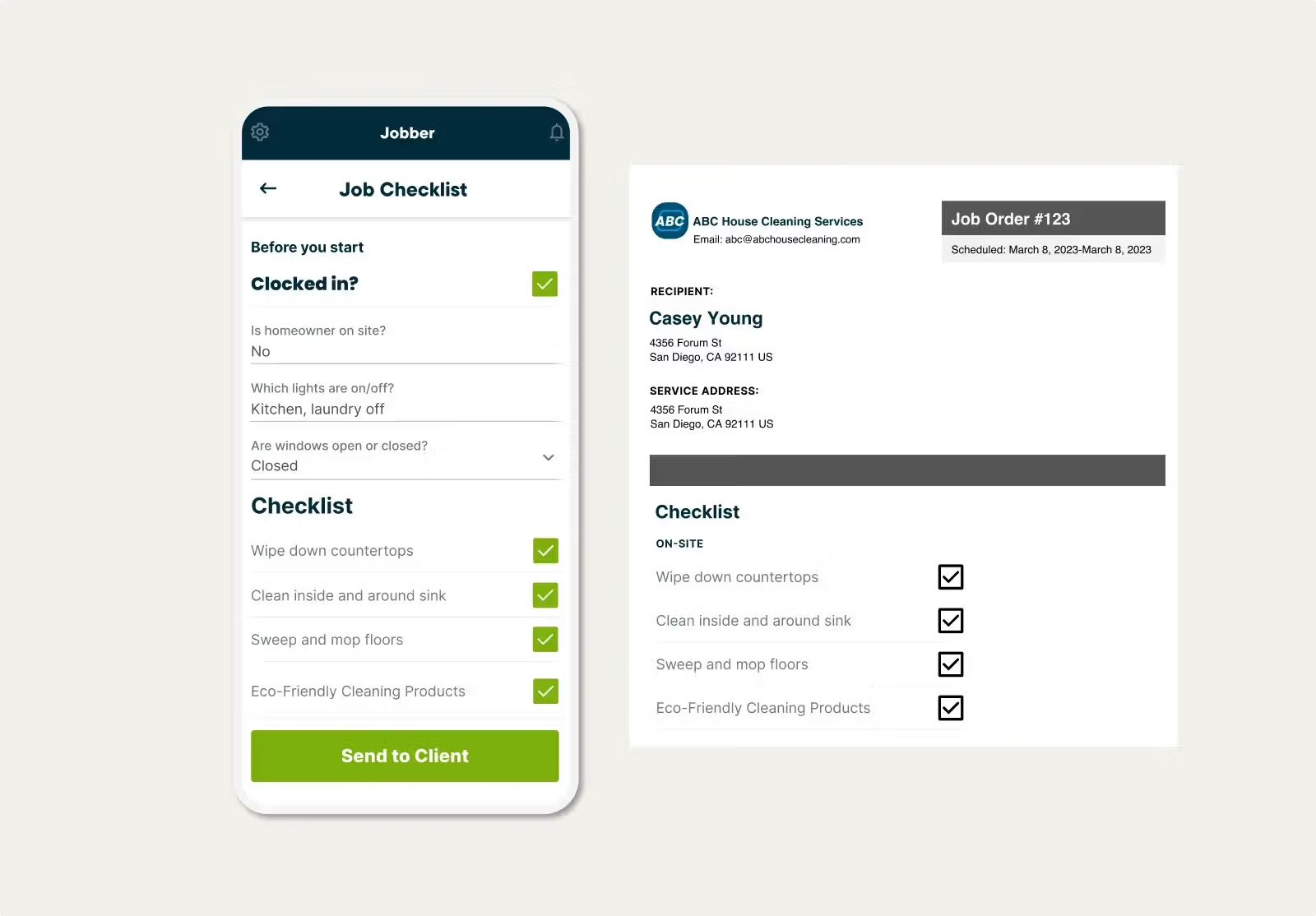
Jobber is the best field service management software for home and commercial service businesses that want to bring day-to-day operations into one platform.
Jobber’s features connect quoting, scheduling, job management, invoicing, payments, customer communication, and reporting. The platform also provides a mobile experience designed for service pros working away from the office.
More than 400,000 service pros use Jobber. It supports businesses ranging from solo operators to teams managing multiple crews.
Key features
With Jobber, you can:
- Create professional quotes and let customers review and approve them online.
- Schedule jobs and assign work from a drag-and-drop calendar, with updates reflected across the team.
- Create invoices with one click after completing a job or send invoices in batches for multiple completed jobs.
- Let customers pay invoices online through Jobber Payments.
- Provide a self-service customer portal where they can review quotes, access job information, and manage payments.
- Give field technicians mobile access to schedules, customer information, job details, forms, time tracking, and other tools from their phones.
- Track labor and expenses against individual jobs to understand costs and profitability.
- Use AI Chat and AI Voice to get help with business questions and complete certain tasks using natural-language or voice commands.
- Integrate Jobber with tools including QuickBooks Online, Gusto, and CompanyCam, along with other apps for accounting, marketing, payments, and business operations.
Pricing
Jobber offers four pricing tiers and starts at $29 per user per month.
Best for
Jobber is best suited to small and midsize home and commercial service businesses that want an easy-to-use platform covering the full job lifecycle.
It’s particularly useful if you want your office and field teams working from the same system without having to piece together separate scheduling, invoicing, payment, and customer management tools.
Jobber has really given us a home base. We can do everything from calendaring quote requests to collecting money on invoices, all from one place.

2. Housecall Pro: best for consumer-focused home services
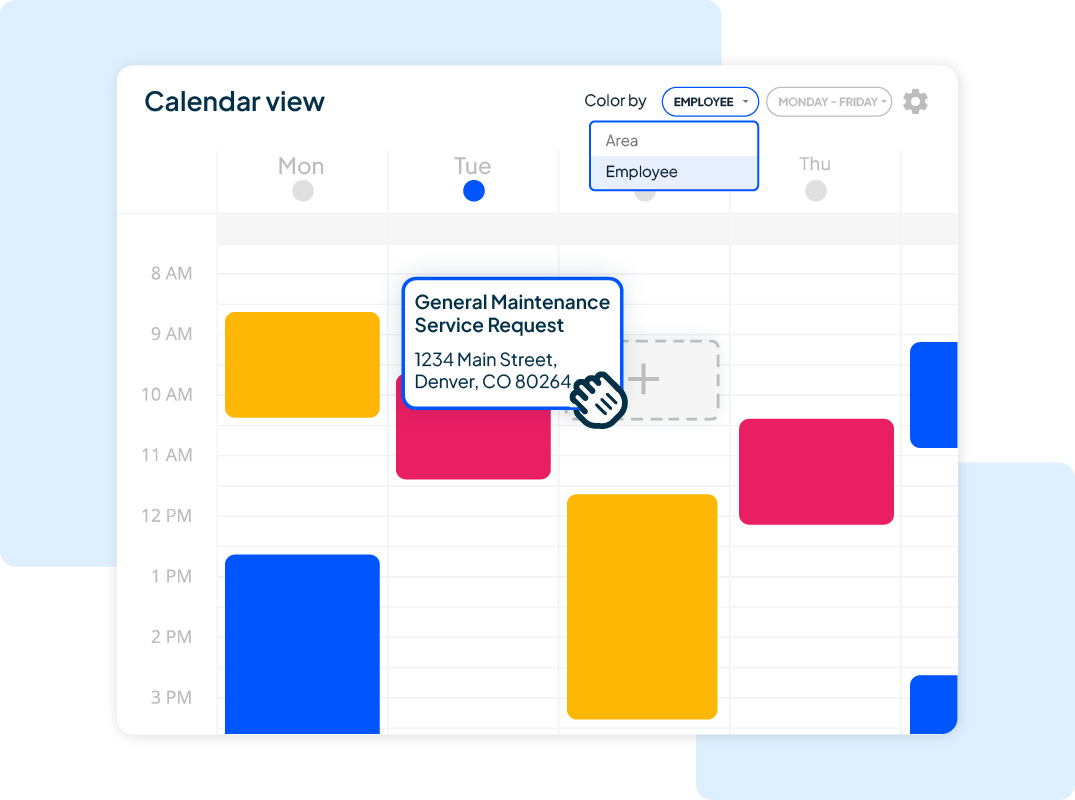
Housecall Pro is designed for home service businesses, with tools for scheduling, dispatching, estimates, invoicing, payments, customer communication, and online booking.
It supports businesses ranging from solo operators to larger teams and covers trades including plumbing, HVAC, electrical, cleaning, landscaping, and other residential services.
Key features
With Housecall Pro, you can:
- Organize jobs, assign technicians, and manage schedules from a centralized calendar.
- Let customers book services and request quotes online.
- Create and send professional estimates and allow customers to approve them online.
- Send invoices and accept online payments from customers.
- Automate notifications and communicate with customers throughout the service process.
Pricing
Housecall Pro offers custom pricing depending on your industry and the size of your business.
Best for
Housecall Pro is best for consumer-focused home service businesses that prioritize customer experience alongside scheduling and field service operations.
You may want it if online booking, automated customer communication, and a polished customer-facing workflow are important to you.
READ MORE: Jobber vs. Housecall Pro
3. ServiceTitan: Best for enterprise field service teams
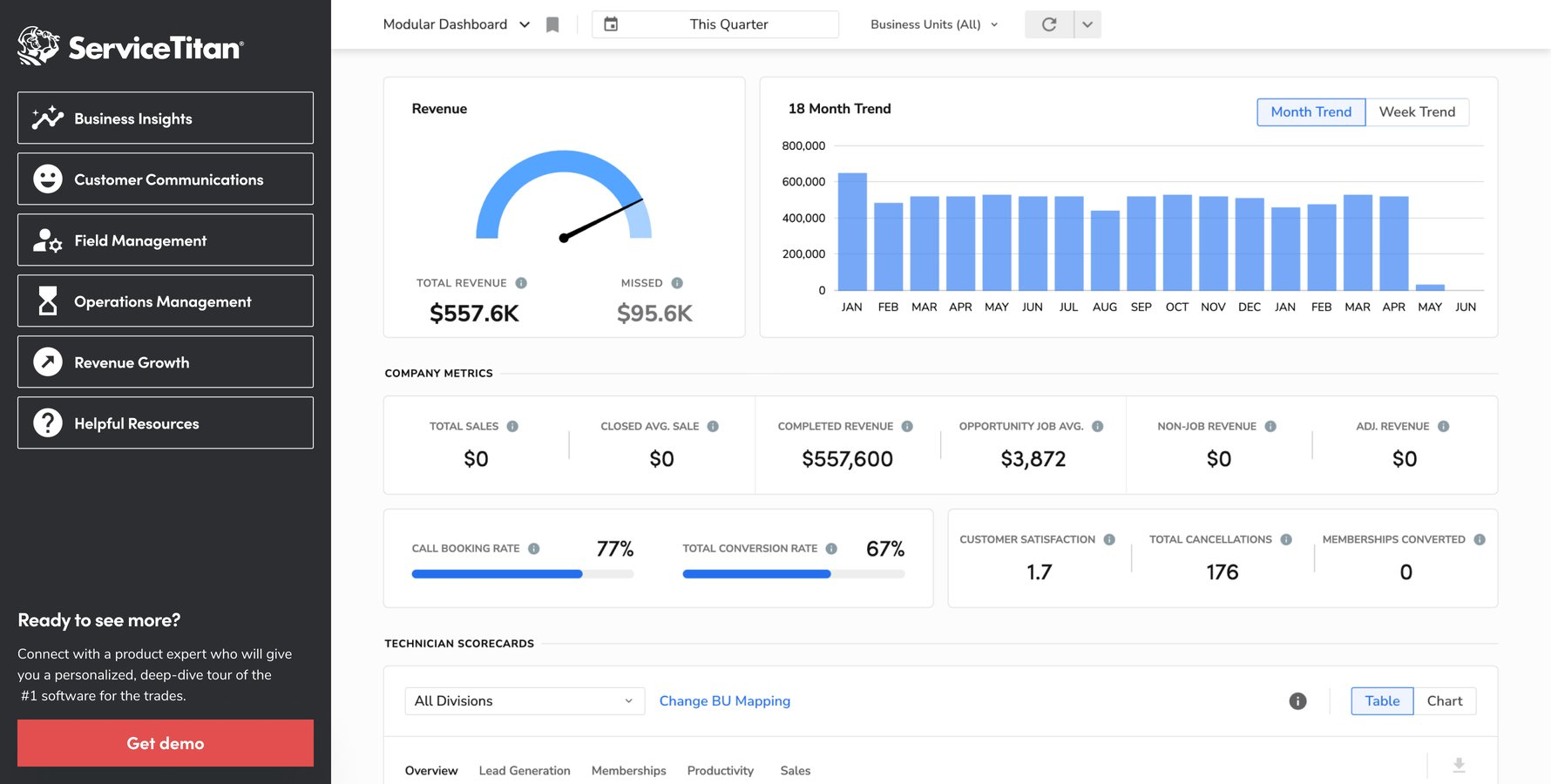
ServiceTitan is built for businesses with more complex field service operations. In addition to basic scheduling and invoicing features, it offers marketing, payroll, advanced reporting, inventory management, financing, customer experience, and accounting.
Key features
With ServiceTitan, you can:
- Manage technician schedules and dispatch jobs from a centralized dispatch board.
- Give techs access to standardized pricing and service information.
- Create invoices and collect payments as part of the job workflow.
- Monitor business performance with detailed reporting and dashboards.
- Track equipment, parts, and inventory across the business.
Pricing
ServiceTitan offers three pricing plans. You must contact them to request pricing.
Best for
ServiceTitan is best for larger or more complex field service businesses that need extensive operational, financial, and reporting capabilities.
If your business is smaller, you may find you don’t need most of those features if your main priorities are straightforward scheduling, invoicing, and customer management.
READ MORE: Jobber vs. ServiceTitan
4. Service Fusion: Best for flat-rate pricing and dispatching
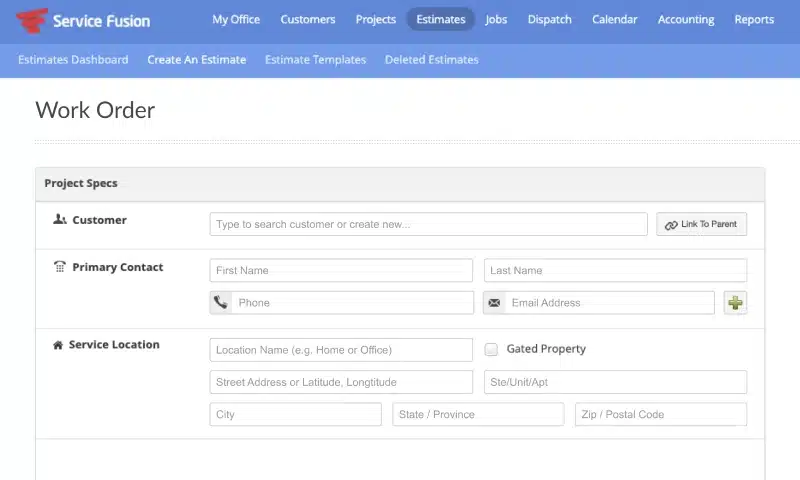
Service Fusion combines scheduling and dispatching with estimates, jobs, invoicing, payments, customer management, reporting, and QuickBooks integration.
The platform’s flat-rate pricing capabilities are particularly relevant to HVAC, plumbing, and electrical businesses that want technicians to present consistent upfront prices.
Key features
With Service Fusion, you can:
- Organize appointments and technician schedules from a visual dispatch board.
- Assign jobs to technicians and keep teams updated when schedules change.
- Create and send estimates and manage customer approvals.
- Generate invoices from completed work and manage billing from the same platform.
- Monitor technician locations and fleet activity on eligible plans.
Pricing
Service Fusion offers tiered pricing depending on the features you need. The first tier is a flat-rate $208 per month for unlimited users.
Best for
Service Fusion is best for service businesses that want unlimited users, strong dispatching tools, and integrated flat-rate pricing. Its pricing structure also avoids per-user software costs as your business grows.
READ MORE: Jobber vs. Service Fusion
5. FieldPulse: Best for growing teams that want lots of features
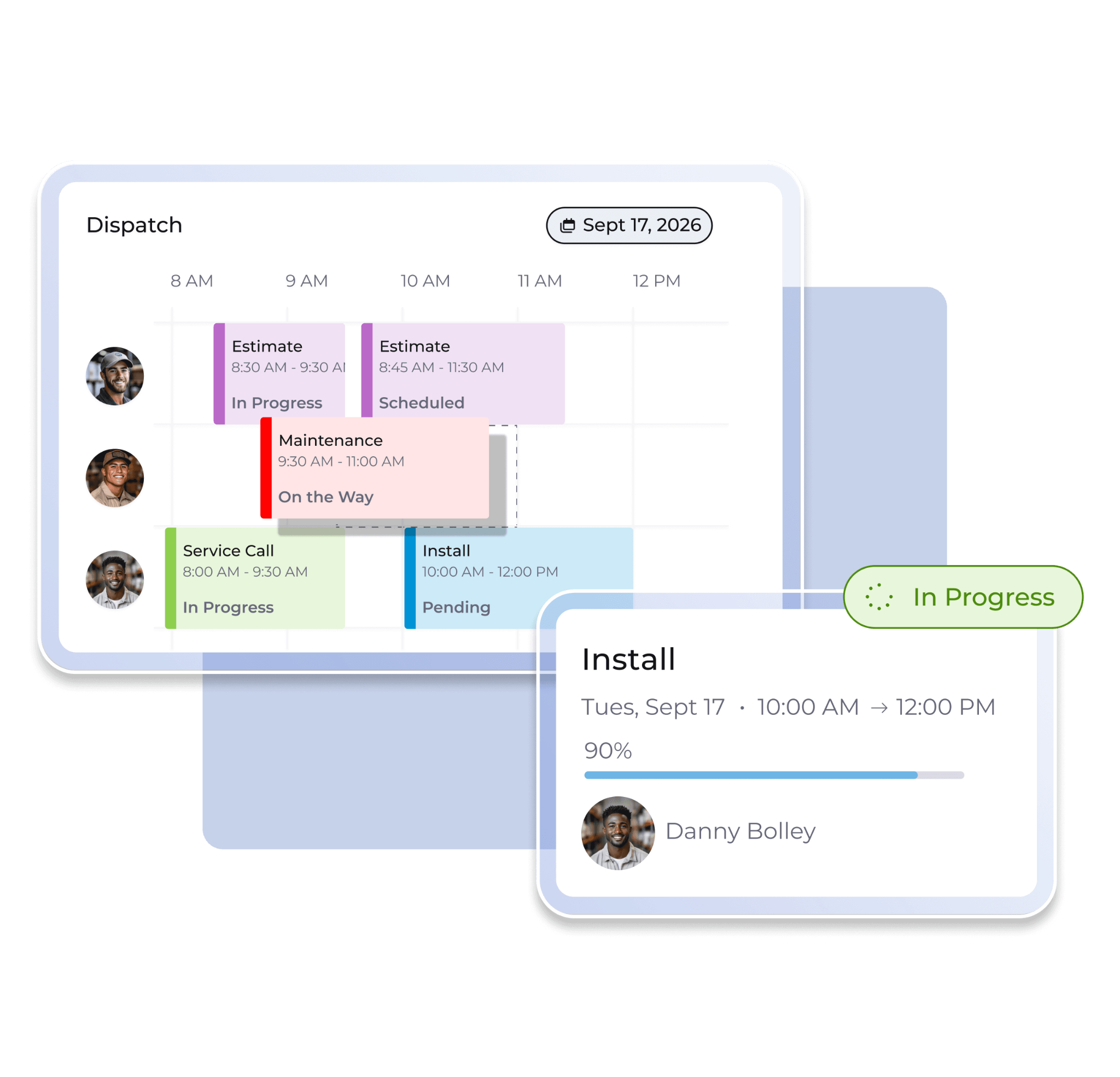
FieldPulse is a field service platform with extensive features, including scheduling, dispatching, estimates, invoices, work orders, and customer management. It also offers job costing, inventory, maintenance agreements, customer communication, payments, and fleet tracking.
In addition, FieldPulse offers custom workflows and reporting to give your business more flexibility as your operations grow.
Key features
FieldPulse helps you:
- Assign jobs, manage technician schedules, and coordinate field teams.
- Create estimates and proposals and manage customer approvals.
- Configure processes and fields around the way your business operates.
- Access prebuilt reports or create custom reports for business performance.
- Track parts and materials used across jobs.
Pricing
FieldPulse offers custom pricing. Book a demo to get a quote.
Best for
FieldPulse is best for growing service teams that need a broad feature set and more flexibility to customize workflows.
It can be a good fit when basic scheduling and invoicing are no longer enough and you need more detailed dispatching, reporting, job costing, or field management capabilities.
6. Connecteam: Best free option
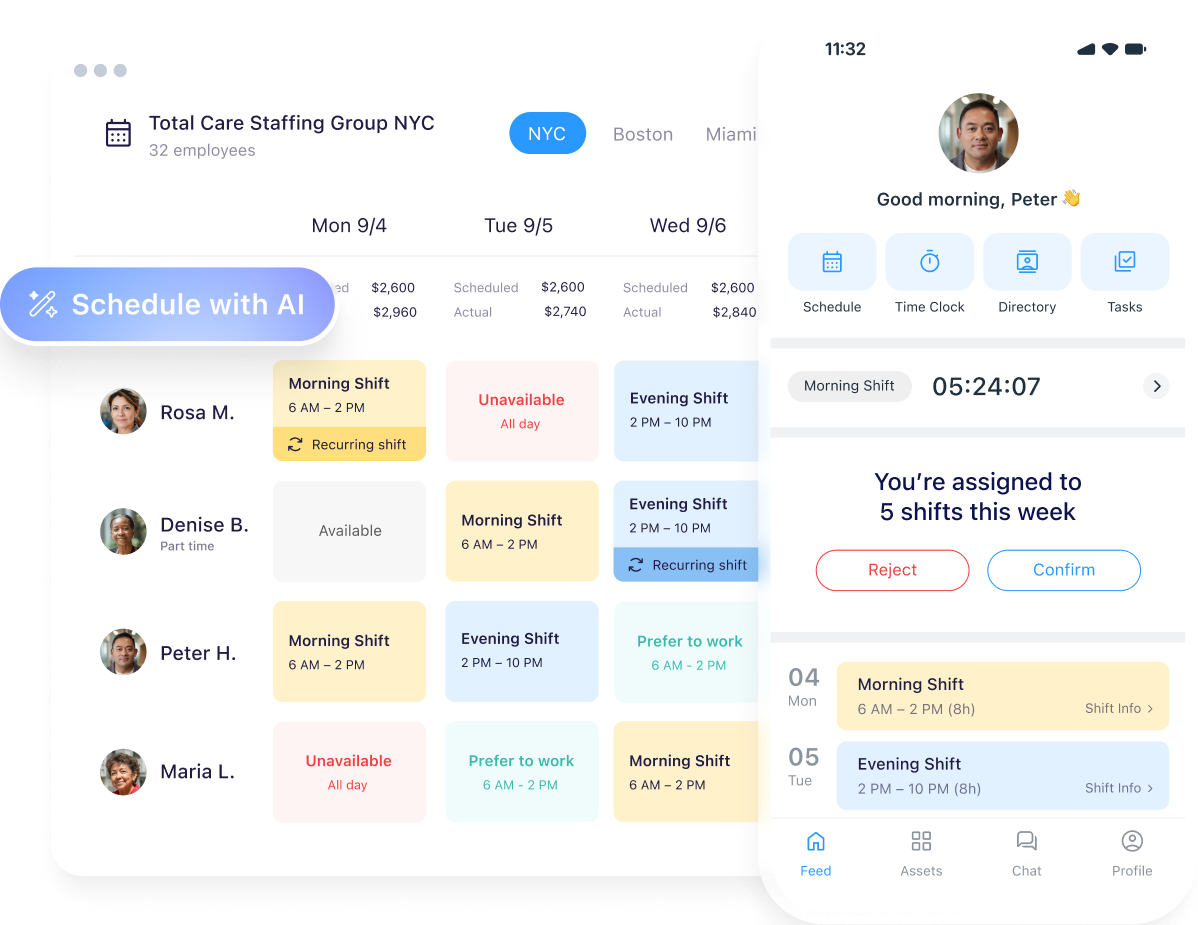
Rather than focusing primarily on quoting, invoicing, and customer management, Connecteam combines employee management and field operations tools such as scheduling, time tracking, forms, tasks, communication, and GPS tracking.
Key features
Connecteam can help you:
- Build and manage team schedules and assign employees to jobs.
- Track when employees start and finish work and where they’re working.
- Assign jobs based on factors such as availability, skills, certifications, and location.
- Create forms and checklists for inspections, job information, and other field processes.
- Communicate with field workers through chat, updates, and announcements.
Pricing
Connecteam offers a free plan for up to 10 users. For bigger teams, Connecteam’s paid plans start at $29 per month for 30 users.
Best for
Connecteam is best for small field teams that primarily need scheduling, time tracking, GPS, forms, tasks, and team communication at little or no cost. It’s a good choice if workforce management is a bigger priority than sales and billing workflows.
READ MORE: Connecteam alternatives for small business
7. Kickserv: Best budget pick for small businesses
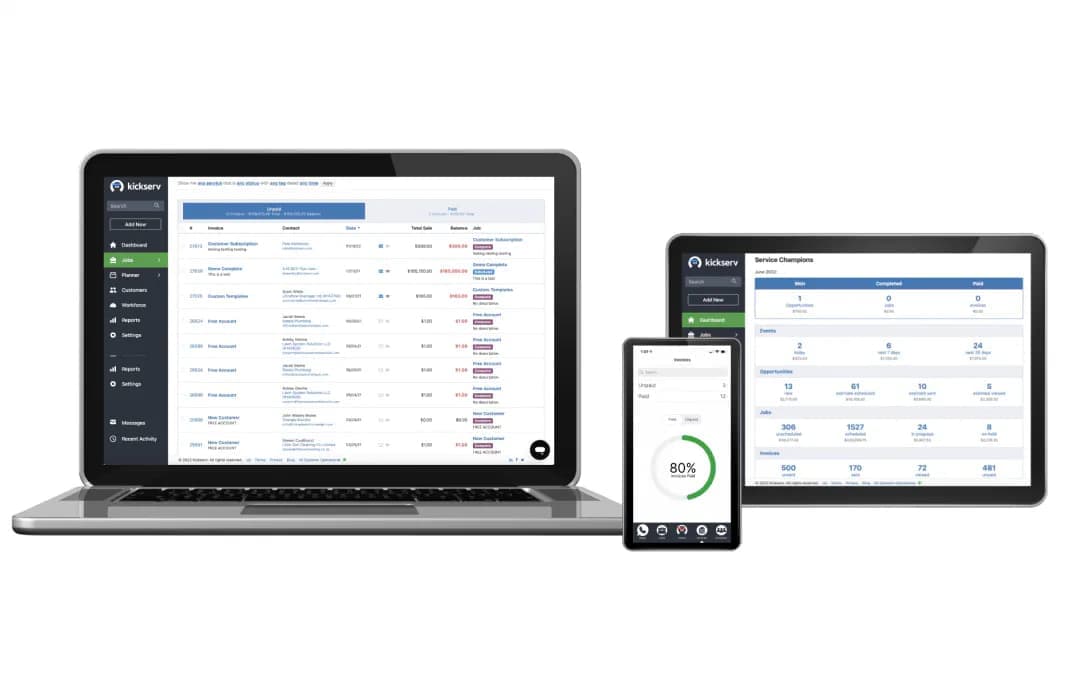
Kickserv focuses on the workflows your service business needs to manage customers, estimates, jobs, invoices, scheduling, payments, and field technicians. The mobile app also gives technicians access to schedules, GPS and time tracking, digital signatures, and onsite payments.
Key features
Kickserv can help you:
- Schedule jobs and assign technicians from a centralized calendar.
- Keep job notes, photos, customer information, and other work details together.
- Accept payments from customers through integrated payment options.
- Store customer information and service history in one place.
- Use mapping tools to help coordinate technicians and appointments on eligible plans.
Pricing
Kickserv offers tiered pricing starting at $60 per month for 5 users, making it a budget-friendly option for small businesses.
Best for
Kickserv is best for small service businesses that want a straightforward field service management app without a high starting price.
It combines customer management, scheduling, invoicing, mobile access, and QuickBooks integration, covering the basics without requiring a larger enterprise-oriented system.
Best field service management software for small business
The best field service management software for small business isn’t necessarily the platform with the longest feature list. If you are a solo operator or run a small team, you should prioritize:
- A simple user experience
- A reliable mobile app
- Affordable pricing
- Rapid setup
Look for a platform that covers your essential workflows—such as quoting, scheduling, invoicing, and payments—-without making you pay for features or complexity you won’t use.
Is there free field service management software?
Yes, free field service management software is available. But free plans typically come with limits on users, features, storage, or the number of jobs you can manage.
Free plans can be useful for testing basic scheduling, task management, time tracking, or team communication. However, as your business grows, you may quickly need paid features such as online quoting, invoicing, payments, customer management, and reporting.
For example, Connecteam offers a free plan for up to 10 users, while other platforms use free trials to let you test their full software. Jobber offers a free trial, giving you a chance to try its quoting, scheduling, invoicing, payments, and other tools before choosing a paid plan.
For a business already handling a steady volume of jobs, a paid platform may be worthwhile if it can cut down on manual admin work and free up your time for more important tasks.
Key features to look for in field service management software
To find the right field service management software, look for features that reduce manual admin and keep your team and customer information in one place. Key features include:
- Scheduling and dispatch: Use a visual calendar to assign jobs, manage availability, and dispatch the right field technician or crew.
- Mobile app for field techs: Give technicians access to schedules, customer details, job notes, photos, and other information from their phones.
- Quoting and invoicing: Create professional estimates and invoices, get customer approvals, and turn completed work into invoices without duplicate data entry.
- Online payments: Let customers pay invoices online by card or other supported payment methods so you can get paid faster.
- Customer communication and CRM: Keep customer details, job history, messages, and follow-ups organized in one place.
- Reporting and job costing: Track revenue, expenses, job profitability, and other performance metrics to understand how your business is doing.
- Integrations: Connect your field service software with tools such as accounting, payroll, payment, and other business software to reduce double entry.
How to choose the right field service management software
Choosing field service management software doesn’t have to be complicated. Start with your business’s current needs, then narrow down your options based on how well each platform fits your team and day-to-day workflow.
Keep these steps in mind when assessing different platforms:
- Assess your team size. Choose software that fits your current number of users and technicians, with pricing and features that can scale as you grow.
- List your must-have features. Identify the workflows you need to improve most, such as scheduling, dispatching, quoting, invoicing, payments, or job costing.
- Check the mobile app. Make sure techs can easily access schedules, customer information, job details, notes, and other tools from the field.
- Confirm the pricing fits. Look beyond the advertised starting price and check user limits, add-on costs, payment fees, and the features included in each plan.
- Start a free trial. Test the software with your real workflows before committing, and make sure your team can learn it without adding more administrative work.
The right field service management software should keep your schedule organized, cut down on paperwork, reduce admin time, and help you send invoices and collect payments faster.
Start with the workflows that take up the most time in your business. Then choose a tool that makes those tasks easier so you can focus on serving customers and growing your business.
Frequently Asked Questions
-
The best field service management software depends on your team size, workflows, and budget. A platform like Jobber combines scheduling, quoting, invoicing, payments, and customer management without adding unnecessary complexity.
-
The best field service management app is one that gives your team easy access to schedules, customer details, job information, and other essential tools from the field. Prioritize a mobile experience that is simple for technicians to use and connects with your office workflows.
-
Field service management software can range from free plans for basic team management to several hundred dollars per month for more advanced platforms. Pricing typically depends on the number of users, features, integrations, and whether you need add-ons such as payments or GPS tracking.