
Key takeaways:
Finding the best scheduling software for cleaning businesses in 2026 means understanding your workflow and choosing a platform that supports your team, clients, and growth.
- Choose software that fits your business size and needs. From solo maid services to companies with multiple crews, the right tool should offer recurring and one-off scheduling, timely dispatch, and easy calendar management.
- Prioritize features that streamline operations. Look for options that offer drag-and-drop schedules, online booking, client reminders, mobile access, crew dispatch, and time tracking to reduce double bookings and administrative hassles.
- Compare the top solutions on the market. All-in-one tools like Jobber connect scheduling with quoting, invoicing, and payments. Platforms like ZenMaid, ServiceM8, and Launch27 offer varying focuses suited to different cleaning business models.
- Factor in team size, pricing, and ease of use. Test software with free trials to ensure it covers your recurring jobs, crew assignments, client communication, and fits your budget as your business scales up.
- Opt for solutions that save time and deliver a consistent client experience. The best software should automate reminders, provide clear access for cleaning staff, and help you organize business operations in one system.
For more business tips and the latest tools to help your cleaning company succeed, sign up for the Jobber Newsletter.
Scheduling software helps your cleaning business manage bookings, recurring cleans, crew schedules, and client communication in one place. Instead of relying on paper calendars or spreadsheets, you can keep your cleaning jobs organized in one system.
Better scheduling means less time spent managing calendars and avoiding double-bookings. It makes it easier to keep jobs covered, give cleaners the information they need, and provide a consistent experience for clients.
This guide compares the top software options on the market and identifies the best scheduling app for cleaning business owners. We cover the features to look for and how each tool handles cleaning workflows.
Best scheduling apps for cleaning business owners:
What to look for in cleaning business scheduling software
The best cleaning service scheduling software should handle recurring jobs, crew dispatch, and client reminders without creating more admin work.
Look for software that matches the way your cleaning business operates, whether you run a solo maid service or manage a small commercial cleaning crew. That includes:
Recurring and one-off scheduling
If your cleaning business has a mix of recurring customers and one-time jobs, you need scheduling software that can handle both.
Your software should make it easy to schedule a weekly house clean once and automatically add future visits to your calendar. It should also let you schedule one-off deep cleans, move-out cleans, and construction cleans.
Look for features like:
- One-time job scheduling
- Recurring visits with flexible frequencies (e.g., weekly, biweekly, monthly)
- The ability to change one recurring visit without changing all of them
- Calendar views that make staff availability easy to see
- Drag-and-drop scheduling and rescheduling
- Alerts that help prevent double-booking staff or scheduling overlapping jobs
READ MORE: Best apps for cleaning businesses
Crew dispatch and route optimization
Crew dispatch and route optimization help you get the right cleaners to each job with less time spent driving. That means crews can arrive on time and fit more jobs into the day.
Look for software that lets you assign jobs to individual cleaners or teams and gives them easy access to job details. Route optimization is especially useful if your crews travel between several properties or cover a large service area.
When you’re shopping for residential and commercial cleaning scheduling software, look for features like:
- Cleaner availability and schedule management
- Crew and individual cleaner assignment
- Dispatch and staff calendars
- Mobile access to schedules and job details
- Map views
- Route optimization or automated routing
Online booking and client reminders
Online booking lets clients schedule a cleaning based on your availability, while automated reminders help them remember their appointments. Together, these features reduce back-and-forth messages, save time confirming visits, and help prevent no-shows.
The best scheduling software for cleaning business owners should have a booking form you can add to your website. It also needs to have automatic confirmations and reminders sent by text or email.
Look for features like:
- Online booking
- Request forms that can be added to your website
- Customer self-scheduling
- Automated appointment confirmations and text/email reminders
- Rescheduling and cancellation options
Mobile app and time tracking
Your cleaners shouldn’t need to call the office every time they need an address, job notes, or appointment details for a visit. A mobile app gives cleaners access to their schedules and client information while they’re out in the field.
Time tracking can also let cleaners clock in or out from their phones. This tells you how long visits take and can even help you price future work more accurately.
Look for features like:
- iOS and Android mobile access
- Offline mode for use in remote areas
- Job addresses and client information
- Job notes and checklists
- Clock-in and clock-out functionality
- Employee timesheets
- GPS or location tracking
Pricing and free trials
Compare pricing based on the features and number of users you need. A lower-priced plan may cover the basics, but managing multiple crews could require a higher-tier plan. For example:
- If you run a solo maid service, a plan with recurring scheduling, reminders, and online booking may be enough.
- If you manage several cleaning crews across multiple properties, you may need to pay more for crew dispatch, route optimization, time tracking, and job costing to see which jobs are profitable.
Look for a free trial so you can test the software with real cleaning visits before committing. Check whether the plan you’re considering includes your must-have features, and factor in user or appointment limits, SMS fees, and extra charges.
How we chose the best cleaning scheduling software
To choose the best cleaning scheduling software, we compared current product information and pricing from software providers, along with software research and review resources such as G2, Software Advice, and Capterra.
We focused on the workflows that cleaning businesses used most often, not just products that offer a shared calendar. From there, we evaluated each option based on features like:
- Recurring scheduling: Can you set up weekly, biweekly, monthly, and other recurring cleans?
- Team dispatch and routing: Can you assign visits to cleaners and manage their schedules efficiently?
- Online booking: Can customers request or book cleaning services online?
- Client reminders: Can the software automatically send appointment reminders to reduce no-shows?
- Mobile app: Can cleaners access schedules and job details from the field?
- Time tracking: Can you track cleaner hours or time spent on visits?
- Pricing scale and free trial: Is there a free plan or trial, and how does pricing change as your team grows?
The list is aimed at workflows for residential cleaning, maid service, commercial cleaning, janitorial services, carpet cleaning, and window cleaning companies.
We also included a couple of general appointment-scheduling tools. These can work for very small businesses that mainly need online booking and calendars, but they aren’t designed specifically for cleaning workflows.
The best scheduling software for cleaning businesses
Jobber is the best all-in-one option for cleaning businesses that want scheduling connected to quoting, invoicing, payments, and other day-to-day operations.
It supports online booking, recurring service, automated reminders, mobile access, and time tracking. Jobber’s plans are designed for businesses ranging from solo operators to larger teams.
Compare the best cleaning service scheduling software
Check out our top recommendations for the best scheduling software for a cleaning business:
| Disclaimer: Prices current as of article publication. |
| Software | Best for | Key scheduling features | Free trial/plan | Starting price | Mobile app (iOS/Android) |
|---|---|---|---|---|---|
| Jobber | All-in-one cleaning business management | Recurring jobs, scheduling, online booking, automated reminders, crew scheduling, time tracking | 14-day free trial | $29/mo annually | Yes |
| ZenMaid | Solo and small maid services | Recurring scheduling, calendar/dispatch/map views, booking forms, reminders, cleaner mobile app, GPS tracking | 14-day free trial | $19/mo | Yes |
| Housecall Pro | Cleaning businesses that need field service management | Recurring jobs, scheduling, dispatch, online booking, reminders, routes, mobile app, time tracking | 14-day free trial | $59/mo annually | Yes |
| Square Appointments | Very small businesses focused on online booking | Online booking, staff calendars, recurring appointments, reminders, payments | Free plan, paid trials | Free | Yes |
| Appointy | Appointment-based businesses | Online booking, recurring bookings, rescheduling, staff scheduling, reminders | Free plan, 14-day paid-plan trial | Free | Yes |
| FieldVibe | Solo cleaners and small crews | One-time and recurring visits, scheduling, reminders, online work requests, time tracking | Free plan | Free | Yes |
| ServiceM8 | Route-focused recurring work | Recurring jobs, scheduling, dispatch, online booking, reminders, route optimization add-on, mobile access | 14-day free trial | Free, with paid plans starting at $29/mo CAD | Yes |
| Launch27 | House cleaning and maid service businesses | Online booking, recurring bookings, scheduling, conflict prevention, reminders, cleaner schedules, map view | 14-day free trial | $75/mo | Yes (Plus only) |
Note: Pricing and feature availability can vary by plan, billing frequency, region, and user count. Jobber and Housecall Pro pricing shown above reflects annual billing.
1. Jobber: Best all-in-one for cleaning businesses
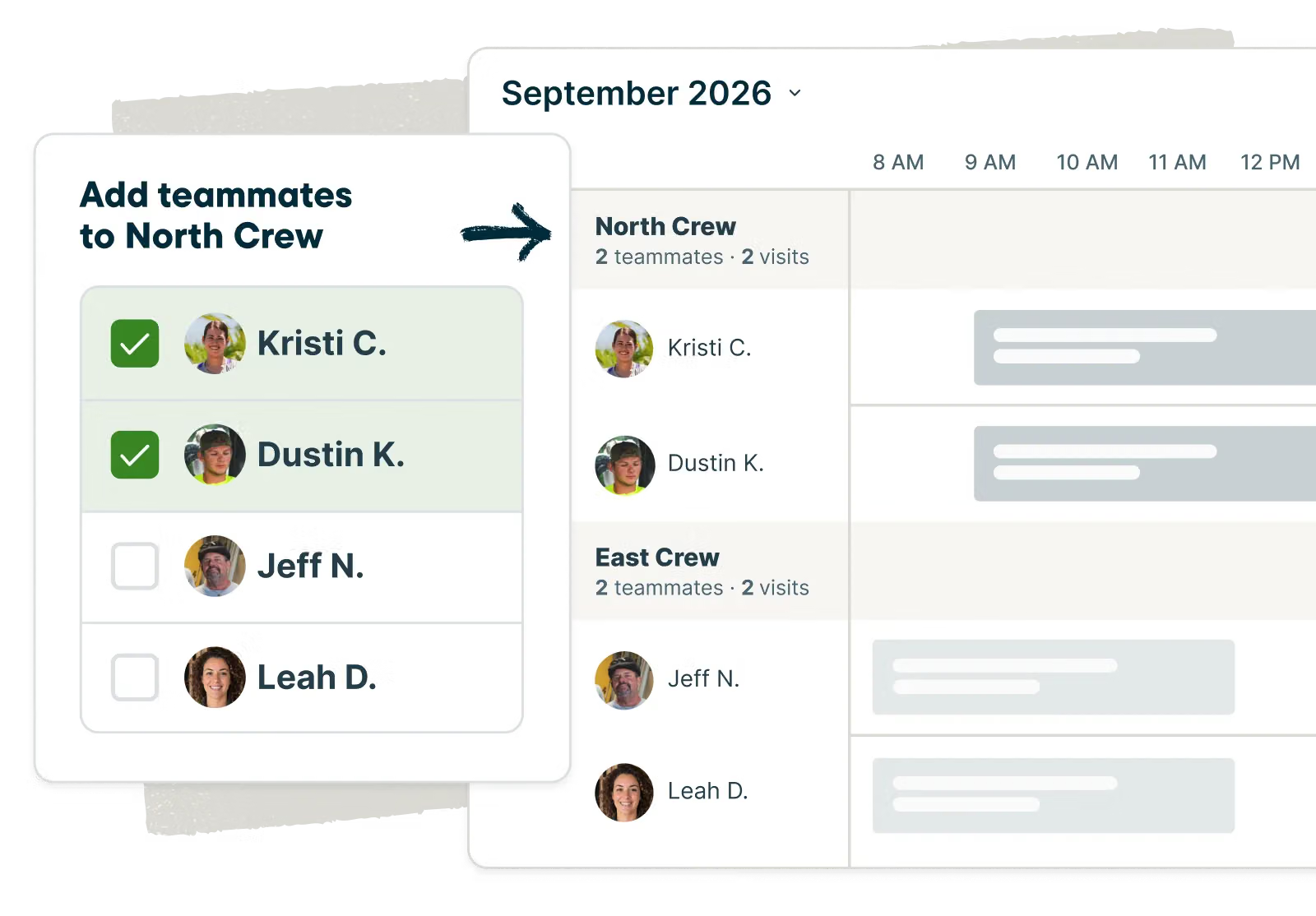
Jobber helps cleaning businesses manage schedules, from booking recurring cleans and one-off jobs to assigning work and keeping cleaners on track.
Jobber also combines quoting, invoicing, payments, client management, and other home service workflows. Whether you are a solo operator or manage a growing business, it helps you manage more of your operations in one place.
Best for
Jobber is a good fit for cleaning businesses that want scheduling, quoting, invoicing, and payments in one place. It can work for everyone from solo cleaning professionals to growing teams, whether you need commercial or residential cleaning software.
READ MORE: How one cleaning company uses Jobber
Key features
Jobber’s scheduling features include:
- Drag-and-drop calendar scheduling
- Recurring jobs
- Crew dispatch and job assignments
- Online booking and quote request forms
- Automated client reminders
- Mobile app for iOS and Android
- Time tracking
- Job checklists
- Client hub for appointment details and payments
[In] Jobber, we’re able to schedule our entire team, and you’re going to get an email the day before that says that we’re coming.
And you can log in at any time and you can see your upcoming schedule… That’s the value that you’re getting out of working with our team.

Pricing and free trial
Jobber offers a 14-day free trial with multiple plan options at different price points. The Core plan starts at $29/month when billed annually, Connect starts at $99/month, and Grow starts at $149/month.
Where it falls short
Jobber doesn’t offer a dedicated PTO or time-off request/approval workflow. An admin can block vacation time by adding a task or visit to a cleaner’s schedule, but cleaners don’t have a built-in process to submit time-off requests for approval.
2. ZenMaid: Best for solo and small maid services
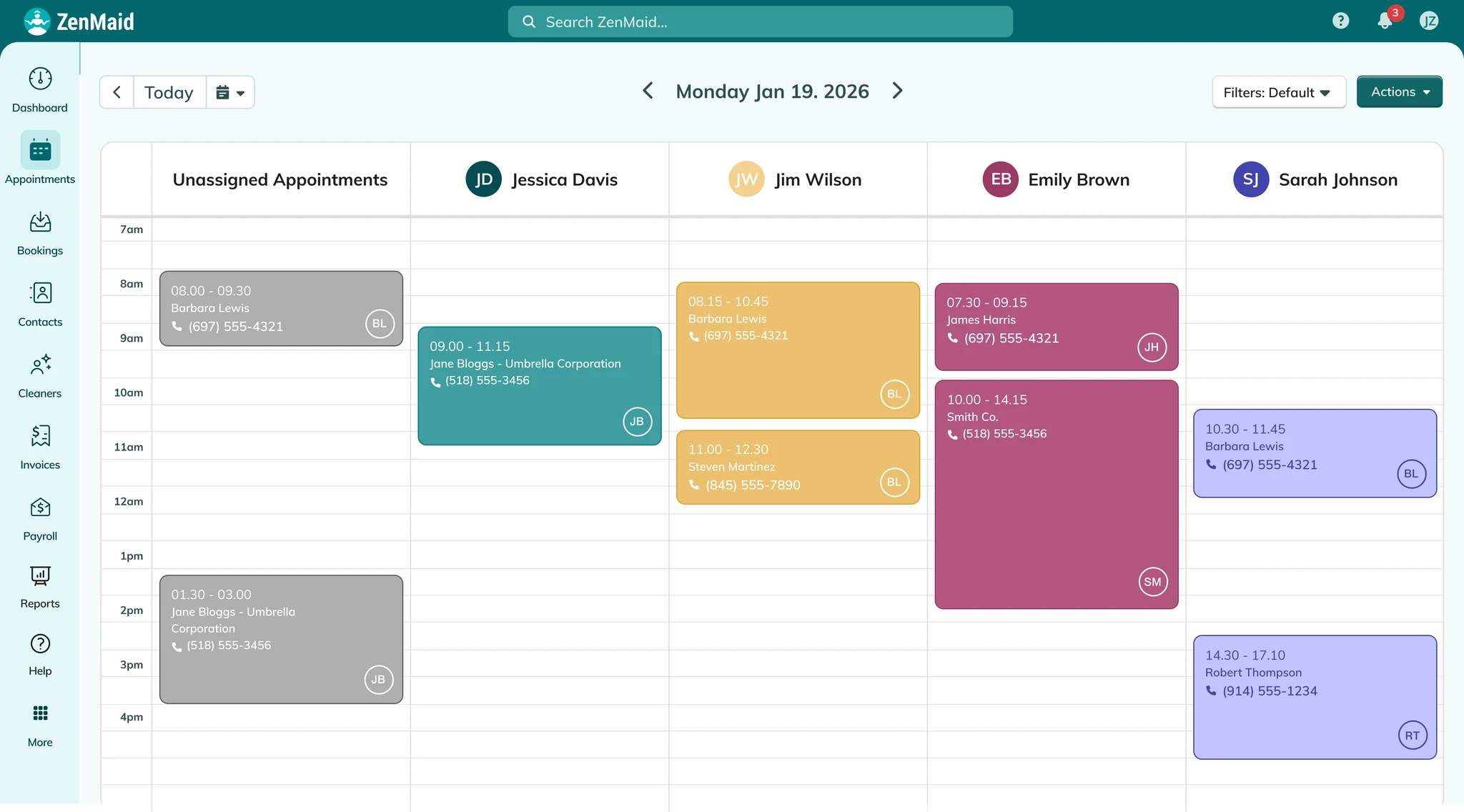
ZenMaid is maid service scheduling software built for the scheduling and communication needs of residential cleaning businesses. It focuses on recurring cleaning appointments, cleaner dispatch, client communication, and mobile access.
Best for
ZenMaid is best suited for solo operators and small maid service businesses who want a platform designed for cleaning companies. Its Starter plan is aimed at newer businesses, while Pro and Pro Max add tools for businesses with more appointments and cleaners.
Key scheduling features
ZenMaid’s scheduling features include:
- Recurring appointment scheduling
- Calendar, dispatch, and map views
- Online booking forms
- Automated SMS and email reminders
- Cleaner mobile app
- GPS tracking on supported plans
- Digital checklists
- Recurring-customer scheduling tools
Pricing and free trial
ZenMaid starts at $19/month USD for the Starter plan, which includes up to 40 appointments per month. Pro starts at $39/month and Pro Max at $49/month. A 14-day free trial is available. Added user fees apply depending on the plan, and SMS charges are additional with all plans.
Where it falls short
ZenMaid is focused heavily on cleaning operations. It may not be the right fit if your company needs a broader field service platform with more quoting, job costing, and business management features.
READ MORE: Jobber vs ZenMaid
3. Housecall Pro: Best for cleaning businesses needing field service management
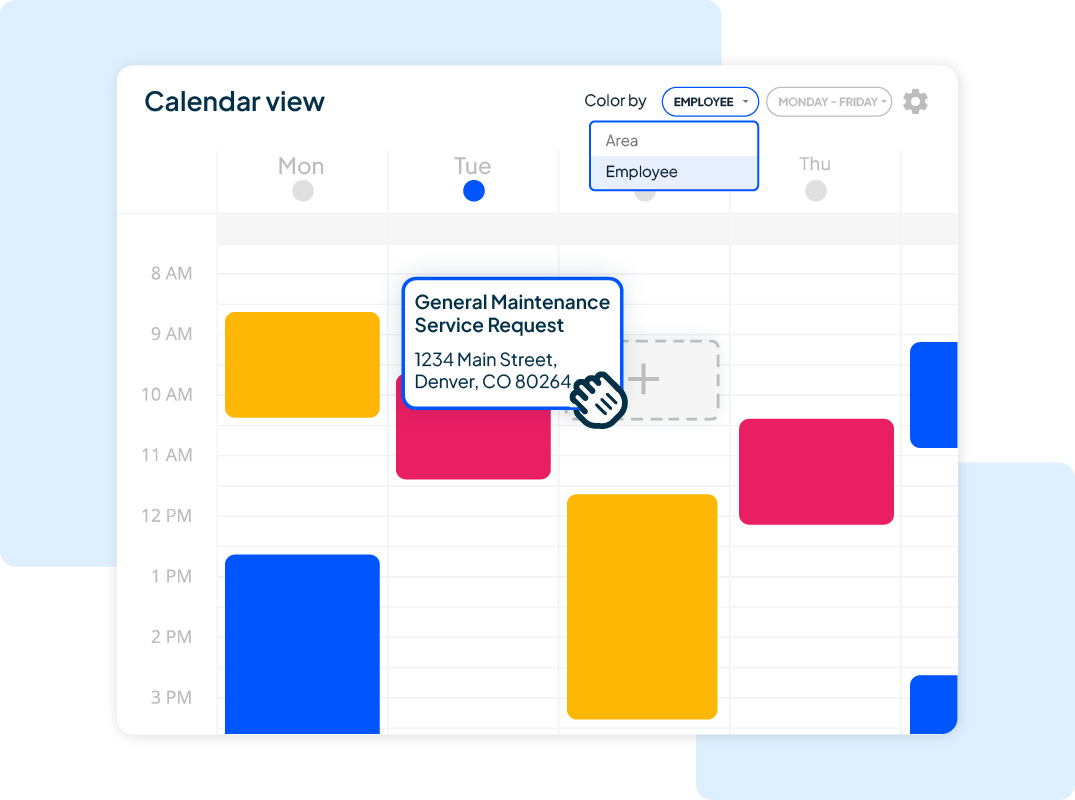
Housecall Pro is a field service platform that supports all types of home service businesses, including cleaning companies. It combines scheduling and dispatch with tools like online booking, invoicing, payments, and client communication.
Best for
Housecall Pro is a fit for cleaning businesses that want scheduling connected to a larger field service management system for solo operators and growing teams. Higher-level plans allow for more users, and they come with routing and other team management features.
Key scheduling features
Housecall Pro’s scheduling features include:
- Recurring jobs
- Scheduling and dispatching
- Online booking
- Text and email reminders
- Route management
- Route optimization (only available on the highest tiered plan)
- Mobile app for iOS and Android
- Time tracking
- Job checklists
Pricing and free trial
Housecall Pro’s Basic plan starts at $59/month for one user, Essentials starts at $149/month for five users, and MAX starts at $299/month for eight users. A 14-day free trial is available.
Where it falls short
If you’re only looking for recurring scheduling and online booking, Housecall Pro can be more software than your business needs. Some of its more advanced routing and team management capabilities are also reserved for higher plans.
READ MORE: Jobber vs Housecall Pro
4. Square Appointments: best for online bookings for very small teams
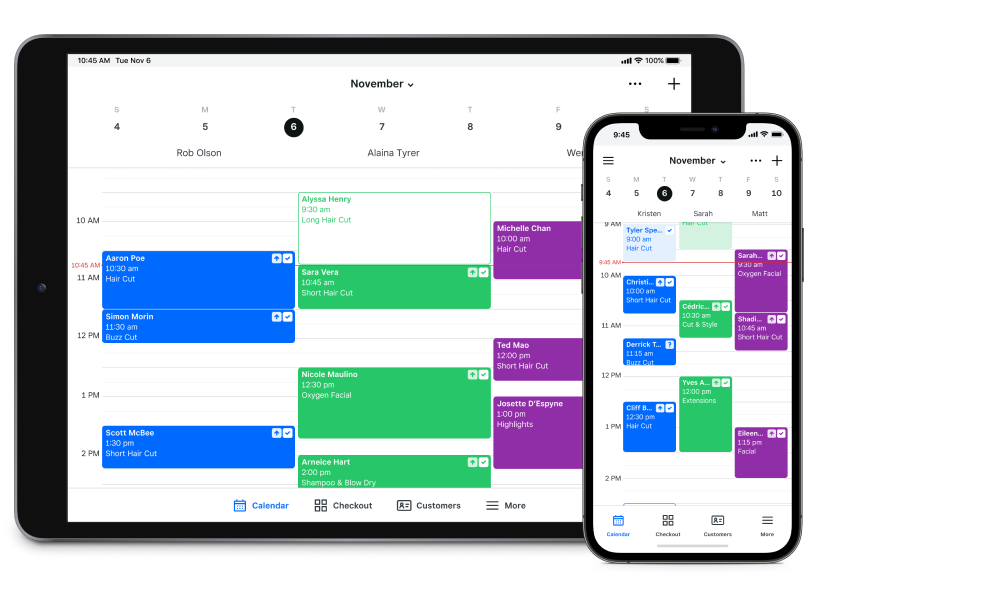
Square Appointments is a general appointment scheduling platform. It can be a practical option for very small operators needing online booking, calendars, reminders, and payments without a larger cleaning or field service system.
Best for
Square Appointments is best suited for solo cleaners or very small businesses wanting a straightforward way for clients to book appointments online. It’s less focused on workflows for growing teams, like dispatch and route planning.
Key scheduling features
Square Appointments’ scheduling features include:
- Online booking website
- Staff calendars
- Recurring appointments
- Automatic text and email reminders
- Customer confirmations
- Mobile access
Pricing and free trial
Square Appointments has a free plan for one location. Paid Plus and Premium plans start at $35/month and $85/month per location, with free trials available for the paid plans.
Where it falls short
Square Appointments isn’t built specifically for cleaning businesses. It doesn’t provide the same cleaning-specific focus on crew dispatch, field service job management, and route optimization that comes with purpose-built cleaning service software.
5. Appointy: best for appointment-based businesses
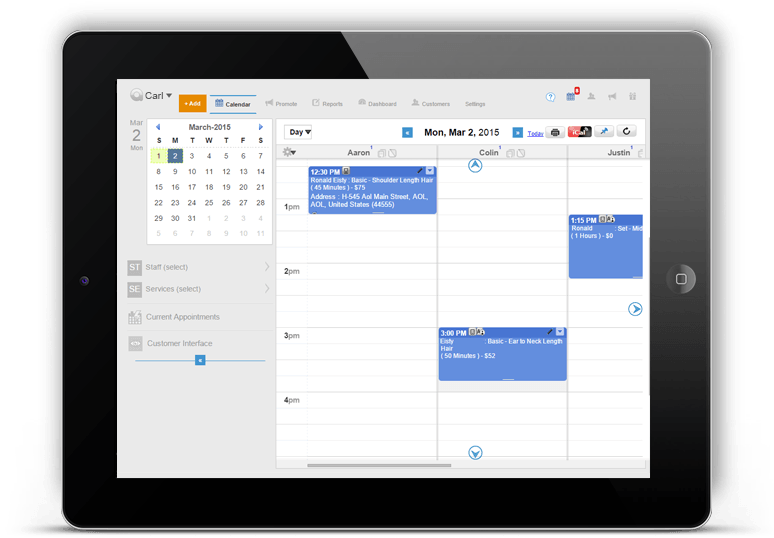
Appointy is a general appointment scheduling platform that can handle online bookings, recurring appointments, staff schedules, reminders, and rescheduling. It’s designed to support appointment-based businesses.
Best for
Appointy isn’t designed specifically for cleaning companies, but it can work for a solo operator who wants to use a shared scheduling system and let clients book appointments online.
Key scheduling features
Appointy’s scheduling features include:
- Online customer booking
- Recurring bookings
- Staff scheduling
- Appointment rescheduling
- Automated reminders
- Mobile app
- Google Calendar synchronization
- Multi-location scheduling on higher plans
Pricing and free trial
Appointy has a free plan for one staff member and up to 100 appointments per month. Paid plans start at $19.99/month for a Growth plan, $49.99 for Professional, and $79.99 for an Enterprise plan when billed annually. Appointy also offers a 14-day free trial.
Where it falls short
Appointy isn’t designed specifically for cleaning businesses. It provides appointment scheduling rather than a full cleaning business workflow. You may need extra tools to handle crew dispatch, field service job details, and other operational tasks.
6. FieldVibe: best for solo cleaning pros and small crews
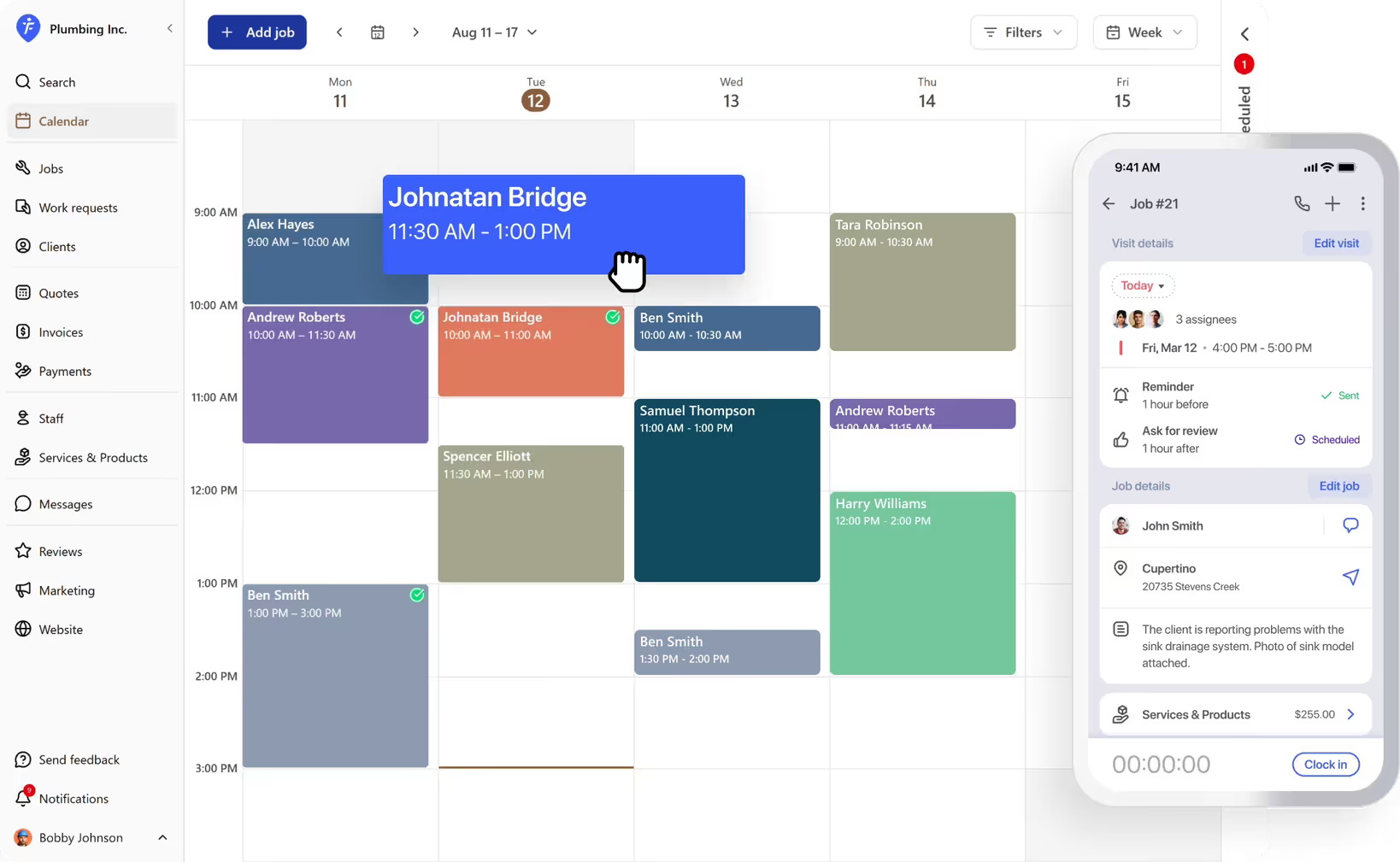
FieldVibe is a simple field service platform designed for solo service professionals and small teams. It combines job scheduling with client management, reminders, quotes, invoices, payments, and a business website.
Best for
FieldVibe is a good option for solo cleaners who want more than a calendar but don’t need a complex field service platform. Its flat-rate team pricing is also helpful for small cleaning teams that want to add staff without paying for each additional user.
Key scheduling features
FieldVibe’s scheduling features include:
- One-time and recurring visits
- Job scheduling
- Automated text reminders on paid plans
- Client records and notes
- Work requests
- Time tracking
- Mobile access
Pricing and free trial
FieldVibe has a free Solo plan for one user with unlimited jobs and clients, recurring visit scheduling, and manual reminders. Solo Pro starts at $20/month with more features for one user, while the Crews plan starts at $50/month with unlimited users.
Where it falls short
FieldVibe is intentionally simpler than larger field service platforms. If your business needs advanced route optimization, complex dispatching, or a larger collection of cleaning-specific features, you may need one of the other options on this list.
7. ServiceM8: Best for route-focused recurring work
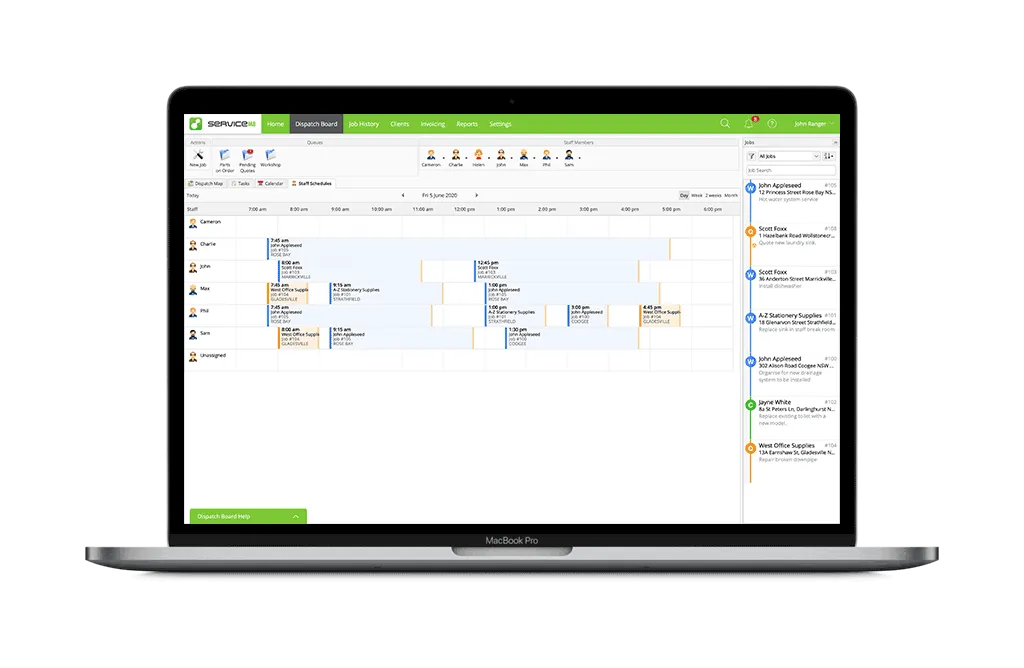
ServiceM8 is a general field service platform with tools for recurring jobs, dispatching, online booking, client communication, and mobile job management. Its auto-routing feature automatically schedules recurring work based on staff availability and travel efficiency.
Best for
ServiceM8 is best for small cleaning teams that have a high volume of recurring jobs and want scheduling tied to dispatch and route optimization. It can also support businesses needing quoting, invoicing, online booking, and job information in the same system.
Key scheduling features
ServiceM8’s scheduling features include:
- Recurring jobs
- Staff scheduling and dispatch
- Online booking
- Automated client communication
- Mobile job access
- Job checklists
- Job notes and photos
- Time tracking
- Auto-routing for recurring jobs
Pricing and free trial
ServiceM8’s pricing starts with a free plan, and a 14-day free trial is available. Paid tiers have monthly job limits and include Starter at $29/month, Growing at $79/month, Premium at $149/month, and Premium Plus at $349/month (CAD pricing).
Where it falls short
Some of ServiceM8’s recurring work and routing capabilities are provided through add-ons, so the base subscription doesn’t include every scheduling feature you may want. It also doesn’t provide the same app experience on both iOS and Android.
READ MORE: Jobber vs ServiceM8
8. Launch27: Best for house cleaning and maid service businesses
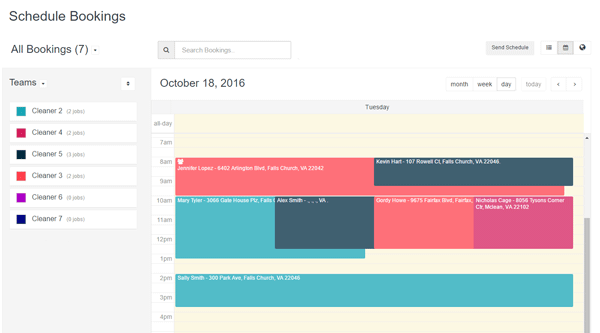
Launch27 is a cleaning-specific platform for online booking, scheduling, customer communication, and recurring maid service appointments. It’s designed to reduce the manual work involved in accepting bookings and keeping customers informed.
Best for
Launch27 is best suited to house cleaning and maid service businesses that want to let clients book online, manage recurring appointments, and clean up their schedules. It can also work for businesses that want to embed booking into WordPress, Squarespace, Wix, or Facebook.
Key scheduling features
Launch27’s scheduling features include:
- Online booking
- Recurring cleaning appointments
- Scheduling conflict prevention
- Cleaner and employee scheduling
- Booking and availability management
- Automated email reminders
- Automated text reminders
- Map view and Google Maps integration
- Mobile app access for cleaners and admins (available on the highest tiered plan)
- Time tracking reports
Pricing and free trial
Launch27 starts at $75/month for its Base plan. The Pro plan is $150/month and Plus is $299/month. A 14-day free trial is available.
Where it falls short
Launch27 is focused on booking and cleaning service operations. It may not be the right fit if you need broader field service management. Some useful features—like time tracking reports, SMS reminders, map views, and mobile app access—are also limited to higher plans.
How to choose the right scheduling software for your cleaning business
The right scheduling software depends on your team size, job types, and how much of your business you want to manage from one platform.
A solo cleaner with a few recurring house cleans may only need online booking, recurring appointments, and client reminders. On the other hand, a commercial or janitorial company with several crews may need dispatching, route optimization, time tracking, and detailed job info.
Before choosing a platform, set up a few real scenarios to test out the software and ensure it meets your business needs. For example:
- Schedule a recurring clean.
- Move one appointment to a different date and time.
- Assign jobs to different cleaners.
- Send a visit reminder to a client.
- Check what a cleaner sees from their phone.
The right system should make those routine tasks easier, not create another layer of admin.
If your business is focused on maid service scheduling, a cleaning-specific option like ZenMaid or Launch27 may provide a workflow that’s closer to the way your team operates.
If you want scheduling connected to quoting, invoicing, payments, and other business tasks, all-in-one cleaning business software like Jobber can reduce the need to switch between separate tools.
Frequently Asked Questions
-
The right scheduling app depends on the business’s size and workflow. Jobber is an all-in-one option for cleaning businesses that want scheduling alongside quoting, invoicing, payments, client management, and time tracking. Platforms like ZenMaid and Launch27, on the other hand, are more focused on residential cleaning and maid service workflows.
-
Commercial cleaning businesses generally need more than a basic appointment calendar. Look for scheduling software that supports:
• Recurring contracts
• Multiple cleaners or teams
• Dispatching and route planning
• Time tracking
• Job details
• Client communication
Janitorial software like Jobber, Housecall Pro, and ServiceM8 provide broader field service capabilities that can support these workflows. -
At minimum, your cleaning scheduling software should support:
• Recurring and one-time jobs
• Cleaner assignment
• Calendar-based scheduling
• Client reminders
• Mobile access
As your team grows, look for software that provides online booking, route optimization, time tracking, scheduling conflict prevention, and automated client communication to help reduce admin work.