
Key takeaways:
If you’re evaluating Aspire Landscape Software or exploring alternatives, it’s important to find the best landscaping business software for your team, your workflow, and your budget.
- Aspire offers robust business management features for larger landscaping companies. It helps with estimating, scheduling, invoicing, CRM, and reporting, but is generally geared toward mid-sized to enterprise-level businesses and may be less customizable and user-friendly than some competitors.
- Several alternatives provide cost-effective and scalable options for landscaping businesses of any size. Top choices like Jobber, Service Autopilot, RealGreen, Housecall Pro, LMN, Zoho FSM, and Yardbook offer a mix of essential features—including scheduling, quoting, invoicing, client management, and automation tools.
- User experience and learning curve vary across platforms. While Aspire stands out for enterprise functionality, competitors like Jobber and Yardbook earn praise for ease of use and accessibility, making them great options if you’re starting out or want streamlined operations.
- Consider specific business needs, automation, integrations, and long-term scalability when choosing software. Evaluate where you spend the most time, which features will streamline operations, and what you can afford for maximum productivity without overspending.
- Marketing and customer communication tools differ widely. Some platforms include email campaigns, online booking, client portals, or review management, while others require additional products or lack these features. Make sure your choice fits your outreach and growth goals.
Want more strategies to grow and organize your landscaping business? Sign up for the Jobber Newsletter for expert tips sent straight to your inbox.
Your landscaping company is only as strong as the tools you use to run it. That includes your business software.
Aspire landscape software includes features like quoting, invoicing, scheduling, and time tracking. But it’s not your only option—or even your best option—if you’re looking for cost-effective software.
To help you find the right option, we’ve rounded up several Aspire Landscape Software alternatives that’ll help you trim costs, boost productivity, and grow your business.
Everything you need to know about Aspire landscaping software:
What is Aspire landscape software?
Aspire landscape software is a cloud-based management system for landscaping companies. It offers estimating, scheduling, job costing, and reporting across multiple crews and job types.
It brings sales, operations, and accounting into one platform so you can view job progress and see what’s happening in the field.
The software is designed especially for mid-sized and large landscaping and lawn care businesses. However, its features are also useful for snow removal and cleaning businesses.
Product features
Aspire’s top features include:
- Scheduling: Manage a live schedule with drag-and-drop calendars and recurring job creation.
- Job costing: Automatically factor your company’s markups and pricing for your landscape jobs and use historical job cost data for future jobs.
- Estimating: Create templates for easy estimate creation that clients can approve from an online portal.
- CRM: Bulk-enter contacts and properties for a clear view of pipeline progress.
- Invoicing: Invoice clients immediately or send progress invoices at certain milestones.
- Reporting: Review and use your data to improve business operations.
- Aspire Mobile: Access and manage job information on the go.
Aspire landscape software reviews
We’ve gone through Aspire software reviews on third-party review websites to get insights into the platform’s strengths and weaknesses. Here’s what we found.
Overall
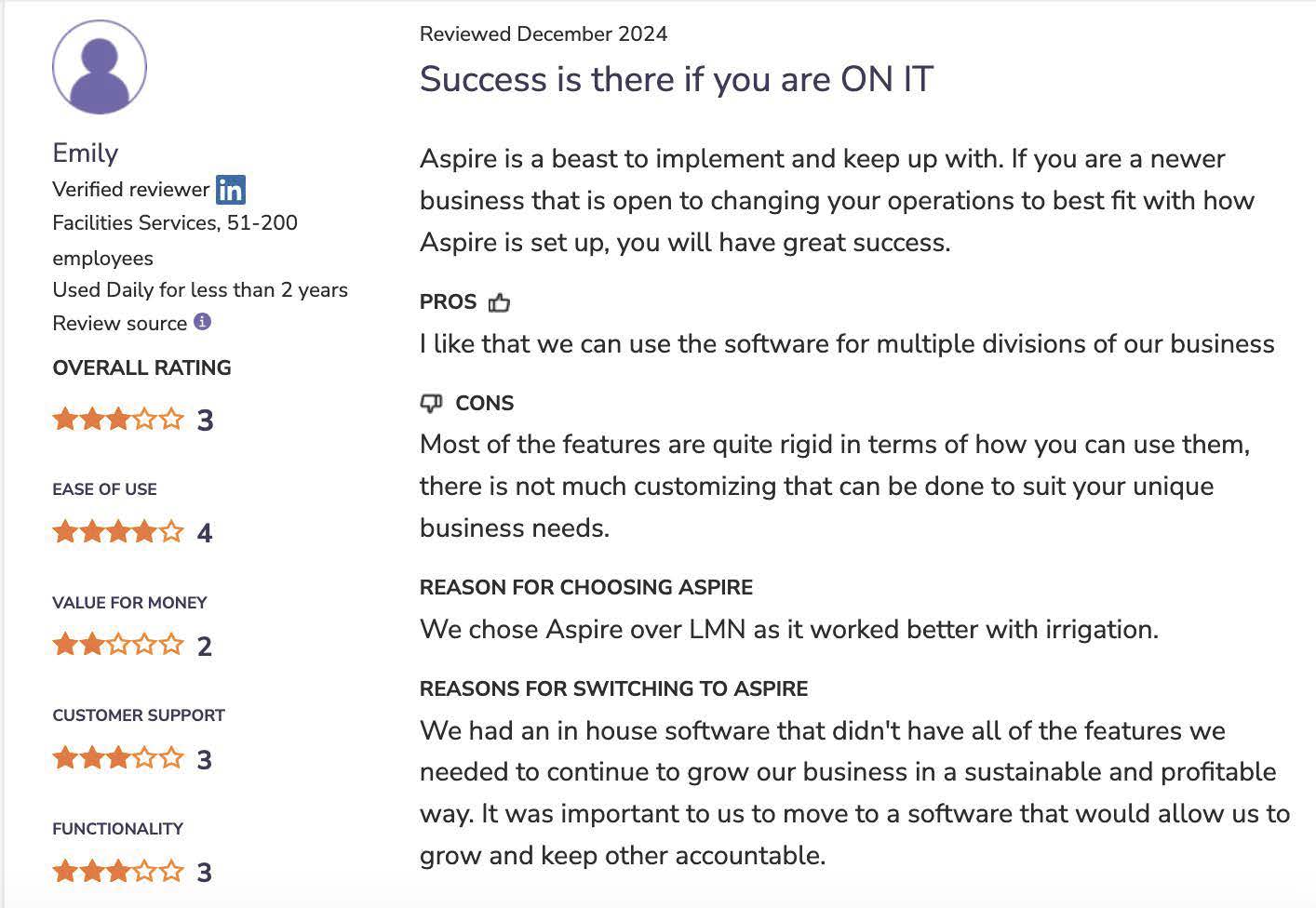
Customers enjoy Aspire’s enhanced functionality, which helps manage several workflows. However, some users commented on the lack of customization, suggesting you have to change your business to fit Aspire—not the other way around.
Ease of use
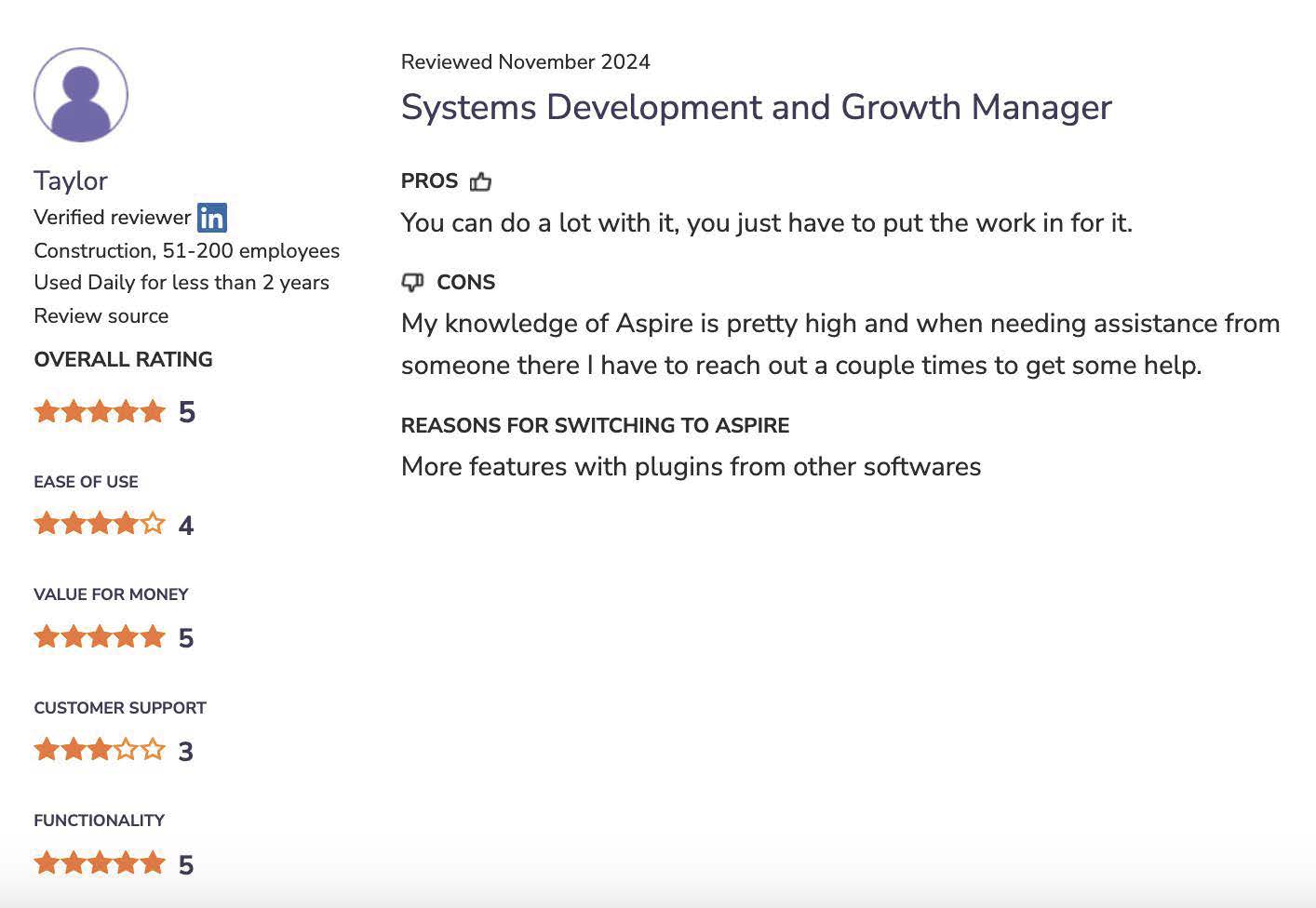
A common complaint in reviews is that Aspire landscaping software isn’t easy to use. Even experienced Aspire customers occasionally need help using the software.
Invoicing
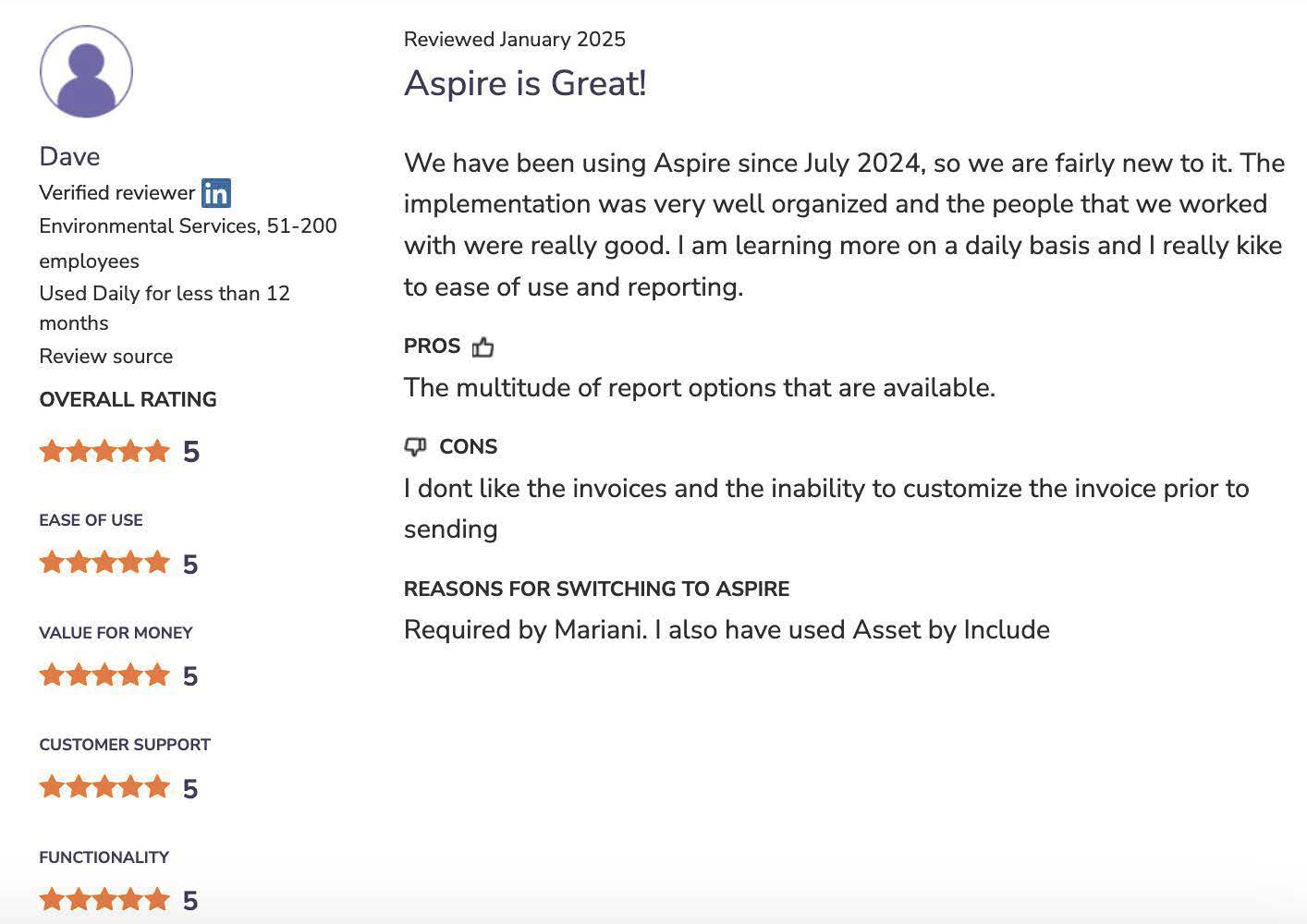
Aspire offers extensive invoicing features that make the process much smoother. However, some users didn’t like the limited customization options for invoices, contracts, purchase orders, and other documents.
Marketing capabilities
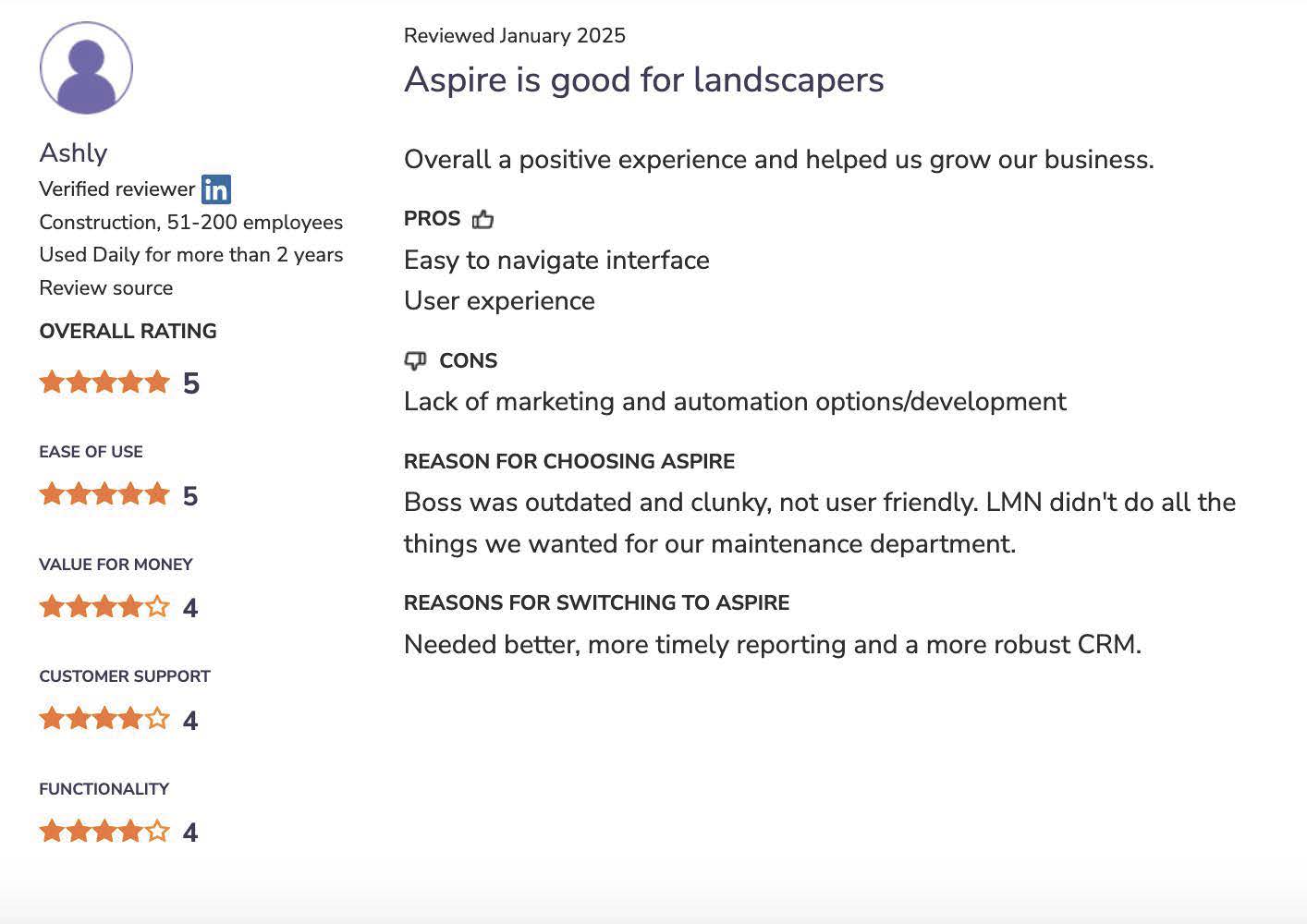
Aspire lacks landscaper marketing features like email campaigns and website creation. While Aspire offers the Marketing Pro platform, it’s a separate product with an additional cost.
How much does Aspire Landscape Software cost?
Aspire doesn’t share software prices on its website. You’ll need to book a demo to receive a quote.
The company recommends software plans based on how much your landscaping business earns in annual revenue:
- Aspire Growth: $1 million to $5 million revenue stream
- Corporate: $5 million to $13 million revenue stream
- Enterprise: Over $13 million revenue stream
That said, several users on landscape industry forums have stated that Aspire is more expensive than other landscape business software.
Overall, Aspire software pricing is geared toward enterprise-level businesses, and not small or medium-sized businesses. If you’re just starting out, you may want to look for a lower-priced alternative.
Top Aspire landscape alternatives
If you want cost-effective landscaping business software without breaking the bank, we’ve got you covered.
We did our own independent research by looking through landscaping industry forums and app sites like Capterra. Keep reading for alternative software for running your landscaping business.
Disclaimer: Software prices are subject to change after the publication of this article
| App name | Best for | Key features | Price | Free trial |
|---|---|---|---|---|
| Jobber | Landscaping businesses (and other field service businesses) looking for all-in-one field service management software | • Professional quotes • Efficient job scheduling • Streamlined invoicing and payments | Starting at $29 per user per month | Yes |
| Service Autopilot | Businesses with recurring routes and multi-day jobs | • Scheduling and route optimization • Job costing and reporting • Invoicing and payment tracking | Starting at $49 per month + sign-up fee | Yes |
| RealGreen | Green industry businesses, particularly franchises | • CRM and customer portal • Scheduling and routing • Marketing automation tools | Must request pricing | No |
| Housecall Pro | Field service businesses (not just landscaping) | • Scheduling with drag-and-drop calendar • Invoicing, payments, and price books • Online booking and customer communications | Starting at $59 per month | Yes |
| LMN | Businesses focused on cost tracking and profitability | • Budgeting and estimating tools • Job, equipment, and material costing • Crew scheduling | Starting at $297 per month | No |
| Zoho FSM | Small to mid-size teams | • Work orders and estimates • Dispatch console with map and calendar views • Mobile app access | Free plan available, then $31.25 per month | Yes |
| Yardbook | Solo operators and small businesses | • Customer management • Scheduling and routing • Estimates, invoices, and payments | Free plan available, then $34.99 per month | Yes |
1. Jobber
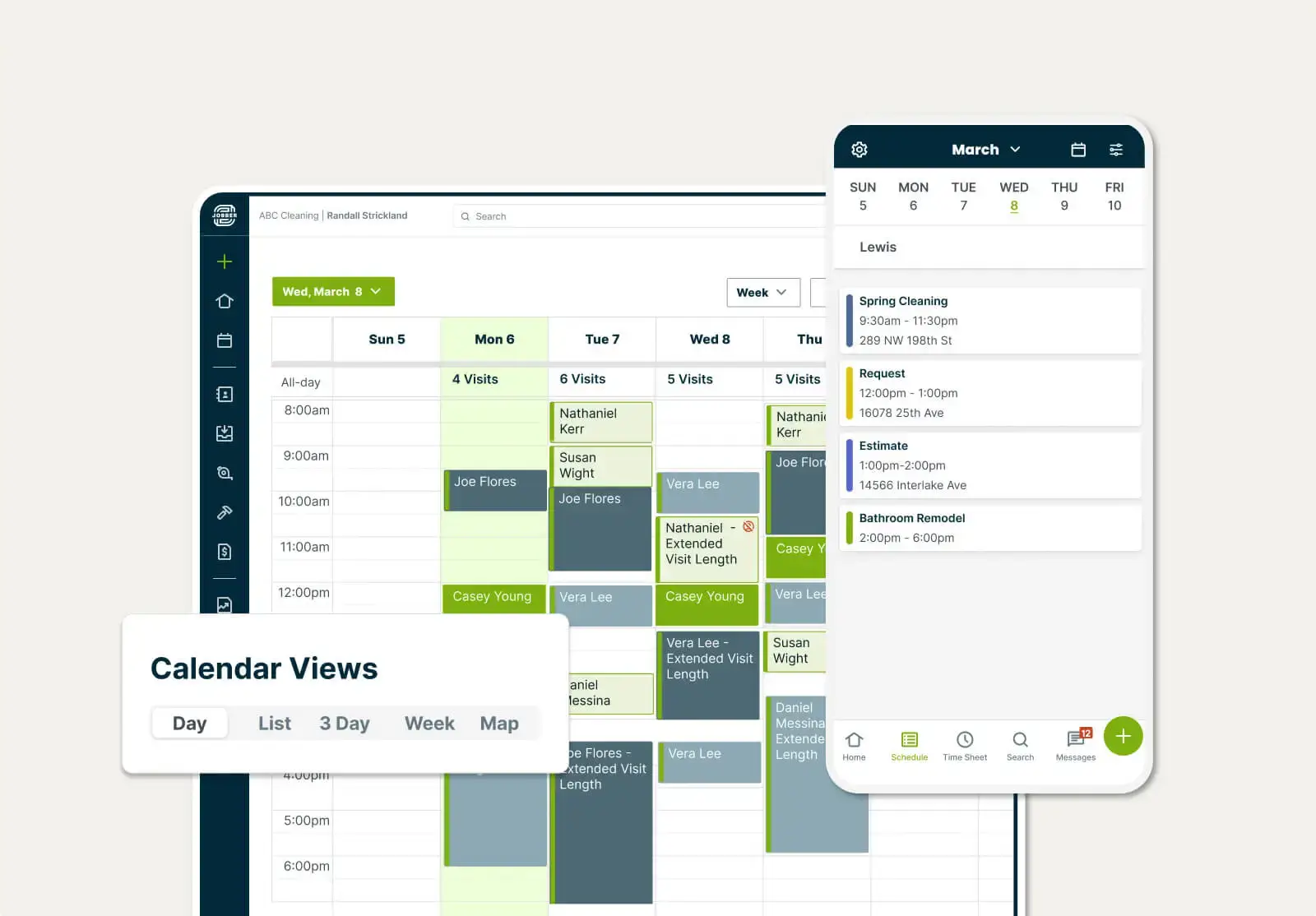
Jobber is field service management software for businesses of all sizes and stages, whether you’re just getting started, you’ve been running your company for years, or you own a landscaping franchise.
It has everything you need to keep your business organized. Jobber lets you schedule landscaping jobs, create and send invoices, collect payments, and manage your clients, all from one comprehensive platform.
These are just a few of Jobber’s top features for landscape contractors:
CRM
Access essential job details while you’re on site using Jobber’s field service CRM, like your client’s name and address, care instructions for their lawn, and where to park your work vehicle.
With a landscaping CRM, you can also find customer information like quotes, jobs, invoices, and billing history for easy reference. All of these details help you provide better service.
Scheduling
Schedule jobs fast and make quick changes with Jobber’s drag-and-drop calendar. Your employees will see any changes right away with team push notifications on their devices.
You can set up both one-off and recurring jobs, depending on what your clients need. Route optimization helps you plan the most efficient driving routes, cutting travel time and fuel costs.
It’s also easy to keep track of your crew’s progress and location with GPS tracking and reroute team members to accommodate last-minute requests.
READ MORE: Best landscaping scheduling apps
Before Jobber, I was constantly having to adjust my schedule to meet the customer’s needs as opposed to the business’s needs.
Now, every customer is constantly telling us how professional we are, and it’s because of Jobber.

Job management
Manage every job from start to finish in Jobber. Access job details in the office or on site, including forms and checklists, and track time for accurate payroll and invoicing.
Send automated client communications like visit reminders, on-my-way texts, and job follow-ups so your clients know what to expect—and when you’ll arrive.
Quoting
With Jobber, you can create clear, professional quotes in minutes. Add images, detailed service descriptions, and optional line items so customers know exactly what they’re getting before they approve.
Set up automated follow-ups to remind customers about open quotes and keep jobs moving. Clients can review and approve quotes directly through the self-serve online portal, which helps you close work faster and avoid missed revenue.
With Jobber’s landscaping software, you can also:
- Accept online bookings and turn service requests into scheduled site assessments.
- Track job costs in one place and view profit margins as you complete each job.
- Get paid sooner with automatic, in-person, and credit card payments, including employee tips.
- Offer progress invoicing so you get paid at major milestones throughout the project.
- Advertise your business with email campaigns, review management, and referral programs.
- Use artificial intelligence (AI Receptionist) to answer calls and texts anytime, even when you’re out of the office.
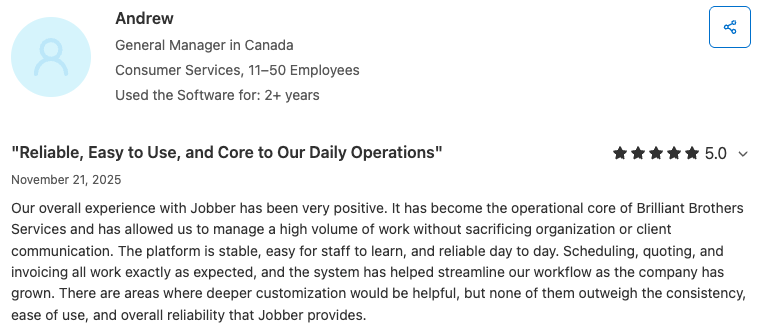
Users love Jobber’s scheduling, quoting, invoicing, and workflow management features:
Check out Jobber’s website for pricing.
What Jobber has that Aspire doesn’t
- Jobber Websites: Use the custom website builder to create a unique website in minutes, including a built-in request form to capture leads.
- Jobber Reviews: Set up automatic review collection and monitor your overall Google rating from your Jobber dashboard.
- Online booking: Let your customers be the ones to fill your schedule by booking appointments online.
- Mobile card reader: Get paid on the spot for better cash flow and control of your business.
- Two-way text messaging: Text with clients on the go to make sure everyone stays in the loop.
You don’t have to be a tech wizard to figure out the [Jobber] app—it was pretty simple.
In just a couple hours, I got my project manager on the app, figured out how to use it and started using it every single day.
2. Service Autopilot
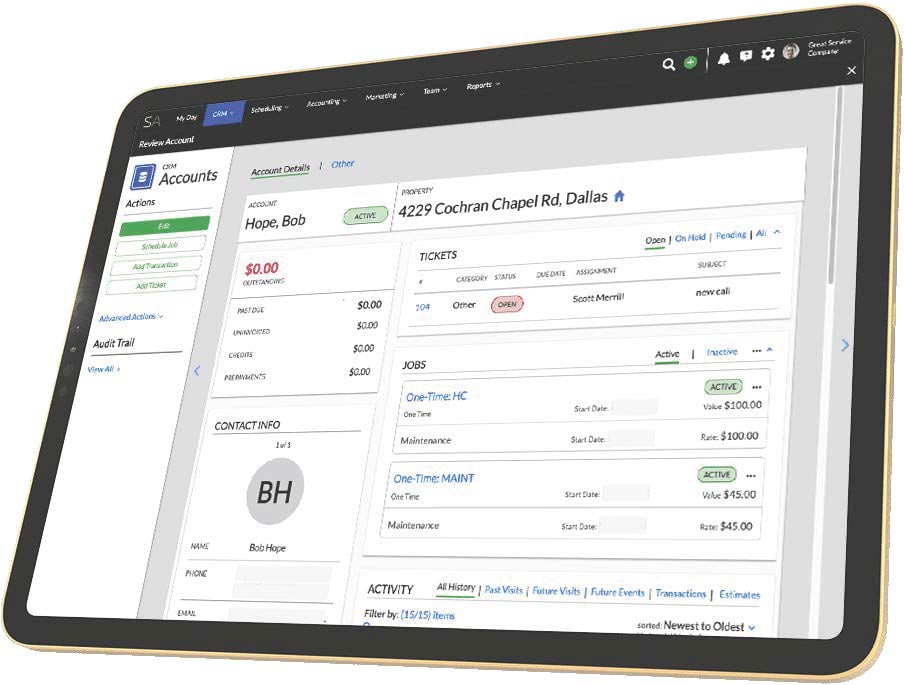
Service Autopilot is another popular business management software designed for field service businesses, especially landscaping, lawn care, and snow removal companies.
Like Aspire, Service Autopilot is built to help landscaping companies manage scheduling, dispatching, billing, and customer relationships all in one place.
Service Autopilot’s top features include:
- Multi-day project scheduling
- Instant invoicing
- Weekly, bi-weekly, or monthly recurring job scheduling
- QuickBooks Online sync
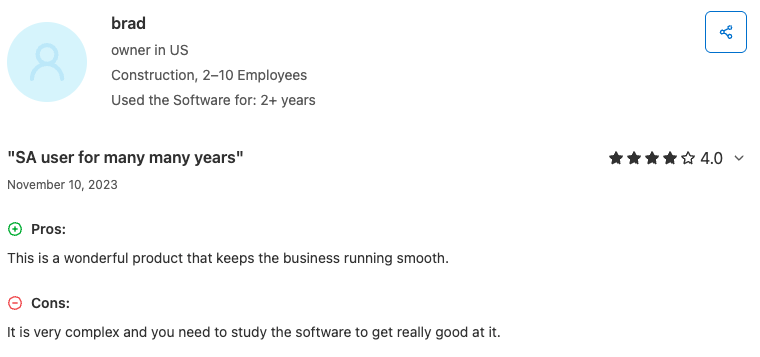
Some Service Autopilot users mentioned liking the company’s features, like customization and automation. However, reviews also mention issues with customer service and lengthy account setup timelines.
Check out Service Autopilot’s website for pricing.
What Service Autopilot has that Aspire doesn’t
- Service Autopilot lets you create custom and multi-page forms for your website.
- It includes built-in smart maps with property measurement and route optimization.
- You can build custom automated workflows for follow-ups, billing, surveys, and marketing campaigns.
- It supports immediate in-system credit card processing workflows.
Service Autopilot offers built-in marketing campaign management and review request features, which aren’t part of the core Aspire software.
However, Service Autopilot doesn’t have a self-serve client portal or automated follow-ups on quotes. You can get those features with Jobber.
3. RealGreen
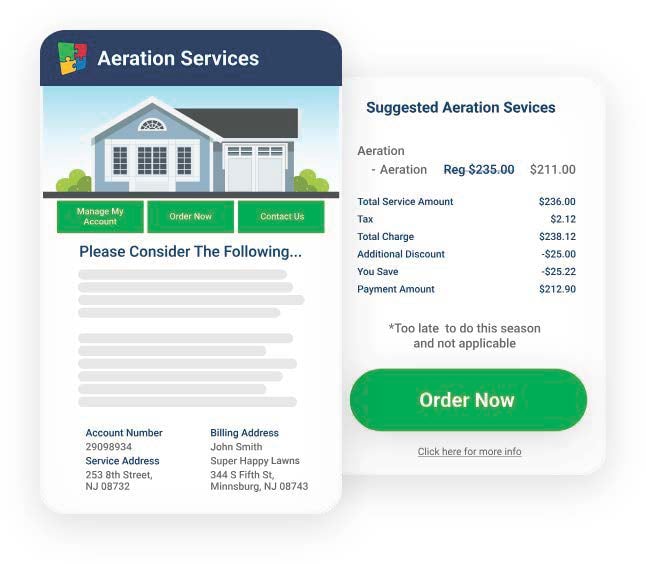
Made by WorkWave, RealGreen landscape software is a field service and CRM platform built for green industry businesses to manage operations, customer relationships, and field service workflows.
The software combines estimating, dispatching, job tracking, invoicing, automated communications, and reporting to help teams run jobs more efficiently.
RealGreen’s top features include:
- Mobile time clock for employee time tracking
- Online customer portal
- Custom reporting
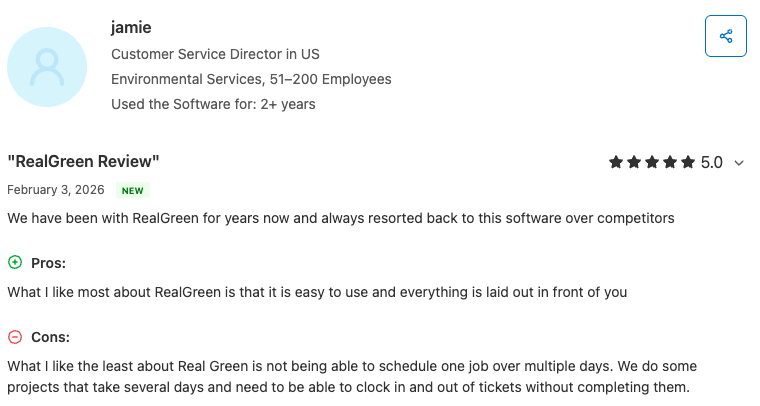
Some reviewers said RealGreen makes it easy to manage scheduling, billing, and routing. However, they reported frustration with slow performance, costly pricing, and inconsistent support.
Check out RealGreen’s website for pricing.
What RealGreen has that Aspire doesn’t
- RealGreen has property measurement tools that let you map sites in the platform.
- It optimizes routes for faster travel time so you can fit more jobs into the workday.
- It provides automated marketing campaigns for email, SMS, print, and direct mail.
- RealGreen automates customer notifications, reminders, and alerts within the CRM.
The mobile live feature keeps crews connected with real‑time schedule updates and truck tracking.
However, RealGreen doesn’t have a self-serve client portal, automated on-my-way text messages to clients, time tracking, or instant payouts. You can get these features with Jobber.
4. Housecall Pro
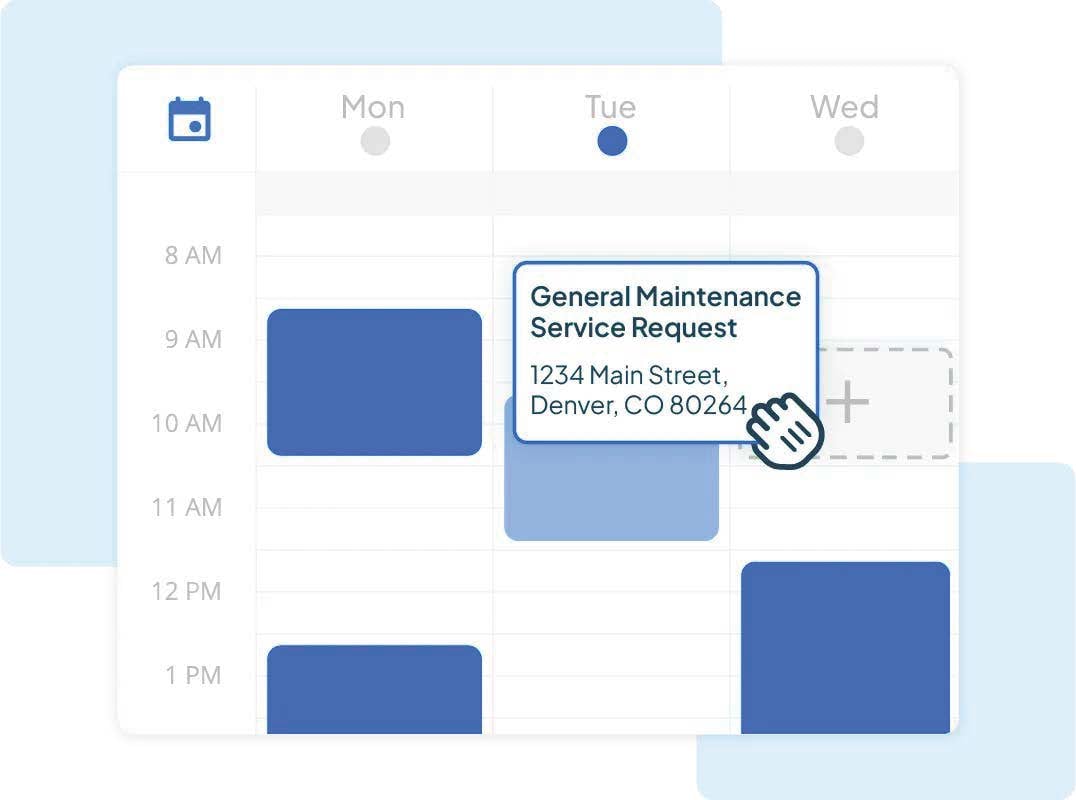
Housecall Pro is a mobile-friendly field service management platform that helps businesses handle scheduling, dispatching, invoicing, payments, and customer communication.
It’s built for small to mid‑sized home service companies, including landscaping professionals, plumbers, HVAC techs, cleaners, and contractors running construction projects.
Housecall Pro’s top features include:
- Online booking through a customer portal
- Scheduling and real-time dispatch updates
- Employee time tracking
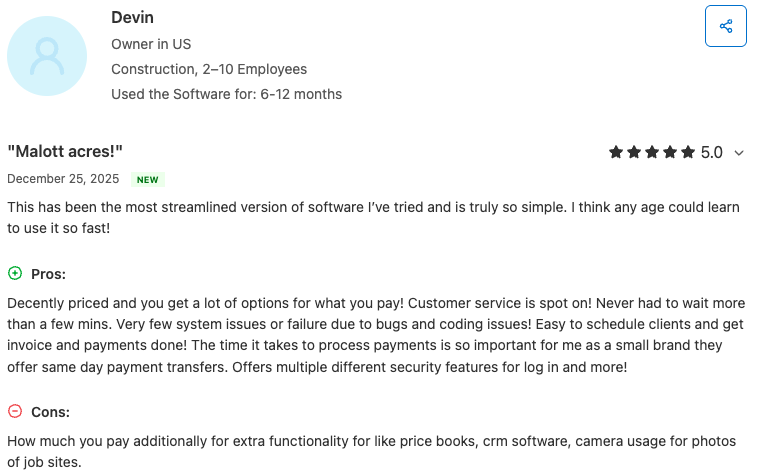
Users said Housecall Pro is easy to use and helps streamline scheduling, invoicing, and payment processing, but at a price point that feels too high for smaller businesses.
Check out Housecall Pro’s website for pricing.
What Housecall Pro has that Aspire doesn’t
- Housecall Pro lets customers book services online from your website.
- It sends automated technician updates and tracks crews in real time using GPS.
- It automates review requests to collect client feedback and boost your reputation.
- It supports instant payment options so you can get funds quickly after processing.
- Housecall Pro has two-way messaging between your employees and customers.
However, Housecall Pro doesn’t offer route optimization, built-in automation, or a free marketing website. You can get these features with Jobber.
5. LMN
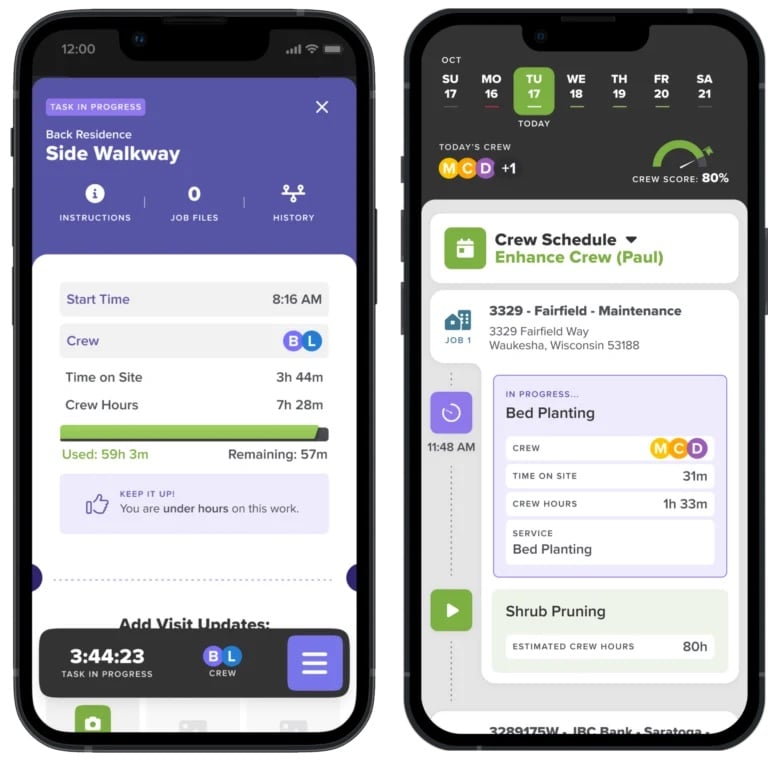
Owned by Granum, LMN is landscaping business software for companies that need tighter control over their operations and profitability.
It helps teams of all sizes maintain client relationships, build budget‑based estimates, schedule and track jobs, manage invoicing and payments, and monitor job costs and performance.
LMN’s top features include:
- Budget-based estimating
- Automated scheduling with job and time tracking
- Invoicing, payments, job costing, and reporting
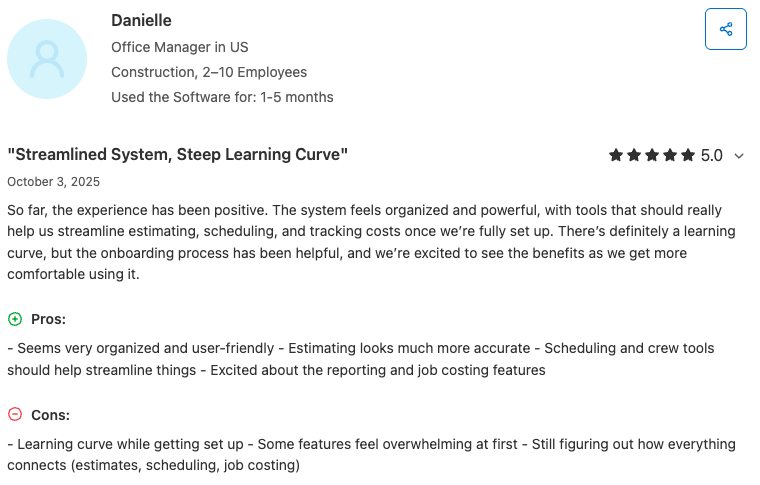
Users appreciate that LMN helps them understand real costs, improve estimating, and streamline budgeting across jobs. However, they raise concerns about its steep learning curve and time-consuming setup.
Check out the Granum website for LMN pricing.
What LMN has that Aspire doesn’t
- LMN’s mobile crew app works offline for time tracking, notes, and photos.
- It supports native SMS messaging to keep clients informed from the platform.
- LMN provides tools to track vendor and subcontractor bills at the job level.
However, LMN doesn’t offer online booking, automated customer communications, mobile GPS tracking and job forms, or marketing tools like reviews and campaigns. You can get these features with Jobber.
6. Zoho FSM
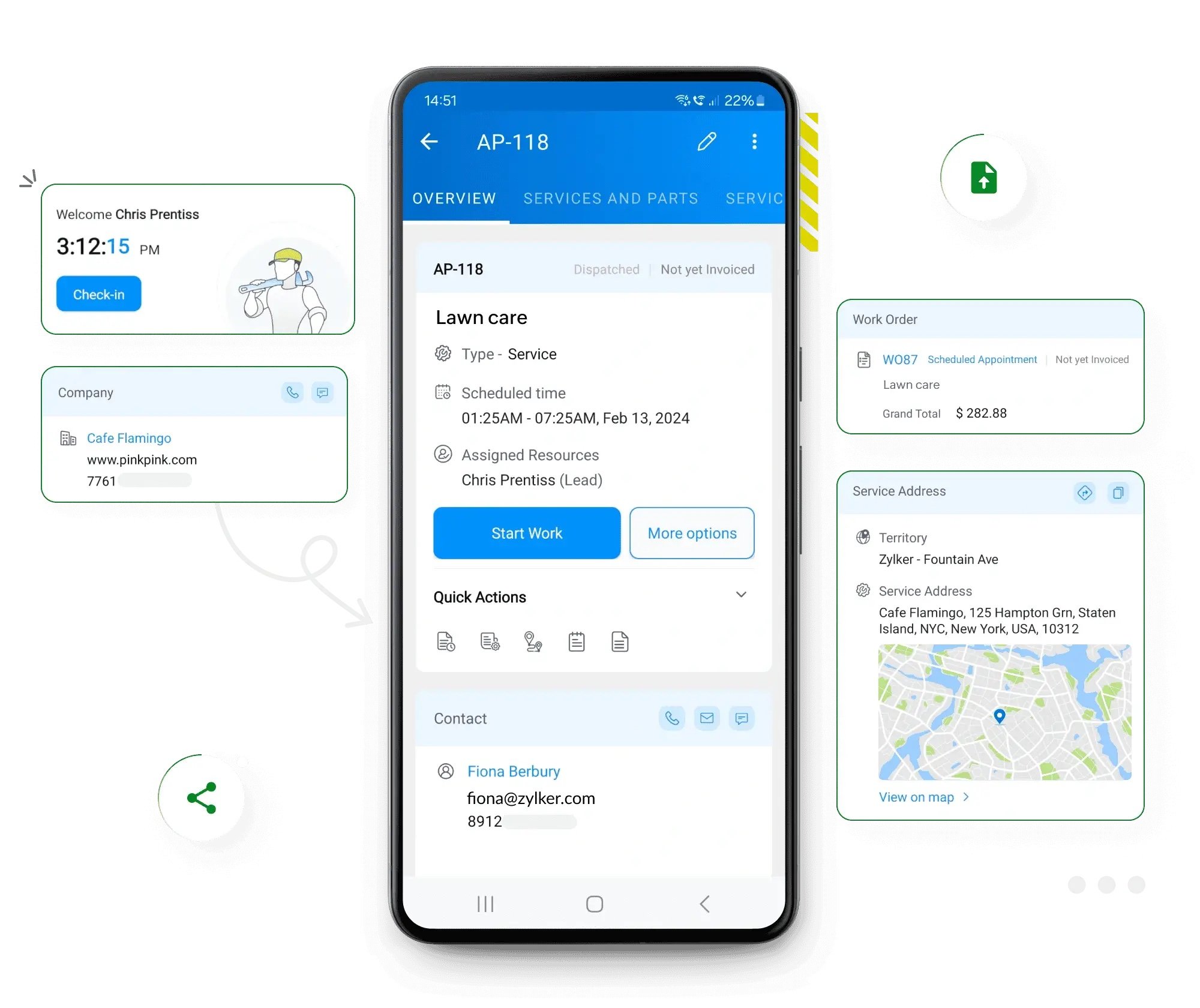
Zoho FSM is a field service management platform for landscapers, HVAC, pest control, and other service contractors.
It helps small to mid-sized service businesses handle work orders, scheduling, dispatching, and invoicing for one-off and ongoing service visits. Zoho FSM also integrates with other Zoho apps at an additional cost.
Zoho FSM’s top features for landscapers include:
- Customer management tools
- Work order, services, and team management
- Automations and integrations for extra features
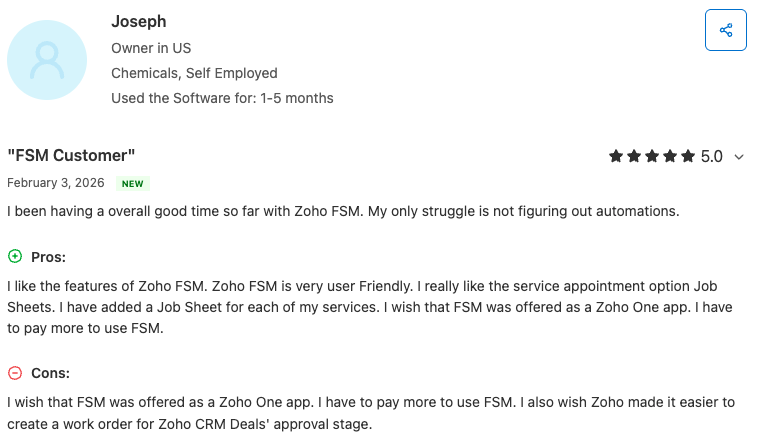
Users like that Zoho FSM is user‑friendly and integrates with other Zoho software. They also noted concerns with the learning curve, issues with workflow customization, and added costs for other Zoho apps.
Check out Zoho FSM’s website for pricing.
What Zoho FSM has that Aspire doesn’t
- Zoho FSM uses standardized job sheets and work order templates for field tasks.
- Real‑time field tech location and trip logs make dispatching easier.
- It supports customer communication using built-in email, WhatsApp, and webforms.
- Zoho FSM lets you customize and automate your field workflows.
However, Zoho doesn’t have a self-serve client portal or built-in marketing tools like a free website or review management. You can get these features with Jobber.
7. Yardbook
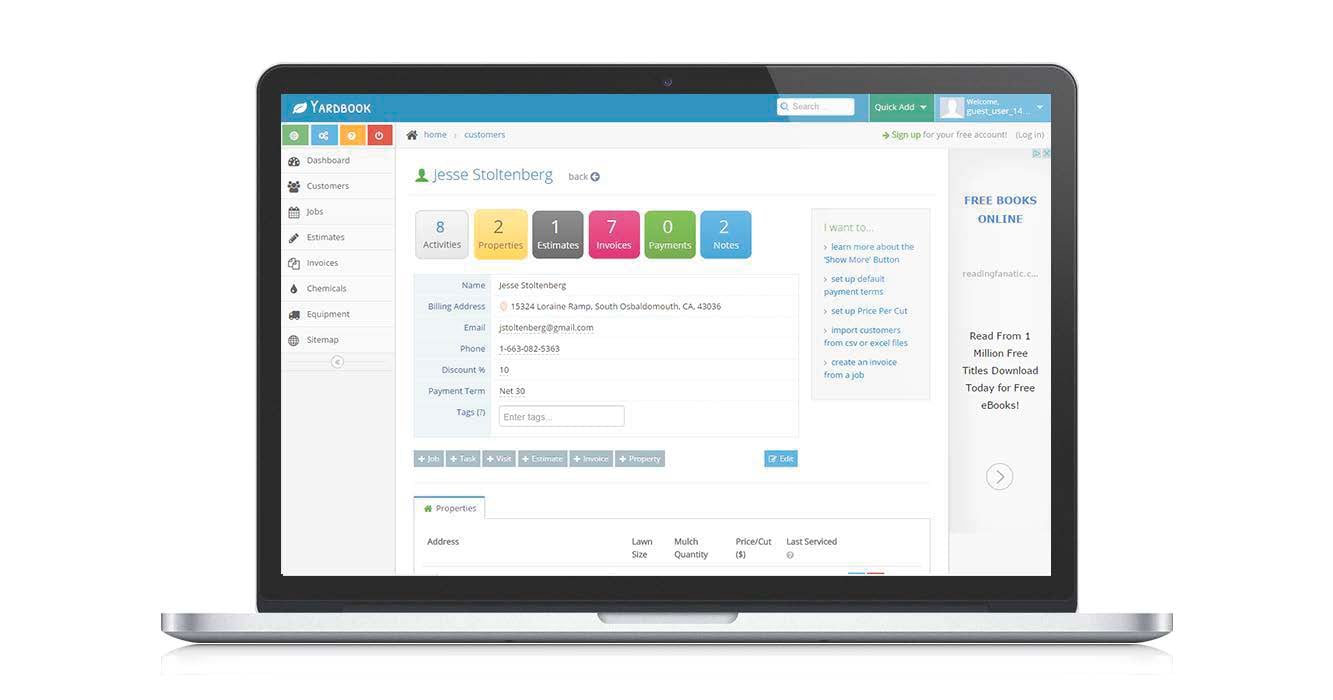
The last Aspire Landscape Software alternative on our list is Yardbook. Designed specifically for landscaping companies, Yardbook offers the CRM, scheduling, and invoicing capabilities landscapers need.
It’s best for solo operators and small to mid‑size landscaping teams that want a low‑cost tool to run daily operations. The platform works through a web browser or mobile access.
Yardbook’s top features include:
- Text and email communication with your customers
- Routing and GPS tracking
- Invoice and payment processing
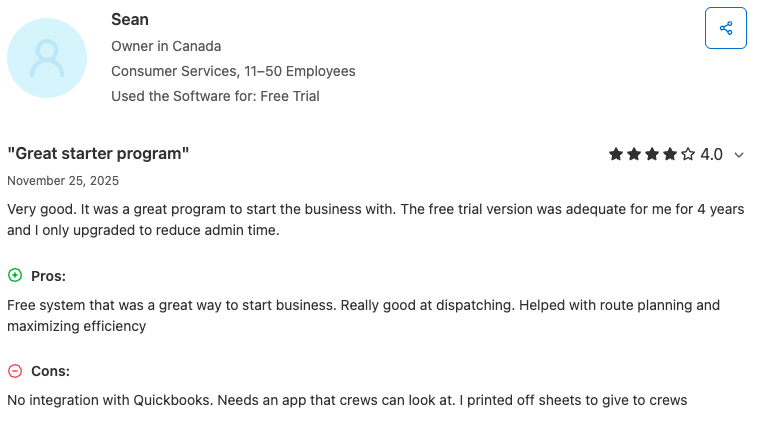
Users like that Yardbook offers core features for free or at a low cost, and it simplifies basic field management. However, they also noted limited integration options and issues with customer support.
Check out Yardbook’s website for its pricing.
What Yardbook has that Aspire doesn’t
- Yardbook lets you create a public business page to promote your services.
- It includes satellite‑based property measurement and tracking tied to jobs.
- You can create, optimize, and dispatch routes with drag‑and‑drop and map‑based tools.
- Yardbook provides chemical-tracking tools to help with compliance and reporting.
- It includes a time clock and lets you generate invoices based on timesheet records
However, Yardbook doesn’t have a self-serve customer portal, online booking, customer communications, or an iOS version of the mobile app. You can get these features with Jobber.
How to choose the best landscaping software for your business
Choosing the best landscaping and lawn care apps for your business comes down to understanding your specific needs, team size, and long-term goals. Consider factors like:
- Business challenges: Where are you spending the most time? For example, do you spend your day scheduling, invoicing, or struggling to win bids? This will tell you which features matter most to your business.
- Automations: Look for software that can handle repetitive tasks, such as appointment reminders or follow-ups. This frees up time so you can focus on running jobs and growing your business.
- Integrations: Check whether the app connects with the tools you already use, like QuickBooks Online, Gusto, or CompanyCam. It’s an easy way to fit your new software into existing systems.
- Reporting: Need clear insight into sales and job costs? Look into how the software handles reporting and whether you can customize dashboards to display the data you need.
- Budget: Some platforms offer powerful tools at a lower cost, while others (like Aspire) have enterprise-level features but require a bigger investment. Figure out what price point your business can afford—and how valuable efficiency is for your business.
- Scalability: If you plan on growing your landscaping business, look for software that can scale with you. That way you don’t have to switch to a different software later on.
- Desktop/mobile access: Make sure your landscaping software works smoothly on both your computer and phone, especially if you handle scheduling or client communications from the office and on site.
The right landscaping management app can change how you run your business, helping you save time, organize crews and jobs, and provide top-notch service to your clients. There are plenty of options available, so it’s important to find the tool that fits your needs.
Want more ways to run your company more efficiently? Get these business tips for landscapers.
Frequently Asked Questions
-
Landscaping software is a digital tool for landscaping and lawn care businesses. It helps them manage their day-to-day operations more efficiently. Landscaping software typically includes features like:
• Scheduling
• Job and employee time tracking
• Quoting
• Invoicing
• Customer management -
Unlike many similar tools, Aspire is designed for larger, enterprise-level landscaping companies. It may be out of budget for small and medium businesses.
Other differences between Aspire and other software providers include:
• Lack of marketing capabilities
• Necessary and lengthy onboarding process
• Less user-friendly interface -
Yes, Aspire Landscape Software is scalable and made to support growing businesses. However, there are several Aspire alternatives that will provide powerful results at a lower price.
If you want power without the complexity, try Jobber. With flexible pricing and excellent customer support, Jobber makes it simple to stay organized, impress clients, and scale your business—all without getting bogged down in a bulky system.