Top 6 Electrician Invoicing App Options to Supercharge Your Business

Key takeaways:
Choosing the right electrician invoicing app can make billing faster, improve cash flow, and help you run a more organized business—no matter your company size or focus.
- Increase efficiency and accuracy. Invoicing apps allow electricians to automate routine tasks, reducing paperwork and manual errors so you have more time for jobs and less admin burden.
- Get paid faster with better cash flow. The top invoicing apps offer features like instant invoicing, online payment options, and automated reminders to speed up payments and reduce outstanding invoices.
- Pick the right fit for your business size. Standalone apps are great for solo electricians or small teams due to simplicity and affordability. On the other hand, all-in-one platforms like Jobber offer integrated software for growing businesses that need scheduling, quoting, and client management tools.
- Look for advanced, time-saving features. Prioritize features like mobile invoicing, online payments, customizable templates, payment tracking, automation, and integrations with accounting tools to streamline your workflow.
- Balance your needs and budget. Select an app that fits your current needs, offers room to scale, and doesn’t overcharge for tools you won’t use. Even the most feature-rich platform isn’t worth it if it doesn’t serve your business today.
Stay informed with more business tips and in-depth guides. Sign up for the Jobber Newsletter.
Running an electrical business means juggling job sites, client communication, and paperwork. Getting paid on time goes hand in hand with your business success.
The right electrical contractor invoicing app can streamline your billing process, reduce errors, and help you stay organized without adding extra admin work to your day.
In this article, we’ll explore 6 of the best electrician invoicing apps that can help you save time and keep your business running efficiently.
Top 6 electrical invoice apps:
What is an electrician invoicing app?
An invoicing app for electricians is a digital tool designed to help electrical contractors create, send, and manage invoices quickly and efficiently.
Instead of relying on paper invoices or generic billing software, these apps are tailored to the needs of electricians. Apps often include features like job costing, time tracking, materials tracking, and automated calculations.
Why use an electrician invoicing app?
Using an electrician invoicing app can significantly improve how you manage your business finances. It can lead to:
- Less admin: Save time by automating repetitive tasks like creating invoices, calculating totals, and sending payment reminders. This means less time spent on paperwork and more time focused on completing jobs and growing your business.
- Faster payments: The best invoicing software also helps you get paid faster. Many invoicing apps offer features like instant invoicing, online payment options, and automated follow-ups, making it easier for clients to pay you promptly.
- Improved reputation: Providing your clients with organized, professional invoices on time improves your credibility and creates a better customer experience.
- Better cash flow: An electrician invoicing app gives you better visibility into your cash flow. With real-time tracking of paid and outstanding invoices, you can make smarter financial decisions and keep your business running smoothly.
Types of invoicing software for electrical contractors
When choosing an invoicing solution, electricians typically fall into one of two categories: standalone invoicing apps or all-in-one electrician business apps. Each serves a different purpose, depending on the size and complexity of your business.
Standalone invoicing apps
Standalone invoicing apps are focused purely on billing. They allow you to create, send, and track invoices. They often have additional simple features like payment processing, reminders, and expense tracking.
These digital invoicing tools are ideal if you want a lightweight, easy-to-use solution without extra features you may not need. However, you’ll have to use separate tools for scheduling, communication, and customer management.
| Pros | Cons |
|---|---|
| • Simple and quick to set up • Lower cost compared to full-service platforms • Easy to use with minimal learning curve • Great for solo electricians or very small teams | • Limited functionality beyond invoicing • May require multiple tools to run your electrical business • Manual workflows between systems can lead to inefficiencies |
All-in-one electrician business apps
All-in-one electrical software goes far beyond invoicing. These tools are designed to manage your entire workflow, from the first customer inquiry to the final payment.
With all-in-one software, you can create quotes, schedule jobs, dispatch technicians, track job details, generate invoices, and collect payments—all in one place.
Jobber, for example, allows electricians to move seamlessly from quote to job to invoice. You can also save time by automating processes like sending reminders about upcoming visits and outstanding payments.
| Pros | Cons |
|---|---|
| • End-to-end workflow management • Reduces manual work and administrative overhead • Centralizes customer, job, and financial data • Improves professionalism and customer experience • Automation features save time | • Higher monthly cost than standalone invoicing tools • More features can mean a steeper learning curve • May be too many features for very small or part-time operations |
Key features to look for in an electrician invoicing app
When choosing the right electrician invoicing app, it’s important to look beyond basic billing and focus on features that will save you time and improve your workflow.
Here are the key features to consider:
- Mobile invoicing: Generate and send invoices from the job site using your phone or tablet, reducing delays and paperwork.
- Online payment options: Allow customers to pay via credit card, debit, or e-transfer to speed up payments and improve cash flow.
- Automated payment reminders: Reduce late payments with automatic follow-ups for overdue invoices.
- Customizable invoice templates: Create professional invoices with your logo, business details, and clear line items for labor and materials.
- Integrations: Electrical invoice software that syncs with your other key tools, such as QuickBooks Online, helps you create a streamlined system for billing and accounting.
Best electrician invoicing app comparison table
Disclaimer: Pricing is subject to change after publication.
| App name | Best for | Key feature | Price | Free trial |
|---|---|---|---|---|
| Jobber | Electricians looking for all-in-one software | • Automated invoice follow-ups • Online payment processing • QuickBooks Online sync | Starting at $29 per user per month | Yes |
| Housecall Pro | Residential electricians | • Invoice status tracking • On-site payment collection • Payment follow-ups | Starting at $59 per user per month | Yes |
| ServiceTitan | Larger teams | • Progress billing • Multi-party billing • Payment schedule | Must request pricing | No |
| Joist | Solo contractors | • Estimate to invoice conversion • Mobile invoicing • Customizable invoice line items | Starting at $10 per month for 5 documents | Yes |
| BuildOps | Commercial electricians | • Easy estimate to invoice conversion • Automatic work order sync • Pre-set pricing and markups | Request a demo | No |
| Invoice Simple | Businesses on a budget | • Invoice status notifications • Automatic report generation • Optional invoice line items | Starting at $6.99 per month for 3 invoices | Yes |
How we chose the best electrician invoice apps
To find the best electrician invoicing app options, we started by reviewing websites like G2 to identify top-rated tools used by electrical business owners.
We focused on features that are especially important for electricians running busy, on-the-go businesses, such as:
- Mobile invoicing that works seamlessly from the field
- Fast and professional invoice creation with minimal admin work
- Online payment options to help contractors get paid quicker
- Quote-to-invoice functionality to streamline the entire job cycle
- Automation tools like reminders and recurring invoices
We considered user reviews to understand how real electricians use these apps day to day, paying close attention to ease of use, reliability, and overall value.
From there, we explored demos and tutorials (when available) to see how each electrician invoicing app performs in real-world scenarios.
The result is this curated list of tools designed to help you simplify invoicing and improve cash flow without stalling your business.
Jobber
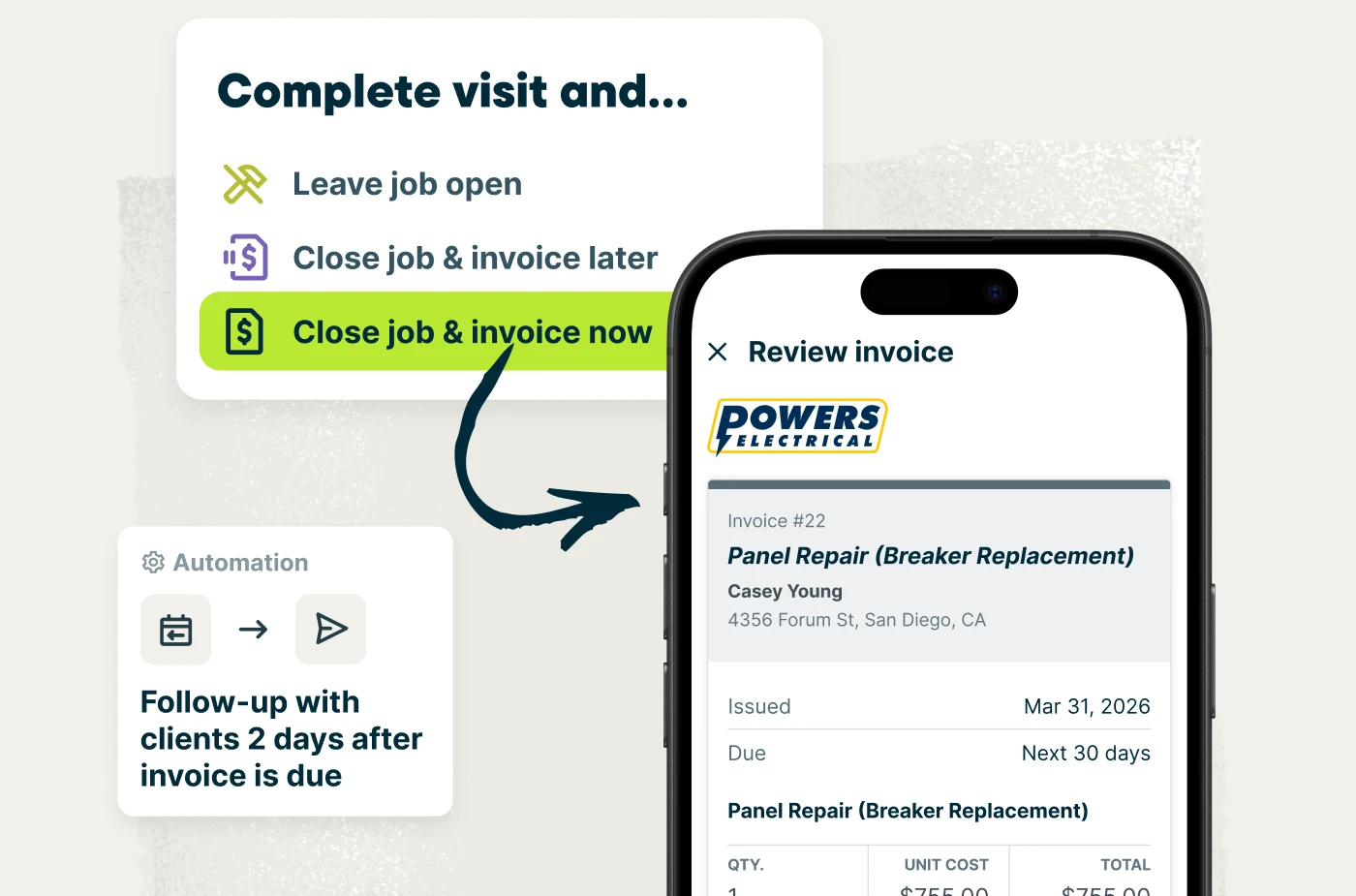
Jobber is the best invoicing software for electricians wanting all-in-one field service management software.
With several ways to invoice your clients and quickly process their payments, Jobber’s electrical contractor software helps you secure your cash flow while freeing up time to grow your business.
Here are the invoicing features that make Jobber the best software for residential and commercial electricians.
Progress invoicing
Large electrical projects often span multiple phases. Waiting until the end to invoice your client can strain cash flow.
With progress invoicing in Jobber, you can break a project into milestone-based payments. Your fee schedule could include a deposit upfront, a second invoice after rough-in work, and a final payment upon completion.
Here’s an example breakdown. For a $20,000 commercial electrical buildout, an electrician might:
- Invoice 30% upfront as a deposit.
- Invoice 40% after rough-in and panel installation are completed.
- Invoice the remaining 30% after final inspection and project sign-off.
This approach protects cash flow throughout a multi-phase job while reducing financial risk on long or complex projects.
Mobile invoicing
Electrical work doesn’t happen behind a desk, so invoicing shouldn’t either. For fast electrical service calls—such as troubleshooting a breaker issue, replacing a faulty outlet, installing a light fixture, or responding to a power outage—you need to invoice directly from the field.
Jobber’s mobile invoicing lets you create and send invoices from the job site as soon as the work is done. Job details, labor, parts, and material costs are automatically pulled into the invoice.
You can review the invoice on-site and send it instantly by text or email—helping you get paid before you even leave the property.
Automated invoice follow-ups
Chasing overdue payments takes time away from running your business—especially if you’re managing several electrical contracting jobs at a time.
With automated follow-ups in Jobber, you can set reminders to go out at specific intervals after a due date. For example, this could be 1 day, 3 days, or 7 days after an invoice due date.
Customers receive a friendly nudge by text or email with a direct payment link. This operates as your built-in accounts receivable system, helping you maintain steady cash flow without manual invoice tracking or awkward customer follow-ups.
Payments
Getting paid quickly is easier when you give customers flexible options. Jobber supports multiple payment methods to reduce friction and close jobs faster, including:
- Online credit and debit card payments
- ACH bank transfers for larger project invoices
- Automatic payments for recurring maintenance contracts or service agreements
- Tap to Pay for collecting payment on-site
Offering multiple payment options makes it simple for customers to pay—and faster for you to close out jobs.
QuickBooks Online Sync
Jobber integrates with QuickBooks Online to keep your finances organized and easy to manage.
When an invoice is created or paid, the details—including payments and associated processing fees—automatically sync to QuickBooks Online. This eliminates duplicate data entry, reduces errors, and keeps your accounting accurate with minimal effort.
Jobber’s other key features include:
- Quotes with optional add-ons to increase job value
- Easy scheduling using a drag-and-drop calendar
- Real-time time tracking for accurate job costing
- Better client management with access to customer profiles with property details, job history, and past communication
- Simple job management with job details, forms, and checklist access from mobile devices
- AI-powered business insights and coaching
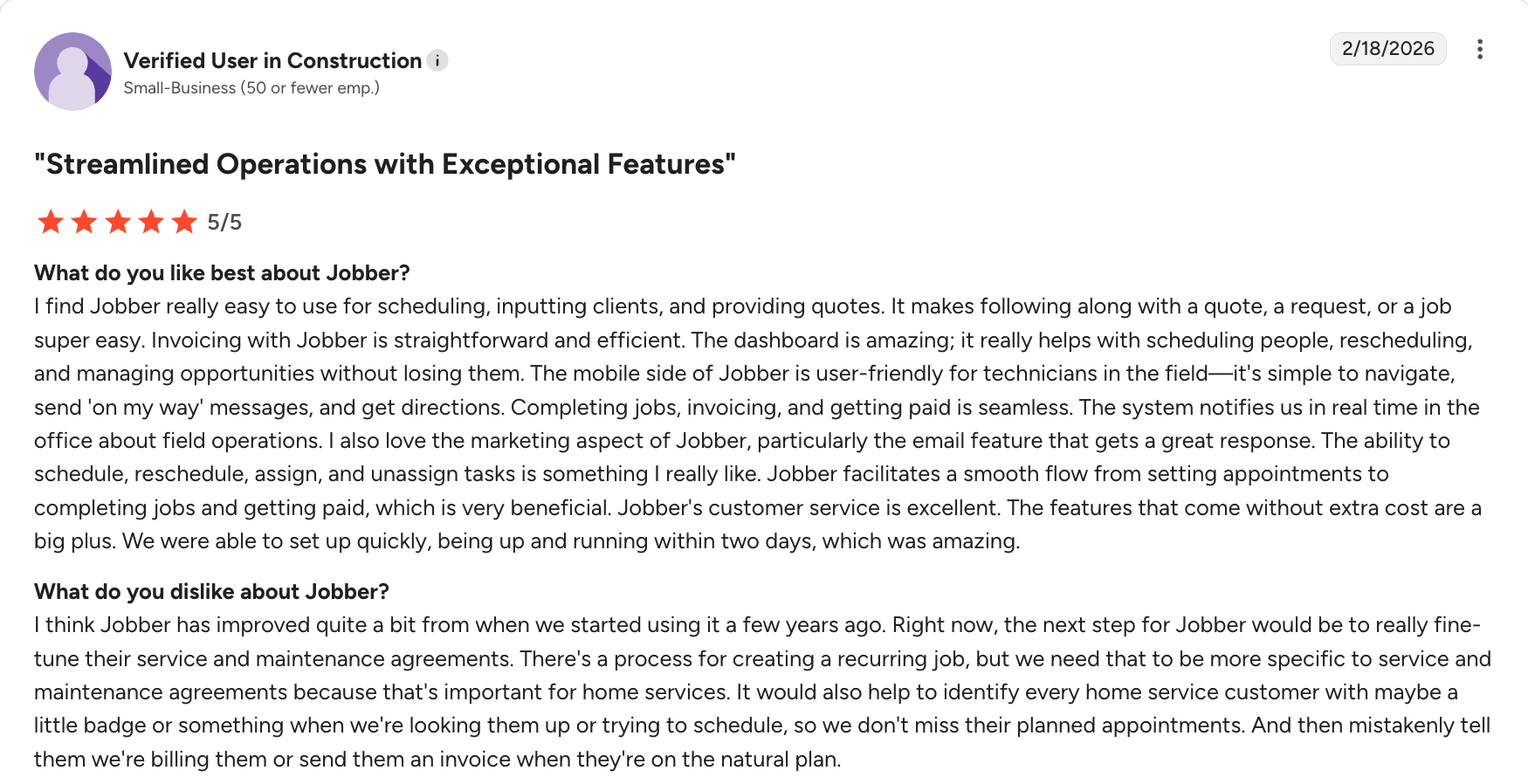
At the end of every site visit, I have everything I need to invoice the client right now.
I mounted lights just the other day and sent the client his invoice before I left his driveway.
One user notes how much they appreciate Jobber’s straightforward and efficient invoicing, alongside the app’s many other features.
Check out Jobber’s website for pricing.
Housecall Pro
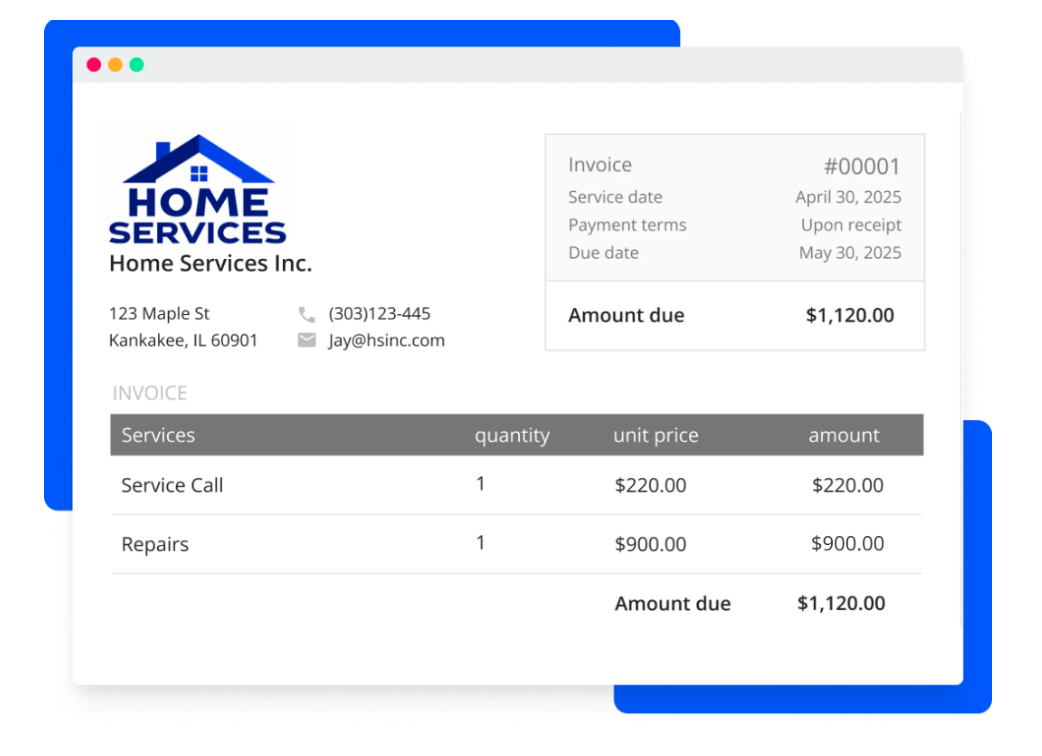
Housecall Pro is the best electrical invoice app for residential providers. It’s designed specifically for home service businesses, making it easy to manage jobs, send invoices, and collect payment in one platform.
This app stands out for its user-friendly interface and strong customer communication tools to help you send invoice reminders to your customers. Plus, see real-time updates to know when your customers open your invoices.
Housecall Pro’s key feature include:
- Invoice organization by status, due date, and payment type
- Mobile invoicing with on-site payment collection
- Customer communication tools including payment follow ups
| Pros | Cons |
|---|---|
| • Easy-to-use interface • Strong customer communication tools • Mobile capabilities | • High starting price • No routing features for better job costing |
LEARN MORE: Jobber vs. Housecall Pro
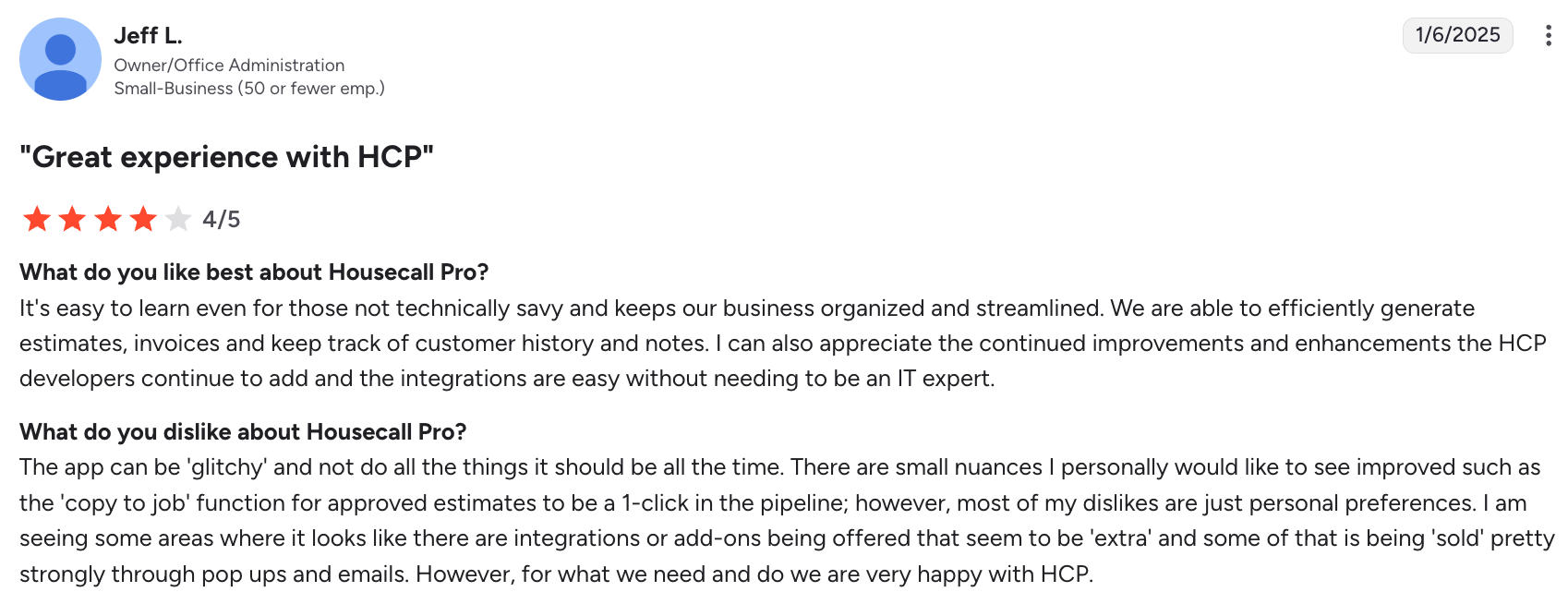
One user notes that while they’ve had an overall great experience with Housecall Pro, the app can sometimes be glitchy. Starting at $59 per user per month, the app can also be pricey for small residential electrical businesses.
Check out Housecall Pro’s website for their other pricing plans.
ServiceTitan
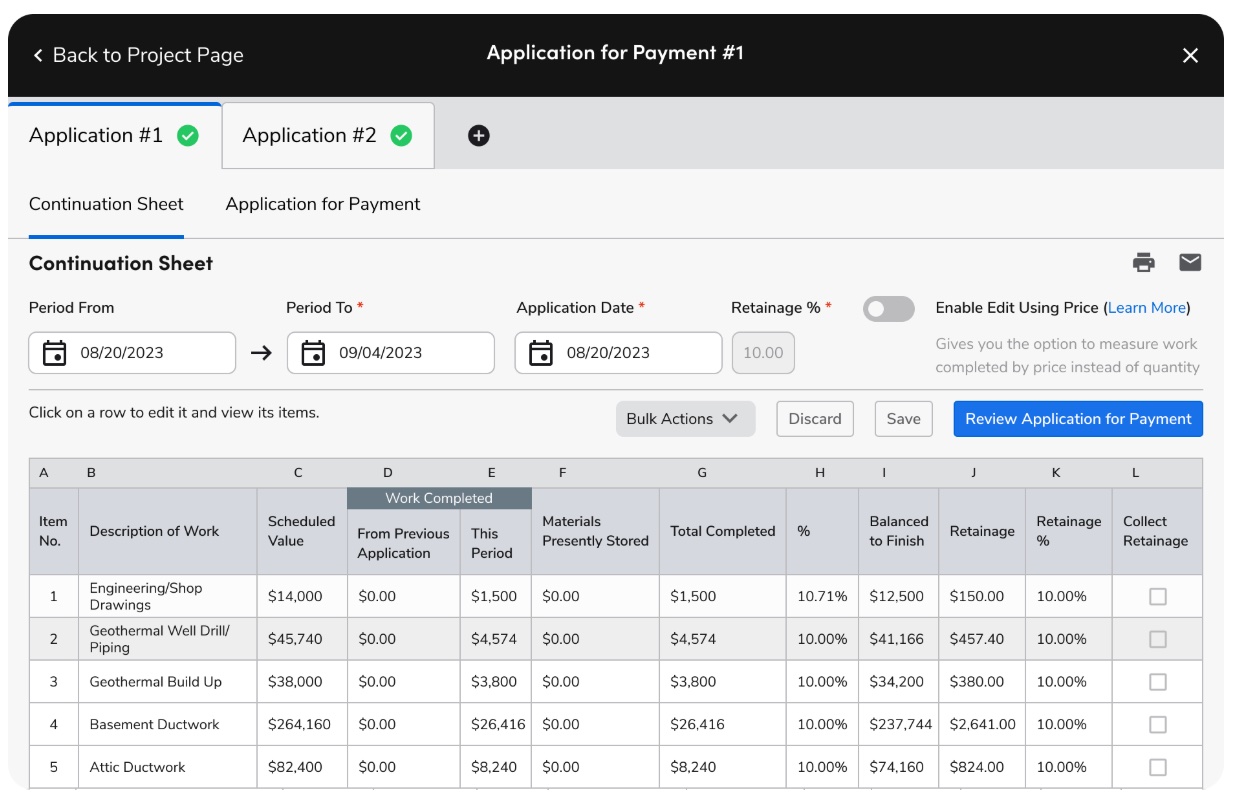
ServiceTitan is the best electrician invoice app for large teams. It’s one of the top electrician invoicing apps because it offers advanced invoicing and billing capabilities at scale.
Generate detailed, professional invoices, convert estimates into invoices, and collect payments from the field or online.
Get a clear view of your invoice status, thanks to a visual schedule that displays upcoming and outstanding payments, so you can stay on top of your cash flow.
ServiceTitan’s other key features include:
- Multi-party invoicing for complex projects
- Recommendations for progress billing on completed work
- Self-service customer portal to conveniently pay invoices
LEARN MORE: Jobber vs. ServiceTitan
ServiceTitan’s invoicing tools are highly robust and customizable, but the platform can be complex to learn. It’s often better suited for larger teams with more advanced operational needs.
| Pros | Cons |
|---|---|
| • Advanced, customizable invoicing features • Strong cash flow visibility with invoice tracking and payment schedules • Supports complex billing | • Steep learning curve • Expensive, making it less suitable for small businesses |
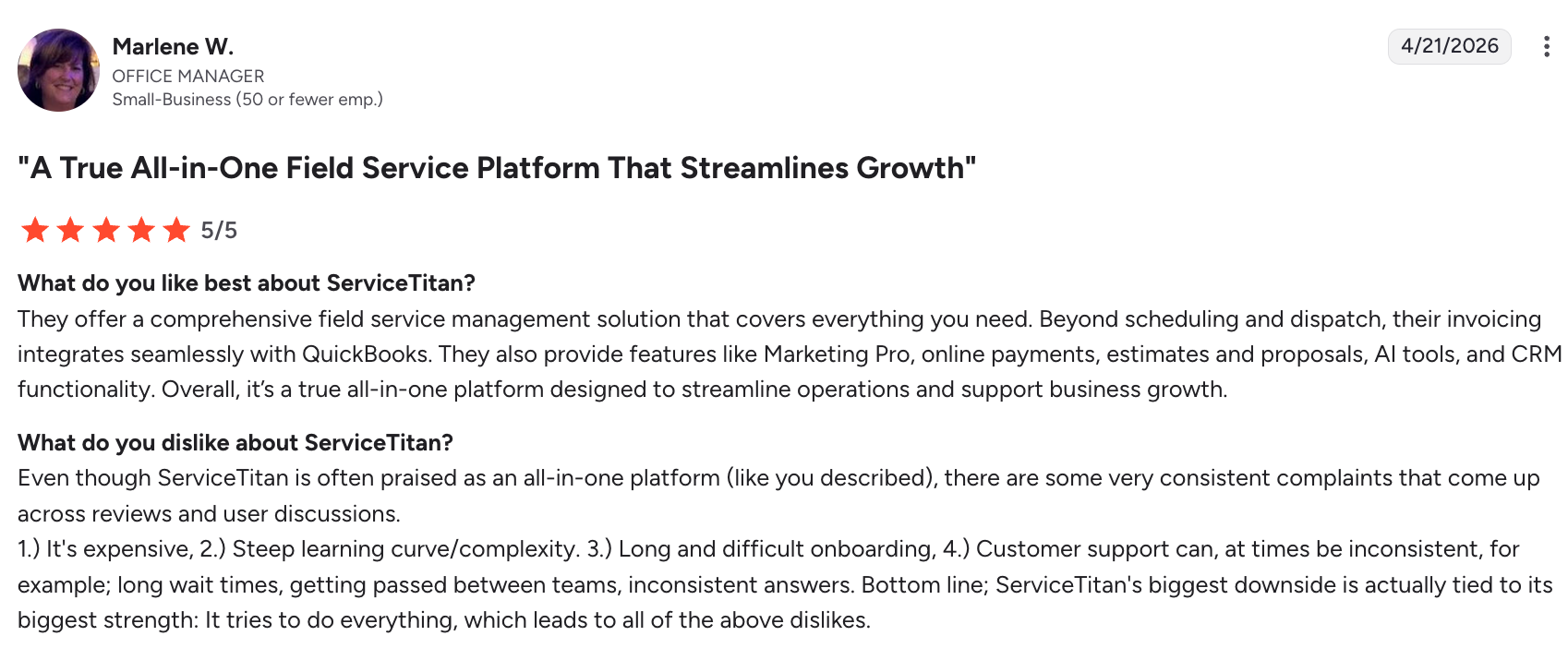
One user notes that although ServiceTitan is a good all-in-one platform, it can be expensive and has a steep learning curve. This makes it harder for small businesses to use.
You must contact ServiceTitan to request pricing.
Joist
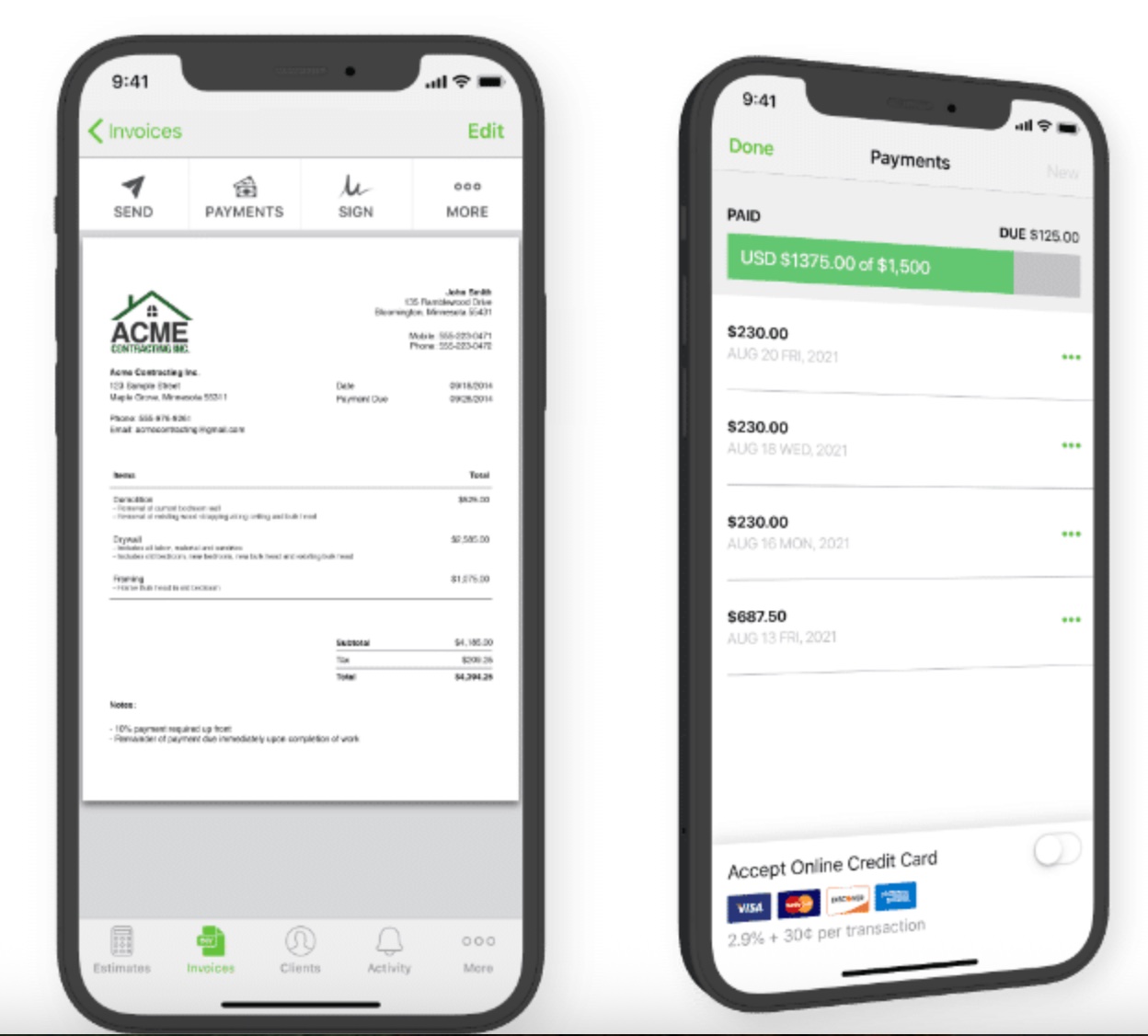
Joist is a simple, contractor-focused invoicing app that’s best for solo contractors. It’s built for electricians who want to create invoices quickly without a complicated setup.
Build professional invoices, convert estimates into invoices, and accept payments from the field, all from a mobile device.
Joist’s other key features include:
- Customizable line items for labor and materials
- Easy tracking for unpaid invoices
- Custom payment schedules so you get paid as the electrical job progresses
It’s especially strong for solo electricians or small teams, thanks to its ease of use and affordability. However, it lacks some of the advanced job management and automation features found in larger platforms.
| Pros | Cons |
|---|---|
| • Simple and easy to use with quick setup • Affordable option for solo electricians and small teams • Estimate-to-invoice conversion | • Limited advanced features and automation • Lacks full job management and scheduling tools |
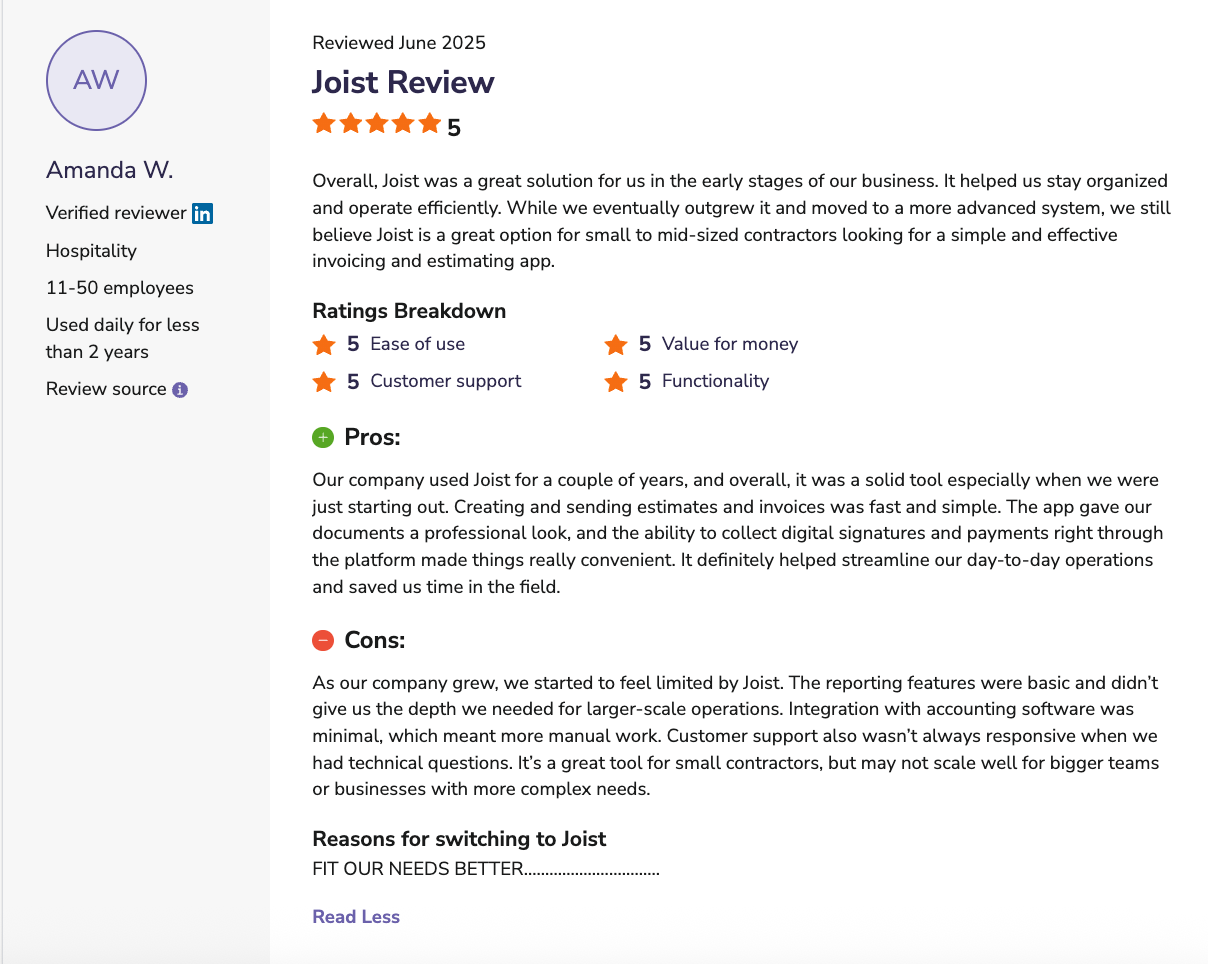
One user notes that creating and sending invoices in Joist is simple, but the app started feeling limiting as their business grew.
Check out Joist’s website for pricing.
BuildOps
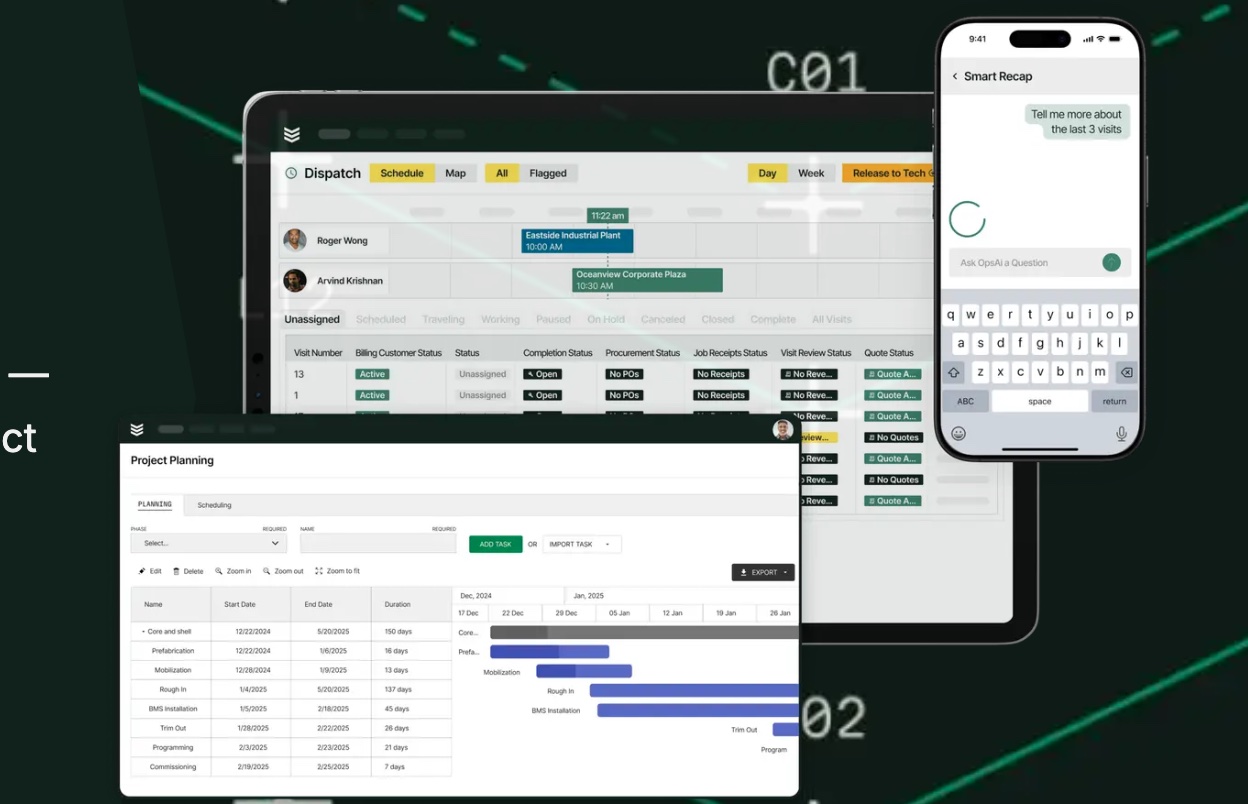
BuildOps is the best invoice app for electricians that serve commercial customers.
Built for large-scale electrical contractors, BuildOps connects invoicing to job costing, inventory management, labor tracking, and project management—so nothing gets missed between the field and the office.
Quickly turn quotes into invoices to send to your customers as soon as the job is done. Offer your customers flexible pay options such as credit card, ACH, mobile payments and more to get paid faster.
BuildOps’ other key features include:
- Automatic work order cloud sync for easier invoice generation
- Pre-set pricing and markups for invoices
- Real-time invoice tracking
BuildOps invoicing tools are highly detailed and designed for complex, multi-phase projects. However, the platform’s depth comes with a steeper learning curve and higher cost.
| Pros | Cons |
|---|---|
| • Built for commercial projects with detailed, job-linked invoicing • Strong link with job costing, labor, and project management workflows • Flexible pay options | • Steeper learning curve due to advanced features • Higher cost, making it less ideal for small businesses |
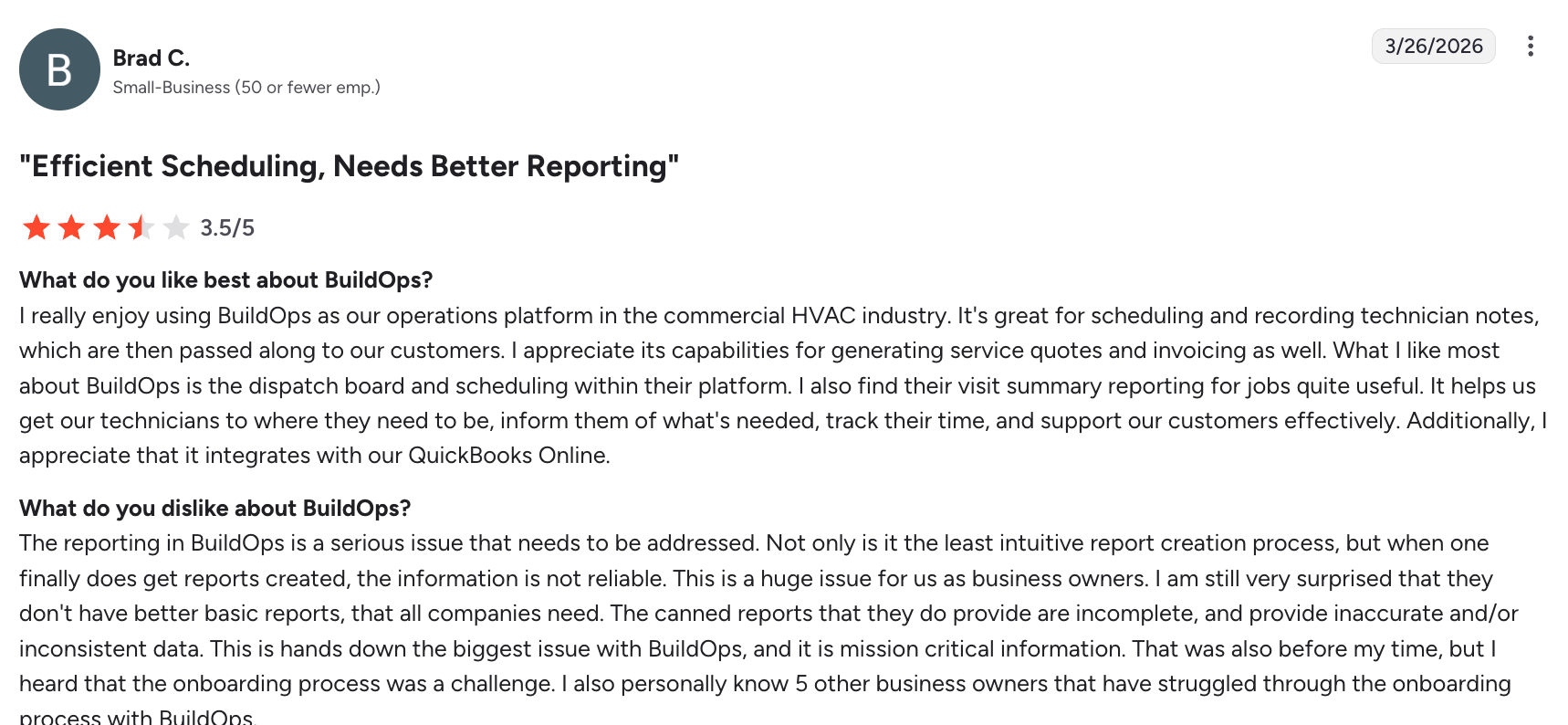
While one user appreciates BuildOps for generating service quotes and invoicing, they note that the platform’s reporting capabilities are limited.
To request BuildOps pricing, you must request a demo.
Invoice Simple
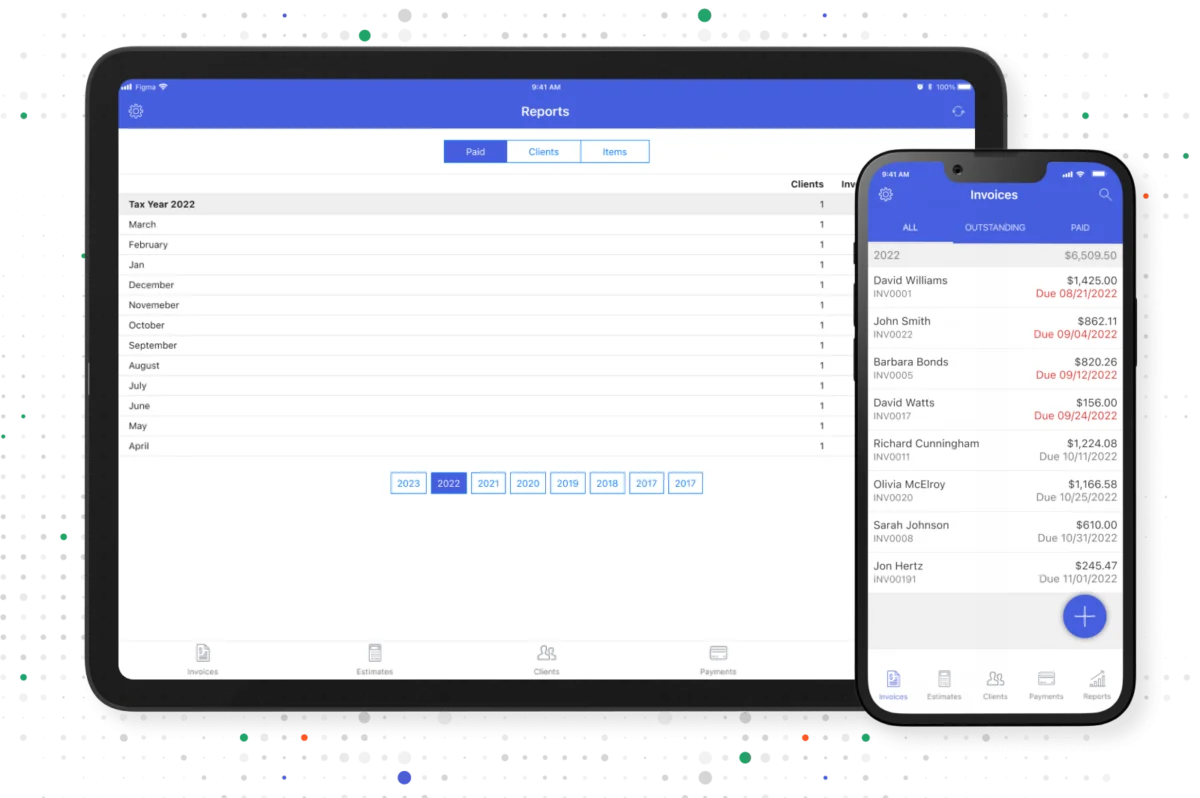
Invoice Simple is the best invoicing app option for businesses on a budget who need a simple invoicing solution.
Invoice Simple lets you create and send professional invoices from your phone or laptop without a steep learning curve. It’s highly affordable and easy to use, making it ideal for solo electricians or small teams just starting out.
It has several features to streamline invoicing and ensure you get paid sooner. For example, save frequently used invoice line items and client details as you go so you can re-use them later. This is ideal if you have repeat customers and regular services.
Invoice Simple’s other key features include:
- Payments through Stripe or PayPal
- Notifications when invoices are viewed or paid
- Automatically generated reports to monitor income
It’s important to note that Invoice Simple is standalone electrician invoicing software. This means it lacks advanced features like scheduling and job management.
| Pros | Cons |
|---|---|
| • Simple user interface • Affordable starting option for small businesses • Streamlines repetitive invoices to save time | • No scheduling or job management features • Costs can increase as invoice volume grows |
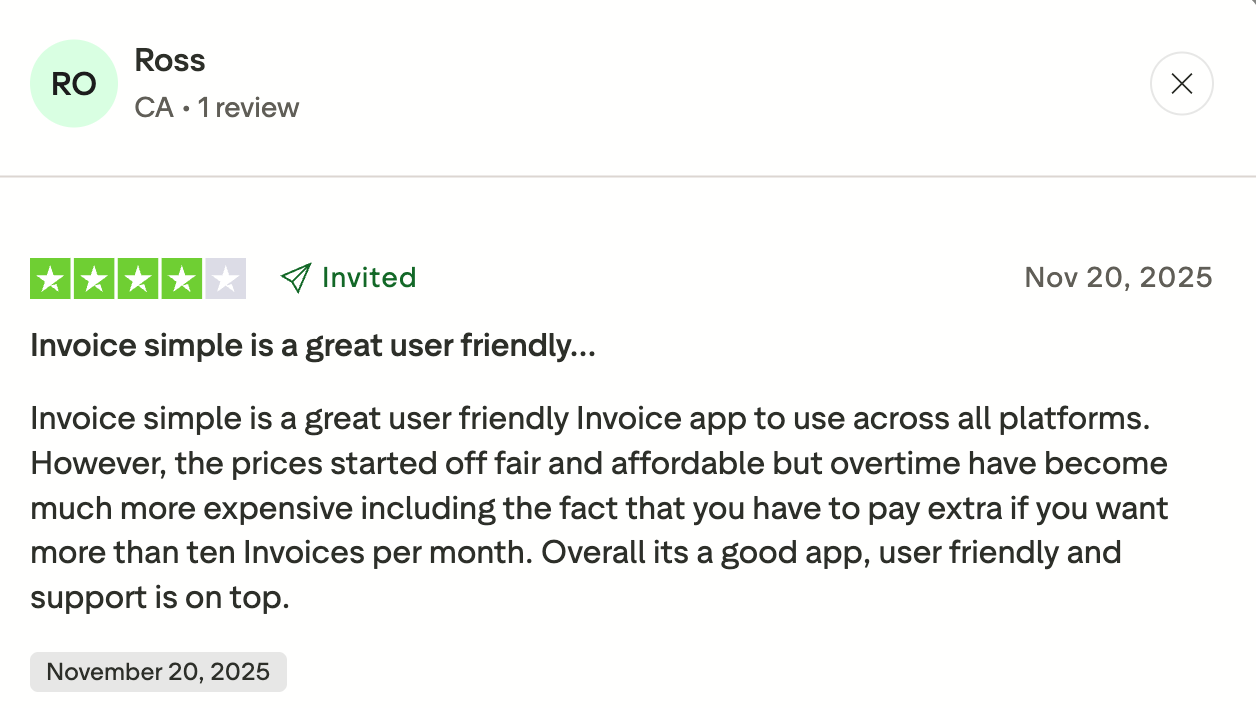
One user notes that they appreciate how user friendly Invoice Simple is. Still, the pricing structure can make this electrician software more expensive when you’re sending more invoices.
Check out Invoice Simple’s website for pricing.
How to choose the right invoicing app
The right electrician invoicing app depends on the size of your business, how you manage jobs, and how much of your workflow you want to automate. To find the best fit, consider:
- Solo electrician or small workload? Keep it simple and affordable. A basic invoicing app with mobile access and online payments is usually enough to handle billing without unnecessary complexity.
- Growing business with steady jobs? As your workload increases, look for tools that include quoting, customer management, and automation features to reduce admin time and keep everything organized.
- Managing multiple jobs or a team? At this stage, an all-in-one platform like Jobber can help you manage everything from quotes to scheduling to final payment in one place.
- Working with a tight budget? Choose an app that fits your current financial situation without overpaying for features you won’t use. Many apps offer tiered pricing, so you can start small and upgrade as your business grows.
- Need integrations with other tools? If you already use accounting or CRM software, look for an invoicing app that integrates with tools like QuickBooks. This helps you avoid duplicate data entry and keeps your systems running smoothly.
The more complex your operations become, the more value you’ll get from an integrated system rather than using separate tools for invoicing, scheduling, and job management.
Choosing the right electrician invoicing app can make a big difference in how efficiently you run your business and how quickly you get paid.
Whether you need a simple invoicing tool or a full-service platform, the best option is the one that fits your workflow today and can grow with you over time.
Everything starts and ends inside of Jobber. It’s the single source of truth.
Frequently Asked Questions
-
Standalone apps focus only on creating and sending invoices, making them simple and affordable. All-in-one platforms include invoicing plus features like scheduling, job management, and customer and employee communication, giving you complete business management in one place.
-
Yes, most invoicing apps save time, reduce admin work, and help you get paid faster with features like online payments and automation. While implementing the best electrician apps may seem like an additional cost at first, this improved efficiency and cash flow often outweigh the monthly cost over time.
-
At a minimum, look for the following features in electrician invoicing apps:
• Mobile invoicing
• Customizable templates
• Online payments
• Automation, like reminders and follow-ups
• Integrations with other electrical service software
More advanced all-in-one tools may also include electrical estimates, job tracking, and expense management to streamline your entire workflow. -
Yes, many electrician invoicing apps integrate with QuickBooks to sync invoices, payments, and customer data automatically. This eliminates double data entry and keeps your accounting accurate and up to date. For example, Jobber offers a QuickBooks integration, allowing you to seamlessly transfer financial data between platforms and simplify your accounting workflow.