Best HVAC Quoting Software for Contractors: 8 Options Compared

Key takeaways:
Choosing the right HVAC quoting software can help you price jobs accurately, present professional options to customers, and streamline the entire sales process from quote to scheduling and invoicing.
- Assess your business needs and workflow. The best HVAC quoting tool depends on your company size, job complexity, and whether you need simple quotes or specialized estimating and takeoff features for commercial projects.
- Compare top options for your requirements. Platforms like Jobber offer features such as reusable price books, mobile quoting, and customer approvals. More advanced products like QuoteSoft and PlanSwift support complex takeoffs and detailed bids.
- Streamline field operations with mobile tools. Top quoting software enables technicians to create, send, and manage quotes directly from the field, collect digital approvals, and automate follow-ups, ensuring fewer delays and missed opportunities.
- Integrate quoting with your full service workflow. Software like Jobber stands out by connecting quotes to scheduling, invoicing, and payment collection, reducing duplicate entry and making job management easier as your business grows.
- Test features and integrations for your process. Prioritize platforms that fit your quoting steps, support consistent pricing, and integrate with accounting or takeoff tools when necessary—especially important for teams handling both residential and commercial work.
For more tips and insights on choosing the right tools to organize and grow your service business, sign up for the Jobber Newsletter.
The best HVAC quoting software helps you create accurate quotes, present professional options, and follow up with customers—without adding more office work to your schedule.
The right tool depends on how your business prices jobs, whether your team needs specialized estimating features, and how quotes connect to scheduling and invoicing.
This guide compares eight options to help you find HVAC software for contractors that fits your team’s workflow. Get top recommendations and start quoting more efficiently right away.
Best HVAC estimating software options:
What HVAC quoting software should help you do
HVAC quoting software helps you calculate job prices, prepare quotes, send them to customers, and track responses. Some tools also connect quotes to your scheduling, invoicing, payments, and customer records.
Not every estimating tool serves the same purpose. General quoting platforms help you prepare and manage simple customer quotes. Specialized HVAC estimating and takeoff tools help you measure plans, calculate ductwork quantities, and prepare detailed commercial bids.
The right software should make your pricing more consistent and reduce repetitive data entry, while giving your customers the information they need to make an informed decision.
Build accurate quotes faster
Accurate pricing starts with consistent cost information. Your quoting software should help you account for labor rates, equipment, materials, overhead, and markup without building every quote from scratch.
Look for features like:
- Reusable price books: Store standard services, equipment, materials, and prices for repeated use.
- Labor and material calculations: Account for installation time, equipment costs, supplies, and other job expenses.
- Job costing: Track labor, materials, and expenses to ensure you’re meeting your profit target for every job.
- Markup and profit margin visibility: Understand how your selling price compares with your operating costs.
An HVAC price book keeps your services and prices in one place so technicians and estimators can build quotes using the same information. Look for software that makes it easy to update material costs, labor rates, and selling prices as your costs change.
For common jobs, flat rate pricing lets you set a standard price for a defined service, such as replacing a thermostat. Saving those services in your price book helps your team quote quickly without calculating each job from scratch.
Present good, better, and best options
All of your customers will likely have different budgets, priorities, and expectations for an HVAC project. Letting them choose between clearly defined options can help them understand the differences in service levels and feel more confident in their choice.
For example, a residential HVAC system replacement quote could present three options with different equipment options, warranty coverage, or service inclusions. Each option should explain what the customer gets and what the job costs at that level.
Look for HVAC quote templates that let you reuse common scopes of work, equipment packages, and service descriptions. Depending on the software, you may also be able to include photos, product details, optional line items, and supporting documents.
HVAC proposal software can help you present these choices in a professional, customer-facing format.
Get approvals and follow up from the field
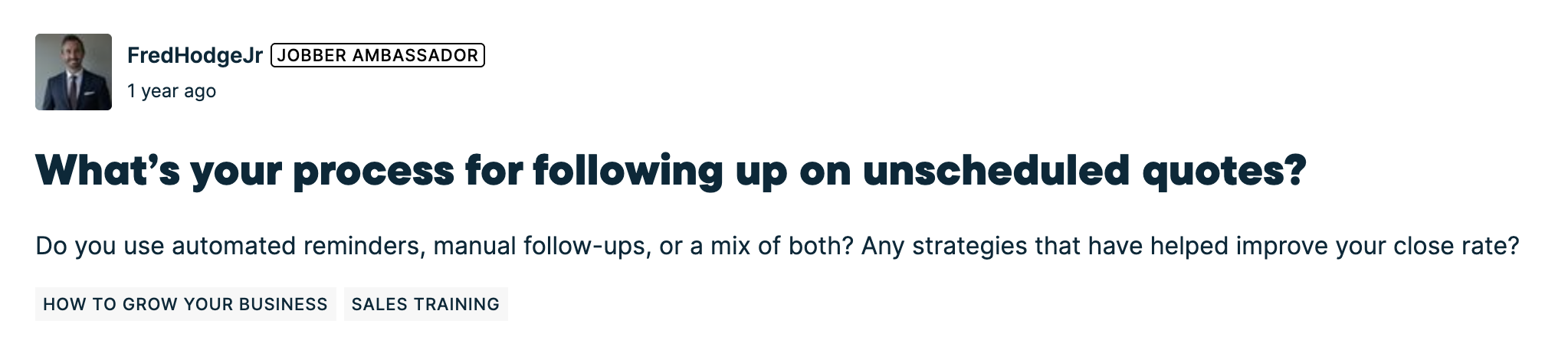
After you create a quote, you need to send it to the customer, answer questions, and record approvals. You’ll also need to follow up to get quotes approved when customers don’t respond, which was an issue for one Jobber Community member.
Mobile quoting tools let your technicians and sales staff prepare quotes on site. Depending on the platform, customers may be able to review a quote online, approve it, and sign electronically.
Look for features that help your team:
- Create and send quotes from a phone or tablet.
- Record customer approvals and signatures.
- Track which quotes are awaiting a response.
- Schedule automated follow-up reminders for quotes that haven’t been accepted.
- Convert approved quotes into jobs without re-entering the same information.
- Reduce administrative work and give customers a clearer experience.
The 8 best HVAC quoting software options
The best option depends on your company size, sales process, field workflow, and need for HVAC-specific estimating or takeoff features. Some platforms combine quoting with everyday service operations, while others focus on detailed commercial estimates.
The comparison below gives you a general overview of each software option on our list.
| Disclaimer: Prices current as of article publication. |
| Software | Best for | Quote and proposal tools | Mobile workflow | HVAC-specific estimating and takeoff | Key integrations | Pricing |
|---|---|---|---|---|---|---|
| Jobber | Service businesses connecting quotes to daily operations | Quotes, templates, optional line items, online approval | Yes (iOS, Android, web) | General service estimating only—not a takeoff tool | •QuickBooks Online • Stripe • Xero • Docusign • Arcsite | Starts at $29 per month billed annually |
| ServiceTitan | Larger service operations | Mobile estimates, price book | Yes (iOS, Android, web) | General service estimating only—not a takeoff tool | •QuickBooks Online • Arcsite • Measure Square Corp. | Must request a quote |
| Housecall Pro | Residential HVAC service and replacement sales | Estimates, tiered options, visual sales proposals | Yes (iOS, Android, web) | General service estimating only—not a takeoff tool | •QuickBooks Online • Profit Rhino | Starts at $79 per month |
| QuoteIQ | Smaller contractors wanting flexible estimates | Itemized estimates, options, packages, branded proposals, signatures | Yes (iOS, Android, web) | General service estimating only—not a takeoff tool | • Stripe | Starts at $25 per month billed annually |
| QuoteSoft | Commercial and industrial ductwork contractors | Detailed bids build from takeoff and cost calculations | Yes, with companion tools (iOS, Android, web) | Specialized ductwork, fittings, labor, and material calculations | •QuickBooks Online | Must request a quote |
| PlanSwift | Contractors pricing work from digital plans | Takeoff-based estimates, assemblies, formulas | Windows 10/11 desktop only | Digital takeoff and material calculations for HVAC projects | Integrates with some estimating platforms like TurboBid | Starts at $2,000 per year per seat |
| FieldEdge | Established HVAC service companies | Quotes, price book, multi-option quotes, proposal tools | Yes (iOS, Android, web) | General service estimating only—not a takeoff tool | •QuickBooks Online | Must request a quote |
| FieldPulse | Small and growing field service teams | Estimates, invoices, related workflows | Yes (iOS, Android, web) | General service estimating only—not a takeoff tool | •QuickBooks Online | Must request a quote |
1. Jobber
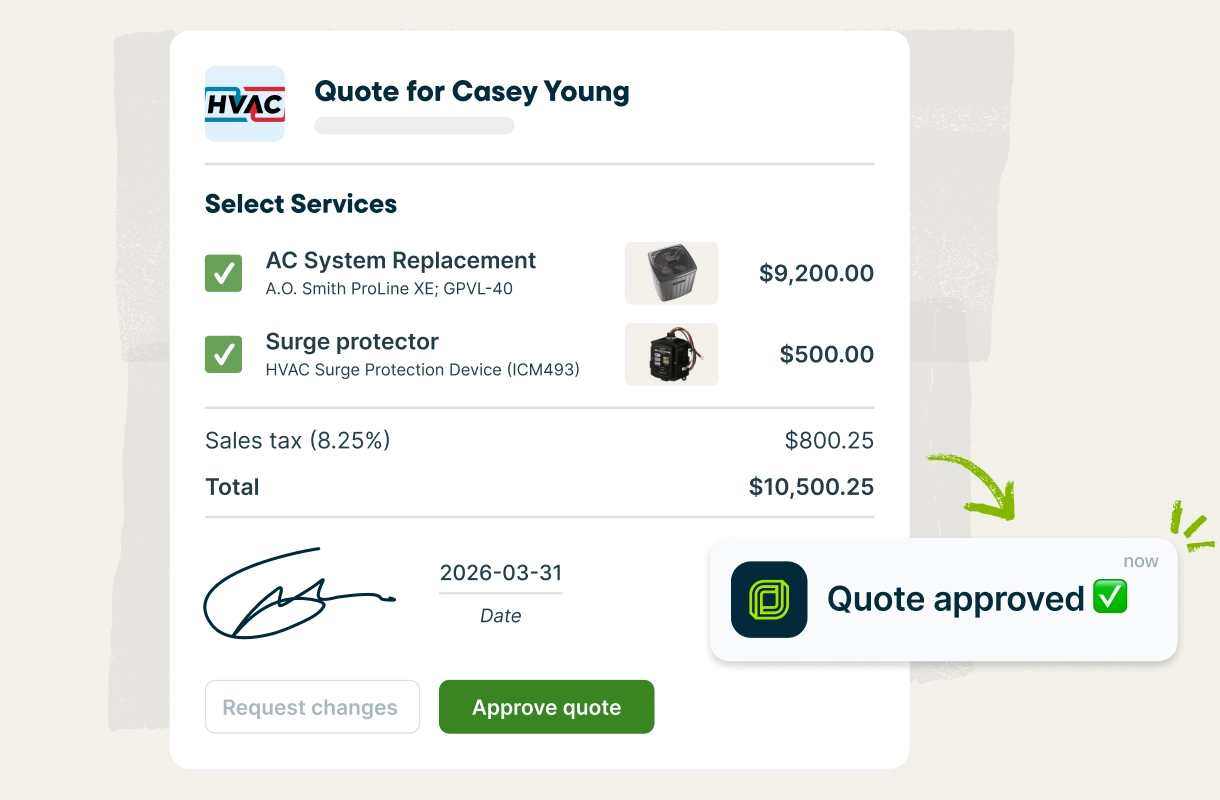
Jobber is a practical option for residential and light commercial HVAC businesses that want to manage customer quotes alongside everyday operations. The platform connects quoting with client management, scheduling, invoicing, payments, and customer communication.
It’s best for HVAC contractors who want flexible quotes connected to the rest of the service workflow.
Quoting features
Create quotes using templates or build your own using these features:
- Markups: Add markups to individual quote items, then review the estimated margin before sending to ensure you price labor and materials consistently.
- Supplier catalog pricing: Search The Home Depot’s product catalog directly within a quote to see product details, pricing, and local stock availability.
- Optional line items: Let customers select additional services and see images of the proposed work.
- Consumer financing: Offer financing through Wisetack on eligible quotes so customers can pay over time for larger projects.
- Online approvals: Customers can review quotes, request changes, approve work, and pay deposits through Jobber’s client hub.
- Automated follow-ups: Schedule and send follow-ups to customers so they can make decisions about their outstanding quotes.
These features are ideal for solo operators needing fewer disconnected tools, as well as growing teams that need a consistent process across office staff and field technicians.
Pros and cons
Jobber’s advantage is the connection between quoting and day-to-day service operations. Once a customer approves a quote, you can convert it into a job, schedule work, and create an invoice.
Jobber is a general field service platform, not a specialized commercial ductwork takeoff tool. That said, Jobber integrates with ArcSite so you can access the takeoff tools you need—while still keeping all your customer and job information in one place.
Pricing
Pricing starts at $29/month billed annually for individual user plans. Team plans start at $149/month billed annually and come with added features. Jobber also comes with a free 14-day trial.
2. ServiceTitan
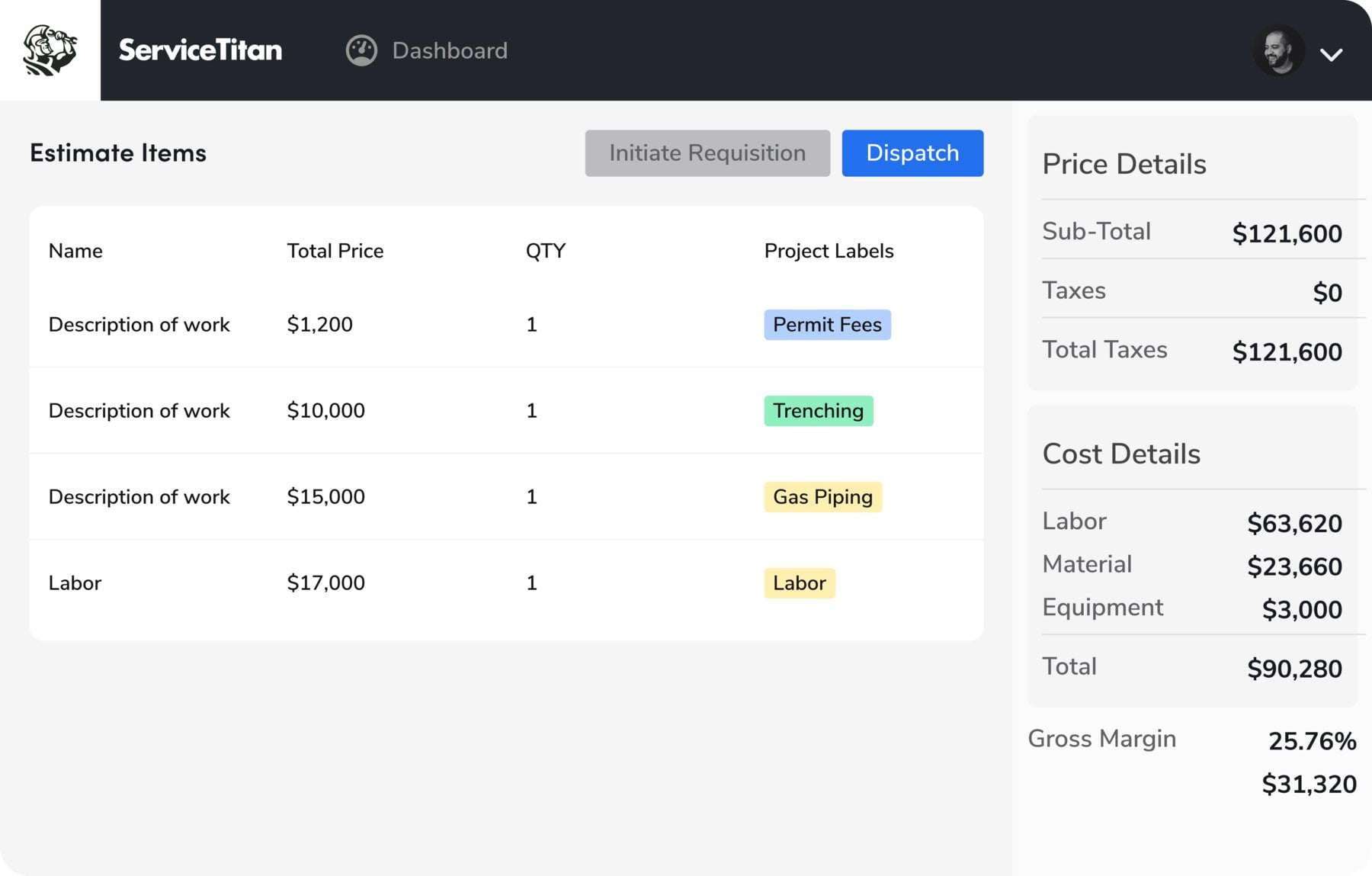
ServiceTitan combines estimating and price book capabilities with scheduling, dispatching, invoicing, reporting, and other service business workflows. Its mobile estimates and price book help your technicians and office staff work from one connected system.
The platform may be a good fit for established HVAC operations with multiple technicians, more structured sales processes, and a need to manage performance across the business.
Quoting features
- Good, better, best proposals: Technicians can build tiered proposals on a mobile device using services, equipment, and pricing from the company price book.
- Detailed line item estimates: Office staff can prepare estimates for equipment change-outs, smaller projects, and other work requiring more detailed pricing.
- Flat rate price books: Organize services, materials, and equipment into categories so technicians can find the right items and apply consistent prices.
- Cost and pricing controls: Pricing tools support labor rates, material and equipment costs, markups, and margin targets.
- Quote tracking: Estimate tracking tools help office staff identify outstanding quotes and manage customer follow-ups.
Pros and cons
ServiceTitan’s combination of proposals, price book management, and detailed estimates support a structured sales process across multiple technicians and office staff.
But don’t confuse ServiceTitan’s general HVAC service estimating features with dedicated ductwork takeoff software. If you’re pricing complex commercial projects from plans, confirm whether you need more estimating tools than ServiceTitan provides.
Pricing
Pricing is based on your team size and required features. You’ll need to speak with ServiceTitan’s sales team to get a custom quote.
READ MORE: Jobber vs. ServiceTitan
3. Housecall Pro
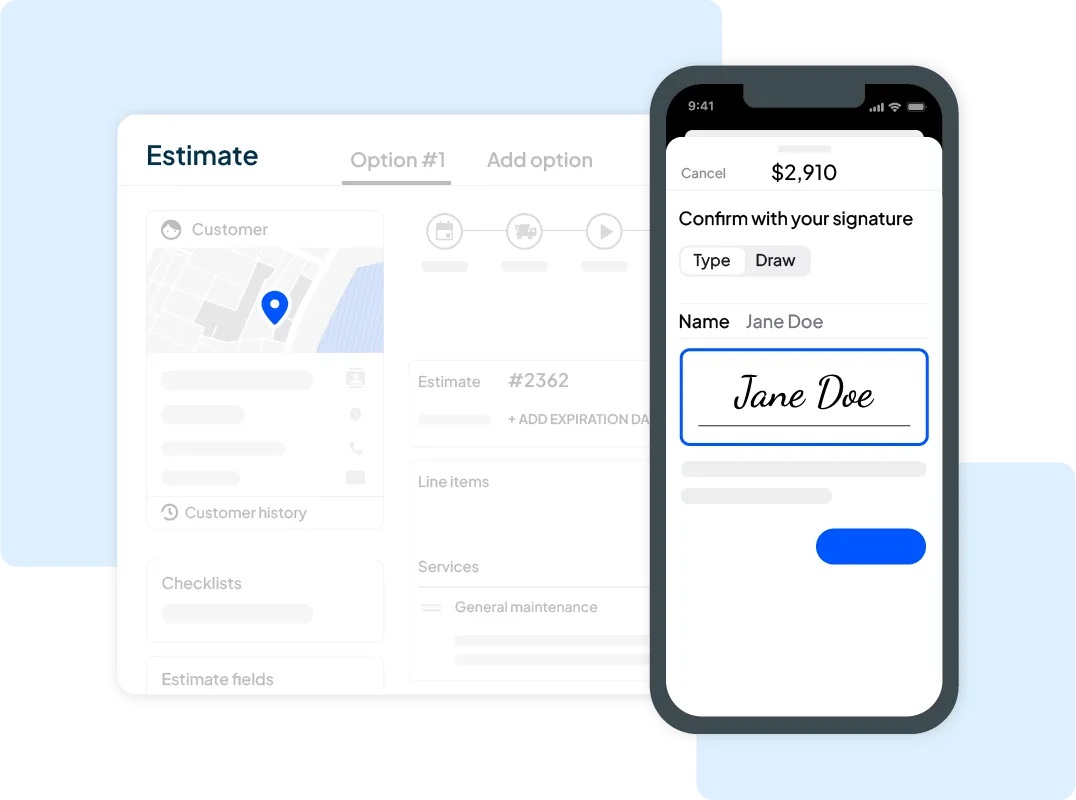
Housecall Pro combines estimates and sales proposals with scheduling, dispatching, invoicing, and customer management. Its mobile tools can help technicians and sales staff prepare and send estimates while they’re on site.
It’s best for residential HVAC contractors wanting to present multiple service or equipment replacement options to customers, while managing work in one platform.
Quoting features
- Multiple estimate options: Present different equipment packages, service levels, or scopes so customers can compare alternatives instead of receiving only one price.
- Visual sales proposals: The Sales Proposal Tool gives estimates a more presentation-focused format. This can help sales staff explain replacement options and show customers what is included in each choice.
- Mobile quote creation: Prepare and send estimates from the field, then manage accepted work through the connected service workflow.
- Connected workflows: Keep estimates and invoices linked to customer and job information so you don’t have to recreate details in separate systems.
Pros and cons
Housecall Pro can be useful if your team needs to create quotes on a phone or tablet, then move accepted work into the service schedule. Check which proposal features are included in your subscription, especially if your team uses visual proposals or automated follow-ups.
That said, confirm the features included in your plan before you select it. If you’re bidding on complex commercial projects, decide whether you need separate takeoff tools, too. Housecall Pro doesn’t offer integrations with popular takeoff software.
Pricing
Pricing starts at $79/month for the Basic plan and goes up to $349/month for the Max plan. Proposal tools and other features vary by plan, so check the features list before you buy.
READ MORE: Jobber vs. Housecall Pro
4. QuoteIQ
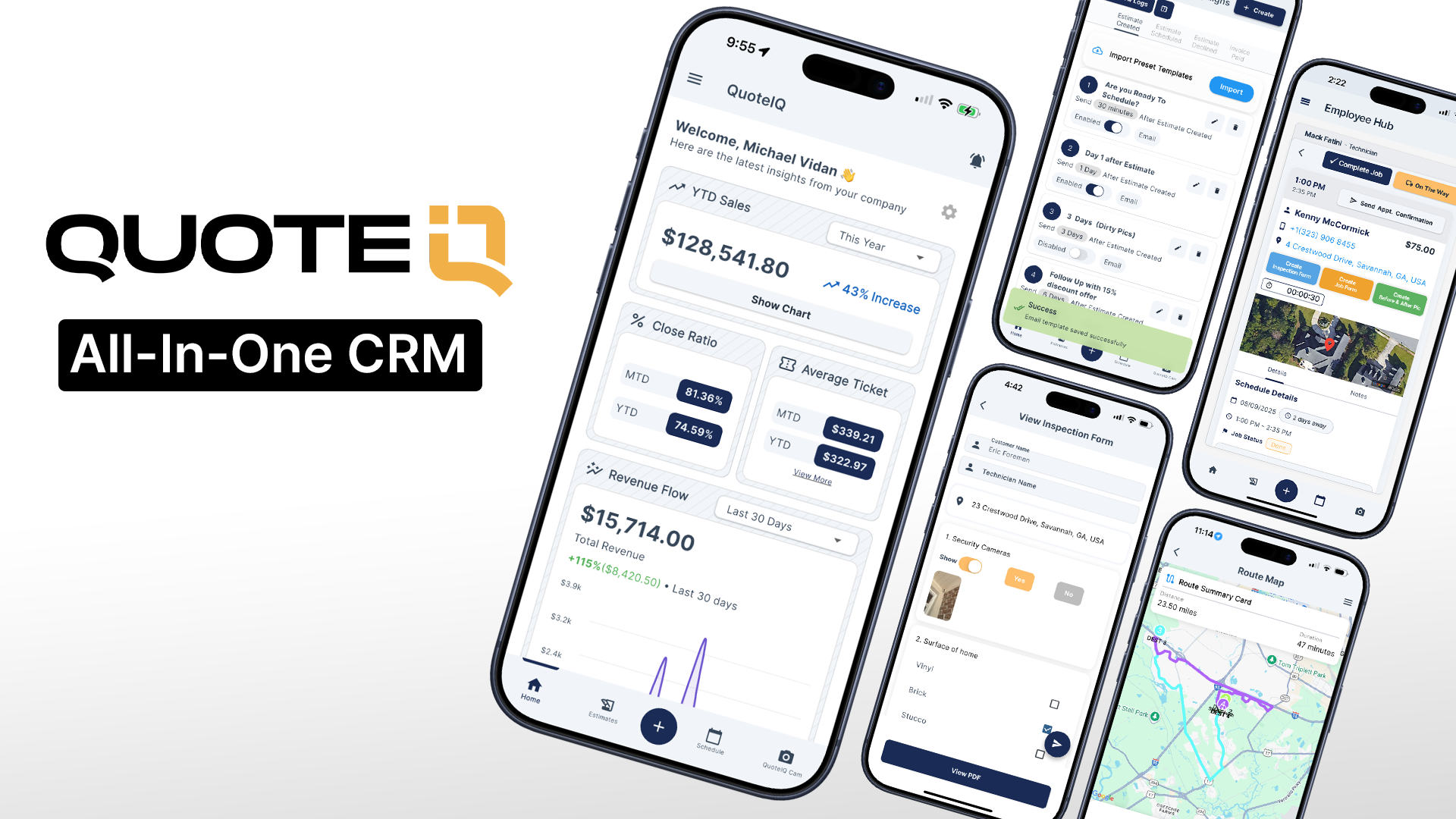
QuoteIQ offers estimates, price book, customer management, scheduling, and invoicing features. You can prepare itemized estimates, present options or packages, and collect electronic signatures. It also provides access through iOS, Android, and web applications.
It’s best for smaller HVAC contractors who want flexible estimate formats, electronic signatures, and a connected mobile workflow.
Quoting features
- Estimate format options: Create standard, quick, options, and package estimates based on the type of job you’re quoting.
- Price book: Store services and prices with quantities, materials, markups, discounts, taxes, and deposits.
- Reusable proposal templates: Add company information, photos, reviews, and supporting documents to provide context around the estimate.
- Electronic signatures: Customers can review and sign estimates online from their phone or computer.
- Measurement and documentation: Add-on tools can help capture property dimensions, job photos, and inspection information.
Pros and cons
The software’s proposal functionality lets you add company information, photos, documents, and other presentation elements to an estimate. That helps you create a consistent customer experience without preparing every proposal separately.
Before selecting QuoteIQ, make sure the features you need—like labor calculations and flat-rate services—come with your plan. If you regularly bid from construction drawings, compare QuoteIQ with dedicated estimating tools, too.
Pricing
Pricing starts at $25/month billed annually for the Essentials plan, with plans going up to Max at $583/month billed annually. Check users, features, and AI credit allowances for plan-specific limits.
READ MORE: Jobber vs. QuoteIQ
5. QuoteSoft
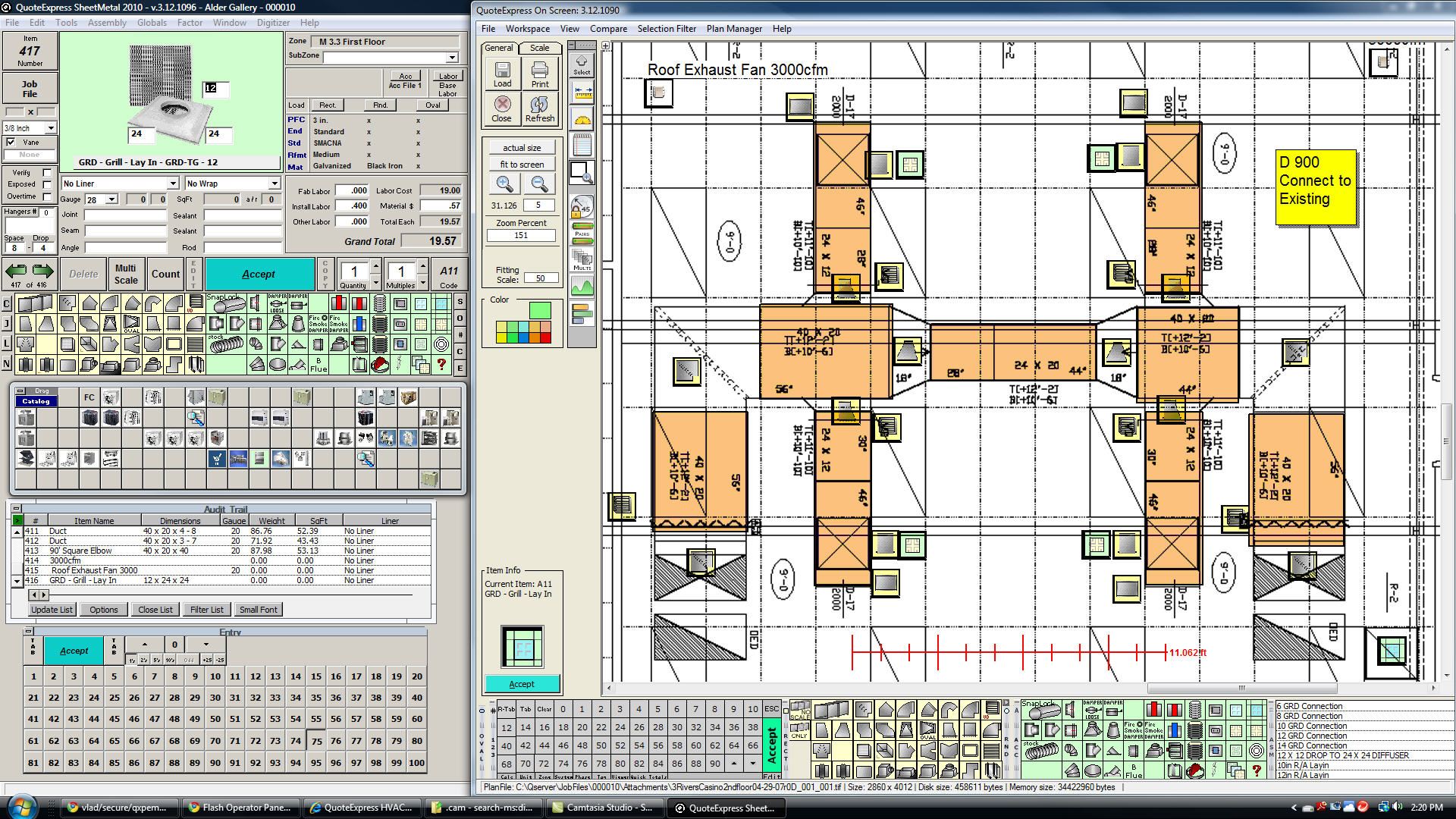
QuoteSoft serves a different purpose from general field service quoting platforms. Its ductwork estimating software is designed to help you calculate quantities, labor hours, and material costs for ductwork, fittings, pipe, and related components for commercial and industrial jobs.
It’s best for commercial and industrial contractors needing detailed ductwork, piping, and sheet metal estimating.
Quoting features
- Digital plan takeoff: Measure and count components directly from digital drawings, including supported PDF and CAD-related formats.
- Material calculations: Calculate material quantities and labor costs for HVAC equipment, ductwork, fittings, and accessories.
- Estimating rules: Configure data tables, specifications, labor assumptions, and other estimating details the way you want them.
- Labor and material visibility: Review and adjust labor and material costs during takeoff so estimators can assess how project requirements affect the bid.
- Data management: Support workflows involving other construction design and estimating systems by importing and exporting data.
Pros and cons
Your estimators can perform takeoffs from digital plans and build bids using company-specific data tables, specifications, and labor assumptions. This makes QuoteSoft useful when you need detailed material and labor calculations, not just a quick quote for a residential service call.
However, QuoteSoft doesn’t replace a complete field service management platform. You’ll also want software like Jobber if you need dispatching, customer communication, routine invoicing, and technician scheduling features.
Pricing
Pricing isn’t publicly available for QuoteSoft. You’ll need to contact their sales team to request a demo and get pricing information.
6. PlanSwift
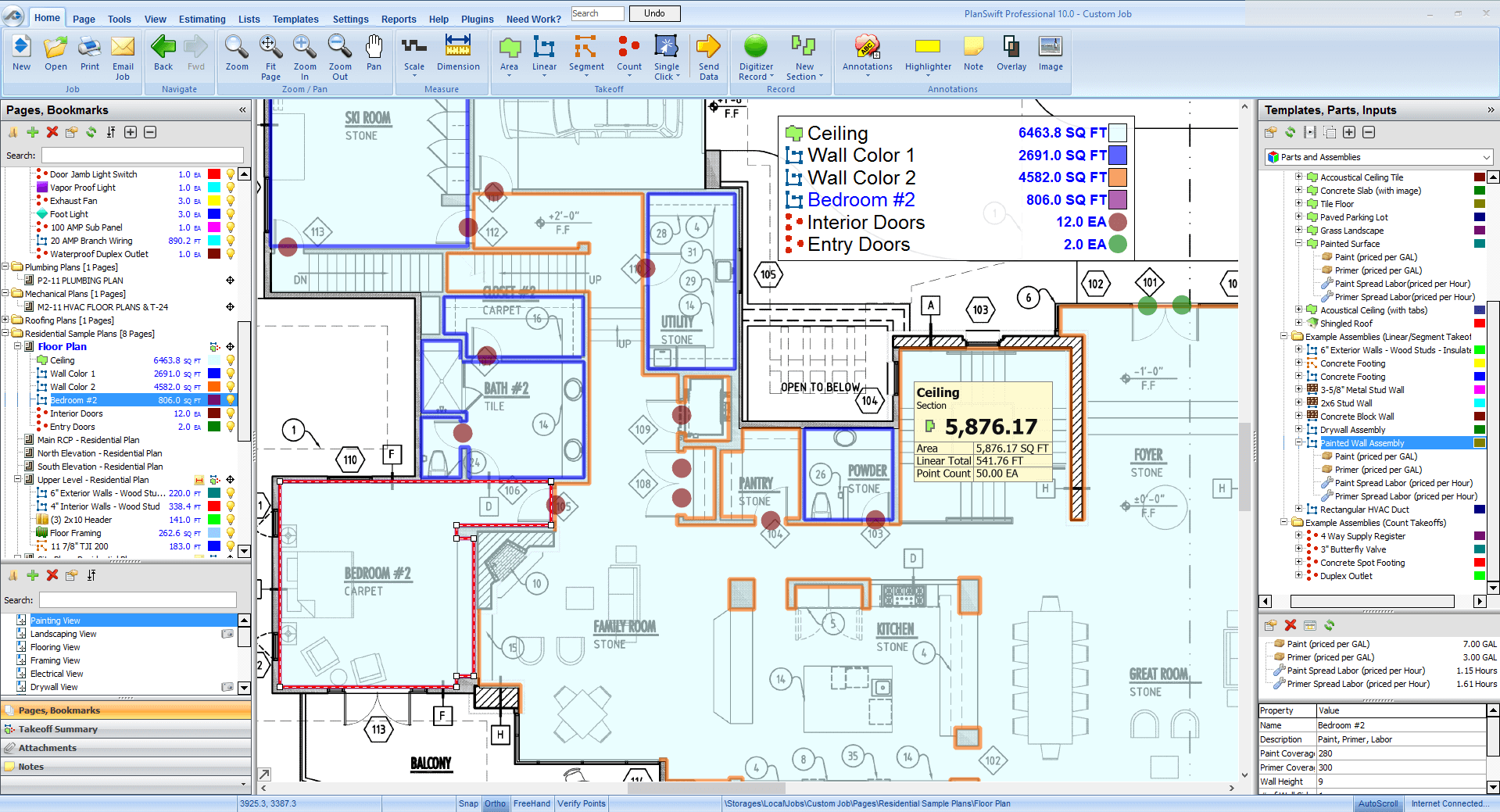
PlanSwift is a digital takeoff and estimating tool for contractors working from project plans. It can help measure duct runs, count components, calculate quantities, and apply assemblies and formulas to price work.
It’s best for HVAC contractors who need takeoffs, quantity calculations, and assemblies to price work based on digital plans.
Quoting features
- Digital takeoffs: Measure lengths, areas, and quantities directly from supported digital plans instead of relying on manual calculations.
- Assemblies and formulas: Combine measured quantities with predefined assemblies and estimating formulas to calculate material requirements and costs.
- Reusable estimating components: Save the calculations you commonly use so estimators can use the same information across similar projects.
- Construction estimating workflow: Fit takeoff results into a broader estimating process, including other tools used for bid preparation.
Pros and cons
PlanSwift is a good fit if you’re a commercial HVAC contractor bidding from drawings and specifications. But it’s less ideal if your team needs an all-in-one system for customer-facing service quotes, scheduling, and invoicing.
Before you buy PlanSwift, confirm that it supports your estimating workflow, drawing formats, and team setup. It’s also designed for Windows, so make sure your devices will run the software.
You should also determine whether you need a separate platform for customer records, field scheduling, quote approvals, and billing.
Pricing
Pricing starts at $2,000/year per seat with the Essential plan. The Core plan is $3,000/year per seat and comes with added takeoff capabilities.
7. FieldEdge
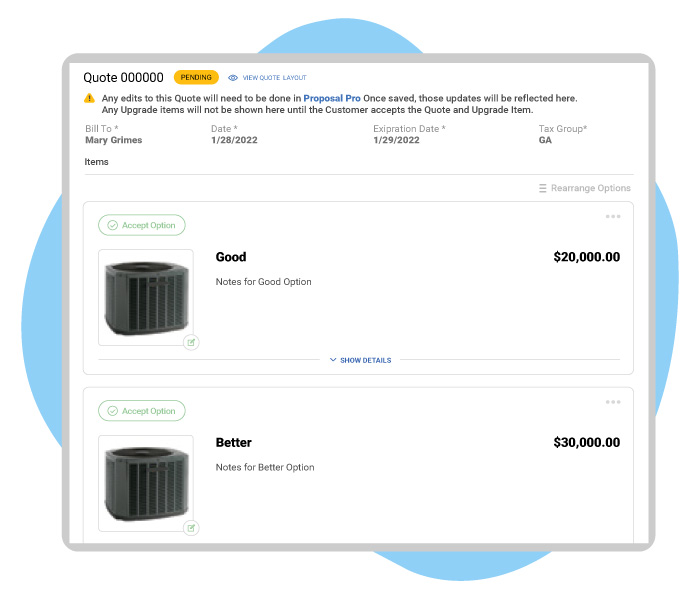
FieldEdge combines quoting with customer management, scheduling, dispatching, and other service-business workflows. Its plans include quote and price book functionality, while higher tiers add features like multi-option quotes and Proposal Pro.
It’s best for established HVAC service companies needing structured pricing and customer proposals connected to dispatching and service management.
Quoting features
- Price book: Organize common services and prices so technicians can consistently pick predefined items instead of calculating every quote independently.
- Multi-option quotes: Present customers with different service or replacement options.
- Proposal Pro: Get extra proposal functionality for customer-facing sales presentations.
- Connected workflows: Link estimates with customer records, scheduling, dispatching, and invoicing to keep approved work moving forward.
- Field access: Give technicians access to relevant customer and service information while they’re working on site.
Pros and cons
FieldEdge is worth considering if you run an established HVAC company and want to connect your estimates with the rest of the service process.
However, it’s designed for service operations, not detailed commercial takeoffs. It also doesn’t integrate with popular takeoff tools. If you’re a commercial contractor doing extensive takeoffs, evaluate whether you need a dedicated estimating tool, too.
Pricing
Pricing isn’t publicly available. You’ll need to contact FieldEdge’s sales team to get pricing for your chosen tier (Select, Premium, or Elite).
READ MORE: Jobber vs. FieldEdge
8. FieldPulse
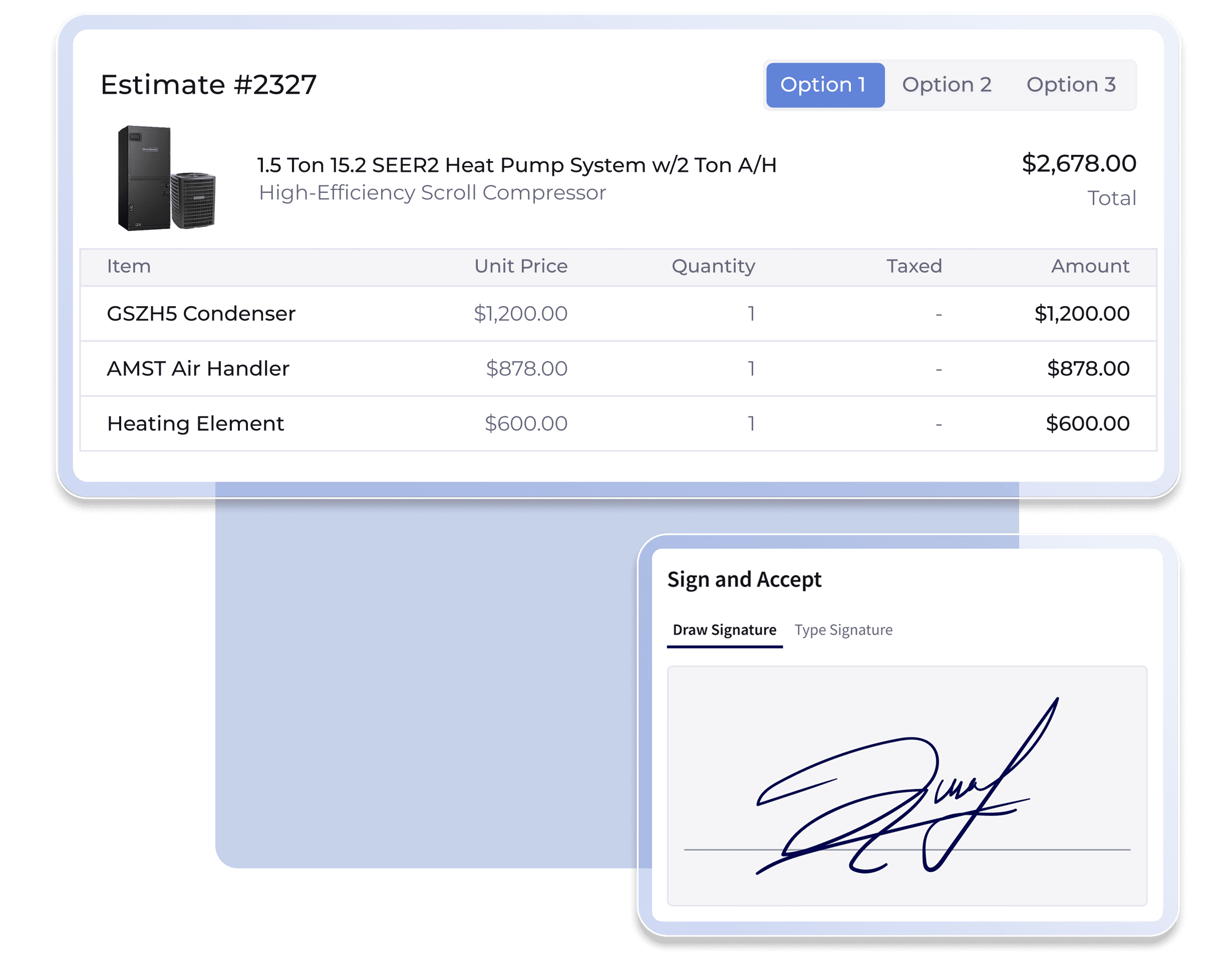
FieldPulse offers estimating, invoicing, customer management, scheduling, and other field service workflows. Its mobile and web applications let you create and manage estimates in the office and out in the field.
It’s best for small and growing HVAC service teams that want estimates, customer information, and job management in one platform.
Quoting features
- Estimate management: Prepare estimates and keep them associated with the relevant customer and job information.
- Connected invoicing: Move jobs from estimating to scheduling to billing, removing the need to recreate job details manually.
- Customer records: Keep quote information alongside customer details and scheduling activity so office staff and technicians can work from shared records.
- Mobile access: Technicians can create and manage estimates while they’re in the field and out of the office.
Pros and cons
FieldPulse is worth considering if your team needs a connected system for estimates and operations but doesn’t need the extensive tools that come with a larger enterprise platform. Get a demo to see how it handles reusable services, price books, and other features.
Note that FieldPulse won’t offer the same plan-based takeoff features as specialized commercial estimating software. It also doesn’t integrate with takeoff software, so you’ll need to get a separate dedicated tool.
Pricing
Pricing isn’t publicly available for FieldPulse. Contact their sales team to get a custom quote based on the features that each team member needs access to.
READ MORE: Jobber vs. FieldPulse
How to choose the right HVAC quoting software
The best way to compare quoting software is to test how each platform handles the work your team completes every day. Start with your sales process, pricing requirements, and the steps between preparing a quote and collecting payment.
Match the tool to your sales workflow
Consider where quotes are prepared, who creates them, and how customers approve them. For example:
- A solo residential HVAC contractor might need to price a repair, send a quote, and collect approval from a phone.
- A larger commercial HVAC company might have a salesperson preparing replacement proposals, a dedicated estimator building commercial bids, and office staff coordinating the schedule.
List all the steps involved in quoting a typical job. Then check whether the software supports those steps without requiring repeated data entry or additional spreadsheets.
If you sell maintenance agreements, offer several equipment options, or need approval from a property manager before scheduling work, make sure to factor those details into the process, too.
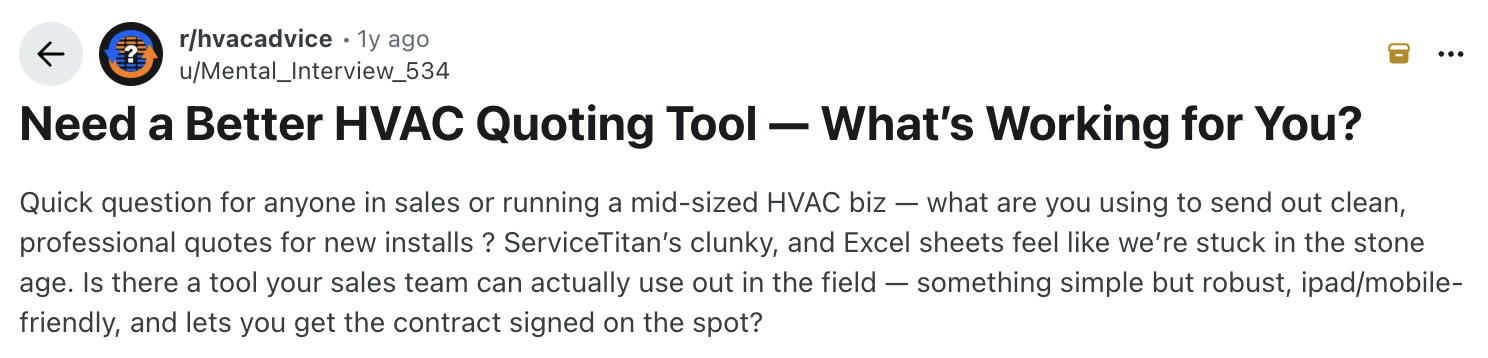
In a Reddit discussion about finding a better HVAC quoting tool, one business owner described the need for a simple, professional tool that works on a phone or iPad and supports on-the-spot signatures. These are useful evaluation criteria, no matter which software you choose.
Residential service and replacement quotes
Residential HVAC businesses often need to prepare quotes quickly while technicians or sales staff are at the customer’s home. For residential quotes, you’ll want to prioritize:
- Fast, simple quote creation on a phone or tablet
- Customer-friendly proposal layouts
- Reusable services, equipment items, and pricing
- Clear equipment specifications and scope details
- Good-better-best options for replacement projects
- Customer approvals and signatures
- Maintenance plan details and recurring service workflows
Look for a platform that’s easy to use as well. If your quoting tool requires hours of office work after every job, it may not solve the operational problems that prompted you to look for quoting software in the first place.
Commercial bids and plan-based estimates
If you’re a commercial HVAC contractor, you may need more features than standard quoting software can provide. Projects involving ductwork, equipment schedules, assemblies, and construction drawings require detailed measurements and cost calculations.
Look for software that supports:
- Digital takeoff from drawings and plans
- Ductwork and fitting quantities
- Labor-hour calculations
- Material and equipment cost estimates
- Reusable assemblies and estimating assumptions
- Detailed bid documentation and cost summaries
If you need a specialized tool like QuoteSoft or PlanSwift, look for a general field service platform that integrates with it. That way, you get one system for detailed estimating, fully connected with another for customer communication, scheduling, and invoicing.
As your company grows, consider who will maintain prices, prepare quotes, follow up with customers, and schedule work. Your quoting workflow should make ownership clear, so estimates don’t get lost when responsibilities move between technicians and office employees.
Check pricing, price books, and job costing
Your quoting software should help you understand how to price HVAC jobs and whether the resulting job will be profitable. Review how the platform handles:
- Labor rates and estimated hours
- Material and equipment costs
- HVAC parts markup
- Gross margin
- Flat-rate service pricing
- Price book updates
- Job costing after the work is complete
HVAC estimate software can help standardize calculations, but you still need accurate cost data and pricing rules. Learn how the platform calculates profit margins and whether you can adjust labor costs, equipment costs, and markup by service or job type.
HVAC flat-rate pricing is useful if you want technicians to select defined services with consistent pricing. But first, confirm whether the system supports the level of customization your business needs.
For commercial jobs, you should also check whether you can build assemblies, calculate material quantities, and use detailed labor estimates.
While general quoting tools and HVAC takeoff software solve different problems, integrations can pair your field service software with a takeoff tool for an all-in-one approach.
Look for mobile and field-ready features
If technicians and field sales staff prepare quotes on site, test the complete quoting process on the devices they use. This includes creating the quote, adding equipment and labor, attaching photos, sending it to the customer, getting approval, and turning the quote into a scheduled job.
During this process, pay attention to whether:
- Staff can quickly create and update quotes
- The interface works well on phones and tablets
- Signatures and approvals are straightforward
- Photos and scope details appear clearly
- Field techs can access necessary information when connectivity is limited
- Approved quotes transfer into scheduling without re-entering information
- The software fits the specific process your team uses
Confirm integrations and follow-up automation
Quoting software should fit into your existing business systems. Check how it connects to accounting, payments, HVAC CRM software, dispatching, scheduling, and invoicing—and find out whether each connection is native, manual, or provided through a third-party integration.
You should also review how the software tracks quotes awaiting approval. For example:
- Can your employees see which customers haven’t responded?
- Can they schedule reminders?
- Are reminders automated?
- Can reminders be customized?
A practical follow-up process might include an initial check-in after sending a quote, another reminder a few days later, and a final follow-up after a reasonable interval. The timing should fit your sales process and customer expectations.
Choose software that makes this process easy to manage. Automation is useful when it reduces repetitive work, but your team should still be able to answer questions and provide personal follow-up when needed.
Why Jobber is a strong fit for growing HVAC businesses
Consider Jobber if you want to connect HVAC quotes with the rest of your service workflow. Instead of maintaining multiple separate systems for quotes, scheduling, and invoices, your team can manage these activities through one connected platform.
Create professional quotes and proposals
Jobber lets you create quotes from templates or start from scratch. You can add services and products, customize quote details, and send customers a link to review the quote online. Higher-tier plans come with advanced customization features and optional line items.
Customers can approve quotes through Jobber’s client hub and sign electronically. They can also request changes and pay a deposit as part of the approval process. This outlines the proposed work and its price while keeping the quote connected to the client record.
Connect quotes to scheduling, invoicing, and payments
Once a customer approves a quote, Jobber can convert it into a job. Your team can schedule the work and generate an invoice when the job is complete.
This removes the need to recreate the same job details across separate systems. It also gives office staff and technicians a shared record of the customer, proposed work, and quote status. Keeping details together can make handoffs between sales and operations easier to manage.
Use Jobber in the field
Jobber’s mobile apps for iOS and Android support day-to-day work away from the office, including creating and managing quotes.
A technician or salesperson can prepare a quote on site, send it to the customer, and manage next steps without having to return to the office. Customers can review and approve the quote online.
This workflow is useful when your team needs to prepare straightforward service or replacement quotes, fast. See how Jobber can help your quoting workflow run more smoothly:
Help customers say yes faster
The right HVAC quoting software helps your team price services accurately, explain the scope of work, and provide a clear way for customers to approve quotes. Mobile access and consistent follow-up can also reduce the administrative work involved in managing open estimates.
Start by identifying your most common quoting tasks and test how each platform handles them:
- If you mainly prepare residential service quotes, prioritize price books, templates, mobile usability, and connected scheduling.
- If you bid on complex commercial projects, give more weight to takeoff, assemblies, and detailed labor and material calculations.
The best software for HVAC contractors is the tool that fits your workflow, supports consistent pricing, and helps your team move from quote to completed job with less manual work.
Frequently Asked Questions
-
The best option depends on your team size, sales process, budget, and estimating requirements. For example:
• Jobber is worth considering for growing service businesses that want quotes connected to scheduling, invoicing, payments, and customer management. It also integrates with Arcsite so you can link your takeoffs to relevant jobs.
• QuoteSoft and PlanSwift focus on detailed estimating and takeoff. Consider these if you often bid on complex commercial ductwork projects and need specialized estimating tools. -
An estimate calculates the expected cost of a job, while a quote generally presents pricing for a defined scope of work. A proposal adds more context, such as equipment details, options, supporting documents, or a presentation of the recommended solution.
The exact meaning of each document can vary by business and product names overlap. Instead of relying on labels, compare the workflow that the software supports.
For example, general HVAC estimate software may be ideal for service calls and replacement quotes. But specialized estimating tools help you calculate quantities, labor, and materials from construction plans.
READ MORE: What is an estimate? -
Some HVAC quoting tools support price books, reusable service items, assemblies, or preset service prices. These features can help you standardize pricing for common repairs, maintenance plans, and installation work.
Before you choose a platform, confirm how it handles labor, materials, equipment, markup, and price updates. If you use flat-rate pricing, test whether you can customize service items and keep prices consistent across technicians. -
Many mobile quoting platforms let you create and send quotes from a phone or tablet. Depending on the software and plan, your customers may also be able to review proposals online, approve quotes, and provide an e-signature.
Test the entire workflow on the devices your team uses. For example, go through the process of:
• Creating a quote
• Sending the quote to the customer
• Opening the customer-facing version of the quote
• Signing the quote as the customer
• Marking the quote approved in your HVAC software
• Confirming that the quote transfers into your job schedule