The Best Plumbing Invoice App: Top 7 Choices for Fast, Easy Billing

Key takeaways:
Finding the best plumbing invoice app means choosing software that simplifies billing, saves you time, and helps your business get paid faster.
- Choose the right type of app for your needs. Standalone invoice apps are ideal for simple billing, while all-in-one solutions offer additional features like scheduling, customer management, and business reporting.
- Look for features that streamline cash flow and organization. Top apps support mobile invoicing, estimate-to-invoice conversion, payment processing, automated reminders, and easy tracking of unpaid or overdue invoices.
- Match the app to your business size and workflow. Some apps excel as affordable solutions for solo plumbers. Others offer robust tools for larger teams handling complex jobs and need features like route optimization or time tracking.
- Prioritize ease of use and integration. The best plumbing invoice apps are simple enough for field technicians to use and can sync with accounting software like QuickBooks for efficient record keeping.
- Review value and scalability before committing. As your business grows, your invoicing needs may change. Choose software that can adapt and won’t limit your operations or professional image.
Stay up to date with the latest business tips and tools—sign up for the Jobber Newsletter for more resources straight to your inbox. Sign up here.
Running a plumbing business means juggling service calls, managing parts and labor, coordinating with technicians, and keeping customers happy—all while ensuring you get paid quickly and accurately.
That’s why it’s important to have the right invoicing app in your pocket. It helps you streamline the invoicing process and present a professional image that builds trust with every job.
Whether you’re a solo plumber handling residential repairs or managing a growing team with multiple trucks on the road, our 7 picks for the best plumbing invoice app offer features that can save you time and improve cash flow.
The top 7 plumbing invoicing software options:
What is a plumbing invoice app?
A plumbing invoice app is a type of software that helps plumbing contractors create, send, and manage professional invoices for every job.
The best invoice app for plumbers simplifies invoicing by combining billing, estimates, and customer management in one mobile app.
With the right plumbing invoicing software, you can:
- Use a customizable plumbing invoice template for a professional invoice.
- Turn an estimate into a final invoice once you complete a job.
- Track job details and store customer information.
- Monitor unpaid or overdue invoices.
Why use a plumbing invoice app?
As part of broader plumbing business software, an invoice app helps you streamline invoicing, stay organized, and get paid faster. The benefits of using a plumber invoicing app include:
- Faster payments for better cash flow: Send invoices immediately after completing a job and accept online payments to reduce delays and improve cash flow.
- Automated payment reminders: Reduce late payments by automatically notifying customers about upcoming or overdue invoices.
- Fewer errors to ensure accuracy: Automatically calculate totals, taxes, and discounts to help prevent pricing mistakes and missing line items.
- Less admin work to maximize productivity: Create invoices quickly using saved customer details and custom templates.
- Reporting for key business insights: Use built-in reports to help track revenue, outstanding invoices, payment trends, and overall business performance.
- Improved organization and record keeping: Store all invoices, customer information, and payment records in one centralized system.
There’s a huge sense of accomplishment when you’re a customer’s solution. Jobber has been the solution for us.

Types of plumbing invoice apps
There are two main types of plumbing invoice apps: standalone invoice apps and all-in-one invoice software.
The best option for your plumbing company will depend on the size of your team, the complexity of each plumbing job, and whether you only need simple billing or want more business management features.
Standalone invoice software
Standalone invoice software focuses primarily on plumbing invoicing and billing. These tools make it easy for you to create a professional invoice using a customizable plumbing invoice template, send it to a customer, and track unpaid invoices or overdue invoices.
Many standalone plumbing payment apps support recurring invoices, mobile invoicing, and basic customer information storage.
They’re a good fit for small business owners who want a simple invoicing app without the added features (and often higher cost) of full plumbing service software.
All-in-one invoice software
All-in-one invoice software combines billing with broader plumbing software tools. In addition to creating estimates and professional invoices, these platforms often include time tracking, scheduling, job management, and customer management.
For plumbing contractors handling multiple jobs per day, this type of plumbing invoicing software keeps everything—from the initial estimate to final payment—in one centralized system.
How we chose the best plumbing invoice apps
Not every invoicing app is built with plumbers in mind. As a plumbing contractor, you don’t just need basic billing tools. You need software that works in the field, handles last-minute plumbing service calls, tracks detailed job information, and helps maintain consistent cash flow.
To create this list, we focused on plumbing apps that support the real workflows of a plumbing company, from initial estimate to final payment. Here’s what we did as part of our selection process:
- Identify must-have features like estimate-to-invoice conversion, mobile invoicing, recurring invoices, and customizable plumbing invoice templates.
- Compare how each platform handles unpaid invoices, overdue invoices, and payment processing.
- Review tools that support additional features like time tracking, scheduling, and overall job management.
- Read verified customer reviews to assess reliability, ease of use, and overall value.
We also watched app tutorials where possible to see how well the invoicing apps perform.
The result is a list of plumbing invoice apps to optimize your invoicing and help your business get paid faster.
| Disclaimer: Software prices are subject to change after the publication of this article. |
| App | Best for | Key features | Price | Free trial |
|---|---|---|---|---|
| Jobber | Residential and commercial plumbers needing an all-in-one solution | • Progress and mobile invoicing • Automated invoice follow-ups • Payment processing | Starting at $29 per user per month | Yes |
| ServiceTitan | Larger teams needing automated invoices | • Real-time invoice approval • Optional fields • Accounts receivable summary reports | Contact to request pricing | No |
| Housecall Pro | Residential plumbers | • Pre-filled invoice templates • Organized invoice list view • Autocharge cards on file | Starting at $59 per month per user | Yes |
| BuildOps | Commercial plumbers | • Built-in equipment catalogue • Instant work order sync • Real-time invoice tracking | Must request pricing | No |
| Joist | Plumbing businesses wanting a standalone invoice app | • Estimate-to-invoice conversion • Customer portal • Custom payment terms and due dates on invoices | Starting at $8 per user per month | Yes |
| Workiz | Independent contractors | • Digital tip options • Customer financing • Automated payment reminders | Free plan available, then $225 per month for 3 users | Free plan available |
| Service Fusion | Larger teams | • Multiple payment options • Monthly invoice reporting • Automated payment follow-ups | Starting at $245 per month for unlimited users | No |
Jobber
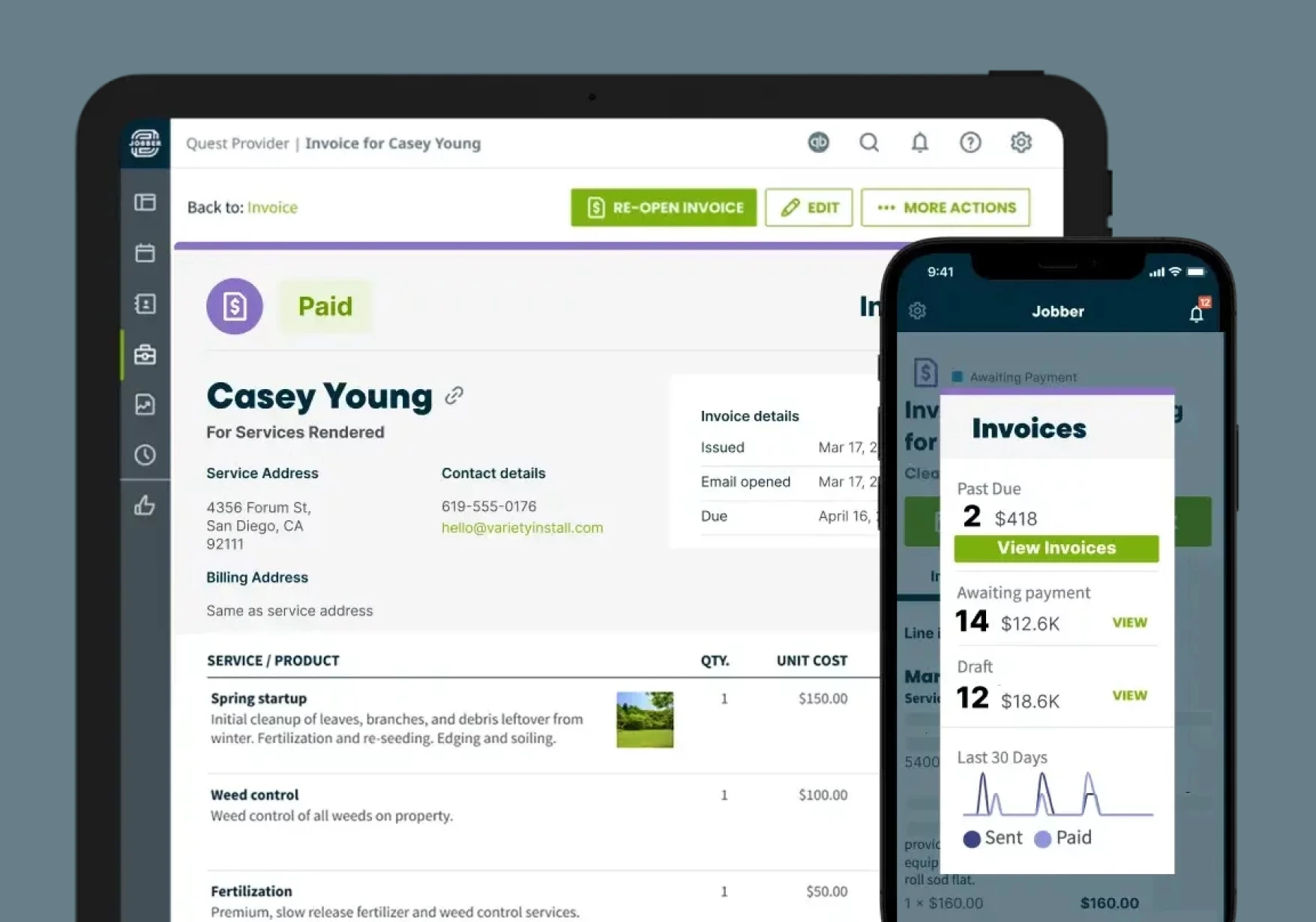
Jobber is a popular choice for plumbers and other home service owners. It’s designed to help you manage your operations from start to finish, including quoting, scheduling, invoicing, and payments.
Jobber’s invoicing app provides you with several invoicing options to fit your business needs, along with additional features such as automation, payment processings, and integrations with your other commonly used tools.
I can easily grab invoices and attachments for my customers all at once, adding value for our customers that not many plumbing companies can.
If I lost Jobber tomorrow, I’d be devastated.

Progress invoicing
Instead of waiting until the end of a massive project to bill the client, you can use progress invoicing to divide the total cost into specific payment installments based on project phases. Jobber makes it easy to set up an invoicing system for you and your customers.
For example, if you are working on a $10,000 job, Jobber can help you set up a schedule to invoice 40% upfront as a deposit, 40% after the rough-in phase, and the final 20% upon completion.
Mobile invoicing
For quick service calls—such as a clogged drain or leak repair—it’s important to be able to invoice directly from the field using a mobile app.
That way your plumber doesn’t forget to send the invoice. Your customer also receives it while the job is still top of mind, which increases your chance of getting paid faster.
With Jobber, as soon as your plumber finishes a job, they can click a button to complete the visit. This automatically generates an invoice, carrying over all line items and material costs from the job.
From there, they can text or email this invoice to the customer instantly.
Automated invoice follow-ups
Jobber sends automated invoice follow-ups for overdue invoices, acting as a virtual accounts receivable clerk.
You can set triggers that fit your current business workflow. This automatically emails or texts customers a reminder with a direct link to pay the open invoice.
For example, you may prefer to trigger the message one day after the invoice is due. Or, if the recipient is a repeat customer, you may choose to trigger the message three days later.
No matter when you send the message, following up can drastically reduce the time spent tracking down unpaid invoices. And doing it automatically saves you even more time.
Payments
Jobber Payments makes it easy to collect credit card and ACH payments online, which your customer can pay at their convenience. If you prefer immediate payment, use Tap to Pay to settle up before your plumber leaves the jobsite.
For customers with recurring work, Jobber can automatically charge cards on file or saved bank accounts after the job for smooth payments.
QuickBooks Online Sync
Connect your invoicing and accounting workflows with Jobber’s QuickBooks Online integration.
Once you create an invoice and mark it paid within Jobber, that invoice—along with the payment record and processing fees—is automatically pushed to QuickBooks Online.
This eliminates the need for double data entry and ensures the accounting team doesn’t have to manually recreate invoices in two systems.
Jobber also integrates with Xero, Gusto, and other common software solutions to create an all-in-one system for invoicing and payments.
Other key Jobber features include:
- Drag-and drop calendar: Quickly assign and rearrange jobs on a visual calendar to keep technicians organized and avoid scheduling conflicts.
- Route optimization: Automatically plan the most efficient routes to reduce drive time and maximize the number of jobs in a day.
- Quote templates: Create accurate estimates faster with reusable templates, customizable service or material options, and optional line items.
- Location-based timers: Track technician hours automatically using geofencing to clock in when they arrive at a job site and clock out when they leave.
- Email campaigns and Google Reviews: Send targeted email promotions and request reviews to attract new customers and strengthen your online reputation.
We’re able to close out an invoice now. They have a new feature where you can tap to pay on the phone. It just makes it very easy to start the job and close it out at the end of the day.

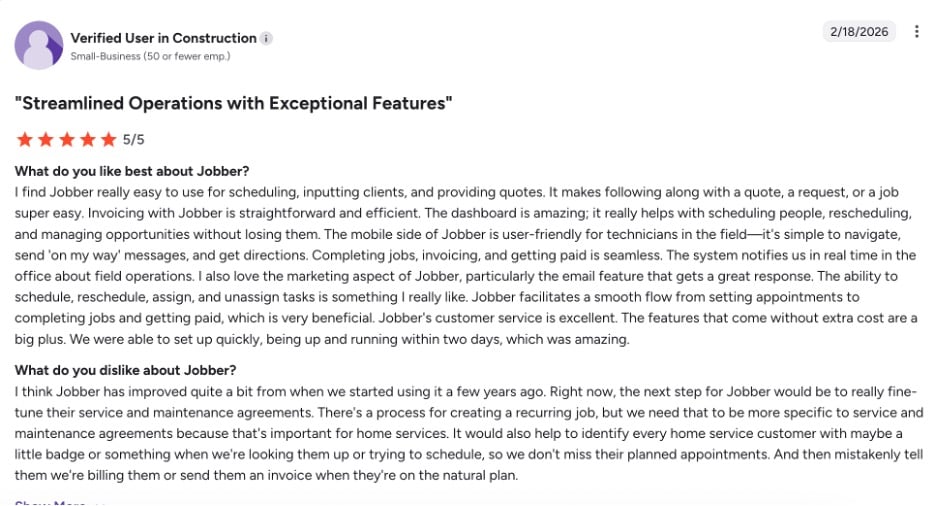
One user notes how straightforward and efficient Jobber’s invoicing is, with special emphasis on Jobber’s dashboard.
Check out Jobber’s website for pricing.
ServiceTitan
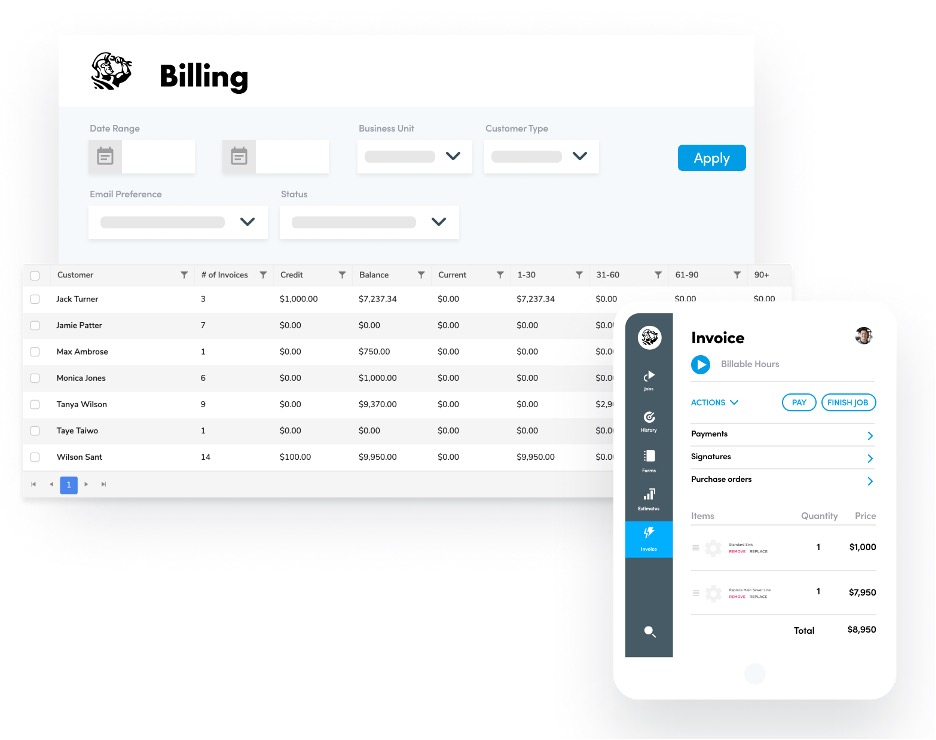
ServiceTitan is best for larger teams looking for automated invoicing. It helps you generate professional invoices in the field using customizable invoice templates.
ServiceTitan automatically fills in certain fields—including invoice number, type, terms, invoice date, payroll date, number of hours worked, subtotal, and tax zone—for less manual work and increased accuracy.
COMPARE: Jobber vs. ServiceTitan
ServiceTitan also lets you:
- Send customers invoices for approval in real time.
- Create upselling opportunities with optional fields.
- Track unpaid invoices with accounts receivable summary reports.
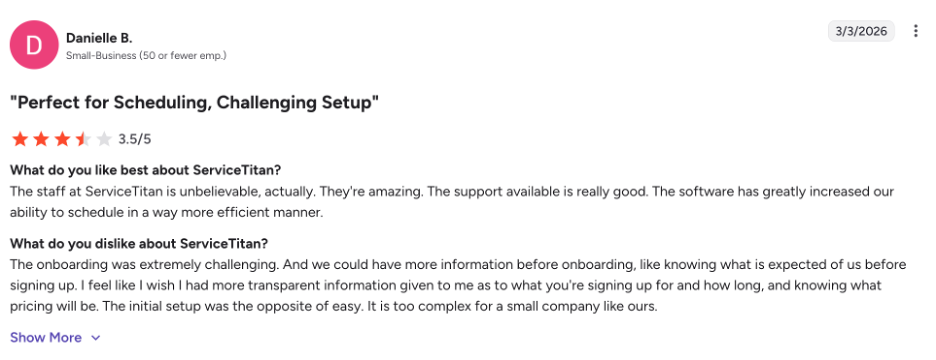
While one user notes that ServiceTitan has great customer support, they do note the lack of pricing transparency and the overly complex initial setup.
Check out Service Titan’s website for pricing.
Housecall Pro
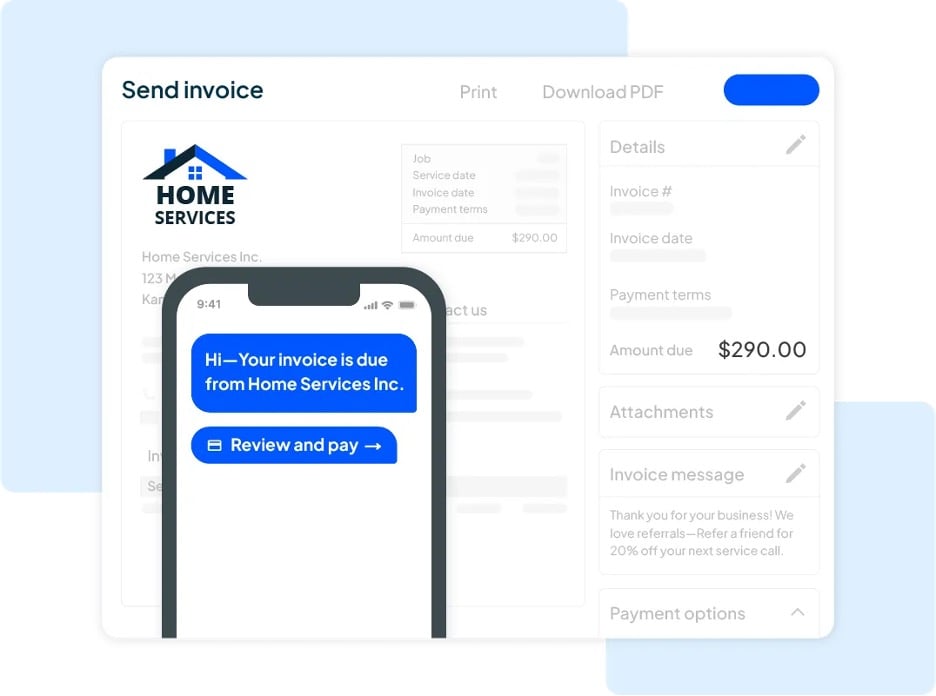
Housecall Pro is a great plumbing invoice app option for residential plumbers looking for a simple invoicing solution.
Housecall Pro lets you:
- Choose from branded invoice templates pre-filled with job and customer information.
- Search, filter, preview, send, and collect payments from a singular, organized list view.
- Send reminders or auto-charge cards on file to ensure timely payment.
COMPARE: Jobber vs. Housecall Pro
It’s important to keep in mind that Housecall Pro is designed for high-volume residential service businesses. Its features might not be enough for larger commercial plumbing operations or businesses handling multi-phase projects.
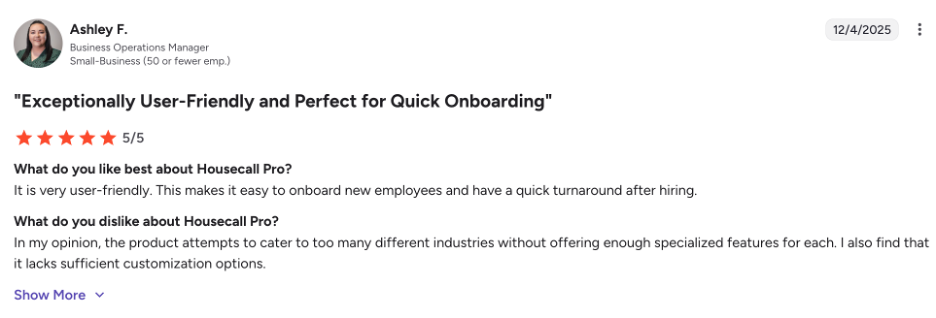
One user notes that while Housecall Pro is user friendly, they feel it lacks specialized features for different industries and customization options.
Check out Housecall Pro’s website for pricing.
BuildOps
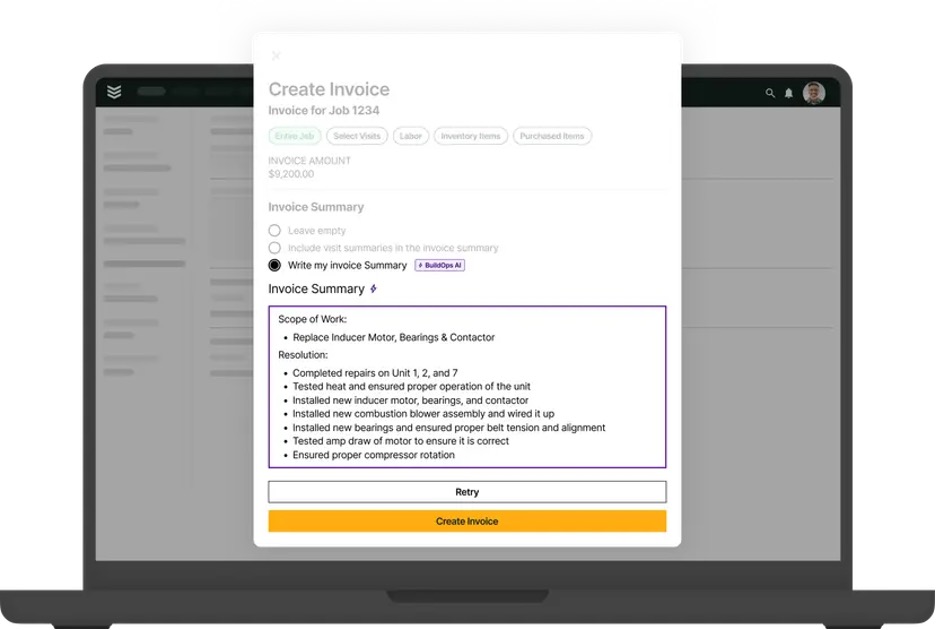
BuildOps is a commercial contractor software solution that lets your plumbers pull pricing information from your built-in equipment catalogue and share it with customers on-site. You can email invoices with payment links directly to your customers, so they can pay instantly.
BuildOps also lets you:
- Process payments with built-in credit card and ACH payments.
- Sync work orders instantly.
- Track invoices in real time.
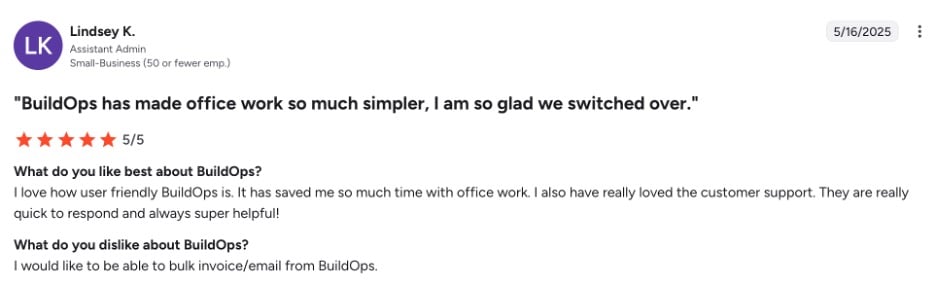
One user notes that although BuildOps saves them time, it lacks bulk or batch invoicing. This feature would save time by generating and sending multiple invoices at once for completed jobs.
Check out the BuildOps website for pricing.
Joist
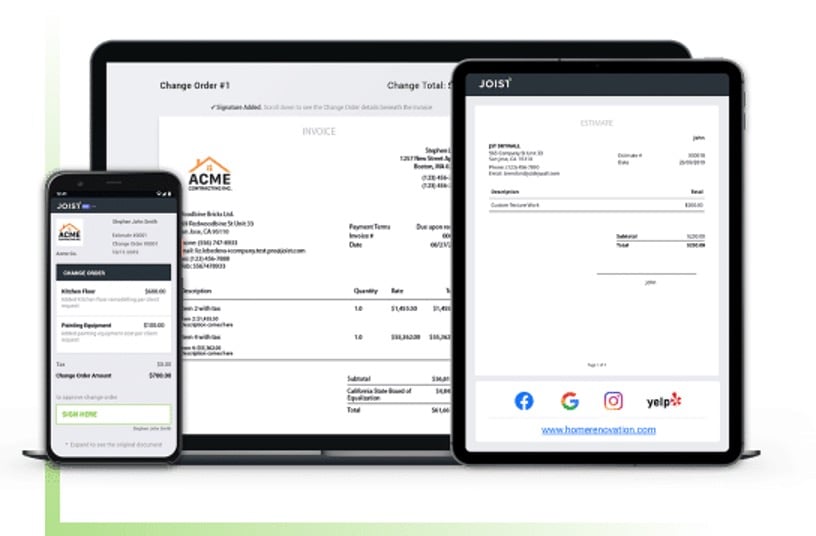
Joist is a great choice for small businesses looking for standalone invoicing software. It lets you build custom invoices from your device, or instantly convert approved estimates into invoices.
Joist also lets you:
- Send invoices through a link to a customer portal.
- Attach photos and files to invoices.
- Include custom payment terms and scheduled due dates on invoices.
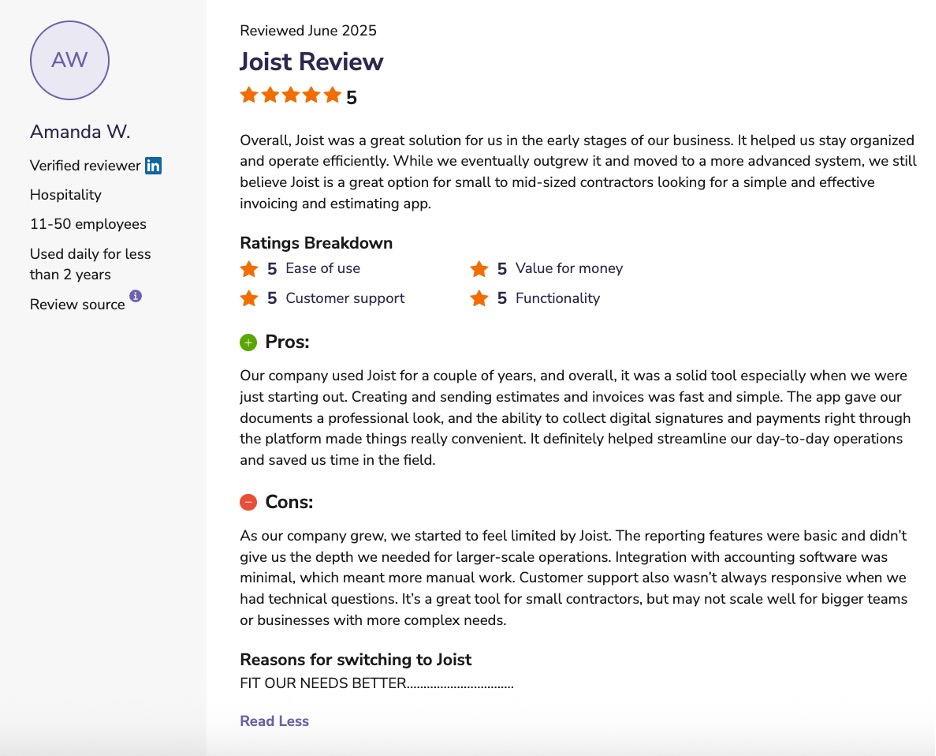
As a standalone invoicing app, Joist lacks other features that plumbing businesses need, such as scheduling, dispatching, and reporting.
One user specifically noted that while Joist is a good solution for simple invoicing, they started to feel limited by the app as their business grew.
Check out Joist’s website for pricing.
Workiz
Workiz is a simple field management app that makes it a great choice for solo plumbers and small teams—mainly because there is a free version for up to two users.
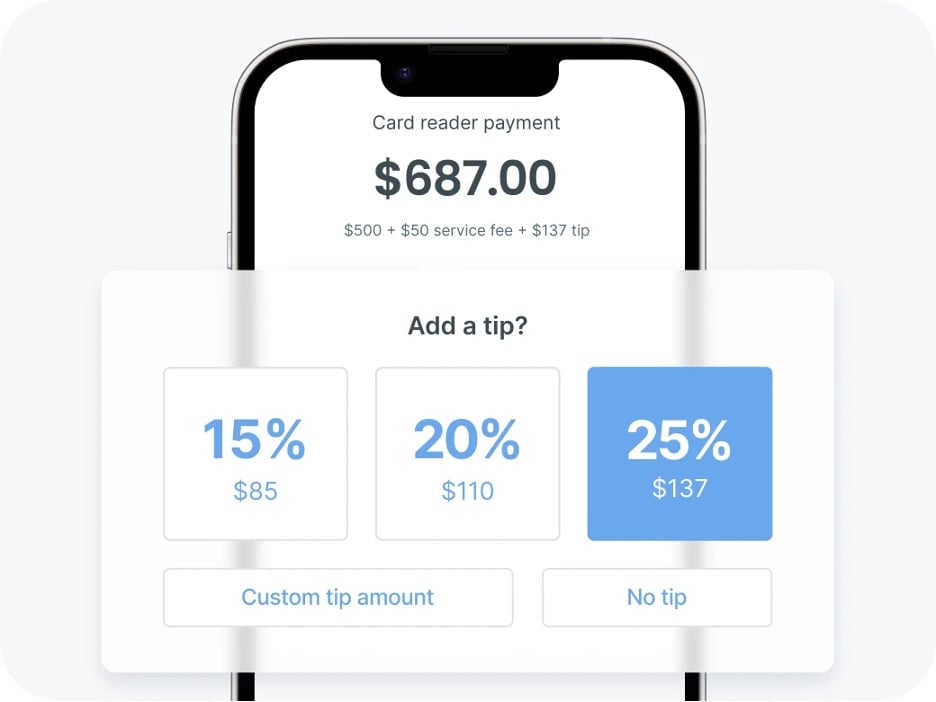
One of the app’s top features is its built-in smart tipping prompts, allowing your customers to show their appreciation without any awkward conversations.
Workiz also lets you:
- Provide flexible payment options with built-in customer financing.
- Automate payment reminders.
- Integrate your accounting with QuickBooks Online sync.
COMPARE: Jobber vs. Workiz
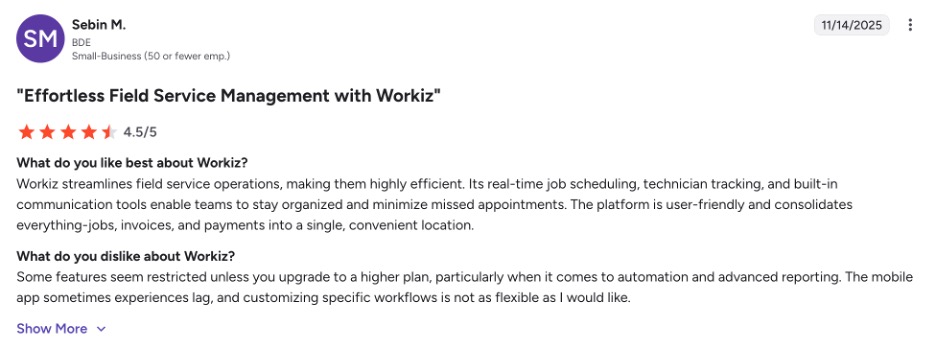
However, Workiz lacks features that help with invoicing, such as job costing and expense tracking. What’s more, one user notes that while Workiz consolidates everything into one location, some features feel restrictive unless you upgrade to a higher plan.
Check out Workiz’s website for pricing.
Service Fusion
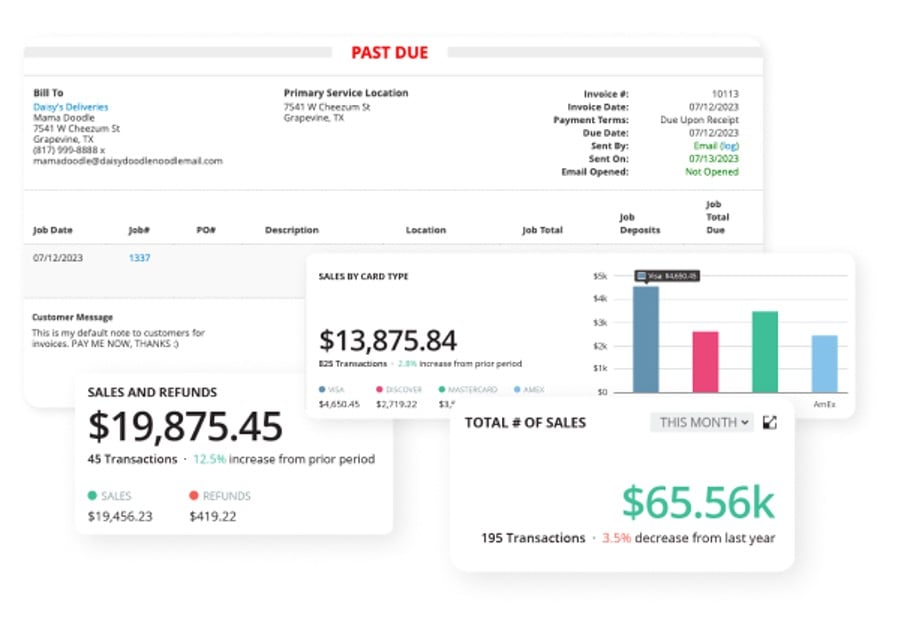
Last on our list of the top plumbing invoice apps is Service Fusion. This app offers enterprise-level features for unlimited users, which makes it a good option for growing plumbing businesses.
For invoicing, the app lets your plumbers convert jobs to invoices with just a single click, and offer multiple payment options for your customers.
Service Fusion also lets you:
- Streamline job deposits and ACH check capture.
- Get business insights with monthly invoice reporting.
- Automate payment follow ups.
COMPARE: Jobber vs. Service Fusion
Starting at $245 per month, Service Fusion can be pricey for small plumbing businesses, especially those with less than five plumbers on staff.
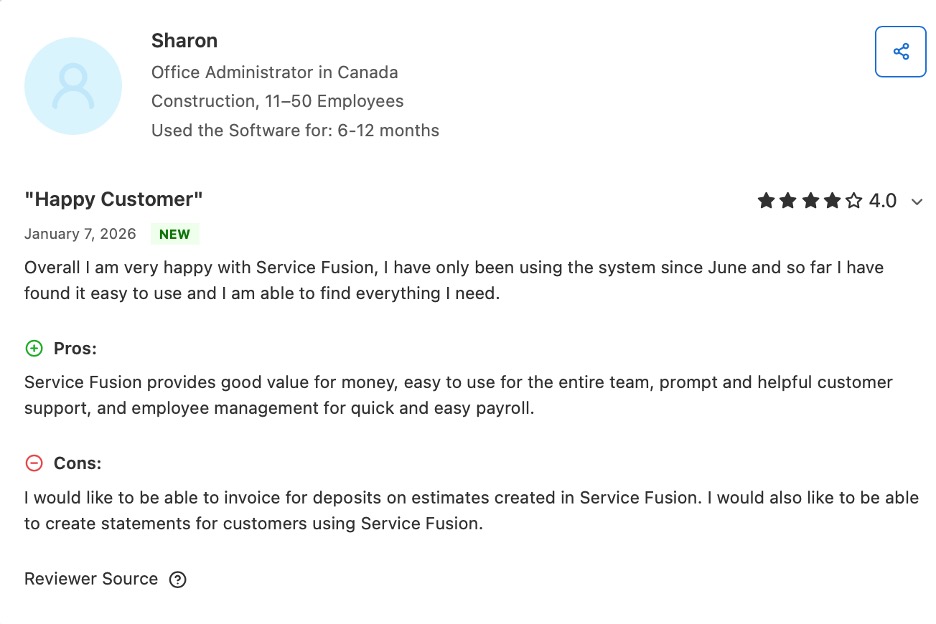
One user notes that although Service Fusion provides good value, they can’t invoice for deposits on estimates. This is something to keep in mind if deposits are part of your invoicing process.
Check out Service Fusion’s website for pricing.
What to look for in plumbing invoice apps
The right plumbing invoice app should do more than just send a bill. It should simplify your workflow and help your plumbing company maintain strong cash flow.
As you compare plumbing invoicing software options, keep these key features in mind:
- Customizable invoice templates: Look for a professional plumbing invoice template that lets you add branding, job details, labor, materials, and taxes.
- Estimate-to-invoice conversion: Easily turn a plumbing estimate into a final invoice to save time on every job.
- Recurring invoices: This type of invoicing is ideal for ongoing plumbing service agreements or maintenance plans.
- CRM tools: Store customer information, track service history, and improve overall customer service.
- Time tracking and scheduling: If you have a team of plumbers—or even if you’re a solo operator—this can help you track labor hours for accurate invoicing.
- Unpaid and overdue invoice tracking: Built-in reminders and reporting features help identify unpaid invoices and protect your cash flow.
- Payment processing options: Accept credit cards, online payments, or other digital methods to offer convenient options to clients and get paid faster.
- Ease of use: The invoicing app should be simple enough for a small business owner or field technician to use without extensive training.
Choosing the best plumbing invoice app comes down to finding software that fits your workflow while helping you get paid faster.
Whether you need simple invoicing software or a full plumbing business software solution, the right tool can streamline billing, improve customer service, and strengthen your cash flow.
Now you’ll have more time to focus on growing your plumbing company.
Frequently Asked Questions
-
Standalone plumbing invoice apps focus mainly on billing and plumbing invoicing, helping you create and send professional invoices.
All-in-one plumbing business software includes additional features like scheduling, time tracking, customer management, and job details tracking in one platform. -
For most plumbing contractors, a plumbing invoice app is worth the cost. An invoicing app can save hours on billing, reduce unpaid or overdue invoices, improve cash flow, and present more professional invoices to customers—often paying for itself in time saved and faster payments.
-
When choosing a plumbing invoice app, look for features such as:
• Mobile invoicing: Create and send invoices directly from a phone or tablet at the job site to speed up billing and reduce paperwork.
• Estimate-to-invoice conversion: Turn approved estimates into invoices with a single click to save time and avoid re-entering job details.
• Customizable invoice templates: Use branded templates with your logo, colors, and plumbing service details to maintain a consistent and professional appearance.
• Recurring invoices: Automatically send invoices for ongoing services or maintenance contracts to ensure consistent billing.
• Payment processing: Accept secure online payments through credit cards, or use ACH for faster and more convenient transactions.
• Unpaid invoice tracking: Monitor outstanding balances, identify overdue invoices, and follow up with customers to reduce late payments. -
Many plumbing invoice software options integrate with QuickBooks to sync invoices, payments, and customer data automatically. For example, Jobber’s QuickBooks Online integration eliminates double data entry by automatically syncing your invoices to QuickBooks for easy accounting.